
Asustor Drivestor 4 Gen 2
4.0Editor score
Quad-Core 1.7GHz CPU
2.5GbE Network Port
Btrfs Snapshot Support
Discover the top 10 4 Bay NAS options for home and business. This guide compares performance, storage capacity, and features to help you choose.
A 4 Bay NAS provides centralized storage for media, backups, and file sharing. It supports multiple users and offers RAID options for data protection. Choosing the right unit depends on your performance needs and budget constraints.
We evaluated ten leading 4 Bay NAS models based on processor power, RAM capacity, and network speed. Our comparison includes detailed reviews of key features like media transcoding and app ecosystems to guide your decision.
Each pick highlights specific strengths such as budget value or enterprise readiness. Prices and availability change frequently so verify current listings before purchasing. This guide ensures you find a reliable storage solution for your data.
4.0Editor score

4.6Editor score

4.4Editor score
This table compares the top ten 4 Bay NAS units across key technical specifications. Use it to quickly identify the model that fits your storage and performance requirements.



The TERRAMASTER F4-425 is a solid choice for users seeking affordable 4 Bay NAS storage with reliable performance. It earns a 4.0 rating for balancing cost with essential features like 4K transcoding and silent operation suitable for home use.
We may earn a commission when you buy through this link, at no additional cost to you.
Its Intel x86 quad-core processor handles multitasking well while the 2.5GbE port ensures fast file transfers. The TNAS Mobile app simplifies setup and management allowing remote access without a PC. Push-Lock design makes drive installation quick and tool-free.
While it lacks extensive RAM expansion options the 4GB default suffices for most media tasks. Users should note that advanced virtualization may be limited compared to higher-end models.
This NAS is ideal for home users or small offices needing centralized storage without breaking the bank. If you value quiet operation and easy setup the F4-425 delivers strong value.
Operating at 21dB it fits discreetly in bedrooms or living rooms without noise distractions.
TRAID and TRAID+ arrays offer more storage space than traditional RAID while ensuring data redundancy.
We may earn a commission when you buy through this link, at no additional cost to you.
The UGREEN NAS DXP4800 GT targets creators and tech enthusiasts with robust hardware and speed. Rated 4.6 it stands out for dual 10GbE ports and support for high-speed SSD expansion enabling efficient workflows.
We may earn a commission when you buy through this link, at no additional cost to you.
Powered by an AMD Ryzen Embedded processor it handles Docker apps and virtual machines smoothly. The built-in Surveillance Center allows local storage for security cameras without cloud subscriptions. An SD card slot simplifies photo imports from cameras.
Users should note ECC RAM requires a manual upgrade for error correction. Plex integration via Docker demands technical setup but offers flexibility for media libraries.
This model suits professionals needing rapid data transfer and local control. If you require high throughput for video editing or team collaboration the DXP4800 GT is a compelling choice.
Dual 10GbE ports provide up to 2.5GB/s theoretical throughput for seamless large file handling.
Stores files locally with advanced encryption keeping data off third-party cloud servers.
We may earn a commission when you buy through this link, at no additional cost to you.
The Synology DS425+ delivers professional-grade storage for businesses and media teams. With a 4.6 rating it excels in multi-user access and secure file sharing features tailored for productivity environments.
We may earn a commission when you buy through this link, at no additional cost to you.
It supports concurrent access from over ten users with speeds reaching 278 MB/s. Centralized storage allows granular controls and audit logs for compliance. Surveillance System supports up to 30 IP cameras enhancing security options.
While robust it comes at a premium price point. Businesses benefit from a 3-year warranty and dedicated technical account management for critical operations.
This unit is perfect for offices needing reliable secure storage. If data integrity and team collaboration are priorities the DS425+ offers enterprise-level features.
Granular access controls and audit logs ensure sensitive company documents remain protected and traceable.
Combines RAID redundancy with snapshots to prevent data loss from malware or accidental deletion.
We may earn a commission when you buy through this link, at no additional cost to you.
The UGREEN NAS DXP4800 Plus earns Editor's Choice for its balanced blend of speed and ease of use. Rated 4.6 it suits families and small teams needing centralized storage with advanced AI features.
We may earn a commission when you buy through this link, at no additional cost to you.
It enables backups under one second via 10GbE or USB ports. The AI-powered photo album organizes memories by faces and scenes saving time. Flexible permissions support secure collaboration across devices.
It lacks Wi-Fi support requiring wired connections. Plex is not pre-installed but runs via Docker for flexibility.
This NAS is recommended for those seeking high performance without complexity. If you need rapid transfers and smart media management the DXP4800 Plus leads the category.
Back up files instantly using 10GbE network or USB ports avoiding external drive hassles.
Advanced encryption ensures 100% data ownership without relying on third-party cloud providers.
We may earn a commission when you buy through this link, at no additional cost to you.
The UGREEN NAS DH4300 Plus is tailored for beginners transitioning from cloud storage. Rated 4.2 it offers an intuitive entry point with smart photo features and secure local storage.
We may earn a commission when you buy through this link, at no additional cost to you.
NFC simplifies setup while AI organizes photos by people and scenes. It eliminates recurring cloud fees by providing permanent local storage. A magnetic dust cover aids in closing the unit effortlessly.
It does not support virtual machines limiting advanced use cases. Wired Ethernet is required as Wi-Fi is unsupported.
This NAS suits home users needing private storage without technical complexity. If you prioritize ease of use and cost savings the DH4300 Plus is ideal.
Connect via NFC to start sharing files quickly without extensive configuration steps.
AI-powered albums remove duplicates and organize memories to keep your library tidy.
We may earn a commission when you buy through this link, at no additional cost to you.
The Synology DS925+ offers versatile storage with strong virtualization capabilities. Rated 4.2 it appeals to users needing stable data transfers and built-in solutions for file and photo management.
We may earn a commission when you buy through this link, at no additional cost to you.
Dual 2.5GbE ports enhance redundancy and speed. It supports virtualization allowing flexible hosting of services. The official compatibility list ensures reliable drive operation.
It lacks extensive hardware expansion but provides enterprise features in a compact design. The 3-year warranty adds peace of mind for critical data.
Ideal for small offices needing reliability the DS925+ delivers efficient performance. If you value stable transfers and native app support this model is a solid option.
Dual 2.5GbE ports ensure fast transfers and network reliability for continuous operations.
Built-in file photo and surveillance tools simplify management without extra software.
We may earn a commission when you buy through this link, at no additional cost to you.
The Yxk Zero1 Pro stands out for supporting third-party operating systems alongside its native app. Rated 4.4 it is excellent for users wanting flexibility in software environments while maintaining ease of setup.
We may earn a commission when you buy through this link, at no additional cost to you.
Its Intel N100 processor supports Docker and custom OS like TrueNAS. HDMI output allows direct media playback. The aluminum housing with dual-fan cooling ensures stable operation under load.
Drive compatibility must be checked before purchase. While flexible it may require more technical knowledge for advanced configurations.
This NAS is perfect for hobbyists and professionals needing customization. If you prefer control over the OS the Zero1 Pro offers unmatched versatility.
Install systems like TrueNAS or Unraid to tailor the environment to specific needs.
Dual fans and aluminum enclosure maintain low temperatures for continuous heavy workloads.
We may earn a commission when you buy through this link, at no additional cost to you.
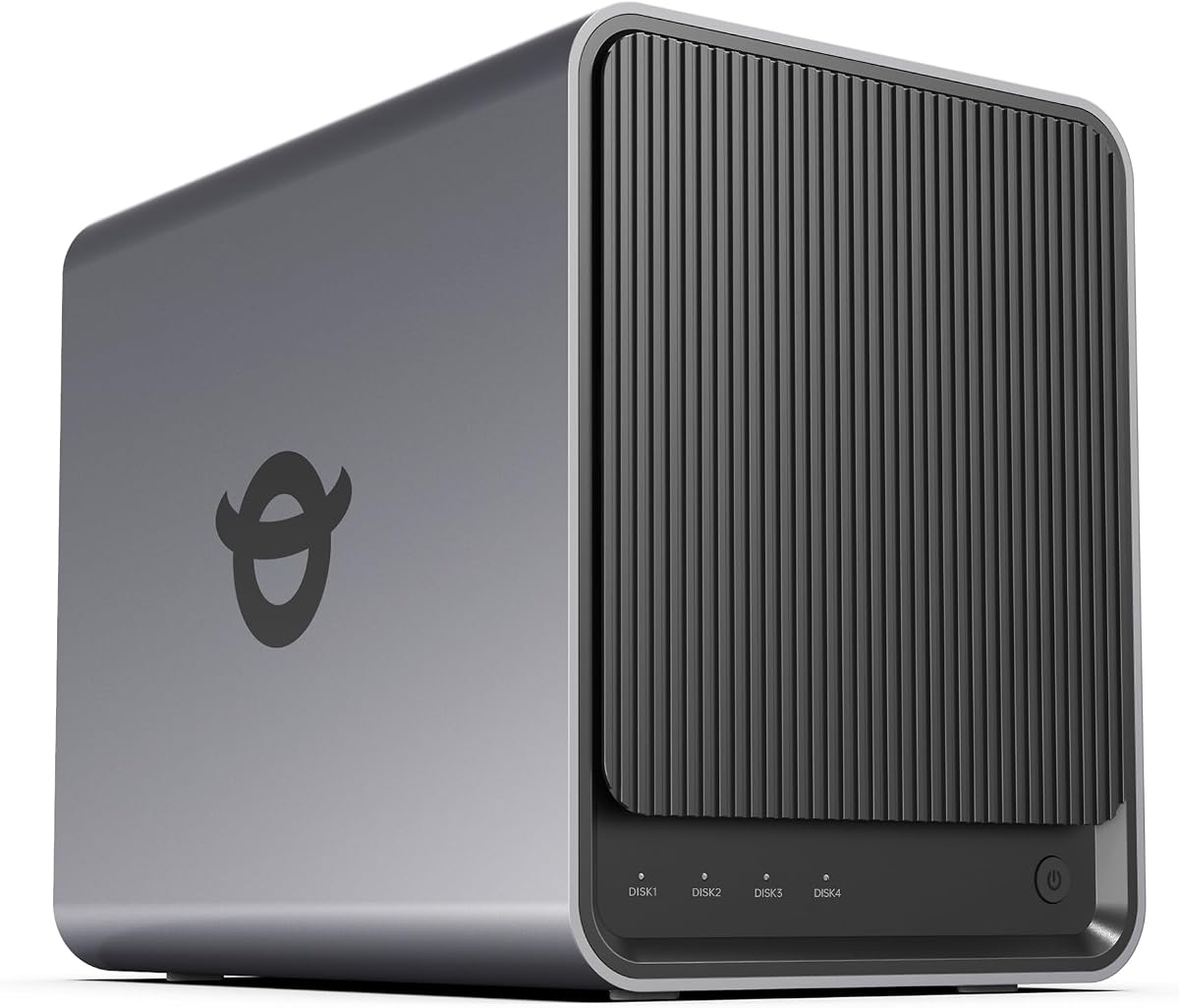
The Asustor Drivestor 4 Gen 2 offers essential features at an entry-level price. Rated 4.0 it is ideal for budget-conscious users needing secure storage and remote access.
We may earn a commission when you buy through this link, at no additional cost to you.
A 2.5GbE port improves transfer speeds over standard gigabit. Btrfs snapshots and WORM technology protect against ransomware. Remote access features enable private cloud capabilities without monthly fees.
RAM is limited to 1GB which may hinder multitasking. Advanced media transcoding is not as robust as higher-end units.
This NAS suits home users needing reliable backups. If cost and security are priorities the Drivestor 4 Gen 2 provides excellent value.
Snapshots and WORM technology safeguard critical files from malicious attacks or errors.
Create a secure private cloud for file sharing without relying on public services.
We may earn a commission when you buy through this link, at no additional cost to you.
The Synology DS423 focuses on protecting media and documents with robust security tools. Rated 4.4 it is suited for families needing privacy and business users requiring reliable backup solutions.
We may earn a commission when you buy through this link, at no additional cost to you.
Immutable snapshots prevent ransomware attacks effectively. File sharing replaces expensive services like Dropbox. The surveillance system supports up to 30 IP cameras for comprehensive monitoring.
Camera licenses are sold separately which adds to the cost. Speed is adequate but not top-tier for heavy workloads.
This model is recommended for secure private storage. If data safety and multi-device sync are key the DS423 delivers peace of mind.
Immutable snapshots ensure you can restore files even after malware attempts to encrypt data.
Archive and analyze security footage locally without recurring cloud subscription fees.
We may earn a commission when you buy through this link, at no additional cost to you.
The UGREEN NAS DXP4800 Pro targets IT professionals with high-end specs. Rated 4.4 it offers desktop-level performance for virtual machines and local AI processing ensuring privacy for demanding workflows.
We may earn a commission when you buy through this link, at no additional cost to you.
It uses a Core i3-1315U processor with DDR5 RAM for speed. Dual network ports provide fast throughput for data centers. The Data Vault encrypts sensitive files adding a layer of security.
Advanced features require technical knowledge to fully utilize. The premium price reflects its capability for professional environments.
This NAS is ideal for developers needing a private workstation. If speed and enterprise-grade features are necessary the DXP4800 Pro stands out.
Intel Core i3-1315U handles virtual machines and development tools smoothly as a private workstation.
All AI photo processing happens on-device ensuring your data never leaves your network.
We may earn a commission when you buy through this link, at no additional cost to you.
Selecting a 4 Bay NAS requires evaluating processor power, storage capacity, and network speed. This guide explains key factors to consider before purchasing.
A strong processor ensures smooth multitasking media transcoding and virtual machine hosting. Look for quad-core CPUs or better to handle multiple users effectively.
Prioritize processors with higher thread counts for complex workflows.
RAM affects how many apps and users the NAS can support simultaneously. 4GB is adequate for basic storage while 8GB or more supports advanced tasks.
Check if the unit supports RAM upgrades for future flexibility.
Network ports determine file transfer rates. 2.5GbE is standard but 10GbE offers faster speeds for large media files.
Ensure your router and network equipment match the port speed.
4-bay NAS units typically support up to 144TB or more with large drives. Calculate your needs for photos videos and backups.
Remember that drives are usually sold separately from the NAS.
RAID configurations protect data by spreading files across drives. Options like RAID 1 or 5 offer redundancy if a drive fails.
Choose a model with flexible RAID options for your safety requirements.
Modern NAS units offer photo management surveillance and cloud apps. Evaluate if the OS supports your workflow needs.
User-friendly interfaces simplify setup for non-technical users.
Some models include slots for M.2 SSDs or PCIe expansion. These allow faster caching or adding more ports.
Expandability extends the useful life of your NAS.
Check the warranty length and availability of customer support. Enterprise units often come with longer coverage.
Reliable support is critical for business environments.
Begin by installing compatible hard drives and connecting the NAS to your router. Use the provided app to initialize the unit and create user accounts.
Configure RAID settings to protect your data and set up automatic backups for important files. Install additional apps like surveillance or media servers as needed.
Keep the unit in a well-ventilated area to prevent overheating. Regularly update firmware to ensure security and optimal performance.
A 4 Bay NAS stores data centrally for multiple users. It is used for file sharing media streaming backups and running services like surveillance.
Most 4 Bay NAS units are sold diskless. You must purchase compatible hard drives separately to enable storage.
Yes many 4 Bay NAS units support Plex via Docker or native apps. Ensure the CPU supports transcoding for best results.
Modern units offer encryption password protection and snapshot technology to safeguard data against ransomware and unauthorized access.
RAID 1 offers simple redundancy while RAID 5 balances capacity and safety. Choose based on your data value and speed needs.
Yes you can access files from anywhere using apps provided by the manufacturer. Ensure port forwarding is configured correctly.
Depending on drive size a 4 Bay NAS can hold up to 144TB or more. This allows for millions of photos and videos.
Some models are designed for silent operation. Check decibel ratings if you plan to place it in quiet living spaces.
We reviewed ten top 4 Bay NAS units ranging from budget-friendly options to powerful pro models. Each offers unique features for home or business needs.
Prioritize processor speed and network ports if you handle large files or multiple users. Budget models like Asustor offer solid value for basic tasks.
Prices vary so always check current listings before purchasing. This guide helps you find the right storage solution for your data.