
Razer Laptop Cooling Pad Adaptive Smart
4.4Editor score
Smart fan speed control
Airtight pressure chamber
RGB lighting support
Gaming laptops like MSI models often struggle with heat under load. A dedicated cooling fan helps maintain performance by improving airflow and reducing thermal throttling during heavy use.
We compared ten top-rated cooling pads focusing on airflow speed, noise levels, build quality, and compatibility with MSI chassis designs. Each option offers unique features for different user needs.
Every pick highlights key strengths and weaknesses to help you choose wisely. Note that product availability and pricing can change quickly on retailer sites so verify current details before buying.
4.4Editor score

5.0Editor score

4.4Editor score
As an Amazon Associate we earn from qualifying purchases.
The following table offers a quick side-by-side view of each cooling pad's core specs and compatibility details to help you compare key features at a glance.


The Razer Laptop Cooling Pad Adaptive Smart stands out as a high-end solution for thermal management with smart fan curves that adjust based on load. It holds a solid 4.4 rating and delivers exceptional airflow through its sealed pressure chamber designed to push air directly into laptop intakes.
We may earn a commission when you buy through this link, at no additional cost to you.
Its key strength lies in the intelligent control system which can be customized via Razer Synapse to match your specific thermal needs. The 140mm brushless fan spins up to 3000 RPM while the airtight foam seals ensure no air leakage occurs during intense gaming sessions.
Users may find the price higher than generic options and software dependency could be a hurdle for those who prefer hardware-only controls. However the performance gains in CPU and GPU temperature reduction justify the investment for serious gamers using MSI or compatible laptops.
This cooling pad is ideal for users seeking top-tier performance and software integration to optimize their system. If you value precision cooling and extra USB connectivity the Razer pad delivers premium results worth the extra cost.
The smart cooling system detects workload changes and adjusts fan speeds automatically to maintain optimal internal temperatures without manual intervention.
Airtight pressure chamber seals prevent air leakage ensuring that every bit of fan power translates to effective cooling for your laptop components.
We may earn a commission when you buy through this link, at no additional cost to you.
The havit HV-F2056 is a popular budget cooling fan that delivers reliable performance without breaking the bank. With a 4.4 rating it features three ultra-quiet fans that provide effective cooling while keeping noise levels low for comfortable work or gaming environments.
We may earn a commission when you buy through this link, at no additional cost to you.
Its standout features include an ergonomic stand design with two adjustable height settings and a metal mesh surface that provides stability. The extra USB port and power switch add convenience though users should note it uses USB-to-USB connection rather than Type C directly.
While it lacks advanced software control or RGB lighting the simple design ensures durability and ease of use. The ultra-portable build makes it easy to carry around which is perfect for students or professionals who move frequently with their laptops.
This option is best for users who need a no-frills cooling solution that works well for standard 15 to 17 inch laptops. If quiet operation and portability are your priorities this pad offers excellent value for money.
Three ultra-quiet fans create a noise-free environment ensuring you can focus on tasks without distracting background noise during long sessions.
The cooling pad doubles as an ergonomic stand with adjustable height settings helping reduce neck strain while improving airflow underneath the chassis.
We may earn a commission when you buy through this link, at no additional cost to you.
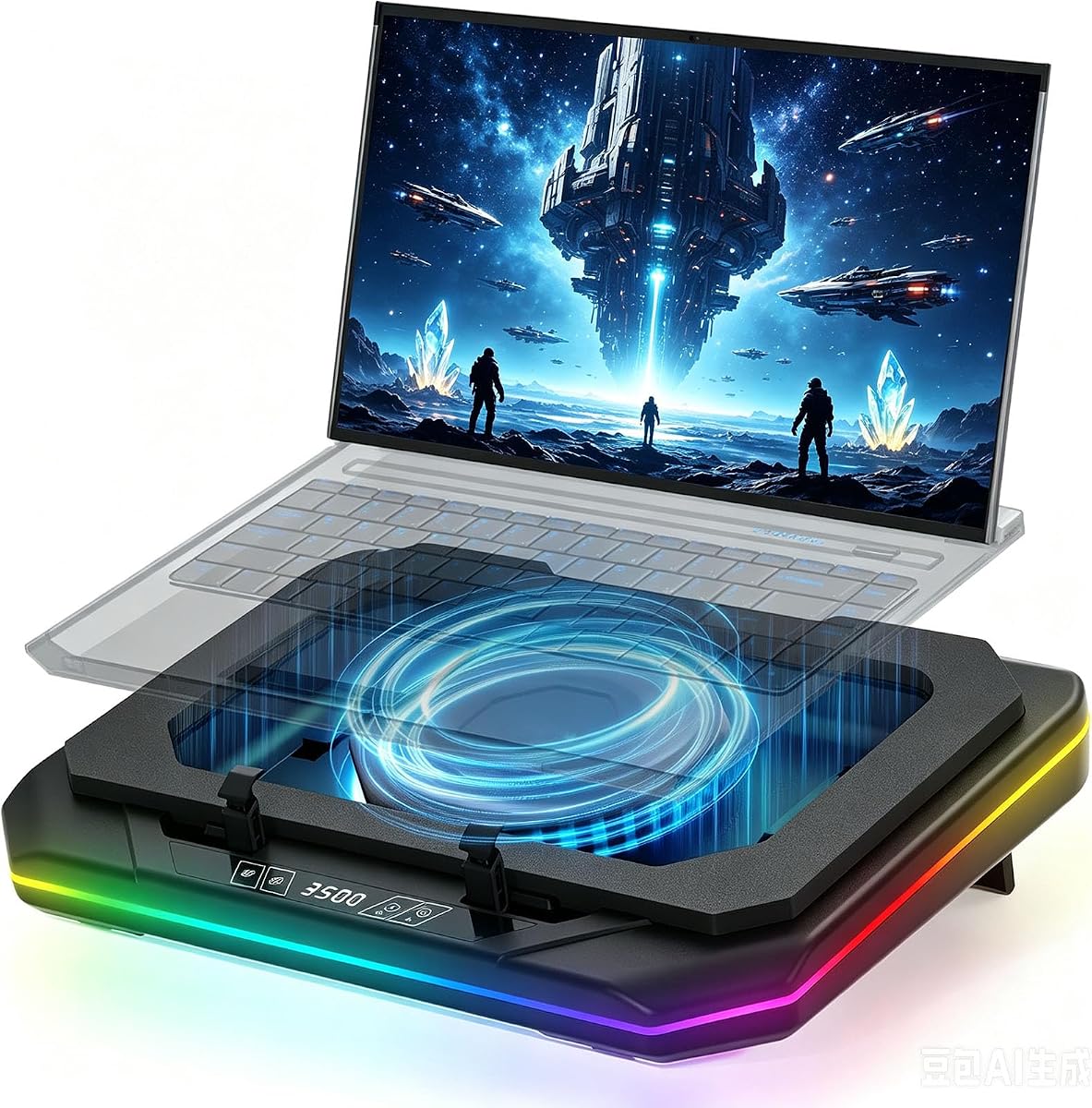
This cooling pad is designed specifically for high-end MSI models like the Raider and GE series earning a perfect 5.0 rating. It features a powerful turbofan that spins up to 3500 RPM with sealed wind pressure to reduce CPU and GPU temperatures by up to 40 degrees in minutes.
We may earn a commission when you buy through this link, at no additional cost to you.
Key strengths include a built-in USB hub with Type-C input and RGB lighting with six adjustable modes for a full gaming atmosphere. The retractable side panels and foldable footrests ensure compatibility with laptops from 14 to 18 inches while protecting against dust with a dense filtration mesh.
Noise can reach 60 dB at max speed which may be distracting for noise-sensitive users. The product also requires you to manage the cooling function manually during normal work to avoid unnecessary noise when cooling is not needed.
Ideal for serious gamers who prioritize maximum cooling performance over silence this pad delivers industrial-grade power. If you use an MSI 18-inch laptop and need rapid temperature drops during heavy loads this is a top choice.
The super powerful turbofan and sealed wind pressure design work together to dissipate heat rapidly ensuring your laptop stays cool under extreme gaming loads.
Built-in USB hub with Type-C input allows you to connect external devices like keyboards and hard drives directly to the cooling pad for better organization.
We may earn a commission when you buy through this link, at no additional cost to you.
This cooling pad targets MSI Vector and Creator models earning a perfect 5.0 rating for performance. It uses a turbofan spinning up to 3500 RPM with sealed wind pressure to drop CPU and GPU temperatures by 40 degrees quickly while supporting 14 to 18 inch laptops.
We may earn a commission when you buy through this link, at no additional cost to you.
It offers a built-in USB hub with Type-C input for extra connectivity and RGB lighting with six modes for a vibrant gaming setup. Retractable side panels and foldable footrests add stability and the dense dust filtration mesh protects internal fans from debris buildup over time.
Users should note that noise levels can reach 60 dB at top speed which might be disruptive in quiet environments. You also need to manage the power manually to avoid running it at high speeds during light tasks to keep noise down.
If you own an MSI Vector or Creator laptop and need powerful cooling this pad fits the bill perfectly. It is best for those who prioritize thermal performance and RGB aesthetics over silent operation during daily use.
Sealed wind pressure design ensures focused airflow reaches hotspots directly reducing CPU and GPU temps quickly even under heavy gaming workloads.
Type-C data input and USB hub ports let you attach peripherals easily expanding your workspace without relying solely on limited laptop USB ports.
We may earn a commission when you buy through this link, at no additional cost to you.
The Kootek cooling pad offers a balanced mix of airflow and ergonomics with five quiet fans and a 4.4 rating. It fits 12 to 17 inch laptops and includes a dual USB hub to connect extra devices without cluttering your main ports.
We may earn a commission when you buy through this link, at no additional cost to you.
You can control fan activity with two switches to run one four or all five fans with blue LEDs for visual feedback. The ergonomic design provides six adjustable height settings which help reduce neck strain during long work or gaming sessions comfortably.
While it lacks RGB lighting it delivers solid performance for general use and travel. The stoppers on the front prevent slipping and the lightweight design makes it easy to move between desks or on the go.
This cooling pad suits users who want a reliable ergonomic stand with cooling without extra flashy features. If you need good airflow and comfortable viewing angles at a fair price this is a strong contender.
Five quiet fans ensure effective cooling without loud noise allowing you to focus on your tasks without distracting sound interference during operation.
Six adjustable height settings let you customize the typing angle for comfort reducing neck strain during extended work or gaming periods.
We may earn a commission when you buy through this link, at no additional cost to you.
The ChillCore cooling pad impresses with nine fans and an LCD display for fan speed control holding a 4.2 rating. It supports 15 to 19 inch laptops and offers 8 height adjustments to find the ideal ergonomic angle for your neck and back.
We may earn a commission when you buy through this link, at no additional cost to you.
RGB lighting comes with 10 modes and touch controls to adjust fan speed and lights easily. Capacitor components help reduce noise so it stays whisper quiet even on max setting which adds to the overall appeal for gamers and streamers.
Its large size may take up significant desk space and the slightly lower rating suggests quality control can vary. Still the combination of high fan count and visual customization makes it an attractive option for those who like flashy setups.
If you want a visually appealing cooling solution with strong airflow and ergonomic flexibility this pad is worth considering. It suits users who prioritize RGB aesthetics and multiple height settings during intense gaming sessions.
Ten RGB light modes and touch controls let you personalize your setup colors and lighting effects to match your room vibe and style.
Eight height stands allow precise angle control reducing fatigue during long periods of work or play by improving posture effectively.
We may earn a commission when you buy through this link, at no additional cost to you.
The llano V12 Ultra delivers smart cooling via Myth.cool software adjusting fan speed automatically across three modes earning a 4.5 rating. A 5.5 inch turbofan pushes up to 2800 RPM with memory-foam seals to cut CPU and GPU temps by 22°C in 90 seconds.
We may earn a commission when you buy through this link, at no additional cost to you.
It includes 3 adjustable height options for ergonomics and a USB 3.0 hub for fast data transfer with mouse or keyboard. The detachable dust filter simplifies maintenance and vibrant RGB lighting with 4 effects adds visual flair to your gaming desk setup.
Users need to download software to use the AI modes which may be a step for hardware purists. Also it targets large gaming laptops so smaller ultrabooks might not benefit fully from the turbofan pressure design.
Best for power users wanting automated thermal management and fast data hubs this pad balances performance and convenience. If you run demanding tasks and want smart airflow control it is a strong premium investment.
Myth.cool software detects laptop workload and adjusts fan speeds automatically so you get optimal cooling without manual speed toggling.
The 5.5 inch turbofan and foam seals pressurize air into bottom intakes for aggressive cooling during intense gaming or rendering workloads.
We may earn a commission when you buy through this link, at no additional cost to you.
This llano V12 cooler uses a 5.5 inch turbo booster fan with sealed foam for 360 degree cooling holding a 4.4 rating. It reduces temperatures by 44°C in 90 seconds and fits 15.6 to 19 inch laptops with three tilt angles for ergonomic comfort.
We may earn a commission when you buy through this link, at no additional cost to you.
The scroll wheel allows precise airflow adjustment and a touch-mute button simplifies RGB and fan control. A high-density removable dust filter protects fans from debris while the 3-port USB hub adds connectivity though it is only for peripherals not charging.
Noise can reach 70dB during intense tasks which might be loud in quiet spaces. The 36W adapter delivers robust performance but adds cable bulk to your desk setup during use.
Ideal for users wanting precise manual control and powerful cooling without software dependencies this pad performs well. If you value simplicity and high performance for large laptops it is a solid mid-range choice.
The scroll wheel offers instantaneous adjustments to fan speed so you can fine-tune cooling and noise levels based on immediate needs.
High-density dust filter traps debris and hair preventing internal fan damage and extending laptop lifespan by keeping vents cleaner longer.
We may earn a commission when you buy through this link, at no additional cost to you.
This cooling pad uses a patented fan design to direct airflow efficiently keeping noise low at 35 dBA with a 4.5 rating. It fits 12 to 19 inch laptops or MacBooks and offers multiple adjustable angles to replace separate risers and coolers.
We may earn a commission when you buy through this link, at no additional cost to you.
RGB lighting with six modes and a touch LED panel make adjustments easy while a spring-loaded bracket auto-grips the laptop securely. USB-C power ensures simple plug and play connectivity though you need a USB 3.0 port or wall charger for full turbo power.
The washable dust filter and anti-slip pads help maintain cleanliness and stability. However the lack of a wall adapter in the box may mean extra costs or setup for users wanting full performance right away.
Best for users who need versatility across laptop brands and silent operation this pad performs well. If you value portability and simple setup with a MacBook or laptop this is a practical pick.
Patented airflow design directs air efficiently so cooling stays effective at lower quieter speeds ideal for focus work without noise.
Compatible with laptops from 12 to 19 inches and MacBooks thanks to removable sealed foam that adapts to different chassis requirements.
We may earn a commission when you buy through this link, at no additional cost to you.
The llano V12 cooler features a 5.5 inch turbofan claiming a 44°C drop in 90 seconds with a 4.4 rating. It suits laptops from 15 to 21 inches and includes a real-time LED display for touch-sensitive fan speed adjustments to balance noise and cooling.
We may earn a commission when you buy through this link, at no additional cost to you.
It comes with a 36W power adapter for robust performance and double non-slip baffles for stability. The ergonomic height adjustment helps reduce neck strain and a 31×14-inch mouse pad is included to add value for gaming setups.
Lack of RGB lighting and reliance on an external adapter are minor drawbacks compared to more feature-rich alternatives. Still the sturdy design and high power output ensure uninterrupted cooling during demanding tasks without delays.
Best for users seeking high thermal output and ergonomic comfort this pad delivers strong performance. If you prioritize temperature drops and simplicity over lights this is a reliable choice for intense sessions.
The turbofan and structure ensure fast heat removal preventing screen flickers and performance throttling during long gaming marathons.
Inclusion of a large mouse pad and dust filter adds convenience and protects your setup while you enjoy enhanced cooling performance daily.
We may earn a commission when you buy through this link, at no additional cost to you.
Selecting the right cooling pad involves assessing key factors like fan power compatibility and noise levels to ensure your MSI laptop runs efficiently.
Higher fan speeds measured in RPM generally provide better airflow and heat dissipation. Look for fans that reach at least 2000 RPM to ensure adequate cooling during intense gaming sessions.
Focus on models with turbofans or sealed airflow designs for maximum impact on thermal performance.
Noise can become distracting during quiet work or late-night gaming so check decibel ratings. Aim for cooling fans that stay under 40 dBA if you prioritize a quiet environment.
Many options offer multiple speed settings to balance performance and noise so you can lower speeds when full cooling is not needed.
Ensure the cooling pad fits your MSI laptop size from 14 to 18 inches or more. Retractable panels or adjustable frames can help accommodate different chassis dimensions securely.
Verify that the pad seals properly around your laptop vents to maximize airflow efficiency without air leakage.
Ergonomic stands with multiple height settings improve posture and reduce neck strain during long use. Look for 3 to 8 adjustable heights for better customization.
A sturdy non-slip base ensures your laptop stays in place while typing or gaming without accidental slides.
Features like RGB lighting USB hubs or touch displays add value depending on your preferences. USB hubs let you connect peripherals directly to the pad without cluttering laptop ports.
Consider whether you need software integration for smart cooling or prefer simple manual controls to adjust fan speeds on the fly.
Build quality influences how long the cooling fan lasts under regular use. Metal mesh surfaces and reinforced chassis designs tend to be more durable than plastic alternatives.
Check for warranties and dust filters as they protect both the cooler and your laptop from debris and extend overall lifespan.
Some fans need a dedicated 36W adapter while others run via USB. Higher wattage usually means more powerful fans so consider your power setup before buying.
Ensure your desk has enough outlets or USB ports to support the cooling pad without overloading your laptop connections.
Price varies widely from budget models to premium units with software control. Determine how much you are willing to spend based on your cooling needs.
Aim for a balance between cost and features to get the best value for your specific MSI laptop and usage scenarios.
Place the cooling pad on a flat stable surface and align your laptop so the intake vents sit directly above the fans. Secure any foam seals or side panels to ensure all airflow enters your device properly.
Plug in the power adapter or USB cable and select the appropriate fan mode based on your current workload. Lower speeds work well for light tasks while maximum speed is best for gaming or rendering.
Clean the dust filters regularly and wipe down the fan blades every few weeks to maintain performance. Store the pad in a dry place when not in use to prevent damage and keep airflow efficient.
Yes cooling fans improve airflow and reduce internal temperatures significantly. This prevents thermal throttling and helps maintain performance during long sessions. Many users report up to 40 degrees cooler temps with effective pads.
Noise levels vary by model with some reaching 60 dB at top speed. If you prefer quiet environments look for units rated under 40 dBA. Many options allow you to adjust fan speeds to balance noise and cooling.
Most pads support 15 to 17 inch laptops but some handle 18 inch or larger models. Check the product specifications to ensure compatibility with your specific MSI chassis. Adjustable frames help fit different sizes securely.
Yes several models support MacBooks and ultrabooks with or without sealed foam. The active heat sink design helps draw heat from the chassis when foam is removed. Verify dimensions to ensure proper fit before buying.
Not all smart fans need software as many have physical buttons or dials. However advanced models like Razer or llano V12 Ultra require apps for full auto-adjust features. Manual control remains an option for most users.
For optimal airflow clean the filters every two to four weeks depending on your environment. Dust buildup can reduce cooling efficiency by blocking fan movement. Use a soft brush or compressed air to remove debris safely.
We reviewed ten top cooling pads for MSI laptops highlighting key features like fan speed noise and compatibility. The Razer pad leads for premium software control while the havit HV-F2056 offers affordable value.
Prioritize models with high airflow sealed designs and ergonomic adjustability to suit your needs. Match the cooling power to your typical workload whether casual browsing or intense AAA gaming to get the best results.
Always check current prices and availability before buying as product stock changes frequently online. Investing in the right cooling solution will keep your MSI laptop running cool and extend its useful life.