
Tomee 16MB Memory Card
4.7Editor score
251 memory blocks
Classic design fit
Affordable price point
This expert guide compares the top GameCube Memory Card options for 2026, analyzing storage capacity, compatibility, and reliability to help you preserve your
Preserving your progress in classic Nintendo GameCube titles requires a reliable storage solution. A good GameCube Memory Card ensures your hard-earned saves remain intact across multiple gaming sessions without corruption or loss.
We evaluated ten top-rated memory cards based on storage capacity, build quality, and compatibility with original hardware. Our analysis focuses on third-party options that offer significant value compared to discontinued official units.
Each pick highlights key features and potential trade-offs to help you decide quickly. Note that availability and pricing may fluctuate on third-party retailers, so check current listings before purchasing your next card.
4.7Editor score

4.7Editor score

4.8Editor score
This side-by-side comparison evaluates every product on our list to highlight their unique strengths and specifications. Use this table to quickly identify which card meets your specific storage and compatibility needs.
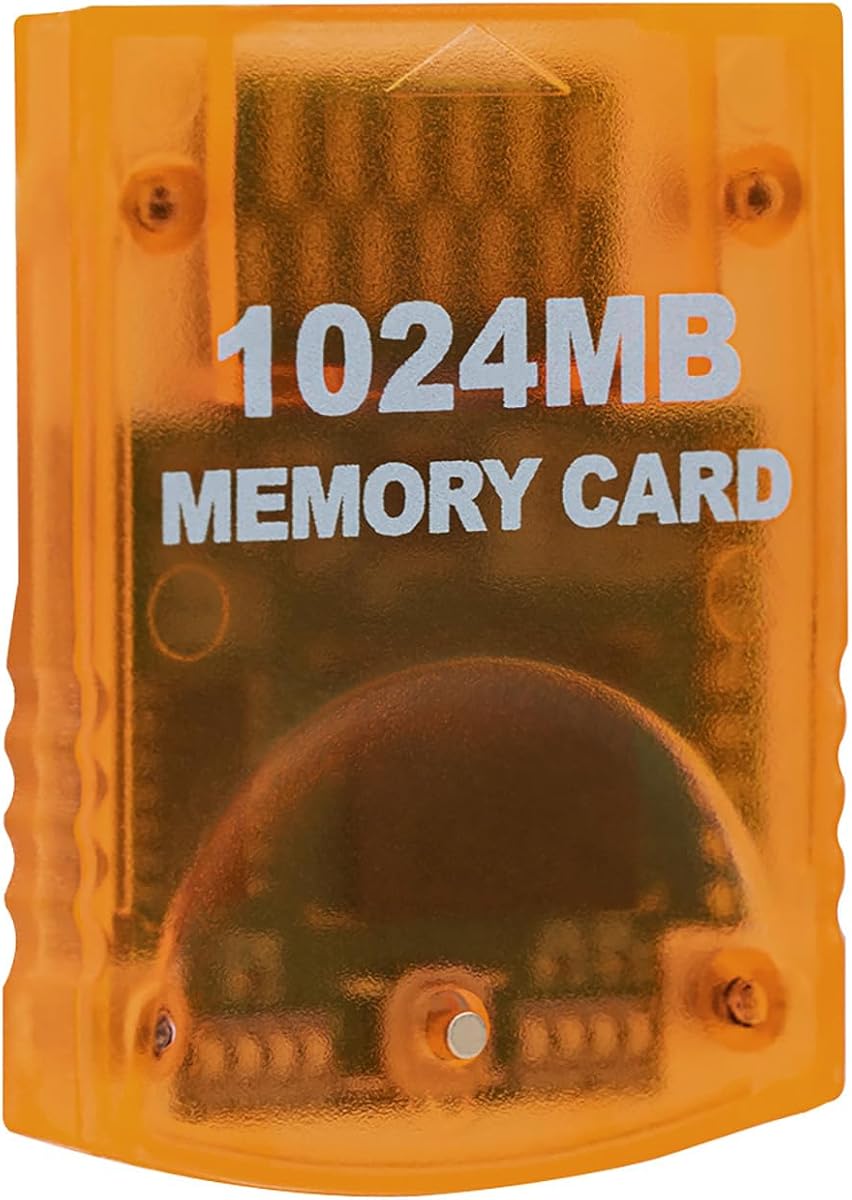


The Tolesum 1024MB Card stands out as our top pick due to its massive 16344 uncompressed blocks. It offers eight independent storage areas, allowing collectors to organize saves for multiple titles without constant overwriting.
We may earn a commission when you buy through this link, at no additional cost to you.
Its design ensures high compatibility with the original Wii RVL-001 and GameCube consoles. The orange translucent casing includes indicator lights that show which area is currently active, making navigation intuitive even after long breaks.
While it is a third-party product, it matches official functionality closely. The main trade-off is the need to power down the console before inserting or removing the card to prevent data corruption.
This card is ideal for gamers with large libraries of GameCube titles. If you need reliable, high-capacity storage for your classic console, this is the most robust option available today.
Dividing the memory into eight sections prevents clutter and allows you to group saves by game genre or series.
Tested extensively with both GameCube and original Wii consoles to ensure seamless data transfer without errors.
We may earn a commission when you buy through this link, at no additional cost to you.
The Tomee 16MB Memory Card is a classic choice for budget-conscious buyers. With 251 blocks, it is sufficient for casual players who do not need to store dozens of titles simultaneously.
We may earn a commission when you buy through this link, at no additional cost to you.
It maintains a standard form factor that fits snugly into any memory card slot. This ensures stable connections and prevents the 'card wobble' issue often found in cheaper generic alternatives.
While it lacks the advanced features of larger cards, its reliability is unmatched. You can load, save, copy, and delete game saves with ease on any compatible GameCube or Wii system.
We recommend this card for those who play a few favorite titles regularly. It offers the best balance of cost and performance for everyday use.
Focuses on core saving features without unnecessary bulk, making it a reliable backup or primary card.
Tomee is known for producing high-quality retro accessories, ensuring consistent performance over time.
We may earn a commission when you buy through this link, at no additional cost to you.
The MAYFLASH 512MB Card delivers a premium feel with an impressive 4.8 rating. It provides 8192 blocks split into four storage areas, offering a middle ground between the 16MB and 1024MB options.
We may earn a commission when you buy through this link, at no additional cost to you.
Its blue translucent design is sleek, and the button mechanism for switching areas is responsive. This allows for efficient management of saves across different game genres without needing multiple physical cards.
Performance is smooth with quick data transfer speeds. The card handles saving and loading without lag, which is crucial for games with large save files.
This is an excellent choice for mid-collection gamers. If you have more than a handful of titles but do not need the massive 1024MB capacity, this model is perfectly sized.
Four distinct areas allow you to segregate saves for action, RPG, and racing games effectively.
Consistent high-speed performance ensures your progress is saved quickly during intensive gaming sessions.
We may earn a commission when you buy through this link, at no additional cost to you.
The Mcbazel 1024MB Card is another strong contender for players needing extensive storage. It offers the same 16344 block capacity as our top pick but at a competitive price point.
We may earn a commission when you buy through this link, at no additional cost to you.
It features eight 128MB parts that can be switched using a physical button. This allows you to organize your saves efficiently, ensuring that you do not lose progress while managing multiple games.
The card is compatible with original GameCube consoles and specific Wii models. However, users note that the plastic housing is slightly thinner than official units, so handling should be gentle.
For bulk storage needs, this card is a smart purchase. It is perfect for collectors who want to archive many saves without worrying about space limitations.
The eight distinct sections help keep your save data organized by game or series for easy retrieval.
Provides high-capacity storage at a price that is accessible for budget-conscious retro enthusiasts.
We may earn a commission when you buy through this link, at no additional cost to you.
This Tolesum 512MB Card combines high speed with a manageable size. It provides 8192 blocks across four data areas, making it ideal for players who do not need the full 1024MB capacity.
We may earn a commission when you buy through this link, at no additional cost to you.
It is designed for plug-and-play convenience, ensuring quick access to your saves. The high-speed product design reduces lag during save operations, which is a welcome feature for complex games.
The blue translucent casing looks distinct and matches well with original GameCube controllers. While the button can feel a bit stiff initially, it functions reliably after a few uses.
We recommend this for those who value speed and organization. It is a reliable card that balances capacity with everyday usability.
High-speed technology ensures that saving and loading occurs rapidly without disrupting gameplay flow.
The blue color and translucent finish make it easy to identify and match with your console setup.
We may earn a commission when you buy through this link, at no additional cost to you.
This Generic 16MB Card offers a straightforward solution for essential saving needs. With 251 blocks, it is perfect for basic use where you only need to save one or two games at a time.
We may earn a commission when you buy through this link, at no additional cost to you.
The shock-resistant build protects your files from accidental drops or power outages. This durability is key for marathon gaming sessions where unexpected events might occur.
It fits snugly into the console slot without wobbling, ensuring a stable connection. While the design is plain, it performs its function reliably without unnecessary complications.
This is an excellent backup card for any collector. It is inexpensive enough to keep in reserve while your primary card is in use.
Engineered to withstand accidental drops and power fluctuations to keep your data safe.
Compatible with both GameCube and Wii systems, ensuring broad utility across platforms.
We may earn a commission when you buy through this link, at no additional cost to you.
The Mcbazel 256MB Card offers a unique dual-bank system. It splits its capacity into two independent 128MB sections, allowing you to organize saves into two distinct groups easily.
We may earn a commission when you buy through this link, at no additional cost to you.
Its pink translucent design stands out among standard black cards. This visual cue helps you quickly identify the card in your collection. The LED indicators show which bank is currently active.
Performance is stable with a reliable chip that manages saves efficiently. It is compatible with both GameCube and original Wii consoles. Just remember to power off the console before insertion.
This is a great choice for those who like visual organization. It provides a good middle ground between capacity and distinct data grouping.
Splitting memory into two banks allows you to separate active saves from archival ones.
The pink color helps you spot the card easily in a box of multiple memory cards.
We may earn a commission when you buy through this link, at no additional cost to you.
This Generic 16MB Flash Memory card is a straightforward tool for saving game data. It provides 251 blocks, which is sufficient for most individual game save files.
We may earn a commission when you buy through this link, at no additional cost to you.
The design is standard, ensuring it fits correctly into any slot. It is lightweight and does not interfere with the console's airflow or structural integrity.
While it lacks advanced features like multiple banks, it is reliable for its primary purpose. It reads and writes data quickly without errors.
We recommend this for anyone needing a secondary card. It is an affordable way to ensure you always have a backup save ready.
Uses flash technology to ensure quick data access and reliable long-term storage.
Minimal physical profile ensures it fits perfectly in any memory card slot.
We may earn a commission when you buy through this link, at no additional cost to you.
The Suncala 1024MB Card offers an upgraded innovation chip that claims to process saves 20% faster than older versions. This ensures smooth gameplay without interruptions during save operations.
We may earn a commission when you buy through this link, at no additional cost to you.
It includes 8 improved storage sections and 16344 blocks total. The packaging is fresh and elegant, and the card itself allows easy insertion and removal.
A standout feature is the 60-month worry-free warranty. This shows the manufacturer's confidence in the product. Friendly customer service is available to answer questions quickly.
This is a great choice for those who value peace of mind. The warranty coverage makes it a safe long-term investment for your data.
Upgraded processing speed allows for faster data operations and smoother save performance.
The 60-month warranty provides long-term security for your purchase and data safety.
We may earn a commission when you buy through this link, at no additional cost to you.
The AreMe GC2SD Adapter is a modern alternative that uses Micro SD cards instead of traditional flash memory. It supports up to 512GB, which is vastly more than standard memory cards.
We may earn a commission when you buy through this link, at no additional cost to you.
However, it requires software like Swiss, xeno, or GCloader Lite to function. This makes it ideal for advanced users who want to run games or homebrew directly from an SD card.
It features a transparent design and fits any version of GameCube and Wii. While it does not work for official game save files, it is excellent for storing game libraries.
We recommend this for tech-savvy users. If you want to load your own ISOs or manage massive file collections, this adapter is the best solution.
Supports up to 512GB of Micro SD storage for unlimited game file backups and collections.
Enables homebrew and custom software usage, opening up new possibilities for legacy hardware.
We may earn a commission when you buy through this link, at no additional cost to you.
Choosing the right memory card depends on your storage needs and console model. This guide covers key factors to help you select a reliable unit.
Storage capacity is measured in blocks or megabytes. Standard cards offer 16MB or 251 blocks, while high-capacity cards can offer up to 1024MB or 16344 blocks. Choose based on how many games you save simultaneously.
For most users, a 512MB or 1024MB card offers the best balance of space and cost.
Some third-party cards advertise high block counts by compressing data. This can lead to corruption in games that require uncompressed blocks. Always check if the product specifies 'real' or 'uncompressed' blocks.
Prefer cards that explicitly state their block count is uncompressed to ensure compatibility with all titles.
Not all Wiis have a memory card slot. Only the original RVL-001 launch edition Wii supports these cards. The Family Edition, Mini, and Wii U do not. Always verify your console model number before buying.
Check the bottom of your console for the model number RVL-001 before purchasing a card.
Memory cards can be dropped or inserted roughly. Look for cards made with durable plastic and secure connectors. Cards with shock-resistant designs protect your saves from physical damage.
Durability ensures your save data remains safe even if the card is handled frequently.
High-capacity cards often divide memory into separate areas or banks. These can be switched using a button on the card. This feature is useful for organizing saves by game or category.
Cards with clear indicator lights or buttons make managing multiple saves much easier.
Third-party manufacturers vary in reliability. Established brands like Tomee or Suncala often offer better quality control. Check if the product comes with a warranty or customer support.
A warranty gives you peace of mind that you can replace the card if it fails.
Most memory cards require the console to be powered off before insertion or removal. This prevents data corruption during the write process. Ensure the card you choose follows this standard safety protocol.
Always power down your console completely before inserting or removing a memory card to protect your files.
Prices vary significantly between 16MB and 1024MB options. While larger cards cost more, the cost per block is usually lower. Consider how often you save to justify the price difference.
Investing in a higher capacity card often saves money and hassle in the long run.
To use your memory card, insert it into the slot on the top of the console when the system is powered off. Ensure the contacts are facing the correct direction for your console model.
Always save your game progress through the in-game menu. Never force the card out while a save operation is in progress to prevent file corruption or loss.
Store your cards in a cool, dry place away from direct sunlight or moisture. Avoid exposing them to magnetic fields or extreme temperatures to maintain data integrity.
No, the Wii U does not have a physical memory card slot. You will need an adapter or emulator to access GameCube saves on that system. Only the original Wii with slot RVL-001 supports these cards natively.
These are different ways of measuring the same data. 16MB typically equals 251 blocks. Larger cards offer more blocks in total but divide them into multiple sections for organization.
No, you should always power off the console before removing the card. Removing it during use can corrupt the save file or damage the card's internal memory.
Yes, if your Wii is an RVL-001 model, it can play GameCube discs and use memory cards. However, standard Wii games save to internal memory or SD cards, not physical memory cards.
High-capacity cards have a physical button. Press it to switch between sections, indicated by LED lights. Only one area is active at a time for saving and loading.
Most new cards are pre-formatted and ready to use. If a game fails to save, try formatting the card from the GameCube memory management menu to resolve file errors.
We highlighted the Tolesum 1024MB Card as our top pick for its massive storage and organization. The Tomee 16MB Card remains the best budget choice for casual players needing basic storage.
When buying, prioritize uncompressed block counts and verified compatibility with your console. Avoid cards that compress data, as they can lead to save failures with certain titles.
Remember that prices and stock fluctuate often. Always check the current listings and verify your console model before purchasing to ensure you get the right accessory for your needs.