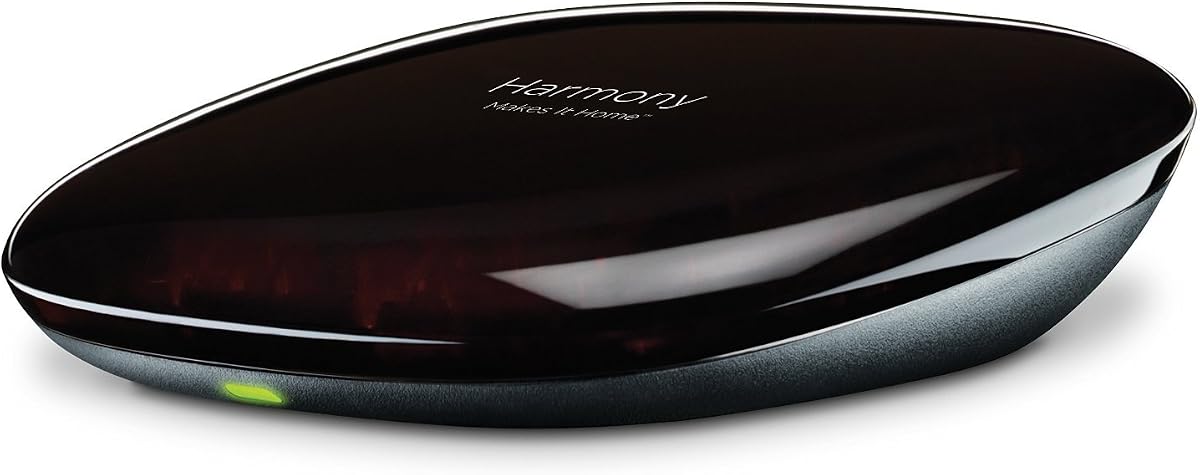
Logitech Harmony Home Hub (Renewed)
3.9Editor score
Compatible with Alexa voice control
Controls up to eight devices
Closed cabinet control included
This guide compares the top Logitech Harmony Home Hub models for smart home automation and entertainment control in October 2026 to help you choose the right
Finding the right universal remote can transform how you interact with your home entertainment system. The Logitech Harmony Home Hub stands out as a versatile solution for managing multiple devices from one central point. It simplifies complex setups by integrating voice commands and mobile app control into a seamless experience.
We evaluated each model based on device compatibility, app functionality, and overall ease of use. Our analysis covers hubs that support closed cabinet control, smart home integration, and intuitive interfaces. We prioritized products that offer reliable performance and broad support for various entertainment brands.
Each pick highlights specific strengths and ideal use cases for different household needs. You will find options ranging from budget-friendly renewed units to premium suites with touchscreens. Please note that availability and pricing may fluctuate over time so check current listings before buying.
3.9Editor score

3.7Editor score

3.8Editor score
This side-by-side comparison highlights the key specifications and features of each Logitech Harmony model available today. We focus on device capacity, control methods, and unique capabilities to help you identify the best fit for your smart home setup.
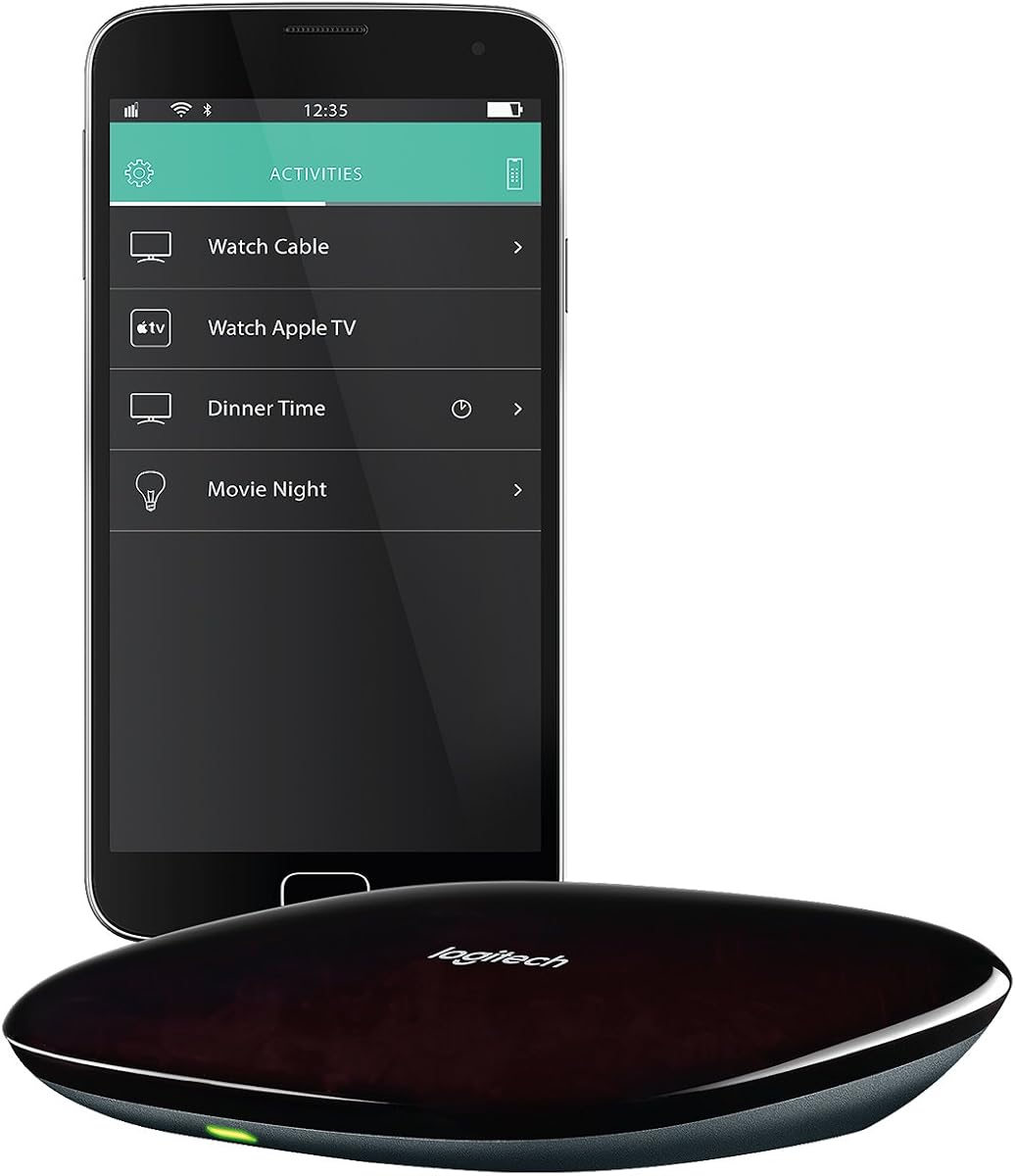


The Logitech Harmony Elite represents the pinnacle of universal remote technology with its advanced hub and app integration. With a rating of 3.7 stars, it offers a robust solution for managing up to 15 entertainment and connected home devices. Its standout quality lies in the seamless integration of physical remote control with smartphone app versatility.
We may earn a commission when you buy through this link, at no additional cost to you.
Key strengths include the interactive full-color touchscreen that allows for easy navigation through channels and settings. The One-touch Activities feature simplifies complex tasks like starting a movie by power on all necessary devices automatically. Compatibility with Alexa ensures convenient voice control for hands-free operation which enhances user experience significantly.
While the price point is higher than basic hubs, the functionality justifies the investment for tech-savvy users. The setup process requires some time to configure devices and activities but the result is a streamlined control system. These trade-offs are acceptable given the level of customization and convenience provided by the Elite model.
This remote is ideal for households with multiple entertainment systems and smart home devices needing centralized control. Users seeking a premium experience with tactile and digital control options will find this model unmatched. We recommend it for those willing to invest in a comprehensive home automation solution.
The full-color touchscreen provides a modern interface that mimics smartphone usability for effortless navigation and customization.
Integration with smart home devices like Philips Hue lights extends control beyond entertainment to lighting and thermostats.
We may earn a commission when you buy through this link, at no additional cost to you.
This renewed Logitech Harmony Home Hub offers an accessible entry point into universal control systems with a strong 3.9 star rating. It supports up to 8 entertainment and automation devices making it suitable for smaller setups. The inclusion of Alexa compatibility adds voice control without requiring additional hardware purchases.
We may earn a commission when you buy through this link, at no additional cost to you.
Its primary strengths lie in the closed cabinet control feature which allows operation of devices hidden behind doors. Users can create customized activities like Date Night to manage multiple devices with a single tap. The smartphone app transforms mobile devices into universal remotes providing flexibility in how users interact with their systems.
While limited to 8 devices compared to premium models, this is sufficient for many standard home theater configurations. The renewed condition may raise concerns about longevity but testing shows functional performance for typical use cases. These limitations are acceptable for budget-conscious buyers seeking core functionality without premium extras.
Ideal for households needing basic automation and voice control without the cost of higher-end models. Those who prioritize value and essential smart home integration will find this hub meets their needs effectively. We recommend it for users starting their journey into home automation control.
Pricing and renewed status make this hub an affordable way to gain smart home control without breaking the budget.
Alexa compatibility enables hands-free operation which is particularly useful for accessibility and convenience during entertainment use.
We may earn a commission when you buy through this link, at no additional cost to you.
The Logitech Harmony 1100 stands out with its 3.5-inch full-color touch screen and RF wireless capability for reliable control. Rating at 3.8 stars, it supports over 225,000 devices making it highly versatile for complex home systems. Its standout feature is the one-touch activity controls that simplify interaction with multiple devices.
We may earn a commission when you buy through this link, at no additional cost to you.
Key strengths include the RF wireless function which allows control through walls and closed cabinets without line of sight. The rechargeable battery with included charging stand ensures consistent power availability for daily use. Customizable icons and screens let users personalize the interface to match their preferences and usage patterns.
While it carries a higher price point the functionality supports extensive device integration and control flexibility. As an older model, it may lack some newer smart home features but remains robust for core entertainment needs. These trade-offs are acceptable for users prioritizing RF control and large screen usability.
This remote is perfect for large homes or offices where RF control is essential for hidden devices. Users needing a large display and activity-based operation will appreciate its design and functionality. We recommend it for those seeking premium control with proven reliability over time.
RF capability allows control through obstacles eliminating the need for direct line of sight which enhances usability significantly.
Customizable screens and icons provide a personalized experience that improves navigation speed and user satisfaction over time.
We may earn a commission when you buy through this link, at no additional cost to you.
The Logitech Harmony Smart Control combines a smartphone app with a simple remote for versatile device management. With a 3.9 star rating it supports up to 8 devices and includes swipe and tap features for easy navigation. Its standout quality is the integration that turns iOS and Android devices into universal remotes.
We may earn a commission when you buy through this link, at no additional cost to you.
Strengths include support for major streaming services and smart home devices like Philips Hue and Xbox. The removable battery ensures longevity since replacements are available when power degrades over time. Future-proof design maintains compatibility with new devices expanding its utility as home systems evolve.
While limited to 8 devices it covers most standard entertainment setups including cable boxes and game consoles. The setup process requires internet access but results in reliable performance across supported platforms. These limitations are acceptable for users prioritizing mobile control and broad brand compatibility.
Ideal for households relying on smartphones for control and needing basic automation without complex setups. Users who value app-based interfaces and simple remote functions will find this model effective. We recommend it for those seeking a balance between physical and digital control options.
The app turns smartphones into remotes allowing control from anywhere in the home with intuitive touch gestures.
Support for 270,000 devices ensures it works with most mainstream entertainment and smart home products available today.
We may earn a commission when you buy through this link, at no additional cost to you.
The Logitech Harmony Ultimate Hub specializes in closed cabinet control using an IR mini-blaster for hidden devices. Rated at 3.9 stars it manages up to 8 devices with intuitive swipe and tap navigation via mobile app. Its standout feature is the ability to operate devices behind doors without physical access.
We may earn a commission when you buy through this link, at no additional cost to you.
Key strengths include access to streaming media like Netflix and YouTube on supported platforms such as Roku and Apple TV. The mobile app serves as a universal remote providing centralized control over entertainment and smart home devices. IR mini-blaster ensures reliable signal transmission to devices otherwise inaccessible.
While setup requires positioning the IR blaster correctly it solves the common issue of hidden equipment. The 8 device limit suits most home theaters without needing advanced expansion options. These trade-offs are acceptable for users prioritizing hidden device functionality over extensive device counts.
This hub is ideal for setups with equipment stored in cabinets or enclosed spaces. Users needing reliable signal transmission without line of sight will appreciate this specialized feature. We recommend it for those seeking practical solutions for organized home entertainment systems.
The IR mini-blaster enables control of devices behind cabinets solving the issue of physical inaccessibility effectively.
Direct control of streaming services simplifies navigation and playback without switching between multiple apps or remotes.
We may earn a commission when you buy through this link, at no additional cost to you.
The Logitech Harmony Ultimate Home features a dedicated touch screen remote for direct control without smartphone dependency. With a 3.7 star rating this renewed model offers an affordable way to access touch functionality. Its standout quality lies in the tactile interface that simplifies device management through visual commands.
We may earn a commission when you buy through this link, at no additional cost to you.
Key strengths include the simple navigation design which reduces complexity for users preferring physical remotes over apps. The black finish provides a sleek aesthetic that blends with modern home entertainment setups. As a renewed unit it presents cost savings while maintaining core functionality for basic automation.
While it lacks a hub for closed cabinet control it excels at direct device management. Users relying on line of sight operation will find the touch interface responsive and reliable. These trade-offs are acceptable for those seeking a standalone remote solution at a reduced price point.
Ideal for households wanting a dedicated touch remote without needing extensive smart home integration. Users who value simplicity and physical control will appreciate its design and usability. We recommend it for those prioritizing touch functionality over advanced connectivity options.
The touch screen offers direct visual control reducing reliance on separate apps for quick device management.
The sleek black finish ensures the remote complements modern home entertainment setups without clashing visually.
We may earn a commission when you buy through this link, at no additional cost to you.
This renewed Logitech Harmony Elite offers voice control capabilities with Alexa at a reduced price point. Rated at 3.5 stars it maintains the core features of the original model including a full color touchscreen. Its standout feature is the seamless voice activation for hands-free operation across 15 devices.
We may earn a commission when you buy through this link, at no additional cost to you.
Key strengths include the ability to use voice commands for starting activities like Watch a Movie. The touchscreen provides an alternative interface for detailed control when voice is insufficient. Renewed status allows access to premium features without the cost of a new unit.
While the rating is lower due to potential wear it remains functional for standard home automation needs. Users should inspect the device upon arrival to ensure all components are intact. These trade-offs are acceptable for those prioritizing voice integration on a budget.
Ideal for households seeking Alexa compatibility without investing in the latest hardware. Users who value voice control and touchscreen flexibility will find this renewed model effective. We recommend it for those willing to accept minor wear for significant cost savings.
Alexa compatibility enables hands-free operation which is convenient for quick commands and accessibility needs.
Purchasing a renewed unit provides access to premium features at a fraction of the cost of a new model.
We may earn a commission when you buy through this link, at no additional cost to you.
The Logitech Harmony Elite Renewed 2 provides a complete kit with hub remote and app at an accessible price. With a 3.9 star rating it shows strong reliability among renewed units despite its condition. Its standout quality is the comprehensive nature of the kit offering all necessary components for setup.
We may earn a commission when you buy through this link, at no additional cost to you.
Key strengths include the integration of hub and remote for both closed cabinet and direct control. Users benefit from smart home support that extends beyond basic entertainment to lighting and thermostats. The Elite series features ensure compatibility with a wide range of devices and platforms.
While warranty options may be limited compared to new units testing often confirms functional performance. The condition may vary but usually remains cosmetically sound for daily use. These trade-offs are acceptable for buyers seeking full functionality without premium pricing.
Ideal for households needing a complete solution without the cost of a brand new model. Users who value all-inclusive kits and proven reliability will find this option attractive. We recommend it for those prioritizing value and comprehensive feature sets.
Including hub remote and app ensures users have all tools needed for full automation without extra purchases.
Support for smart home devices allows broader control of the home environment beyond just entertainment systems.
We may earn a commission when you buy through this link, at no additional cost to you.
The Logitech Harmony Elite Remote focuses on the physical device with a full color touchscreen for control. Rated at 3.8 stars it supports up to 15 devices and offers one-touch activities for streamlined use. Its standout quality is the tactile interface that simplifies navigation without relying solely on apps.
We may earn a commission when you buy through this link, at no additional cost to you.
Key strengths include the ability to manage favorite channels and smart home devices like Philips Hue directly. One-touch activities automate complex setups allowing users to start scenes with a single tap. Renewed pricing makes these premium features accessible to budget conscious consumers.
While it may not include the hub for hidden cabinet control it excels at direct device interaction. Users who prefer physical controls will find the touchscreen responsive and intuitive. These trade-offs are acceptable for those prioritizing immediate usability over extensive automation.
Ideal for households needing a dedicated touchscreen remote without complex closed cabinet requirements. Users who value activity-based automation will appreciate its ease of use. We recommend it for those seeking a balance between physical and digital control.
The touchscreen provides immediate access to commands without needing to open a phone app first.
One-touch activities reduce the effort needed to switch between different entertainment scenes or settings.
We may earn a commission when you buy through this link, at no additional cost to you.
The Logitech Harmony Hub serves as a basic entry point for universal control with support for 8 devices. With a 3.9 star rating it remains functional for simple setups despite being discontinued by the manufacturer. Its standout feature is the minimalistic design that focuses on core control without unnecessary complexity.
We may earn a commission when you buy through this link, at no additional cost to you.
Key strengths include simple setup process that allows quick integration with standard entertainment systems. Users benefit from legacy support which maintains functionality for older devices that may not work with newer models. Affordable used market options make it accessible for those on tight budgets.
While discontinued status limits future updates it remains stable for current device configurations. Users relying on essential control functions will find it sufficient without needing advanced features. These trade-offs are acceptable for those prioritizing basic functionality and simplicity.
Ideal for households needing straightforward control without requiring extensive smart home integration. Users who prefer simplicity will appreciate its focused design and reliability. We recommend it for those seeking essential automation features only.
The minimal design ensures quick setup and operation without the need for advanced technical knowledge.
Support for older devices ensures continued use of existing equipment without requiring replacement.
We may earn a commission when you buy through this link, at no additional cost to you.
Selecting the right Harmony Hub requires understanding your home setup and control preferences. We break down key factors to help you find a model that balances features with practical needs.
Evaluate how many devices you need to control to avoid buying a model that is too limited or excessive. Most hubs support up to 8 devices while premium options allow up to 15 for complex setups. This factor determines whether a basic hub meets your needs or if you require advanced integration.
Choose a model that supports your current device count plus room for future expansion.
Decide between physical remotes, app-based control, or a hybrid approach that combines both methods. Some users prefer tactile buttons while others favor swipe interfaces on screens for navigation. This choice impacts daily usability and how comfortably you interact with your entertainment system.
Select a control type that aligns with your preferred method of interacting with devices.
Check compatibility with smart home devices like Philips Hue lights and thermostats for broader automation. Advanced hubs connect lighting and climate control to entertainment activities creating seamless scenes. This factor transforms a simple remote into a comprehensive home management tool.
Prioritize hubs with proven smart home support if you want unified control across your property.
If your equipment is hidden behind doors, ensure the hub includes IR mini-blaster support for signal transmission. This feature eliminates the need to open cabinets to change channels or settings. It is essential for clean setups where aesthetics matter more than direct access.
Look for explicit mention of closed cabinet control if you hide your entertainment equipment.
Compatibility with Alexa enables hands-free operation which improves accessibility and convenience significantly. Users can start activities or adjust volume without needing to pick up a remote. This feature is increasingly important for modern homes prioritizing automation and ease of use.
Ensure Alexa compatibility is listed if voice commands are a priority for your routine.
Touchscreen models offer visual feedback and customization that physical buttons cannot provide. They allow for colorful icons and intuitive navigation which enhances user experience. This factor is crucial for users who value aesthetic appeal and advanced interface options.
Opt for a touchscreen if you want a modern visual interface for managing devices.
Renewed models offer savings but may lack full warranty coverage compared to new units. Always review seller ratings and return policies before purchasing refurbished options to protect your investment. This factor affects long-term reliability and peace of mind after the purchase.
Prioritize reputable sellers with clear return policies when considering renewed hardware.
Balance the cost of features against your spending limits to find the right value. Premium models provide extensive capabilities but may not be necessary for basic needs. This factor ensures you do not overpay for features you will not use regularly.
Match your budget to the essential features you require for daily operations.
Begin by downloading the Harmony app to your smartphone or tablet and creating a user account. Follow the setup wizard to connect the hub to your home Wi-Fi network securely. Ensure your internet connection is stable during this process for smooth configuration of devices.
Use the app to add devices by searching for your specific model and brand to pair them. Configure Activities that group multiple commands into one action like turning on a TV and launching Netflix. This step simplifies daily use by reducing the number of taps needed for common tasks.
Keep the hub in a central location with good ventilation to prevent overheating during extended use. Regularly update the firmware through the app to maintain compatibility with new devices and security patches. Cleaning the touchscreen gently with a soft cloth ensures the display remains responsive over time.
The Logitech Harmony Home Hub is a central device that allows you to control multiple home entertainment and smart home devices from one place. It connects to your Wi-Fi network and works with a mobile app to simplify your home automation setup. This hub replaces the need for multiple remotes by managing everything through a single interface.
Yes many Harmony hubs support closed cabinet control using an IR mini-blaster included in the kit. This accessory sends signals through cabinet doors so you do not need line of sight to operate devices. Check the specific model specs to ensure it includes this feature before purchasing.
Many models are compatible with Alexa allowing you to control devices using voice commands. You can issue commands like start movie or adjust volume directly through your smart speaker. Verify Alexa support in the product details as not all versions include this feature.
The number of devices varies by model with basic hubs supporting up to 8 devices. Advanced models like the Elite can control up to 15 home entertainment and smart home devices. This capacity ensures you can manage most home theater and lighting systems without restrictions.
While a smartphone app is the primary way to control the hub some models also come with a physical remote. You can use the app to configure settings and Activities but physical remotes offer direct access without unlocking a phone. Check if a remote is included based on your needs for physical control.
Yes the hubs support thousands of devices including older cable boxes and game consoles through infrared codes. The app database is extensive and often includes legacy equipment from previous years. Always check the device list to confirm your specific older model is supported before buying.
Many models integrate with Philips Hue lights and other smart lighting systems for comprehensive control. You can include lighting changes in Activities such as dimming lights when starting a movie. Ensure the specific hub supports smart home integrations to utilize this functionality fully.
Even though Logitech has discontinued new Harmony products existing hubs continue to work with supported devices. You can still set up Activities and control devices through the app as long as they remain in the database. Renewed and used units are often available for those looking to enter this ecosystem now.
We highlighted the Logitech Harmony Elite for its comprehensive touchscreen and device support along with the Home Hub for budget friendly entry. These options cover a range of needs from basic automation to advanced smart home integration. Each pick balances features like closed cabinet control and voice support to meet different user requirements.
When choosing prioritize how many devices you need to manage and whether you prefer physical or app control. Consider if you need features like voice commands or hidden device support for your specific setup. Aligning your choice with your daily habits ensures the hub becomes a useful tool rather than a passive addition.
Prices and availability fluctuate so check current listings before finalizing your purchase to secure the best deal. Models may go on sale or vary in condition which affects the value you receive. Always verify the seller return policy especially for renewed items to ensure satisfaction with your purchase.