
UGREEN LinkStation
4.8Editor score
OCuLink 64Gbps and USB4 40Gbps
Supports Up to Four Slot GPUs
100W PD Charging via Single Cable
This guide compares the top ten Egpu Docks for laptops and mini PCs, evaluating bandwidth, compatibility, and features to help you choose the perfect external
External GPU docks transform laptops into desktop powerhouses by connecting powerful graphics cards. A good dock offers high bandwidth, stable connections, and flexible power options for seamless performance.
We analyzed ten top models based on interface speed, build quality, and real world compatibility. Our list covers Thunderbolt, USB4, and OCuLink solutions for various user needs.
Each pick highlights key strengths, trade-offs, and ideal use cases. Prices and availability change frequently, so verify details before purchasing to ensure you get the best value.
4.8Editor score

4.4Editor score

4.4Editor score
The following table provides a side-by-side overview of the top ten external GPU docks. Compare key specifications, features, and ratings to find the right fit for your setup.




The MINISFORUM DEG2 is a high performance external GPU dock designed for modern laptops and mini PCs. With a 4.4 rating, it stands out for its dual interface support and integrated storage capabilities.
We may earn a commission when you buy through this link, at no additional cost to you.
Its USB4 V2 and OCuLink modes deliver up to 80Gbps bandwidth, ensuring minimal bottlenecks for gaming and creative work. The built-in M.2 slot allows direct storage access, streamlining workflows.
While it offers excellent performance, users must purchase a separate power supply. The signal booster adds stability but requires careful cable management for optimal results.
Ideal for power users seeking versatility, the DEG2 balances speed and features. It is a top choice for those needing a reliable and future-proof expansion solution.
Switch effortlessly between USB4 V2 and OCuLink for maximum compatibility and performance tailored to your specific host device.
Directly connect M.2 NVMe drives to store assets locally, reducing transfer times and improving overall workflow efficiency.
We may earn a commission when you buy through this link, at no additional cost to you.
This variant of the DEG2 offers a perfect balance of speed and usability. Its 5.0 rating reflects user satisfaction with its seamless connectivity and thoughtful design features.
We may earn a commission when you buy through this link, at no additional cost to you.
The physical toggle simplifies switching between Thunderbolt and OCuLink, avoiding software tweaks. Rich ports including LAN and USB 3.2 enhance its utility as a full dock.
Auto-on synchronization makes it feel like a native desktop experience. However, the lack of included power supply adds to the total cost of ownership.
For those seeking a polished eGPU experience with maximum connectivity, this dock is an excellent investment. It suits professionals needing reliable performance.
Use the physical toggle to instantly change interface modes without rebooting or adjusting system settings for immediate productivity.
Connect peripherals via USB 3.2 and LAN ports, turning the dock into a central hub for your workspace devices.
We may earn a commission when you buy through this link, at no additional cost to you.
The UGREEN LinkStation delivers premium performance with dual-channel support for OCuLink and USB4. Its 4.8 rating highlights its reliability and user-friendly design for demanding tasks.
We may earn a commission when you buy through this link, at no additional cost to you.
Users appreciate the ability to house large GPUs up to 370mm, making it ideal for high-end graphics cards. The 100W PD charging simplifies desk setups significantly.
Quiet operation is a key advantage over competitors, ensuring a distraction-free environment. The removable cover adds flexibility for various hardware configurations.
This dock is perfect for enthusiasts needing top-tier performance without noise. It combines power, versatility, and thoughtful engineering for a superior experience.
Accommodate large three to four slot graphics cards, ensuring no performance limits due to physical size constraints.
Enjoy quiet cooling with low RPM fans, creating a peaceful workspace even under heavy GPU loads.
We may earn a commission when you buy through this link, at no additional cost to you.
The Razer Core X V2 is a robust enclosure designed for next-gen Thunderbolt 5 devices. Its 4.0 rating reflects solid performance and reliable hardware compatibility.
We may earn a commission when you buy through this link, at no additional cost to you.
It supports wide GPUs up to four slots, allowing for top-tier graphics cards. The included Thunderbolt 5 cable ensures seamless connectivity for compatible laptops and handhelds.
Active cooling keeps the GPU running efficiently during intense sessions. However, users with Apple Silicon Macs will find it incompatible, limiting its reach.
This dock is ideal for Windows users planning for future upgrades. Its durability and broad support make it a safe choice for long-term use.
Prepare your setup for ultra-fast data transfer speeds with future-proof Thunderbolt 5 connectivity.
Constructed with a vented steel chassis, it offers physical protection and efficient thermal management for internal components.
We may earn a commission when you buy through this link, at no additional cost to you.
The DEG1 stands out as a compact, high-performance dock. With a 4.5 rating, it delivers impressive OCuLink speeds in a highly portable form factor.
We may earn a commission when you buy through this link, at no additional cost to you.
Its small size allows easy transport, perfect for on-the-go performance upgrades. The Force Power On feature adds convenience, reducing startup hassle for users.
Limitations include no hot plug support, requiring shutdowns for connection changes. Original cables are recommended for best compatibility with MINISFORUM systems.
For budget-conscious buyers seeking raw speed, this dock is an excellent value. It balances performance and portability effectively for mini PCs.
Weighing and sized to fit in a backpack, it enables instant performance boosts anywhere you go.
Automatically syncs power states with your host device, ensuring a smooth transition to external graphics power.
We may earn a commission when you buy through this link, at no additional cost to you.
This dock offers a straightforward solution for OCuLink connectivity. Its 4.4 rating reflects reliability and cost-effective performance for casual users.
We may earn a commission when you buy through this link, at no additional cost to you.
The detachable design simplifies storage and transport. Gold-plated contacts ensure durability and conductivity, reducing risks of connection failures.
LED indicators help monitor device status easily. However, it lacks advanced features like cooling or integrated storage, keeping costs low.
Ideal for users needing a simple, effective GPU expansion, it is a practical choice. It supports standard hardware without unnecessary complexity.
Easy-to-remove parts make it simple to store and transport without bulk or risk of damage.
Gold contacts and robust shielding ensure consistent performance and reduce signal loss over time.
We may earn a commission when you buy through this link, at no additional cost to you.
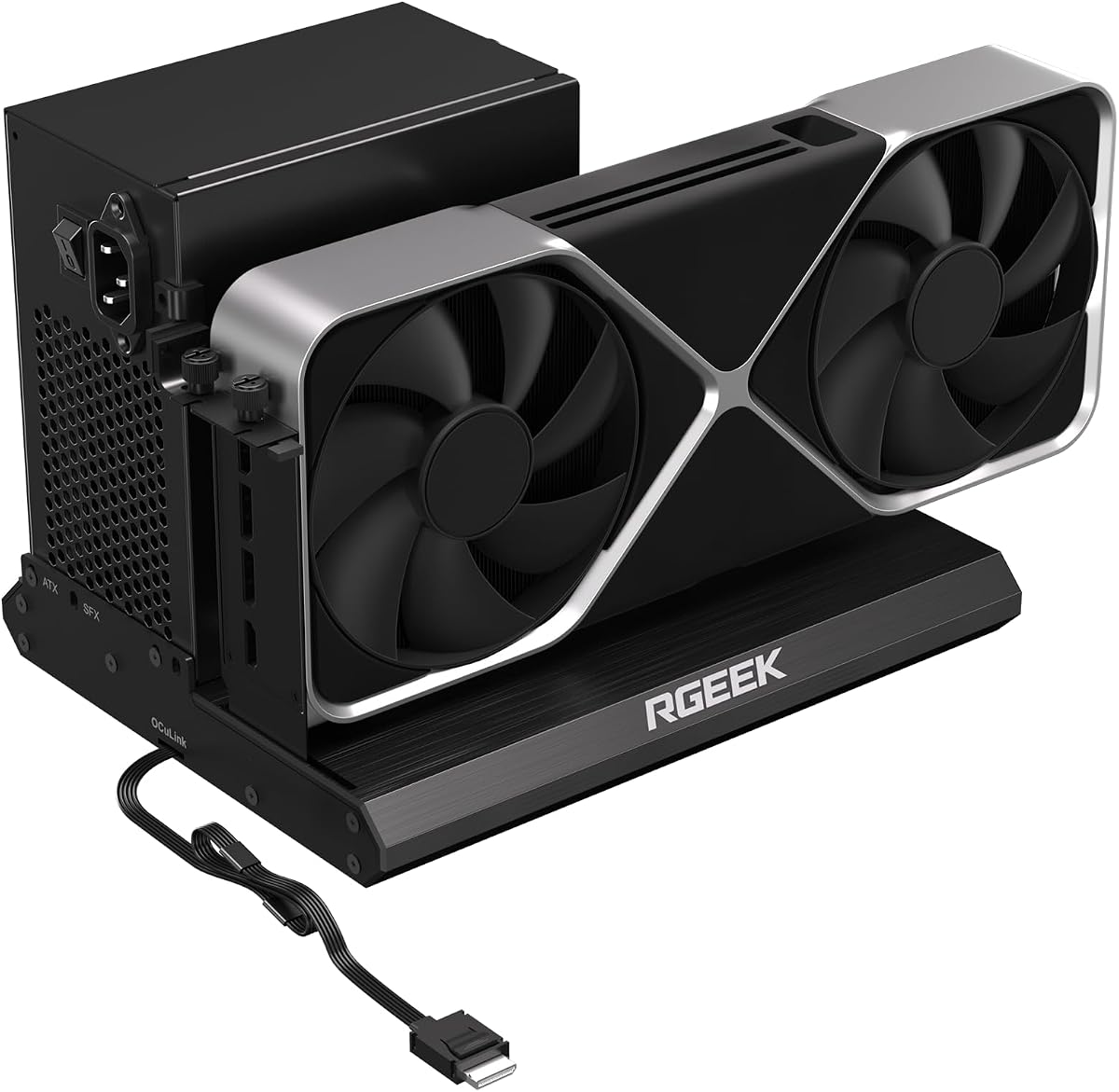
The RGEEK dock stands out for its PCIe 5.0 support, offering up to 128Gbps bandwidth. Its 4.0 rating indicates promise despite current hardware limitations.
We may earn a commission when you buy through this link, at no additional cost to you.
The aluminum chassis provides robust cooling and durability. It supports modern GPUs and various PSUs, making it flexible for different builds.
Reaching full speed may need additional adapters, adding steps. Hot plug is unsupported, requiring system shutdowns for changes.
Enthusiasts planning for future hardware will find this dock appealing. It combines high specs with solid construction for advanced setups.
Prepare for future graphics cards with double the bandwidth of current PCIe 4.0 standards.
Durable aluminum helps dissipate heat efficiently, protecting your hardware during intense usage.
We may earn a commission when you buy through this link, at no additional cost to you.
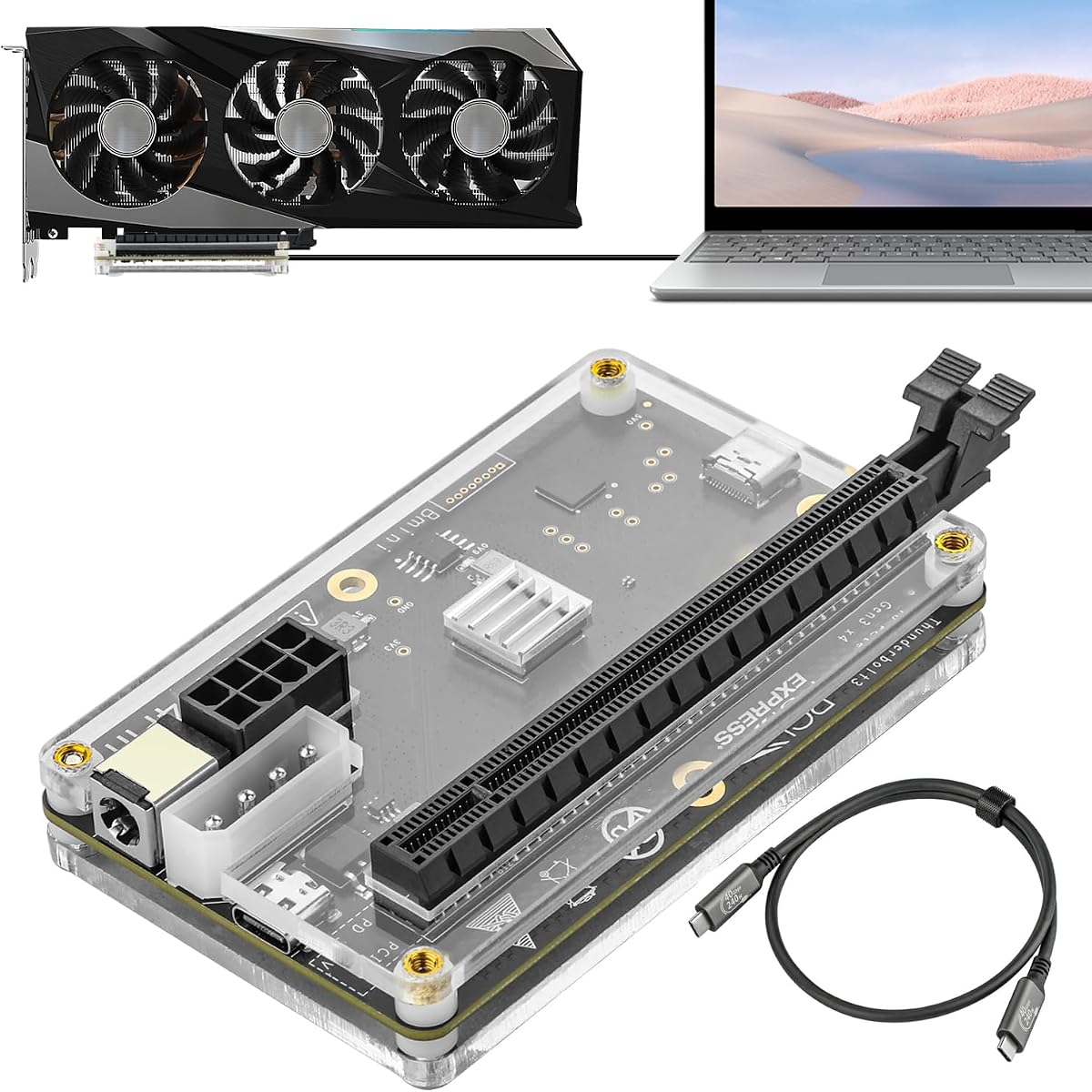
This dock is designed for versatility, supporting various power inputs and interfaces. Its 3.8 rating reflects its budget nature and basic capabilities.
We may earn a commission when you buy through this link, at no additional cost to you.
The included Thunderbolt 4 cable simplifies setup. Multiple power options allow use in diverse scenarios, from desktops to portable gaming.
However, PCIe 3.0 speeds limit performance for high-end tasks. It suits older laptops or casual gaming rather than professional workloads.
For those needing a flexible, low-cost option, this dock is functional. It bridges the gap for basic external GPU needs effectively.
Supports CPU, Molex, and PD inputs, adapting to different available power sources easily.
Designed to work with gaming consoles like Legion Go, expanding their graphics capabilities.
We may earn a commission when you buy through this link, at no additional cost to you.
This DEG2 variant offers strong features with dual modes and rich ports. Its 3.2 rating suggests variability in user experiences or specific issues.
We may earn a commission when you buy through this link, at no additional cost to you.
It supports high-speed data transfer via USB4 V2 or OCuLink. The integrated M.2 slot and LAN port add utility for professional workflows.
Auto power sync simplifies daily use significantly. However, some users may face compatibility or stability concerns compared to other models.
For those prioritizing features, it remains a solid contender. It provides a comprehensive package for diverse computing needs.
Get LAN and USB ports directly on the dock, reducing reliance on laptop peripherals for connectivity.
Integrated storage allows faster file access, streamlining tasks involving large media or project files.
We may earn a commission when you buy through this link, at no additional cost to you.
This dock is a simple hub for Thunderbolt devices. Its 3.9 rating indicates it serves basic needs without advanced features.
We may earn a commission when you buy through this link, at no additional cost to you.
The JHL7440 controller ensures reliable performance for gaming and editing. It supports daisy chaining, allowing connection of multiple peripherals.
85W charging keeps laptops powered while using external graphics. Care is needed with cable insertion to avoid protection issues.
For users needing a straightforward upgrade, it is practical. It combines essential features for a convenient desktop-like experience.
Use the USB ports to connect extra devices, reducing cable clutter on your laptop.
85W Power Delivery ensures your laptop stays powered during intensive external GPU tasks.
We may earn a commission when you buy through this link, at no additional cost to you.
Selecting the right external GPU dock requires understanding interface types, power requirements, and compatibility. This guide helps you evaluate the most important factors.
Higher bandwidth interfaces like Thunderbolt 5 and OCuLink minimize performance bottlenecks. Aim for docks supporting at least 64Gbps to maximize GPU potential.
Prioritize modern interfaces to ensure your dock remains relevant as GPU technology advances over time.
Most docks require separate ATX or SFX power supplies. Verify if the dock supports standard formats to avoid buying incompatible hardware.
Ensure your chosen power supply matches the dock requirements for stable operation and safety.
Check the maximum GPU length and slot width the enclosure accommodates. High-end cards often require spacious designs for proper fit.
Select a dock that can house your desired graphics card physically to prevent installation issues.
Hot-plug support allows connecting or disconnecting the dock without shutting down the system. This feature adds convenience for users who switch setups frequently.
Look for explicit mentions of hot-plug in product specs to avoid frequent restarts.
Docks with extra USB, Ethernet, or storage slots simplify your workspace. Integrated M.2 slots are particularly useful for large media files.
Choose docks with ports matching your peripheral needs to reduce reliance on separate hubs.
Ensure the dock is compatible with your OS, especially if using macOS. Some docks do not support Apple Silicon chips.
Verify driver availability for your OS to avoid functionality issues after purchase.
Metal chassis and active fans ensure stable performance under load. Good cooling prevents thermal throttling of the GPU inside the dock.
Invest in docks with robust construction to protect your expensive graphics hardware.
Consider docks supporting upcoming standards like PCIe 5.0 or Thunderbolt 6. This ensures longevity and readiness for next-gen hardware.
Choose a dock that balances current needs with future hardware plans for better value.
Start by connecting the power supply to the dock and ensuring the GPU is properly seated. Secure all cables tightly to prevent signal loss during operation.
For hot-plug models, connect the USB or Thunderbolt cable before launching GPU applications. For non-hot-plug models, shut down the computer before connecting or disconnecting.
Keep the dock ventilated and clean from dust to maintain optimal cooling. Update drivers regularly to ensure compatibility and performance with your operating system.
Thunderbolt docks offer universal compatibility and easier setup but may have lower bandwidth than OCuLink. OCuLink docks provide near-native performance but require specific ports on your device.
Most docks do not include a power supply. You will need to provide a compatible ATX or SFX PSU depending on the dock specifications.
Apple Silicon Macs generally do not support eGPU docks due to OS limitations. Check compatibility before purchasing if you are a Mac user.
Modern docks lose minimal performance due to high-speed interfaces. Expect 90 to 100 percent of desktop performance with OCuLink or Thunderbolt 5 docks.
Installation involves mounting the GPU and connecting power and data cables. Most docks come with tool-free designs to simplify the process for users.
Yes, many docks support multiple devices via hot-swapping. Ensure your cables and ports support switching between hosts without issues.
The top picks like the MINISFORUM DEG2 and UGREEN LinkStation offer excellent performance and features. Consider your budget and specific needs before choosing a model.
Prioritize interface speed and GPU compatibility to ensure your dock meets your workflow demands. Future-proofing is essential for long-term satisfaction.
Prices and availability vary frequently, so verify details before buying. Regular updates ensure you get the best current value for your investment.