
Ostrich Charger Compatible with Dell Laptop Computer 65W 45W Round Tip Power Adapter
4.5Editor score
Compatible with 65W 45W Dell laptops
Meets US and Canada safety standards
Includes lifetime guarantee against defects
Compare the top battery backup for Dell Laptop options including portable chargers and UPS units to ensure uninterrupted power for your Dell device anytime.
Finding the right battery backup for Dell Laptop devices ensures you stay productive during unexpected power outages. Whether you need a portable charger or a stationary UPS, the right choice keeps your workflow intact.
We compared ten highly rated solutions based on compatibility, capacity, and safety features. Each product was evaluated for its ability to support Dell systems reliably across various usage scenarios and environments.
Each pick highlights key strengths and ideal use cases for different users. Keep in mind that availability and specific details may change over time as manufacturers update their offerings regularly.
4.5Editor score

4.3Editor score

4.2Editor score
This side-by-side comparison reviews all ten selected products to help you identify the best fit for your specific Dell laptop model and power needs.




The CyberPower EC850LCD is a robust UPS solution designed to keep your Dell desktop or laptop safe during power fluctuations. With a rating of 4.4 stars, users appreciate its detailed LCD panel and energy-saving ECO mode.
We may earn a commission when you buy through this link, at no additional cost to you.
This unit provides six battery-backed outlets and six surge-only outlets, ensuring your main computer stays online while peripherals remain protected. The LCD panel gives immediate feedback on load and battery conditions, helping you monitor usage.
One trade-off is its size and lack of portability, making it better suited for home offices than travel. However, the energy savings from ECO mode and the included management software justify the investment for stationary setups.
If you need reliable backup power for a Dell workstation, this model offers strong protection and control features. It is highly recommended for users who want to prevent data loss and hardware damage from surges.
The ECO controlled outlets automatically cut power to peripherals when your computer is off, reducing energy consumption.
With a connected equipment guarantee and surge protection across all outlets, your hardware stays safe from electrical spikes.
We may earn a commission when you buy through this link, at no additional cost to you.
The Ostrich Charger is a cost-effective solution for Dell laptop owners needing a reliable power adapter. It holds a 4.5 star rating and meets strict safety standards in the US and Canada.
We may earn a commission when you buy through this link, at no additional cost to you.
It supports 65W and 45W laptops with round tips, delivering stable 19.5V output. The package includes a converter cable, making it versatile for different Dell models like Inspiron and XPS series.
While it does not store power like a battery, it is an essential backup for charging when your original adapter fails. The safety mechanisms prevent overheating and overcurrent, ensuring safe operation.
For budget-conscious users looking for a safe replacement charger, this adapter is a smart choice. It provides reliable performance without the high cost of official OEM accessories.
Listed by an American consumer testing lab, this charger includes internal protection against overvoltage and overheating.
The manufacturer offers a lifetime exchange policy for defective products, adding significant value to your purchase.
We may earn a commission when you buy through this link, at no additional cost to you.
The UGREEN Power Bank is a high-capacity portable charger ideal for Dell XPS users who work on the go. It delivers up to 145W total power, sufficient for most modern laptops.
We may earn a commission when you buy through this link, at no additional cost to you.
With 25000mAh capacity, it can fully recharge a laptop over once. The digital display shows remaining life at a glance, and the bi-directional charging allows fast recharging of the bank itself.
To achieve the fastest recharge time, you need a 65W PD charger, which is not included. However, the portability and power make it a top choice for travelers and remote workers.
If you need a reliable power source outside the office, this bank is an excellent pick. It ensures your Dell laptop stays charged during long flights or commutes without a wall outlet.
PD 3.1 and QC3.0 enable a 145W total output, powering devices like 16-inch MacBooks quickly.
The sleek design includes a digital screen showing battery levels, so you never run out unexpectedly.
We may earn a commission when you buy through this link, at no additional cost to you.
The Omni 20C+ is a premium power bank that acts as a travel hub for Dell laptops and mobile devices. It offers 100W USB-C output, enough for high-performance laptops.
We may earn a commission when you buy through this link, at no additional cost to you.
Beyond charging, it features USB hub mode for file transfer and wireless charging for phones. This all-in-one design reduces the number of cables you need to carry in your bag.
The main downside is that a wall charger is not included, which may be a surprise for some buyers. Yet, the versatility and high-quality build justify the cost for professionals.
For users who want a single device to handle all charging needs, this is a top option. It combines power, storage, and connectivity in a compact and functional form.
Connect USB devices through the power bank to transfer files directly between your laptop and peripherals.
The device supports wireless charging for compatible phones, eliminating the need for extra cables.
We may earn a commission when you buy through this link, at no additional cost to you.
This genuine Dell AC adapter is designed for modern Latitude and XPS models using USB-C charging. It provides up to 65W output and includes a three-foot power cord for desktop use.
We may earn a commission when you buy through this link, at no additional cost to you.
As an original product, it ensures compatibility and safety with your Dell laptop. The adapter supports multiple wattage profiles to accommodate different Dell models like the Latitude 7340 and XPS 13.
The cord length is shorter than some third-party alternatives, which may require an extension for some desks. However, for reliability and fit, OEM products are often the safest choice.
If you own a newer Dell laptop, this adapter is a solid replacement or backup option. It delivers stable power and maintains the integrity of your device's charging port.
As a genuine Dell product, this adapter is built to meet the manufacturer's safety and performance standards.
The USB Type-C tip ensures it works with the latest Dell Latitude and XPS laptops that use this port.
We may earn a commission when you buy through this link, at no additional cost to you.
This external drive is a practical add-on for Dell notebooks lacking optical drives. It plugs into any USB port and provides playback and burning capabilities for CDs and DVDs.
We may earn a commission when you buy through this link, at no additional cost to you.
The drive is powered directly by the laptop, so no additional power source is needed. Pre-loaded software makes it easy to play media or install software from discs.
While it is not a backup power source, it serves as a backup for data and media access. It is compact and blends well with the design of ultrabooks and notebooks.
For users who still rely on discs, this drive offers a simple and effective solution. It is easy to use and carries a warranty for peace of mind.
Simply connect the drive to your notebook and it is ready to use without installing drivers.
CyberLink Media Suite allows you to play and burn discs right out of the box.
We may earn a commission when you buy through this link, at no additional cost to you.
This charger is designed specifically for Dell Inspiron laptops with traditional round tip connectors. It delivers 65W output and features an eight-foot cord for convenient desk placement.
We may earn a commission when you buy through this link, at no additional cost to you.
Compatibility covers a wide range of Inspiron series models, making it a versatile replacement option. The safety certificates ensure that the power supply meets standard electrical safety requirements.
The long cord is a significant plus over standard adapters, but the round tip limits use to older Dell models. It is a straightforward replacement that gets the job done.
If you use an Inspiron with a round tip, this charger is a reliable choice. It provides stable power and fits well as a spare or backup in your home or office.
The eight point eight foot cord offers extra reach, allowing you to work further from outlets.
Works with many Inspiron series including 3000, 5000, and 7000 lines with round plugs.
We may earn a commission when you buy through this link, at no additional cost to you.
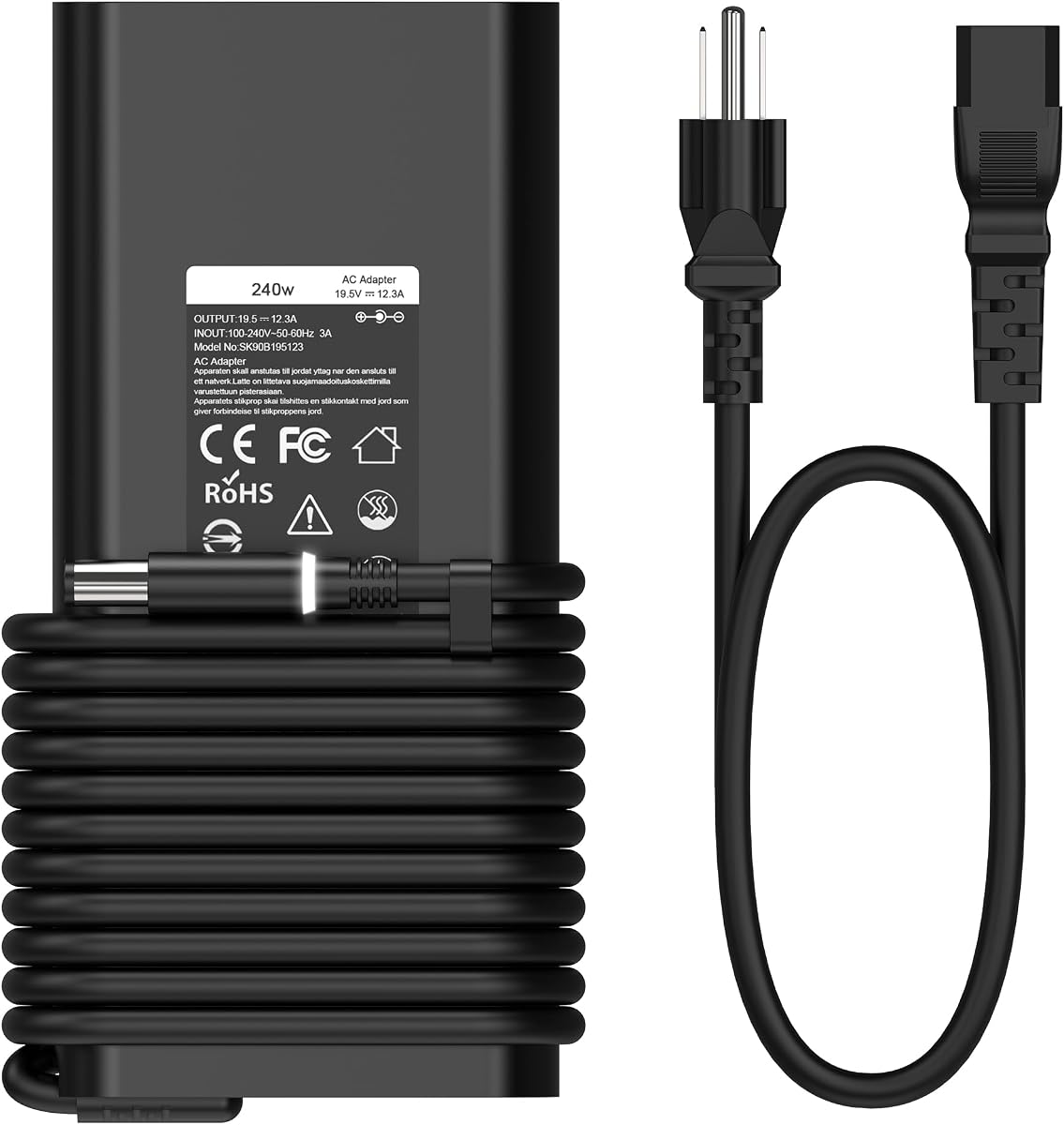
This charger is built for high-performance Dell Alienware and Precision laptops that require significant power. It delivers 240W output and is compatible with 180W models as well.
We may earn a commission when you buy through this link, at no additional cost to you.
High-end laptops often need more power to avoid throttling, and this unit supplies that. It covers a wide range of part numbers, ensuring you find the right match for your system.
The seller offers a direct contact option for warranties beyond the Amazon return window, which is helpful. However, the large tip is specific to gaming and workstation models.
For users with Alienware laptops, this charger is a solid high-performance replacement. It ensures your system runs at full capacity without interruption from power limitations.
At 240W, this adapter powers gaming laptops that demand more electricity than standard notebooks.
You can contact the seller directly for warranty support beyond the standard return period.
We may earn a commission when you buy through this link, at no additional cost to you.
This 330W charger is a top choice for Alienware laptops that need maximum power for gaming and rendering. It ensures stable power delivery to prevent frame drops during intensive use.
We may earn a commission when you buy through this link, at no additional cost to you.
The high wattage allows the adapter to run cooler by providing extra headroom. It is backward compatible with devices designed for lower wattage, offering flexibility if you upgrade later.
While it is larger and heavier than standard adapters, the performance benefits are worth it for desktop replacements. The rating reflects high user satisfaction with its reliability and safety.
If you play graphically intensive games on a Dell Alienware, this charger is ideal. It keeps your GPU and CPU running smoothly without thermal throttling issues.
The full-rated 330W output ensures your CPU and GPU do not throttle during long gaming sessions.
Works safely with 180W and 240W devices, reducing operating load and heat generation.
We may earn a commission when you buy through this link, at no additional cost to you.
This adapter kit converts USB-C power sources to various DC tips, making it a versatile travel option. It includes fifteen different plug tips to fit laptops from multiple brands.
We may earn a commission when you buy through this link, at no additional cost to you.
The cable supports up to 100W PD output, but you must ensure your power source provides 20V. The built-in chip adjusts current automatically for safe and stable charging.
While it is great for charging devices in a pinch, it does not support data syncing. It is best used as a universal spare for when you lack a specific original adapter.
For travelers with multiple laptops, this kit simplifies your power needs. It ensures you can charge most devices from a single USB-C source.
Fifteen connector sizes cover most laptop brands including Dell, HP, Asus, and Lenovo.
An E-mark intelligence chip ensures safe current delivery for 100W PD chargers.
We may earn a commission when you buy through this link, at no additional cost to you.
Selecting the right backup solution depends on whether you need portable power or stationary protection.
Ensure the connector type matches your Dell model. Check if it uses USB-C, 7.4mm tip, or round tip plugs before buying.
Always verify the model number and connector shape to avoid purchasing incompatible adapters or docks.
Choose a unit that meets or exceeds your laptop's power needs. Low wattage may cause slow charging or system shutdowns under load.
Higher wattage ensures stable performance especially for gaming or workstation models that draw more power.
For power banks look at mAh and Wh ratings to understand how long they will last. Higher capacity means more recharges for your laptop.
Consider the number of ports if you plan to charge multiple devices simultaneously during outages.
Look for built-in protections like overvoltage, short circuit, and thermal safeguards. These prevent damage to your device.
Certifications from recognized labs ensure the product meets regional safety standards for electrical use.
Decide if you need a device for travel or home use. Portable power banks are lighter and easier to carry than UPS units.
Smaller units are better for commutes while larger stationary models suit office or home setups.
Check the warranty terms to see what is covered. Some products offer lifetime guarantees while others may have shorter terms.
Good customer support can help resolve issues quickly if you encounter problems with the charger.
Select well-known brands that have a history of reliable products. Reputable manufacturers often test for safety and performance.
User reviews can provide insight into real-world performance and durability over time.
Set a budget based on your needs. Portable chargers range from affordable to premium depending on capacity and features.
Investing in quality can save money long term by avoiding replacement costs or potential hardware damage.
Always plug in your backup unit fully before using it to ensure it reaches maximum capacity. This helps the internal cells stabilize for best performance.
Store your power bank or UPS in a cool dry place to protect it from extreme temperatures. Heat and moisture can degrade battery life over time.
Keep the connectors clean and free of debris to prevent connection issues. Periodically check the cables for wear and replace them if damaged.
No, a power bank is not a UPS. A UPS provides instantaneous switchover during outages while a power bank requires manual connection to recharge your device.
Check the label under your laptop for the model number and power requirements. Compare the connector type and shape with the product description before purchasing.
Yes as long as the charger meets Dell's voltage and wattage specifications. Ensure it has safety certifications to protect your device from electrical issues.
It depends on the power bank capacity and your laptop's power draw. A 20000mAh bank may offer one to two full charges for most modern laptops.
Not all models. Newer Latitude and XPS laptops use USB-C, while older Inspiron and Alienware models often use barrel tip connectors.
Yes many power banks have multiple ports allowing simultaneous charging. Ensure the total output meets the needs of both devices.
This happens if the charger's wattage is lower than what your laptop requires. Always match the adapter's output to the laptop's power needs.
Stop using it immediately if it feels excessively hot. Overheating can indicate a fault or insufficient ventilation and may damage your laptop.
We reviewed ten top-rated products ranging from portable power banks to stationary UPS units. Each option serves different needs depending on whether you are at home or traveling.
Prioritize compatibility and safety features to protect your investment. Choose a solution that matches your laptop's power requirements and your lifestyle needs.
Keep in mind that availability and details may vary. Always check the product page for the latest information before making your purchase.