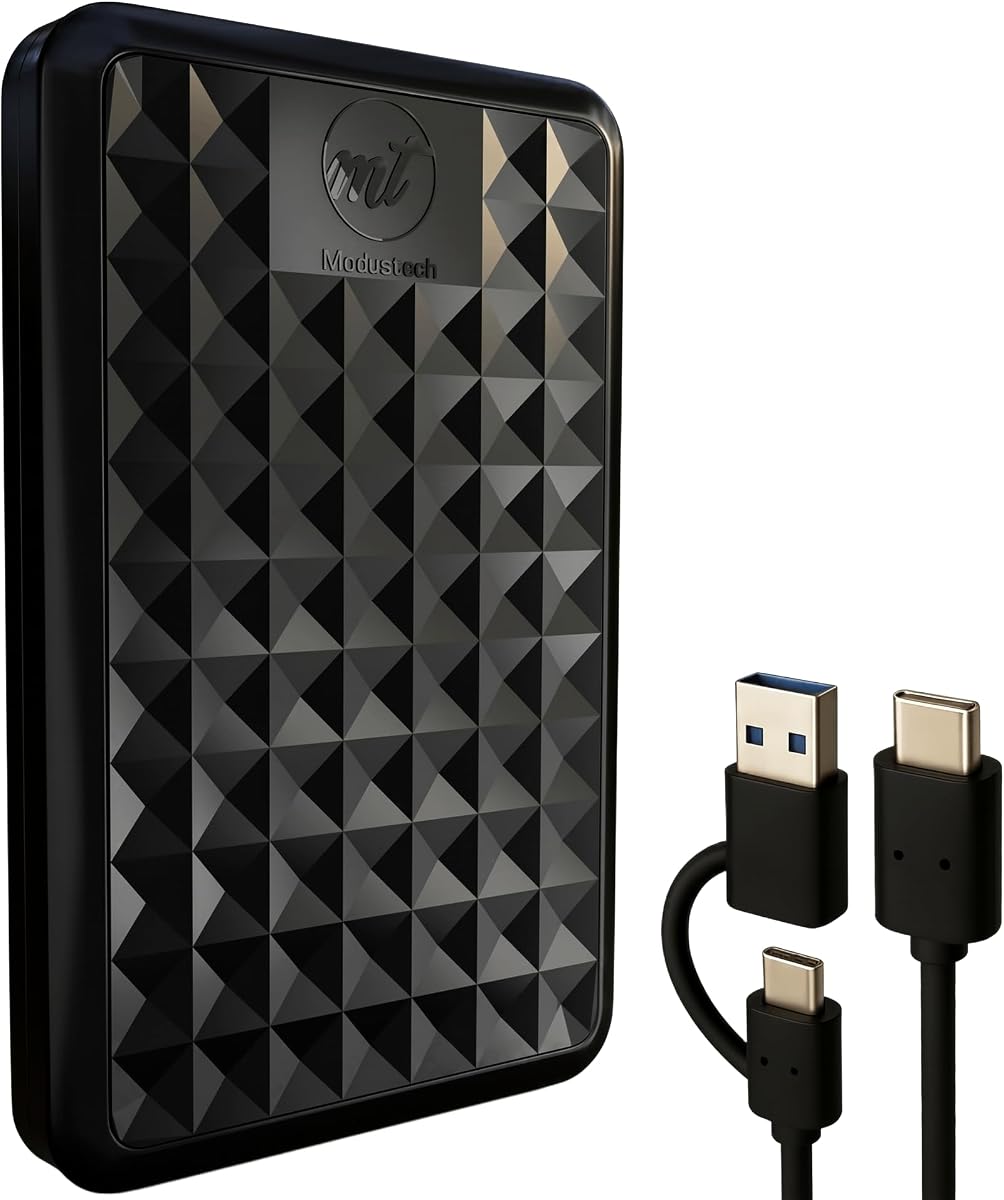
Facet 500GB External Hard Drive
4.1Editor score
Includes USB-C to USB-C cable
Preformatted in exFAT for ChromeOS
Slim 2.5-inch portable design
This guide compares the top external hard drives for Chromebook users focusing on compatibility storage capacity and speed for your portable setup needs.
Chromebooks are popular for their portability but often lack storage space for large files. An external hard drive solves this by giving you extra room for photos, videos, and backups without slowing down your device.
We evaluated ten top models based on their USB connectivity, build quality, and ease of setup. Each option offers plug-and-play simplicity which is crucial for ChromeOS users who prefer minimal software installation steps.
Every pick below includes key specs and real-world performance notes to help you decide. Please note that availability and pricing can change frequently so verify current details before making your final purchase decision today.
4.1Editor score

4.7Editor score
4.6Editor score
Here is a side-by-side comparison of all ten drives we reviewed. Each entry highlights core specifications to help you quickly identify which model fits your Chromebook setup and storage requirements.


The WD 2TB Elements is a top choice for Chromebook users needing reliable extra space. With a 4.7 rating from thousands of buyers, it balances performance and value effectively.
We may earn a commission when you buy through this link, at no additional cost to you.
Its SuperSpeed USB 3.2 interface ensures quick uploads and downloads which is ideal for media files. Chromebook users benefit from the plug-and-play nature that requires zero software installation.
While the cable is tethered, this prevents loss and ensures compatibility. The lightweight design makes it easy to carry in a bag without adding bulk to your daily setup.
Buy this if you want ample storage without complexity. It works seamlessly for backups, media libraries, and document storage on ChromeOS devices today.
ChromeOS simplifies external storage by mounting drives automatically. This drive supports that workflow out of the box.
Starting at 2TB allows room for projects, videos, and photos without immediate need for upgrades.
We may earn a commission when you buy through this link, at no additional cost to you.
The Facet 500GB is ideal for those starting with small external storage needs. It ships with a USB-C cable which matches modern Chromebook ports directly.
We may earn a commission when you buy through this link, at no additional cost to you.
Being preformatted in exFAT means it works across Windows and macOS systems without formatting issues. The shock-resistant casing protects your data during travel.
The 500GB limit might fill up faster if you store large videos, but it suffices for documents and photos. The slim profile ensures it stays pocket-friendly.
Choose this if you want a simple affordable USB solution. It is particularly handy for students or casual users who need occasional backup space.
Most new Chromebooks only have USB-C ports. This drive connects directly without needing dongles.
Formatting can be tricky for some users. This drive is set up to work immediately.
We may earn a commission when you buy through this link, at no additional cost to you.
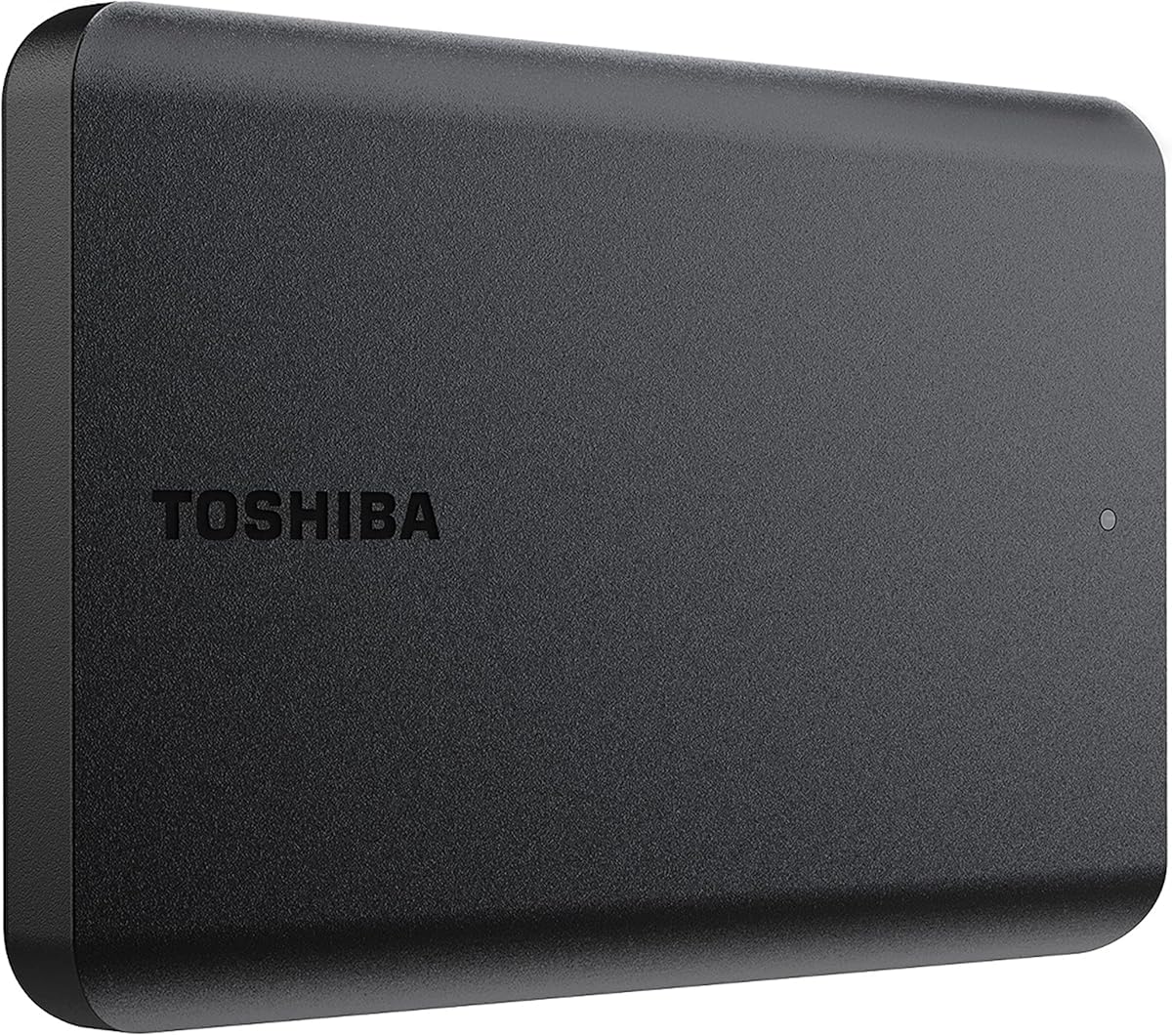
This Toshiba model offers a premium feel with its matte smudge-resistant finish. Users appreciate the robust design and quick access to data via USB 3.0.
We may earn a commission when you buy through this link, at no additional cost to you.
While it ships formatted for Windows, reformatting for macOS or ChromeOS is straightforward using disk utility tools. The lack of external power makes it truly portable.
The 2TB capacity suits power users with large media collections. Its weight is manageable though slightly heavier than the slimmest alternatives on the market.
Select this if you want durability and style. It stands out for professionals who value a polished look and dependable performance during travel.
The matte coating keeps the drive looking new even after frequent handling in bags.
Bus-powered means you don't need to carry extra chargers with your Chromebook.
We may earn a commission when you buy through this link, at no additional cost to you.
Seagate is a trusted name in storage and this model reflects that legacy with solid performance. It is designed for quick setup on Windows or Mac systems.
We may earn a commission when you buy through this link, at no additional cost to you.
Chromebook users will find it mounts easily for file transfers. The included cable is generous allowing flexible positioning when connected to your laptop.
There are no advanced features but reliability is key here. It handles daily backups and file storage without issues over long periods of use.
This works well for users wanting familiar brand quality. If you value stability over cutting-edge design this drive delivers consistent results.
The drive identifies itself immediately when plugged into your Chromebook for instant access.
No software installation is needed which keeps your system clean and uncluttered.
We may earn a commission when you buy through this link, at no additional cost to you.
The Maxone drive features a sturdy aluminum shell that resists scratches. Its slim build makes it easy to fit in tight pockets or slim sleeves.
We may earn a commission when you buy through this link, at no additional cost to you.
USB 3.0 ensures fast transfers which is vital when moving large files to your Chromebook. It operates quietly without overheating even under heavy loads.
While capacity is lower than 2TB options, it suits mid-range needs well. The warranty adds peace of mind regarding long-term use and durability.
Pick this for portability and protection. The metal casing adds a touch of quality while keeping the unit lightweight and practical.
The metal design helps dissipate heat so the drive runs cooler during long file transfers.
Noise levels are low so you can use this drive in quiet spaces or offices.
We may earn a commission when you buy through this link, at no additional cost to you.
This drive is ultra-slim and easy to carry around. It supports multiple platforms including macOS and Windows which helps with shared file storage.
We may earn a commission when you buy through this link, at no additional cost to you.
The read speed claims are impressive for this size class. For Chromebook users, it handles daily backups and media files without lag.
The main trade-off is limited capacity. However for budget-conscious users, it offers a solid entry point into external storage.
Ideal for those who need minimal extra space. It fits well for casual users who prioritize size and affordability over large capacity.
It works with game consoles and PCs making it a versatile tool for various tech needs.
Low pricing makes it accessible for students or anyone needing temporary backup space.
We may earn a commission when you buy through this link, at no additional cost to you.
The Aiolo drive includes a USB to Type C adapter which suits modern Chromebooks well. Its noise-free solution ensures it remains silent during file access.
We may earn a commission when you buy through this link, at no additional cost to you.
The aluminum anti-interference layer protects data integrity during transfers. Users appreciate the slim profile that fits easily in pockets or bags.
With 500GB, it is suitable for documents and music. The three-year warranty shows confidence in its build and reliability for daily use.
Select this for quiet portable storage. It balances modern connectivity options with a simple user-friendly design for on-the-go use.
The included adapter means you can connect to newer Chromebooks without buying a separate dongle.
The anti-interference layer helps keep your files safe from signal corruption during use.
We may earn a commission when you buy through this link, at no additional cost to you.
This model specifically lists Chromebook compatibility ensuring ease of use for your setup. It offers 1TB of storage which is a practical middle ground.
We may earn a commission when you buy through this link, at no additional cost to you.
The Type C adapter allows direct connection to modern laptops. Plug and play functionality means you can start saving files immediately.
It is compact enough to carry daily without adding bulk. While build materials are standard, the performance meets expectations for typical user needs.
Best for users needing a balanced 1TB drive. It works well for both work and personal media storage on Chromebooks.
Having a Type C adapter built in saves time and money on extra accessories.
The drive mounts automatically for immediate access to your data.
We may earn a commission when you buy through this link, at no additional cost to you.
UnionSine focuses on stability with its JMicron noise-free solution. The anti-interference layer ensures consistent data transfer for your files.
We may earn a commission when you buy through this link, at no additional cost to you.
It is slim and easy to carry which suits mobile Chromebook users. The three-year warranty provides confidence for long-term storage plans.
The design includes heat dissipation features that help performance remain steady. While capacity is standard for 1TB drives, reliability is the standout feature.
Choose this if data stability is important. It offers solid performance for backups and document storage on Chrome OS devices.
The internal chip design reduces interference ensuring your files transfer correctly every time.
Heat dissipation helps maintain speed during long backup sessions.
We may earn a commission when you buy through this link, at no additional cost to you.
This Toshiba model includes automatic backup software for PC and password protection. The textured finish adds a distinctive look compared to plain black drives.
We may earn a commission when you buy through this link, at no additional cost to you.
While the software is Windows-only, the drive itself works with Chromebooks. It mounts for file access and can be formatted for broader compatibility.
Security features like password protection are useful for sensitive files. The design is compact and fits well in daily carrying cases.
Pick this if you need built-in security. It offers a nice mix of style and practicality for personal data storage on Chromebooks.
Password protection helps keep private files safe from unauthorized access on shared devices.
The textured finish makes the drive easy to identify and adds a touch of style.
We may earn a commission when you buy through this link, at no additional cost to you.
Selecting the right drive involves matching your storage needs with compatibility and performance. This guide highlights key factors to consider before you buy.
Think about what you will store on the drive. For documents and photos 500GB is enough but for videos consider 2TB or more.
Choose higher capacity if you plan to keep files long-term without frequent backups.
Modern Chromebooks often use USB-C exclusively. Ensure the drive supports USB-C or comes with an adapter for direct connection.
USB 3.0 and later types offer faster speeds and are backward compatible with older ports.
Drives often ship formatted for Windows which limits Mac or Chromebook use. ExFAT is ideal for cross-platform support without reformatting.
Check if the drive is preformatted for ExFAT to save time setting it up for ChromeOS.
Look for sturdy materials like aluminum or reinforced plastic. A durable casing protects your data if the drive is dropped in a bag.
Slim and lightweight designs improve portability for users who carry their Chromebooks daily.
Most drives offer at least one year but some provide up to three years. A longer warranty signals manufacturer confidence in reliability.
Choose options with warranty support to avoid replacement costs if the drive fails.
Prices vary widely depending on capacity and brand. Set a budget that balances cost with the features you actually need.
Avoid overspending on specs like speed unless you transfer very large files frequently.
Some drives include password protection and backup software. These are useful for sensitive data but often require Windows to set up.
If you only use ChromeOS focus on the drive itself rather than bundled software features.
Ensure the package includes the necessary cables for your ports. Some drives omit adapters which can delay setup.
USB-C and USB 3.0 cables should be included for immediate use.
Connect the drive to your Chromebook using a USB-C or USB 3.0 port. The system should automatically mount it in the Files app for immediate access.
Drag and drop files directly from your local storage to the drive folder. Always eject the drive safely from the Files app before unplugging it to prevent data loss.
Keep the drive in a cool dry place when not in use. Avoid exposing it to water or extreme heat which can damage the internal components over time.
Most modern drives support ExFAT or NTFS. ChromeOS can read both but may not write to NTFS without extensions. ExFAT is best for compatibility across devices.
Yes but it will be slower than USB 3.0. Most Chromebooks have USB 3.0 or USB-C ports for better performance. Ensure your cable matches the port speed.
Absolutely. You can manually copy files or use backup tools on your computer. Regular backups protect your data against accidental loss.
It should appear in the Files app on the left sidebar. If it does not, check that the cable is secure and try another USB port.
ChromeOS supports some games from external storage but performance varies. Check system requirements before installing large games.
Unplugging it during transfers can cause corruption. Always eject the drive safely via the Files app before removing the cable.
Most are not waterproof. Store them in a dry place and avoid exposure to liquids to prevent hardware damage.
Use a dry cloth to wipe the exterior. Avoid harsh chemicals or water which could damage the casing or internal components.
Our top three picks cover a range of needs. The WD 2TB Elements stands out for capacity while the Facet 500GB offers value and the Toshiba Canvio Basics provides premium build quality.
Focus on USB-C compatibility and ExFAT formatting for seamless Chromebook use. Storage capacity should match your file types to avoid running out of space soon.
Prices and availability change regularly so verify details before buying. Select the model that balances your budget with the performance features you need.