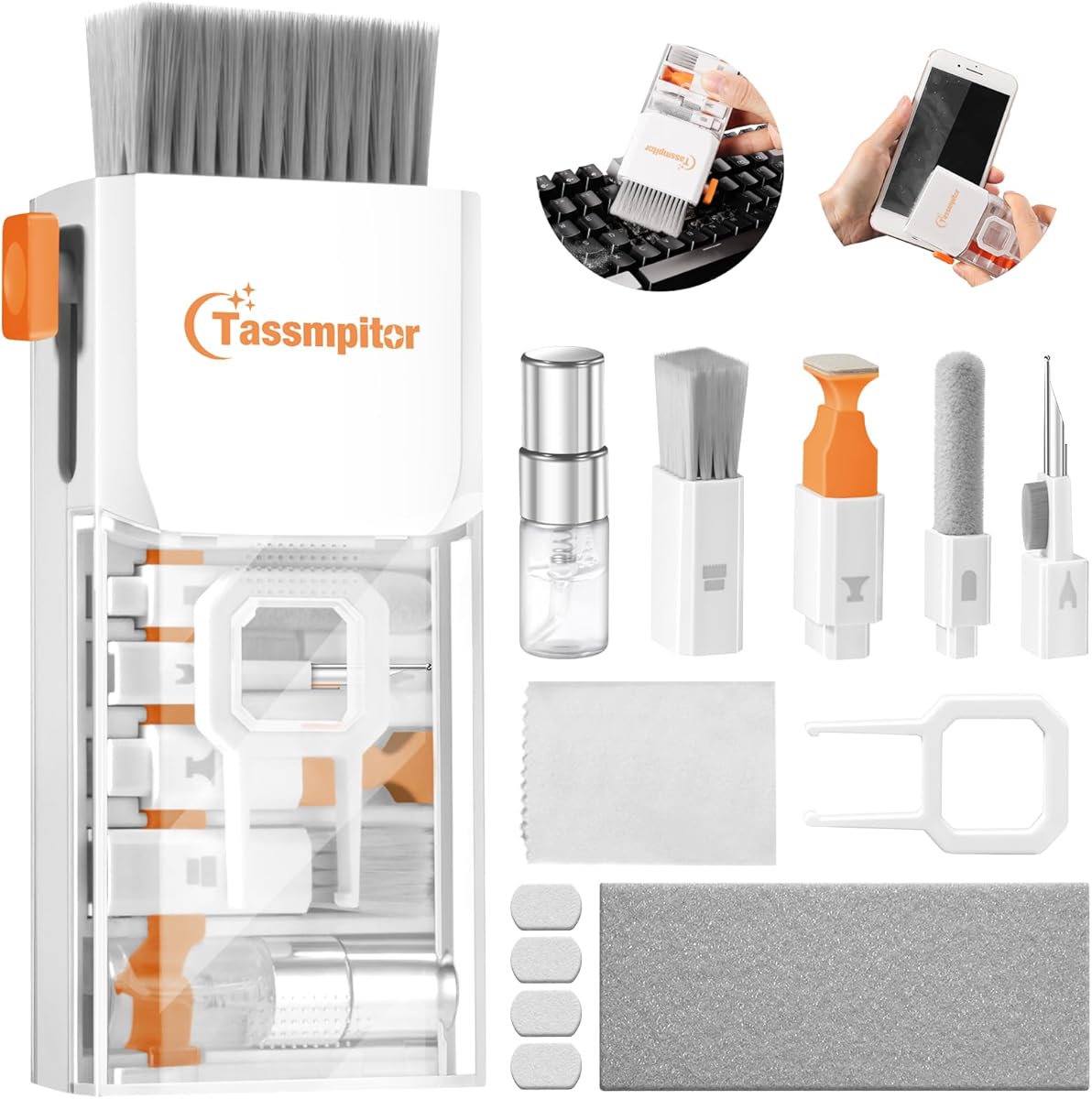
All-in-1 Keyboard Cleaner Laptop Cleaning Kit
4.6Editor score
Deep clean electronic devices
Comes with keycap puller
Compact portable design
This guide compares ten top laptop cleaning kits for screens and keyboards featuring tools like sprays, cloths, and brushes to keep electronics pristine.
Keeping your laptop clean is essential for performance and longevity. Dust and fingerprints can obscure your screen and clog keyboards. A dedicated cleaning kit provides the right tools to maintain your device safely and effectively.
We evaluated ten leading laptop cleaning kits based on tool variety, safety, and ease of use. Our analysis covers everything from simple cloths to comprehensive sets with brushes and sprays for thorough maintenance.
Each pick highlights specific strengths like portability or deep cleaning power. We focus on real user feedback and product specifications. Prices and availability may change, so check current listings before purchasing.
4.6Editor score

4.6Editor score

4.9Editor score
The following table provides a side-by-side comparison of the ten selected laptop cleaning kits. Each entry lists key specifications to help you identify the right tools for your specific device needs.



The Ordilend Keyboard Cleaner offers a robust collection of tools for maintaining your laptop. It receives strong ratings for its ability to handle various cleaning tasks from screens to keyboards. The kit is designed to be a complete solution for electronic maintenance.
We may earn a commission when you buy through this link, at no additional cost to you.
Its standout feature is the variety of included accessories like the retractable brush and keycap puller. These allow for deep cleaning between keys and removal of stubborn stains without damage. The cloth materials are soft enough to prevent scratches on sensitive displays.
While highly effective, some users find the cleaning cloths slightly smaller than standard options. This is a minor trade-off given the portability of the kit. The metal pen tip requires careful handling to avoid scratching surfaces.
This kit is ideal for users who want a single purchase that covers all cleaning bases. It suits professionals and students who need reliable tools for daily device care. We recommend it for those seeking a versatile and cost-effective cleaning solution.
The retractable brush and keycap puller allow you to reach deep crevices where dust accumulates.
Soft polishing cloths and specific tips ensure your screen remains free of scratches during cleaning.
We may earn a commission when you buy through this link, at no additional cost to you.
This kit provides a wide range of tools at a competitive price point. It focuses on providing essential items like brushes and cloths for general electronic maintenance. Users appreciate its ability to handle both laptop and desktop keyboards effectively.
We may earn a commission when you buy through this link, at no additional cost to you.
The inclusion of a keycap puller allows for deep cleaning of mechanical keyboards. The flocking sponge is particularly useful for delicate surfaces like earbuds. Materials are chosen to minimize the risk of scratching expensive screens.
One limitation is the absence of a cleaning solution in the base kit. Users must supply their own spray or use water. This may be inconvenient for those expecting an all-in-one liquid solution.
For budget conscious buyers, this kit offers excellent value. It covers most cleaning needs without a high cost. It is a solid choice for students or home users who want a reliable starter kit.
Tools like the metal pin tip help remove dirt trapped between keys efficiently.
Soft cloths and proper wiping techniques ensure your display remains streak-free and undamaged.
We may earn a commission when you buy through this link, at no additional cost to you.
The iFixit brand is renowned for repair tools, and this kit reflects that quality. It focuses on precision and safety for delicate electronic components. The tools are designed to minimize static electricity which can harm internal parts.
We may earn a commission when you buy through this link, at no additional cost to you.
The dust blower is a key feature for clearing cooling fans without touching them. This helps maintain laptop performance by preventing overheating. The anti-static brush ensures safe dust removal from sensitive areas like vents.
While excellent, it does not include a liquid cleaner for screens. Users must purchase a separate solution for wet cleaning. This separates it from all-in-one kits that include sprays in the box.
This kit is best for users who prioritize quality and component safety. It suits tech enthusiasts who maintain their own hardware regularly. We recommend it for those willing to pay a bit more for durable tools.
Tools are designed to prevent static buildup that could damage sensitive electronic components.
The dust blower allows safe removal of debris from cooling systems without physical contact.
We may earn a commission when you buy through this link, at no additional cost to you.
Altura Photo offers a kit that balances screen care with keyboard maintenance. It includes a spray solution which is a convenient addition to physical tools. Users find it effective for general upkeep of laptops and computers.
We may earn a commission when you buy through this link, at no additional cost to you.
The dust cleaning gel is a unique feature for picking up debris from crevices. The air blower helps remove dust from vents and hard to reach spots. The microfiber cloth is large enough for full screen cleaning.
Some users report the gel can be messy if not applied carefully. It may stick to hands or tools if overused. Also, the bristle stiffness of the included brush can be inconsistent.
This kit is great for those who want a liquid solution included. It works well for users who clean frequently and need ready to use products. We suggest using the gel sparingly for best results.
The cleaning gel can be pressed into keys to pick up dust and crumbs effectively.
A dedicated cleaner spray allows for wet cleaning without buying separate bottles.
We may earn a commission when you buy through this link, at no additional cost to you.
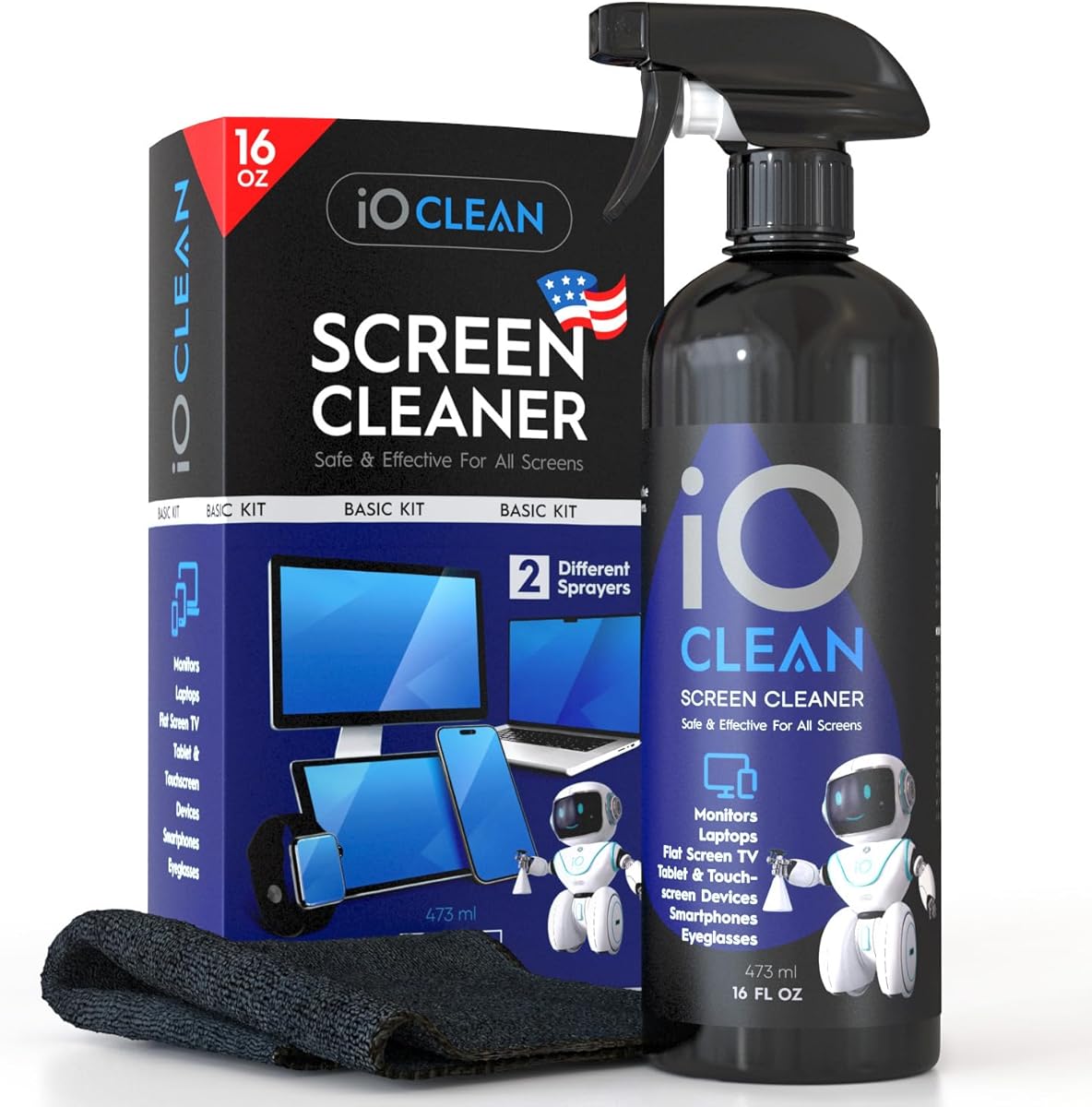
This product focuses on providing a high-quality liquid solution for large screens. It comes in a large bottle suitable for desktop monitors or multiple laptops. The formula is designed to be safe on sensitive OLED and LED displays.
We may earn a commission when you buy through this link, at no additional cost to you.
Users praise the streak-free finish it provides on monitors. The inclusion of two nozzles allows for different spray patterns. The anti-static property helps reduce dust attraction after cleaning.
It is not a complete kit as it lacks brushes for keyboards. Users will need to pair it with separate tools for full device cleaning. This is a trade-off for the quality of the liquid formula.
This spray is ideal for users with large monitors or multiple screens. It suits those who already have cloths and need a reliable liquid. We recommend it for office setups or gaming stations with big displays.
The 16oz bottle offers long term value for households with multiple electronic devices.
Non toxic and biodegradable ingredients ensure safety for users and the environment.
We may earn a commission when you buy through this link, at no additional cost to you.
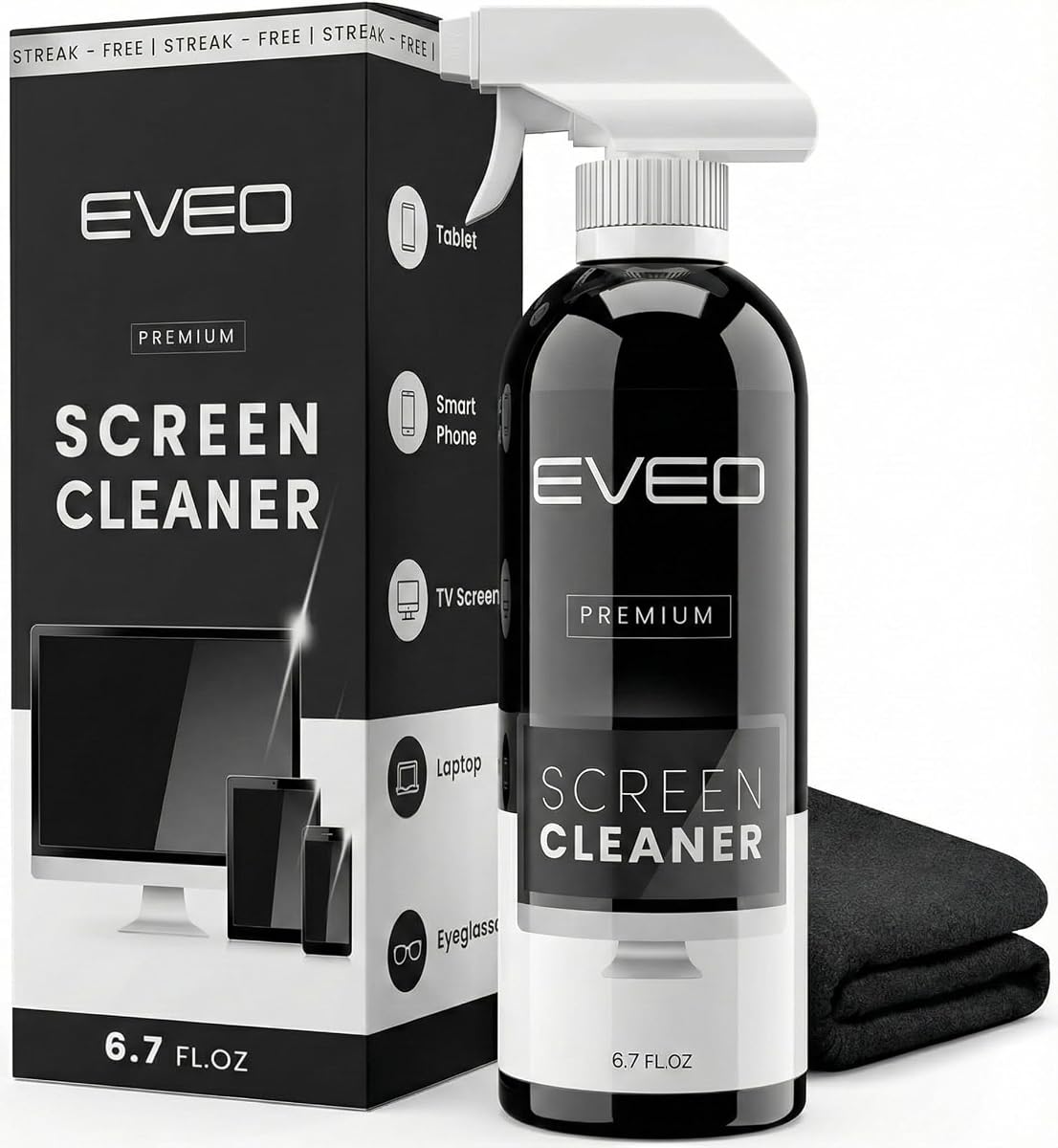
EVEO offers a reliable cleaning solution that includes a plush microfiber cloth. The spray bottle is designed for easy application on various screen types. Users find it effective for removing fingerprints and smudges quickly.
We may earn a commission when you buy through this link, at no additional cost to you.
The included plush cloth is soft and reduces the risk of scratches. The sprayer gun attachment allows for controlled liquid application. It works well on TVs and laptops alike making it versatile.
One downside is the lack of specific tools for keyboard cleaning. It focuses purely on screen maintenance which might not be enough for some users. Some reports mention the bottle cap leaking if not closed properly.
This kit is best for those focusing on screen clarity and brightness. It fits well in offices or homes where screens are cleaned frequently. We recommend it for users who want an easy screen care routine.
The included cloth is designed to be soft and absorbent for gentle screen cleaning.
A sprayer gun attachment helps control the amount of liquid used during cleaning.
We may earn a commission when you buy through this link, at no additional cost to you.
This kit is designed for users with mechanical keyboards who need key removal tools. It features a keycap puller that makes deep cleaning easier than standard brushes. The spray capacity is larger than many competitors in this price range.
We may earn a commission when you buy through this link, at no additional cost to you.
The anti-static brush ensures safe dust removal from sensitive areas. It also includes tools for earbuds and lenses adding to its versatility. This makes it a strong choice for users with multiple tech accessories.
The spray bottle is smaller compared to standalone cleaner options. Users may need to refill it more often if cleaning many devices. Additionally, a separate cloth is needed for screen wiping.
This kit is ideal for mechanical keyboard enthusiasts. It suits those who need to remove keycaps for deep cleaning regularly. We recommend it for users who value precision tools over generic brushes.
The keycap puller allows for safe removal of keys to clean underneath effectively.
Brushes are designed to prevent static buildup during cleaning to protect electronics.
We may earn a commission when you buy through this link, at no additional cost to you.
WHOOSH! offers a duo pack with two sizes of cleaner for different needs. One bottle is for home use and the other is compact for travel. The formula is safe for anti-glare coatings found on many laptops.
We may earn a commission when you buy through this link, at no additional cost to you.
The PROTX2 microfiber cloths are designed to lift dust without scratching. Users praise the alcohol-free formula for not damaging sensitive screens. The duo sizes ensure you always have a clean option available.
The smaller bottle may run out quickly if cleaning multiple devices. The price per ounce is higher than larger single bottles. This is a trade-off for the convenience of the travel size.
This kit is perfect for travelers or commuters. It suits users who need to clean screens on the go regularly. We recommend it for those who want safe cleaning solutions for premium screens.
Two sizes allow for flexibility between home cleaning and travel maintenance.
The formula is free from harsh chemicals that can strip screen coatings.
We may earn a commission when you buy through this link, at no additional cost to you.
OXO offers a simple handheld tool for quick cleaning tasks. It features a microfiber pad for screens and a brush for dust. The retractable brush protects the bristles when not in use.
We may earn a commission when you buy through this link, at no additional cost to you.
The handle is designed for a comfortable grip during use. It is lightweight and easy to store in a drawer or bag. The tool is effective for daily dusting and smudge removal.
It does not include any liquid solutions for wet cleaning. Users must buy a separate spray for fingerprints or grime. This limits it to dry maintenance tasks only.
This tool is ideal for quick daily maintenance of laptops. It suits users who want a simple solution without complex tools. We recommend it for office workers or students needing quick touch-ups.
The double-sided tool allows for efficient cleaning with one handle.
The brush retracts into the handle to keep it clean and protected.
We may earn a commission when you buy through this link, at no additional cost to you.
This kit offers an extensive range of twenty tools for various devices. It includes specific tools for earbuds, cards, and screens. Users appreciate the comprehensive nature of the set for multiple devices.
We may earn a commission when you buy through this link, at no additional cost to you.
The included blower helps clear dust from ports effectively. Tools like the card removal pin add utility for phones. It is a robust solution for households with many different electronics.
The quality of some smaller tools may vary compared to dedicated ones. Some users find the variety overwhelming for simple tasks. It requires more storage space than a minimal kit.
This kit is best for families or tech lovers. It suits those who want one tool for all devices including phones. We recommend it for users needing extensive accessory support.
Specific pens and brushes allow for detailed cleaning of headphone mesh and holes.
A pin tool is included to safely remove SIM cards or memory cards.
We may earn a commission when you buy through this link, at no additional cost to you.
Choosing the right laptop cleaning kit involves understanding the tools needed for your specific device types and cleaning needs.
A good kit should include brushes for keyboards, cloths for screens, and tools for ports. More variety means fewer separate purchases for different devices.
Look for kits with both soft brushes for screens and stiff brushes for keyboard grime.
Ensure the kit includes microfiber cloths designed for delicate screens. Avoid rough materials that can scratch anti-glare coatings or OLED panels.
Check that the cloths are specifically labeled as safe for electronics to avoid damage.
Some kits include a spray while others do not. A included spray ensures you have the right chemical balance for your screen without buying extra.
If a spray is not included, ensure the kit allows easy access to apply your own solution safely.
If you travel or move between rooms, choose a kit with a compact case or pouch. Bulkier sets are harder to carry regularly.
Consider a handheld tool or small kit for daily carry on the go.
Mechanical keyboards need keycap pullers while phones need SIM pins. Match the kit to your specific device hardware for deep cleaning.
Check for specific tools like blower nozzles or crevice pens if you have detailed needs.
Higher quality cloths and brushes last longer without shedding fibers. Avoid kits with cheap synthetic bristles that may break easily.
Invest in durable materials like anti-static brushes and premium microfiber for long term use.
Look for kits with intuitive designs like retractable brushes or easy spray nozzles. Complex sets can be frustrating to use regularly.
Simple tools that require minimal setup encourage consistent cleaning habits.
Reputable brands often provide better quality control and safer materials for electronics. Check reviews to see how products hold up over time.
Trust established names to ensure the kit won't harm your expensive devices.
Turn off your laptop and unplug it before cleaning to prevent accidental damage. Allow the device to cool down if it was recently in use.
Use the dry cloth to gently wipe the screen to remove dust before applying any spray. This prevents scratching the surface with trapped particles.
Store the tools in a cool dry place to prevent bristle damage or moisture buildup. Keep caps on sprays to ensure the liquid does not dry out.
Water can work for minor smudges but is not ideal for heavy grime. Use a dedicated screen cleaner for best results and to avoid streaks. Tap water may contain minerals that leave residue.
Yes, microfiber cloths are designed to be washed and reused multiple times. Wash them without fabric softener to maintain their softness. Air drying is recommended to protect fibers.
A keycap puller is necessary only if you have a mechanical keyboard or removable keys. Most laptop keyboards have non removable keys making a puller unnecessary. Standard brushes work better for fixed keys.
Most modern screens should not be cleaned with alcohol based solutions. Alcohol can damage anti-glare coatings over time. Use ammonia and alcohol free formulas to preserve the screen finish.
Clean your screen weekly and keyboards monthly to maintain performance. Dust buildup can affect cooling so fans need periodic attention. Deep cleaning depends on usage environment.
Yes most laptop kits work well on phones due to similar screen types. Ensure the tools are soft enough for smaller devices. Avoid heavy pressure on sensitive phone screens.
The Ordilend and iFixit kits stand out for their comprehensive tool sets and safety features. Choosing the right one depends on whether you need keyboard or screen focus.
Prioritize kits that offer anti-static protection and safe materials for your specific device models. Consistency in cleaning ensures your devices last longer.
Remember to check current availability and pricing before purchase. Our guide provides a solid starting point for maintaining your electronics.