
HP 24 Touchscreen All-in-One Desktop Computer
4.3Editor score
Intel Processor N100
16GB DDR4 RAM
23.8 Inch FHD Display
This guide compares the best All in One Desktop PC with Touchscreen models of 2026 for performance display quality and features.
Modern workspaces demand sleek hardware that combines power with ease of use. An All in One Desktop PC with Touchscreen delivers this by merging the screen and computer into one compact unit. This setup eliminates cable clutter while providing intuitive touch interaction for daily tasks.
We evaluated ten top models based on processor speed, memory capacity, display quality, and touch responsiveness. Our analysis focuses on real-world performance for home office and creative work. We also consider build quality, port selection, and included accessories to ensure value.
Each pick highlights specific strengths like AI capabilities, high refresh rates, or premium audio systems. Note that prices and stock change frequently so check current listings before buying. This guide helps you find the perfect fit for your unique workflow and budget needs.
4.3Editor score

4.7Editor score

5.0Editor score
The following table provides a side-by-side look at key specifications for every model reviewed. Compare processors memory storage and display sizes to find the unit that matches your performance requirements and workspace constraints.




This model stands out as the top pick due to its powerful AI capabilities and large display. It received a 4.7 rating from users who praise its speed and touch interface. The inclusion of a dedicated Copilot key makes it unique in the market.
We may earn a commission when you buy through this link, at no additional cost to you.
The AMD Ryzen AI 7 350 processor provides exceptional performance for multitasking and creative work. Its 16GB DDR5 RAM ensures smooth operation even with many browser tabs open. The 27-inch touchscreen offers plenty of room for detailed tasks.
While the price is on the higher side, the value proposition is strong with the included accessory bundle. Users note that the webcam and audio quality are excellent for meetings. The only limitation is the non-upgradeable RAM which requires choosing the right configuration upfront.
This device is ideal for professionals needing a powerful and intuitive workspace. It balances performance and usability better than most competitors in its class.
The dedicated AI NPU accelerates local tasks without cloud delays.
A touchscreen pen and USB drive are included to get started fast.
We may earn a commission when you buy through this link, at no additional cost to you.
This unit offers the best value for buyers who need basic functionality without breaking the bank. It received a 4.3 rating for its reliability and ease of use. The price point is significantly lower than high-end models while still offering key features.
We may earn a commission when you buy through this link, at no additional cost to you.
The Intel Processor N100 handles everyday tasks like web browsing and document editing efficiently. Combined with 16GB DDR4 RAM and a 1TB SSD, it provides ample space and speed for family use. The 23.8-inch touchscreen is responsive and clear.
Trade-offs include slower performance for video editing or gaming. However, for students and general office work, it meets all requirements. Users appreciate the included keyboard and mouse which save extra costs.
This device is perfect for households needing a secondary computer or school setup. It delivers essential features at an accessible price point.
The compact size fits well in bedrooms or home study areas.
Solid storage and RAM prevent slowdowns during daily use.
We may earn a commission when you buy through this link, at no additional cost to you.
This model sets the standard for premium performance and future-proof connectivity. It received a perfect 5.0 rating from users who value speed and reliability. The Intel Ultra 7 processor provides incredible power for demanding applications.
We may earn a commission when you buy through this link, at no additional cost to you.
With 32GB of DDR5 RAM, this machine handles heavy multitasking without any lag. The Wi-Fi 7 capability ensures fast and stable internet connections. The 23.8-inch display is bright and offers good color accuracy.
While the price is high, the included features justify the cost for power users. The camera quality is among the best available with user detection technology. Some users note the screen size is smaller than 27-inch options.
This device is ideal for executives and professionals needing top-tier performance. It represents the pinnacle of current All-in-One technology.
Wi-Fi 7 support ensures longevity for high speed internet needs.
Advanced camera tech ensures you look sharp in every meeting.
We may earn a commission when you buy through this link, at no additional cost to you.
This model offers exceptional raw power for creative professionals and power users. It received a 5.0 rating for its speed and build quality. The AMD Ryzen AI 7 processor handles complex tasks with ease.
We may earn a commission when you buy through this link, at no additional cost to you.
The 32GB DDR5 RAM allows for extensive multitasking without slowdowns. The HDMI-in port lets you use the screen for consoles while HDMI-out supports a second monitor. This flexibility is rare in All-in-One designs.
Users note the unit is quite heavy and not easy to move frequently. The price is also steep but justified by the hardware specs. The display quality is vibrant and sharp for detailed work.
This device is perfect for designers needing extra power and screen real estate. It bridges the gap between desktop and portable workstations.
HDMI-out lets you extend your workspace to a second monitor easily.
BIOS protection and Pluton ensure your data stays safe.
We may earn a commission when you buy through this link, at no additional cost to you.
This model is designed for users who want a big screen without multiple monitors. It received a 4.3 rating for its screen quality and practical design. The 27-inch display provides ample space for spreadsheets and documents.
We may earn a commission when you buy through this link, at no additional cost to you.
The stand uniquely stores the keyboard underneath to save desk space. With 32GB RAM, it handles heavy multitasking smoothly. The IPS panel offers wide viewing angles and good colors.
Users note that Windows 11 Home lacks some Pro features like domain join. The larger size might not fit small desks comfortably. However, the performance and design make it a solid choice.
This device is ideal for home offices requiring extra screen real estate. It combines practical design with strong performance specs.
The innovative stand keeps your keyboard hidden when not in use.
ComfortView Plus reduces blue light during long work hours.
We may earn a commission when you buy through this link, at no additional cost to you.
This model excels in color accuracy making it great for visual work. It received a 5.0 rating for its screen quality and performance. The 100% sRGB coverage ensures true-to-life colors.
We may earn a commission when you buy through this link, at no additional cost to you.
The AMD Ryzen AI 7 processor delivers strong performance for creative apps. The 75Hz refresh rate makes the touch interface feel smoother than standard 60Hz screens. The included Copilot key aids productivity workflows.
Users note the design is sleek but the unit is heavy. The price reflects the premium specs and build quality. It stands out for those needing reliable color work at home.
This device is perfect for creatives needing accurate colors in one unit. It balances performance and display quality exceptionally well.
AI ExpertMeet technology filters noise during video calls.
A 75Hz refresh rate adds fluidity to scrolling and touch.
We may earn a commission when you buy through this link, at no additional cost to you.
This unit offers a balanced entry point for general home use. It received a 4.5 rating for its reliability and screen quality. The Core 5 processor handles daily apps smoothly without lag.
We may earn a commission when you buy through this link, at no additional cost to you.
The FHD IPS display provides sharp text and good colors. ComfortView Plus helps reduce eye strain during long sessions. Users praise the included onsite service for peace of mind.
The main trade-off is the limited 8GB RAM which may slow down heavy multitasking. The 512GB SSD is decent but might fill up quickly. It is best for light to moderate users.
This device is ideal for casual users needing a reliable daily driver. It offers a great mix of features at a mid-range price.
Onsite service ensures quick fixes if hardware issues arise.
ComfortView Plus filters blue light for healthier viewing.
We may earn a commission when you buy through this link, at no additional cost to you.
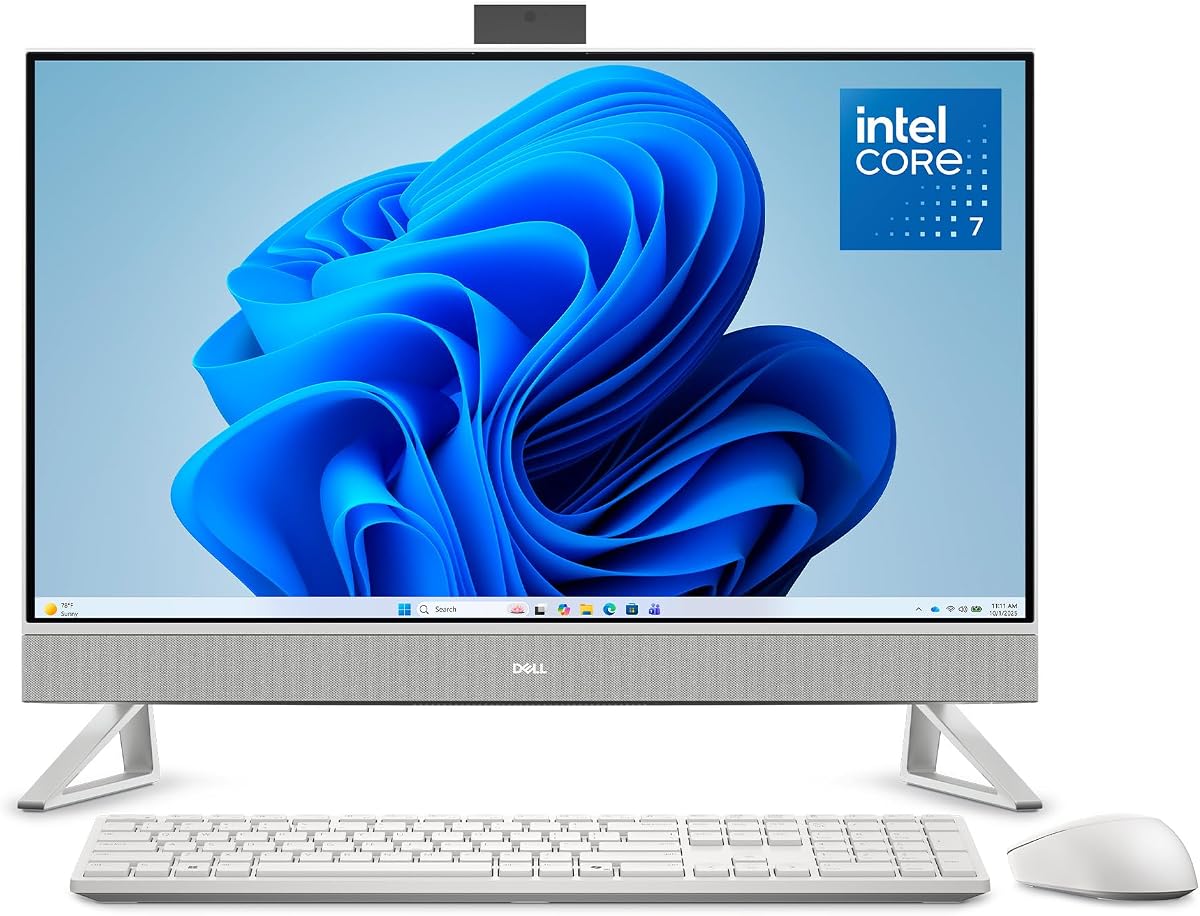
This model delivers strong performance for a fair price. It received a 5.0 rating for its value and functionality. The Core 7 processor is fast enough for most business tasks.
We may earn a commission when you buy through this link, at no additional cost to you.
The 16GB RAM ensures smooth multitasking for general users. The privacy shutter on the camera adds a nice touch for security. It is a practical choice for home offices.
Users note that you must buy your own keyboard and mouse. The build finish is utilitarian rather than premium. Still it offers excellent specs for the investment.
This device is ideal for buyers wanting strong specs without premium prices. It handles daily workloads efficiently.
Push the camera down to ensure your privacy instantly.
Core 7 power ensures quick app launches and loading.
We may earn a commission when you buy through this link, at no additional cost to you.
This unit is a great choice for media consumption and light work. It received a 4.4 rating for its sound quality and screen. The Ryzen 5 processor keeps daily tasks smooth.
We may earn a commission when you buy through this link, at no additional cost to you.
The audio system is surprisingly clear for a built-in speaker. The micro-edge bezel gives it a modern look. It handles web browsing and streaming efficiently.
Users note the memory is onboard and cannot be upgraded. The camera is standard and works well for basic calls. It is a balanced machine for home use.
This device is ideal for entertainment and general computing. It offers a good mix of speed and audio.
Rich sound makes watching videos enjoyable without speakers.
Slim bezels create a focused viewing area.
We may earn a commission when you buy through this link, at no additional cost to you.
This model is designed with business workflows in mind. It offers solid performance for administrative tasks. The dual monitor support is a unique feature for productivity.
We may earn a commission when you buy through this link, at no additional cost to you.
The Core 7 processor handles multitasking well for office work. With 1.2TB storage, you have plenty of space for files. It is a good fit for small offices.
Users note the base RAM might be limiting for power users. The review scores are average suggesting potential quirks. Still the business features are compelling.
This device is ideal for business users needing multiple displays. It offers practical functionality for daily tasks.
Dual external monitor support boosts workflow efficiency.
Includes tools for enterprise and office environments.
We may earn a commission when you buy through this link, at no additional cost to you.
Selecting the right All-in-One requires balancing performance needs with your workspace limits. We outline the key factors to consider so you can pick the unit that serves you best.
The processor is the brain of your computer and determines how well it handles tasks. Look for Core i7 or Ryzen AI 7 chips if you do heavy work. For basic use, Core i5 or Ryzen 5 is usually enough.
Prioritize a strong processor for smooth performance.
RAM controls how many apps you can run at once without slowing down. Aim for at least 16GB of DDR5 memory for future proofing. Storage should be an SSD of 512GB or more for speed.
Get 16GB RAM and 1TB SSD for best results.
Larger screens offer more room for multitasking but take up more desk space. Ensure the touch interface is responsive and has good viewing angles. IPS panels provide better colors and angles than TN panels.
Choose 24 to 27 inches for balance.
Check the ports available on the back for connecting peripherals. USB-C is essential for modern devices and fast transfers. Wi-Fi 6 or 7 ensures stable internet connections.
Verify enough ports for your needs.
High quality video calls depend on a good camera and microphone. Look for HD cameras with noise cancellation. Stereo speakers make media consumption more enjoyable.
Prioritize HD camera and clear speakers.
A sturdy build ensures your device lasts longer. Check if the stand allows angle adjustments. A clean design helps blend into any room decor.
Pick a sturdy unit with adjustable stand.
Windows 11 Pro offers more features for businesses than Home. Home is fine for personal use. Ensure the system is ready to go out of the box.
Choose Pro for business and Home for personal use.
Good service is crucial for hardware issues. Look for onsite service options that send technicians to you. A longer warranty gives peace of mind.
Select models with onsite warranty support.
Position your screen so it is at eye level to avoid neck strain. Keep it away from direct sunlight to prevent glare. Adjust the tilt for the most comfortable viewing angle.
Use a soft microfiber cloth to clean the touchscreen gently. Avoid harsh chemicals that might damage the coating. Do not press too hard on the screen to protect the panel.
Keep the rear vents clear of dust to prevent overheating. Unplug the unit before cleaning inside the case. Regular restarts keep the system running smoothly.
An All-in-One with touchscreen combines the PC and monitor into a single unit saving desk space. Touch input allows for intuitive interaction like zooming and scrolling directly on the screen.
Most models are not built for high-end gaming but can handle casual games and older titles. Dedicated gaming PCs are still better for intense graphics work.
Many All-in-One models have soldered RAM that cannot be upgraded later. It is best to choose the capacity you need at purchase.
Most premium models include wireless keyboards and mice in the box. Budget models may not include them so check the product details.
The glass is designed to resist scratches but using a stylus or pen is recommended for drawing. Clean it with a cloth to avoid damage.
All-in-Ones offer convenience and less cable clutter but are harder to upgrade. Separate setups offer more flexibility and repair options.
We highlighted the HP 27 Copilot PC as our top choice for balance. The Dell 24 Ultra 7 model stands out for premium needs. The HP 24 budget option is great for simple tasks.
Focus on your primary tasks when selecting a model. Memory and processor speed matter most for productivity users.
Check current prices and availability before buying to ensure you get the best deal today.