
MAYFLASH F300 Arcade Fight Stick Joystick for Switch/Switch 2
4.5Editor score
Universal platform support
Sanwa component compatible
Turbo function included
This guide compares the top 10 Arcade Fight Stick for Switch 2 options based on compatibility, build quality, customization features, and player feedback to
Finding the perfect Arcade Fight Stick for Switch 2 requires careful consideration of compatibility, build quality, and customization options to ensure a seamless fighting game experience on your console.
We compared ten top-rated models focusing on connection stability, button responsiveness, and software support to identify the best sticks for both casual and competitive players this season.
Each pick highlights unique strengths and potential trade-offs so you can make an informed decision while keeping in mind that prices and availability may change over time.
4.5Editor score
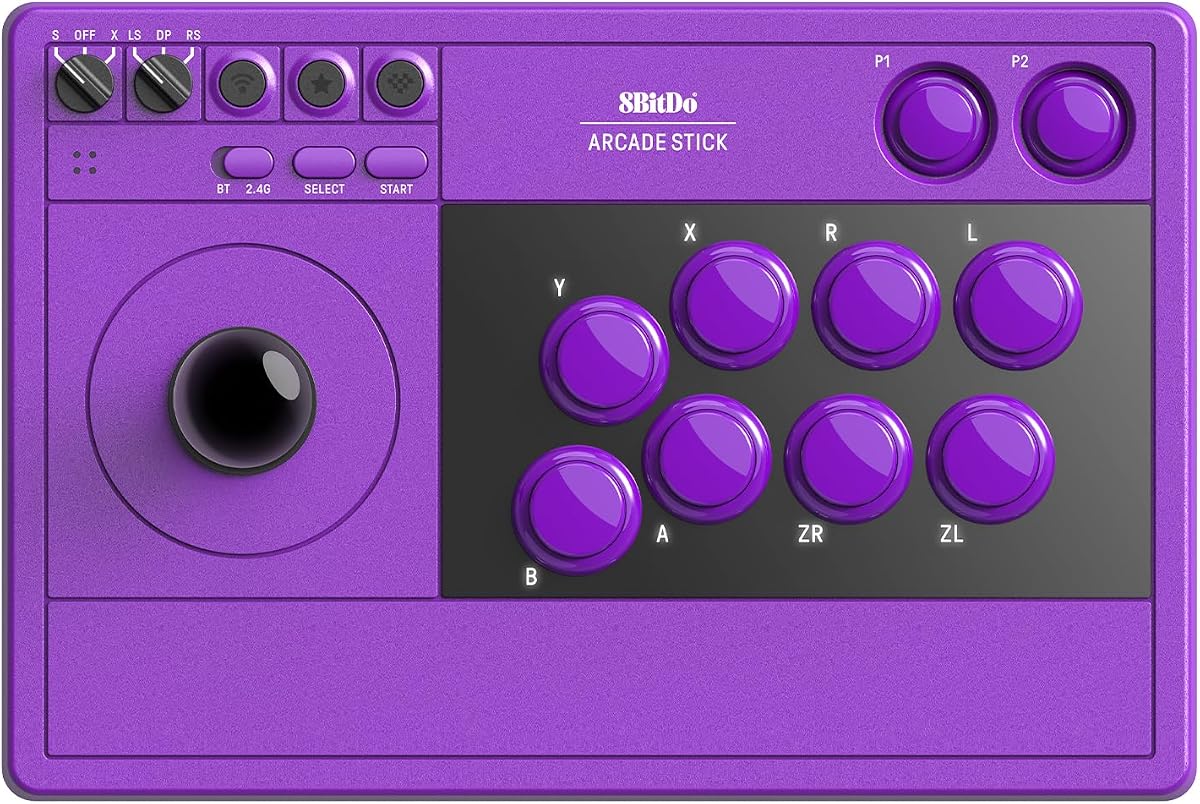
4.7Editor score

4.6Editor score
This side-by-side comparison highlights the key specifications and unique features of each model to help you quickly identify which stick aligns best with your gaming needs and budget.




This arcade stick stands out as the top choice for Switch 2 users seeking a polished premium experience with robust software tools for advanced control setup.
We may earn a commission when you buy through this link, at no additional cost to you.
The dynamic button layout automatically adjusts when switching between Switch and PC modes reducing confusion during gameplay while the tempered glass faceplate adds durability.
While the price is higher than average the included features like two macro buttons and hidden receiver storage justify the investment for serious competitive players.
Anyone wanting a reliable stylish and future proof fight stick for the Switch 2 ecosystem will find this model offers exceptional value and long term performance.
The button layout updates visually in real time so you never guess which button does what when changing systems.
Use the Ultimate Software to map macros and save profiles for different games to streamline your setup process.
We may earn a commission when you buy through this link, at no additional cost to you.
The MAYFLASH F300 delivers solid performance at a budget friendly price making it ideal for newcomers who want to test arcade controls without a large upfront cost.
We may earn a commission when you buy through this link, at no additional cost to you.
Its compatibility with Sanwa parts means you can upgrade buttons or joysticks later while the Turbo function supports rapid input needed for many classic games.
The lack of wireless connectivity and a simpler build quality are acceptable trade-offs given the low price point and strong functional reliability across multiple platforms.
Beginners or casual gamers looking for an entry level fight stick that works seamlessly with Switch 2 will appreciate its straightforward design and broad system support.
You can swap out buttons and joysticks easily since the stick is built to accept standard arcade components.
It connects to almost any console or PC making it a great single stick for mixed gaming setups.
We may earn a commission when you buy through this link, at no additional cost to you.
This elite version of the F700 comes with authentic Sanwa components that offer the precision and responsiveness expected by competitive players in high stakes tournaments.
We may earn a commission when you buy through this link, at no additional cost to you.
The wireless Bluetooth support allows for clean setups while the anti-slip mat ensures the stick stays firmly in place during intense button mashing and rapid movements.
The limitation to fighting games and the premium price mean it is best suited for dedicated enthusiasts who prioritize input fidelity and build quality above all else.
Serious fight game fans seeking a top tier wireless stick for Switch 2 will find the F700 Elite justifies its cost with unmatched component quality and reliability.
Using genuine Sanwa parts ensures the joystick and buttons feel consistent with what you find in real arcade cabinets.
The included rubber mat keeps the stick from sliding on smooth surfaces during aggressive gameplay sessions.
We may earn a commission when you buy through this link, at no additional cost to you.
The 8Bitdo Retro Wireless offers impressive battery life allowing for extended gaming sessions without interruption while maintaining strong compatibility with Switch 2 systems.
We may earn a commission when you buy through this link, at no additional cost to you.
Its dedicated macro buttons and dynamic layout feature make it versatile for users who want to save complex combos and switch between PC and Switch modes easily.
The charging time is longer than some modern rivals but this is outweighed by the battery capacity and the ability to swap parts for customized performance.
Players who value portability and long play times will find this stick to be a reliable companion for both home use and travel to local tournaments.
Up to forty hours on 2.4G connection means you rarely need to stop and plug in for power.
The universal mounting plate lets you install different joysticks to change the resistance feel to your liking.
We may earn a commission when you buy through this link, at no additional cost to you.
The Saitake model brings unique features like an onboard display and audio jack that allow for direct headset connection and menu access without external tools or PCs.
We may earn a commission when you buy through this link, at no additional cost to you.
Users can adjust brightness and volume directly on the stick while the auto turbo modes help execute rapid inputs for games that support such mechanics efficiently.
While the brand is less established than others the feature set is robust and the 1000mAh battery ensures long use between charges across multiple platform types.
Those who want a modern stick with extra utilities like audio output and a visual interface will appreciate the extra convenience packed into this affordable design.
The 3.5mm jack lets you connect headphones directly to the stick for immersive sound or online chat use.
The built-in screen makes it easy to check settings and modes without needing to look at a monitor.
We may earn a commission when you buy through this link, at no additional cost to you.
This F700 model supports an impressive range of consoles including the Switch 2 and PS5 making it a versatile choice for players who own multiple systems.
We may earn a commission when you buy through this link, at no additional cost to you.
The firmware update capability ensures long-term compatibility with new systems while the Sanwa compatibility means you can replace parts easily as needed.
Its focus on fighting games only and lack of Xbox support are clear limitations but for PS5 and Switch users the wireless functionality adds significant convenience.
Gamers who need one stick for several fighting games across different consoles will find the F700 offers a solid balance of compatibility and wireless freedom.
Update the firmware to ensure Bluetooth works seamlessly with the Switch 2 for a smooth connection experience.
Output background music and chat audio via wired headsets on supported consoles for better online communication.
We may earn a commission when you buy through this link, at no additional cost to you.
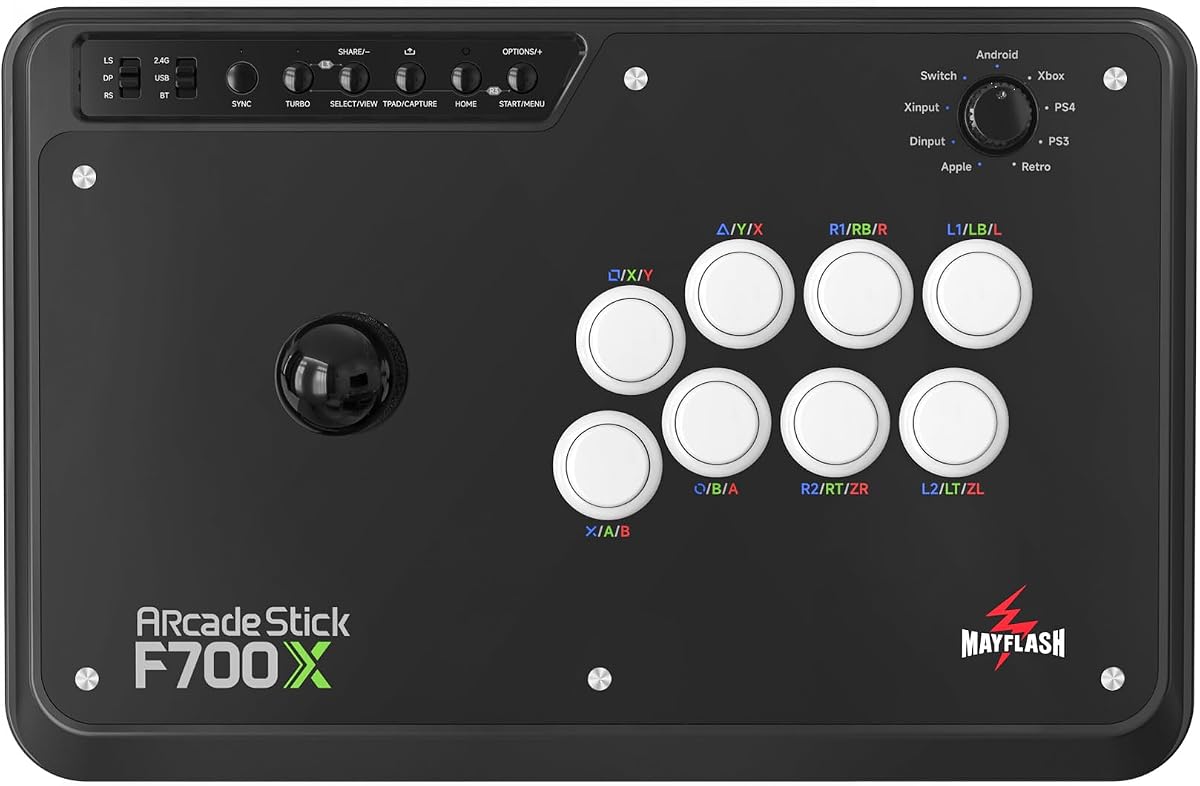
The F700X is specifically designed to work seamlessly with Xbox Series consoles while also supporting Switch 2 and other platforms for broader gaming compatibility.
We may earn a commission when you buy through this link, at no additional cost to you.
It uses Sanwa compatible parts so you can customize the feel of your stick while the wireless options allow for a clutter free setup during tournament play.
The exclusion of PS5 support is a major factor to consider if you own that console but for Xbox and Switch fans it remains a strong contender.
Players heavily invested in the Xbox ecosystem who also play on Switch 2 will find this model offers the most direct wireless experience across those two systems.
This variant prioritizes Xbox Series X/S compatibility ensuring optimal response and feature support for that platform.
Swap buttons and joysticks easily to match your preferred arcade feel using standard Sanwa components.
We may earn a commission when you buy through this link, at no additional cost to you.
This officially licensed stick ensures compatibility with the Switch ecosystem and offers a two year warranty that provides peace of mind for long term use.
We may earn a commission when you buy through this link, at no additional cost to you.
The ability to print and swap face cards lets you personalize the look while the metal base and rubber feet help keep the stick stable during intense sessions.
It relies on AA batteries for wireless power and has not been explicitly updated for Switch 2 but its design is robust enough to remain functional for now.
Fans who prefer licensed gear and want a durable customizable stick will find value here despite the lack of native Switch 2 specific optimizations or features.
Download templates to print custom face cards that show your personality or favorite game characters.
The front storage area holds the long USB-C cable neatly so you can take it to tournaments easily.
We may earn a commission when you buy through this link, at no additional cost to you.
The V3 Edition features a large 1000mAh battery that keeps the stick running for long periods and uses tempered glass for a smooth and scratch resistant surface.
We may earn a commission when you buy through this link, at no additional cost to you.
It supports Switch 2 and Windows with dynamic button layouts that update instantly when you toggle modes to ensure you always see the right labels.
While there is no public rating yet the build quality and software support from 8Bitdo suggest it will perform reliably for most standard fighting game players.
Those who want a modern high capacity battery and durable glass finish on a budget friendly platform will find this model worth considering for regular play.
The 1000mAh battery ensures you play for hours without worrying about running out of power mid match.
Use the firmware updates to keep the stick current with new systems and features as they are released.
We may earn a commission when you buy through this link, at no additional cost to you.
The original 8BitDo stick remains a strong contender thanks to its proven software support and modable plate that lets you swap parts easily for custom setups.
We may earn a commission when you buy through this link, at no additional cost to you.
Its dynamic button layout works even on older Switch models and the Ultimate Software gives you deep control over macros and button mapping for different games.
While newer models might have more modern features this stick offers solid reliability and the same core features that made the brand popular among enthusiasts.
Players who want a reliable and affordable stick with strong software support will find this model offers great value and consistent performance for Switch 2 games.
This model has a long history of strong performance ensuring you get a stable input experience without many bugs.
Use the Ultimate Software to tweak inputs to fit your play style or create shortcuts for common game actions.
We may earn a commission when you buy through this link, at no additional cost to you.
Selecting the right arcade fight stick involves weighing several key factors that impact performance comfort and overall value for your specific gaming needs.
Ensure the stick explicitly lists Switch 2 in its compatibility section to avoid driver or connection issues during gameplay. Some models require firmware updates to support newer consoles so check the manufacturers site for patch notes before purchasing to guarantee seamless function.
Always verify that the stick supports Switch 2 through updated firmware or native labeling to ensure trouble free gameplay from day one.
Decide whether you prefer wireless for a clean desk or wired for minimal latency. Bluetooth offers portability while 2.4G provides more stable latency for competitive matches and wired USB-C remains the most reliable option for tournament play without battery concerns.
Pick the connection type that matches your play environment so you avoid lag or interruptions during intense game sessions.
Look for sturdy materials like tempered glass or reinforced plastic that resist wear from frequent button presses. Higher end models often use Sanwa components that feel closer to real arcade cabinets which can improve your consistency over long practice sessions.
Prioritize builds that feel solid in hand and resist flexing to ensure the stick lasts longer under heavy use.
Choose a stick with a universal mounting plate if you plan to swap buttons or joysticks later. This flexibility allows you to adjust resistance or replace parts easily without buying a new stick which can save money in the long run.
Moddable sticks let you personalize feel and layout which is vital if your preferences change or parts wear out over time.
Check if the manufacturer offers desktop software for button mapping and macro creation. Programs like 8BitDo Ultimate Software let you save profiles for different games which streamlines your setup and reduces the need to change settings manually.
Strong software support means you can tailor controls to each game quickly and keep settings consistent across multiple titles.
For wireless sticks verify the rated battery life to ensure it matches your typical play sessions. A battery that lasts over thirty hours reduces interruptions and ensures you are not charging mid session which can be disruptive during competitive matches.
Longer battery life reduces maintenance and keeps you focused on gameplay rather than plugging in for power.
Some models include extras like macro buttons turbo modes or audio jacks which add convenience for specific game types. Determine if these tools match your play style before paying more for features you may never use during regular gaming.
Only pay for extra features that directly enhance your experience to keep the purchase practical and cost effective.
Compare the price against the included features to decide if a premium model is worth the cost. Entry level sticks offer great performance for casual players while high end models justify higher prices with better components and wireless support.
Align your budget with your usage needs so you get the best value without overspending on unnecessary upgrades.
Connect the stick to your Switch 2 via Bluetooth or the included 2.4G receiver by following the manufacturers pairing instructions in the user manual to ensure a stable link before launching any fighting games.
Use the desktop software to map buttons and create macros that match your preferred control scheme which will help you execute complex combos with greater consistency during matches.
Clean the faceplate and buttons regularly with a soft dry cloth to prevent dust buildup and store the stick in a cool dry place to avoid battery drain or internal damage over time.
Not all older sticks support Switch 2 by default so you must check the product page or manufacturer site for explicit Switch 2 compatibility. Some models require a firmware update to work properly while others may only work via wired connection until updated.
2.4G generally offers lower latency and a more stable connection for competitive play while Bluetooth provides easier setup for casual gaming. Both are suitable but wired USB-C remains the most reliable option if lag is a major concern.
Most modern sticks include a universal mounting plate or are designed to accept standard arcade parts like Sanwa components. Check the product specs for modding support before purchasing if you plan to customize buttons or joysticks later.
Use the official desktop software provided by the manufacturer to check for and install the latest firmware updates. This process usually requires connecting the stick via USB-C and following on-screen instructions to ensure it works with Switch 2.
Entry level sticks like the MAYFLASH F300 offer great value for beginners who want to test arcade controls without a large upfront cost. Premium models are best for players seeking advanced features and better build quality for long term use.
Many sticks support basic turbo functions directly but complex macros often require a desktop utility like 8BitDo Ultimate Software. These tools let you save profiles and map button combinations so you can access complex moves quickly in game.
Some manufacturers create specialized versions like the F700X that prioritize Xbox compatibility while others exclude it to reduce production costs. Always check the console list on the product page to confirm support for your specific system before buying.
Battery life varies but many modern sticks offer thirty to forty hours on a single charge with the 2.4G mode being more efficient. Always check the specific battery rating in the product specs to match your expected play sessions.
The top picks in this guide highlight the best balance of performance features and value for Switch 2 users ranging from budget friendly options to premium wireless models.
Prioritize compatibility and connection type to ensure a smooth gaming experience while considering moddability if you plan to customize the stick as your skills grow.
Always check current prices and availability before purchasing since costs fluctuate and certain models may sell out quickly due to high demand in the fighting game community.