
HP 17 Laptop
5.0Editor score
AMD Ryzen 5 Processor
17.3-inch FHD Display
Windows 11 Pro Included
Finding the right laptop for Adobe Premiere Pro is crucial for video editors who need smooth playback and fast rendering. The right machine balances powerful processors with ample memory to handle high-resolution footage without lag or crashes during complex projects.
We compared ten top-rated laptops based on processor power, graphics capabilities, and display quality. Our analysis focuses on real-world performance for editing tasks, ensuring you get a machine that can handle 4K timelines and color grading efficiently.
Each pick highlights key specs and ideal use cases to help you decide. Prices and availability change frequently, so verify current details before purchasing to ensure you get the best value for your specific editing needs and budget.
5.0Editor score

4.4Editor score

4.7Editor score
As an Amazon Associate we earn from qualifying purchases.
This side-by-side comparison highlights the core specifications of each laptop to help you evaluate performance differences quickly. Look at processor speed, RAM capacity, and storage options to find the right fit for your video editing workflow.


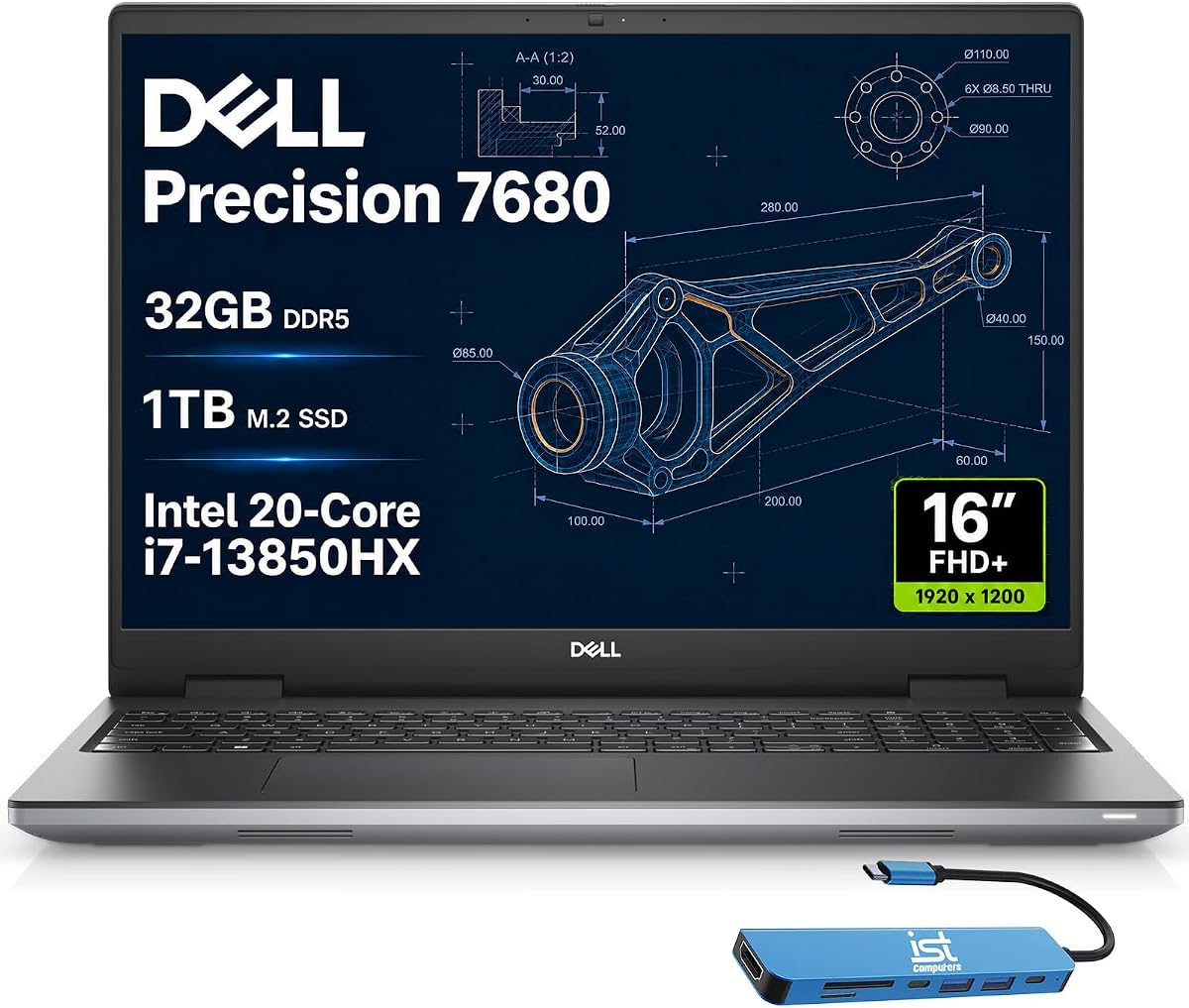


The Dell Precision 7680 stands out as a flagship workstation designed for demanding creative workflows. With a rating of 4.4 stars, it represents a robust choice for professionals who need raw power. Its standout qualities include an Intel Core i9 processor and massive RAM capacity.
We may earn a commission when you buy through this link, at no additional cost to you.
This laptop delivers exceptional performance for video editing thanks to the i9-13950HX processor which supports up to 5.5GHz speeds. The 32GB DDR5 CAMM RAM allows for seamless multitasking between Premiere Pro and other applications without slowdowns. Storage is handled by a fast 1TB PCIe NVMe SSD ensuring quick project loads.
While the performance is outstanding, the premium price may be a barrier for some users. Additionally, the workstation design means it is heavier than ultrabooks, making it less ideal for travel. However, these trade-offs are acceptable for users prioritizing stability and speed.
This machine is ideal for professional editors handling 4K projects or complex color grading tasks. If you need a reliable desktop replacement that excels at intensive workloads, this Dell Precision is a top recommendation for your workflow.
The i9 processor handles encoding and decoding tasks faster than most competitors reducing wait times for renders.
The FHD+ anti-glare display provides crisp visuals essential for accurate color correction and detail work.
We may earn a commission when you buy through this link, at no additional cost to you.
The HP 17 Laptop offers a surprisingly capable experience for video editing at a budget-friendly price. It has a perfect 5.0 rating from users who appreciate its value proposition. The large display and solid processor make it a strong contender for beginners starting their editing journey.
We may earn a commission when you buy through this link, at no additional cost to you.
This laptop features an AMD Ryzen 5 7520U processor which delivers efficient multitasking and beats older i7 models in benchmarks. The 8GB of DDR5 RAM provides decent speed for basic editing tasks though you may need to close apps during heavy renders. The 256GB SSD ensures quick system responsiveness.
The limited storage and RAM are the main trade-offs for this budget model. Large video files may require external storage solutions quickly. However, the inclusion of Windows 11 Pro and the expansive screen make it a worthy investment for those on a tight budget.
Students or hobbyists looking to learn Premiere Pro will find this laptop meets their initial needs perfectly. If you prioritize screen real estate and cost over raw power, this HP model is an excellent choice for entry-level content creation.
The 17.3-inch FHD display offers ample workspace for timeline management and preview windows.
Wi-Fi 6 and optimized hardware ensure up to nine hours of battery life for on-the-go editing sessions.
We may earn a commission when you buy through this link, at no additional cost to you.
The Apple 2025 MacBook Pro brings next-generation speed and power to personal and professional tasks. With a rating of 4.7 stars, it is celebrated for its seamless performance and display quality. The M5 chip ensures that demanding workloads like video editing run with incredible efficiency.
We may earn a commission when you buy through this link, at no additional cost to you.
Apple Silicon optimizes Adobe Creative Cloud apps to run lightning fast. The unified memory architecture allows for smooth playback of high-resolution timelines without stuttering. The Liquid Retina XDR display features peak brightness up to 1600 nits which is vital for HDR content creation.
The premium price tag is a significant consideration for potential buyers. Additionally, the lack of user-upgradeable components means you must choose your configuration carefully at purchase. Despite this, the performance and ecosystem integration justify the cost for many professionals.
MacBook users who value portability and performance will find this laptop unparalleled. If you are invested in the Apple ecosystem and need a machine that excels at creative work, this MacBook Pro is the top premium choice for your needs.
Neural Accelerators in the M5 chip speed up AI features and video effects processing significantly.
Performance remains consistent whether running on battery or plugged in allowing for mobile editing.
We may earn a commission when you buy through this link, at no additional cost to you.
The Dell Precision 3581 is a renewed workstation laptop that offers modern technology at an accessible price. It supports exceptional multitasking with its 14-core processor. This model is great for video editing thanks to its dedicated graphics card and high-speed memory.
We may earn a commission when you buy through this link, at no additional cost to you.
Its 32GB DDR5 RAM running at 4800MHz ensures smooth operation of multiple applications simultaneously. The Nvidia GeForce RTX A500 provides the power needed for rendering tasks efficiently. A 1TB SSD allows for substantial file storage without compromising load times.
As a renewed product, it may lack the pristine finish of a new unit. The Windows 11 Home edition requires an upgrade for pro features if needed. These minor drawbacks are outweighed by the hardware value provided for professional workflows.
Editors seeking powerful hardware without the high price of a new machine should consider this option. It is a practical choice for students or freelancers who need reliability and performance on a budget.
Includes a 2-year warranty with on-site next business day service for peace of mind.
The 14-core design handles complex timelines and multitasking with ease.
We may earn a commission when you buy through this link, at no additional cost to you.
The Dell Precision 7780 is designed for demanding professional applications and heavy multitasking workloads. With 128GB of RAM it offers unmatched memory for complex projects. The professional GPU ensures stability and power required for advanced engineering or content creation.
We may earn a commission when you buy through this link, at no additional cost to you.
Its configuration is optimized for software applications used in design and data science. The NVIDIA RTX 3500 Ada Generation provides 12GB of VRAM for handling high resolution textures and effects. Connectivity options like HDMI and USB-C make it versatile for various setups.
The high price and weight limit its portability compared to lighter laptops. Users looking for extreme performance will find this acceptable. The workstation certifications ensure it handles professional workflows without compatibility issues.
This laptop is perfect for studios or engineers needing a desktop replacement with maximum RAM. If you work with large datasets or heavy video files, this machine provides the capacity to keep you productive.
Manufacturer warranty extends through November 2026 ensuring long-term support for critical projects.
The 17.3-inch screen offers ample room for detailed work and multiple panels.
We may earn a commission when you buy through this link, at no additional cost to you.
The Dell Precision 7680 i7 model delivers high-end workstation design with powerful scalable capabilities. It is ideal for architects and creative professionals handling intensive workflows. The 20-core processor supports superior efficiency and speed for daily tasks.
We may earn a commission when you buy through this link, at no additional cost to you.
RAM and storage are configured for seamless multitasking and fast data access. The CAMM memory design allows for thinner profiles while maintaining performance. Connectivity options like Thunderbolt 4 enable flexible external monitor setups.
The system may be complex for casual users due to its enterprise-grade features. However, for those needing robust performance, these details are beneficial. The warranty support adds reliability for business use.
This laptop is recommended for professionals needing a balance of power and mobility. If you require a reliable machine for content creation and CAD design this Dell Precision is a solid investment.
CAMM RAM reduces height and routing traces improving cooling and speed compared to standard RAM.
Windows 11 Pro includes enterprise-grade security to protect your data and workflows.
We may earn a commission when you buy through this link, at no additional cost to you.
The Dell Precision 7680 with 64GB RAM offers premium enterprise-level support and massive storage capacity. ProSupport Plus ensures 24/7 access to experts and onsite technician service. This makes it ideal for users who cannot afford downtime.
We may earn a commission when you buy through this link, at no additional cost to you.
Its professional GPU provides reliable performance for engineering and content creation applications. The 2TB NVMe SSD allows for extensive project storage without needing external drives. Connectivity is robust with HDMI and USB-C ports.
The RTX 1000 is a mid-range card which may not suit extreme 3D rendering needs. However for general video editing it is sufficient. The extended support warranty adds significant value over standard laptop warranties.
This machine is perfect for businesses or freelancers prioritizing support and storage. If uptime is critical for your workflow this configuration provides peace of mind and ample space for files.
Active warranty through November 2026 covers hardware repairs and priority issue resolution.
ISV-certified workstation performance ensures stable operation with professional software tools.
We may earn a commission when you buy through this link, at no additional cost to you.
The Dell Precision 5550 is a renewed workstation laptop that remains competent for basic editing tasks. With 32GB of RAM it supports smooth multitasking. The Core i7-10850H processor provides sufficient speed for 1080p workflows.
We may earn a commission when you buy through this link, at no additional cost to you.
This model offers a cost-effective way to access workstation performance. The 1TB storage ensures you have space for projects. Windows 11 Pro compatibility adds enterprise security features to the system.
The older CPU generation limits performance on high-resolution footage compared to newer models. However for budget-conscious users this remains a viable option. It is best suited for lighter editing or older software versions.
This laptop is ideal for students or hobbyists needing a solid second machine. If you need a reliable entry point into workstation features without new costs this Dell is a practical choice.
32GB RAM allows for multiple applications to run simultaneously without crashing.
Precision series design ensures durability and stable performance for long sessions.
We may earn a commission when you buy through this link, at no additional cost to you.
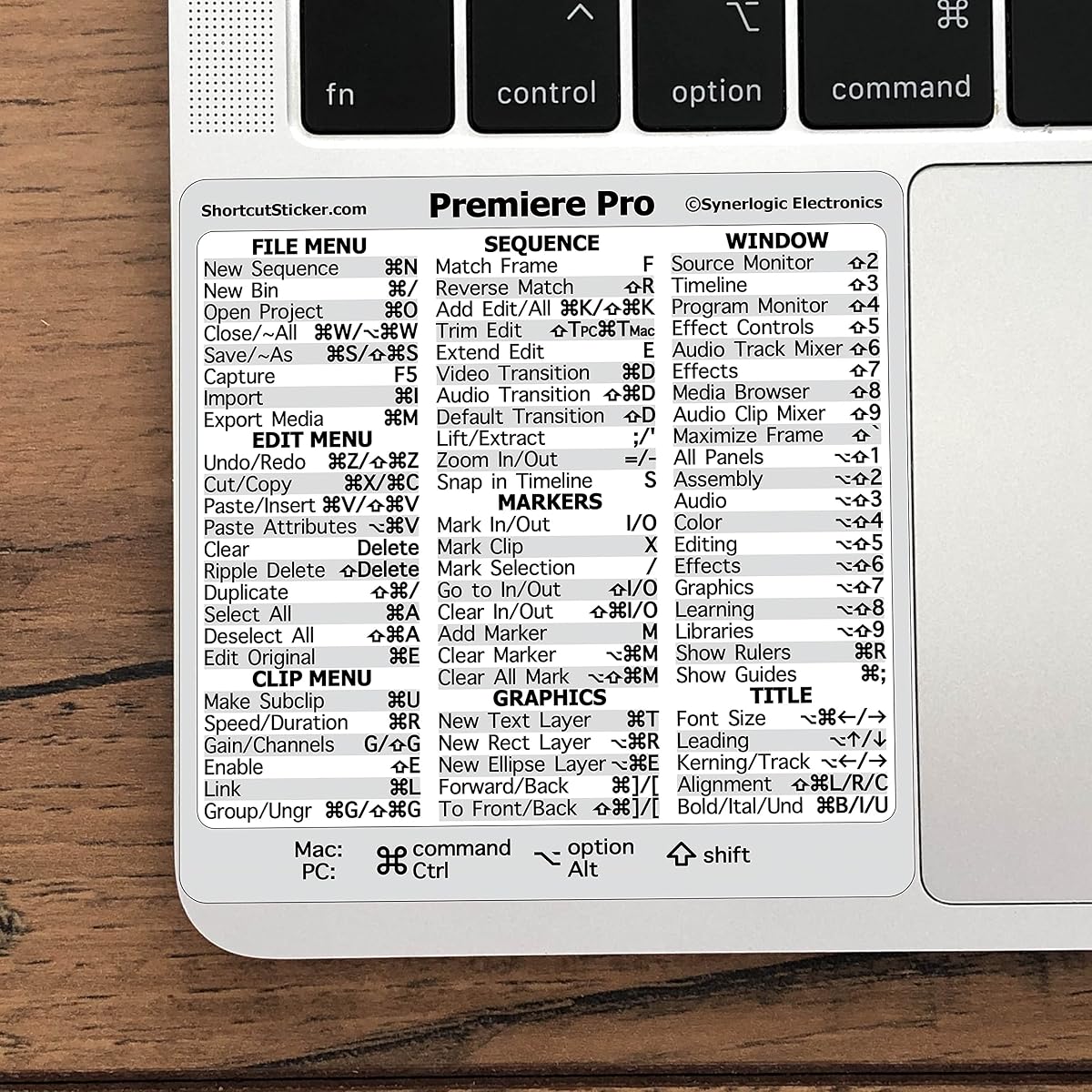
The Synerlogic Reference Keyboard Shortcut Sticker helps editors learn commands quickly. It has a rating of 4.6 stars for its utility. Every essential shortcut is conveniently placed in front of you on the keyboard.
We may earn a commission when you buy through this link, at no additional cost to you.
This sticker increases your workflow exponentially by making it easy to look up commands without searching online. The military-grade vinyl ensures a professional look that fits OEM keyboards. It is perfect for beginners and seasoned pros alike.
It does not add hardware power to your system but improves software usage efficiency. Applying it requires care to avoid air bubbles. Once applied it remains visible and durable for daily use.
This accessory is a must-have for anyone using Premiere Pro regularly. If you want to edit faster and smarter this sticker is a simple and effective tool to upgrade your experience.
Manufacturer offers responsive customer service to resolve any issues with the product.
Specially designed to work for both PC and Mac computer keyboards universally.
We may earn a commission when you buy through this link, at no additional cost to you.
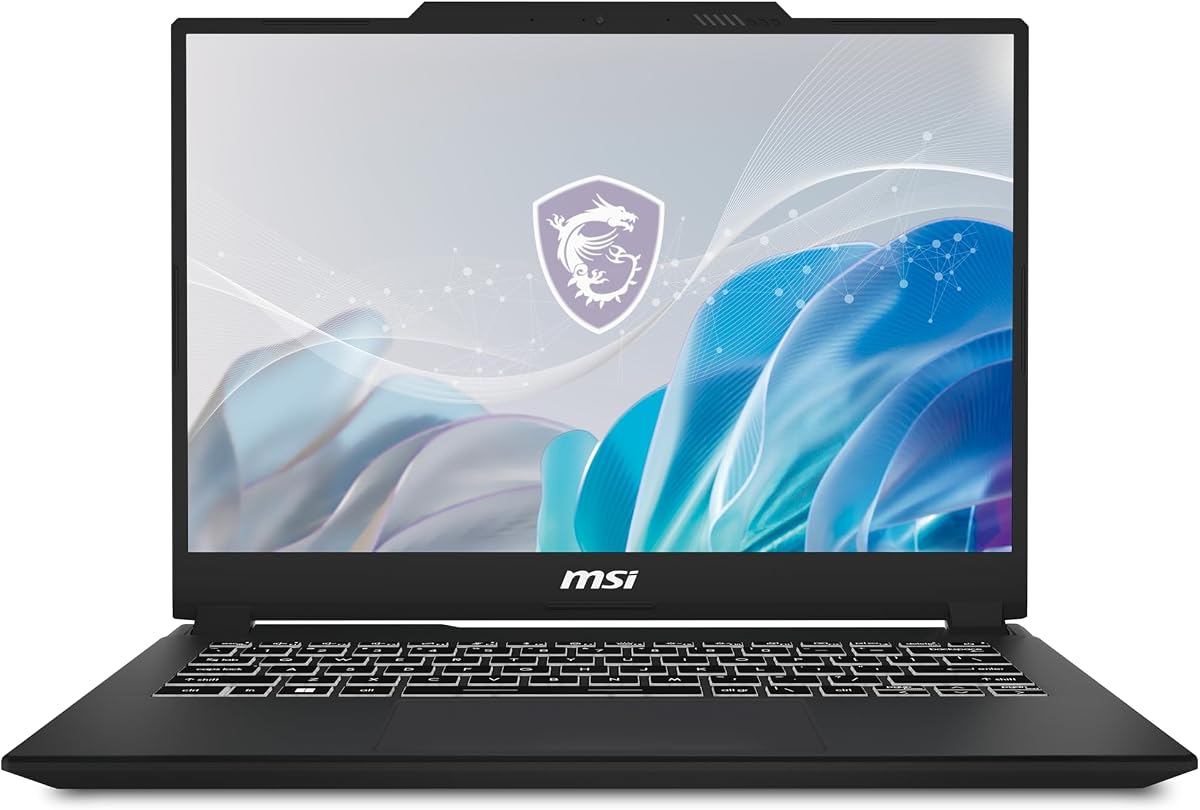
The msi Creator M14 delivers an immersive experience with its high-resolution display. It is powered by a 13th Gen Intel Core i7 processor for productivity tasks. The RTX 4050 unleashes ray tracing capabilities for creative workflows.
We may earn a commission when you buy through this link, at no additional cost to you.
Its QHD+ display offers abundant color gamut and vivid colors for accurate picture work. The 16GB DDR5 RAM supports efficient multitasking. Storage is handled by a 1TB NVMe SSD ensuring fast access to files.
The compact design means fewer ports and slightly lower power than larger workstations. However it is excellent for on-the-go editing. Windows Hello facial unlock adds security and convenience.
This laptop suits mobile editors who prioritize screen quality and portability. If you need a powerful tool for creative work that fits in a backpack the msi Creator M14 is an excellent choice.
Cooler Boost technology ensures the laptop stays cool during intense editing sessions.
The 2.8K panel provides the resolution and color accuracy needed for pro video work.
We may earn a commission when you buy through this link, at no additional cost to you.
Choosing the right laptop for Adobe Premiere Pro requires balancing performance specs with your budget and portability needs. Understanding the core components ensures you get a machine that handles editing smoothly.
The CPU is the engine of your editing workflow. Look for Intel Core i7 or i9 processors or AMD Ryzen 7 or 9 chips with high core counts to ensure fast rendering and timeline playback.
Prioritize models with at least 10 cores to handle complex effects and background tasks efficiently.
RAM determines how many applications you can run simultaneously. For smooth 4K editing aim for at least 32GB of DDR5 memory to prevent slowdowns during heavy multitasking.
If you work with large projects or 8K footage consider upgrading to 64GB or more for future-proofing.
A dedicated GPU accelerates rendering and effects. NVIDIA RTX series cards are preferred for their CUDA cores which optimize Adobe performance effectively.
Ensure the card has at least 6GB of VRAM to handle high-resolution textures and color grading without stuttering.
Color accuracy and resolution are vital for editing. Look for displays with 100% sRGB coverage and at least 1920×1200 resolution for clear visuals.
IPS panels are recommended for better viewing angles and consistent color representation across the screen.
Storage speed affects load times for projects and media files. Always choose an SSD over a traditional hard drive for your main drive to ensure quick access.
A capacity of 1TB or more is recommended to store your media locally without relying too heavily on external drives.
Consider how often you move your laptop. If you edit on location prioritize lightweight models with decent battery life over bulky workstations.
Balance weight with performance; sometimes a heavier machine is worth it if the power matches your workflow requirements.
Keep your laptop cool by ensuring vents are unblocked during rendering. Overheating can throttle performance and damage components so use a cooling pad if necessary.
Regularly update your graphics drivers to ensure compatibility with the latest Adobe features. This optimizes performance and reduces the likelihood of crashes during editing.
Backup your projects to an external drive or cloud service regularly. Data loss can be catastrophic so maintaining multiple copies of your work ensures safety.
For smooth 4K editing you should have at least 32GB of RAM. This allows Premiere Pro to handle caching and multitasking without lag. If you work with heavy effects consider 64GB for better performance.
Yes a dedicated GPU significantly speeds up rendering and playback of effects. Integrated graphics may struggle with complex timelines so an NVIDIA RTX card is recommended for professional work.
A resolution of at least 1920×1200 is standard for editing workflows. Higher resolutions like 2.8K or 4K provide more workspace for timelines and preview windows.
Premiere Pro runs well on both Mac and PC. Choose based on your budget and preference. Macs offer great displays while PCs offer more hardware options at lower prices.
Some models allow RAM upgrades while others do not. Check the specific model specs before buying. Many modern thin laptops have soldered memory that cannot be upgraded later.
Look for the latest Intel 13th or 14th Gen or AMD Ryzen 7000 series processors. Newer generations offer better power efficiency and performance for demanding editing tasks.
In summary the Dell Precision 7680 offers top-tier performance for professional editors. The HP 17 serves as an excellent budget choice for beginners starting their journey.
Prioritize processor speed and RAM capacity when selecting your machine to ensure a smooth editing experience. Balancing these specs with your specific project needs will yield the best results for your workflow.
Remember to check current prices and availability before making your final decision. Deals change frequently and verifying specs ensures you get the value you expect for your investment.