
MSI Z370-A PRO
4.5Editor score
64GB DDR4 support
VR Ready design
ATX form factor
This comprehensive guide compares the top ten brands for Z370 motherboards to help you select the ideal platform for your next Intel Coffee Lake system build
Choosing the right brand for Z370 motherboard is crucial for system stability and performance. You need reliable components that support your processor and offer good connectivity options for future upgrades.
We evaluated ten top models based on build quality, feature sets, and user feedback. Our analysis covers various price points and use cases to ensure you find the perfect fit for your specific requirements.
Each pick highlights key strengths and potential trade-offs to help you decide. Keep in mind that availability and pricing can change frequently so always check the latest listings before making your final purchase decision.
4.5Editor score
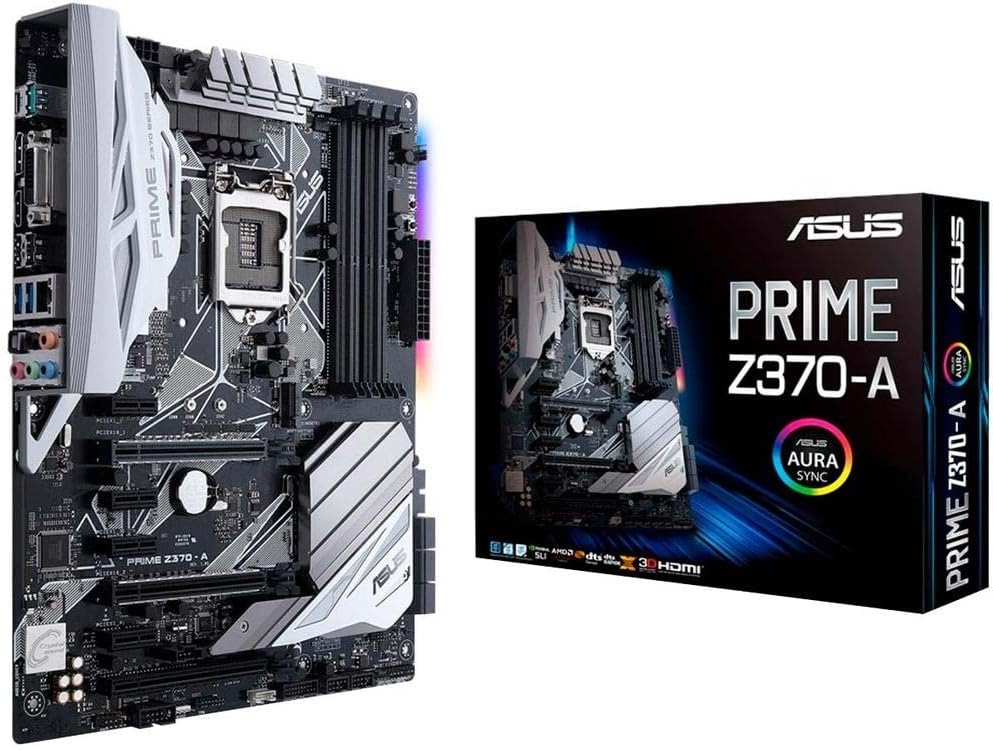
4.6Editor score

4.4Editor score
This side by side comparison highlights the key specifications and features of each top model to help you quickly identify which board meets your specific performance and connectivity needs.


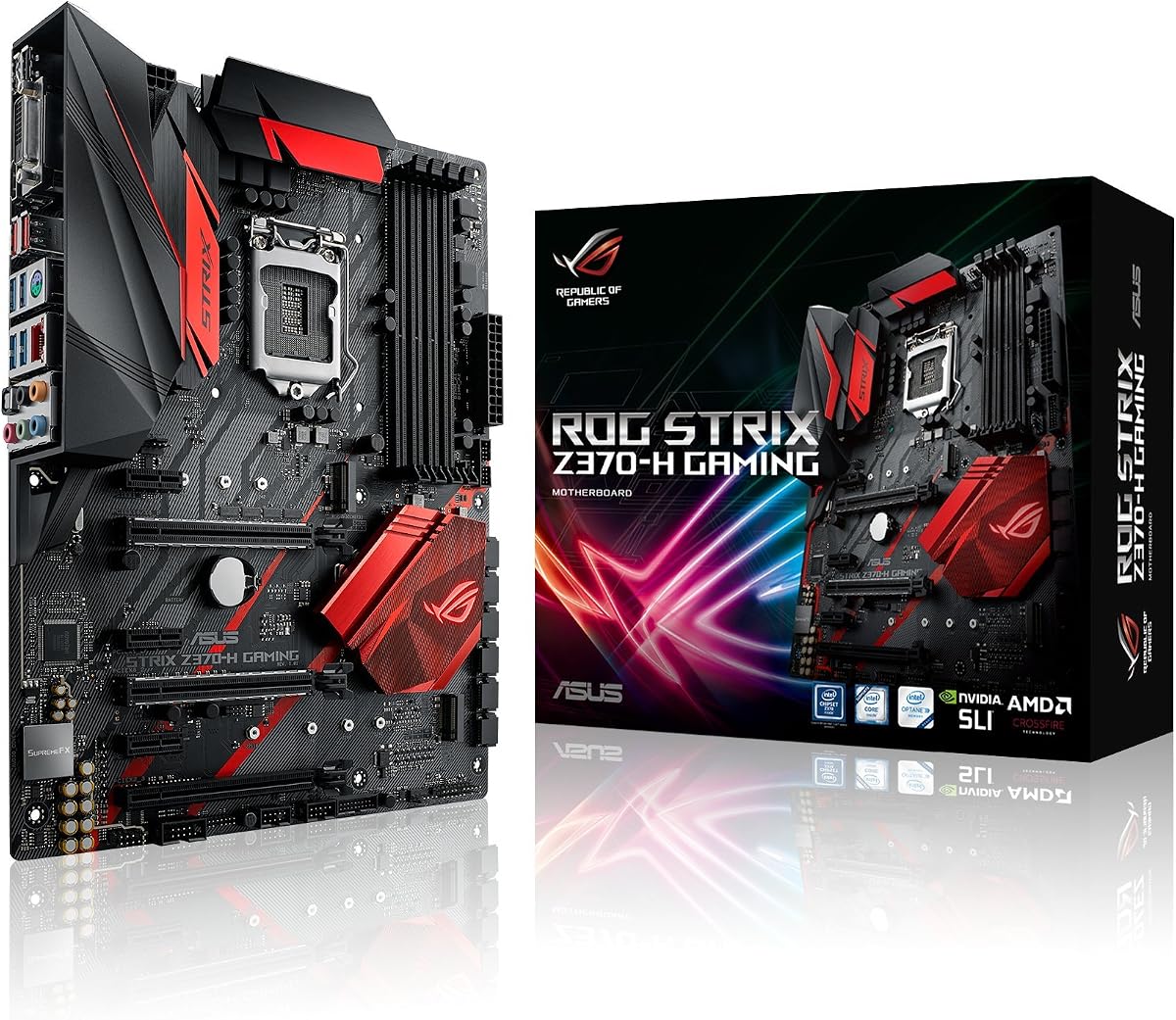
This motherboard stands out as a top contender for anyone building a system around the 8th generation Intel Core processors. With a strong rating from users, it offers a blend of performance and reliability that is hard to match in this category. The board is designed to maximize connectivity and speed which makes it ideal for demanding workloads and gaming setups.
We may earn a commission when you buy through this link, at no additional cost to you.
Key strengths include the dual M.2 slots which provide ample space for high speed storage drives. The support for Intel Thunderbolt 3 adds future proof connectivity for external devices. Additionally the 5 Way Optimization feature automatically tailors overclocking profiles ensuring maximum performance without manual tweaking. The audio subsystem is also impressive with high quality components that deliver immersive sound.
While the board offers many premium features it does come at a higher price point compared to basic models. Some users may find the number of rear USB ports limited depending on their peripheral needs. These trade offs are generally acceptable given the overall feature set and build quality provided by the manufacturer.
If you are looking for a reliable and feature rich platform for your build this model is highly recommended. It balances performance connectivity and ease of use effectively making it a great choice for enthusiasts and professionals alike. Ensure your case and power supply meet the requirements before installation.
The inclusion of Thunderbolt 3 and dual M.2 slots ensures you can connect fast storage and high bandwidth peripherals without bottlenecks.
Automatic tuning tools help you get the most out of your CPU and RAM without needing deep technical knowledge of overclocking.
We may earn a commission when you buy through this link, at no additional cost to you.
This model is designed to maximize connectivity and speed making it suitable for a variety of use cases including mining and gaming. It supports 9th and 8th Generation Intel Core processors ensuring compatibility with a wide range of CPUs. The board features multiple PCIe slots which allows for extensive expansion capabilities.
We may earn a commission when you buy through this link, at no additional cost to you.
Users appreciate the hardware level safeguards that protect components from voltage spikes and physical damage. The fan control system is advanced allowing for precise temperature management across the system. Audio performance is handled by a high definition codec that provides clear sound for media consumption and communication.
The marketing focus on cryptocurrency mining might not appeal to all users but the underlying hardware is versatile. There are fewer RGB headers compared to gaming focused boards which could limit customization for those who prioritize aesthetics. However for functional builds these limitations are minor.
This motherboard is a solid choice for users who need multiple expansion slots and robust protection features. It offers good value for the connectivity it provides and is reliable for long term use. Check your specific compatibility requirements before purchasing to ensure it fits your build.
With six PCIe slots you can add multiple graphics cards or expansion cards for specialized tasks without running out of space.
Safe Slot Core and LANGuard provide peace of mind by protecting against physical stress and network interference respectively.
We may earn a commission when you buy through this link, at no additional cost to you.
This motherboard supports 8th Generation Intel Core processors and offers a robust platform for general computing and gaming. It is VR ready which means it is optimized to deliver smooth virtual reality experiences. The board supports up to 64GB of DDR4 memory providing ample room for multitasking and content creation.
We may earn a commission when you buy through this link, at no additional cost to you.
The design focuses on essential features without unnecessary bloat making it a reliable choice for stable systems. It supports 2-Way AMD CrossFireX allowing for multi GPU configurations if needed. The ATX form factor ensures it fits in standard cases while offering good component placement.
While it lacks some of the flashy features found on higher end models it delivers solid performance and reliability. The limited RGB options might be a downside for those who want a customized look but it does not impact functionality. The value proposition is strong for users who prioritize stability over aesthetics.
If you need a dependable board that handles modern processors and memory demands well this is a great option. It is particularly well suited for those interested in virtual reality or general productivity tasks. Ensure your case supports ATX boards before proceeding with the purchase.
The VR Ready designation indicates the board is tuned to meet the high bandwidth and low latency requirements of VR headsets.
Support for 64GB of RAM ensures you can run memory intensive applications without hitting limitations soon.
We may earn a commission when you buy through this link, at no additional cost to you.
This motherboard is built for enthusiasts who demand high performance and premium features. It supports 8th Generation Intel Core processors and includes three M.2 slots for ultra fast storage. The audio subsystem is enhanced with an ESS Sabre DAC which delivers studio quality sound for gaming and media.
We may earn a commission when you buy through this link, at no additional cost to you.
Thermal management is addressed with dedicated guards for M.2 slots preventing throttling during heavy usage. The board also features USB 3.1 Gen2 with USB Type-C for modern connectivity options. RGB FUSION allows for extensive lighting customization to match your setup aesthetic.
The software suite can be complex for new users but offers deep control over system settings. The higher cost is justified by the premium components and features included on the board. For users who value audio and storage performance this model stands out from competitors.
This is an ideal choice for gamers and creators who need top tier audio and storage capabilities. The robust design ensures stability under load while the lighting options add a personalized touch. Check the dimensions to ensure it fits your specific chassis.
The ESS Sabre DAC provides a significant improvement in sound clarity and depth over standard onboard audio solutions.
Three M.2 slots allow you to install multiple high speed SSDs for caching or dedicated storage pools.
We may earn a commission when you buy through this link, at no additional cost to you.
This motherboard supports 9th and 8th Intel Core processors and is designed to handle multi GPU setups. It features six PCIe slots which allows for extensive expansion and flexibility. The 10+2 phases digital PWM design ensures stable power delivery to the CPU under load.
We may earn a commission when you buy through this link, at no additional cost to you.
Smart Fan 5 provides multiple temperature sensors and hybrid fan headers for precise cooling management. The board is CEC 2019 ready which helps save power with a simple click. RGB Light strip support allows for some visual customization in full colors.
The branding focuses on mining capabilities but the hardware is versatile enough for other workloads. Basic aesthetics might not appeal to users who want flashy lighting but functionality is not compromised. This is a practical choice for users who need expansion slots without paying for unnecessary features.
If you need a board that supports multiple graphics cards and offers good power delivery this is a strong option. It balances performance and efficiency well making it suitable for various builds. Verify your power supply capacity if you plan to use multiple GPUs.
The digital PWM design ensures clean power delivery which improves stability and longevity of the CPU.
Smart Fan 5 allows you to set specific temperature thresholds for fan speeds to balance noise and cooling.
We may earn a commission when you buy through this link, at no additional cost to you.
This motherboard is designed exclusively for 8th generation Intel Core processors and focuses on durability. It uses Military Grade TUF Components which maximize durability and reliability over time. The board includes dual M.2 slots for fast storage and supports Intel Optane Memory.
We may earn a commission when you buy through this link, at no additional cost to you.
TUF LANGuard and other hardware level safeguards provide protection against physical and electrical damage. FanXpert 4 Core delivers dynamic system cooling ensuring your components stay within safe temperature ranges. AURA Sync RGB lighting allows you to synchronize your lighting setup across devices.
The 5 year warranty offers peace of mind for long term ownership but the pricing is mid range. Some premium ports are limited compared to higher end models but essential connectivity is present. This balance makes it a reliable choice for gamers who value longevity.
Choose this board if you need a rugged platform that can handle daily wear and tear. It offers excellent protection features and a solid warranty that justify the investment. Ensure your power supply meets the requirements for optimal performance.
Military grade components ensure the board withstands extreme environments and long term use without degradation.
TUF LANGuard provides hardware level protection for your network connection against surge and interference.
We may earn a commission when you buy through this link, at no additional cost to you.
This motherboard is designed for 8th generation Intel Core processors offering a balanced feature set. It supports dual M.2 slots and USB 3.1 Gen1 for adequate connectivity. Intel Optane Memory compatibility allows for faster system responsiveness with supported drives.
We may earn a commission when you buy through this link, at no additional cost to you.
Safe Slot Core fortifies PCIe slots preventing damage caused by heavy GPUs. FanXpert 4 Core with AIO Pump Header provides advanced fan control for cooling. 8 channel HD Gaming Audio delivers clear sound for everyday use.
The lack of USB 3.1 Gen2 limits transfer speeds compared to newer models but this does not affect general use. Basic features mean there is less to configure making it easy for beginners. The board is reliable and does not introduce unnecessary complexity.
If you want a straightforward board that gets the job done without fuss this is a good fit. It covers essential needs well and is suitable for standard builds. Check your USB requirements before purchasing to ensure compatibility.
Safe Slot Core protects your graphics cards from bending or damage during installation and use.
8 channel audio provides a surround sound experience that enhances media consumption and gaming.
We may earn a commission when you buy through this link, at no additional cost to you.
This motherboard supports 8th Generation Intel Core Processors providing a cost effective solution for new builds. It includes a PCIE Gen3 x4 M.2 Connector for fast storage and Dual Channel DDR4 memory support. 2 Way Crossfire support allows for multi GPU configurations.
We may earn a commission when you buy through this link, at no additional cost to you.
The layout is simple and easy to navigate for first time builders. Intel LAN provides stable network connectivity for online tasks. The ALC892 Codec offers standard audio performance suitable for basic usage.
Fewer features mean fewer bells and whistles but this keeps the price accessible. Standard audio is sufficient for most users but audiophiles may want a dedicated sound card. This is a practical choice for budget focused builds.
Choose this board if you want a no frills platform that supports essential modern standards. It is a reliable option for entry level systems where cost is a priority. Verify your case compatibility and power needs before purchase.
This board provides essential features without the premium price tag making it accessible for more budgets.
Crossfire support allows you to upgrade your graphics later without changing the motherboard.
We may earn a commission when you buy through this link, at no additional cost to you.
This motherboard supports 8th generation Intel Core processors and offers high speed connectivity. ASRock USB 3.1 Gen2 Type-A and Type-C ports provide fast data transfer speeds up to 10 GB/s. It has 4 x DDR4 DIMM Slots allowing for significant memory capacity.
We may earn a commission when you buy through this link, at no additional cost to you.
The inclusion of HDMI support makes it easy to connect to modern displays without extra adapters. The feature set is robust for the price point offering good value for users. The design is functional and supports a variety of use cases.
Brand awareness is lower compared to major competitors which might affect support availability. The software interface is functional but may require some learning for new users. These factors do not detract from the hardware performance significantly.
If you need high speed USB connectivity and solid memory support this is a compelling option. It offers a balance of modern standards and practical features. Check driver support for your specific OS before buying.
USB 3.1 Gen2 ensures your external drives and peripherals perform at their maximum potential.
Type-C ports allow you to use reversible cables which are more durable and versatile.
We may earn a commission when you buy through this link, at no additional cost to you.
This motherboard supports 8th-gen Intel Core desktop processors and is built for gaming performance. It supports up to 64GB of DDR4 memory providing ample capacity for heavy multitasking. The ATX form factor ensures it fits in most standard cases.
We may earn a commission when you buy through this link, at no additional cost to you.
There are multiple USB ports available for connecting various peripherals without adapters. The board includes a 3 year manufacturers warranty providing long term support. The design is focused on gaming with features that enhance performance and stability.
The premium price might be a barrier for some users but the build quality justifies it. Software is feature rich but can be overwhelming for beginners. For enthusiasts this level of detail is often appreciated.
Choose this board if you want a gaming focused platform with high memory limits and strong warranty support. It is designed to deliver reliable performance under demanding conditions. Ensure your case fits ATX boards before proceeding.
Support for 64GB of RAM ensures you never run into memory bottlenecks during heavy usage.
A 3 year warranty gives you peace of mind regarding long term reliability and service.
We may earn a commission when you buy through this link, at no additional cost to you.
Selecting the right motherboard involves evaluating several critical factors to ensure compatibility and performance.
Ensure the motherboard supports the specific generation of Intel Core processors you plan to use. The LGA1151 socket must match your CPU's requirements to avoid installation issues.
Verify the model supports your exact CPU generation before purchasing.
Check the maximum memory capacity and speed supported by the board. Higher capacity allows for more demanding multitasking and future upgrades.
Look for at least 32GB support if you plan to use the system for creative work.
Count the number of PCIe slots available for graphics cards and other expansion cards. Multiple slots are needed if you plan to add multiple GPUs or capture cards.
Ensure the slots are physically spaced correctly for your intended hardware.
M.2 slots provide faster storage speeds than traditional SATA drives. Having multiple M.2 slots allows for better organization and performance.
Check if the board supports the specific lengths of M.2 drives you need.
Review the rear I/O panel to ensure you have enough USB ports for your peripherals. USB 3.1 Gen2 offers faster transfer speeds which is useful for external drives.
Confirm there are enough ports for your monitor and other connected devices.
Onboard audio quality varies between models. Higher end boards often include better codecs and capacitors for clearer sound.
If you use speakers or headphones regularly check the audio specifications.
Look for reinforced slots and durable components that protect against physical damage. Better build quality often correlates with longer lifespan.
Check for warranty length and support options from the manufacturer.
The BIOS interface and companion software make tuning and monitoring easier. Some brands offer better tools for overclocking and system management.
Research user experiences with the specific software suite included.
Install the motherboard in a clean static free environment using an anti static wrist strap. Secure it properly to the case standoffs to prevent short circuits or physical damage.
Update the BIOS to the latest version as soon as possible after installation. This ensures compatibility with your CPU and provides security patches.
Maintain proper airflow in your case to keep temperatures low. Regular cleaning of dust from the heatsinks and fans will extend the lifespan of the components.
Reliability varies by specific model rather than brand alone. However boards from manufacturers with strict quality control like ASUS and MSI often receive high marks for durability and performance.
The Z370 chipset was designed specifically for 8th generation Intel Core processors. Using a newer chipset may require a BIOS update or might not support the specific features of these CPUs.
Most Z370 boards support overclocking but the quality of the power delivery system will determine how stable your overclock is. Higher end models usually offer better VRMs for stable high speed operation.
M.2 drives connect directly to the motherboard and offer much faster read write speeds than SATA drives. SATA drives are often cheaper and come in larger capacities for bulk storage.
Depends on the board but many Z370 models support 2-Way Crossfire or SLI configurations. Always check the specific manual for slot usage rules to ensure maximum performance.
Yes you should install chipset and LAN drivers for optimal performance. While Windows provides basic drivers installing the official ones ensures full functionality of all features.
With proper care a motherboard can last many years beyond its supported CPU generation. Dust buildup and heat are the main enemies so keeping your system clean is essential.
We have explored ten top models that offer different strengths for various users. Whether you need premium audio basic connectivity or multi GPU support there is a board that fits your needs.
Prioritize features that match your current and future plans such as storage and memory. Investing in a board with good expandability can save money in the long run.
Remember to check current prices and availability as these can change at any time. Make your final decision based on the most up to date information available.