
Car Laptop Mount Steering Wheel Tray Holder
4.6Editor score
Steering Wheel Compatible
Height Adjustable
Portable Design
Compare the top laptop stands for trucks designed for mobile workers. This guide reviews durable, adjustable mounts for Ford, Chevy, and RAM trucks to enhance
Mobile workers need reliable setups to stay productive on the road. A sturdy laptop stand for trucks ensures your device stays secure during transit and offers ergonomic viewing angles for long shifts.
We evaluated ten top-rated mounts based on stability, ease of installation, and vehicle compatibility. Our analysis focuses on no-drill options that preserve vehicle integrity while supporting heavy-duty daily use.
Each pick highlights key features like cooling fans, adjustability, and build quality to help you choose the right fit. Note that pricing may fluctuate, so verify current costs before purchasing your ideal mount.
4.6Editor score

4.3Editor score
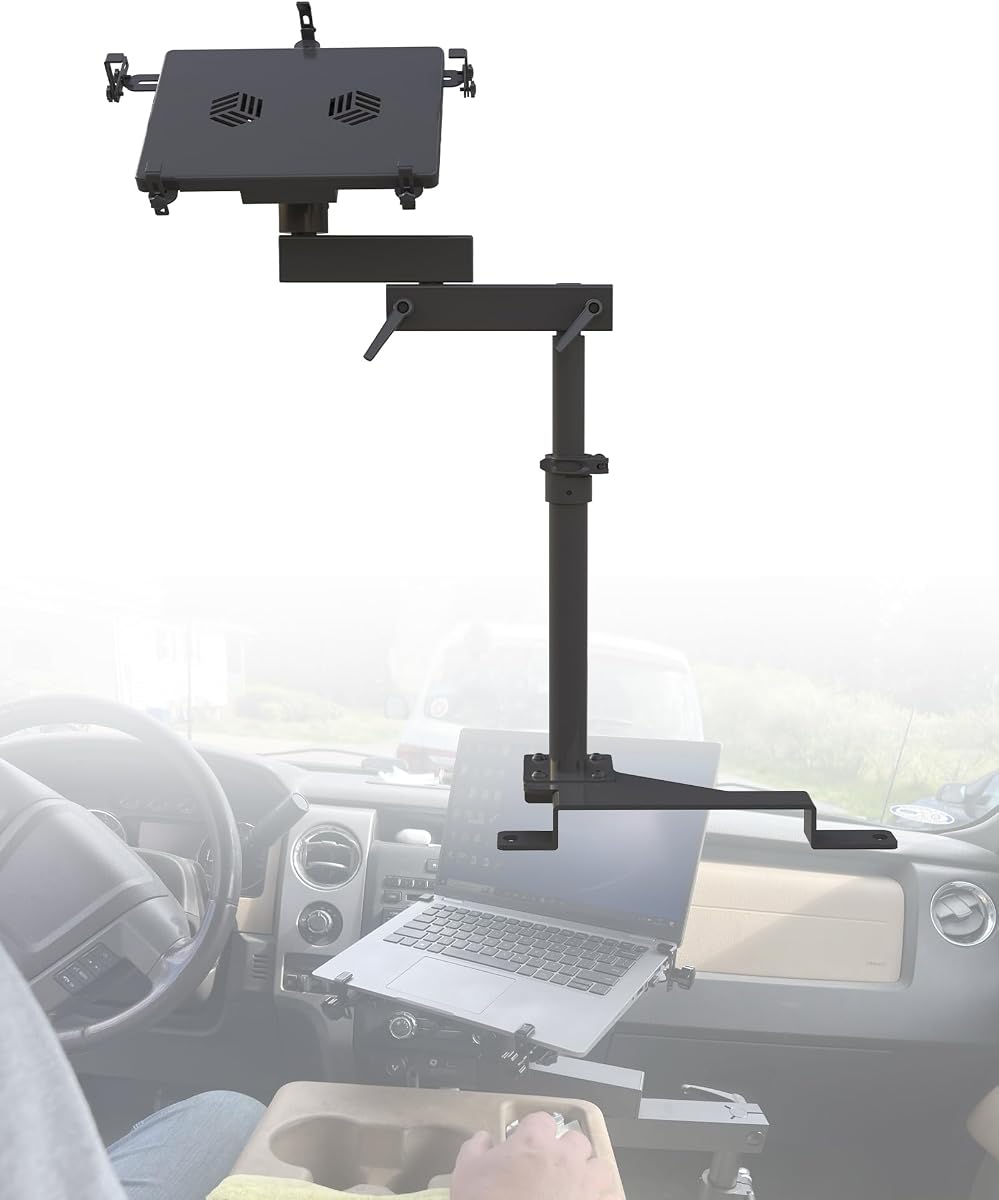
4.6Editor score
This table compares key specifications across all ten reviewed laptop stands for trucks. Use it to quickly assess compatibility, weight limits, and standout features before making your final decision.
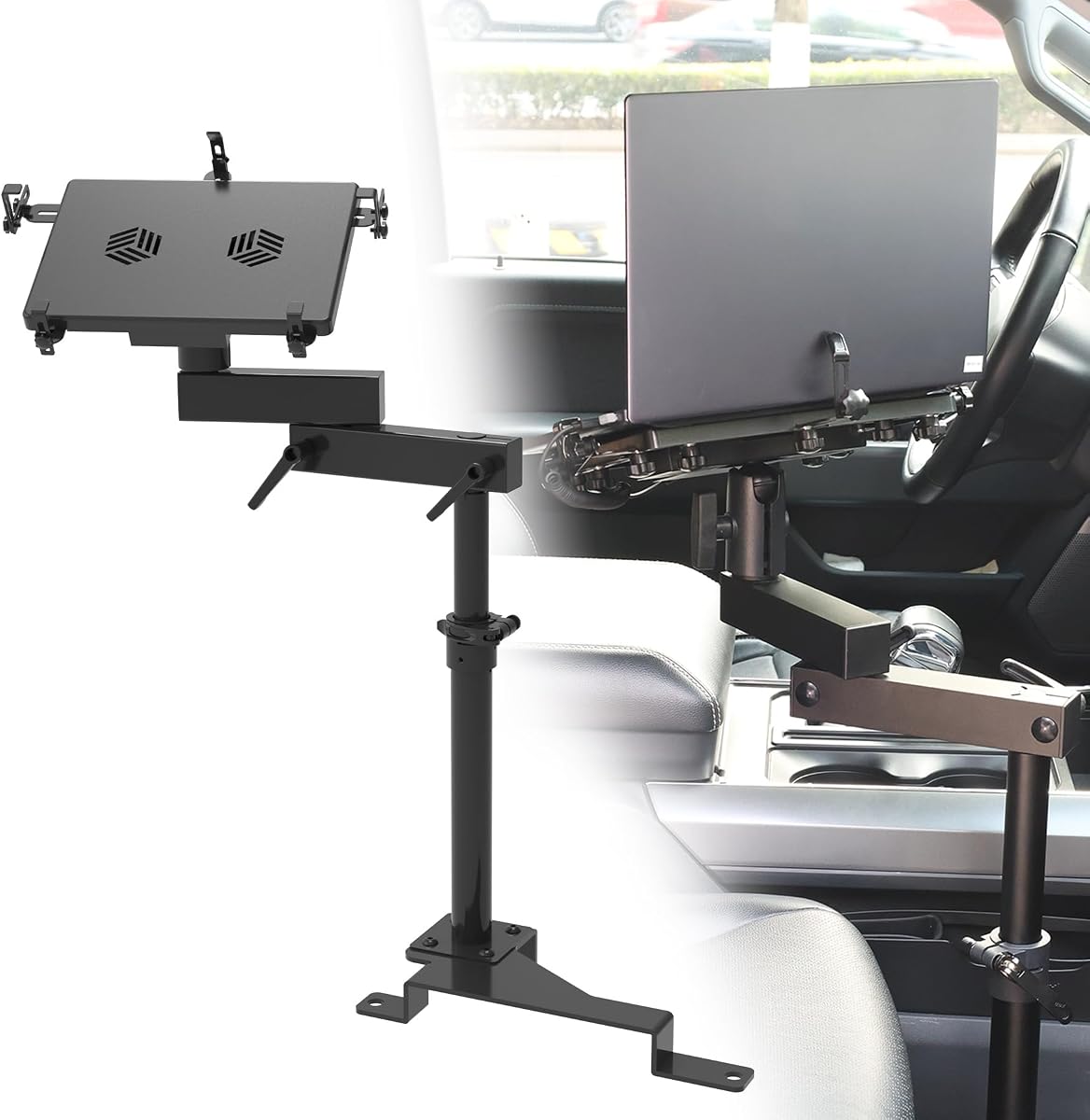
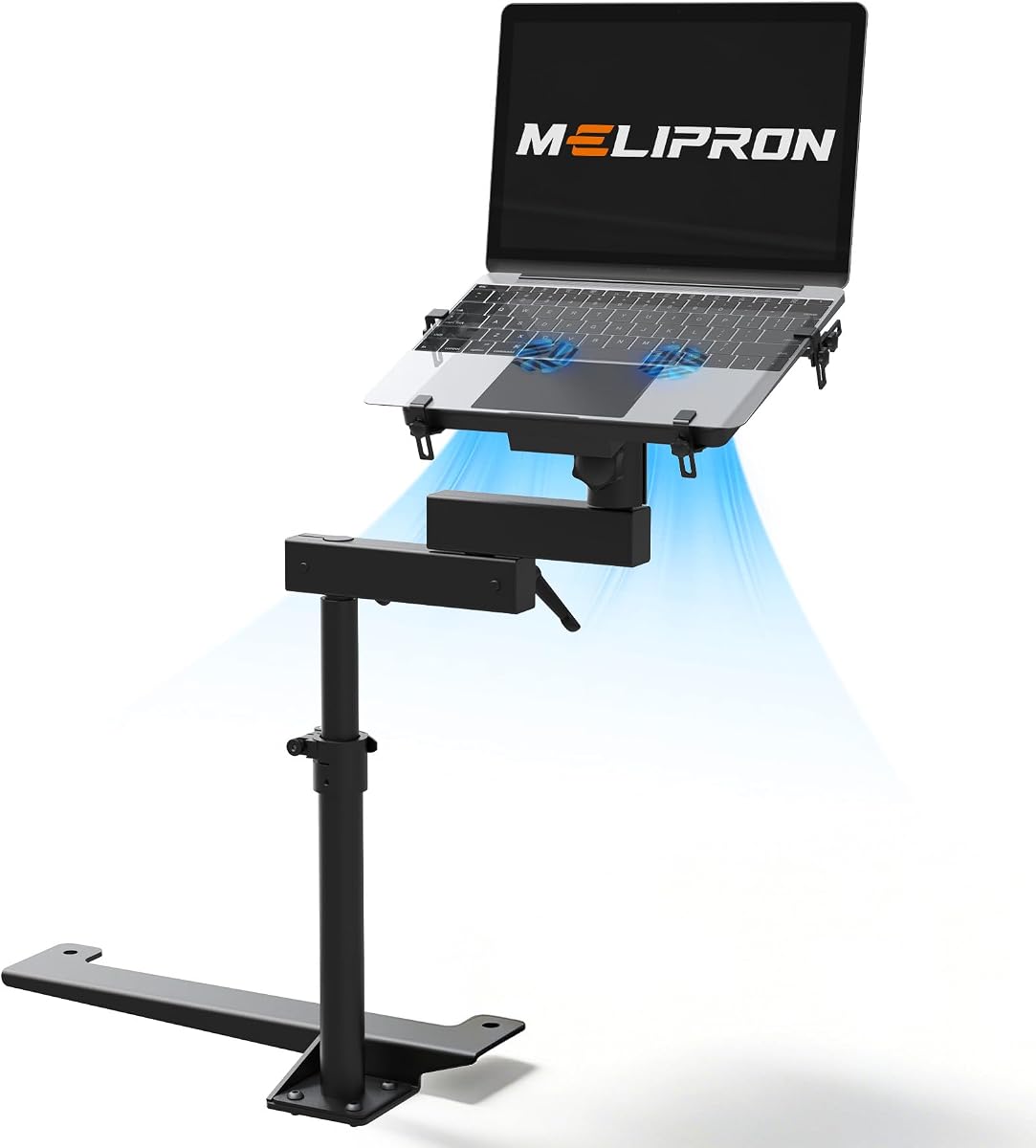


This MELIPRON stand offers a robust solution for mobile professionals needing stability and cooling. With a rating of 4.3 stars, it stands out for its rugged build and ergonomic design tailored for vehicle interiors.
We may earn a commission when you buy through this link, at no additional cost to you.
The heavy-duty aluminum and steel construction ensures the laptop remains secure even on bumpy terrain. Its dual USB cooling fans prevent overheating during long work sessions, while the 360-degree swivel allows perfect viewing angles without straining your neck.
Installation is straightforward since it mounts directly to passenger seat rail bolts without drilling. This preserves your vehicle structure, making it ideal for leased or fleet trucks. The quick-release telescopic pole allows easy removal when you need full passenger space.
For fleet operators or remote workers who spend hours in their vehicle, this stand delivers reliability and comfort. It balances durability with user-friendly features like adjustable height and tilt, ensuring safe and efficient mobile work.
Built-in fans actively dissipate heat from your device, crucial for maintaining performance in hot truck cabins during summer months.
The quick-release pole lets you remove the mount instantly, keeping the passenger area clear for riders or cargo when needed.
We may earn a commission when you buy through this link, at no additional cost to you.
Designed specifically for Ford F-Series trucks, this mount ensures a perfect fit for 2015-2026 models. It brings the same rugged reliability as the general version but with precise compatibility for Super Duty owners.
We may earn a commission when you buy through this link, at no additional cost to you.
The integrated cooling fans keep devices functional in hot environments, while the adjustable height and 360-degree rotation support ergonomic positioning. The dual swing arms extend reach comfortably for various seating positions.
While it is model-specific, the trade-off is a secure and stable installation that avoids guesswork. The sturdy aluminum and steel build provide rock-solid stability, preventing wobble during transit.
If you drive a Ford F-150 or Super Duty, this stand offers targeted reliability. It is ideal for professionals who need consistent performance from their mobile workstation on the road.
Compatibility with 2015-2026 F-Series ensures the mount anchors securely without modifications or extra adapters.
Dual swing arms allow you to position the laptop exactly where you need it, regardless of seat height or angle.
We may earn a commission when you buy through this link, at no additional cost to you.
For Chevy Silverado and Sierra owners, this mount provides a reliable no-drill solution. It accommodates a wide range of models from 2019 to 2026, ensuring broad compatibility for GM truck drivers.
We may earn a commission when you buy through this link, at no additional cost to you.
The three-point support base anchors directly to seat rail bolts, distributing load effectively to prevent wobble. Four locking joints allow precise positioning, while vinyl-coated clamps secure devices without scratching.
Its heavy-duty construction is built for high-frequency daily use, handling vibration and heat well. Cooling fans help reduce heat during long sessions, and the tray fits most laptops up to 17 inches.
Mobile professionals using GM trucks will appreciate its stability and adjustability. It delivers a safe viewing angle while maintaining clear visibility of the road ahead.
The base design ensures stability even on uneven roads, reducing the risk of device movement during transit.
Vinyl-coated clamps hold laptops securely without causing scratches or damage to your expensive equipment.
We may earn a commission when you buy through this link, at no additional cost to you.
With an impressive 4.6 rating, this mount stands out for its robust securing system. It is designed for Ford F150 to F550 models, offering abundant compatibility across various trim levels.
We may earn a commission when you buy through this link, at no additional cost to you.
The 3-point support combined with five adjustable tray clamps and a securing strap ensures your laptop stays firmly in place. This dual-articulating swing arm allows precise positioning to keep road visibility intact.
Constructed from heavy-duty aluminum and powder-coated steel, it promises long service life. The quick-release telescopic pole frees up passenger space when needed, balancing utility with convenience.
If you prioritize stability and build quality, this is a top choice. It is ideal for users who demand reliable performance and maximum security for their devices while on the move.
Five adjustable clamps and a strap work together to prevent sliding, even on rough terrain or during sudden stops.
The dual-articulating arm with four locking joints lets you adjust height and angle effortlessly for optimal ergonomics.
We may earn a commission when you buy through this link, at no additional cost to you.
VIVO's mount is designed for wide compatibility across cars, trucks, and SUVs with exposed floor seat bolts. It offers three mounting feet to adapt to different bolt angles, making it versatile for various vehicles.
We may earn a commission when you buy through this link, at no additional cost to you.
The spacious tray holds laptops up to 17 inches and 11 pounds, with a ventilated surface to increase airflow. Adjustable tilt, swivel, and height allow you to find a comfortable viewing angle quickly.
While the rating is slightly lower, the design emphasizes versatility and ease of use. The quick disconnect mechanism allows the stand to be removed easily, returning the seat to full functionality.
This option is great for those with multiple vehicles or varying bolt configurations. It balances affordability with essential features for a functional mobile workstation.
Three mounting feet accommodate different bolt angles, making this stand suitable for many car, truck, and SUV models.
The ventilated tray surface increases airflow to help prevent overheating during extended use inside the cabin.
We may earn a commission when you buy through this link, at no additional cost to you.
This stand targets fleet operations and mobile service professionals who need durable equipment. It uses a triangular 3-point base to limit movement and five adjustable clamps to secure devices firmly.
We may earn a commission when you buy through this link, at no additional cost to you.
The laptop mount offers height and 360-degree swivel adjustments, plus dual articulating arms for extended reach. Dual USB cooling fans help reduce heat buildup during long work sessions while parked.
Before ordering, you should verify bolt type and clearance to ensure fit. The upper workstation detaches easily, reducing passenger-side obstruction while keeping the base in place for consistent setup.
Ideal for those who need reliable equipment for diagnostics and reporting, this stand balances durability with flexibility. Its rugged construction ensures it can handle daily wear and tear.
Dip-coated clamp contact points add grip to prevent shifting and help reduce scratches on your laptop or tablet.
Detaching the upper workstation saves space when not in use, allowing passengers to sit comfortably in the front seat.
We may earn a commission when you buy through this link, at no additional cost to you.
This affordable option doubles as a steering wheel tray and desktop stand, offering exceptional versatility. With a 4.6 rating, it appeals to casual users and travelers needing a flexible workspace on the go.
We may earn a commission when you buy through this link, at no additional cost to you.
Installation is quick and tool-free, allowing you to lock it to a steering wheel or flip it for desk mode. Its compact design fits into seat seams or briefcases, making storage effortless.
The 5-position height adjustment helps you find a comfortable angle without straining your neck or waist. While not for driving use, it works well for stops or parked work sessions.
For budget-conscious buyers, this stand delivers excellent value. It enhances travel convenience and allows efficient work during breaks without significant investment.
Flip the design to switch between steering wheel mode and desktop stand in just five seconds for versatile use cases.
The compact design lets you tuck it into seat seams or pack it in a briefcase, saving space in your vehicle.
We may earn a commission when you buy through this link, at no additional cost to you.
The Mobotron MS-526B comes with a complete accessory package including a support brace, screen stabilizers, and a cooling fan. This makes it a strong contender for those seeking an all-in-one solution.
We may earn a commission when you buy through this link, at no additional cost to you.
Its universal mounting base fits many vehicle types, and installation can often be completed in less than ten minutes. The ergonomic design allows easy adjustments for the best viewing angle.
The included accessories save money and enhance stability, with stabilizers holding the screen in place securely. This bundle ensures you have everything needed to set up a reliable mobile workstation.
If you prefer convenience and bundled value, this mount is worth considering. It balances ease of use with robust accessory support for diverse applications.
The included brace and stabilizers improve stiffness and screen positioning for a more secure setup.
Installation is designed for speed, often taking under ten minutes, so you can get working quickly.
We may earn a commission when you buy through this link, at no additional cost to you.
The MS-426 is a classic standard mount designed for simplicity and reliability. It holds up to 17 pounds when parked, making it suitable for larger laptops or heavier devices.
We may earn a commission when you buy through this link, at no additional cost to you.
Fully adjustable with 180-degree vertical and 360-degree horizontal movement, it offers flexible positioning. A quick-release lever and knob allow users to adjust the working station into the best position easily.
While it lacks modern features like built-in cooling, its straightforward design ensures durability. The no-drill solution preserves vehicle integrity and makes installation simple for most vehicles.
This option is best for users who prefer basic functionality over advanced features. It delivers solid performance at a competitive price point for standard needs.
Supporting up to 17 pounds when parked ensures stability for larger laptops or heavier work devices.
Quick-release levers allow you to adjust angles without tools, ensuring fast repositioning as needed.
We may earn a commission when you buy through this link, at no additional cost to you.
Specifically designed for Dodge RAM heavy-duty platforms, this mount supports 2500 to 5500 models. Its three-point support base ensures maximum stability for demanding work conditions.
We may earn a commission when you buy through this link, at no additional cost to you.
The height and rotation adjustments allow precise positioning for different seat heights, while four locking joints help maintain driver visibility. Aircraft-grade aluminum and reinforced steel ensure long-term daily operation.
Integrated cooling fans reduce heat during long sessions, and vinyl-coated clamps protect devices from scratches. It is built for typing, dispatching, and diagnostics even on uneven roads.
If you drive a RAM heavy-duty truck, this stand offers tailored reliability. It stands as a robust choice for commercial or fleet use requiring consistent performance.
Constructed with aircraft-grade aluminum and reinforced steel, this stand withstands vibration and heat over time.
The design supports typing and diagnostics comfortably, making it ideal for fleet dispatchers on the road.
We may earn a commission when you buy through this link, at no additional cost to you.
Selecting the right laptop stand requires considering compatibility, stability, and features that support your workflow. This guide outlines key factors to help you find the perfect mount.
Ensure the stand matches your truck model and year to guarantee a secure fit without modifications. Some mounts are universal while others are tailored for specific brands.
Check model compatibility lists before purchasing to avoid fitment issues and ensure easy installation.
No-drill mounts attach to seat bolts preserving vehicle integrity and making them ideal for leased or fleet vehicles. Drilling may offer permanence but risks damage.
Opt for no-drill options to keep your truck in original condition and simplify removal when needed.
Look for heavy-duty materials like aluminum and steel that resist wobbling on rough terrain. A three-point support base improves stability significantly.
Sturdy construction ensures your laptop stays secure even when driving or parked on uneven surfaces.
Adjustable height, tilt, and rotation let you find comfortable viewing angles to reduce neck strain. Swivel features add flexibility for shared or varying seating.
Prioritize models with multiple joints to customize your setup according to your needs.
Built-in cooling fans help prevent overheating during long sessions inside hot vehicle cabins. Airflow designs or vents also aid heat dissipation.
Cooling features extend device longevity and maintain performance during extended work periods.
Check the weight limit to ensure the mount supports your laptop and any accessories safely. Some models hold up to 17 pounds for parked use.
Verify the rated capacity matches your device to prevent sagging or instability.
Quick-release mechanisms allow you to detach the stand easily for passengers or cargo. Consider if you need to move the setup frequently between vehicles.
Choose mounts with easy removal if you share your vehicle or use it for varied purposes.
Look for warranties and reliable customer support to address fitment or quality issues. A 2-year warranty adds peace of mind.
Choose brands with strong after-sales service to resolve potential concerns quickly.
Begin by verifying your truck model compatibility and checking seat rail bolts for secure attachment. Follow manufacturer instructions carefully to ensure proper alignment and stability.
Adjust the mount to a comfortable height and angle that keeps your screen at eye level without obstructing road view. Tighten all locking joints and clamps to secure your laptop firmly.
Regularly inspect clamps and mounting points for wear, and keep cooling fans free of dust for optimal performance. Remove the stand when not in use to maximize passenger space and prevent unnecessary strain.
These mounts are designed to stabilize your device in transit. However, avoid typing or adjusting while driving. Use them only when parked or with a passenger operating them to ensure road safety.
No-drill options use existing seat bolts avoiding permanent modifications. They preserve the vehicle structure, making them safe for leased or fleet trucks where drilling is discouraged.
Most supports laptops up to 17 inches but check weight and size limits. Some models have clamps compatible with tablets too, offering flexible device support.
Installation typically takes ten to thirty minutes depending on your truck model. Some products include detailed videos to simplify the process further.
Many mounts feature quick-release levers allowing fast removal. This helps free up passenger space when the stand is not needed.
Fans prevent overheating during long sessions especially in hot climates. They extend device life and maintain performance, but optional if your laptop has robust internal cooling.
Most models come with a 2-year warranty and free replacement parts. Check product details for exact terms and customer support options.
Yes, no-drill mounts are ideal for fleet vehicles since they avoid permanent changes. They provide reliable setups without compromising vehicle integrity.
We highlighted ten reliable laptop stands tailored for trucks. from universal to model-specific options. Our top picks balance durability, cooling, and ergonomic design.
Prioritize stability and ease of installation to maintain productivity and safety. Consider your vehicle model and workflow needs when selecting the best fit for daily use.
Verify current prices and availability before purchasing since costs may vary. Choose a mount that keeps your devices secure and your workspace comfortable on the road.