
79866M Main Drive Belt for Zebra ZT410
4.6Editor score
Reinforced composite material
Fits Zebra ZT410 series
Heat and wear resistant
This guide compares the top 10 Computer Printer Transfer Belts for 2026 to help you find the right belt for your printer model and performance needs.
Transfer belts are critical components in laser and thermal printers that ensure high quality output. Choosing the right belt prevents jams and maintains consistent print quality over time.
We evaluated ten leading options based on compatibility, durability, yield, and user feedback. Each product was checked against official specifications and real world usage scenarios for accuracy.
This list highlights top picks across different budgets and printer brands. Note that prices and availability can change, so verify current details before purchasing your chosen belt.
4.6Editor score

4.2Editor score

5.0Editor score
Below is a side by side comparison of all ten products reviewed in this guide to help you quickly identify the best fit for your printer and requirements.




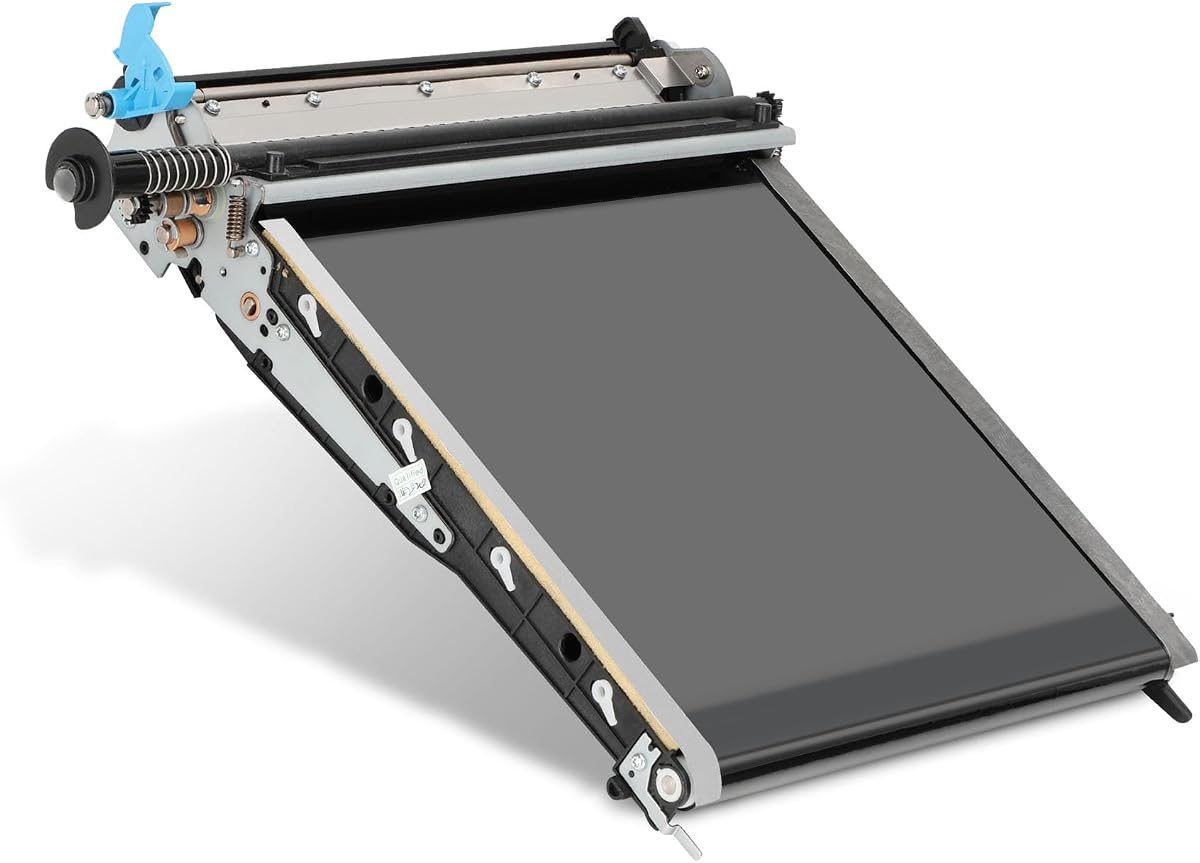

This replacement belt is designed specifically for Zebra ZT series thermal barcode printers like the ZT410 and ZT420. It has a strong rating from users who value reliability in industrial settings.
We may earn a commission when you buy through this link, at no additional cost to you.
The belt is made from high strength reinforced composite material that resists heat and aging. It maintains tensile strength during continuous printing runs to avoid deformation or cracking.
While it offers great durability it only works with 203dpi models. Users must confirm their printer resolution before purchasing to ensure compatibility with their existing hardware.
For businesses needing a budget friendly replacement without sacrificing performance this belt is a strong candidate. It restores printer function quickly and keeps operations running smoothly.
The reinforced composite construction ensures the belt can withstand heavy duty working conditions without shedding powder or deforming permanently.
This single belt fits multiple ZT models including ZT410 ZT411 ZT420 and ZT421 simplifying spare parts inventory for businesses.
We may earn a commission when you buy through this link, at no additional cost to you.
This genuine Brother belt unit delivers consistent professional color laser quality output that lasts. It is engineered as part of a complete printing system to work seamlessly with your device.
We may earn a commission when you buy through this link, at no additional cost to you.
The unit supports up to 50000 pages which reduces the frequency of replacements. Its engineering ensures sharp prints that withstand the test of time without degradation over use.
While it is more expensive than third party alternatives the quality assurance justifies the cost for professional environments. It helps maintain your printer output quality and reliability.
If you need dependable color laser performance for business documents this belt unit is a top choice. It aligns perfectly with Brother printers for optimal results.
Designed to integrate seamlessly with Brother printers this belt unit ensures consistent laser quality output that professionals can rely on daily.
Brother offers responsible disposal options for branded products including belt units helping businesses manage end of life materials responsibly.
We may earn a commission when you buy through this link, at no additional cost to you.
This transfer kit includes the intermediate transfer belt secondary transfer roller and pickup rollers for HP Color LaserJet printers. It uses high quality raw materials tested for quality and functionality.
We may earn a commission when you buy through this link, at no additional cost to you.
The comprehensive package ensures all necessary parts are replaced at once which improves printer performance significantly. Professional anti drop packaging protects the components during shipping to ensure integrity.
Installation should be done by an experienced technician to avoid damage. The kit restores peak performance but requires care to install correctly within the printer assembly.
For office environments needing reliable color laser performance this kit is an excellent investment. It combines quality materials with complete replacement parts for long term reliability.
The kit includes intermediate transfer belt secondary roller and tray pickup rollers ensuring all critical transfer components are replaced together.
Each transfer kit undergoes factory testing to ensure optimal performance and functionality keeping your printer at peak output levels.
We may earn a commission when you buy through this link, at no additional cost to you.
This genuine Brother belt unit comes in retail packaging which protects the product from damage during storage and shipping. It offers an approximate page yield of 50000 pages.
We may earn a commission when you buy through this link, at no additional cost to you.
It works with a range of HL and MFC models including the HL8260cdw and MFC8900cdw. The belt ensures consistent quality output for professional color laser printing environments.
While generic options exist this genuine unit guarantees compatibility and performance matching the original design. The retail packaging provides extra security for businesses buying in bulk.
For offices using supported Brother printers this belt is a reliable choice. It balances quality with yield to keep operations running efficiently without frequent replacements.
As a genuine Brother product this belt unit ensures consistent quality output and compatibility with supported HL and MFC printer series.
The retail packaging provides added protection to ensure the belt remains pristine until installation reducing risks of shipping damage.
We may earn a commission when you buy through this link, at no additional cost to you.
This genuine Brother transfer unit is sold without retail packaging which can lower the cost compared to boxed versions. It is rated highly by users for performance and reliability.
We may earn a commission when you buy through this link, at no additional cost to you.
It fits multiple HL and MFC models including HL3140CW and MFC9330CDW. The unit is designed to integrate seamlessly with these printers to maintain output quality.
The lack of retail packaging means it may have more risk of shipping damage but the price savings can be worth it for tech savvy buyers. It is built to meet standard dimensions.
For users familiar with printer maintenance this option offers significant savings without compromising on genuine parts quality. It ensures your printer keeps running with trusted components.
By removing retail packaging this genuine unit offers a more affordable option while still ensuring the same performance as boxed versions.
This belt is designed to work with several HL and MFC series printers providing flexibility for offices with multiple printer models.
We may earn a commission when you buy through this link, at no additional cost to you.
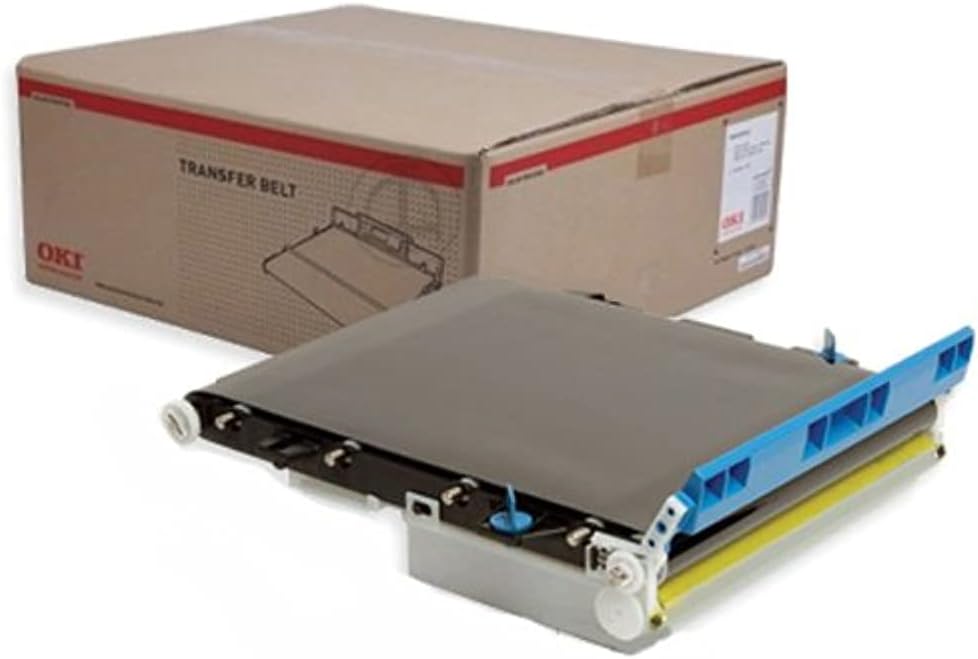
This Oki transfer belt is designed to replace critical parts regularly for longer machine life. It offers a yield of 60000 pages which helps reduce downtime significantly.
We may earn a commission when you buy through this link, at no additional cost to you.
Regular replacement of this belt increases productivity by keeping the printer running at peak efficiency. It is manufactured to ensure consistent quality output for business needs.
Users should follow maintenance schedules to replace the belt when needed to avoid print quality issues. The belt fits specific Oki models so compatibility must be confirmed first.
For businesses relying on high volume printing this belt offers excellent value through its high yield. It keeps downtime to a minimum ensuring smoother workflows.
With a 60000 page yield this transfer belt allows for extended use before replacement reducing service interruptions.
Replacing critical parts like this belt regularly helps extend the overall life of the printer reducing long term hardware costs.
We may earn a commission when you buy through this link, at no additional cost to you.
This authentic HP maintenance kit is guaranteed to fit specific CM3530 series printers. It offers a high yield of 150000 pages making it ideal for heavy use environments.
We may earn a commission when you buy through this link, at no additional cost to you.
Installation should always be done by an experienced technician to ensure proper function. The kit is designed to replace an identical part number ensuring precision and reliability.
While the cost is higher and installation requires expertise the performance is guaranteed. Users value the authenticity and compatibility for their HP LaserJet printers.
For enterprise environments requiring certified parts this kit is a secure choice. It ensures long term reliability with a yield that supports extensive printing volumes.
With a 150000 page yield this kit supports large volume printing needs reducing the frequency of maintenance interventions.
As an authentic OEM part this kit ensures exact compatibility and performance matching the original design specifications.
We may earn a commission when you buy through this link, at no additional cost to you.
This transfer belt kit is compatible with Color LaserJet Enterprise M652 and M653 printers and serves as a replacement for M681 and M682. It includes the belt secondary roller and pickup rollers.
We may earn a commission when you buy through this link, at no additional cost to you.
Each part undergoes strict quality control to ensure smooth operation without hindrance. The kit uses high quality plastic materials to maintain durability during continuous use.
The package includes multiple rollers to replace the entire transfer assembly in one go. Professional support is available within 24 hours to resolve any questions or issues.
For enterprise users needing comprehensive replacement this kit offers value. It combines quality parts with service support to restore printer performance efficiently.
The kit includes the belt secondary roller and tray rollers allowing for a full assembly replacement in a single purchase.
Each component undergoes strict production control and testing to ensure the printer runs smoothly without hindrance over time.
We may earn a commission when you buy through this link, at no additional cost to you.
This 40X9929 image transfer unit is compatible with CS720 CX725 and XC4140 printers. It offers a yield of 150000 which reduces the need for frequent maintenance.
We may earn a commission when you buy through this link, at no additional cost to you.
The assembly is crafted from high quality materials and tested rigorously for optimal performance. Secure anti drop packaging ensures the product arrives intact without damage to internal components.
Customers receive prompt support within 24 hours for any inquiries. The assembly is designed to restore printer efficiency quickly for business environments.
For users with supported Lexmark printers this belt provides reliable performance. Its yield and build quality make it a strong choice for regular operations.
Crafted from high quality materials this transfer assembly ensures optimal printer performance over time with a 150000 page yield.
Professional anti drop packaging with multiple protection layers enhances resilience and durability to safeguard product integrity during transit.
We may earn a commission when you buy through this link, at no additional cost to you.
This image transfer unit matches the same model compatibility as the previous entry offering a yield of 150000. It is crafted from high quality materials and rigorously tested for performance.
We may earn a commission when you buy through this link, at no additional cost to you.
The secure packaging features anti drop design with multiple layers of protection. This ensures the transfer assembly arrives without damage maintaining product integrity during shipping.
Users benefit from dedicated customer service available to address inquiries within 24 hours. The assembly is designed to ensure optimal printer performance for supported Lexmark models.
For those needing a reliable replacement for CS or CX series printers this unit provides value. The combination of quality and yield supports smooth ongoing operations.
Crafted from high quality materials and factory tested this transfer kit ensures optimal printer performance for supported Lexmark models.
Professional anti drop packaging with multiple layers of protection enhances resilience and durability to safeguard the transfer assembly during transit.
We may earn a commission when you buy through this link, at no additional cost to you.
Selecting the right transfer belt requires careful consideration of printer model compatibility yield and material quality to ensure reliable performance and minimal downtime.
Always confirm your exact printer model and series before buying a transfer belt. Many belts are designed for specific models or series like Zebra ZT410 or HP Color LaserJet. Using an incompatible belt can cause mechanical failure or poor print quality.
Check the part number on your existing belt or consult your printer manual to match the replacement exactly.
Transfer belts come with different page yields ranging from 50000 to 150000 pages. Higher yields reduce the frequency of replacements which is critical for high volume printing environments. Look for materials that resist wear and heat to extend belt life.
Prioritize high yield options if you operate printers daily to minimize maintenance interruptions and operational costs.
OEM belts from manufacturers like Brother or HP guarantee compatibility and performance but often cost more. Third party options offer lower prices but vary in quality. Consider your tolerance for risk and budget constraints when choosing.
For critical business operations OEM parts are safer while third party can work for occasional use or budget focused setups.
The belt material should be heat resistant and durable to withstand continuous printing cycles. Look for composite materials that resist cracking or powder shedding over time. Good construction ensures the belt maintains tension without deformation.
Quality materials directly affect print quality and prevent damage to other printer components like rollers or drum units.
Some transfer belts require technician installation especially larger kits with multiple rollers. Check if the part is designed for user replacement or professional service. Improper installation can void warranties or cause damage.
Ensure you have the technical skill or budget for a professional if the installation is complex before purchasing.
Transfer belts are sensitive to impact and bending during shipping. Look for products with anti drop packaging and multiple layers of protection. This reduces the risk of receiving a damaged product.
Secure packaging ensures the belt remains intact and ready for installation upon delivery without extra repair costs.
Choose products that offer reliable customer support and warranty options. Some vendors provide 24 hour response times for technical issues or replacements. This protects your investment if the part fails early.
Strong after sales service adds value and peace of mind especially for business critical printer components.
Balance the upfront cost against the expected lifespan and yield. A cheaper belt that requires frequent replacement may cost more over time. Evaluate total cost of ownership including installation and downtime.
Invest in quality belts that match your printing volume needs to optimize long term value and reduce operational costs.
Before installation inspect the belt for any visible damage or wear that may have occurred during shipping. Ensure your printer is powered off and unplugged to avoid electrical hazards during the process.
Follow the manufacturer instructions to remove the old belt and install the new one. Align the belt correctly around the rollers without stretching it excessively to maintain proper tension and function.
Regularly clean the transfer belt and surrounding rollers to prevent debris buildup. Schedule routine maintenance to check belt tension and signs of wear to extend the life of your printer.
A transfer belt is a component in laser printers that collects toner from photoconductor drums and transfers it onto paper to create a full image. It ensures consistent alignment and color registration across printed pages.
Replacement frequency depends on the belt's page yield and your printing volume. Look for yields like 50000 to 150000 pages and replace when print quality degrades or warnings appear on the printer.
Simple belts may be user installable but complex kits require technicians. Check your printer manual for recommended installation methods to avoid voiding warranties or damaging components.
Failure may occur due to wear from high usage exposure to excessive heat or physical damage. Regular cleaning and timely replacements help prevent premature failures and maintain performance.
OEM belts guarantee compatibility and performance which can reduce long term maintenance costs. For high volume or critical environments the extra cost is often worth the reliability assurance.
Factors include print volume environmental conditions like heat and humidity and the quality of materials used. Choosing high yield belts and proper maintenance can extend their usable life.
Check your printer model number and compare it with the manufacturer's compatibility list. Also match the part number of your old belt to the new one to ensure a correct fit.
Prices vary based on brand and yield with some basic belts under fifty dollars and OEM kits exceeding two hundred dollars. Consider the expected yield when comparing total cost value.
We reviewed ten top transfer belts across major brands including Brother HP Zebra and Lexmark to help you find the right fit. Our picks include budget friendly options premium quality kits and high yield solutions for diverse needs.
When choosing prioritize compatibility with your specific printer model and the expected page yield to reduce downtime. Quality material construction and secure packaging also play vital roles in long term reliability.
Prices and availability change frequently so verify current details before purchasing your chosen belt. Always check compatibility notes and installation requirements to ensure a smooth replacement experience.