
Canon PIXMA TR4720
3.9Editor score
Affordable entry price point
Built-in fax capability included
Compact home office design
This guide compares the top all in one printer with fax models for 2026, highlighting speed, ink costs, wireless features, and fax capabilities to help you
Finding the right all in one printer with fax can streamline your office workflow significantly. These devices combine printing, scanning, copying, and faxing into one compact unit, saving space and reducing clutter on your desk while maintaining professional output quality for documents.
We evaluated ten top-rated models based on performance, connectivity, ink efficiency, and user feedback. Our analysis focuses on real-world usability, including print speeds, wireless reliability, and the ease of setting up fax features for both home and small office environments effectively.
Each pick below details key specifications, pros, and cons to help you decide quickly. Prices and availability change frequently, so verify current listings before purchasing. This guide aims to simplify your search for a reliable multifunction printer that meets your specific communication needs.
3.9Editor score

3.9Editor score

3.9Editor score
This side-by-side comparison highlights the core specifications and capabilities of each selected model to help you identify the best fit for your specific office requirements and budget constraints effectively.






The HP OfficeJet Pro 9125 is a robust all in one printer with fax designed for professional office environments. With a rating of 3.9 stars, it offers reliable performance for high-volume tasks while maintaining sharp color output for presentations and marketing materials.
We may earn a commission when you buy through this link, at no additional cost to you.
Its standout features include AI-powered print formatting that removes unwanted web content to save paper and improve layout precision. The dual-band Wi-Fi ensures stable connections, and HP Wolf Pro Security protects your network from cyber threats during every print job.
While it requires original HP cartridges with specific chips, which can limit third-party options, the included Instant Ink trial helps manage costs initially. The firmware updates may enforce these restrictions, so users should weigh long-term ink expenses before committing.
Ideal for small offices needing speed and security, this model delivers professional results efficiently. It balances speed, connectivity, and safety features better than most competitors, making it a top recommendation for business users prioritizing quality and protection.
HP AI automatically strips unnecessary webpage elements like ads before printing, ensuring clean layouts and reducing paper waste significantly.
HP Wolf Pro Security bolsters network defenses by detecting threats during printing activities, keeping sensitive documents safer from cyber intrusions.
We may earn a commission when you buy through this link, at no additional cost to you.
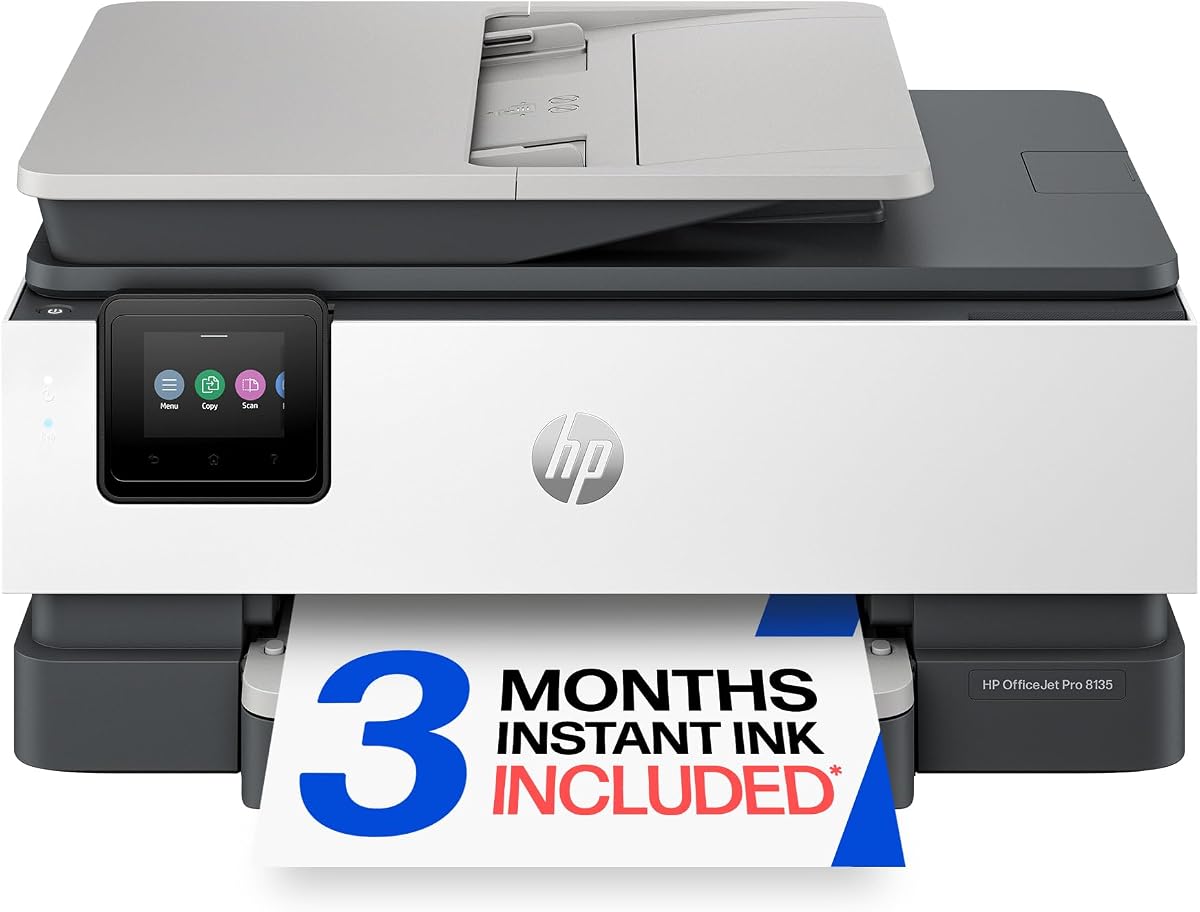
The HP OfficeJet Pro 8135 caters specifically to home office users needing professional-quality documents without bulky equipment. Rated 3.9 stars, it handles business reports and flyers efficiently while offering essential features like faxing and duplex printing to save paper.
We may earn a commission when you buy through this link, at no additional cost to you.
Its key strengths lie in AI optimization that formats web pages cleanly, reducing awkward layouts and wasted sheets. The 225-sheet tray minimizes refills, and HP Essential Security helps protect your home network from potential digital threats during remote work sessions.
Users should note that non-HP cartridges with custom chips may be blocked by firmware updates, potentially increasing long-term ink costs. The Instant Ink trial offers savings initially but transitions to a monthly fee, so budgeting is important for ongoing usage.
This printer is best for remote workers who value ease of use and connectivity. It simplifies document management with smart features and a large touchscreen, making it a versatile choice for home-based businesses or freelancers.
AI technology removes unwanted content from web pages before printing, ensuring professional-looking documents with minimal manual editing required.
Made with over 45 percent recycled plastic content, this model supports sustainability goals without compromising print quality or performance.
We may earn a commission when you buy through this link, at no additional cost to you.
The Epson EcoTank ET-4800 redefines ink efficiency with its supertank system, making it ideal for high-volume printing. With a 3.8-star rating, it avoids frequent cartridge changes by using refillable bottles that provide long-lasting supplies for documents and photos.
We may earn a commission when you buy through this link, at no additional cost to you.
Its unique Micro Piezo Heat-Free Technology delivers sharp text and vibrant graphics without wasting energy on heating elements. The built-in scanner and color display simplify copying tasks, while the EcoFit bottles ensure easy, mess-free refills for users.
Although the initial investment is higher than cartridge-based models, the long-term savings on ink are substantial. However, print speeds are generally slower, so it may not suit users needing rapid output for large batches of documents regularly.
This printer suits those prioritizing low running costs over speed. It reduces cartridge waste significantly and offers reliable performance for home offices or schools where budget efficiency matters most for daily printing needs.
High-capacity ink tanks replace expensive cartridges, allowing users to print thousands of pages without frequent refills or additional purchases.
By eliminating disposable cartridges, this model helps reduce landfill waste significantly while maintaining high-quality output for various document types.
We may earn a commission when you buy through this link, at no additional cost to you.
The HP OfficeJet Pro 8125 offers solid performance at an accessible price point for home offices. Rated 3.9 stars, it provides essential multifunction capabilities like scanning, copying, and printing with speed that supports daily productivity tasks efficiently.
We may earn a commission when you buy through this link, at no additional cost to you.
Key features include AI tools that optimize print formatting to eliminate wasted pages and awkward layouts. The dual-band Wi-Fi maintains stable connections, and the 2.7-inch touchscreen makes navigating settings intuitive for users of all technical levels.
While the Instant Ink trial helps with initial costs, ongoing expenses may rise after the trial ends due to HP's chip restrictions. Firmware updates ensure only original cartridges work, which limits flexibility but ensures consistent quality and security.
This model is best for budget-conscious users needing reliable printing without sacrificing too many features. It balances cost and functionality well, making it a practical choice for small businesses or freelancers starting their setups.
HP AI analyzes web pages and emails to remove unnecessary content, ensuring prints are precise and professional without manual adjustments.
Dual-band Wi-Fi automatically detects and resolves connection issues, keeping your printer ready for tasks without frequent troubleshooting.
We may earn a commission when you buy through this link, at no additional cost to you.
The HP Smart Tank 7603 stands out for its incredible ink inclusion, offering up to three years of supplies right out of the box. With a 3.9-star rating, it reduces long-term ownership costs significantly while delivering reliable quality for documents and color photos.
We may earn a commission when you buy through this link, at no additional cost to you.
Its mess-free refill system simplifies topping up ink bottles, ensuring users avoid spills during maintenance. The included fax and copy features make it a true all-in-one solution, while borderless printing supports creative tasks like photo projects.
While the upfront investment is higher than standard models, the included ink savings often outweigh the initial price. Users should consider total cost of ownership, as traditional printers may cost more over time due to frequent cartridge purchases.
This printer is ideal for users who want simplicity and savings. It eliminates the hassle of buying cartridges frequently, making it a top choice for home offices seeking efficiency and financial predictability over several years.
Up to three years of ink included helps users avoid running out during critical work, ensuring continuous productivity without interruptions.
HP's mess-free refill system allows easy ink replenishment without squeezing or spilling, making maintenance straightforward for all users.
We may earn a commission when you buy through this link, at no additional cost to you.
The HP OfficeJet Pro 9135 delivers top-tier speed for offices handling high document volumes. Rated 4.0 stars, it processes prints faster than many rivals, making it efficient for busy environments where time savings directly impact productivity and workflow.
We may earn a commission when you buy through this link, at no additional cost to you.
Its single-pass duplex scanning reduces handling time for multi-page documents, while two input trays minimize refills during large jobs. HP Wolf Pro Security adds a layer of protection against cyber threats, ensuring sensitive business data remains secure during operations.
Users should expect higher costs due to HP's chip restrictions and Instant Ink subscription requirements. The premium price reflects the speed and capacity, but ongoing ink expenses should be factored into long-term budgeting decisions carefully.
This model suits high-volume users prioritizing speed and capacity. It balances performance with security, making it a strong investment for growing businesses that need reliable, fast printing without sacrificing document safety or quality.
Single-pass duplex scanning scans both sides of a page simultaneously, cutting time spent on multi-page document processing significantly.
Two 250-sheet input trays reduce the frequency of refills, keeping the printer ready for large batch jobs without interruptions.
We may earn a commission when you buy through this link, at no additional cost to you.
The Canon PIXMA TR4720 is a budget-friendly option that does not compromise on essential features like faxing. With a 3.9-star rating, it provides reliable basic performance for home users needing occasional document handling without paying for premium capabilities.
We may earn a commission when you buy through this link, at no additional cost to you.
Its compact design fits easily into small spaces, while built-in fax and auto document feeder support versatile tasks. Alexa integration allows smart notifications for low ink, and wireless mobile printing adds convenience for on-the-go tasks.
Print speeds are moderate, which may not suit high-volume needs, but the low upfront cost offsets this for light users. The 100-sheet capacity requires more frequent refills, so consider usage patterns before purchasing for heavy workloads.
This printer is perfect for occasional users or those on tight budgets. It delivers core multifunctionality at an accessible price, making it an excellent choice for home offices or students needing fax and print capabilities.
Alexa alerts you when ink is running low and can place reorders automatically, ensuring you never run out during critical moments.
Its compact footprint fits easily on small desks, making it ideal for home offices with limited workspace availability.
We may earn a commission when you buy through this link, at no additional cost to you.
The Canon PIXMA TR8620a stands out for its voice-activated features and robust capacity. Rated 4.0 stars, it offers a user-friendly experience for tech-savvy users who appreciate hands-free printing and direct access to photos via memory cards.
We may earn a commission when you buy through this link, at no additional cost to you.
Its 200-sheet capacity reduces refills significantly, while AirPrint and Android support ensure seamless wireless integration. The Auto Document Feeder and fax capabilities make it a complete solution, balancing speed and versatility for varied daily tasks.
While initial costs are moderate, ongoing ink expenses can add up. Users should verify smart home compatibility to fully leverage voice features, as setup may require extra steps compared to standard networked devices.
This model suits users wanting smart home integration and high capacity. It simplifies workflows with voice commands and offers strong photo printing quality, making it ideal for creative home offices with specific workflow needs.
Voice commands allow hands-free printing initiation, enhancing convenience for users who prioritize smart home integration in their workflows.
Supports borderless photo prints with rich colors, ensuring personal photos and documents look vibrant and high-quality every time.
We may earn a commission when you buy through this link, at no additional cost to you.
The HP OfficeJet Pro 8139 extends value with a full year of Instant Ink trial instead of the usual three months. Rated 4.0 stars, it provides sustained cost savings for home office users who want to test long-term ink delivery without immediate financial commitment.
We may earn a commission when you buy through this link, at no additional cost to you.
Its performance matches other Pro models with 20 ppm speeds and AI formatting that improves document layouts. The 225-sheet tray reduces refills, and dual-band Wi-Fi ensures consistent connectivity for remote work tasks requiring reliability.
Once the trial ends, users face monthly fees unless they cancel, so managing subscriptions is key. HP's chip restrictions ensure quality but limit third-party options, which may increase costs beyond the trial period.
This model is best for users wanting extended ink trial benefits. It combines speed, AI tools, and fax support, offering a balanced solution for home professionals prioritizing convenience and cost predictability over a longer period.
A full year of Instant Ink trial allows users to enjoy consistent ink delivery and savings without immediate subscription costs for twelve months.
HP AI optimizes web and email content to reduce awkward layouts, ensuring printed documents appear professional and polished automatically.
We may earn a commission when you buy through this link, at no additional cost to you.
The Brother MFC-L2820DW stands out for its laser efficiency and compact design. Rated 4.3 stars, it offers fast monochrome printing ideal for text-heavy documents, making it a cost-effective solution for offices prioritizing speed and volume over color output.
We may earn a commission when you buy through this link, at no additional cost to you.
Its Refresh EZ Print subscription trial reduces toner worries initially, while dual-band wireless and cloud app support enhance flexibility. The 50-page auto document feeder speeds up scanning and fax tasks, saving time on multi-page operations regularly.
Laser toner typically costs less per page than inkjet, benefiting high-volume users. However, color is not available, so this suits text-only needs. Ensure you factor in subscription terms after the trial to avoid unexpected costs.
This model is perfect for text-focused offices needing reliability. It balances speed, connectivity, and low running costs, making it an excellent choice for businesses requiring frequent faxing and document handling without color printing.
Laser technology ensures fast, crisp black-and-white prints with lower cost per page than traditional inkjet models for text documents.
Cloud-based app support allows seamless document management and printing from services like Google Drive or Dropbox directly.
We may earn a commission when you buy through this link, at no additional cost to you.
Selecting the right printer involves balancing performance, cost, and features to fit your specific needs.
Print speed, measured in pages per minute (ppm), determines how quickly documents get produced. For high-volume offices, look for models with speeds above 20 ppm to avoid bottlenecks during busy periods.
Prioritize faster printers if you often handle large batches, or slower models may be sufficient for occasional home use.
Inkjet printers offer vibrant color and are often cheaper upfront, while laser printers excel in speed and text clarity with lower long-term costs per page.
Choose ink for color needs or laser for volume text tasks to align with your typical document output.
Not all multifunction printers include faxing, so verify this feature is present if you need to send or receive traditional faxes directly.
Ensure the model supports digital fax features if you prefer online alternatives to physical phone lines.
Paper tray capacity affects how often you need to refill sheets. Models with 250+ sheets are better for busy environments, whereas smaller trays work for low-volume settings.
Select capacity based on average daily usage to minimize interruptions and maintenance tasks.
Dual-band Wi-Fi, Ethernet, and USB ports provide flexible connection choices. Wireless printing via apps adds convenience for mobile workflows in modern setups.
Ensure the printer supports your preferred devices and network standards for seamless integration.
Built-in security protections like firewall integration or threat detection safeguard sensitive documents from unauthorized access during printing.
Look for models with advanced security suites if you handle confidential business data regularly.
Consider both upfront price and ongoing costs like ink or toner. Subscription trials may offer savings but require budgeting for future fees.
Compare total expected costs over time to avoid unexpected expenses after initial promotions end.
Desk space is often limited, so check dimensions to ensure the printer fits comfortably without cluttering your workspace or office layout.
Compact models are ideal for small offices, while larger units may offer more capacity.
Begin by connecting the printer to your network via Wi-Fi or Ethernet, then install the manufacturer's app or drivers on your devices to enable remote printing and fax functionality.
Regularly clean the print heads and scanner glass using manufacturer-approved wipes to prevent smudging and maintain sharp output quality over extended periods.
Keep firmware updated through the printer's menu to ensure security patches and feature improvements are applied, reducing connection issues and protecting your data.
Traditional fax models use phone lines to transmit documents digitally, but many modern options support internet-based fax services for email integration. Check if your model includes both options to fit your setup requirements.
Most models allow easy switching through the touchscreen menu where you can select functions like fax, copy, or print. Some apps let you initiate faxing directly from your device for convenience.
Yes, most color printers allow separate settings for output, so you can print in full color while sending fax transmissions in grayscale to save ink.
If phone lines fail, traditional faxing stops, but many models now support digital fax via email, which ensures documents still send even during line outages.
Clean the print heads and scanner glass every few months to prevent clogging or dust buildup, ensuring consistent quality and reducing jams during daily use.
Most models offer mobile apps for iOS and Android to enable printing and scanning from smartphones, with support for AirPrint or Google Cloud Print.
Our top picks highlight diverse needs, from budget-friendly options to high-speed models. The HP OfficeJet Pro 9125 offers balanced performance, while the Canon PIXMA TR4720 suits tight budgets.
Prioritize speed if you handle volume, or focus on ink costs for long-term savings. Always match features like fax and security to your specific workflow requirements.
Prices and promotions change frequently, so check current listings before purchasing. This guide helps you navigate options confidently for a printer that meets your office needs.