
Ethernet Adapter for Fire TV Stick
4.7Editor score
Affordable price point
Aluminum alloy heat dissipation
Includes adhesive mounting tapes
This guide compares the top Fire TV Stick Ethernet Adapter options to help you find a reliable wired connection for smoother streaming and better performance.
Finding a stable internet connection is crucial for streaming devices. A Fire TV Stick Ethernet Adapter transforms wireless setups into wired networks, reducing buffering and improving speed significantly for all users.
We evaluated ten top-rated adapters based on compatibility, build quality, and real-world performance. Our list covers micro USB and USB-C options to ensure you find the right fit for your specific Fire TV model.
Each pick highlights key strengths and potential trade-offs so you can decide confidently. Prices fluctuate often, so check current listings before purchasing to ensure you get the best deal available today.
4.7Editor score

4.5Editor score

4.3Editor score
This side-by-side comparison highlights the key specifications and unique features of each adapter to help you make an informed decision based on your specific device needs.


This adapter is the top choice for most Fire TV users seeking stability. It supports a broad range of Fire TV Stick models and offers a straightforward way to connect via Ethernet.
We may earn a commission when you buy through this link, at no additional cost to you.
The primary strength lies in its universal compatibility with older and current micro USB based devices. It effectively reduces latency and buffering by providing a direct wired connection to your router.
While it does not support Gigabit speeds, the 10/100 Mbps rate is sufficient for most streaming needs. Users should ensure their Fire TV model uses micro USB rather than USB-C for this unit.
Anyone looking for a dependable and straightforward solution should consider this adapter first. It delivers consistent performance without unnecessary complexity or high costs for the average streamer.
This adapter works with Fire TV Stick Lite, 2nd Gen, and various 4K models, ensuring most users can use it without needing an upgrade.
By bypassing wireless interference, this adapter provides a steady connection that improves streaming quality and reduces buffering during peak hours.
We may earn a commission when you buy through this link, at no additional cost to you.
This adapter addresses the needs of users with the newest Fire TV Stick HD models that have switched to USB-C. Its right angle design is particularly useful for tight spaces behind TVs.
We may earn a commission when you buy through this link, at no additional cost to you.
The standout feature is its specialized design for USB-C ports, which eliminates the need for extra dongles or awkward bending of cables. It offers a seamless transition to wired networking for modern devices.
Performance is limited to 480mbps which might not suit heavy gamers but is fine for standard streaming. It is critical to check your device port before purchasing since it lacks Micro USB support.
Owners of the latest Fire TV Stick HD will find this accessory invaluable for maintaining a clean setup. It ensures a secure physical connection that minimizes disconnection risks during use.
Specifically designed for Fire TV Stick HD 2nd Gen, this adapter ensures that users with newer hardware do not need to replace their device for wired access.
The right angle form factor prevents cables from sticking out, making it easier to hide the device behind the television for a neater appearance.
We may earn a commission when you buy through this link, at no additional cost to you.
The ELECTOP adapter stands out by offering 1000Mbps speeds which is a significant jump over standard 10/100 options. It is built with quality materials to handle sustained data transfer rates.
We may earn a commission when you buy through this link, at no additional cost to you.
Its aluminum body helps dissipate heat effectively during long viewing sessions. The included adhesive tapes allow you to secure the device, preventing cable strain that could lead to connection drops.
Users should note that high speed may require sufficient power from your Fire TV port. Some setups might need an extra power source to run the adapter and the stick simultaneously without issues.
Gamers or power users needing maximum bandwidth will appreciate this model. It bridges the gap between streaming sticks and full network performance when properly powered and connected.
With support for 1000Mbps, this adapter allows for faster file transfers and smoother high bitrate video streaming compared to standard adapters.
The included adhesive tape helps keep the adapter in place, reducing the risk of physical damage to the USB port from heavy cable weight.
We may earn a commission when you buy through this link, at no additional cost to you.
This adapter offers excellent value for users wanting reliable connectivity without spending much. It features a sturdy aluminum case and a simple setup that gets your network running quickly.
We may earn a commission when you buy through this link, at no additional cost to you.
The build quality is impressive for the price point. Users benefit from an included LED indicator to monitor connection status instantly and adhesive tapes for secure placement near the TV.
It does not support Gigabit speeds which might be a limitation for high bandwidth needs. However for standard streaming and browsing it provides all the necessary stability most users require.
Budget conscious shoppers will find this a smart pick. It delivers essential wired functionality with a durable design that protects your device connections from everyday wear.
Despite the low cost, this adapter uses aluminum to ensure durability, offering a cost-effective solution that does not compromise on physical build.
The LED indicator provides immediate visual confirmation of your network status, helping you troubleshoot connection issues instantly without complex menus.
We may earn a commission when you buy through this link, at no additional cost to you.
ZEXMTE offers a solid adapter known for quick installation and stable performance. The aluminum casing ensures the device stays cool even during extended streaming sessions which is a plus.
We may earn a commission when you buy through this link, at no additional cost to you.
Smart status lights provide clear feedback on whether the connection is active. This simple feature helps avoid confusion about network status and ensures your device is ready to stream.
The setup takes just a minute which is convenient for non technical users. It supports common Fire TV Stick models effectively providing a seamless switch from wireless to wired internet.
This adapter is a great choice for general home entertainment use. It balances ease of use with reliable performance making it suitable for most casual streamers.
The simple plug and play nature of this adapter means you can get online in under two minutes without configuring network settings manually.
The aluminum casing aids in heat dissipation, ensuring the adapter does not overheat during long movie marathons or gaming sessions.
We may earn a commission when you buy through this link, at no additional cost to you.
The UGREEN adapter includes a longer power cable which is helpful if your TV is far from outlets. This design simplifies reaching a power source while maintaining a wired internet link.
We may earn a commission when you buy through this link, at no additional cost to you.
It is designed to run via USB power which may require a separate wall adapter for some devices. This ensures consistent power delivery so the adapter does not drain the stick battery unnecessarily.
The build quality is consistent with the brand reputation for reliable electronics. It offers a stable connection that is suitable for standard HD and 4K streaming without interruptions.
Users who need extra reach for power outlets will find this particularly useful. It adds convenience to the setup process without complicating the networking aspect.
The 3.3 foot cable offers flexibility in placement allowing you to connect to power sources that are slightly further from the TV console.
By using a dedicated power cable, this adapter ensures your Fire TV Stick does not struggle to supply power for both data and operations simultaneously.
We may earn a commission when you buy through this link, at no additional cost to you.
This model offers higher speed potential than standard adapters. It is built to handle faster data rates which can be beneficial if your internet plan supports higher bandwidth usage.
We may earn a commission when you buy through this link, at no additional cost to you.
It includes safety features like over voltage protection which adds a layer of security for your device. The dual LED lights clearly indicate connection status so you know when it is ready.
Some users might find setup requirements complex regarding power. While it promises faster speeds, real world performance depends on your router and network environment capabilities.
Tech enthusiasts looking for more speed will appreciate the extra throughput. It is a solid alternative if you need to push more data through your streaming stick.
Built-in protection against over voltage and short circuits helps safeguard your Fire TV Stick from potential electrical issues during operation.
The two color LED system provides immediate visual feedback regarding the health of your network connection without needing to check settings.
We may earn a commission when you buy through this link, at no additional cost to you.
Cable Matters is known for reliable tech accessories. This adapter provides a stable link to your router and comes with a decent length power cable for flexibility.
We may earn a commission when you buy through this link, at no additional cost to you.
The data transmission rates are impressive compared to standard adapters. It ensures a smooth experience for streaming and gaming by reducing the interference common with wireless connections.
Setup is completely driver free allowing instant use. It is important to verify power requirements though as some setups might need an external USB source for full functionality.
Users wanting a dependable brand will find this suitable for daily use. It offers a balance of speed and convenience that fits most home networks well.
Supporting speeds up to 300 Mbps this adapter offers significantly faster data transfer than older standards to handle high quality video.
The 3 foot cable reduces the need for extension cords and allows you to position your router or power source more flexibly behind your TV.
We may earn a commission when you buy through this link, at no additional cost to you.
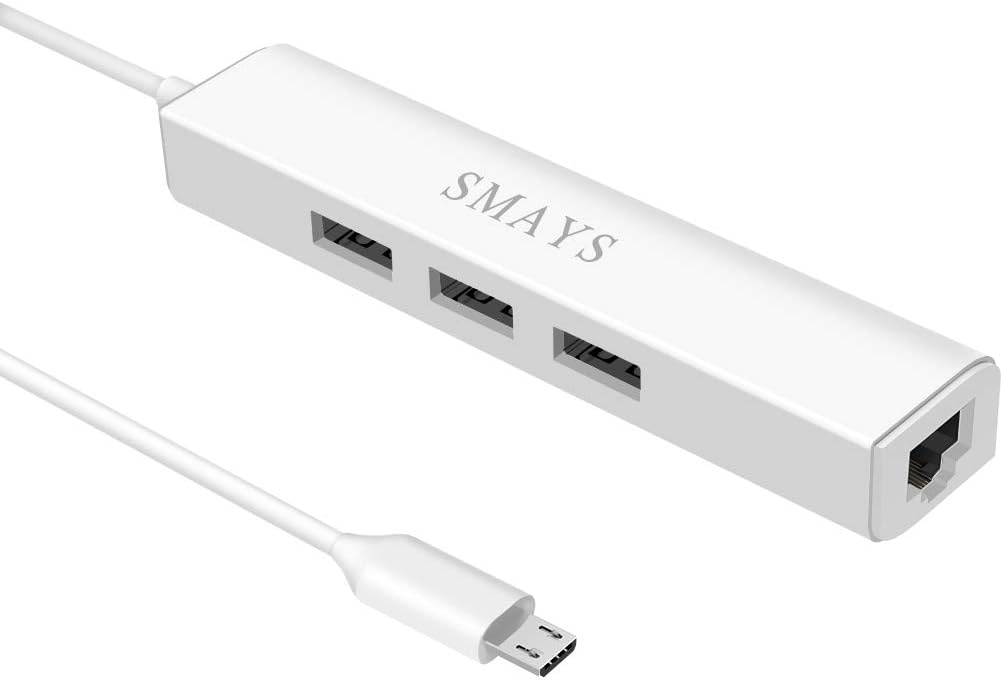
This hub expands connectivity by adding USB ports alongside the Ethernet connection. It allows you to connect external drives or peripherals while maintaining a stable network link.
We may earn a commission when you buy through this link, at no additional cost to you.
The extra ports are great for using a keyboard and mouse to navigate interfaces. You can also connect a flash drive to play local media files directly on your TV.
It requires a separate power supply which adds a bit of complexity. Without enough power the hub might not function correctly or could cause your stick to disconnect.
Users who need to access local files or use peripherals will love this utility. It transforms your stick into a more versatile media center with wired options.
With three USB ports this hub allows you to connect multiple devices like keyboards and drives simultaneously without needing multiple adapters.
Connect a hard drive to play your own video files directly on the TV which is ideal for those who have personal media collections.
We may earn a commission when you buy through this link, at no additional cost to you.
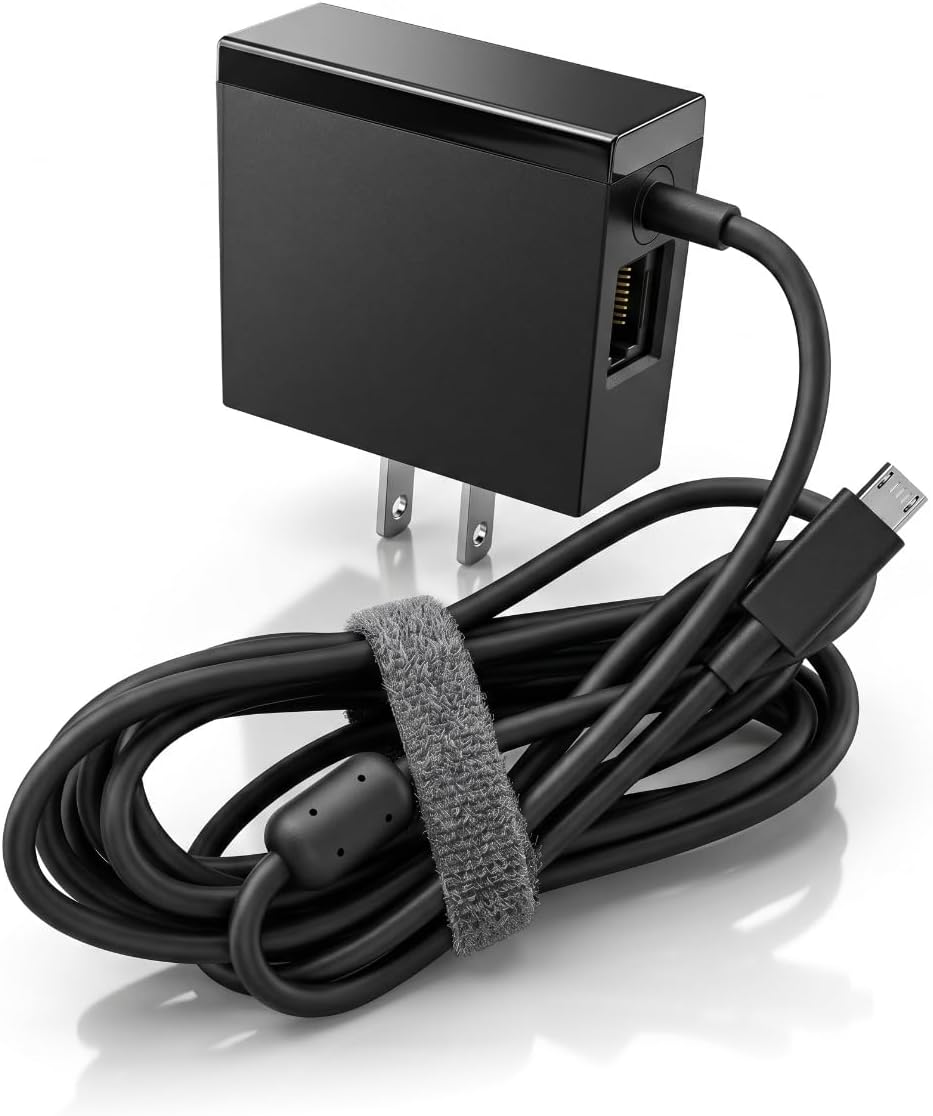
This unit combines power and Ethernet into a single wall plug. It simplifies the setup by removing the need for separate power bricks when connecting to wired networks.
We may earn a commission when you buy through this link, at no additional cost to you.
The design is compact which saves space on power strips. It delivers stable power output which is crucial for preventing disconnections that often occur with weak power supplies.
Speeds are capped at 100Mbps which is sufficient for most streaming. Users should check if this aligns with their internet plan requirements before purchasing for best results.
Those who dislike messy power cables will appreciate this solution. It provides a clean way to power your stick and connect to the internet simultaneously.
The integrated power design reduces the number of cords and adapters you need to manage behind your television setup.
Providing consistent voltage to your device ensures reliable operation even when data transfer is heavy or network traffic is high.
We may earn a commission when you buy through this link, at no additional cost to you.
Choosing the right adapter depends on your specific Fire TV model and your networking needs. Consider the following factors to ensure compatibility and performance.
Check if your device uses Micro USB or USB-C. Newer Fire TV Stick HD models often use USB-C while older ones use Micro USB. Buying the wrong type will not work.
Verify the port on your stick before purchasing to ensure a secure fit and proper power delivery.
Most adapters offer 10/100 Mbps which is enough for 4K streaming. Some advanced models support Gigabit speeds for faster downloads but may cost more.
Consider your internet plan speed to decide if standard Ethernet or Gigabit Ethernet is necessary for your usage.
Some adapters draw power from the stick while others need an extra USB power cable. Ensure your setup can provide enough power to run both the adapter and the stick.
Look for included power cables or wall adapters if you have space constraints or need extra power.
Adapters made of aluminum dissipate heat better than plastic ones. This ensures the device does not overheat during long streaming sessions.
Choose a model with a sturdy casing to protect against accidental drops or cable tugs.
Cables can add weight to the port causing stress. Adapters with adhesive tapes or clip mounts help secure the device to prevent connection loss.
A stable mount keeps the port safe and reduces wear over time.
Some adapters include LED indicators to show connection status. This helps you troubleshoot quickly if the network is down without navigating menus.
Visual cues are helpful for non technical users to confirm the internet is active.
Ensure the included cables or power cables are long enough to reach your router or outlet. Short cables can make it hard to position the adapter correctly.
Extra length allows for flexible placement behind your TV or entertainment center.
Trusted brands often offer better support and reliability. Check reviews to see if others experienced issues with your specific Fire TV model.
A good brand increases the likelihood of a smooth setup and long term use.
Start by turning off your Fire TV Stick to avoid any electrical issues. Plug the adapter into the USB port on the stick and then connect an Ethernet cable from your router to the adapter.
Power on your Fire TV Stick and navigate to network settings. The device should detect the wired connection automatically. If it does not try restarting the stick or checking the router.
To maintain the adapter keep it clean and free from dust. Ensure cables are not bent sharply and use adhesive tapes if provided to keep the setup secure.
It depends on the model. Some draw power from the stick while others need an external source. Check your product data to see if a separate power cable is required for stable operation.
Only USB-C specific adapters work with USB-C ports. Standard Micro USB adapters will not connect. Confirm your device port type before buying to ensure compatibility.
Yes wired connections generally reduce buffering and latency. This can significantly improve video quality especially during peak internet usage times.
Yes it is designed to connect to a router via an Ethernet cable. This provides a stable link between your stick and your home network.
Check that the Ethernet cable is connected securely. Ensure the adapter has power and your router is active. Restarting the Fire TV Stick may also help.
No these adapters are plug and play devices. They do not require additional software installation to function correctly with your Fire TV Stick.
We have reviewed ten top options to help you find the perfect wired connection for your streaming setup. From versatile budget choices to high speed options there is a pick for every need.
Prioritize compatibility with your specific Fire TV model to avoid issues. Consider how much you need speed versus simple reliability to narrow your choice effectively.
Prices can change so always verify the latest offers before purchasing. This ensures you get the best value for the adapter that fits your setup.