
Brother Sublimation Printer
4.4Editor score
Compatible with Artspira App
Fast Custom Projects
Genuine Sublimation Ink
Finding the right fabric printing printer can transform your creative projects into professional quality textiles with ease. Whether you are designing custom apparel or creating home decor, choosing a device that delivers vibrant colors and durable results is essential for satisfaction.
We have carefully evaluated the leading models on the market to help you make an informed decision. Our analysis focuses on print quality, speed, compatibility with different materials, and ease of use for both beginners and experienced crafters alike.
Each selection in this list highlights key strengths and potential limitations to give you a clear picture. Prices and availability may change frequently, so please verify the current details directly on the retailer website before making your final purchase decision.
4.4Editor score

4.9Editor score

4.5Editor score
As an Amazon Associate we earn from qualifying purchases.
This side-by-side comparison provides a detailed look at the specifications and capabilities of each top-rated fabric printing printer to help you identify the model that best fits your specific workflow and budget requirements.





This DXZ printer represents the pinnacle of direct-to-film technology for small businesses. It earns an exceptional rating due to its ability to produce professional quality transfers quickly. The machine stands out for its reliability and advanced automation features.
We may earn a commission when you buy through this link, at no additional cost to you.
The F1080 printhead delivers incredible detail and vibrant colors that stay consistent across batches. Its vacation-proof mode ensures the head stays moist and clean even when idle for days. This feature significantly reduces downtime and maintenance headaches.
While the price point is higher than entry-level options, the included supplies and warranty justify the cost. The wide 14 inch print bed allows for larger designs without splicing. This makes it a scalable solution for growing brands.
Buyers looking for a robust, business-ready solution will find this printer invaluable. It balances speed and quality effectively. With professional support and a comprehensive bundle, it is a top choice for serious custom apparel entrepreneurs.
Automated systems protect your investment and keep production flowing smoothly.
Supplies and support are included to help you start printing immediately.
We may earn a commission when you buy through this link, at no additional cost to you.
The Brother Sublimation Printer offers an accessible entry point for DIY crafters. It is highly rated for its ability to create colorful designs on various substrates. The ecosystem is user-friendly and designed for quick projects.
We may earn a commission when you buy through this link, at no additional cost to you.
Using the Artspira app simplifies design creation with over 100 templates available. The genuine sublimation ink ensures that colors look vibrant and professional once pressed. This process yields long-lasting results on polyester materials.
Keep in mind that a heat press is sold separately. Additionally, this printer works best on items with a polyester coating. It is not suitable for cotton without specific transfer media or pre-treatment.
For hobbyists and small shops on a tight budget, this printer provides excellent value. It is ideal for creating custom gifts and personalized items. If you need versatility and low cost, this is a strong contender.
The Artspira app provides templates and editing tools for easy design.
Sublimation ink bonds with polyester for wash-resistant vibrant colors.
We may earn a commission when you buy through this link, at no additional cost to you.
Epson continues its reputation for quality with the SureColor F170 bundle. This printer uses PrecisionCore technology to deliver sharp and vibrant sublimation transfers. It is a favorite among professionals seeking reliable color consistency.
We may earn a commission when you buy through this link, at no additional cost to you.
The bundle includes everything needed to start printing, including genuine ink bottles. These high-capacity bottles reduce the frequency of refills. The closed tray system keeps paper dust-free for cleaner prints.
While it does not support direct email printing, wireless connectivity remains robust. You can manage workflows easily using dedicated software. It is best suited for those who prioritize print quality over speed.
Businesses needing high-volume, high-quality transfers will appreciate this unit. It handles various media well. With its efficient design and support ecosystem, it is a top premium choice for serious sublimation printing.
Precision droplet control ensures superior image clarity and detail.
Auto-stop bottles make refilling clean and reduce waste.
We may earn a commission when you buy through this link, at no additional cost to you.
The PrintModa Studio brings creativity directly to fabric rolls without transfers. It is designed for crafters who want to print home decor and banners easily. The workflow integrates with popular design apps for flexibility.
We may earn a commission when you buy through this link, at no additional cost to you.
Users can choose between vibrant color or eco modes depending on the project. This flexibility helps save ink while maintaining quality. The wireless connectivity allows printing from laptops or mobile devices effortlessly.
Speed is a significant advantage compared to waiting for custom orders. However, the lower rating suggests some limitations in long-term reliability. It is a niche tool for specific crafting needs rather than mass production.
If you enjoy DIY home decor and custom fabric patterns, this printer suits you well. It simplifies the process significantly. For hobbyists wanting a dedicated fabric printer, it offers a unique and convenient solution.
Print directly onto fabric rolls for unique home decor items.
Artspira integration allows for easy editing and design swapping.
We may earn a commission when you buy through this link, at no additional cost to you.
InkSonic pairs a solid machine with exceptional technical support. This bundle is aimed at small businesses needing guidance. The printer supports white ink circulation to prevent settling and clogs during use.
We may earn a commission when you buy through this link, at no additional cost to you.
It comes with a generous amount of ink and supplies to get started. The air suction system keeps film feeding smooth for consistent results. This feature is vital for avoiding wasted material during production.
The 24/7 support team helps users troubleshoot issues quickly. This can be reassuring for those new to DTF printing. The learning curve might be steep initially, but help is available.
If you value hand-holding during the setup and printing phases, this is a great option. It allows you to build a smoother workflow. For small shops wanting reliability and help, this machine is worthwhile.
Phone assistance and manuals guide you through every step.
White ink circulation ensures consistent printing without clogs.
We may earn a commission when you buy through this link, at no additional cost to you.
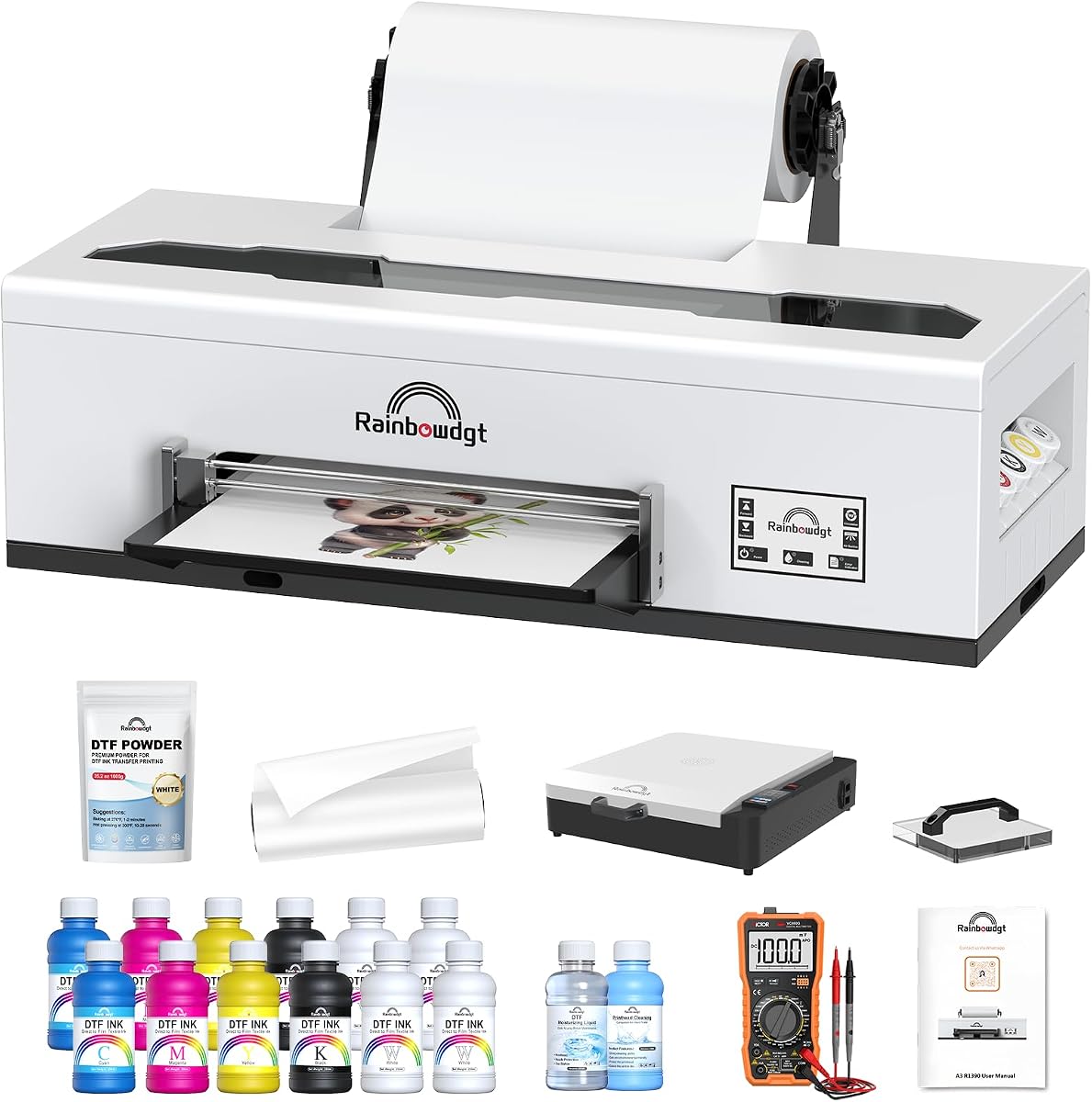
RAINBOWDGT delivers a perfect rated bundle for serious custom apparel makers. The high resolution ensures sharp details that look professional. The vacuum system holds film flat to prevent head strikes.
We may earn a commission when you buy through this link, at no additional cost to you.
Heating elements cure ink instantly before powder application. This minimizes smudging and improves image integrity. It makes the process faster and cleaner for operators. You get a full kit with oven and supplies.
The two-year ink supply is a major selling point for budgeting. It reduces long-term operational costs significantly. Shipping might arrive in multiple packages due to weight. Plan your space accordingly.
This unit is perfect for launching a business with high standards. It handles diverse fabrics well. If you want a high-quality kit with strong guarantees, this printer provides excellent value and performance.
Integrated heating prevents smudging before powder application.
Oven and ink included for immediate production readiness.
We may earn a commission when you buy through this link, at no additional cost to you.
Spark F13 is designed specifically for home-based apparel businesses. It brings DTF capabilities into a compact and manageable form. The printer focuses on lowering long-term ownership costs through efficient features.
We may earn a commission when you buy through this link, at no additional cost to you.
White ink circulation and filtration keep the system running smoothly. Vacuum platen protection reduces wear on the printhead. This adds longevity to a critical component. G7 certification ensures colors match original designs.
You must manage some maintenance manually. Daily routines include checking ink levels. However the dedicated controls make these tasks easy. It is a reliable workhorse for home studios.
If you want to grow a side business without massive overhead, consider this unit. It handles customer orders professionally. With lifetime support, it provides peace of mind for home-based sellers.
Design minimizes ongoing costs for small operators.
G7 certified performance ensures accurate and vivid prints.
We may earn a commission when you buy through this link, at no additional cost to you.
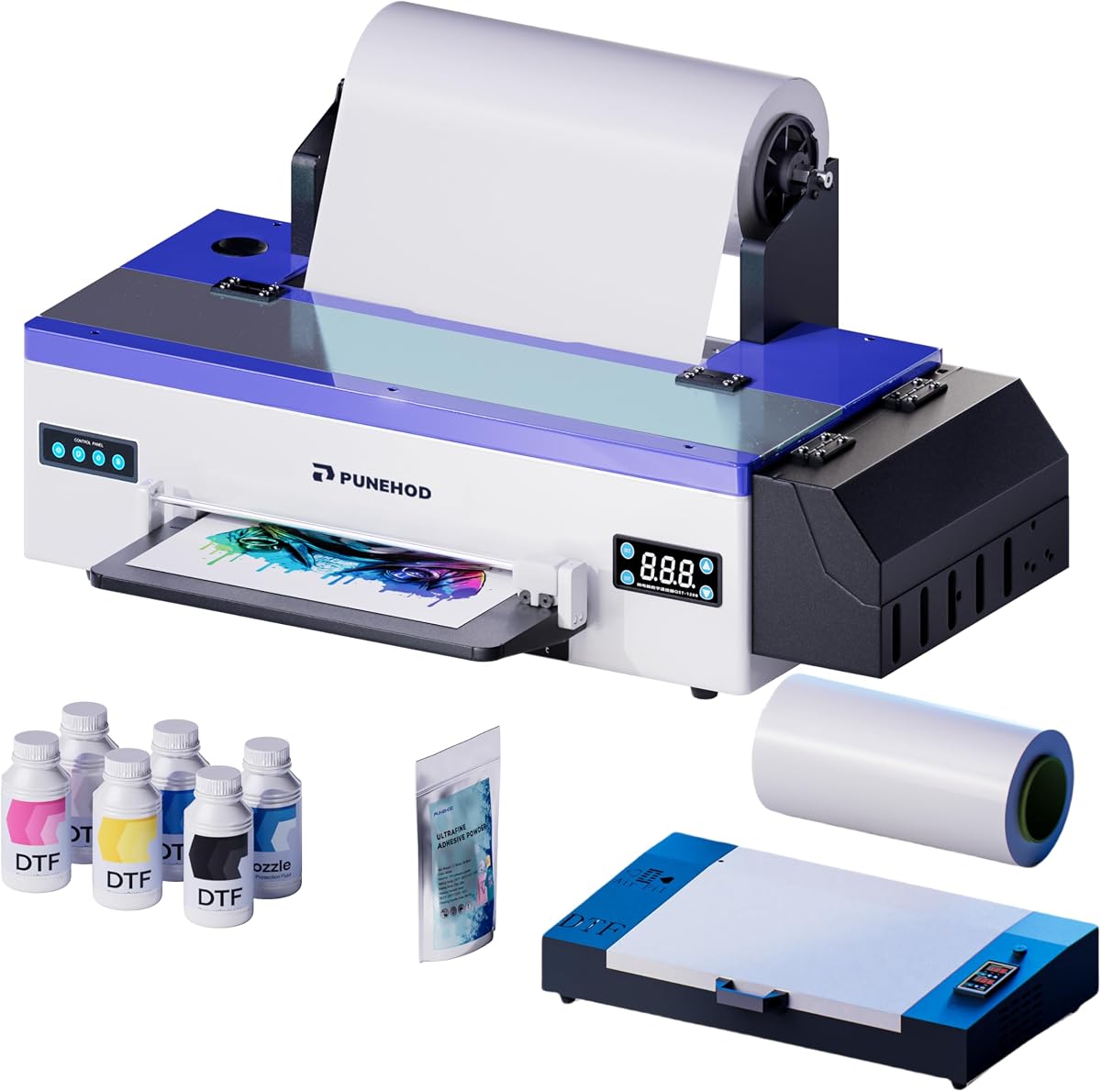
PUNEHOD improves efficiency with a roll feeder and auto cutter. This reduces film waste and streamlines the workflow. It supports continuous printing for larger jobs without stopping manually.
We may earn a commission when you buy through this link, at no additional cost to you.
The double white ink setup ensures solid coverage on dark fabrics. This allows for vibrant colors on black t-shirts. The system includes everything needed to start making apparel right away.
Shipping comes in separate packages to avoid ink leakage. It requires planning for setup. But the comprehensive bundle means you do not need to buy anything else. It is a full solution for DIY shops.
For those needing higher throughput than sheet feeders offer, this is ideal. It handles heavy duty orders well. With strong support and a complete kit, it is a robust choice for expanding production.
Roll system cuts film waste by 30 percent.
Perfect for dark and light fabrics without pretreatment.
We may earn a commission when you buy through this link, at no additional cost to you.
For those without a dedicated printer, these sheets are a great alternative. You can print on them with any standard inkjet printer. They are soft and look like real fabric after cutting.
We may earn a commission when you buy through this link, at no additional cost to you.
The process is simple enough for anyone to try at home. Scan photos and print them onto the sheets. This is perfect for unique gifts or small custom projects.
It is not for mass production but great for personalization. The texture is much softer than cheap transfer paper. It feels more professional on the final item.
If you only need a few items occasionally, this is a budget friendly solution. It avoids expensive equipment costs. Use it for quick custom projects without investing in hardware.
Use your existing inkjet printer for custom designs.
Feeling like real fabric rather than plastic coating.
We may earn a commission when you buy through this link, at no additional cost to you.
TransOurDream offers an upgraded transfer paper for light fabrics. It features a lower melting point for easy ironing. This makes it safe for home use without professional equipment.
We may earn a commission when you buy through this link, at no additional cost to you.
You do not need to mirror your image when printing. This simplifies the workflow for beginners. The transfer is bright and stretchable. It stands up well to washing and wear.
It works best on cotton and white fabrics. You will need an iron or heat press. While it requires manual effort, the results are often very satisfying for small batches.
For occasional DIY gifts or custom shirts, this is a reliable choice. It offers good value for money. If you need a quick solution for light t-shirts, this paper works great.
Lower melting point allows easy iron-on application.
No mirror printing required for image placement.
We may earn a commission when you buy through this link, at no additional cost to you.
Selecting the right printer depends on your specific needs for volume, fabric type, and budget. Here are the key factors to consider when making your purchase.
You must decide between sublimation and direct-to-film (DTF). Sublimation works on polyester and offers long-lasting dye infusion. DTF is versatile for cotton and blends but requires a heat press and powder. Your choice dictates which materials you can print on effectively.
For polyester items, choose sublimation. For mixed fabrics, pick DTF.
Resolution determines the sharpness and detail of your images. Look for at least 2880 DPI for professional quality. Higher DPI helps with fine details in text and photos. Avoid lower resolutions if you plan to sell premium products.
Higher DPI ensures crisp and detailed prints for customers.
The width limits the size of your design without cutting. Standard A3 is 13 inches but some offer 14 inches. A wider bed lets you print larger garments or multiple transfers. This increases throughput for business orders.
Wider widths increase production capacity and design size.
Auto-maintenance features save significant time on upkeep. Circulation systems prevent ink settling and clogging. Vacuum beds keep materials flat. If you plan to run often, these features reduce errors and downtime during busy periods.
Automation reduces maintenance work and prevents clogs.
Check if the printer supports your design software. Some require proprietary apps like Artspira. Others work with standard RIP software. Ensure you can easily send files from your computer or mobile device for a smooth workflow.
Compatible software makes designing and printing easier.
Ink costs can add up quickly. Bundles with extra ink supply save money initially. Refillable tanks are cheaper than cartridges. Check the cost of replacement bottles to estimate long-term expenses for your business.
Check refill costs to estimate long-term spending.
Modern printers offer Wi-Fi and USB options. Wireless allows printing from multiple devices easily. USB ensures a stable connection. Ensure you have the right ports for your current computer setup.
Wireless options provide flexible printing from any device.
Reliable support is critical for hardware issues. Look for brands offering phone or remote help. Warranty coverage on the printhead is important since it is expensive. Good support ensures you get back to work quickly.
Strong support and warranty protect your investment.
Start by setting up the printer on a stable, level surface. Ensure ventilation is adequate for the heat and fumes generated during operation. Connect the device to your network using Wi-Fi or USB before installing the required drivers on your computer.
Perform regular maintenance tasks to prevent print head damage. Run cleaning cycles and check ink levels daily. For DTF printers, keep the agitation system active to prevent powder settling. This routine extends the life of the machine significantly.
When printing, always use recommended media. Test a small file before running a large batch to verify colors. After use, store the machine in a clean, dry area. Cover it to protect against dust and humidity that could damage internal components.
Standard sublimation printers work best on polyester or coated materials. For cotton, you must use special transfer papers or pretreat the fabric. Without these steps, the ink will not bond correctly and the image will wash out easily.
DTF allows for full color designs without setup costs per color. Screen printing is better for very large volumes of simple designs. DTF is more flexible for small batches and custom items without high initial setup.
You should run a nozzle check daily during active use. If you notice missing colors, perform a cleaning cycle immediately. Regular maintenance prevents permanent clogs that could require expensive printhead replacements later.
Sublimation and DTF both require heat application to transfer the image. While direct to fabric printers exist, most systems need a heat press to cure the ink. Always check the manual to confirm specific heat requirements.
Vector files like SVG or AI are ideal for logos and text. For photos, use high-resolution PNG or TIFF files. Always keep your designs in high resolution to avoid pixelation when printed on larger items.
DTF printers can print directly on dark fabrics using white underbase. Sublimation printers generally require light or white polyester. Check the specific model capabilities to ensure it supports the fabric color you need.
The DXZ 2026 model stands out as the top choice for quality and automation. For budget-conscious users, the Brother Sublimation Printer offers great value for simple projects. Each model serves different needs from hobbyists to growing businesses.
Prioritize features that match your specific material requirements and volume needs. Automation and ink savings are crucial for long term profitability. Ensure the software ecosystem fits your current workflow before committing to a machine.
Always check the current prices and bundle details before buying. Specifications and availability can change without notice. Compare multiple vendors to ensure you get the best support and warranty package for your specific purchase.
