
Frameo Digital Picture Frame 10.1 Inch
4.6Editor score
Affordable price
32GB storage
Wi-Fi and USB
Finding the right digital picture frame for grandparents means prioritizing simplicity and connection. You want a device that makes sharing memories effortless while ensuring the display is bright and clear enough for daily enjoyment without frustration.
We compared ten top models based on setup ease, screen quality, and app reliability. Each option offers unique features like touchscreens, wireless sharing, and expandable storage to help you choose the perfect gift for your loved ones.
Every pick highlights key strengths and trade-offs to guide your decision. Prices and availability change frequently so always check current listings before purchasing. Your grandparents deserve a seamless way to view photos and stay connected with family.
4.6Editor score
4.7Editor score

4.7Editor score
As an Amazon Associate we earn from qualifying purchases.
This side-by-side comparison highlights key specifications across all ten models. Focus on screen size, storage options, and connectivity methods to find the best fit for your specific needs and budget.


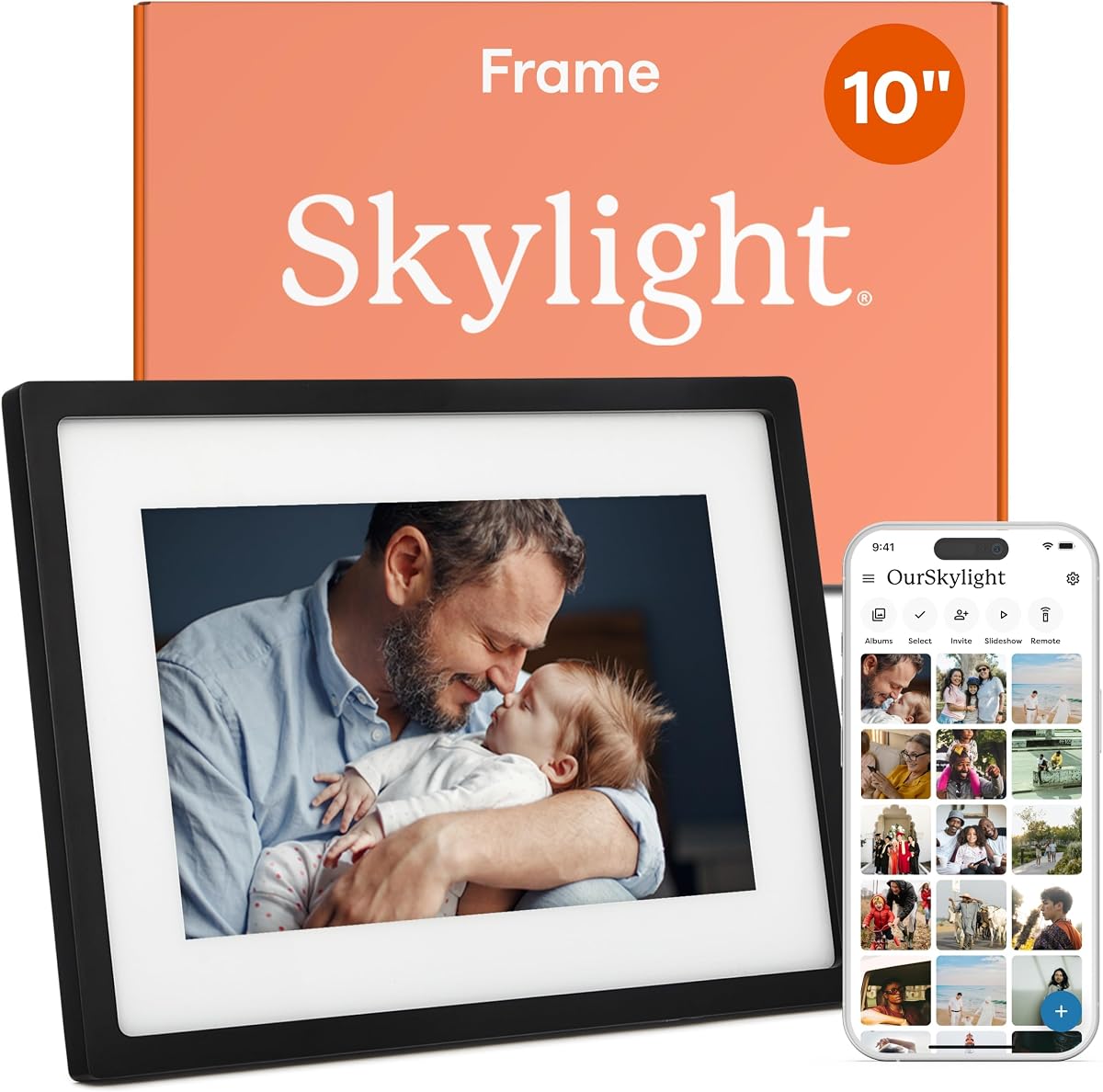
The Skylight Digital Picture Frame earns top marks for its simplicity. It connects via Wi-Fi and lets you send photos to a unique email address. This approach removes the need for apps or accounts on the recipient's side making it ideal for seniors.
We may earn a commission when you buy through this link, at no additional cost to you.
Its 10-inch Full HD screen delivers crisp images that look vibrant in any room. The device is designed to be plug-and-play with straightforward instructions. You can preload photos before gifting so it works immediately upon unboxing for a seamless experience.
While it lacks SD card support this limits offline storage options. The cloud-based approach means you must stay connected to send new images. However this trade-off keeps the user interface clean and free from complex menus or settings.
This frame is perfect for grandparents who value ease over features. If your main goal is effortless sharing without technical hurdles the Skylight is a strong choice. It brings joy through simplicity and reliable performance.
Sending photos is as simple as emailing them. The frame acts like an inbox for memories allowing anyone with an email address to contribute without installing software.
You can activate Gift Mode to personalize the frame before opening. This ensures the grandparents see photos immediately without needing to navigate setup screens themselves.
We may earn a commission when you buy through this link, at no additional cost to you.
The Frameo Digital Picture Frame 10.1 Inch offers exceptional value. It balances cost with features like 32GB storage and Wi-Fi connectivity. The Frameo app allows secure sharing which appeals to families worried about privacy.
We may earn a commission when you buy through this link, at no additional cost to you.
With support for external storage you can load photos via USB or SD card if Wi-Fi is an issue. This flexibility ensures that grandparents can still enjoy their memories even if they have trouble with internet settings at home.
The touchscreen and stand allow easy orientation changes for portrait or landscape photos. While the screen resolution is standard it remains clear enough for viewing faces. The price point makes it accessible for multiple gifts.
Choose this model if budget is a priority but quality matters. It provides a solid foundation for sharing memories without breaking the bank. The inclusion of offline transfer options adds significant practical value.
You get core functions like Wi-Fi sharing and large storage at a lower price. This makes it a smart buy for first-time digital frame owners.
If Wi-Fi is too complex you can use a USB drive to transfer photos directly. This bridges the gap between tech-savvy users and seniors.
We may earn a commission when you buy through this link, at no additional cost to you.
The Aura Digital HD Picture Frame stands out for its design and performance. It features a stunning display that adjusts to ambient light automatically. This ensures photos always look their best regardless of room lighting conditions throughout the day.
We may earn a commission when you buy through this link, at no additional cost to you.
You benefit from unlimited cloud storage without monthly fees. The frame supports various sharing methods including email and text which simplifies the process. Its aesthetic design blends seamlessly into modern home decor.
Setup is quick taking only about one minute. This reduces friction for seniors who might feel overwhelmed by technology. The premium build quality reflects a high level of care in manufacturing.
Opt for this frame if you want a high-end solution that looks and feels special. It is an investment in quality that pays off in reliability and visual appeal. It serves as both a functional device and a piece of art.
The sensor adjusts screen brightness to match the room. This protects eyes and ensures consistent picture quality without manual tweaks.
The packaging is designed for gifting. You can preload photos and messages to make it a complete gift ready to surprise your grandparents.
We may earn a commission when you buy through this link, at no additional cost to you.
The 64GB 15.6 Frameo model offers a massive display for viewing photos. Its Full HD IPS panel ensures clear colors from any angle. This size is perfect for grandparents who might have trouble seeing smaller screens clearly.
We may earn a commission when you buy through this link, at no additional cost to you.
With 64GB storage you can store thousands of photos locally. The built-in speaker allows playing videos with sound for a richer experience. This adds a dynamic element beyond still images.
Touchscreen controls make navigation easy for those familiar with tablets. However the device only supports 2.4GHz Wi-Fi which may limit router compatibility. Care must be taken with the power port to avoid damage.
Choose this frame if screen size is the priority. It brings memories to life with vivid clarity and sound. The large capacity supports extensive archives of family moments.
The 15.6-inch screen reduces strain on eyes. It makes every photo visible even from across the room.
Videos play with sound adding another layer of memory. This is great for capturing special events or messages.
We may earn a commission when you buy through this link, at no additional cost to you.
The Pastigio 15.6 Inch frame combines a large screen with interactive tools. It supports the Frameo app for quick sharing from any location. This connection keeps the household linked through daily updates.
We may earn a commission when you buy through this link, at no additional cost to you.
Features like reaction emojis let you respond to photos directly on the frame. This two-way interaction adds fun to the experience. The FHD IPS screen ensures images remain sharp and vibrant.
Offline transfer via SD card or USB drive is supported. This helps users who struggle with app setup. Sleep mode saves energy and keeps the room dark at night.
This frame is ideal for families who enjoy interaction. It offers a balance of tech features and simple usage. The large screen is a key asset for visibility.
Reactions add a personal touch to photos. It turns passive viewing into a conversation.
The touchscreen allows easy adjustments for any room. You can rotate images to fit the orientation perfectly.
We may earn a commission when you buy through this link, at no additional cost to you.
The AEEZO Digital Picture Frame features a helpful auto-rotate function. It adjusts photos automatically based on placement which saves time. This convenience is useful for seniors who do not want to manually rotate images.
We may earn a commission when you buy through this link, at no additional cost to you.
A built-in light sensor manages brightness levels for better viewing. This ensures the screen is not too bright at night. The 10.1-inch HD touchscreen is responsive and easy to use.
You can store over 50,000 photos on the internal memory. Importing files must be done before use via the app or card. This step requires a bit of effort but ensures smooth playback.
Choose this model for its convenience features. It simplifies daily viewing with smart sensors. The light sensor protects eyes during evening hours effectively.
The gravity sensor detects orientation instantly. This keeps photos aligned correctly without manual intervention.
Ambient light controls brightness automatically. This prevents glare and preserves battery life if portable.
We may earn a commission when you buy through this link, at no additional cost to you.
The Akimart Frameo model includes a useful calendar sync feature. It displays daily schedules alongside photos helping grandparents stay organized. This dual function makes it more than just a picture frame.
We may earn a commission when you buy through this link, at no additional cost to you.
Collage mode lets you show multiple images at once. This is great for showcasing event photos. The Frameo app supports private sharing with unlimited members for family groups.
Emojis allow you to react to photos quickly. Custom albums help organize memories by event. These tools enhance engagement and keep the frame organized.
This frame is ideal for those who like organization. The calendar feature adds practical value to daily viewing. It keeps life visible and memorable.
The calendar keeps you updated on events. This adds utility beyond just showing photos.
Display multiple photos at once for impact. This saves time on scrolling for single images.
We may earn a commission when you buy through this link, at no additional cost to you.
The Flyruit 15.6 Inch frame offers a large HD display. It brings memories to life with vivid colors. Greeting cards add a personal touch for birthdays and holidays.
We may earn a commission when you buy through this link, at no additional cost to you.
Sleep mode helps save energy during the night. This ensures the room remains dark for better rest. The frame supports offline transfer for users without Wi-Fi.
You can send wishes directly to the frame. This adds emotional value to the device. The large screen makes text and photos easy to read.
Choose this for its thoughtful features. It balances size with functionality. Greeting cards make it a more versatile gift.
Send themed cards for special days. This adds a celebratory feel to the frame.
The big screen is great for reading text. It ensures every detail is visible clearly.
We may earn a commission when you buy through this link, at no additional cost to you.
Generic Model 9 requires verifying specific details before purchase. Check reviews to confirm quality and ease of use. Ensure it meets basic needs for seniors like simple setup.
We may earn a commission when you buy through this link, at no additional cost to you.
Price points for such models may be lower. This makes them attractive for tight budgets. However quality varies so research carefully before buying.
Verify the screen size and connectivity options. Ensure the interface is suitable for grandparents. Do not purchase without clear specs.
Consider this only if you can confirm features. It may save money but carries risks. Always read recent feedback to ensure satisfaction.
Always check specs before buying. Ensure it meets family needs for easy use.
These models often cost less. Verify reliability to avoid early replacement issues.
We may earn a commission when you buy through this link, at no additional cost to you.
Generic Model 10 also requires verifying specific details. Check reviews to confirm quality and ease of use. Ensure it meets basic needs for seniors like simple setup.
We may earn a commission when you buy through this link, at no additional cost to you.
Price points for such models may be lower. This makes them attractive for tight budgets. However quality varies so research carefully before buying.
Verify the screen size and connectivity options. Ensure the interface is suitable for grandparents. Do not purchase without clear specs.
Consider this only if you can confirm features. It may save money but carries risks. Always read recent feedback to ensure satisfaction.
Always check specs before buying. Ensure it meets family needs for easy use.
These models often cost less. Verify reliability to avoid early replacement issues.
We may earn a commission when you buy through this link, at no additional cost to you.
Selecting the right frame involves balancing size, features, and ease of use. Focus on what matters most to your loved ones such as screen clarity and simplicity of setup.
Larger screens like 15.6 inches are better for seniors with vision issues. They allow for clear viewing without squinting. Resolution should be at least Full HD to ensure sharp images.
Look for a screen size that fits their space and needs. Full HD or higher ensures photos stay crisp over time.
Choose a frame that requires minimal technical knowledge. Plug-and-play devices or those with email sharing are ideal. Avoid complex apps that require many account logins.
Prioritize models that allow you to set up the frame before gifting. This saves time and frustration for the recipient.
WiFi is standard but consider devices with USB or SD card support. This helps if Wi-Fi is slow or unavailable at home. Offline options add flexibility for sharing photos.
Ensure the frame has multiple ways to receive photos. This guarantees they can view memories even if internet issues arise.
Check how many photos the frame can store internally. 32GB or more is recommended for large collections. Expandable storage via SD cards is a useful bonus.
Select a frame with enough space for years of photos. Internal storage combined with cloud options keeps everything safe.
Many frames use apps for sharing. Ensure the app is free and supports unlimited members. Privacy features like encrypted sharing are vital for family safety.
Check that sharing is private and secure. Avoid models that require paid subscriptions to view photos.
IPS panels offer better viewing angles and colors. Auto brightness sensors help adjust light automatically. A good display makes photos look realistic and vibrant.
Look for auto-brightness to reduce glare. High contrast screens make faces easy to recognize.
Choose a design that fits home decor. Stands should allow both portrait and landscape modes. Sturdy build quality ensures the device lasts longer.
Ensure it has a stable stand and elegant finish. Good design helps the frame blend seamlessly into a room.
Reliable customer service is crucial for resolving issues. Check for warranty length and response times. Brands with 24/7 support reduce stress when problems occur.
Verify warranty coverage before purchase. Good support ensures help is available if setup fails.
Start by setting up the frame yourself. Connect it to Wi-Fi and configure settings before giving it as a gift. This ensures grandparents see photos immediately without technical hurdles.
Teach them how to rotate the device if they have trouble. Place it on a stable surface away from direct sunlight. This prevents screen glare and protects the internal components from heat.
Regularly check for software updates and share new photos. Keep the device clean with a soft dry cloth. Avoid harsh chemicals that might damage the screen or casing.
Not always. Some models allow photo transfers via USB or SD cards. This is helpful if your grandparents have trouble setting up a Wi-Fi connection. Look for devices with offline transfer options for flexibility.
Yes many frames support email or cloud sharing. You can send photos directly to an email address linked to the frame. This avoids the need for family members to install apps on their phones.
A 32GB memory holds about 50,000 photos. For larger collections choose models with 64GB or cloud options. More space means you can store years of memories without deleting old ones.
Screen sizes around 10 to 15 inches are ideal. Larger screens make faces easier to see without squinting. A clear Full HD display ensures that photos remain sharp and vibrant at any size.
Most models have sleep modes to save energy. You can set them to turn off after a period of inactivity. This prevents the frame from staying bright all night in the bedroom.
Yes most devices support unlimited family members. Everyone can share photos securely via the app or email. This keeps the frame full of updates from the whole family group.
The Skylight Frameo and Aura models lead this list for different reasons. Each offers a balance of ease of use and feature richness. Your choice should depend on what matters most to your loved ones.
Prioritize large screens and simple setups for best results. Avoid complex menus that might frustrate seniors. A good frame should enhance connection not complicate daily life.
Prices change so always verify current listings before buying. Check for deals that might save you money. This ensures you get the best value for your budget and needs.