
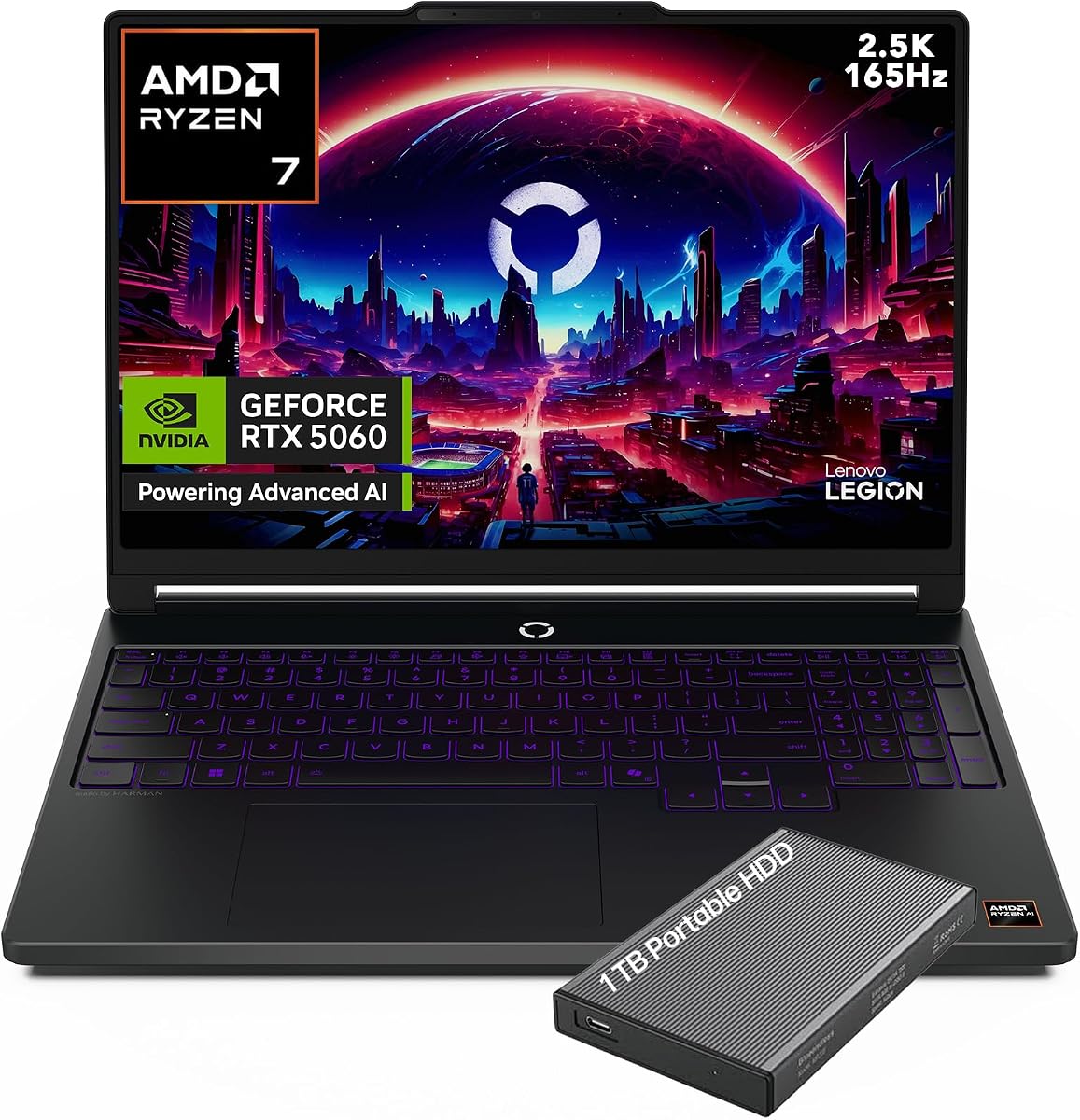
Lenovo Legion 5a Gaming Laptop
5.0Editor score
AMD Ryzen 7 250 Processor
RTX 5060 8GB GDDR7
15.3 Inch WQXGA OLED 165Hz
Gaming laptops with OLED displays offer stunning visuals with deep blacks and vibrant colors that transform your gaming experience into something truly immersive and lifelike.
We compared these ten models based on processor power graphics performance display quality and build design to ensure you find a machine that handles demanding tasks with ease.
Each pick highlights key strengths and weaknesses so you can decide quickly while keeping in mind that prices and availability may shift as new deals emerge soon.
5.0Editor score
4.7Editor score

4.1Editor score
As an Amazon Associate we earn from qualifying purchases.
This table breaks down the essential specifications for each model so you can quickly see how processors graphics and displays stack up against one another.



This model stands out as a budget friendly option that delivers exceptional value with a vibrant OLED screen and powerful specs designed for modern gaming needs.
We may earn a commission when you buy through this link, at no additional cost to you.
The Ryzen 7 processor paired with the RTX 5060 provides smooth frame rates and excellent rendering capabilities for both gaming and creative tasks alike.
While the GPU uses less VRAM than higher end cards the system compensates with fast memory and efficient cooling to maintain consistent performance during long sessions.
Gamers looking for an affordable entry into OLED visuals will find this laptop meets their needs without breaking the bank or sacrificing quality significantly.
The 15.3 inch WQXGA OLED display offers 100% DCI-P3 color coverage and 165Hz refresh rates for fluid motion and rich detail in every scene.
Integrated AMD Ryzen AI provides up to 16 TOPS of NPU performance to support AI enhanced applications and improve workflow efficiency.
We may earn a commission when you buy through this link, at no additional cost to you.
This laptop packs a potent Core i9 processor that excels in demanding workloads making it ideal for users who need raw CPU power alongside gaming.
We may earn a commission when you buy through this link, at no additional cost to you.
The RTX 5070 GPU supports modern gaming titles well while the OLED panel ensures colors pop and blacks are deep for a cinematic feel.
Some users note the glossy screen reflects light and the rating suggests minor issues though overall specs remain impressive for the price point.
Professionals or gamers needing heavy multi-threaded performance will appreciate this balance of speed and display quality in a portable form factor.
With 24 cores and boost speeds up to 5.8GHz this processor handles complex simulations and high frame rate gaming simultaneously.
Gigabit LAN and WiFi 7 ensure stable low latency connections for competitive gaming and large file transfers.
We may earn a commission when you buy through this link, at no additional cost to you.
Another variant of the Legion 5a series offers a high satisfaction rating thanks to its reliable performance and vivid OLED display suitable for daily gaming.
We may earn a commission when you buy through this link, at no additional cost to you.
The 16GB DDR5 RAM handles most modern titles well but power users might consider upgrades for extensive multitasking or video editing projects.
Including an external drive adds value for storing large game libraries without consuming internal SSD space which is often a welcome bonus.
For gamers prioritizing display quality and overall system reliability this machine delivers consistent results without overwhelming complexity or cost.
The included external drive allows you to archive games or media files efficiently freeing up the internal 1TB SSD.
NVIDIA G-SYNC and DisplayHDR True Black 1000 ensure smooth motion and high contrast ratios for immersive gameplay.
We may earn a commission when you buy through this link, at no additional cost to you.
Legion 5i focuses on gaming essentials with a specialized OLED display and cooling system that keeps noise levels low during intense sessions.
We may earn a commission when you buy through this link, at no additional cost to you.
The Core i7 processor delivers robust performance for AAA titles while the included Game Pass gives you immediate access to a vast library of games.
Users who prioritize silence and color accuracy will love the hybrid architecture that balances power consumption with heat dissipation effectively.
This device is perfect for students or enthusiasts who want a polished gaming experience without needing extreme workstation specifications.
Three months of PC Game Pass let you try out hundreds of titles right away adding immediate value to your purchase.
Legion Coldfront Hyper uses turbo charged fans and copper pipes to direct airflow where it matters most.
We may earn a commission when you buy through this link, at no additional cost to you.
This model earns top marks for its combination of raw power and display fluidity making it a favorite among enthusiasts seeking the best visuals available.
We may earn a commission when you buy through this link, at no additional cost to you.
The 240Hz OLED panel is incredibly responsive for fast-paced games while the RTX 5070Ti GPU handles rendering with impressive speed.
Despite the cost the generous 2TB storage and Windows Pro make it a compelling choice for users who need both performance and productivity tools.
If you value high refresh rates and top-end components this laptop delivers a premium experience that few competitors can match today.
240Hz refresh rate ensures motion is silky smooth reducing blur and tearing in competitive shooters and racing games.
Built-in AMD Ryzen AI delivers over 50 NPU TOPS for enhanced local AI tasks and Copilot integration.
We may earn a commission when you buy through this link, at no additional cost to you.
Premium features define this laptop with a massive 16GB VRAM that unlocks high-resolution gaming and complex creative workflows without compromise.
We may earn a commission when you buy through this link, at no additional cost to you.
The Intel Core Ultra 9 processor offers next-gen efficiency ensuring battery life and performance are balanced for mobile professionals.
Some users find the price steep and the rating reflects minor issues but the specs place it at the top for raw capability.
For those needing maximum VRAM and ultra-fast display response this machine justifies its cost with unparalleled hardware capabilities.
With 16GB GDDR7 VRAM this laptop supports 4K gaming and high-resolution textures effortlessly.
DLSS 4 support enhances frame rates and visuals using advanced AI upscaling technology for sharper images.
We may earn a commission when you buy through this link, at no additional cost to you.
The 2026 edition brings a perfect rating reflecting high user satisfaction with its powerful hardware and exceptional visual fidelity for immersive experiences.
We may earn a commission when you buy through this link, at no additional cost to you.
Its RTX 5060 GPU and 32GB RAM ensure smooth performance across a wide range of titles and multitasking scenarios.
The OLED panel remains a standout feature delivering deep blacks that enhance gaming immersion even in bright environments.
Gamers seeking a polished and reliable system with top-tier user feedback will find this model a safe and impressive choice.
A perfect 5.0 rating indicates consistent quality and customer support that buyers value greatly.
High-quality components reduce downtime and maintain peak performance for longer periods.
We may earn a commission when you buy through this link, at no additional cost to you.
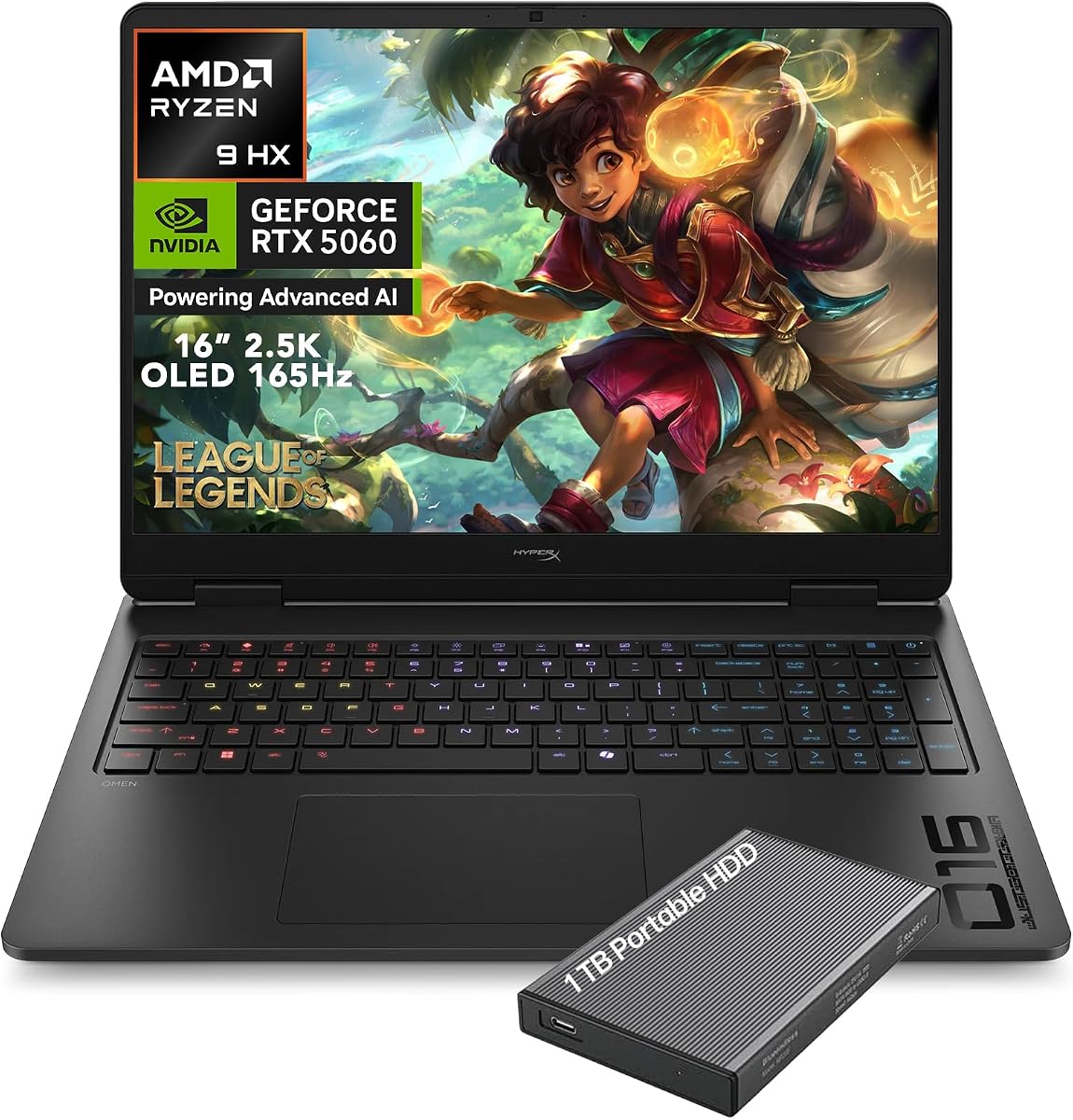
HyperX branding promises superior audio experiences with 3D audio and dual speakers making this ideal for gamers who rely on sound cues.
We may earn a commission when you buy through this link, at no additional cost to you.
The Ryzen 9 processor ensures fast processing while the self-cleaning cooling system keeps the machine running smoothly over time.
Users praising its 5.0 rating enjoy the immersive blend of sound and visuals that this unique partnership delivers.
If audio quality and cooling innovation are priorities this laptop stands out as a refreshing alternative to standard gaming rigs.
HyperX dual speakers with DTS:X Ultra provide spatial 3D audio to locate enemies and immerse in the game.
New self-cleaning fan technology reduces dust buildup maintaining optimal performance and thermals during intense sessions.
We may earn a commission when you buy through this link, at no additional cost to you.
With 1000 nits brightness this OLED panel shines even in lit rooms ensuring vivid visuals without the usual dimness of standard OLED screens.
We may earn a commission when you buy through this link, at no additional cost to you.
The bundle includes a massive 2TB SSD and 32GB RAM providing enough power and storage for extensive libraries and multitasking.
Customizable 24-Zone RGB lighting adds personality and immersion to your setup while the i9 chip handles any task.
High-end users looking for top-tier brightness and storage will find this bundle a perfect all-in-one solution.
Top 1000 nits brightness ensures HDR content pops and colors remain accurate even in bright lighting.
24-Zone RGB keyboard allows deep customization via Legion Studio for unique visual effects.
We may earn a commission when you buy through this link, at no additional cost to you.
A sleek Eclipse Black design pairs with precise TrueStrike keys to deliver a comfortable typing and gaming experience for long sessions.
We may earn a commission when you buy through this link, at no additional cost to you.
The privacy shutter on the webcam adds a security layer for users who value protection during calls or streaming.
High satisfaction ratings reflect the balance of performance and portability in a chassis that feels sturdy yet manageable.
For those prioritizing build quality and keyboard precision this model offers a refined experience with solid hardware fundamentals.
1.6mm key travel and dish keycaps offer tactile feedback for responsive gameplay and precise typing.
Integrated 5MP privacy e-shutter webcam protects your privacy with a physical cover for peace of mind.
We may earn a commission when you buy through this link, at no additional cost to you.
Selecting the right OLED gaming laptop involves weighing display performance against GPU power and portability needs for your specific use cases.
Refresh rate determines how smoothly motion appears on screen. For competitive gaming look for at least 165Hz while 240Hz offers even smoother transitions.
Aim for 165Hz or higher to ensure fluid gameplay and reduced motion blur during fast-paced action.
VRAM is critical for high-resolution textures and ray tracing. 8GB is standard for 1080p or 1440p gaming but 16GB supports future-proofing for 4K.
Check that the GPU has at least 8GB VRAM to handle modern titles without bottlenecks.
Multi-core processors handle multitasking better. Look for at least 8 cores for gaming and 16 or more for content creation tasks.
Higher core counts improve streaming and rendering performance significantly.
Wi-Fi 7 and Bluetooth 5.4 ensure fast stable connections for peripherals and online play. HDMI 2.1 supports external high-refresh monitors.
Ensure the laptop supports Wi-Fi 7 and has enough USB-C ports for accessories.
A quality keyboard with 1.5mm+ travel enhances tactile feedback. RGB zones allow customization but don't let them overshadow cooling or performance.
Prioritize key feel and travel distance over RGB complexity for better ergonomics.
OLED screens consume less power in dark modes but gaming drains battery quickly. Look for fast charging like USB-C PD to reduce downtime.
Choose models with USB-C fast charging to recharge quickly during breaks.
Effective cooling prevents thermal throttling during long sessions. Look for features like vapor chambers or specialized airflow designs.
Robust cooling ensures consistent performance even under heavy load.
Minimum 16GB RAM and 1TB SSD recommended. Upgradeable slots are a plus for future-proofing your system capacity.
Opt for 32GB RAM and 1TB SSD to handle large games and multitasking.
Always enable a screensaver or dim the screen when idle to prevent image burn-in on OLED panels and extend panel lifespan.
Keep your laptop in a well-ventilated space and clean air vents regularly with compressed air to avoid overheating and maintain performance.
Use a calibrated color profile or dark mode settings to balance power consumption and visual quality based on your environment.
OLED panels can suffer burn-in but modern tech mitigates this. Use dark mode and avoid static bright elements for hours. With proper care risk is low.
OLED offers perfect blacks higher contrast and faster response times. This creates deeper immersion and sharper motion for gaming compared to traditional IPS.
Yes most support HDMI 2.1 or USB-C DP 1.4 allowing you to connect external 4K OLED monitors for enhanced desktop or gaming experiences.
16GB DDR5 is the standard minimum today. For heavy multitasking or streaming 32GB ensures smooth performance without slowdowns or stuttering.
Many models have an extra M.2 slot for expansion. Always check the manual to confirm if upgrade options are available for your specific model.
Use dark mode or OLED-friendly themes and lower brightness slightly. These small changes reduce power draw while preserving visual quality.
Wi-Fi 7 offers lower latency and higher throughput. It future-proofs your connection for competitive gaming and rapid large file downloads.
OLEDs generally last 50,000 hours to half brightness. With moderate use this can span 5 to 7 years without visible degradation.
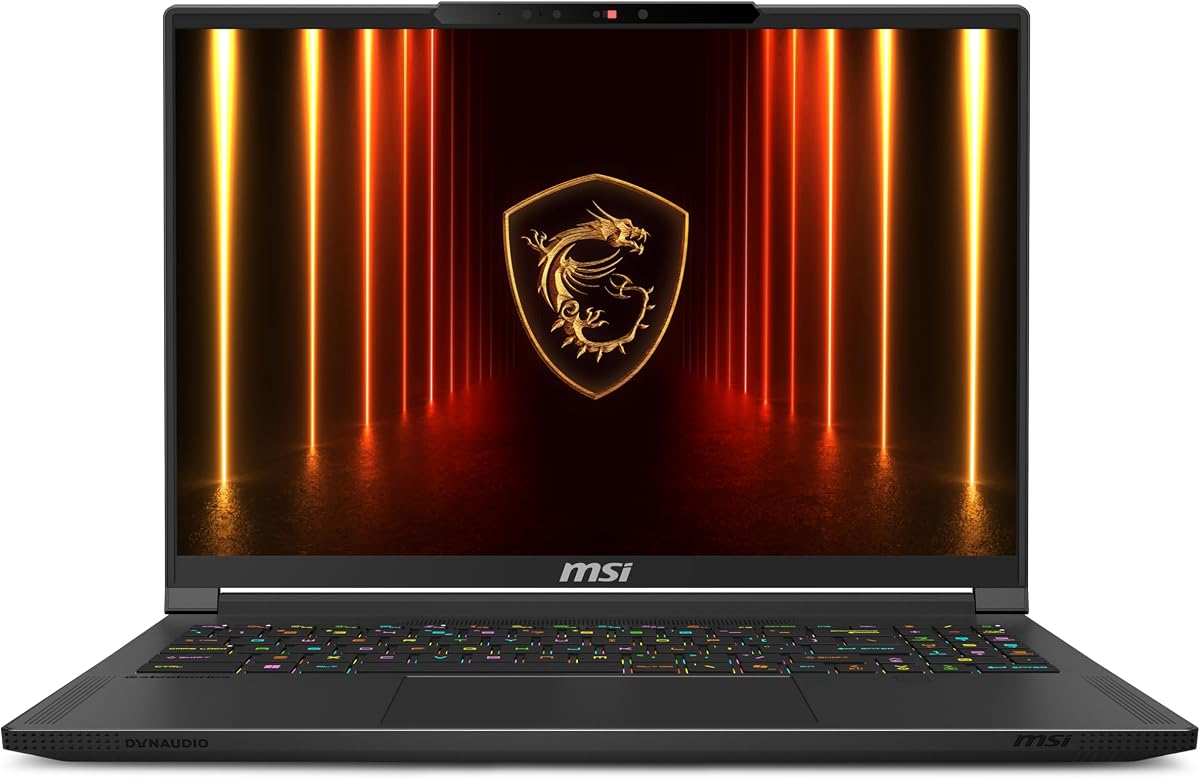
The Lenovo Legion 5a and MSI Stealth series lead the list with their powerful specs and vivid OLED screens.
Prioritize GPU VRAM and refresh rate to ensure smooth gameplay and future-proofing for your next generation titles.
Always verify current stock and pricing before buying as deals and bundles change frequently online.