
EMEET C960 1080P Webcam with Microphone
4.4Editor score
1080p video with privacy cover
Dual omnidirectional microphones
Automatic light adjustment
This guide compares the top 1080p webcams for 2026, evaluating video quality, microphones, privacy features, and compatibility to help you choose the best
In today’s digital world, a reliable 1080p webcam is essential for clear video calls, streaming, and online meetings. Finding the right camera means balancing image quality, microphone performance, and ease of use without breaking the bank.
We compared ten top-rated models based on resolution, lighting correction, privacy features, and software compatibility. Each product was evaluated for real-world performance across popular platforms like Zoom, Teams, and Meet to ensure they meet modern demands.
Each pick highlights key strengths, ideal use cases, and any trade-offs you should consider before buying. Note that prices and availability can change frequently, so check current listings for the most up-to-date information before making your final decision.
4.4Editor score

4.6Editor score

4.4Editor score
The following table provides a side-by-side comparison of all ten models, highlighting key specifications and features to help you quickly identify which webcam best fits your specific needs and budget constraints.




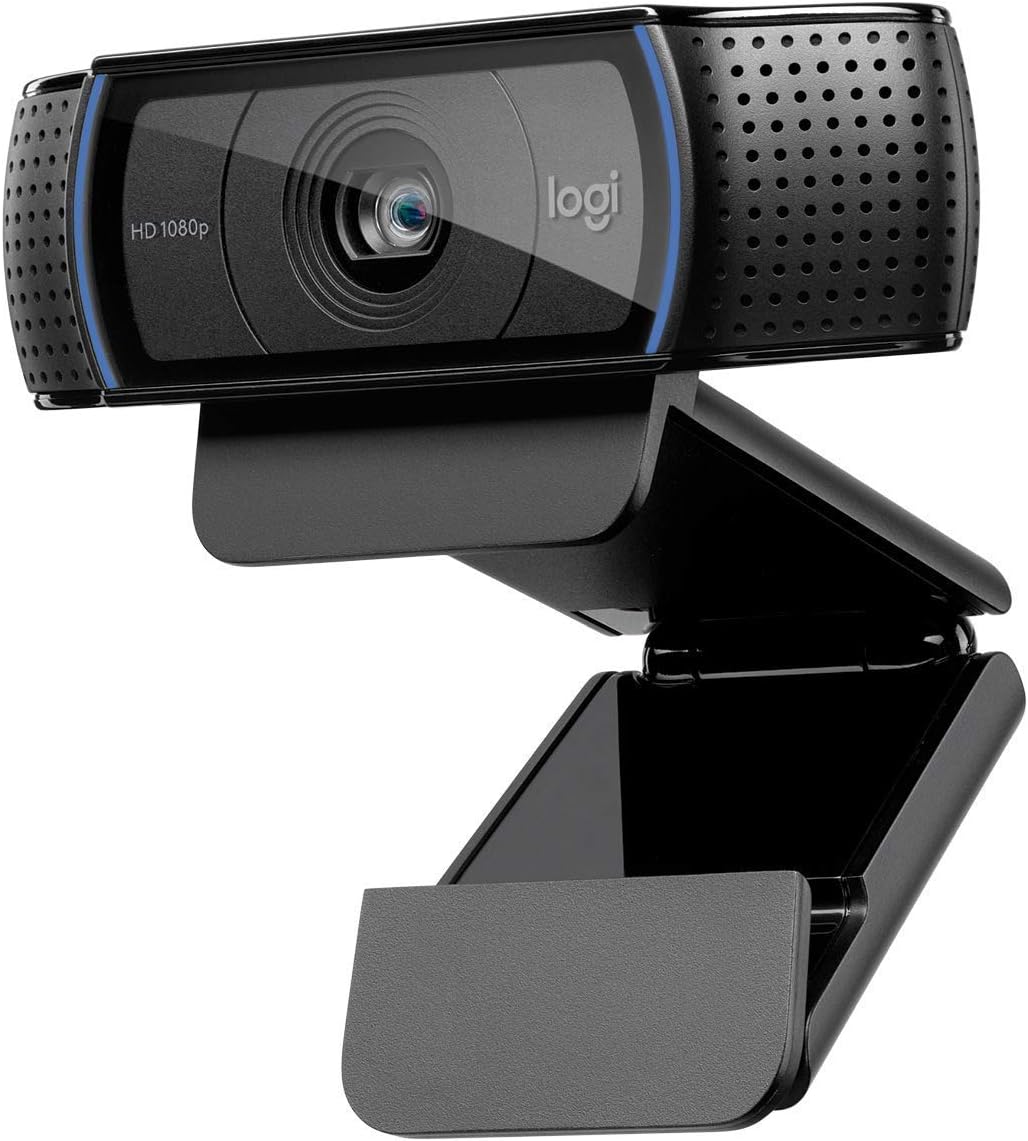


The Logitech Brio 101 stands out as a premium 1080p webcam designed for professionals and streamers. With a 4.4-star rating, it delivers reliable performance across popular video calling platforms like Zoom and Teams.
We may earn a commission when you buy through this link, at no additional cost to you.
Its standout RightLight feature boosts brightness significantly to reduce shadows, ensuring you look clear in various lighting conditions. The privacy slide offers quick access to confidentiality, while the Logi Options+ app allows detailed view customization.
While it offers excellent image quality and durability with recycled plastic, the fixed USB-A cable limits placement flexibility. Still, its balance of features makes it a top choice for those prioritizing consistent meeting quality.
This webcam is ideal for professionals and home office workers needing clear, consistent video with easy privacy controls. If you value brand reliability and smart features over raw budget pricing, this model is a strong recommendation.
RightLight technology boosts brightness by up to 50 percent, helping you look your best even in challenging lighting environments.
The integrated slide cover provides instant privacy when not in use, and the device is crafted with at least 77 percent post-consumer recycled plastic.
We may earn a commission when you buy through this link, at no additional cost to you.
The Logitech C920x earns the Editor's Choice badge for its consistent delivery of sharp 1080p video and natural audio. Rated 4.6 stars, it remains a trusted option for both desktop users and streamers.
We may earn a commission when you buy through this link, at no additional cost to you.
Its HD autofocus and light correction produce razor-sharp images even in low-light settings. The dual microphones capture clear stereo sound, making calls sound more natural without needing external gear.
While it lacks a privacy shutter, the included XSplit VCam license offers software-based background control. The fixed focus range works well for typical desk setups but might need adjustment for dynamic environments.
For users seeking a proven performer with excellent video and audio balance, the C920x is a solid investment. It’s perfect for those who prioritize clarity and platform compatibility over extra hardware privacy features.
Full HD 1080p recording at 30fps ensures crisp, detailed video, while dual mics capture natural sound for all your calls.
The included XSplit VCam license lets you remove or blur backgrounds digitally, enhancing professionalism without a physical green screen.
We may earn a commission when you buy through this link, at no additional cost to you.
The EMEET C960 is a top budget pick, offering 1080p video and dual microphones at an accessible price point. With a 4.4-star rating, it delivers reliable performance for everyday video calls and streaming.
We may earn a commission when you buy through this link, at no additional cost to you.
Its automatic exposure adjustment helps maintain stable image performance in well-lit environments. The 90-degree wide-angle lens captures more participants, while the removable privacy cover adds essential security for personal use.
Fixed focus works best for standard desk distances, but it may struggle if you move frequently during calls. Also, it does not support Windows Hello, which limits biometric login options for some users.
This webcam is ideal for students or home offices needing solid performance without breaking the bank. If you want privacy controls and decent lighting handling on a budget, the C960 is a smart choice.
Features both USB Type-A and A-to-C adapter connections for wider compatibility with modern laptops and desktops.
Dual omnidirectional microphones pick up voice clearly, while the five-layer anti-glare lens ensures smooth video presentation.
We may earn a commission when you buy through this link, at no additional cost to you.
The Logitech C920S brings peace of mind with its snug privacy shutter, making it a secure choice for shared spaces. Rated 4.6 stars, it continues the trusted legacy of the C920 series with full HD performance.
We may earn a commission when you buy through this link, at no additional cost to you.
Its glass lens and autofocus produce vibrant, detailed recordings suitable for both calls and content creation. The stereo audio ensures your voice sounds natural, and the shutter adds physical protection for the lens.
While it lacks the VCam license found in some X versions, the core imaging features remain top-notch. The shutter is convenient but may feel less seamless than a slide cover for frequent on-off switching.
This model is perfect for users prioritizing security and solid performance without extra software. If a physical privacy barrier is important to you alongside reliable 1080p quality, the C920S fits the bill well.
The built-in privacy shutter gives you full control over what you show, protecting both the lens and your personal space.
Full HD 1080p recording captures crisp images, while stereo mics ensure clear audio for professional and casual calls.
We may earn a commission when you buy through this link, at no additional cost to you.
The Logitech C920e is designed for business environments, offering Zoom certification and reliable integration with Microsoft Teams. With a 4.6 rating, it ensures seamless connection quality for professional meetings.
We may earn a commission when you buy through this link, at no additional cost to you.
Its 78-degree field of view frames individual users well, and the omnidirectional mics capture audio clearly from up to one meter away. The attachable privacy screen provides easy visual confirmation of lens status.
While it features a sturdy clip for monitors and laptops, the fixed field may limit wide group sharing. Still, for corporate or remote work setups, its certification and management tools are invaluable.
This webcam is ideal for businesses needing certified equipment that integrates smoothly with existing video systems. If reliability and compliance matter more than personal streaming features, the C920e is a strong pick.
Certified for Zoom and TAA compliant, ensuring seamless compatibility with workplace video calling applications like Microsoft Teams.
The attachable privacy screen flips to cover the lens, and Logitech Sync software helps manage devices across your organization.
We may earn a commission when you buy through this link, at no additional cost to you.
The NexiGo N60 offers a balanced mix of features including a privacy cover and noise-canceling microphone. Rated 4.3 stars, it delivers clear video and sound suitable for most video conferencing needs.
We may earn a commission when you buy through this link, at no additional cost to you.
Its 3.6mm glass lens produces crisp images optimized for distances between 20 inches and 13 feet. The noise-canceling feature helps reduce ambient noise, making your voice clearer in noisy environments.
It supports a wide range of operating systems and works well with major platforms like Zoom and Skype. However, it is not compatible with gaming consoles, which limits its versatility for streaming on Xbox or PlayStation.
This model is great for general users needing a simple, reliable webcam with essential privacy features. If you prioritize ease of setup and broad compatibility without spending much, the N60 is worth considering.
The built-in noise-canceling microphone reduces ambient noise to enhance sound quality, making it great for calls and streaming.
Works with Windows, macOS, Linux, and Chrome OS without additional drivers, making it ready to use in under a minute.
We may earn a commission when you buy through this link, at no additional cost to you.
The EMEET S600 leverages a high-definition Sony sensor and PDAF autofocus for smooth, detailed video. Rated 4.4 stars, it’s designed for streamers and creators who need consistent performance in dynamic settings.
We may earn a commission when you buy through this link, at no additional cost to you.
Its PDAF technology offers faster and more precise focus than standard autofocus, while auto light adjustment balances shadows and highlights. At 1080p, the adjustable FOV allows focus on yourself or surroundings flexibly.
While excellent for streaming, the software is required to unlock all features, and 4K mode fixes the field of view. Still, its rugged build and integrated privacy cover make it a durable, secure option.
This webcam suits content creators needing quick focus and quality lighting control. If you value advanced tech like PDAF and are willing to use companion software, the S600 stands out.
PDAF autofocus provides faster speed and higher precision, and auto light adjustment ensures clarity even in low-light environments.
Premium microphones filter background noise, and the FOV adjusts between 40 and 73 degrees at 1080p for versatile framing.
We may earn a commission when you buy through this link, at no additional cost to you.
The original Logitech C920 remains a solid choice for users needing dependable 1080p video without extra frills. With a 4.6 rating, it’s known for consistent performance and broad platform support.
We may earn a commission when you buy through this link, at no additional cost to you.
Its HD autofocus and glass lens produce detailed, crisp video suitable for desktop or laptop use. The dual microphones deliver clear audio, and the adjustable clip fits most monitors and laptops securely.
While it lacks modern privacy features like a shutter, its core imaging performance remains competitive. It may feel outdated compared to newer models, but its reliability keeps it a favorite for many.
This webcam is ideal for users seeking a proven, no-fuss option for everyday video calls. If you value longevity and image quality over new features, the C920 still holds its own.
Full HD 1080p recording with a glass lens and HD autofocus ensures sharp, detailed images in any environment.
Dual built-in microphones capture natural sound during calls, so you don’t need external audio gear for quality meetings.
We may earn a commission when you buy through this link, at no additional cost to you.
The Logitech Brio 105 brings business-grade features to a budget-friendly price. Rated 4.4 stars, it offers clear 1080p video with RightLight 2 technology for automatic image improvement.
We may earn a commission when you buy through this link, at no additional cost to you.
Its integrated privacy shutter provides added confidence during remote work, and it works well with Google Meet and Chromebooks. The plug-and-play design makes setup straightforward, requiring no extra software.
While it lacks advanced customization options, its core imaging and privacy tools meet daily needs effectively. It’s a solid entry for professionals needing reliability without complex configuration or high costs.
This model is perfect for businesses or individuals wanting professional performance on a budget. If you prioritize ease of use and privacy features over advanced settings, the Brio 105 fits well.
RightLight 2 technology automatically improves image quality in suboptimal conditions, so you look natural during calls.
The integrated privacy shutter gives employees extra confidence that their privacy is protected, especially when working from home.
We may earn a commission when you buy through this link, at no additional cost to you.
The renewed Logitech Brio 100 offers full HD 1080p video at an accessible price. Rated 4.5 stars, it provides a reliable option for those looking to save without sacrificing basic quality.
We may earn a commission when you buy through this link, at no additional cost to you.
With a 58-degree field of view, it focuses on capturing you clearly during calls. The built-in microphone ensures convenient audio capture, and the plug-and-play design works seamlessly with popular apps.
While it lacks modern privacy features and has a narrower view, its image quality remains clear. As a renewed product, it may show minor cosmetic wear, but performance is expected to be consistent.
This webcam is ideal for budget-conscious users needing solid performance for regular calls. If you want a trusted brand at a lower cost and don't need advanced features, this renewed model is a good start.
Up to Full HD 1080p resolution at 30fps ensures clear and smooth video streaming and recording for all your meetings.
Easy USB connection works seamlessly with popular video conferencing applications, and the built-in mic avoids extra equipment.
We may earn a commission when you buy through this link, at no additional cost to you.
Choosing the right 1080p webcam involves balancing several key factors to match your specific usage scenario and environment. This section breaks down the most important features to consider.
While all models here offer 1080p resolution, frame rates vary from 30fps to 60fps. Higher frame rates like 60fps deliver smoother motion which is useful for streamers or active meetings.
Prioritize at least 1080p 30fps for clear professional calls, but consider 60fps if you plan to stream or record dynamic content.
Light correction technology adjusts exposure to help you look clear in poor lighting, and autofocus ensures you stay sharp when moving slightly during calls.
Look for cameras with automatic light balance and HD autofocus to maintain consistent image quality without manual adjustments.
Built-in microphones vary in quality; some offer stereo audio or noise-canceling for clearer voice capture. External mic options may be needed for professional setups.
Choose a model with dual or noise-canceling microphones if you do not use external audio gear for meetings.
Privacy shutters or sliding covers provide physical protection for your lens when not in use. This feature adds essential security, especially for remote work environments.
Always look for integrated privacy covers if you value added peace of mind and safety during non-call periods.
A wider field of view captures more people and surroundings, while a narrower one focuses on you alone. The right choice depends on your workspace size and meeting needs.
Opt for 90-degree FOV for group calls or 58 to 78 degrees for individual professional use.
Check that the webcam works with your preferred platforms like Zoom, Teams, or Meet. Some models include software licenses or customization tools for advanced features.
Ensure plug-and-play compatibility and verify any extra software requirements before purchasing to avoid setup headaches.
Durable clips and adjustable mounts help position the camera securely on laptops or monitors. Materials like recycled plastic can also indicate long-term durability and sustainability.
Look for sturdy mounting options and quality build materials to ensure stability and longevity.
Prices vary widely based on features, brand reputation, and included extras like VCam licenses. Renewed models offer lower costs but may lack warranties.
Balance your budget with essential features you need daily to avoid overpaying for unused capabilities.
Start by connecting the webcam directly to a main USB port on your computer for the most stable performance. If using a hub or docking station, ensure it provides sufficient power to avoid connectivity issues during long calls.
Adjust your lighting to face a light source rather than sitting with a window behind you. This helps the camera’s auto-light features work effectively and reduces shadows on your face for clearer video.
Regularly clean the lens with a soft, lint-free cloth to prevent smudges and maintain image sharpness. Keep the privacy shutter closed when not in use to protect the lens from dust and accidental damage.
1080p webcams offer higher resolution than 720p models, producing sharper and more detailed video. This improvement is especially noticeable on larger monitors or when recording content. For most professional meetings and streaming, 1080p provides a more polished appearance.
Most models are plug-and-play and do not require driver installation. They work immediately with USB 2.0 or 3.0 ports. However, some may offer optional software for customization or advanced features beyond basic video capture.
Yes, most webcams listed are compatible with macOS versions from 10.7 or 10.14 depending on the model. Always check specific system requirements before purchasing to ensure full functionality with your device.
These webcams work with popular platforms like Zoom, Microsoft Teams, Google Meet, Skype, and OBS. Some models also include software licenses for background removal or video editing to enhance your presentation quality.
Most do not work with Xbox, PlayStation, or Nintendo Switch except for specific modes like GameChat on Switch 2. For console gaming, check compatibility details carefully as many models support only PCs and Macs.
To improve quality, ensure proper lighting by facing light sources and avoid backlighting. Clean the lens regularly, and adjust camera settings for brightness and exposure in your video app. A stable surface also helps reduce shaky video.
Renewed products often undergo inspection and testing to ensure functionality similar to new items. While they may show minor cosmetic wear, they typically perform well. However, warranty terms may differ, so review seller policies before buying.
For frequent recording, look for webcams with high-resolution sensors and autofocus capabilities. Models with good microphones and software support can streamline your workflow. Storage space is also important to save your recorded files.
The Logitech C920x leads as our Editor's Choice for its balance of sharp video, natural audio, and platform compatibility. Budget seekers may prefer the EMEET C960 which offers strong privacy controls and performance at a lower price.
When choosing, prioritize features like lighting correction, microphone quality, and privacy controls based on your main use cases. Business users might lean toward certified models while streamers could favor higher frame rates.
Remember to check current prices and availability since listings can change frequently. Selecting the right 1080p webcam ensures you stay clear, professional, and connected in every video call you take.