
NexiGo N60 1080P Webcam
4.3Editor score
Full HD 1080P video quality
Built-in noise cancelling microphone
Privacy cover included for security
This guide compares the top external webcams for Mac including 4K options and budget picks to help you find the perfect camera for video calls and streaming.
Finding the right external webcam for your Mac can transform your video conferencing experience significantly. Modern professionals need crisp visuals and clear audio to communicate effectively during remote meetings and creative projects alike.
We compared ten highly rated models based on image quality audio performance and Mac compatibility. Each product offers unique features ranging from 4K resolution to advanced privacy covers for secure everyday use.
Each pick highlights key strengths and ideal use cases for different users. Prices and availability may change so please verify current details before making your final purchasing decision for your setup.
4.3Editor score

4.6Editor score

4.6Editor score
Below is a detailed side-by-side comparison of all ten products featured in this guide to help you evaluate their specifications and features against one another easily.


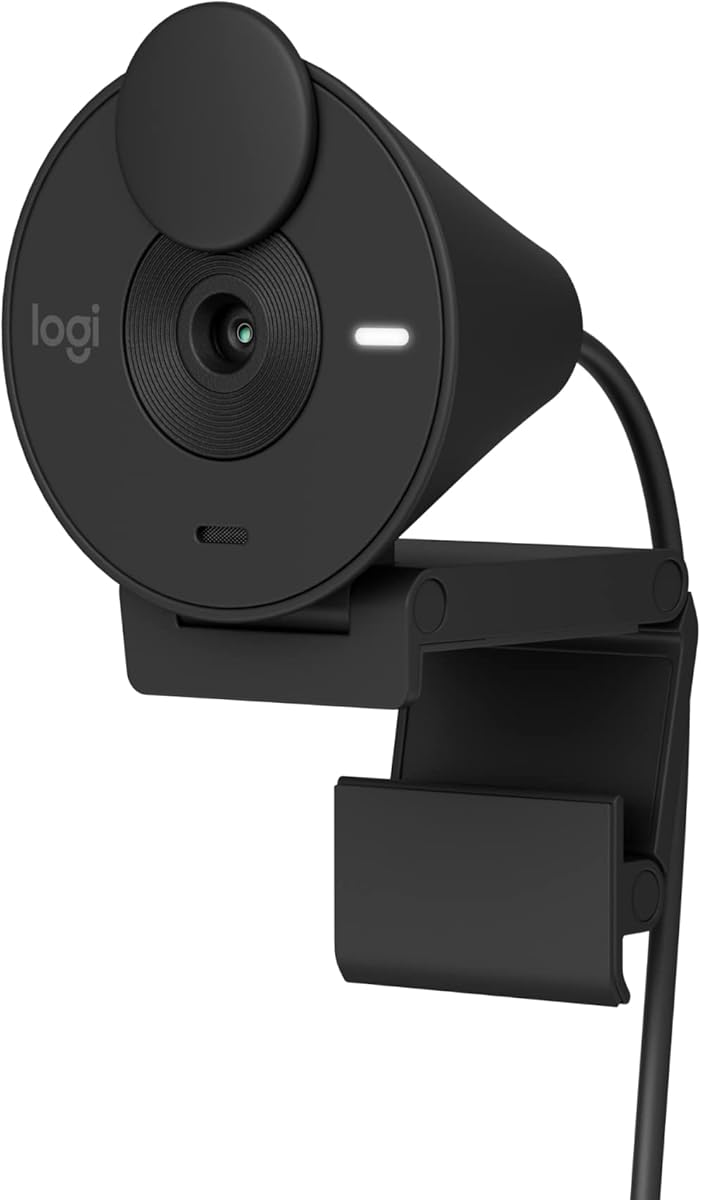


The Acer 4K Webcam stands out as a top choice for Mac users needing premium video quality. With a genuine Sony 1/2 sensor it delivers exceptional clarity and low-light performance that rivals much more expensive models.
We may earn a commission when you buy through this link, at no additional cost to you.
Its Phase Detection Autofocus ensures you stay sharp during movement without lag or blur. The dual noise reduction microphones capture clear audio even in busy environments making it ideal for professional meetings and streaming alike.
While the USB-C connection might require an adapter for older Macs the build quality compensates with its aerospace-grade aluminum body that dissipates heat effectively. The magnetic privacy cover snaps on securely without adding bulk.
Professionals and content creators who prioritize image fidelity should consider this webcam highly. It offers a robust feature set in a compact form factor that integrates seamlessly into any modern workspace setup.
The large Sony 1/2 sensor captures balanced true-to-life visuals with exceptional detail and color accuracy for professional presentations.
Dual high-sensitivity digital microphones filter out background noise ensuring your voice remains clear and natural during calls.
We may earn a commission when you buy through this link, at no additional cost to you.
The Anker PowerConf C200 brings 2K resolution to the mid-range market making it a strong contender for Mac users. Its ability to capture crisp images in dim settings ensures you look professional even without ring lights.
We may earn a commission when you buy through this link, at no additional cost to you.
AI noise cancellation helps maintain audio clarity during virtual meetings which is often overlooked in cheaper webcams. Customizable viewing angles via software give you flexibility to frame your shot perfectly for different tasks.
While the build is predominantly plastic it remains durable for daily office use. The sliding privacy cover is easy to access and adds a necessary layer of security when the camera is not in use.
This model is perfect for users seeking better than standard HD quality without breaking the bank. It balances performance and affordability effectively for general video conferencing needs.
Dual mics paired with AI noise cancellation ensure voices are crystal clear even in noisy environments.
Choose from multiple viewing angles via software to frame your perfect shot during any type of call.
We may earn a commission when you buy through this link, at no additional cost to you.
The EMEET C960 offers true 4K resolution at an accessible price point making it a fantastic value for Mac users. It captures ultra-clear visuals that make remote meetings feel more immersive and engaging.
We may earn a commission when you buy through this link, at no additional cost to you.
Phase Detection Autofocus technology ensures you stay sharp during movement while auto light correction handles varying lighting conditions. The dual omnidirectional mics capture natural audio that enhances communication during remote sessions.
Users must manually switch to 4K via software or apps as it defaults to 1080P. This small step is a fair trade-off for the high-quality sensor and versatile mounting options it provides.
Ideal for educators and professionals who need clear video without complex setups. Its broad compatibility ensures it works smoothly with Mac OS and major conferencing platforms.
Experience ultra-clear video conferencing with a genuine 4K CMOS sensor for detailed visuals.
Adapt to your needs with flexible mounting options including tripod thread and adjustable axis.
We may earn a commission when you buy through this link, at no additional cost to you.
The NexiGo N60 is a reliable budget option for Mac users needing basic HD video. It produces sharp videos up to 1080P which is sufficient for most daily conferencing and streaming needs.
We may earn a commission when you buy through this link, at no additional cost to you.
Its built-in noise-canceling microphone reduces ambient noise to enhance sound quality making it great for general use. The privacy cover provides peace of mind when the camera is not active ensuring security.
Fixed focus is optimized for indoor distances so you should position yourself correctly for best results. This simplicity makes it easy to use right out of the box without extra configuration steps.
Perfect for students and casual users who want a straightforward webcam. It offers essential features without a high price tag.
Power by 1080p FHD two-MP CMOS it produces exceptionally sharp and clear videos for everyday use.
The privacy cover blocks the lens when not in use helping provide security and peace of mind.
We may earn a commission when you buy through this link, at no additional cost to you.
The Logitech Brio 100 is a dependable Full HD webcam designed for simple meeting needs. Its Auto-Light Balance boosts brightness to reduce shadows ensuring you look your best in various lighting conditions.
We may earn a commission when you buy through this link, at no additional cost to you.
The integrated privacy cover makes it easy to secure your space when not on a call. The built-in microphone allows others to hear you clearly during video calls without needing extra hardware.
While it lacks autofocus the fixed focus works well for standard desk setups. The eco-friendly design using recycled plastic adds a positive note for environmentally conscious buyers.
Ideal for home office users who prioritize reliability and ease of use. It pairs well with most video calling platforms for seamless connectivity.
RightLight boosts brightness by up to 50% reducing shadows so you look your best.
Made with a minimum of 34% post-consumer plastic for a sustainable option.
We may earn a commission when you buy through this link, at no additional cost to you.
The Logitech Brio 301 is a professional-grade webcam certified for Zoom and Microsoft Teams. Its Full HD 1080p resolution provides natural image quality that helps you look like the real you on meeting apps.
We may earn a commission when you buy through this link, at no additional cost to you.
RightLight 2 technology automatically compensates for poor lighting conditions so you are always seen clearly. The spin privacy shutter offers instant privacy control when you do not need to be on screen.
Using the Logi Tune app you can customize your video experience to match your preferences. This added layer of control is beneficial for users who want to tweak settings regularly.
Great for business users needing certified reliability and consistent performance. It balances professional features with ease of use.
Spin the webcam privacy shutter to block the camera lens instantly when you don't need to be on screen.
Enjoy the free Logi Tune app to customize your video experiences such as adjusting color and image quality.
We may earn a commission when you buy through this link, at no additional cost to you.
The Logitech C920e is a trusted choice for professional video conferencing with Mac. Its HD autofocus ensures you are seen clearly throughout calls while automatic light correction optimizes optics for good appearances.
We may earn a commission when you buy through this link, at no additional cost to you.
Two integrated omnidirectional microphones capture audio clearly from up to one meter away so your voice sounds natural. The attachable privacy screen flips up and down to cover the lens easily when needed.
Its sturdy adjustable clip makes it easy to mount on monitors or laptops. This versatility is complemented by 1/4 threads for tripod mounting providing more flexible placement options.
Perfect for business environments requiring certified compatibility and reliable performance. It delivers consistent quality for workplace communications and meetings.
Built-in HD autofocus ensures you are seen clearly throughout your video calls without manual adjustments.
An attachable privacy screen flips up and down to cover or expose the lens easily.
We may earn a commission when you buy through this link, at no additional cost to you.
The Logitech C922x is a top-tier choice for creators needing versatile video options. It delivers Full HD 1080p at 30fps or smooth 720p at 60fps for fluid motion during streaming sessions.
We may earn a commission when you buy through this link, at no additional cost to you.
HD lighting adjustment produces bright razor-sharp images even in low-light settings. Stereo audio with dual mics captures natural sound during calls which is crucial for engaging content.
The included XSplit VCam license allows background removal without a green screen. While it lacks a shutter the advanced features justify the premium price for serious users.
Ideal for streamers and professionals demanding high customization. It offers the best balance of performance and tools for content creation.
Choose between 1080p at 30fps or 720p at 60fps to match your streaming or calling needs.
The included XSplit VCam license lets you remove replace and blur your background without a green screen.
We may earn a commission when you buy through this link, at no additional cost to you.
The Logitech C920S is a classic webcam known for reliable Full HD quality. Its privacy shutter puts you in control of what you show protecting the lens securely when not in use.
We may earn a commission when you buy through this link, at no additional cost to you.
HD autofocus ensures razor-sharp high definition in every environment. Stereo audio with dual mics captures natural sound on calls and recorded videos enhancing the overall experience.
While it is an older model it remains a robust choice for daily conferencing. The privacy shutter is a standout feature often missing from competitors at this price point.
Suitable for general office use and home schooling. It offers consistent quality and security features that are practical for everyday tasks.
Webcam comes with privacy shutter putting you in control of what you show and protecting the lens.
Full HD 1080P video calls ensure premium video quality that makes you look like a Pro.
We may earn a commission when you buy through this link, at no additional cost to you.
The Acer 4K Webcam is a durable option with an aerospace-grade aluminum body. It delivers balanced true-to-life visuals with superior light capture for brighter detailed images ideal for streaming.
We may earn a commission when you buy through this link, at no additional cost to you.
Fast heat dissipation ensures reliable 24/7 video performance during long sessions. The compact design weighing just 57 grams makes it ultra-portable for mobile workers needing HD video calls anywhere.
Its magnetic privacy cover snaps securely over the lens blocking unwanted peeks effectively. This robust construction and premium sensor make it a reliable choice for professionals.
Perfect for users who need a sturdy webcam for frequent use. It combines premium build with high-quality imaging for a seamless experience.
Crafted from aerospace-grade aluminum with precision CNC machining for a seamless unibody design.
Weighs just 57 grams making it ultra-portable for mobile workers to take anywhere.
We may earn a commission when you buy through this link, at no additional cost to you.
Selecting the right webcam involves considering resolution audio quality and compatibility with your Mac setup to ensure optimal performance.
Resolution determines how clear your video appears during calls. Options range from standard 720p to Full HD 1080p and Ultra HD 4K. For professional settings 4K offers sharper details and better low-light performance.
Look for models with true sensors rather than upscaling to ensure genuine clarity and color accuracy.
Audio is just as important as video during meetings. Dual microphones with noise cancellation reduce background distractions like typing or wind noise.
Prioritize webcams that capture natural sound clearly from a distance to keep conversations smooth without external gear.
Fixed focus lenses work best if you sit in one spot. Autofocus especially Phase Detection Autofocus keeps you sharp when moving around the frame.
For dynamic presentations investing in PDAF ensures your image stays crisp regardless of movement.
Field of view controls how much of the room the camera sees. Narrow FOVs like 73 degrees focus on you while wide angles capture more of your workspace.
Choose a narrower view if you want to avoid showing distractions in your background during calls.
Privacy covers are essential for security when the camera is idle. Integrated sliding or magnetic covers prevent unauthorized access to your video feed.
Always check if the model includes a physical shutter to maintain control over your visual privacy.
Mac users should verify USB-C or USB-A compatibility. Many webcams work plug-and-play but adapters may be needed for newer Mac models.
Ensure the webcam supports your conferencing platforms like Zoom or Teams for seamless integration.
Metal bodies dissipate heat better than plastic especially during long sessions. Durability ensures longevity if you use the webcam daily for professional work.
Look for robust construction that feels sturdy and maintains integrity over time.
Some models offer apps to adjust brightness contrast and framing. Software control adds flexibility for tailoring video to your specific environment.
Check if proprietary software is required or if native system settings suffice for your needs.
Set up your webcam by connecting it to a USB port and selecting it as the video input in your conferencing app settings to ensure it works immediately.
Clean the lens gently with a microfiber cloth to avoid smudges that can reduce video clarity during calls or recording sessions.
Keep the webcam stable on a flat surface or mount it securely to prevent shaking that may distract viewers during important meetings.
Most webcams listed are compatible with macOS 10.7 or later. USB 2.0 models like the NexiGo work with older Macs while USB-C options may need adapters for older ports.
For professional presentations or content creation 4K provides better detail. For standard calls 1080p is usually sufficient and saves system resources.
Most covers slide or flip manually over the lens. Ensure the mechanism is easy to access so you can toggle privacy quickly between calls.
Yes models with high FPS options like the C922x are great for streaming. They support platforms like Twitch and OBS for video content creation.
Blur may result from fixed focus or low light. Adjust your distance from the lens and ensure lighting is adequate for clearer images.
Webcams with dual noise-cancelling mics like the Acer 4K offer superior audio clarity by filtering ambient noise effectively.
We reviewed top models ranging from budget-friendly HD options to premium 4K choices with distinct features for diverse needs.
Prioritize resolution and audio clarity if you need professional quality for meetings. For casual use simpler models may suffice depending on your workflow.
Always verify the current pricing and availability as market offers fluctuate frequently for these tech accessories.