
Toshiba HDWL120XZSTA L200 2TB Laptop PC
4.6Editor score
Low Power Profile
Shock Sensors
Advanced Format
Finding the right storage solution is crucial for modern computing needs. A 5400 Rpm HDD Hard Drive offers a balance of capacity efficiency and reliability for various applications.
We compared top models based on performance specs warranty coverage and user feedback. This list covers desktop laptop and network attached storage options available today.
Each pick highlights key strengths and ideal use cases for different users. Please note that pricing and availability can change frequently on retailer sites.
4.6Editor score

4.7Editor score

4.5Editor score
As an Amazon Associate we earn from qualifying purchases.
This side by side comparison highlights the key specifications and unique features of each drive to help you make an informed decision.




This Seagate BarraCuda model stands out as a top choice for general desktop storage needs. It features a solid 2TB capacity and a 5400 RPM spin speed that balances power consumption with performance.
We may earn a commission when you buy through this link, at no additional cost to you.
Users appreciate its reliability for storing large media files and applications. The 128MB cache helps improve data flow and faster loading times for everyday tasks.
While not optimized for heavy NAS workloads it handles standard PC tasks efficiently. Its compact 2.5 inch form factor makes it suitable for smaller cases too.
Ideal for home users needing affordable bulk storage this drive delivers consistent performance. It is a safe bet for expanding your system storage reliably.
The drive is designed to handle music video photo editing and PC gaming applications with ease.
It benefits from twenty years of internal hard drive technology innovation and reliability.
We may earn a commission when you buy through this link, at no additional cost to you.
For users needing immense storage capacity this 6TB drive is an excellent option. It fits standard desktop enclosures and provides room for extensive media libraries.
We may earn a commission when you buy through this link, at no additional cost to you.
The 256MB cache enhances performance for large file transfers. It supports a wide range of applications from gaming to video editing projects.
While it uses a 5400 RPM speed for efficiency it delivers sufficient throughput for most non-professional workloads. The warranty adds peace of mind for long-term use.
Best for desktop PCs requiring bulk archival or active storage. It offers a great balance of capacity and value for power users.
This drive helps build a powerhouse gaming computer or desktop setup with variety of capacities.
Enjoy long-term peace of mind with the included two-year limited warranty coverage.
We may earn a commission when you buy through this link, at no additional cost to you.
This model brings impressive capacity to a smaller form factor. It is ideal for users who need 5TB of space in a compact chassis.
We may earn a commission when you buy through this link, at no additional cost to you.
The 128MB cache supports smooth data flow for applications and games. It maintains the trusted BarraCuda reliability for everyday computing tasks.
While it may cost more per TB than larger drives the space savings are significant. It works well in tight builds or external enclosures.
Perfect for content creators needing portable high capacity storage. It bridges the gap between bulk storage and portability effectively.
It offers big capacity in a small form factor for on-the-go computing needs.
You can confidently rely on internal hard drive technology backed by 20 years of innovation.
We may earn a commission when you buy through this link, at no additional cost to you.
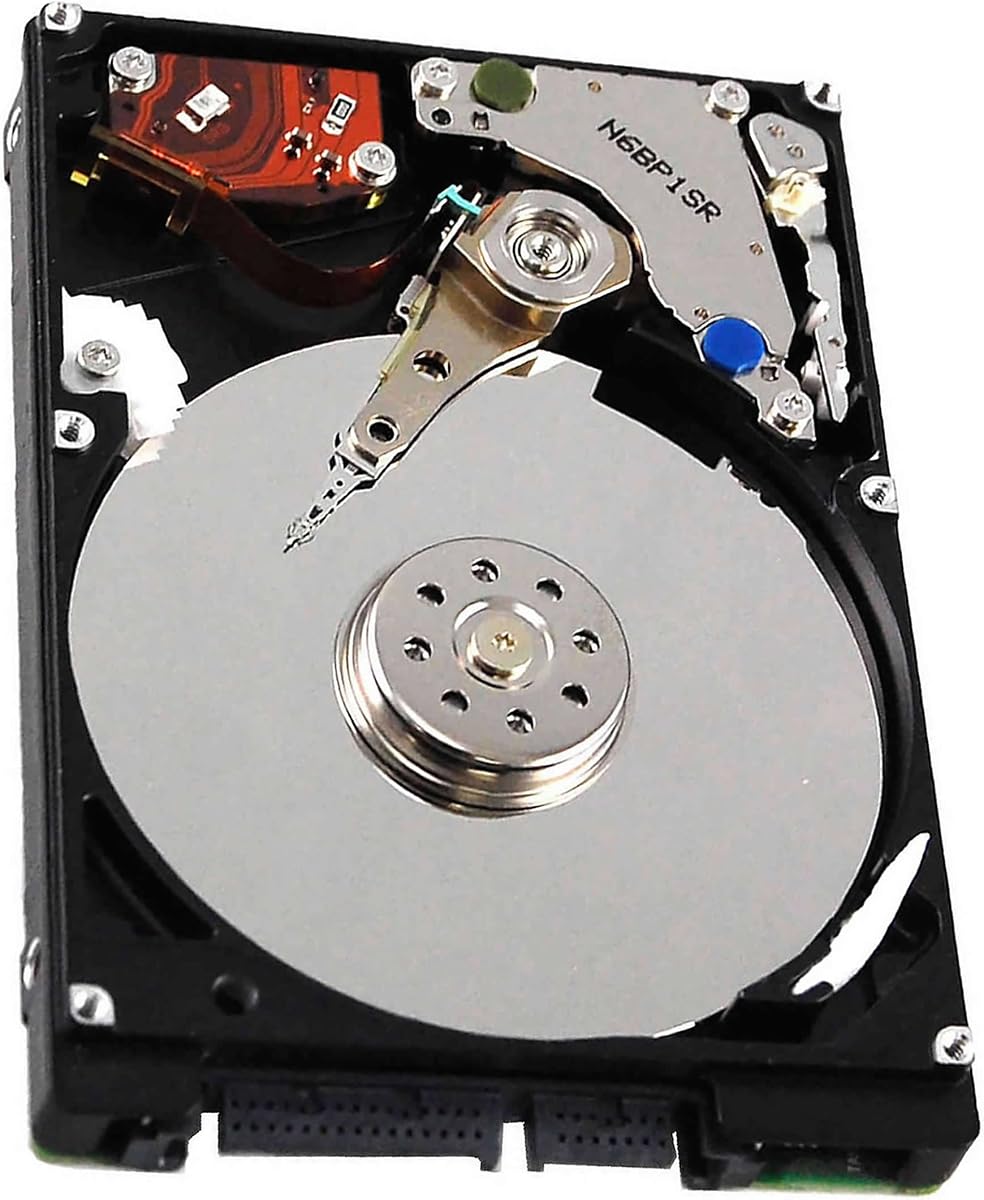
Toshiba delivers a reliable and affordable option for laptop upgrades. This drive is designed with a low power profile to optimize battery life effectively.
We may earn a commission when you buy through this link, at no additional cost to you.
Built-in shock sensors and ramp loading technology protect data during movement. It is robust enough for mobile environments and gaming systems.
The 128MB cache ensures decent performance for everyday tasks. It is a cost-effective choice for upgrading older laptops without breaking the budget.
Ideal for students and professionals seeking cost efficient storage. It offers strong value for its capacity and build quality.
The low power profile helps optimize device battery life during mobile use.
It features built in shock sensors and ramp loading technology for added robustness.
We may earn a commission when you buy through this link, at no additional cost to you.
This mobile internal hard drive is a go-to upgrade for on-the-go computing. It offers big capacity in a small form factor for modern laptops.
We may earn a commission when you buy through this link, at no additional cost to you.
Specialized caching technology optimizes data flow for faster loading times. It helps you tackle projects and multitask like a pro on the road.
The 2-year limited warranty provides long-term peace of mind for users. It combines reliability with portability for diverse computing needs.
Best for professionals needing extra storage in their laptop. It delivers solid performance for everyday mobile workflows.
It features specialized caching technology for optimized data flow and faster loading.
You can confidently rely on portable hard drive technology backed by innovation.
We may earn a commission when you buy through this link, at no additional cost to you.
This renewed drive from Western Digital offers cost savings without compromising quality. It has been factory recertified to meet performance standards.
We may earn a commission when you buy through this link, at no additional cost to you.
It comes with zero power on hours ensuring near-new performance. The 256MB cache supports smooth operation for desktop tasks.
As a renewed item it provides significant value for budget conscious buyers. It is suitable for secondary storage or light desktop use.
Ideal for users needing reliable storage at a lower price. It brings trusted WD technology to your system affordably.
Western Digital Factory Renewed Recertified units undergo strict quality checks.
The drive comes with zero power on hours ensuring near-new performance.
We may earn a commission when you buy through this link, at no additional cost to you.
This older model is designed for rugged environments and industrial applications. It offers high shock tolerance to protect data in mobile environments.
We may earn a commission when you buy through this link, at no additional cost to you.
The G-Force Protection feature adds robustness for moving devices. It is built to handle 1000 Gs of nonoperating shock reliably.
While capacity is limited compared to modern drives it serves specific legacy needs. Its design prioritizes durability over raw speed.
Best for legacy systems requiring reliable mechanical storage. It remains a solid choice for specialized rugged use cases.
Robust design and high shock tolerance enable mobility in rugged operating environments.
The G-Force Protection feature is available for added robustness in mobile environments.
We may earn a commission when you buy through this link, at no additional cost to you.
Designed specifically for NAS enclosures this drive ensures stability in multi-user environments. It reduces wear and tear compared to standard desktop drives.
We may earn a commission when you buy through this link, at no additional cost to you.
The IronWolf Health Management system helps monitor drive health effectively. It includes data recovery services for added security and peace of mind.
Performance is tuned for RAID configurations with minimal noise and vibration. It delivers increased file-sharing performance for network storage.
Best for home labs and small business network storage. It is the premium choice for reliable and efficient data sharing.
It is purpose built for NAS enclosures to deliver less wear and tear.
Easily monitor the health of drives using the integrated IronWolf Health Management system.
We may earn a commission when you buy through this link, at no additional cost to you.
This 4TB drive provides substantial storage for desktop PCs and media libraries. It features a high sustained transfer rate of up to 190 MB/s.
We may earn a commission when you buy through this link, at no additional cost to you.
The included DiscWizard software tool makes migrating and cloning data easy. It simplifies the upgrade process from old drives to this new model.
With a 256MB cache it handles large file operations smoothly. It is ideal for storing games and videos without lag.
Best for home entertainment centers and desktop storage. It balances capacity and performance for everyday computing tasks.
It offers a Max sustained transfer rate of 190 MB/s for fast data access.
You can migrate and clone data from old drives with ease using DiscWizard.
We may earn a commission when you buy through this link, at no additional cost to you.
This drive is tuned specifically for RAID optimized NAS systems with up to 8 bays. It uses CMR technology for better performance in RAID arrays.
We may earn a commission when you buy through this link, at no additional cost to you.
NASware technology enhances compatibility and reliability for network attached storage. It is designed for continuous operation in always-on environments.
The 128MB cache supports steady data streaming for multiple users. It ensures consistent performance under varied workloads.
Best for small office NAS setups needing reliability. It provides excellent support and warranty for business continuity.
It is built for RAID-optimized NAS systems with up to 8 bays of storage.
It is designed for continuous operation to handle always-on NAS environments.
We may earn a commission when you buy through this link, at no additional cost to you.
Selecting the right HDD requires evaluating capacity speed interface and form factor for your specific use case.
Consider how much storage you need for your files applications and backups. Larger capacities like 4TB or 6TB are ideal for media libraries while smaller ones suit basic needs.
Choose a capacity that gives room for growth without overpaying for unused space.
The 5400 RPM speed is energy efficient and quiet making it good for general storage. It balances performance and power usage effectively.
Higher RPM drives are faster but this speed is sufficient for archival tasks.
Cache sizes typically range from 64MB to 256MB affecting data transfer rates. Larger caches help with faster loading of applications and smoother multitasking.
A larger cache is beneficial for systems with frequent read write operations.
2.5 inch drives fit laptops and smaller cases while 3.5 inch drives are for desktops. Ensure your case supports the physical dimensions of the drive.
Match the form factor to your device to avoid compatibility issues.
Most modern drives use SATA 6Gb/s interfaces for fast data transfer. Ensure your motherboard supports this standard to avoid bottlenecks.
A compatible interface ensures the drive performs at its rated speed.
NAS and server drives have higher endurance ratings for continuous operation. Desktop drives are better for occasional use to avoid overheating.
Match the drive class to the environment it will operate in.
Look for warranties ranging from two to three years for peace of mind. Some drives include data recovery services for added protection.
Strong warranty terms indicate manufacturer confidence in the product quality.
Choose NAS optimized drives for servers and desktop drives for PCs. Using the wrong type may lead to failure in demanding environments.
Select a drive specifically designed for your intended workload.
Install the drive securely using standard screws or sleds to avoid vibration noise. Proper mounting reduces mechanical stress on internal components.
Keep the device in a cool and dust free environment to prolong its lifespan. Heat is a major factor in reducing mechanical drive longevity.
Backup your data regularly to an external cloud or secondary drive. Mechanical drives can fail unexpectedly so redundancy is essential.
The main benefit is energy efficiency and quieter operation compared to faster drives. They are ideal for storing large amounts of data without high power usage.
Yes but loading times may be slower compared to SSDs. They work well for storing game libraries where speed is not critical.
Standard desktop drives are not recommended for NAS use due to lower endurance. Opt for NAS-specific drives like IronWolf for better reliability.
Typically they last five to seven years under normal usage conditions. Proper cooling and handling significantly extend their operational life.
No they plug and play with standard operating systems via SATA interfaces. The OS automatically recognizes them once connected to the motherboard.
CMR writes data in parallel while SMR shingles tracks for density. CMR is faster and more reliable for frequent write operations.
We reviewed ten top models offering reliability and value for various storage needs. Each drive provides a balance of capacity and performance suitable for different users.
Prioritize the specific use case such as desktop laptop or NAS when selecting a drive. Matching the drive class to your environment ensures long-term stability.
Always verify current pricing and availability before purchasing your drive. Prices change frequently so checking multiple sources helps secure the best deal.