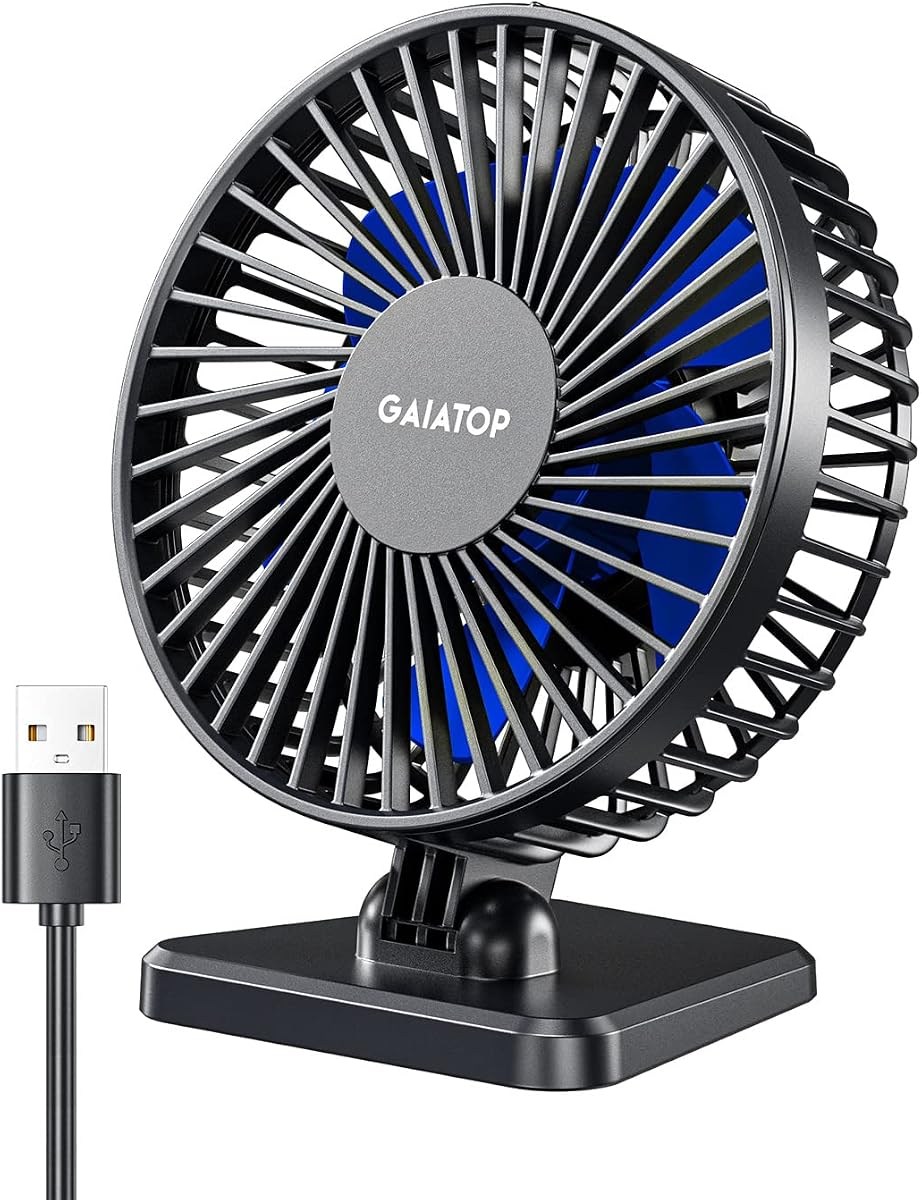
Gaiatop USB Desk Fan
4.5Editor score
Compact and lightweight design
Three-speed adjustable settings
USB powered for portability
This guide compares the top low power use cooling fan models for efficiency and performance. Find the best quiet option to keep your electronics safe without
Keeping your electronics cool is essential for longevity and performance. A low power use cooling fan provides effective airflow without draining your energy budget. These devices are ideal for routers, consoles, and small spaces where heat buildup can cause issues.
We evaluated ten top-rated models based on noise levels, power consumption, and cooling efficiency. Our analysis focuses on units that deliver strong airflow while maintaining minimal energy draw. This ensures you get reliable protection for your devices without increasing your electricity bill.
Each pick in this list highlights specific strengths like quiet operation, portability, or advanced speed controls. You will find detailed specs and real-world performance notes to help you decide. Please note that product availability and pricing may change over time.
4.5Editor score

4.3Editor score

4.7Editor score
This side-by-side comparison highlights the key specifications of each selected fan. We focus on dimensions, noise levels, and power sources to help you find the right fit for your setup.


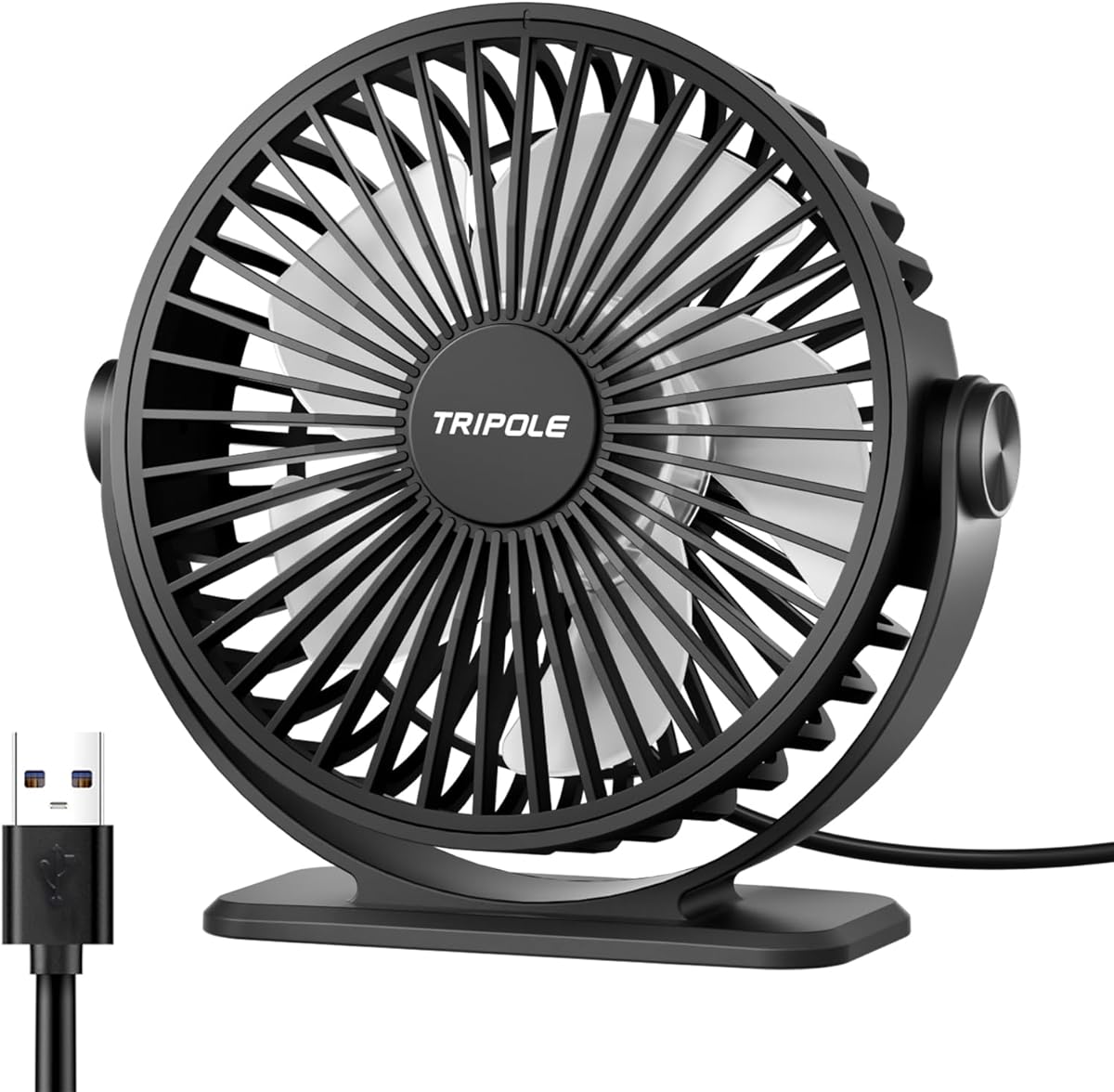


The X1 USB Cooling Fan stands out as a top choice for protecting your electronics. It carries a solid 4.3 rating from users who value its quiet operation. This fan is designed to drop device temperatures quickly without creating distracting noise.
We may earn a commission when you buy through this link, at no additional cost to you.
Its 120mm fan delivers 55.8 CFM of airflow which is powerful for a low power use cooling fan. The 9-blade design ensures efficient heat dissipation for routers or game consoles. It operates at just 18dB which is quieter than a library.
While it lacks a variable speed controller, the single high setting is effective for most needs. The built-in cable simplifies setup but limits placement flexibility. These trade-offs are acceptable given the strong cooling performance and low noise.
Buyers looking for reliable cooling for mini PCs or consoles should consider this model. It offers excellent value and durability for home office or gaming setups.
At 18dB the fan is whisper quiet so it will not disturb your work or gaming.
The integrated USB cable means you do not need extra adapters or messy wires.
We may earn a commission when you buy through this link, at no additional cost to you.
This 80mm USB Fan is ideal for smaller enclosures like router boxes or small cabinets. It holds an impressive 4.7 rating indicating strong user satisfaction. The three-speed controller lets you balance noise and cooling as needed.
We may earn a commission when you buy through this link, at no additional cost to you.
On low gear the noise drops to just 21dB which is barely noticeable. The double ball bearing design promises a long service life of 65000 hours. This makes it a reliable choice for continuous operation.
The iron grill protects fingers but might reduce airflow slightly compared to open designs. Also the smaller size means it may not cool larger devices as effectively. These are minor issues for a portable compact unit.
Choose this for tight spaces where quiet operation is a priority. It works well for TVs or small gaming consoles that need gentle cooling.
Adjust between low medium and high speeds to match your cooling needs exactly.
The double ball bearings ensure the fan runs smoothly for thousands of hours.
We may earn a commission when you buy through this link, at no additional cost to you.
The Gaiatop USB Desk Fan is a versatile choice for personal cooling or small electronics. With a 4.5 rating it proves popular for its compact size. It weighs less than 8 ounces making it easy to move around.
We may earn a commission when you buy through this link, at no additional cost to you.
It offers three speed settings and an adjustable head that rotates up to 30 degrees. This helps direct airflow exactly where you need it. The noise stays under 50dB even on high speed which is acceptable for personal use.
Max speed requires a specific power source which can be limiting without a strong adapter. It is not designed for heavy-duty cabinet cooling but excels at personal comfort. This limitation is fair for a budget-friendly personal fan.
Perfect for travelers or desk users who want a small low power use cooling fan. It cools you or small devices efficiently without taking up much room.
Weighing under 8 ounces you can take it anywhere for personal cooling on the go.
Rotate the head to angle the breeze precisely to your face or device.
We may earn a commission when you buy through this link, at no additional cost to you.
This fan is unique because it uses an AC plug instead of USB. It earns a 4.4 rating for its ability to cool larger devices continuously. The variable speed controller gives you full control over performance.
We may earn a commission when you buy through this link, at no additional cost to you.
With 95.8 CFM airflow it moves more air than most USB fans. The dual ball bearings ensure smooth operation and a 50000 hour lifespan. It works globally with 110V to 220V outlets.
The main trade-off is that it needs a wall outlet nearby. This limits portability but ensures consistent power. The noise can be higher on max speed but it remains manageable.
Ideal for server racks or large cabinets where USB power is insufficient. Choose this if you need reliable AC-powered cooling for heavy electronics.
Adjust the speed to fit your cooling needs without being stuck at one level.
Works on both 110V and 220V systems for use in any country.
We may earn a commission when you buy through this link, at no additional cost to you.
This model focuses on stability with eight anti-vibration feet to reduce movement. It has a 4.3 rating and offers three distinct speed settings. The design supports various devices from servers to game consoles.
We may earn a commission when you buy through this link, at no additional cost to you.
On low mode the fan is quiet enough for offices. At max speed it reaches 2000 RPM to dissipate heat quickly. The dual ball bearings add durability for long-term use.
The extra feet add bulk and the controller cable can add clutter. However the reduced vibration keeps noise levels steady even at high speeds. This is a fair trade for a stable unit.
Choose this if you need a firm mount for high-speed cooling. It is great for cabinets that might vibrate during operation.
Eight feet absorb shocks so the fan stays steady and quiet during use.
Switch between low medium and high to match your specific cooling needs.
We may earn a commission when you buy through this link, at no additional cost to you.
The TriPole fan is designed for personal use with 360 degree head rotation. It has a 4.6 rating for its stable base and quiet operation. The silicone pads at the bottom reduce vibration effectively.
We may earn a commission when you buy through this link, at no additional cost to you.
The wide base keeps it steady on desks and the head can tilt to direct air. A detachable cover makes cleaning easy to maintain performance. It is small enough to carry on trips.
It needs a 1A power source for full speed which might not work on weak ports. While not built for heavy cooling it is perfect for personal desk comfort. This limitation is minor for a portable unit.
Buy this for personal cooling on a nightstand or office desk. The rotation feature helps target airflow exactly where you need it.
Rotate the head 360 degrees to direct air from any angle easily.
Remove the cover to clean dust and keep the fan running smoothly.
We may earn a commission when you buy through this link, at no additional cost to you.
This unit uses two 80mm fans to provide balanced airflow with low noise. It holds a 4.6 rating and is UL certified for safety. The multi-speed controller lets you fine-tune the output.
We may earn a commission when you buy through this link, at no additional cost to you.
With just 18dBA noise it is one of the quietest options available. The dual ball bearings ensure a 67000 hour lifespan. This makes it reliable for continuous server or console cooling.
It uses two USB ports which can be a constraint on some PCs. Also the dual structure adds weight compared to single fans. These issues are worth the extra cooling power and silence.
Choose this if you need maximum quiet for dual cooling points. It works great for racks or consoles that need steady low-noise airflow.
Two fans working together provide more airflow than a single unit of the same size.
At 18dBA you will barely notice it running even in a quiet room.
We may earn a commission when you buy through this link, at no additional cost to you.
This DREO model uses advanced technology to push air 60 feet across a room. It earns a 4.4 rating for its powerful circulation and low noise. The adjustable tilt allows for precise airflow direction.
We may earn a commission when you buy through this link, at no additional cost to you.
TurboSilent Technology mimics aircraft turbines to move air efficiently. The noise drops to 20dB so it does not disturb sleep or work. It also comes with a handle for wall mounting.
The larger size takes up more space and costs more than simple USB fans. However the whole-room circulation justifies the investment for home use. This is a fair trade for a premium experience.
Perfect for whole-room cooling or office spaces needing strong airflow. The advanced design ensures comfort without disturbing noise levels.
Reach up to 60 feet away to cool entire rooms instead of just a desk.
Tilt the head 120 degrees to direct air exactly where you need it.
We may earn a commission when you buy through this link, at no additional cost to you.
Honeywell is known for quality and this fan delivers reliable performance. It has a 4.6 rating for its quiet operation and aerodynamic design. The turbo shape moves air effectively over distance.
We may earn a commission when you buy through this link, at no additional cost to you.
It is 25% quieter than comparable fans which helps reduce noise pollution. The 90 degree head pivots to adjust direction easily. You can also mount it on a wall if needed.
It uses a standard plug instead of USB which may not suit all setups. The tilt is fixed at 90 degrees which is less flexible than others. These issues are minor for a reliable standard fan.
Choose this for a solid quiet choice for home or office desks. The brand reputation ensures quality and longevity for daily use.
Be 25% quieter than similar fans to create a peaceful environment.
Mount it on a wall to save desk space and aim airflow down.
We may earn a commission when you buy through this link, at no additional cost to you.
This model offers the most airflow at 1000 CFM for whole room cooling. It holds a 4.7 rating for its smart auto mode and quiet DC motor. The oscillation covers the entire room evenly.
We may earn a commission when you buy through this link, at no additional cost to you.
Auto mode increases speed when room temp rises by 2 degrees automatically. You can detach the grills to clean them easily. The height adjusts from 38 to 42 inches for flexibility.
It is the most expensive option and requires more floor space. The power consumption is higher but efficient for the output it delivers. These trade-offs are acceptable for whole-room cooling.
Choose this if you need strong circulation for a large bedroom. The smart features make it a premium choice for comfort and convenience.
The fan adjusts its speed automatically based on room temperature changes.
Remove grills to clean dust and keep the fan fresh and efficient.
We may earn a commission when you buy through this link, at no additional cost to you.
Selecting the right cooling fan requires considering several factors to ensure efficiency and performance.
Fans come in USB or AC power variants. USB fans are portable and draw minimal power while AC fans provide more consistent output. Choose based on where you need to place the fan.
USB models are better for travel or portable setups.
Noise is measured in decibels or dB. For quiet spaces aim for fans under 25dB. Higher dB may be acceptable in larger rooms or industrial areas.
Always check the dB rating in the product specs.
Size impacts how much air the fan moves. 120mm fans generally provide more airflow than 80mm ones. Consider the space you need to cool.
Larger fans move more air but take up more space.
Multiple speed settings give you control over cooling power. Single-speed fans are simpler but less flexible. Three-speed options balance quiet and strong cooling.
Look for models with adjustable speeds.
Bearing types affect how long a fan lasts. Dual ball bearings typically last longer than sleeve bearings. Check for lifespan ratings like 40000 hours.
Longer lifespan means less replacement over time.
Some fans have adjustable heads or wall mounts. Others are fixed or compact. Choose based on whether you need to move the fan frequently.
Portable units are best for travel.
Materials like ABS or metal impact durability. Sturdy builds protect internal parts. Look for shock-absorbing feet if vibration is a concern.
Quality materials ensure consistent performance.
Prices vary by features and brand. Higher cost may mean better efficiency or durability. Weigh the cost against your specific cooling needs.
Balance features with your budget.
Place the fan where airflow can reach the hot parts of your device. Ensure the intake and output sides are not blocked. This keeps cooling efficient and prevents overheating.
Clean the fan regularly to remove dust. Use a soft cloth or compressed air on the blades. Dust buildup reduces airflow and increases noise levels.
Check connections periodically to ensure they are secure. USB plugs can loosen over time so adjust them if cooling seems weaker. This extends the fan lifespan.
Most USB fans use between 3W and 5W which is very low. Some advanced models use even less with DC motors. Always check the rated current and voltage.
Yes many of these fans are designed for consoles. They provide enough airflow to prevent overheating. Ensure the fan size matches your console vents.
They use significantly less power than large desk fans. USB models draw from standard ports which limits their draw. This reduces your overall electricity usage.
The X1 and AC INFINITY models operate at around 18dB. These are whisper quiet and suitable for bedrooms. Always look for dB ratings under 20.
Yes you can use them with any USB power source. Mobile chargers or power banks work well. Just ensure the charger supports enough current.
Most models have a lifespan of 40000 to 67000 hours. This translates to years of continuous use. Quality bearings extend the life further.
Yes models like the DREO offer high airflow for whole rooms. They are not low power in the same way but still efficient. Look for high CFM ratings.
The Quiet 80mm USB Fan is ideal for routers. It fits small spaces and runs quietly. This keeps the device cool without noise.
We have reviewed ten top options to help you find the right cooling solution. Each model offers unique features like quiet operation or adjustable speeds. Your needs will determine the best pick for you.
Focus on factors like noise and size before buying. A larger fan may cool better but need more power. Balance these needs with your budget.
Prices and availability change so check current offers before purchasing. We hope this guide helps you keep your devices cool efficiently. Safe cooling for your electronics starts with the right choice.