
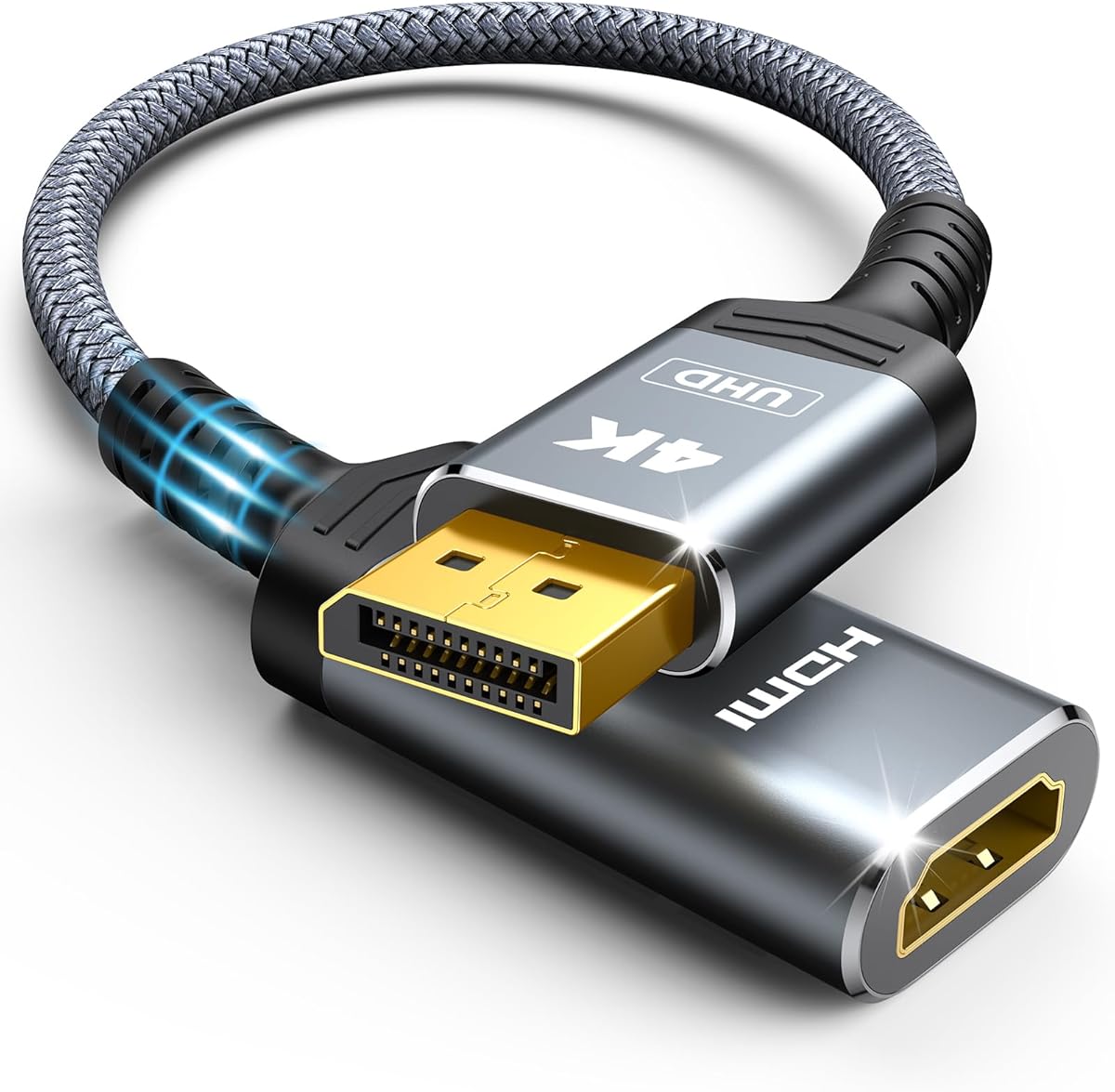
Moread 4K DisplayPort to HDMI Adapter
4.6Editor score
4K at 30Hz support
Passive unidirectional design
Durable gold plated ports
Explore the top HDMI to Displayport Converter models evaluated for resolution support and compatibility to help you choose the right adapter for your display
Finding the right adapter to connect your modern computer to a traditional monitor can be challenging. This guide helps you navigate the options available today for seamless video transmission.
We compared ten leading models based on resolution capabilities, build quality, and compatibility with various devices to ensure reliable performance across different setups.
Each pick highlights key strengths and potential limitations so you can make an informed decision. Note that availability and specific model features may change over time.
4.6Editor score

5.0Editor score

4.4Editor score
This comparison table lists all ten models side by side so you can quickly identify which one fits your specific connection needs and resolution requirements.



The Answin HDMI to DisplayPort Adapter stands out for its ability to deliver 4K at 60Hz from HDMI sources to DP monitors. It is a rare active solution that supports modern gaming consoles.
We may earn a commission when you buy through this link, at no additional cost to you.
Its active conversion ensures stable signal transmission even at high resolutions like 1440P at 144Hz. The included USB cable guarantees consistent performance without flickering issues.
While it requires a USB power source for operation, this ensures reliability across different devices. It is not compatible with VR headsets or KVM switches.
Gamers and users needing high refresh rates should choose this model. It offers a clear and lag free experience superior to wireless casting solutions.
Supports up to 144Hz at 1440P ensuring smooth gameplay for competitive titles.
No driver installation is needed making it easy to connect any HDMI device instantly.
We may earn a commission when you buy through this link, at no additional cost to you.
Moread offers a cost effective solution for connecting DP sources to HDMI displays. Its passive design works seamlessly with most modern computers and laptops.
We may earn a commission when you buy through this link, at no additional cost to you.
The adapter supports 4K at 30Hz and 1080P at 120Hz ensuring fluid video for streaming and work. Latches provide a secure connection to prevent accidental disconnection.
The five year warranty reflects confidence in its build quality. It is passive so it requires a DP output device not an HDMI source.
Users looking for a reliable everyday adapter at a low price point should consider this option. It balances performance and durability well.
DisplayPort locking connector with latches prevents accidental disconnection during use.
A five year unconditional warranty ensures long time satisfaction with your purchase.
We may earn a commission when you buy through this link, at no additional cost to you.
This adapter is designed to bridge HDMI sources to DisplayPort monitors effectively. It is ideal for laptops that lack a DP output but need to connect to a DP screen.
We may earn a commission when you buy through this link, at no additional cost to you.
Supporting up to 4K at 30Hz it provides clear visuals for productivity and media. The included USB power cable ensures stability on low power HDMI sources.
The sturdy housing is built for direct connections in office or home setups. It is not recommended for use with KVM switches due to compatibility issues.
Professionals needing to connect HDMI laptops to DP monitors will find this reliable. The active chip solves the challenge of reverse signal conversion.
Converts HDMI TMDS signal to DisplayPort digital signal using a built-in advanced IC chip.
USB power cable recommended for stable performance if the HDMI source shows flickering.
We may earn a commission when you buy through this link, at no additional cost to you.
Highwings focuses on durability with a military grade tensile nylon cable design. It supports 4K at 30Hz ensuring vibrant visuals for streaming and gaming.
We may earn a commission when you buy through this link, at no additional cost to you.
The 24K gold plated ports resist corrosion and ensure accurate signal transmission. It is designed for one way conversion from DisplayPort source to HDMI display only.
Note that this is a passive adapter and does not support docking stations. The chip may heat up during high resolution transmission which is normal.
Users seeking a robust adapter for frequent use will appreciate the strength. It extends use life effectively while maintaining clear audio and video.
Military grade tensile nylon can ensure it withstands up to 25000 flex times.
Ensures synchronized high definition audio and video for an immersive experience.
We may earn a commission when you buy through this link, at no additional cost to you.
This BENFEI adapter connects computers with DisplayPort to HDMI monitors easily. It is lightweight enough to tuck into a pocket for presentations anywhere.
We may earn a commission when you buy through this link, at no additional cost to you.
The DisplayPort connector includes latches for a secure connection during usage. You must press the release button to pull it out easily without damage.
It supports up to 4K at 30Hz and 1080p at 60Hz for clear visuals. The 18 month warranty ensures long time protection of your purchase.
Professionals who travel often will find this compact gadget very useful. It solves connectivity needs without adding bulk to your bag.
DisplayPort connector with latches provides a secure connection improving stability in usage.
Tuck this lightweight gadget into pocket to do a presentation or extend desktop.
We may earn a commission when you buy through this link, at no additional cost to you.
UGREEN provides two adapters so you can turn multiple DP ports into HDMI ports. This is useful for setups needing multiple screens or backup adapters.
We may earn a commission when you buy through this link, at no additional cost to you.
The aluminum case is lightweight and improves heat dissipation for safety. It features no buckle design to prevent damage during plugging and unplugging.
Supports 4K at 30Hz and 2K at 60Hz for visual feast. Note it does not work with HDMI source devices like PS5 or Xbox.
Users with multiple DP devices needing HDMI outputs will benefit from this value pack. It offers new ports for multiple screens conveniently.
With two adapters you are provided with new HDMI ports for multiple screens.
The alu case improves heat dissipation for safety and anti corrosion.
We may earn a commission when you buy through this link, at no additional cost to you.
This adapter connects HDMI sources like consoles to DisplayPort monitors. It supports resolutions up to 4K at 60Hz and 1080P at 165Hz.
We may earn a commission when you buy through this link, at no additional cost to you.
Braided nylon cable adds extra durability for daily use. The non slip design makes plug and unplug easier than smooth plastic options.
Ensure the USB cord is connected with external power to provide sufficient voltage. This prevents instability during high resolution transmission.
Gamers needing high refresh rates for competitive gaming will find this effective. It bridges the gap between HDMI consoles and DP screens.
Supports up to 1080P at 165Hz ensuring smooth motion in games.
Premium aluminium alloy casing provides better heat insulation for stable transfer.
We may earn a commission when you buy through this link, at no additional cost to you.
This short adapter turns a DP port into an HDMI port easily. The 0.66FT length keeps things tidy and avoids cable clutter on desks.
We may earn a commission when you buy through this link, at no additional cost to you.
Both ends of the cable have strain relief to prevent ports from being exposed. The braided sheath ensures flexibility and protection against damage.
Supports 4K at 30Hz and 1080P at 120Hz for smooth video. It is compatible with most devices with Displayport like NVIDIA and AMD.
Users needing a compact solution to avoid bulk will prefer this cable. It safeguards the original DP port from wear and tear.
The 0.66FT length helps you avoid cable clutter on your desk.
It not only safeguards the original DP port from wear and tear.
We may earn a commission when you buy through this link, at no additional cost to you.
This adapter delivers 4K at 60Hz video directly to your HDTV or monitor. It works with Xbox One and PS5 for gaming to DP displays.
We may earn a commission when you buy through this link, at no additional cost to you.
The slim one-piece aluminum housing is corrosion resistant for optimal heat dissipation. Multi-layer copper shielding minimizes signal loss for smooth sound.
Note that Switch and Xbox series only support 1080P at 60Hz resolution display. It does not support 1440P at 144Hz but handles 1080P well.
Gaming consoles needing HDMI to DP conversion are supported here. It brings you vivid 3D video effects for clear quality.
The slim and lightweight one-piece aluminum housing is corrosion resistant.
Multi-layer copper shielding provides amazing clarity and smooth sound.
We may earn a commission when you buy through this link, at no additional cost to you.
BENFEI offers a compact adapter connecting HDMI ports to DisplayPort monitors. It supports up to 4K at 60Hz and 1080P at 165Hz.
We may earn a commission when you buy through this link, at no additional cost to you.
The built-in advanced IC chip converts HDMI TMDS signal to DisplayPort digital signal. A DisplayPort cable is required for setup which is not included.
Note that this adapter is unable to improve native resolution of games. It supports 8 channels digital audio up to 192kHz sampling rate.
Users looking for a reliable HDMI to DP solution with warranty support should choose this. It extends desktop screens to monitors effectively.
The compact-designed portable adapter connects HDMI to DisplayPort easily.
The HDMI and DisplayPort also support 8 channels digital audio.
We may earn a commission when you buy through this link, at no additional cost to you.
Choosing the right converter requires understanding directionality and supported resolutions to avoid compatibility issues.
Verify whether you need HDMI to DP or DP to HDMI direction as adapters are typically unidirectional.
Select an active adapter for HDMI source to DP monitor and passive for DP source to HDMI monitor.
Check the maximum supported resolution and refresh rate such as 4K at 60Hz or 1080P at 165Hz.
Gaming and high refresh rates require active adapters with USB power for stable performance.
Active adapters often require USB power to drive the conversion chip properly without flickering.
Passive adapters draw power from the source port and do not need external cables.
Look for gold plated connectors and durable materials like aluminum or nylon for longevity.
Braided cables and strain relief reduce wear and tear during frequent plugging and unplugging.
Ensure the adapter supports your devices such as gaming consoles or laptops with DisplayPort Alternate Mode.
Some models do not work with VR headsets or KVM switches so check specific limitations.
Most converters carry audio signals alongside video so check for channel support like 7.1 surround.
Confirm that audio sync is maintained to avoid lip sync issues during video playback.
Connect the adapter firmly to the source port ensuring any latches click securely into place.
Use the included USB cable if provided to ensure the adapter receives enough power.
Avoid bending the cable excessively and store it in a cool dry place when not in use.
Most standard adapters are passive and will not work for consoles. You need an active HDMI to DisplayPort adapter to connect consoles like PS5 or Xbox to a DP monitor.
Passive adapters work for DP source to HDMI display because DP outputs already carry HDMI compatible signals. Active adapters are needed for HDMI source to DP display requiring external power to convert signals.
Flickering often occurs if the adapter lacks sufficient power. Connect the included USB power cable to ensure stable performance at higher resolutions.
Yes some models support up to 144Hz at 1440P or 165Hz at 1080P. Check the specific product specs to confirm support for high refresh rates.
Yes all adapters listed carry audio alongside video. Ensure your source and display devices support audio over HDMI or DisplayPort.
Many DP to HDMI adapters work with Mac laptops if they support DisplayPort Alternate Mode. For HDMI to DP you need an active adapter which may have limited Mac compatibility.
No most converters are plug and play devices that do not require driver installation. They work natively with operating systems like Windows and macOS.
4K at 60Hz ensures smoother motion and reduced input lag compared to 30Hz. It provides a more responsive and fluid gaming experience on modern displays.
The Answin HDMI to DisplayPort Adapter offers excellent performance for high refresh rates while Moread provides a budget friendly passive option.
Prioritize active adapters if connecting HDMI consoles to DP monitors and passive for DP computers to HDMI displays.
Check current availability and model features regularly as technology standards evolve over time.