
Acer Nitro KG271U N3bmiipx
4.5Editor score
180Hz refresh rate for smooth motion
0.5ms GTG response time
95% DCI-P3 color coverage
Finding the perfect display for your gaming rig requires balancing resolution, speed, and visual fidelity. The 27 Inch WQHD 1440p Gaming Monitors category offers the sweet spot between sharpness and performance. Gamers demand screens that deliver crisp details without compromising frame rates during intense sessions. These monitors provide the clarity needed for competitive play while supporting modern graphics cards effectively.
We evaluated ten leading models based on panel technology, refresh rates, and connectivity options. Each product was analyzed for its ability to handle fast-paced action and color-accurate tasks. Our comparison focuses on real-world performance metrics that matter to enthusiasts. From budget-friendly options to premium choices, this list covers a wide spectrum of features and capabilities available today.
Each pick highlights specific strengths such as response time, color gamut coverage, and ergonomic adjustments. We explain how different technologies impact your viewing experience and system compatibility. Prices fluctuate often, so checking current listings is essential before making a final decision. This guide helps you navigate the market with confidence and find the right screen for your setup.
4.5Editor score

4.6Editor score

4.6Editor score
As an Amazon Associate we earn from qualifying purchases.
This side-by-side comparison highlights key specifications across all ten models to help you decide quickly. We focus on refresh rates, response times, color accuracy, and ergonomic features to distinguish each unit. Whether you prioritize speed or color fidelity, these details provide a clear picture of what each monitor offers for your specific gaming needs.


The Acer Nitro KG271U stands out as a compelling budget option for those seeking high refresh rates without breaking the bank. With a 4.5 star rating, it delivers consistent performance for competitive gaming. The 180Hz refresh rate ensures fluid motion, making it a solid choice for fast-paced titles.
We may earn a commission when you buy through this link, at no additional cost to you.
Its 0.5ms GTG response time is a significant advantage, reducing ghosting during rapid movements. The IPS panel offers wide viewing angles and accurate colors, covering 95% of the DCI-P3 gamut. This makes it suitable not just for gaming but also for creative tasks like photo editing.
While the stand does not offer height adjustment, the zero-frame design maximizes screen real estate. The AMD FreeSync technology effectively eliminates tearing and stuttering. These trade-offs are acceptable given the price point and overall performance.
Buyers looking for a versatile monitor that balances speed and visuals should consider this model. It is ideal for gamers who want 1440p clarity and high frame rates without investing in premium hardware. This monitor provides excellent value for money in its category.
The 180Hz refresh rate delivers ultra-smooth motion, enhancing immersion in competitive games and reducing input lag significantly.
Supporting 95% DCI-P3, the monitor produces vibrant and accurate colors ideal for both gaming and content creation tasks.
We may earn a commission when you buy through this link, at no additional cost to you.
The ASUS TUF Gaming VG27AQ3A earns its spot as the top choice for a wide range of users. With a 4.6 star rating, it combines speed, color accuracy, and reliable synchronization technologies. The 180Hz refresh rate paired with ELMB Sync ensures sharp visuals without motion blur.
We may earn a commission when you buy through this link, at no additional cost to you.
This monitor features a Fast IPS panel with 130% sRGB coverage, delivering vivid and accurate colors. G-Sync compatibility and AMD FreeSync Premium make it versatile across different graphics card brands. The included three-month Adobe Creative Cloud subscription adds value for creative professionals.
While the HDR support is present, it does not offer the peak brightness required for true HDR experiences. The built-in speakers are functional but lack depth. However, these minor issues do not detract from its overall gaming performance.
Gamers seeking a balance of performance and features will find this monitor highly satisfying. It excels in competitive titles while maintaining color fidelity for work. This is a reliable all-rounder that justifies its position as a top pick.
ELMB Sync technology allows for simultaneous blur reduction and variable refresh rates, ensuring crisp images during fast action.
With 130% sRGB, the screen offers excellent color reproduction, making it suitable for design work and media consumption.
We may earn a commission when you buy through this link, at no additional cost to you.
The ASUS TUF Gaming VG27AQL1A represents a premium offering for enthusiasts demanding top-tier performance. Rated 4.6 stars, it delivers on its promise of smooth, high-fidelity visuals. The 170Hz overclocked refresh rate provides an edge in competitive scenarios.
We may earn a commission when you buy through this link, at no additional cost to you.
Its 1ms MPRT response time and ELMB Sync technology work together to eliminate ghosting and tearing. HDR400 certification ensures better contrast in supported content. The color gamut covers 130% sRGB, maintaining visual fidelity across games and apps.
The higher price reflects its advanced features, making it a significant investment. Users with high-end GPUs will maximize its potential. For those seeking the best experience, this monitor is worth the cost.
Professionals and serious gamers will appreciate the robust feature set and reliability. It combines speed with accurate colors for a complete solution. This monitor is a solid choice for building a high-end gaming setup.
Supporting up to 170Hz, this monitor offers smoother motion than standard 144Hz panels, enhancing responsiveness in games.
HDR400 certification provides improved contrast and brightness in supported content for a more immersive visual experience.
We may earn a commission when you buy through this link, at no additional cost to you.
The Acer Nitro XV271U M3bmiiprx offers a reliable setup for gamers prioritizing ergonomics and speed. With a 4.5 star rating, it provides solid performance for the price. The stand supports tilt, swivel, and height adjustments for a comfortable viewing experience.
We may earn a commission when you buy through this link, at no additional cost to you.
Its 0.5ms GTG response time ensures clear motion during fast gameplay. The 180Hz refresh rate via DisplayPort supports smooth visuals. AMD FreeSync Premium technology reduces screen tearing effectively.
While the color gamut is not specified as widely, the IPS panel delivers good viewing angles. The included cables and VESA compliance make installation straightforward. These features make it a practical choice for various setups.
Gamers looking for a comfortable and performant monitor should consider this option. It balances specs and ergonomics well. This model is a great pick for those who value adjustable stands.
The stand allows height, tilt, swivel, and pivot adjustments, ensuring users can find a comfortable viewing position.
Multiple HDMI and DisplayPort options allow easy connection to consoles and PCs with included cables.
We may earn a commission when you buy through this link, at no additional cost to you.
The Samsung 27 Odyssey G5 provides an immersive experience with its curved design and high ratings. With a 4.7 star rating, it is well-received by users for its visuals and performance. The 1500R curvature wraps the screen around your field of view for depth.
We may earn a commission when you buy through this link, at no additional cost to you.
Its 180Hz refresh rate and 1ms response time ensure fluid action. HDR10 support enhances contrast in compatible content. The Black Equalizer feature brightens dark areas in games, helping players spot enemies in shadows.
The ergonomic stand allows for tilt and pivot adjustments. While HDR is limited, the overall image quality is strong. This monitor is ideal for those who prefer curved screens for immersion.
Gamers seeking immersion and high refresh rates will enjoy this model. It combines speed with a unique form factor. This is a great option for players who want a more enveloping screen.
The 1500R curvature creates a more natural viewing experience, reducing eye strain during long gaming sessions.
Black Equalizer technology adjusts dark shadows to reveal more detail in low-light game environments.
We may earn a commission when you buy through this link, at no additional cost to you.
The SANSUI 27 Inch WQHD offers high refresh rates at a competitive price. With a 4.4 star rating, it delivers smooth performance for gaming. The refresh rate can reach up to 200Hz via DisplayPort for fast-paced titles.
We may earn a commission when you buy through this link, at no additional cost to you.
It includes eye care technologies like low blue light and anti-flicker. The metal stand adds durability to the build. The 120% sRGB coverage ensures vibrant visuals across games and media.
Tilt adjustments are limited compared to full ergonomic stands. Also, there are no built-in speakers for audio. However, these trade-offs support its value proposition.
Gamers prioritizing refresh rate and color will find this model appealing. It offers strong features without the premium price. This is a great budget option for high-performance needs.
The 200Hz refresh rate via DisplayPort allows for extremely smooth motion in competitive gaming environments.
Low blue light and anti-flicker technology help reduce eye strain during extended use sessions.
We may earn a commission when you buy through this link, at no additional cost to you.
The SANSUI Gaming Monitor 27 provides a flexible setup with full ergonomic adjustments. Rated 4.4 stars, it supports vertical and horizontal rotation. The stand allows full height adjustment, which is rare at this price point.
We may earn a commission when you buy through this link, at no additional cost to you.
Its 200Hz refresh rate ensures smooth gameplay. The 95% DCI-P3 color coverage supports accurate visuals. Multiple ports allow easy connection to various devices. Low motion blur technology aids in maintaining clarity.
Build quality may vary slightly between units. Menu navigation can feel slow compared to premium models. However, the feature set remains competitive. This makes it a practical choice for versatile setups.
Gamers needing flexibility and high refresh rates will appreciate this model. It offers features found on more expensive screens. This is a strong option for those requiring adjustable stands.
Full height, pivot, and swivel adjustments allow for comfortable viewing in multiple orientations.
The 95% DCI-P3 coverage ensures vibrant and accurate colors for both gaming and creative work.
We may earn a commission when you buy through this link, at no additional cost to you.
The KOORUI 27 Inch 1440p offers high speed with strong color performance. With a 4.5 star rating, it delivers smooth gaming experiences. The 200Hz refresh rate ensures fluid visuals for competitive play.
We may earn a commission when you buy through this link, at no additional cost to you.
HDR400 certification provides better contrast than standard panels. The 95% DCI-P3 color coverage ensures accurate visuals. FreeSync support reduces tearing and stuttering. A three-year warranty adds confidence to the purchase.
Physical controls on the device are minimal. The stand is basic and may not suit all desk setups. These are acceptable trade-offs for the performance provided.
Gamers looking for speed and color accuracy will find this model appealing. It offers premium features at a competitive price. This is a reliable choice for high-performance needs.
With 200Hz, this monitor delivers incredibly smooth motion, ideal for competitive gaming and fast-paced action.
The 95% DCI-P3 coverage ensures vibrant and accurate colors, making it suitable for content creation tasks.
We may earn a commission when you buy through this link, at no additional cost to you.
The Acer Nitro EDA270U Pbmiipx delivers an immersive experience with its curved design. Rated 4.4 stars, it offers solid performance for gaming. The 1500R curvature wraps the display around your view for depth.
We may earn a commission when you buy through this link, at no additional cost to you.
Its 180Hz refresh rate ensures smooth gameplay. The 1ms VRB response time reduces blur. Zero-frame design maximizes screen space. AMD FreeSync Premium minimizes tearing.
The stand offers limited tilt adjustment. Curved screens are less ideal for multi-monitor productivity setups. However, for gaming immersion, it performs well. These trade-offs are acceptable for the target use case.
Gamers wanting a curved immersive screen should consider this model. It balances performance and cost effectively. This is a great option for players who enjoy curved displays.
The 1500R curvature enhances immersion by matching the natural curve of the human eye.
Minimal bezels provide a seamless viewing experience, maximizing the screen area for gaming.
We may earn a commission when you buy through this link, at no additional cost to you.
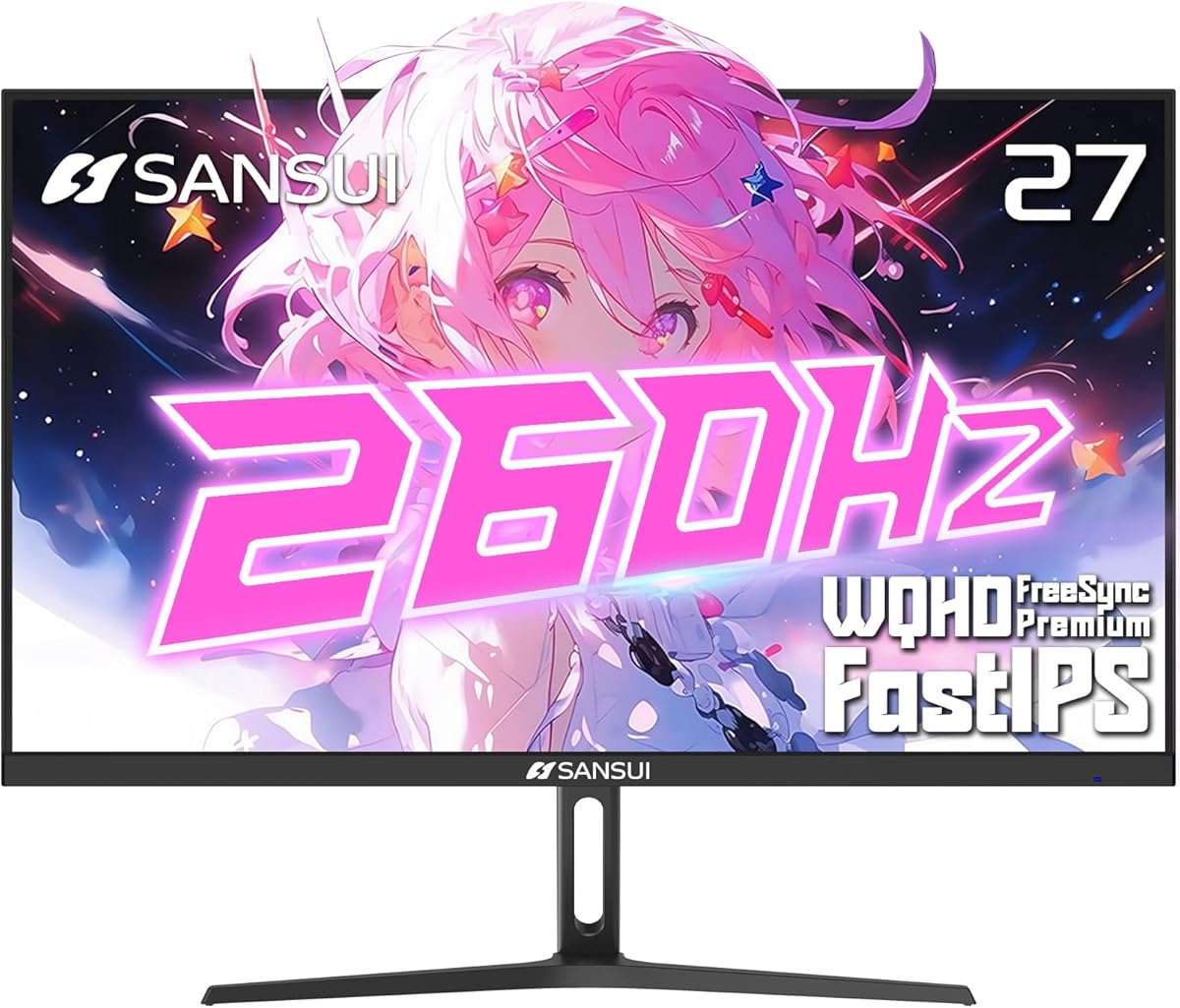
The SANSUI Gaming Monitor 27 offers top-tier refresh rates for competitive gamers. Rated 4.4 stars, it delivers exceptional speed. The refresh rate can reach up to 260Hz via DisplayPort 1.4 for minimal lag.
We may earn a commission when you buy through this link, at no additional cost to you.
It features 98% DCI-P3 and 130% sRGB coverage for accurate colors. HDR10 support enhances contrast. FreeSync Premium ensures smooth gameplay. The monitor includes multiple ports for flexibility.
Achieving 260Hz requires a high-end GPU and DisplayPort 1.4. The build quality is functional but basic. These factors make it suitable for specialized gaming needs. It offers excellent performance for the price.
Competitive gamers needing high refresh rates will find this model impressive. It balances speed and color accuracy well. This is a strong choice for serious players.
Supporting 260Hz via DisplayPort 1.4, this monitor provides an ultra-smooth experience for competitive gaming.
With 98% DCI-P3 and 130% sRGB, the monitor delivers highly accurate and vibrant visuals.
We may earn a commission when you buy through this link, at no additional cost to you.
Selecting the right gaming monitor involves evaluating several technical factors that directly impact performance and visual quality. This section breaks down the key specifications to help you make an informed decision.
IPS panels offer better color accuracy and viewing angles compared to VA or TN panels, making them ideal for both gaming and creative work. They typically support faster response times and wider color gamuts.
Look for IPS or Fast IPS panels for the best balance of speed and color fidelity.
A higher refresh rate like 144Hz or 180Hz ensures smoother motion and reduced motion blur in fast-paced games. Competitive players benefit most from refresh rates above 144Hz.
Prioritize 144Hz or higher for competitive gaming to maximize responsiveness.
Response time measures how quickly pixels change color, ideally under 1ms to reduce ghosting. Faster response times are critical for tracking moving objects clearly.
Choose monitors with 1ms GTG or lower to avoid visible motion blur.
Color gamut coverage like sRGB or DCI-P3 ensures accurate and vibrant colors. High coverage is beneficial for media consumption and content creation tasks.
Look for at least 95% DCI-P3 or 100% sRGB coverage for better color quality.
Adaptive sync technologies like FreeSync or G-Sync synchronize the monitor with your GPU to eliminate screen tearing and stuttering. Both AMD FreeSync and NVIDIA G-Sync are widely supported.
Ensure your monitor supports the adaptive sync technology compatible with your graphics card.
Adjustable stands with tilt, swivel, height, and pivot options help reduce neck strain during long sessions. VESA mount compatibility allows for alternative stand options.
Choose a monitor with height adjustment or VESA mount if ergonomics are a priority.
Multiple HDMI and DisplayPort inputs allow flexible connections to consoles and PCs. DisplayPort often supports higher refresh rates at 1440p compared to HDMI.
Check that the monitor includes DisplayPort 1.4 for maximum refresh rate capabilities.
HDR support enhances contrast and color range in compatible content. Higher HDR certifications like HDR400 provide better brightness and contrast than basic HDR.
Look for HDR400 or higher certification for meaningful HDR visual improvements.
Proper calibration ensures the best image quality and eye comfort. Use the monitor's OSD to adjust brightness, contrast, and color settings based on your environment and lighting conditions. Consider using built-in game modes for specific genres.
Clean the screen gently using a microfiber cloth to avoid scratches. Do not use harsh chemicals or apply pressure to the panel. Ensure the monitor is properly ventilated to prevent overheating during long sessions.
Update your graphics card drivers to support the full refresh rate of the monitor. Use DisplayPort connections for higher refresh rates like 180Hz or 200Hz. Regularly check for firmware updates through the manufacturer's software.
The main difference is the number of frames displayed per second. 180Hz offers smoother motion than 144Hz, which is especially beneficial in competitive gaming. Higher refresh rates reduce motion blur and make tracking fast objects easier.
Yes, achieving consistent frame rates at 1440p with high refresh rates requires a powerful GPU. Lower-end graphics cards may struggle to reach 180Hz, resulting in lower performance than the monitor supports.
IPS panels generally provide better color accuracy and viewing angles. Curved screens offer immersion but can compromise color consistency at angles. The choice depends on whether you prioritize immersion or image quality.
FreeSync and G-Sync are adaptive sync technologies that match the monitor's refresh rate to your GPU. This reduces tearing and stuttering during gameplay. FreeSync is developed by AMD and G-Sync by NVIDIA.
Yes, 1440p resolution offers plenty of screen real estate for multitasking. Many models support 100% sRGB or more, which is beneficial for design work and media consumption alongside gaming.
DisplayPort is generally required to achieve the highest refresh rates like 180Hz or 200Hz at 1440p. HDMI may support lower refresh rates depending on the version. Always refer to the manual for port capabilities.
This guide has explored ten exceptional monitors offering high refresh rates, accurate colors, and responsive performance. From the budget-friendly Acer Nitro to the premium ASUS TUF models, there is a choice for every gaming style.
Prioritize refresh rate and response time if you play competitive shooters or fast-paced games. If color accuracy is important for creative work, look for higher DCI-P3 coverage. Ergonomics matter for long session comfort.
Prices and availability change frequently, so check current listings before purchasing. Investing in a monitor that matches your GPU capabilities ensures you get the most out of your gaming setup. Select a model that aligns with your specific needs.