
SSK Portable SSD 1TB External Solid State
4.5Editor score
Up to 1050MB/s read speeds
Lightweight 36.6g aluminum case
Supports 4K video recording
Discover the top External SSD for MacBook Air options reviewed for speed, durability, and compatibility to help you choose the right portable storage drive.
Choosing the right External SSD for MacBook Air is essential for creators who need reliable storage and fast data transfer speeds on the go.
We compared ten top-rated models based on performance, durability, portability, and compatibility with macOS to help you find the perfect fit.
Each pick highlights key strengths and ideal use cases. Note that availability and pricing may change over time, so check current listings before buying.
4.5Editor score

4.7Editor score

4.6Editor score
The following table provides a quick side-by-side overview of all ten drives, highlighting their key specifications and standout features for easy comparison.






The Samsung T7 Portable SSD stands out as a top choice for MacBook Air users needing reliable and fast external storage.
We may earn a commission when you buy through this link, at no additional cost to you.
Its PCIe NVMe technology delivers read and write speeds up to 1,050MB/s, making it nearly twice as fast as previous models.
While it is sturdy with shock resistance up to six feet, it can get warm during sustained transfers but remains reliable.
This drive is ideal for creators and professionals who value speed and durability in a compact package for daily use.
The NVMe technology ensures files transfer quickly, reducing wait times during large file operations.
The solid aluminum unibody construction protects internal components from bumps and drops effectively.
We may earn a commission when you buy through this link, at no additional cost to you.
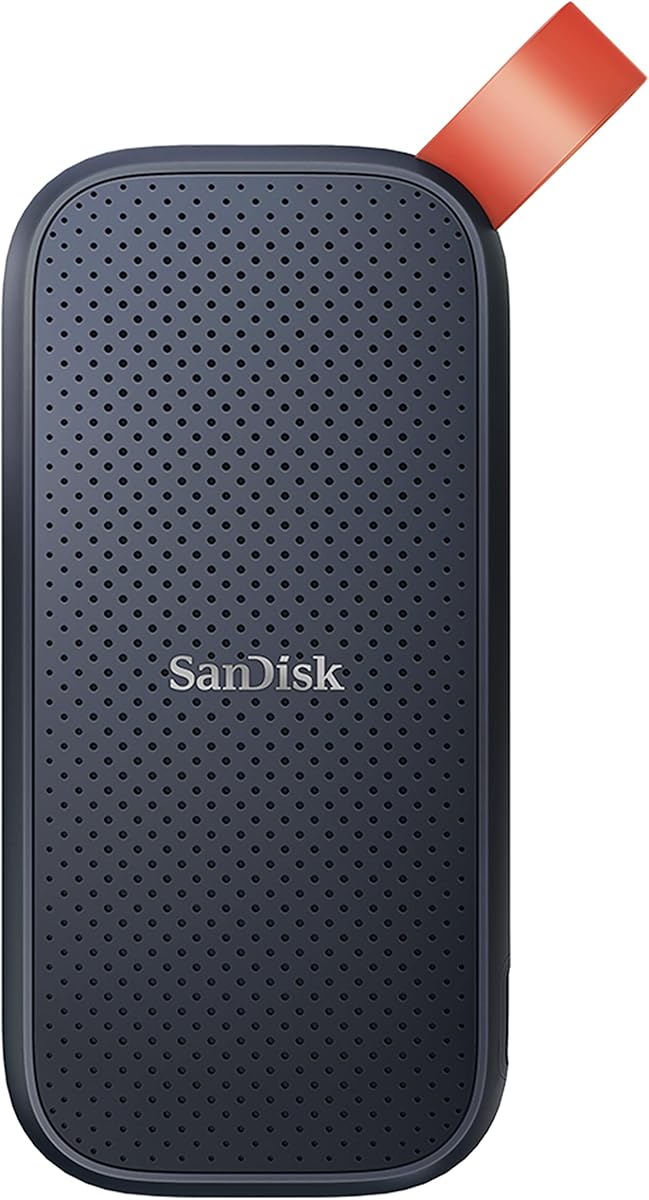
The SSK Portable SSD offers an excellent balance of performance and price for budget-conscious MacBook Air users.
We may earn a commission when you buy through this link, at no additional cost to you.
It delivers speeds up to 1050MB/s read and 1000MB/s write, supported by an efficient aluminum alloy case.
Although the casing is thin, the aluminum helps dissipate heat effectively during intensive data transfer sessions.
This drive is a smart choice for students or hobbyists who need portable storage without breaking the bank.
At a lower price point than competitors, it still delivers competitive speed and portability.
Includes both USB-C and USB-A cables to ensure compatibility with a wide range of devices.
We may earn a commission when you buy through this link, at no additional cost to you.
The Samsung T9 Portable SSD is a powerhouse designed for professional creators who demand the highest performance.
We may earn a commission when you buy through this link, at no additional cost to you.
With speeds up to 2000MB/s, it significantly outpaces standard drives, making large file transfers incredibly fast.
Its Dynamic Thermal Guard ensures stable performance even under heavy use, preventing thermal throttling issues.
This premium drive is ideal for video editors or photographers working with massive datasets on the go.
The USB 3.2 Gen 2×2 interface unlocks the fastest possible data transfer speeds available today.
Samsung Magician Software allows you to monitor drive health and update firmware easily.
We may earn a commission when you buy through this link, at no additional cost to you.
The SanDisk 2TB Extreme Portable SSD is perfect for users needing large storage in a rugged package.
We may earn a commission when you buy through this link, at no additional cost to you.
It offers up to 1050MB/s read speeds and IP65 water and dust resistance for outdoor or harsh conditions.
While heavier than smaller drives, its durability and capacity make it worth the extra bulk for adventurers.
Choose this if you need to carry massive amounts of data securely while traveling or working on site.
The 2TB capacity allows you to store extensive libraries without needing multiple drives.
Hardware encryption keeps your private data safe even if the drive is lost or stolen.
We may earn a commission when you buy through this link, at no additional cost to you.
The Lexar ES3 Portable SSD prioritizes slimness and portability above all else for everyday carry.
We may earn a commission when you buy through this link, at no additional cost to you.
At just 10.5mm thick and 42 grams, it fits easily in pockets without adding noticeable bulk to your bag.
Performance remains solid with 1050MB/s speeds, though it lacks the heavy-duty protection of other models.
This drive suits business travelers or students who need a discreet, lightweight drive for daily file access.
Its slim profile ensures it does not catch on clothing or add bulk to your daily essentials.
Included Lexar DataShield software adds a layer of security for sensitive business files.
We may earn a commission when you buy through this link, at no additional cost to you.
The SanDisk 1TB Portable SSD is a reliable choice for basic storage needs at a lower price point.
We may earn a commission when you buy through this link, at no additional cost to you.
It offers up to 800MB/s read speeds which are sufficient for general document and photo storage tasks.
While it is not the fastest drive available, its durability and brand trust make it a solid everyday option.
Ideal for casual users who need extra space without requiring extreme speed or advanced features.
This model provides a cost-effective way to expand your storage without overspending on speed.
The tough rubber hook allows you to clip the drive to your backpack securely.
We may earn a commission when you buy through this link, at no additional cost to you.
The Lexar 2TB ES3 External SSD combines high capacity with robust cooling for heavy usage scenarios.
We may earn a commission when you buy through this link, at no additional cost to you.
It uses double layer graphite sheets to conduct heat away effectively, keeping the drive cool under load.
With 2TB of space and drop resistance up to 2 meters, it handles demanding tasks with ease.
This drive is recommended for users who need significant storage space while maintaining reliable performance.
Advanced graphite cooling ensures consistent speeds without overheating during long transfers.
The included cable works with both USB-C and USB-A ports for maximum versatility.
We may earn a commission when you buy through this link, at no additional cost to you.
The Lexar 1TB Go Portable SSD comes with a hub, adding versatility to your mobile workstation setup.
We may earn a commission when you buy through this link, at no additional cost to you.
It features a hub with four additional USB-C ports, allowing you to connect multiple devices easily.
While the hub adds some bulk, it simplifies connections on your MacBook Air significantly.
This package is perfect for users who frequently connect cameras, dongles, and other peripherals on the go.
The built-in hub turns your single USB-C port into a multi-device connection station.
Everything fits in a small bag, reducing the need to carry separate dongles.
We may earn a commission when you buy through this link, at no additional cost to you.
The SanDisk 1TB Extreme PRO Portable SSD delivers top-tier performance with speeds up to 2000MB/s read.
We may earn a commission when you buy through this link, at no additional cost to you.
Its forged aluminum chassis acts as a heatsink for sustained speeds and includes IP65 dust and water resistance.
Despite being an older model, it remains a solid choice for those needing rugged high-speed storage.
Look for current availability and warranty terms if considering this drive for critical professional workflows.
Read speeds reaching 2000MB/s ensure minimal waiting time during large data transfers.
IP65 rating and hardware encryption provide robust physical and digital protection for data.
We may earn a commission when you buy through this link, at no additional cost to you.
The SanDisk 2TB Extreme Portable External SSD prioritizes capacity and durability over raw transfer speed.
We may earn a commission when you buy through this link, at no additional cost to you.
It offers a robust 2TB space with IP55 water and dust resistance for everyday reliability.
Although slower at 550MB/s, its shock resistance ensures data safety during rough travel conditions.
This drive is best suited for users needing ample backup space who do not require fast file transfers.
With 2TB of space, you can store extensive media collections without worrying about running out of room.
The solid state core is designed to withstand significant shock and vibration safely.
We may earn a commission when you buy through this link, at no additional cost to you.
Choosing the right external storage requires evaluating several technical and practical factors to match your specific workflow needs.
Determine how much space you need based on your typical file sizes and retention policies. If you work with large video files or keep extensive archives, a 2TB model may be necessary, whereas 1TB is often sufficient for general documents and photos.
Prioritize capacity that allows you to keep a buffer room for growth without needing to manage space constantly.
Speeds vary significantly across models, ranging from 550MB/s to 2000MB/s. Faster speeds are critical for video editing or large file transfers, while casual users may find standard speeds adequate for daily backups.
Always check read and write specifications to ensure the drive will not bottleneck your workflow during active tasks.
Look for drives with water and dust resistance ratings like IP55 or IP65, as well as drop protection claims. Ruggedized drives are essential if you travel frequently or work in environments where equipment might be exposed to elements.
Select a drive with features matching your environment to prevent physical damage and data loss.
MacBook Air models use USB-C Thunderbolt ports, so ensure the drive supports USB 3.2 Gen 2 or faster for optimal performance. Check if it comes with a USB-C cable or if you need adapters.
A direct USB-C connection ensures compatibility without needing extra dongles or cables.
Encryption and password protection are vital for storing sensitive data. Some models include hardware encryption or companion software to secure files against unauthorized access if the drive is lost.
Choose a drive with strong encryption features if you handle confidential or private information regularly.
Consider the physical dimensions and weight if you plan to carry the drive daily. Ultra-slim drives fit easier into pockets but may lack rugged features found in bulkier cases.
Balance size with durability to find a drive that fits your daily carry routine comfortably.
Sticking with established brands like Samsung or SanDisk often ensures better firmware support and warranty coverage. Reputable manufacturers usually have more reliable quality control and customer service.
Prioritize brands with a track record of consistent performance and robust warranty terms.
Price often reflects capacity and speed tiers. Decide on your maximum budget and find the best value within that range without compromising essential durability or speed requirements.
Avoid overspending on features you do not need by prioritizing your primary usage goals.
Connect the drive securely to a USB-C port on your MacBook Air. macOS should automatically recognize the drive and mount it on the desktop for easy file access without extra software.
Avoid removing the drive while data is being written. Use the 'Eject' function in Finder before unplugging to prevent file corruption and ensure data integrity.
Store the drive in a cool, dry place when not in use. High temperatures can reduce the lifespan of internal components so keeping it away from direct sunlight is wise.
Most drives come pre-formatted for Windows or cross-platform use. If you only use Mac, formatting to APFS is recommended for best performance but check before erasing any existing data.
Yes, all listed drives work with M1 and M2 MacBook Air models via USB-C. They support standard protocols that Mac OS recognizes immediately without needing specific drivers.
Drag the drive icon to the Trash bin which turns into an eject symbol or use the eject button in Finder. Ensure no active files are being accessed before ejecting to avoid corruption.
Yes, you can use these drives for Time Machine backups. Just connect the drive and select it in Time Machine preferences to let macOS back up your system automatically.
It is normal for SSDs to warm up during large file transfers. Aluminum cases help dissipate heat but if the drive is very hot, let it cool down before heavy use.
External SSDs generally last several years under normal use. Lifespan depends on write cycles and environmental conditions so using encryption and backups helps protect your data long term.
The Samsung T7 and SSK models stand out for balancing speed and value for most users seeking reliable external storage solutions.
Prioritize durability and speed if you work with large media files daily while casual users may focus more on capacity and budget.
Remember to verify current pricing and availability before buying since these factors change frequently online.