
BENFEI DisplayPort to HDMI Adapter
4.5Editor score
Compact design for easy transport
Gold plated connectors resist corrosion
Supports up to 4K resolution
Discover the top HDMI Output to Input Adapter for Laptop options compared by experts. This guide reviews 10 reliable adapters for video, audio, and connectivity
Connecting your laptop to external displays is essential for productivity and entertainment. Finding the right HDMI Output to Input Adapter for Laptop ensures seamless video transmission without signal loss or compatibility issues during critical tasks.
We evaluated ten top-rated adapters based on resolution support, build quality, and compatibility. Our analysis focuses on reliable performance for presentations, gaming, and home office setups across various laptop models and ports.
Each pick highlights specific strengths like refresh rates, durability, and price value. Note that prices change frequently so check current listings before purchasing to ensure you get the best deal available today for your setup.
4.5Editor score

4.6Editor score

4.4Editor score
This table compares all ten selected adapters side by side. Review key specifications like resolution limits, connector types, and warranty terms to find the right fit for your specific laptop and display requirements easily.





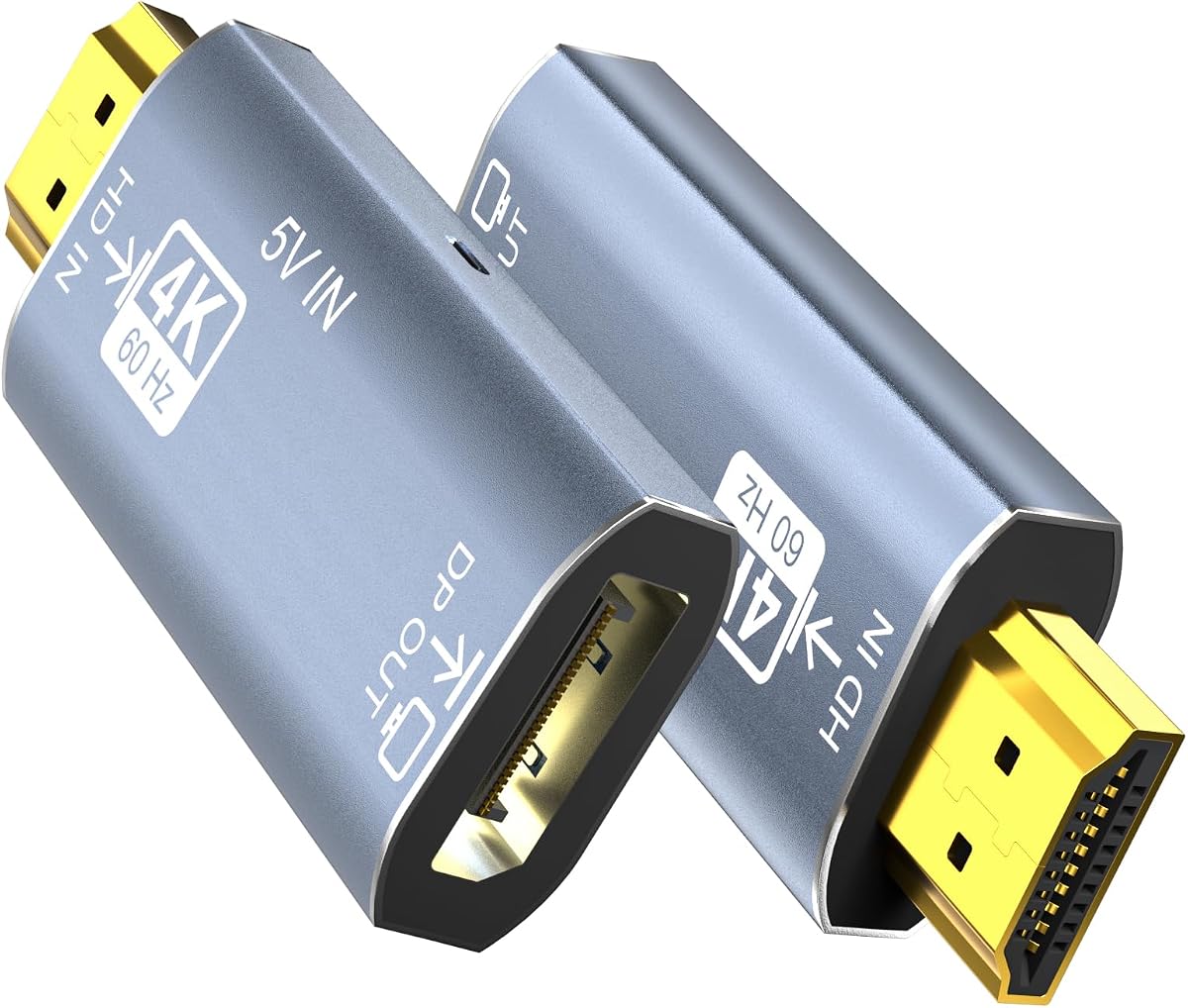
The Anker USB C to HDMI Adapter stands out as the top choice for modern laptops needing reliable 4K output. With a strong 4.6 rating it delivers crisp visuals without needing complex drivers or software.
We may earn a commission when you buy through this link, at no additional cost to you.
Its ability to support 60Hz refresh rates makes it ideal for dynamic content like video editing or gaming. The aluminum casing helps manage heat during long sessions ensuring consistent performance over time.
While it lacks charging capabilities the design focuses purely on video transmission reliability. Users should ensure their USB-C port supports DP Alt Mode for full functionality and best results.
This adapter is perfect for professionals and students who prioritize stable video output for presentations. The robust construction and long warranty make it a smart investment for daily use.
Supports 4K resolution at 60Hz for smooth high definition visuals on any compatible HDMI display.
Reinforced braided nylon and aluminum housing protect against daily wear and heat buildup during use.
We may earn a commission when you buy through this link, at no additional cost to you.
The BENFEI DisplayPort to HDMI Adapter offers exceptional value for users on a tight budget without sacrificing essential features. It connects DP equipped laptops to HDMI displays reliably for work or entertainment needs.
We may earn a commission when you buy through this link, at no additional cost to you.
Its compact design makes it easy to carry in a laptop bag for presentations anywhere. The latched connector ensures a secure fit that prevents accidental disconnections during use.
While 30Hz at 4K is slower than higher-end options it remains stable for office work and video streaming. This tradeoff is acceptable for the low price point and consistent performance.
Ideal for business travelers needing a simple solution to connect projectors or monitors. The warranty and responsive support add peace of mind for those seeking a budget friendly option.
Delivers 4K output at a fraction of the cost of premium adapters while maintaining stable signal quality.
Latched DisplayPort connector locks in place to prevent accidental drops during presentations or travel.
We may earn a commission when you buy through this link, at no additional cost to you.
Moread delivers a robust adapter with a standout five year warranty that signals confidence in its durability. It connects DP ports to HDMI screens with clear audio pass-through for immersive experiences.
We may earn a commission when you buy through this link, at no additional cost to you.
The reinforced ABS housing withstands frequent plugging and bending which is vital for daily use. Gold-plated connectors resist corrosion ensuring the signal remains clear even after extended periods.
While it supports high refresh rates at 1080p users should note the 4K limit is 30Hz. This suits most office and home tasks but may not meet high refresh gaming needs at 4K.
Great for users seeking long term reliability and peace of mind. The warranty coverage and solid build quality make it a practical choice for laptops needing consistent display output.
Exclusive five year unconditional warranty ensures long-term satisfaction and protection against defects or wear.
Reinforced ABS housing and strain relief design withstand daily use without damage or connectivity issues.
We may earn a commission when you buy through this link, at no additional cost to you.
Highwings provides a reliable 4K@60Hz adapter suitable for home office setups and presentations. It converts USB-C ports to HDMI effortlessly allowing users to extend their workspace immediately without drivers.
We may earn a commission when you buy through this link, at no additional cost to you.
The braided nylon jacket and gold plated connectors ensure long-lasting durability and stable signal transmission. Plug and play functionality makes it accessible for users of all technical levels seeking quick setup.
Users should note the chip may become warm during high-resolution transmission which is normal but worth monitoring. It does not support charging so a separate power source is needed for laptops.
An excellent pick for those wanting crisp video quality without extra bulk. The solid warranty and responsive service team add value for users needing dependable connectivity in daily workflows.
Supports 4K resolution at 60Hz for smooth video playback and responsive cursor movement on external displays.
Instantly turns USB-C into HDMI with no drivers or software installation required for immediate use.
We may earn a commission when you buy through this link, at no additional cost to you.
The Anker HDMI Switch allows users to connect two HDMI sources to one monitor or TV efficiently. It is useful for switching between a laptop and game console without unplugging cables repeatedly for convenience.
We may earn a commission when you buy through this link, at no additional cost to you.
Supporting 4K at 60Hz ensures high-quality visuals for both media consumption and gaming. The manual button provides simple transitions between inputs making it easy for quick changes during work or play.
Note that automatic signal detection is not supported so users must manually select the active input each time. It also supports one display at a time preventing simultaneous dual outputs on connected screens.
Ideal for setups with multiple devices needing one output screen like home theater or office. The compact form and strong build quality make it a reliable add-on for flexible connectivity needs.
Dive into media or games with a single button for seamless transitions between your connected devices easily.
Delivers cinematic 4K resolution at 60Hz for enhanced viewing experiences on compatible HDMI displays.
We may earn a commission when you buy through this link, at no additional cost to you.
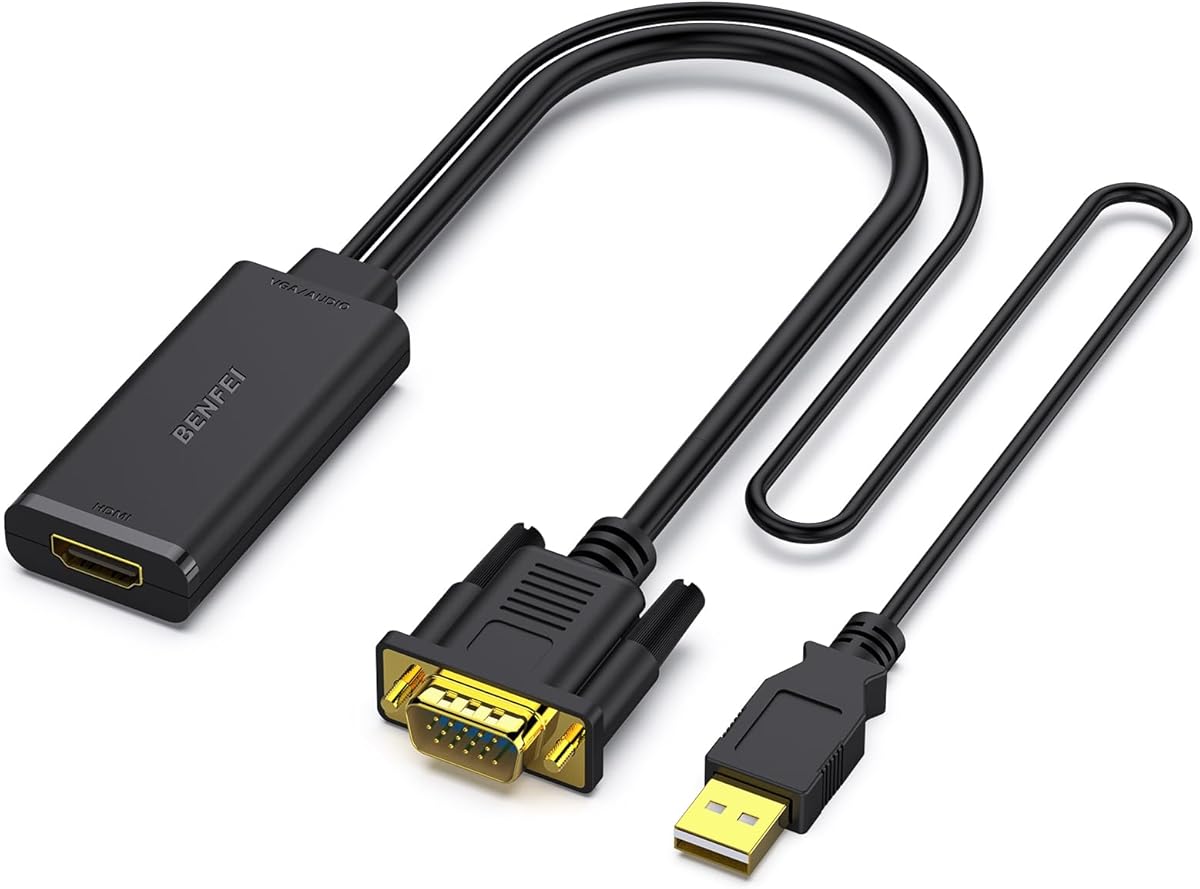
This adapter bridges older VGA laptops to modern HDMI monitors enabling extended desktops without new hardware. The integrated USB cable carries audio ensuring sound matches video for a complete viewing experience.
We may earn a commission when you buy through this link, at no additional cost to you.
Built-in IC chip converts analog VGA signals to digital HDMI reliably for presentations or home use. The compact design tucks easily into bags for business trips or office moves where legacy devices are common.
Users should note that it supports up to 1080P and does not support higher resolutions typical with newer displays. This limitation is manageable for standard office tasks and general video streaming needs comfortably.
Great for users with older equipment needing to connect to modern screens. The warranty and customer service provide confidence for those relying on this adapter for essential daily connectivity tasks.
Embedded USB cable transmits audio alongside video solving sound issues common with analog to digital conversion.
Connects any device with VGA output to HDMI displays for versatile use across older and newer computers.
We may earn a commission when you buy through this link, at no additional cost to you.
This multiport adapter expands a single USB-C port into HDMI, power, and USB 3.0 capabilities. It supports PD charging up to 100W which keeps laptops powered during long work sessions without extra cables.
We may earn a commission when you buy through this link, at no additional cost to you.
The aluminum body dissipates heat efficiently ensuring stable performance under load. USB 3.0 transfer speeds allow fast file access for external drives while mirroring to an external display seamlessly.
Note that HDMI output is limited to 30Hz at 4K which is adequate for office work but less for gaming. Charging support uses a separate port ensuring video output remains uninterrupted during power use.
Perfect for professionals needing a hub solution for laptops with limited ports. The combination of video power and data in one device simplifies desk setups and enhances overall productivity significantly.
Supports up to 100W charging input allowing laptops to stay powered while using HDMI video output.
USB 3.0 port supports transfer speeds up to 5Gbps for fast access to external drives and peripherals.
We may earn a commission when you buy through this link, at no additional cost to you.
This adapter supports 8K at 60Hz and 4K at 144Hz ideal for high-end gaming or content creation setups. It connects devices with Mini HDMI ports to standard HDMI displays without losing signal quality or refresh rates.
We may earn a commission when you buy through this link, at no additional cost to you.
The 24K gold-plated connectors resist corrosion ensuring near zero signal loss for crisp images. Testing shows it withstands over 10000 plug cycles providing long-term reliability for frequent connection changes.
Note that it requires devices with true Mini HDMI ports not Micro HDMI. This distinction is vital for compatibility so check your laptop or camera specs before purchasing to ensure a proper fit.
Best for tech enthusiasts or creators using cameras and gaming consoles with Mini HDMI. The 2-pack ensures you have a spare ready while offering top-tier performance for demanding visual applications.
Delivers 8K at 60Hz with backward compatibility for 4K at 144Hz high refresh gaming and home theater needs.
Aluminum alloy housing and gold-plated connectors ensure zero signal loss and resist oxidation over time.
We may earn a commission when you buy through this link, at no additional cost to you.
This adapter converts HDMI outputs to DisplayPort inputs enabling PS5 or Xbox connections to modern monitors. It supports high refresh rates like 2K at 144Hz which is vital for competitive gaming performance.
We may earn a commission when you buy through this link, at no additional cost to you.
Braided nylon cable adds durability while the aluminum casing manages heat during intense usage. External USB power is needed to activate the chipset ensuring consistent signal translation across supported resolutions.
Users must ensure their DisplayPort monitor accepts active HDMI signals correctly to avoid black screens. While it adds a slight cable management note the performance gains for gaming are substantial and worth the setup.
Ideal for gamers and streamers connecting consoles to high refresh monitors. The warranty and responsive support add confidence for users relying on this adapter for high-fidelity visual setups regularly.
Connects HDMI consoles like PS5 and Xbox to DisplayPort monitors for high refresh rate gaming experiences.
Advanced chipset ensures accurate protocol translation from HDMI sources to DisplayPort displays with stable color.
We may earn a commission when you buy through this link, at no additional cost to you.
This active adapter provides reliable HDMI to DisplayPort conversion for dual-monitor setups or console gaming. It delivers stable 4K at 60Hz ensuring clear visuals for work or entertainment without latency issues.
We may earn a commission when you buy through this link, at no additional cost to you.
True plug and play operation across Windows and macOS simplifies deployment for office environments. Zero latency design is ideal for fast-paced gaming and flight simulators requiring instant response times.
Users must use a premium DP 1.2 cable for optimal resolution to avoid line dropouts. The USB power connection is essential to activate the conversion chip and ensure stable signal transmission.
Best for IT setups needing reliable expansion of existing HDMI sources. The aluminum housing and solid performance make it a functional tool for professionals seeking dependable connectivity solutions.
Provides instant response times during gaming for immersive experiences without lag or visual delay.
Driver-free hardware decoding ensures immediate operation across Windows, macOS, and Linux systems easily.
We may earn a commission when you buy through this link, at no additional cost to you.
Selecting the right adapter depends on your ports and usage needs. These factors help you prioritize performance and features for your setup.
Ensure the adapter supports your display's resolution and refresh rate. Most modern needs offer 4K but check Hz ratings like 30Hz versus 60Hz for smooth motion.
Prioritize 60Hz if you watch videos or game regularly to avoid stuttering during playback.
Verify the laptop's output port matches the adapter type. Common types include USB-C, DisplayPort, and VGA depending on device age and brand.
Choose adapters matching your exact port to avoid unnecessary converters or complex chains.
Some adapters handle audio seamlessly while others require extra cables. Look for all-in-one solutions that carry sound alongside video for cleaner setups.
Check if audio pass-through is supported to avoid separate speaker connections.
Certain adapters include charging pass-through to keep your laptop powered while using external displays. This is useful for laptops with few ports needing continuous power.
Verify wattage support to ensure your adapter can handle your laptop's charging requirements properly.
Durability matters for daily users who connect and disconnect frequently. Look for aluminum housings and braided cables to resist tangles and heat damage.
Strong connectors with latches prevent accidental drops and signal interruptions during use.
A solid warranty indicates manufacturer confidence in product longevity. Options range from 18 months to five years for better peace of mind on investment.
Check customer service responsiveness to resolve issues quickly if the adapter fails.
Connect the adapter to your laptop's output port firmly until clicks or latches engage. Then attach your HDMI cable to the adapter and connect to the display.
Power on the laptop and display. If audio is missing check your sound settings to select the HDMI device as default output source.
Store adapters in a protective case to prevent bends or connector damage. Avoid wrapping cables too tightly and clean connectors with a dry cloth regularly.
Not all USB-C ports support video. Only those with DP Alt Mode or Thunderbolt can output video through adapters. Check your laptop specifications to confirm compatibility before buying.
Some adapters support power delivery pass-through while others do not. Check the product specs for charging support. Standard adapters only handle video without charging capabilities.
This often happens due to mismatched ports or unsupported refresh rates. Ensure your cables are connected securely and your laptop recognizes the display in settings.
Most modern HDMI adapters carry audio automatically. However if your display has no speakers you may need to select the HDMI device in sound settings to route audio.
1080p at 60Hz is usually sufficient for business presentations. For high-end demos choose 4K adapters to ensure clarity on larger screens without pixelation.
Yes if they support the console's output and the target display's input. Ensure the adapter supports the console's resolution and refresh rate for smooth gameplay.
We reviewed ten top adapters suitable for diverse needs from budget friendly options to premium multiport hubs. Each offers reliable performance with strengths like durability or high refresh rates for various use cases.
Prioritize compatibility with your laptop ports and required resolution. For daily use choose adapters with strong build quality and warranty to ensure consistent connectivity without interruptions.
Remember that prices fluctuate so check current listings before purchasing. This ensures you secure the best value for your chosen model without missing limited offers or discounts.