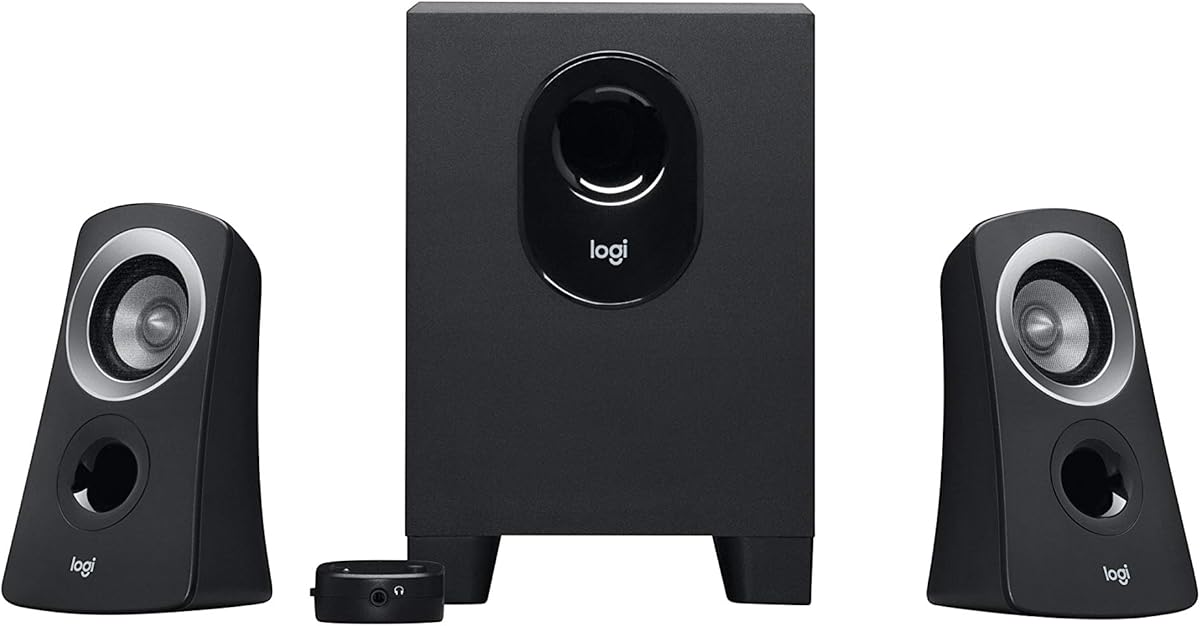
Logitech Z313
4.4Editor score
25 watts RMS output
Compact subwoofer design
Convenient control pod
Discover the best 2.1 Channel Desktop Speakers for immersive audio. We compare top models for gaming music and movies to help you choose.
Finding the right audio setup is essential for any desktop user who values clarity and depth. A 2.1 Channel Desktop Speakers system provides the perfect balance of crisp mids and powerful low-end frequencies without taking up too much space.
We have carefully evaluated ten distinct models based on sound quality, build durability, connectivity options, and overall value. This list covers a wide range of needs from budget-friendly options to premium systems designed for audiophiles and gamers alike.
Each pick highlights key features and potential trade-offs so you can make an informed decision quickly. Please note that product availability and pricing can change frequently so always verify details before completing your purchase online today.
4.4Editor score

4.5Editor score
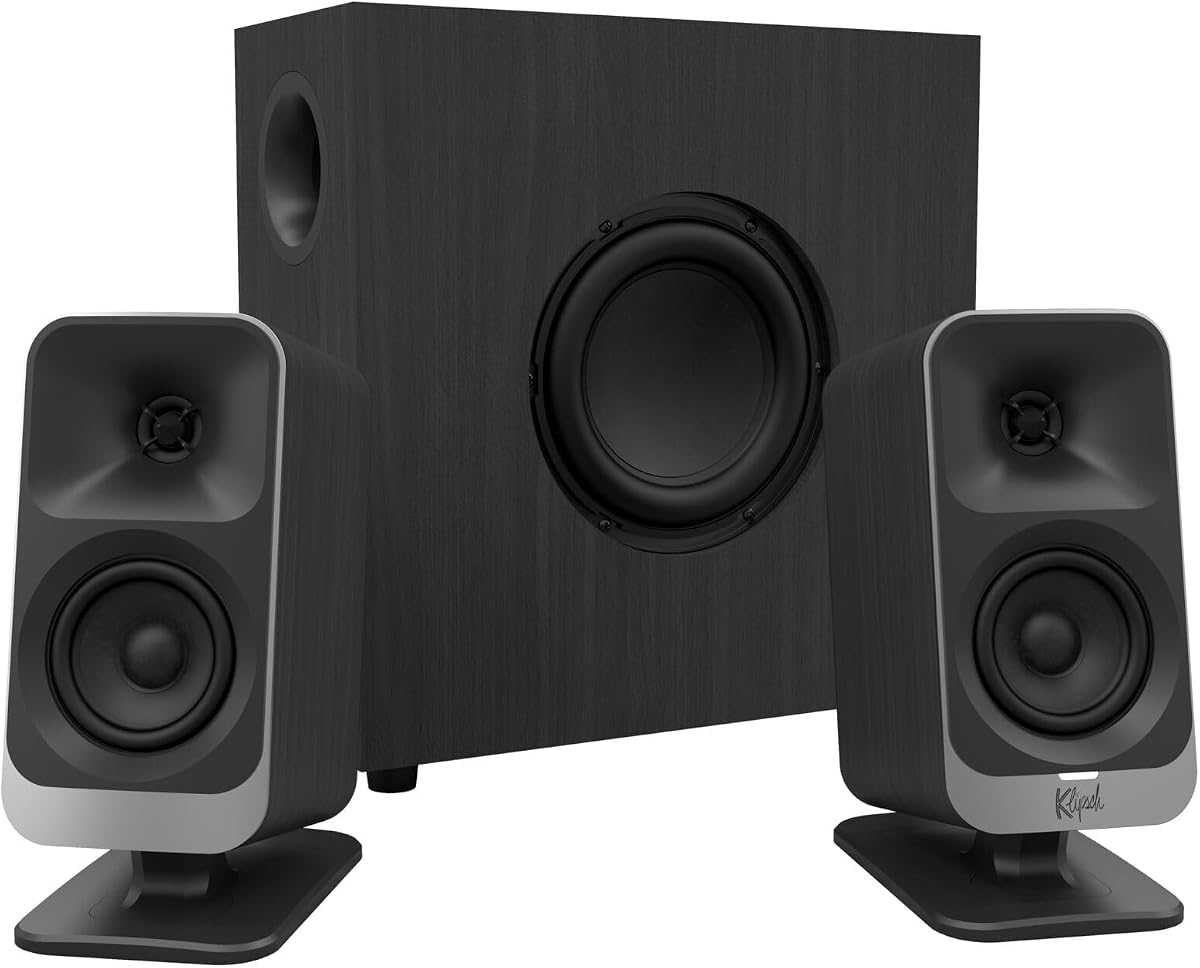
4.2Editor score
The following table offers a side-by-side comparison of all ten selected models allowing you to quickly identify which system fits your specific needs and budget constraints.


The Klipsch ProMedia 2.1 THX Certified system stands as a benchmark for desktop audio with its legendary sound and THX certification ensuring high fidelity across all frequencies.
We may earn a commission when you buy through this link, at no additional cost to you.
Its MicroTractrix horn technology delivers exceptional clarity while the 6.5 inch side-firing subwoofer provides full bandwidth bass that you can truly feel during movies and music.
While the system is robust and powerful it does require a dedicated space on your floor or desk due to the size of the subwoofer and satellite units.
If you seek a timeless audio experience that balances power and precision this system is the top recommendation for serious desktop listeners and home office users.
THX certification ensures the speakers meet rigorous standards for audio performance and consistency across different listening environments and volumes.
This technology maximizes efficiency by directing sound precisely to your ears reducing dispersion and increasing overall volume and clarity without distortion.
We may earn a commission when you buy through this link, at no additional cost to you.
The Logitech Z313 offers an affordable entry into the world of 2.1 channel audio making it ideal for users who want improved sound without breaking the bank.
We may earn a commission when you buy through this link, at no additional cost to you.
It features a convenient control pod for volume adjustments and a compact subwoofer that fits easily under most desks while delivering solid 25 watt RMS power.
Though the sound lacks the depth of premium systems it remains clear enough for everyday tasks like video calls and casual music listening.
For budget-conscious buyers seeking a reliable upgrade from built-in speakers this system delivers excellent value and simplicity for any desktop setup.
The included control pod allows quick volume adjustments and power toggling without needing to reach back to your computer or device.
Space-saving design ensures the subwoofer and satellites fit neatly on even smaller desks without overwhelming your workspace.
We may earn a commission when you buy through this link, at no additional cost to you.
The Logitech Z623 is a powerhouse delivering 400 watts of peak power and THX certification for an immersive audio experience that rivals home theater systems.
We may earn a commission when you buy through this link, at no additional cost to you.
It supports multiple devices via RCA and 3.5 inputs making it versatile for computers game consoles and media players all connected at once.
Its large satellite speakers and dedicated subwoofer require significant desk and floor space which might not suit compact workstations.
If you have the space and demand maximum volume and detail this system is a top choice for media lovers and serious PC users.
With 400 watts of peak power this system fills large rooms effortlessly ensuring you hear every detail without distortion even at high volumes.
The combination of RCA and 3.5 inputs lets you switch between devices seamlessly without constantly unplugging cables.
We may earn a commission when you buy through this link, at no additional cost to you.
The Creative Pebble X Plus combines modern connectivity with aesthetic flair offering USB-C and Bluetooth 5.3 for seamless connection to various devices and laptops.
We may earn a commission when you buy through this link, at no additional cost to you.
Its vibrant RGB lighting adds a custom look to any desk while the all-new compact subwoofer delivers balanced audio with punchy bass suitable for daily use.
While it supports both wired and wireless modes the RGB features add extra complexity and power requirements that some might find unnecessary.
This system is perfect for users who value style and versatile connections alongside solid sound quality in a sleek space-saving package.
USB-C ensures a clean digital connection to modern computers reducing interference and improving sound quality compared to analog inputs.
Latest Bluetooth technology provides stable wireless streaming with low latency for smooth music and video playback on the go.
We may earn a commission when you buy through this link, at no additional cost to you.
Bluedee computer speakers bring advanced DSP tuning to reduce distortion ensuring clearer vocals and balanced audio ideal for work and home setups.
We may earn a commission when you buy through this link, at no additional cost to you.
They feature Bluetooth 5.4 and a versatile control knob for volume and lighting adjustments making them highly user-friendly for daily interactions.
The RGB lighting adds a stylish touch but can be distracting in dim work environments if not managed carefully or dimmed.
If you want strong bass and smart features at a competitive price these speakers offer a compelling mix of utility and style.
Digital Signal Processing ensures that highs remain smooth and vocals remain clear without harshness even at higher volumes.
A single knob manages volume playback lighting and modes simplifying the user experience compared to multiple buttons or apps.
We may earn a commission when you buy through this link, at no additional cost to you.
The Cyber Acoustics CA-3090 offers an ultra-affordable solution for those needing basic 2.1 sound with a dedicated subwoofer and simple volume controls.
We may earn a commission when you buy through this link, at no additional cost to you.
Its flat panel design saves desk space while the ported four inch subwoofer adds enough bass to enhance listening without overwhelming small rooms.
Power is modest at 18W peak meaning it is best suited for quiet environments rather than loud gaming or multimedia sessions.
For students or office workers seeking a cost-effective upgrade this system provides decent performance without financial strain.
Slim satellites take up minimal desk real estate making them perfect for crowded workstations or shared spaces.
A dedicated bass volume control on the subwoofer lets you adjust low-end output independently to suit your preference.
We may earn a commission when you buy through this link, at no additional cost to you.
The Creative Pebble Plus simplifies desktop audio with full USB power eliminating the need for a separate wall socket while maintaining a small footprint.
We may earn a commission when you buy through this link, at no additional cost to you.
Its 45 degree elevated drivers and down-firing subwoofer ensure sound is directed toward you for a focused listening experience.
While powerful for its size the 8W RMS limit means it suits smaller rooms or quiet office settings rather than large entertainment areas.
Laptop users and travelers who want better sound without cables will appreciate this portable and easy-to-integrate speaker system.
Running solely on USB power reduces cable clutter and makes setup possible on any device with an available USB port.
Engaging this mode with a stronger adapter boosts volume and bass for more impactful audio in larger spaces.
We may earn a commission when you buy through this link, at no additional cost to you.
The Cyber Acoustics CA-3610 delivers strong bass with a 5.25 inch down-firing subwoofer perfect for movies and music lovers needing impactful low-end sound.
We may earn a commission when you buy through this link, at no additional cost to you.
Titanium drivers in satellites produce crisp highs while the control pod allows easy adjustment of volume and bass levels to suit your mood.
A built-in headphone jack offers private listening which is a practical addition for shared offices or home environments.
If you prioritize strong bass and versatile controls over premium finesse this system delivers great performance for the price.
Titanium construction in satellite drivers provides durability and clear highs ensuring vocal tracks and instruments remain crisp.
The front headphone jack allows instant switching to private listening without unplug other audio devices.
We may earn a commission when you buy through this link, at no additional cost to you.
The Logitech Z407 offers premium audio with a unique wireless dial that lets you control volume and playback from across the room without wires.
We may earn a commission when you buy through this link, at no additional cost to you.
With Bluetooth support and dual-position satellite speakers you can customize your audio experience to fit various desk configurations and preferences.
While the wireless dial is convenient it relies on batteries which need occasional replacement compared to standard wired controls.
Users seeking flexibility and high-quality sound will find this system a worthy investment for a modern and clutter-free desktop.
The wireless control dial enables intuitive operation with tap and spin gestures for volume and playback without reaching for cables.
Satellite speakers can be placed vertically or horizontally to match your aesthetic or accommodate specific desk layouts.
We may earn a commission when you buy through this link, at no additional cost to you.
The Klipsch ProMedia Lumina 2.1 reimagines a classic with modern USB-C connectivity and built-in RGB lighting for a premium and immersive desktop experience.
We may earn a commission when you buy through this link, at no additional cost to you.
Its low-profile subwoofer saves floor space while the Klipsch Control app allows precise EQ adjustments lighting effects music react mode and night mode.
While expensive compared to others this system delivers a cohesive ecosystem for content creators gamers and audiophiles needing style and substance.
If you want a top-tier desktop system that merges audio performance with customizable aesthetics this model is the ultimate choice.
This dedicated app enables deep customization of sound profiles and lighting to tailor the system to any personal style.
A redesigned subwoofer minimizes floor footprint while maintaining punchy low-end performance ideal for modern workspaces.
We may earn a commission when you buy through this link, at no additional cost to you.
Selecting the right 2.1 channel desktop speakers involves evaluating several key factors to ensure they meet your audio needs and spatial constraints.
Power output measured in watts determines how loud and clear your speakers can get without distortion. Higher RMS ratings provide sustained volume and clarity while peak power indicates maximum short bursts. For desktop use around 20 to 50 watts RMS is often sufficient unless you need to fill a large room.
Look for speakers with balanced RMS and peak figures to ensure consistent performance during long listening sessions.
The subwoofer handles low frequencies and adds depth to your audio. Larger subwoofers deliver deeper bass but require more floor space. Consider the dimensions and whether the design allows under-desk placement to maximize your desk area.
Choose a subwoofer that fits your room size and layout to avoid clutter while still enjoying impactful bass.
Modern desktop speakers offer various connection methods including 3.5mm AUX USB USB-C and Bluetooth. Select options compatible with your primary devices to simplify setup and reduce cable mess. Wireless features add convenience for switching between devices.
Prioritize connections that match your devices and allow flexibility for future upgrades.
Durability affects both sound quality and longevity. Speakers made from solid wood or robust plastic resist vibrations better than flimsy materials. Check reviews for feedback on sturdiness and long-term reliability.
Invest in speakers with sturdy construction to ensure they last and perform consistently over time.
Sound quality varies widely across models. Look for features like DSP tuning balanced drivers or certifications like THX for assured fidelity. Test or read detailed reviews to gauge bass mids and highs clarity.
Focus on speakers known for clear vocals and controlled bass if you listen to music or call frequently.
Ease of use matters for daily interaction. Some systems include control pods or wireless dials for quick volume changes while others require app control. Physical controls are often more convenient than software.
Choose controls that match your workflow whether you prefer physical knobs or digital customization.
Your speakers should complement your workspace visually and physically. Sleek designs and RGB lighting can enhance aesthetics but ensure the size fits your desk and monitor setup comfortably.
Balance visual appeal with functional space use to maintain a clean and organized workstation.
Price varies from budget-friendly options to premium systems. Determine your budget range but avoid sacrificing essential features like power or connectivity. Higher cost often reflects better build and sound but not always.
Compare multiple models within your budget to find the best overall value and performance ratio.
Proper placement is critical for optimal sound. Position satellites at ear level and angle them slightly toward you. Place the subwoofer on the floor away from walls to prevent bass resonance and distortion during playback.
Regularly clean your speakers with a soft dry cloth to remove dust and debris. Avoid using liquids or harsh chemicals which can damage the finishes and speakers. Check cables periodically to ensure tight connections and no signs of wear.
Manage your volume levels responsibly to protect both your hearing and the speakers. Sudden volume spikes can blow drivers so increase gradually. Use built-in controls or software to balance volume for different media types effectively.
RMS power indicates continuous power handling ensuring consistent volume without distortion over time. Peak power is the maximum burst volume speakers can handle briefly. Focus on RMS for accurate sound quality expectations during extended listening.
Most modern 2.1 desktop speakers are active meaning they have built-in amplifiers and plug directly into your computer via AUX USB or power outlets. Passive speakers require external amplification but are rare in desktop setups.
Yes most 2.1 speakers include a 3.5mm aux input or Bluetooth enabling connection to smartphones via headphone jack or wireless pairing. Some models also support USB-C for direct digital audio streaming to mobile devices.
Distortion often occurs when speakers are overdriven. Keep your source device volume moderate and use the speaker's control pod to adjust. Ensure cables are secure and speakers are positioned away from obstructions that cause sound reflections.
Bluetooth speakers offer convenience and reduce cables but may have slight latency compared to wired connections. Wired connections provide more consistent audio quality without interference. Choose based on whether flexibility or sound fidelity is your priority.
Subwoofers vary widely but most desktop models are designed to sit under desks or in corners. Measure your available space and check product dimensions to ensure a proper fit without obstructing airflow or movement around your workspace.
Choosing the right 2.1 channel desktop speakers greatly enhances your daily digital experience whether for work entertainment or creativity. Our top picks cover a broad spectrum from budget-friendly simplicity to high-end immersive sound with versatile connectivity options.
When making your decision prioritize the features that matter most to you like power connectivity and subwoofer size. Balance your budget with the quality you expect to ensure satisfaction and longevity in your audio setup.
Always check current prices and availability before buying since these can fluctuate regularly. With the right choice you will enjoy clear rich audio that complements your desktop environment perfectly for years to come.