
Cosmo Mini 100 Copy Stand
4.3Editor score
Compact portable design under one minute setup
Includes Floating Magnet Board with grid lines
Adjustable column from eleven to sixteen inches
Discover the top copy stands for film scanning and photo digitizing in October 2026. Compare features, stability, and compatibility for precise overhead
Choosing the right copy stand for film scanning and photo digitizing ensures consistent results without expensive flatbed scanners. A good stand provides stability, adjustable height, and secure mounting for cameras or smartphones to capture high quality overhead images efficiently.
We evaluated ten top rated copy stands based on build quality, compatibility with devices, and ease of use for various digitizing tasks. Each product was assessed for its ability to handle films, photos, documents, and small objects while maintaining precise alignment during capture.
Each pick highlights unique strengths suited to different budgets and needs, from compact hobbyist solutions to robust professional rigs. Prices and availability change frequently, so verify current details before purchasing to ensure you get the best value for your specific digitizing project.
4.3Editor score
4.8Editor score

4.2Editor score
The following table compares all ten copy stands side by side to help you decide which model fits your specific digitizing needs best.




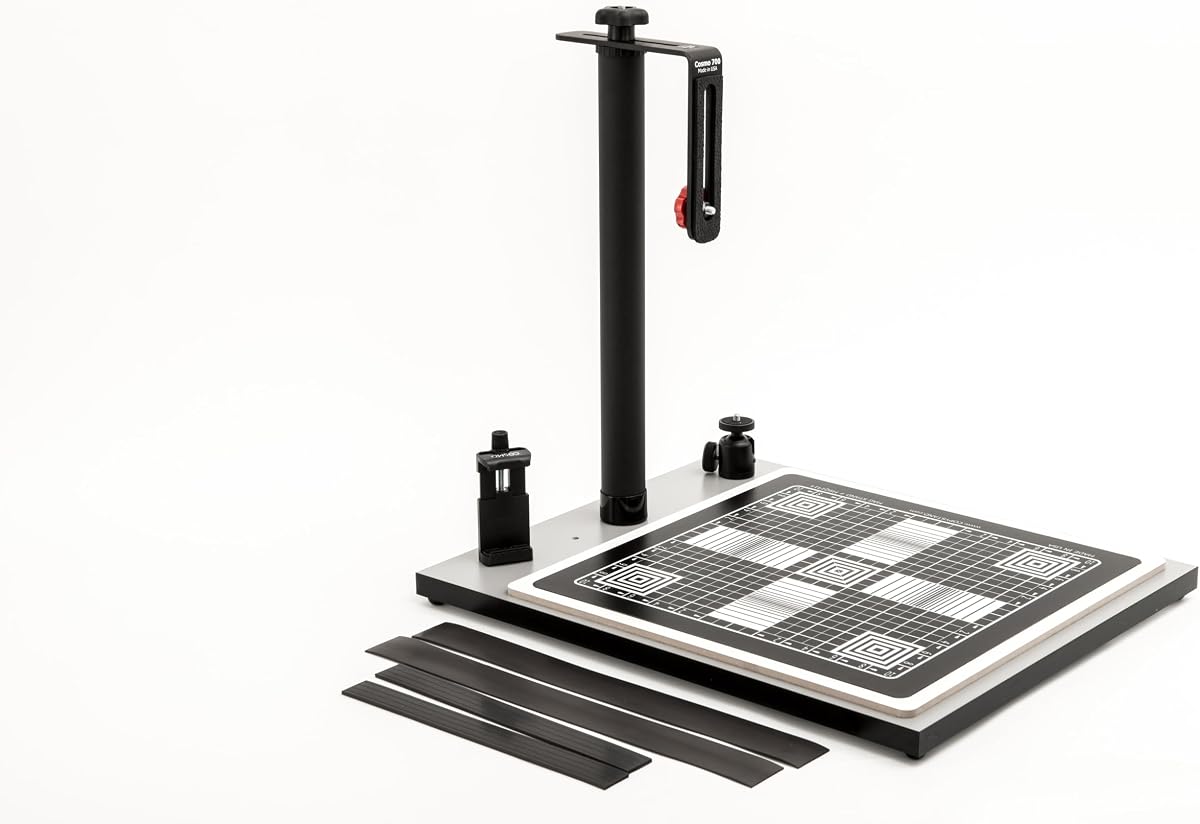
The Cosmo Mini 700 Copy Stand is a robust solution designed for users who need to digitize large documents, artwork, or photos with precision. It earns a high rating for its versatility and build quality, making it suitable for enthusiasts and semi professionals who demand accuracy.
We may earn a commission when you buy through this link, at no additional cost to you.
Its standout feature is the massive 15 by 15 inch Floating Magnet Board that keeps originals flat without tape or weights. The baseboard is equally spacious at 15.5 by 18.5 inches, allowing full page scans of oversized items. The adjustable column and aluminum L bracket ensure your camera or smartphone stays perfectly aligned.
While the weight and size might be excessive for casual users needing to scan pocket photos, the stability is unmatched in its category. The included ball head adds professional flexibility for angling shots precisely. This trade off is acceptable for anyone digitizing large collections or selling items online.
Buyers looking for a reliable workhorse for large format scanning should choose this model. It balances portability with industrial strength features that save time during repetitive digitizing tasks. Ensure your workspace can accommodate the base dimensions before purchasing.
The large baseboard allows full capture of art prints, large photos, and documents without stitching multiple scans.
The included 15 by 15 inch board uses magnetic strips and grid lines to keep pages flat and aligned automatically.
We may earn a commission when you buy through this link, at no additional cost to you.
The Cosmo Mini 100 Copy Stand is an entry level option perfect for digitizing small photos, checks, or jewelry using a smartphone. It receives positive ratings for its ease of use and compact footprint, making it ideal for home offices or students with limited desk space.
We may earn a commission when you buy through this link, at no additional cost to you.
Despite its low price, it includes a Floating Magnet Board with grid lines to help position items accurately. The adjustable column lets you raise the camera to avoid glare on reflective surfaces. Assembly takes less than a minute, so you can start digitizing immediately after unboxing.
The main limitation is the smaller base size, which means you cannot scan full size documents or large prints. However, for personal archives of family photos or ID cards, this limitation is rarely an issue. The lightweight construction is a trade-off for portability.
Choose this stand if you prioritize affordability and speed over professional grade rigidity. It is a solid choice for casual users who want to digitize small items quickly without complex equipment or bulky setups.
The simple design allows you to assemble the stand in under one minute and start capturing images instantly.
Includes a value packed 9 by 7 inch magnetic board to hold originals flat without adhesives or tape.
We may earn a commission when you buy through this link, at no additional cost to you.
The Kaiser RS1 Copy Stand represents the top tier of professional imaging equipment designed for high precision digitization tasks. Its rating reflects strong approval from professionals who require absolute stability and flexibility in their workflow for critical scanning applications.
We may earn a commission when you buy through this link, at no additional cost to you.
The extra-wide aluminum column provides exceptional vibration resistance ensuring that even long exposure shots remain crisp without camera shake. The roll-off spring mechanism compensates for camera weight, allowing smooth vertical adjustments without jerky movements. This level of engineering reduces fatigue during extended digitizing sessions.
While it does not include a floating magnet board, the matte gray base with printed grids offers precise positioning for any item. The higher cost is justified by its durability and performance standards expected in archival or commercial work environments. Users may need to purchase additional accessories separately.
Investors in this stand should expect a lifetime tool for professional photo scanning or film digitizing projects. If stability and precision are your top priorities and budget is secondary, the RS1 delivers unmatched performance and longevity.
The wide column design dampens vibrations effectively to ensure high resolution captures even at maximum height.
Weight compensation makes adjusting camera height smooth and effortless even with heavy DSLR setups mounted on top.
We may earn a commission when you buy through this link, at no additional cost to you.
The Cosmo Mini 300 Copy Stand bridges the gap between budget and professional models with a larger base and solid steel column. It is highly rated for hobbyists who want more stability than the mini 100 provides without spending as much as premium brands.
We may earn a commission when you buy through this link, at no additional cost to you.
Its baseboard measures 12 by 9.5 inches which accommodates standard photo sizes and small documents easily. The adjustable column offers vertical flexibility from 7 to 17 inches allowing you to frame items perfectly. The included 10 by 7.5 inch Floating Magnet Board ensures originals do not curl during capture.
Although it lacks a ball head for angled shots, the reversible bracket provides horizontal adjustments that work well for overhead scanning. The added weight gives it a more substantial feel than lighter stands but it remains portable enough for storage. This makes it a practical middle ground for regular users.
Select this stand if you need a reliable setup for digitizing photo albums or small collections. It offers the best balance of features and cost for most home users who want quality results without professional overhead costs.
The 12 by 9.5 inch base provides ample room for standard photo prints and documents without crowding.
The steel column with powder coating ensures rigidity and longevity for daily use in home offices.
We may earn a commission when you buy through this link, at no additional cost to you.
This Copy Macro Stand is purpose built for film digitization using DSLR cameras which ensures stable alignment for negatives and slides. It earns a solid rating from photographers who need a dedicated tool for scanning film rolls without expensive flatbed scanners.
We may earn a commission when you buy through this link, at no additional cost to you.
The aluminum alloy frame provides a robust platform that supports heavier camera lenses without tipping. The quick-release plate makes it easy to attach and detach your camera quickly which saves time during batch scanning. The built-in bubble level helps you ensure your camera is perfectly parallel to the film.
Unlike general copy stands this model does not include a magnet board so you may need a separate light table for transparency work. The adjustment mechanism is straightforward but lacks the fine tuning of higher end models. Still it delivers excellent stability for its price point.
Film photographers looking for a dedicated DSLR solution should consider this stand for accurate results. It is a practical choice for digitizing 135 or 120 negatives with professional consistency at a reasonable cost.
The included quick-release plate allows rapid attachment and detachment of DSLR cameras for efficient batch scanning.
A built-in bubble level ensures your camera is perfectly parallel to the film plane for distortion free scans.
We may earn a commission when you buy through this link, at no additional cost to you.
The Kaiser 205411 Copy Stand is a compact professional tool designed for users who need precision without a massive footprint. It holds a high rating for its build quality and thoughtful design features like the rotatable column and matte finish.
We may earn a commission when you buy through this link, at no additional cost to you.
Its non-reflective matte gray base minimizes glare which is crucial when digitizing glossy photos or documents. The camera arm adjusts vertically and horizontally so you can frame different sizes precisely. The inch and centimeter scales on the column help maintain consistent heights across multiple sessions.
While it supports up to 3.3 pounds which fits most mirrorless cameras it may not handle heavy telephoto lenses like larger models. The rotatable column adds versatility that many competitors lack. This design choice makes it unique among professional options.
Buyers needing a portable professional rig for studio work will appreciate this stand's accuracy and flexibility. It offers a refined balance of features that streamline the scanning workflow for quality results.
The matte gray surface minimizes reflections on glossy documents ensuring clean scans without glare interference.
The ability to rotate the column 180 degrees provides versatile positioning options for different shooting angles.
We may earn a commission when you buy through this link, at no additional cost to you.
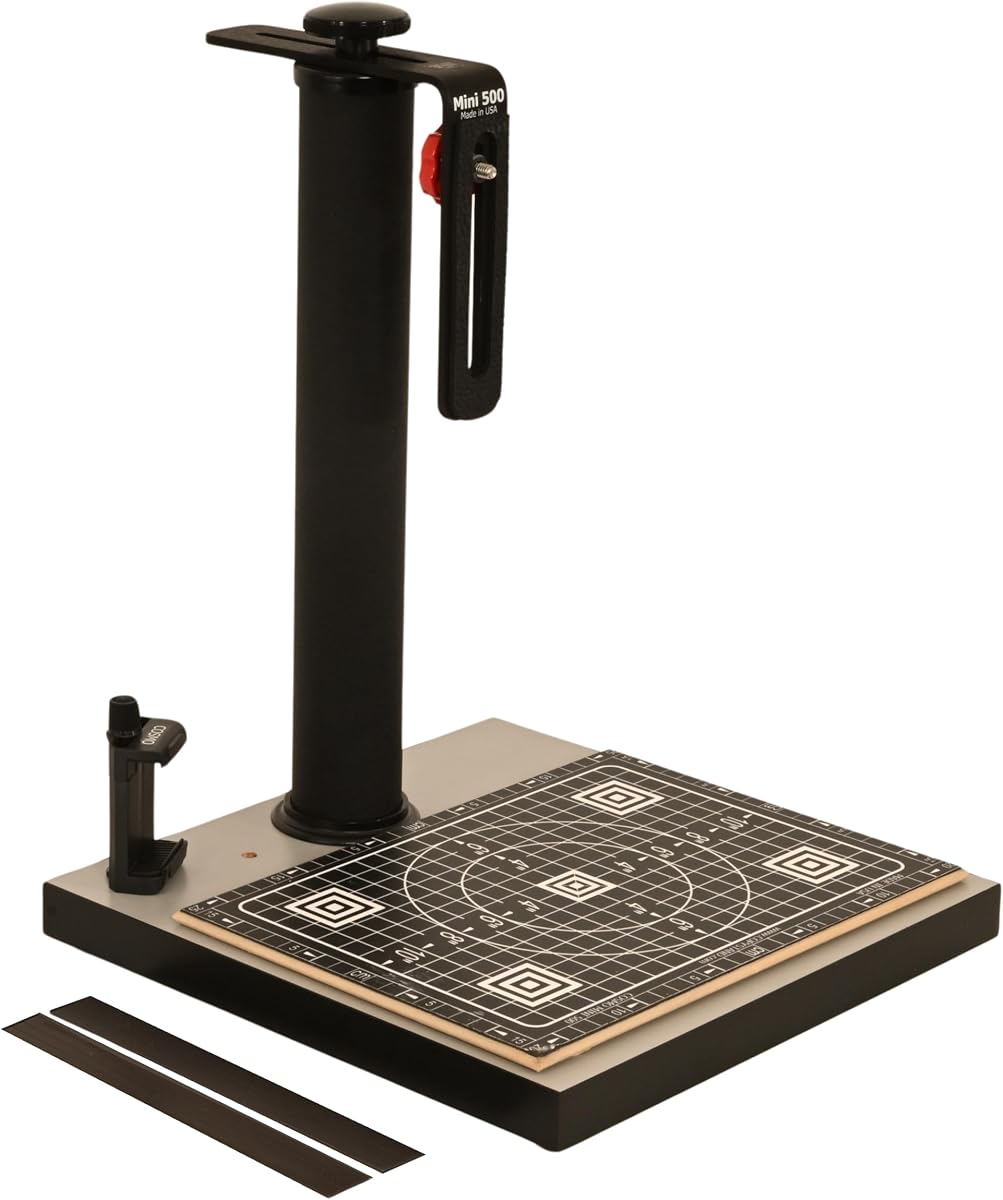
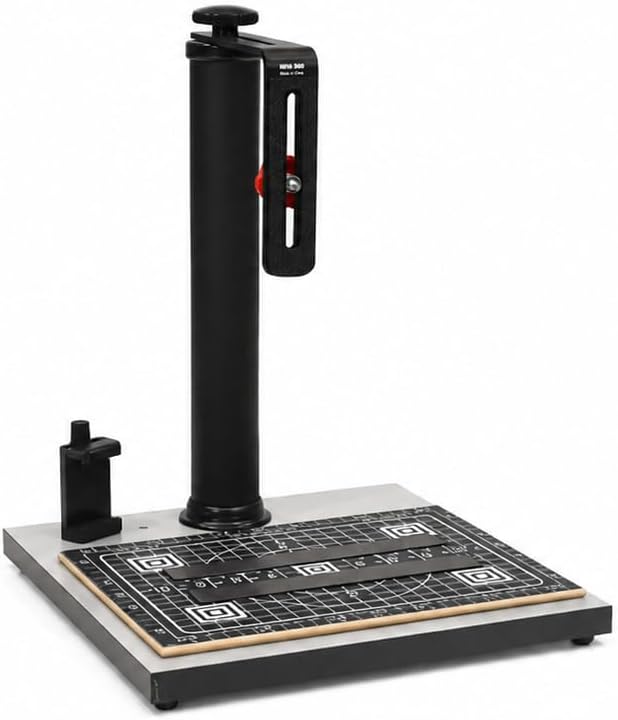
The Cosmo Mini 500 Copy Stand delivers enhanced stability through a heavier steel column and larger baseboard than its mini counterparts. It is well rated for users who need a sturdier platform for repeated digitizing sessions with cameras.
We may earn a commission when you buy through this link, at no additional cost to you.
Its 12 by 12 inch base provides a balanced platform that resists tipping. The adjustable bracket offers 9 to 19 inches of vertical travel which accommodates larger lenses and different working heights easily. The steel column ensures that the structure remains rigid during operation.
While the added weight helps stability it makes transportation slightly more cumbersome compared to lighter mini models. The included floating magnet board is sized to fit standard letter paper which covers most document digitizing needs efficiently. This trade-off is acceptable for quality-focused users.
Select this model if you prioritize rigidity and durability over portability in your workflow. It is a dependable workhorse for archiving photos and documents with consistent sharp results over time.
The heavy steel column with powder coating eliminates wobble ensuring sharp images even with heavy camera lenses.
The 12 by 12 inch square base provides even weight distribution for improved stability during shooting.
We may earn a commission when you buy through this link, at no additional cost to you.
The Cosmo Mini 500 V2 offers a subtle variation with a slightly larger baseboard for extra workspace. It receives positive feedback from users who want reliable performance without unnecessary moving parts to adjust during use.
We may earn a commission when you buy through this link, at no additional cost to you.
Its 13 by 12.5 inch base gives you more room to maneuver larger documents or multiple items. The fixed steel column ensures consistent height once set reducing adjustment time. The floating magnet board and grid lines help keep originals flat and aligned effectively.
While the bracket adjusts vertically the fixed column means you cannot raise the main post height independently. This simplifies setup but reduces flexibility for varying camera heights. Still the robust build is ideal for dedicated desks where stability matters most.
Buyers who value simplicity and stability over flexibility will find this version suitable for regular digitizing work. It offers a stable platform for capturing images with minimal fuss and maximum reliability.
The 13 by 12.5 inch base provides additional workspace for larger items without sacrificing compact design.
The fixed column design ensures consistent alignment once set reducing the need for frequent adjustments.
We may earn a commission when you buy through this link, at no additional cost to you.
The Cosmo Mini 700 V2 Copy Stand excels at capturing large objects and food plates thanks to its expansive baseboard. It is highly rated for online vendors who need clear top-down photos of merchandise without cluttered backgrounds.
We may earn a commission when you buy through this link, at no additional cost to you.
Its 15.5 by 18.5 inch base accommodates large dishes or artwork comfortably. The floating magnet board ensures papers stay flat while the ball head allows smooth angle adjustments for perfect framing. The steel column provides the necessary rigidity for heavier camera gear.
The size means you need dedicated desk space which may not suit casual users with limited room. However the professional quality results justify the space requirement for serious projects. The included ball head is a premium touch that enhances flexibility.
Choose this stand if you sell items online or shoot photos where size and composition matter. Its robust build and large workspace make it a top contender for commercial and creative users.
The expansive baseboard allows easy shooting of plates and objects without worrying about edge cuts in the frame.
The included ball head lets you tilt and angle the camera smoothly for precise composition without moving the stand.
We may earn a commission when you buy through this link, at no additional cost to you.
This Photography Copy Holder Mag Stand is a versatile accessory that turns any flat surface into a digitizing station. It earns perfect ratings for its convenience and simplicity when you already have a camera mount or overhead rig.
We may earn a commission when you buy through this link, at no additional cost to you.
Its 16 by 12 inch surface features precision grids that help align documents quickly without measuring. The three-layer wood construction provides stability and the laminated finish makes cleaning easy. Two magnetic strips keep originals flat which is essential for sharp images.
While it does not include a column for mounting cameras it is perfect for handheld users or existing rigs. The lack of structure keeps the price low and the setup flexible. You can use it alongside a copy stand for even better results.
Buyers who already own a camera mount can pair this with their existing gear to improve alignment accuracy. It is a cost-effective way to upgrade your current setup with professional alignment tools.
The stand works on any desk or table which gives you flexibility to use it anywhere in your workspace.
The printed grids with squared corners help you align documents quickly for consistent and accurate scans.
We may earn a commission when you buy through this link, at no additional cost to you.
Selecting the right copy stand requires considering your specific digitizing needs camera compatibility and workspace constraints.
The baseboard size determines what items you can digitize comfortably. Larger boards like 15 by 18 inches accommodate full documents or artwork but require more desk space. Smaller boards around 10 by 8 inches are sufficient for photos and checks but limit oversized items. Ensure the base has enough weight or rubber feet to prevent sliding during shots.
Choose a base size that matches your typical item dimensions while ensuring enough stability to prevent camera shake.
Adjustable columns let you position your camera at the perfect distance from the subject. Look for ranges between 10 to 20 inches to accommodate different lens focal lengths. Taller columns help reduce glare on reflective surfaces like glass or glossy photos. Ensure the locking mechanism is tight enough to hold position securely.
Select a column with enough vertical travel to frame your items properly without tilting the camera.
A floating magnet board keeps originals flat without tape or clips which can damage delicate documents. Check that the board size covers your typical scanning area. The grid lines on the board help with alignment and cropping during post-processing. Ensure the magnetic strips are strong enough to hold multiple pages together.
Prioritize models that include a high quality floating magnet board to protect your originals.
Verify that the stand supports your specific camera or smartphone weight. DSLRs are heavier and need robust columns while smartphones need secure phone holders. Some stands offer quick release plates for faster mounting. Ensure the mounting thread matches your camera such as 1/4 inch.
Choose a stand that matches your camera weight and mounting style for secure positioning.
Steel columns offer more rigidity than aluminum but weigh more. Powder coatings protect against scratches and corrosion. The base material should be sturdy melamine or wood for stability. Avoid plastic-heavy models if you plan to use heavier lenses frequently.
Invest in stands with durable metal construction to ensure long term reliability.
If you need to move the stand between rooms or travel look for lighter models under 10 pounds. Some units assemble in under one minute for quick storage. Weight and stability often trade off so decide if mobility is essential for your workflow.
Select lightweight options if you require frequent transport of your digitizing setup.
Consider stands that support lighting kits or ball heads for advanced positioning. A ball head allows tilting which helps with angled items. Ensure there are provisions to add lights without interfering with camera alignment.
Look for models with expandable features to adapt to different shooting conditions.
Entry level models cost under 200 while professional rigs exceed 500. Balance the budget against the expected frequency of use. Check warranty terms for manufacturing defects especially on moving parts. Reliable brands offer better support if issues arise later.
Choose a model that offers the best value based on your usage frequency.
Assemble the base and column securely ensuring all screws are tightened. Place the base on a flat stable surface. Insert your camera or smartphone into the holder ensuring it is centered over the base. Lock the height adjustments to prevent movement.
Position your document or film on the floating magnet board aligning it with the grid lines. Turn on your camera and use a timer or remote to trigger the shot without shaking the stand. Review the image to check focus and lighting before proceeding.
Clean the board and grid lines periodically with a soft dry cloth to remove dust. Store the stand disassembled if space is tight to protect moving parts. Check locking knobs regularly to ensure they hold position effectively.
Most copy stands work with both DSLR cameras and smartphones. Check the weight capacity to ensure your DSLR fits securely. Many include universal holders for both device types. Heavy DSLRs need sturdier steel columns for stability.
Yes but you need a light source behind the film for transparency scanning. Some stands have lighting kits available as optional accessories. Use a light table or LED panel for backlit negatives. The stand provides alignment while light provides exposure.
A floating magnet board helps keep pages flat without adhesive which protects documents. It ensures consistent positioning which improves digitizing quality. While optional it saves time aligning items manually. Most professional users prefer this feature for efficiency.
For standard photos a baseboard of 10 by 8 inches is usually sufficient. For larger prints or documents consider 15 by 15 inches. Ensure the board accommodates your largest item plus some margin for framing. Larger boards reduce the need for cropping later.
Most consumer stands assemble in under one minute with simple steps. No tools are often required for setup. Professional models may take slightly longer to ensure stability. Follow the manual instructions to avoid loose fittings.
Use a soft dry cloth to wipe the baseboard and grid lines. Avoid water near moving parts or electronics. Dust the column and bracket to keep them sliding smoothly. Store in a dry place to prevent rust on metal parts.
Most basic models do not include lighting but many offer optional kits. Check product descriptions to see if lights are included. You can also buy separate light panels that mount onto the stand. Lighting is key for accurate color scanning.
Yes but ensure the stand has enough height clearance for tall objects. The baseboard should be large enough for your item size. Use a smartphone holder for macro shots of small items. Ensure lighting is even to avoid harsh shadows.
The Cosmo Mini 700 and Kaiser RS1 stand out for their stability and versatility among professionals. Entry models like the Cosmo Mini 100 provide great value for casual users who need simplicity. Each option delivers specific benefits depending on your budget and workflow requirements.
Prioritize baseboard size and column stability based on your typical scanning needs. Ensure your camera weight is supported to prevent tipping or shaking during capture. These factors will determine the sharpness and consistency of your digitized images.
Verify current pricing and availability before purchasing as product listings change often. Check for compatible accessories like lighting or magnets to complete your setup. Investing in the right stand saves time and improves quality for all your archival projects.