
ASUS ROG Strix G16 (2025)
4.4Editor score
Intel Core i7 Processor
RTX 5060 GPU
165Hz FHD+ Display
This guide compares the top ten ASUS ROG Strix laptop models for gaming and creation, evaluating performance, display quality, cooling systems, and overall
Finding the right gaming laptop requires balancing raw power with portability and display quality. The ASUS ROG Strix series offers a wide range of configurations tailored to different needs and budgets. Whether you need high frame rates for esports or color accuracy for content creation, this lineup has something for everyone.
We have carefully reviewed the latest models released in the current year to bring you an authoritative comparison. Our analysis focuses on processor speed, graphics capabilities, screen refresh rates, and thermal management systems. Each product was selected based on its ability to deliver consistent performance under heavy workloads.
Each pick in this list highlights specific strengths such as budget friendliness, premium features, or overall versatility. Note that availability and pricing can fluctuate frequently so check the latest details before purchasing. We aim to provide clear insights to help you make an informed decision without unnecessary confusion.
4.4Editor score

4.0Editor score

4.3Editor score
The following table provides a side by side comparison of all ten models to help you quickly identify key differences in specifications and features.



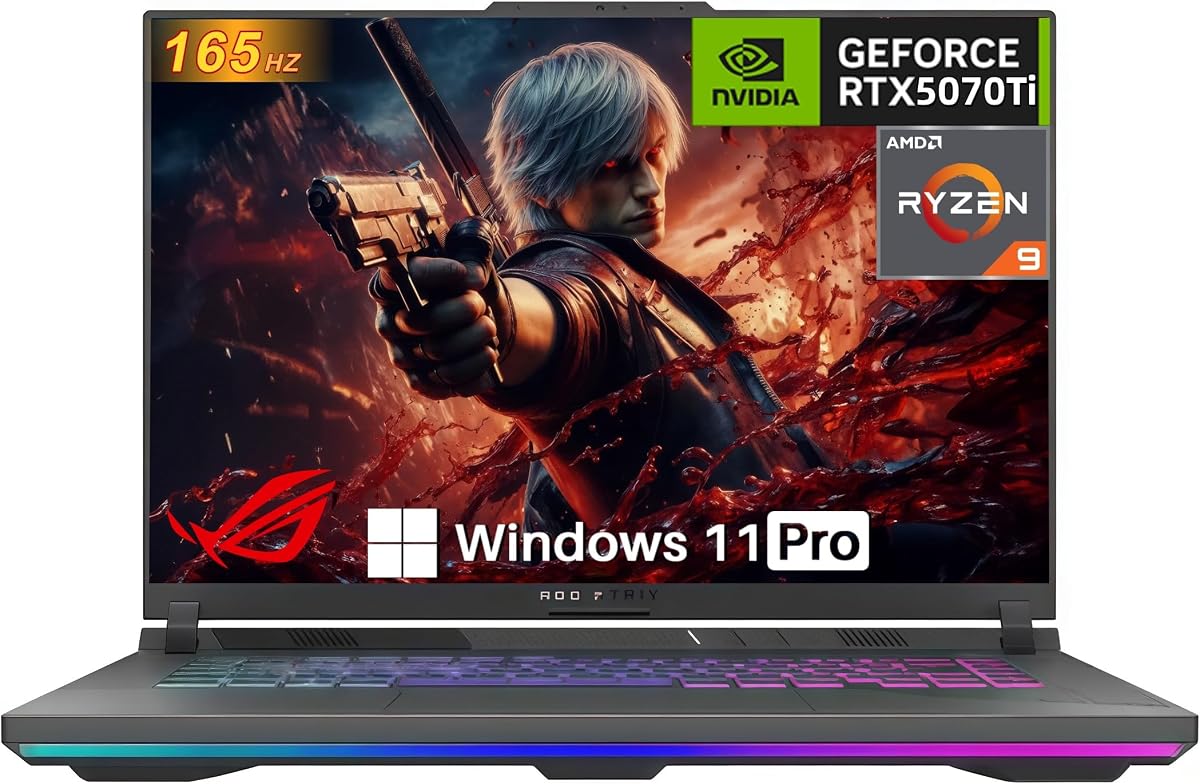

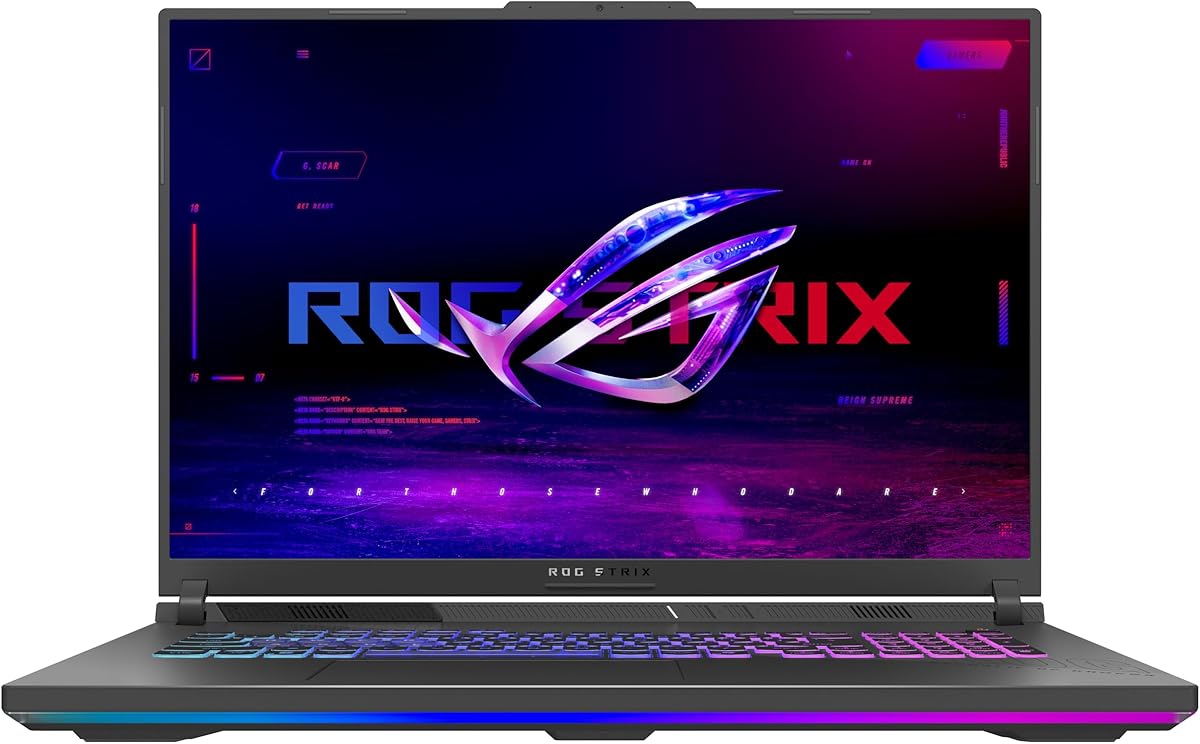
This model serves as an excellent entry point for gamers seeking high performance without breaking the bank. It features the Intel Core i7 Processor 14650HX paired with the NVIDIA RTX 5060, ensuring smooth gameplay for most modern titles. With a rating of 4.4 stars, users appreciate its balance of cost and capability.
We may earn a commission when you buy through this link, at no additional cost to you.
The standout quality here is the ROG Intelligent Cooling system. It uses an end to end vapor chamber and tri fan technology to keep thermals in check. The display offers a 165Hz refresh rate and 3ms response time, which is sufficient for competitive gaming. Additionally, the RGB light bar adds a customizable aesthetic touch.
While the screen resolution is FHD+, it is a trade off for affordability. The 16GB DDR5 RAM and 1TB SSD provide ample storage and multitasking power for most users. However, those seeking ultra high resolution visuals might find the screen limiting compared to higher tiers. Still, it remains a strong value proposition.
Buyers who prioritize raw performance per dollar should consider this laptop first. It is ideal for students or enthusiasts who need a reliable machine for gaming and work. Ensure you check current availability as stock varies by region and time. This model represents the best balance in the budget segment.
The cooling system ensures sustained performance during long gaming sessions without excessive noise or heat buildup.
Support for Wi-Fi 7 provides faster internet speeds and lower latency for online multiplayer experiences.
We may earn a commission when you buy through this link, at no additional cost to you.
This laptop pushes the boundaries of what is possible in a portable form factor. Equipped with the Intel Core Ultra 9 275HX and NVIDIA RTX 5070 Ti, it handles demanding games and creative software with ease. The 2.5K resolution and 240Hz refresh rate create an incredibly smooth visual experience for any user.
We may earn a commission when you buy through this link, at no additional cost to you.
The ROG Nebula Display stands out with its ACR film that reduces glare while enhancing contrast. This makes colors pop and ensures clarity even in bright environments. The 32GB of DDR5 RAM allows for heavy multitasking without slowdowns. Combined with the advanced cooling system, this machine runs cool under pressure.
The premium build quality is evident but comes with a higher price tag. It is not the lightest option available which might be a concern for frequent travelers. However, for desktop replacements that offer mobility, it is hard to beat. The RGB light bar also syncs with peripherals for a unified look.
Gamers and content creators who demand top tier performance will love this machine. It is recommended for those who need both visual fidelity and processing power in one package. Always verify the latest specs before purchase as configurations can vary slightly. This is a top tier choice in the lineup.
The Nebula display delivers vibrant colors and fast response times that enhance immersion in games and media.
With 32GB RAM, users can run multiple applications simultaneously without experiencing lag or bottlenecks.
We may earn a commission when you buy through this link, at no additional cost to you.
For those who refuse to compromise on screen size and quality this is the ultimate choice. The 18-inch ROG Nebula HDR display features Mini LED technology with over 2000 dimming zones. This results in deep blacks and bright highlights perfect for HDR content. The Intel Core Ultra 9 and RTX 5070 Ti ensure no game is out of reach.
We may earn a commission when you buy through this link, at no additional cost to you.
The AniMe Vision lid allows users to showcase custom animations or text adding a unique touch to the design. Windows 11 Pro is included which offers additional features for professional workflows. The MUX Switch allows direct connection to the discrete GPU boosting performance by up to ten percent. Tool-free access makes upgrades simple.
While the performance is unmatched the bulk is a significant trade-off. It is heavy and large making it less suitable for daily commuting. The price point also places it out of reach for casual users. However for a desktop replacement that can go anywhere it is unparalleled in capability and build quality.
Enthusiasts who want a near-desktop experience in a laptop form factor should look no further. This model is perfect for those who value screen real estate and visual fidelity above all else. Check availability carefully as stock is limited. This is the definitive premium experience in the Strix line.
Mini LED tech provides stunning contrast and brightness that elevates movies and games to new visual heights.
The AniMe Vision lid turns your laptop into a conversation starter with programmable animations on the cover.
We may earn a commission when you buy through this link, at no additional cost to you.
This configuration offers a unique blend of high-end processing power and a fast display paired with a mid-tier GPU. The Intel Core Ultra 9 275HX ensures quick rendering and multitasking speed while the 240Hz screen delivers fluid motion. It is well suited for competitive gamers who rely on CPU performance for certain titles.
We may earn a commission when you buy through this link, at no additional cost to you.
The ROG Nebula Display features Dolby Vision HDR which enhances color depth and brightness dynamically. The 2.5K resolution provides more detail than standard FHD without demanding the GPU as heavily as 4K. The RGB light bar syncs with peripherals for a cohesive look. Cooling remains a priority with advanced thermal solutions.
While the GPU is not top-tier it balances well with the CPU for general productivity and gaming. However, users aiming for 4K gaming might find the RTX 5060 limiting. The 16GB RAM is standard but can be upgraded by many users. This model fills a specific niche for CPU-focused workflows.
Buyers needing a fast screen and strong processor for work or casual gaming will appreciate this setup. It is a solid choice for those who do not need the absolute highest graphics power. Check specific specs to ensure they match your needs. This laptop delivers a refined performance profile.
Dolby Vision ensures colors adapt to content for richer visuals that pop on the Nebula display.
The Ultra 9 processor handles demanding workflows with ease allowing for smooth multitasking.
We may earn a commission when you buy through this link, at no additional cost to you.
This model leverages AMD engineering to deliver competitive performance in a portable chassis. The AMD Ryzen 9 9955HX offers strong multi-core performance beneficial for rendering and multitasking. Paired with the RTX 5070 it handles high frame rate gaming effectively. Users appreciate the MUX Switch which boosts performance by routing frames directly from the GPU.
We may earn a commission when you buy through this link, at no additional cost to you.
The system includes tool-free access to RAM and SSD which simplifies future upgrades significantly. The 165Hz display provides smooth visuals while the ACR film reduces glare for better viewing. Thermal management remains a priority with a vapor chamber and tri-fan setup. RGB lighting adds a personalized touch for gamers.
Compared to Intel variants it may lack some specific software optimizations but raw power is comparable. The screen is not the high-end Nebula display but remains functional for most users. Battery life is reasonable for a gaming machine but expect standard drain under load. This is a strong alternative for AMD fans.
Gamers who prioritize upgradeability and raw processing power will find this model appealing. It is ideal for those who want to customize their hardware later without tools. Ensure you compare connectivity options like Wi-Fi before buying. This model represents a versatile option in the Strix family.
Tool-free access to memory and storage means you can upgrade without opening the case.
The MUX switch routes graphics directly from the discrete card for better FPS and responsiveness.
We may earn a commission when you buy through this link, at no additional cost to you.
This variant stands out for its generous 32GB of RAM which is rare in mid-range configurations. It uses the AMD Ryzen 9 8940HX and RTX 5070 Ti to deliver robust performance for editing and gaming. The 140W TGP ensures the GPU runs at full potential. Users rate this highly for its reliable hardware.
We may earn a commission when you buy through this link, at no additional cost to you.
The cooling system utilizes a vapor chamber and liquid metal to keep temps low during stress tests. Ports include USB-C and HDMI 2.1 ensuring connectivity with external monitors. The 165Hz screen is bright and responsive though it lacks HDR features found in higher tiers. RGB lighting syncs with Aura Sync software.
While the display is not the top-tier Nebula panel it is bright and colorful enough for most tasks. The Wi-Fi 6E is fast enough for most home networks. However, those needing the absolute latest wireless tech might want newer models. This is a solid workhorse for demanding users.
Professionals needing to run multiple VMs or heavy apps will appreciate the extra memory. It is a great balance of power and practicality for daily tasks. Check specific port availability before buying. This model is highly rated for its consistent performance.
32GB RAM allows running heavy creative suites alongside games without slowdown.
Advanced cooling keeps the laptop stable even under sustained heavy workloads.
We may earn a commission when you buy through this link, at no additional cost to you.
This model focuses on speed and ease of use with its tool-free design. The Q-latch system allows SSD swaps in seconds which is convenient for storage upgrades. Powered by AMD Ryzen 9 and RTX 5070 Ti it handles AAA games smoothly. The build quality is sturdy and feels premium in hand.
We may earn a commission when you buy through this link, at no additional cost to you.
Advanced Optimus technology switches between integrated and discrete graphics to save power. The cooling system maintains low noise levels during light tasks. Users report great gaming performance due to the GPU's raw throughput. However the base 16GB RAM limits extreme multitasking scenarios.
The battery life is typical for this class but optimized well for productivity tasks. It is a great option for users who upgrade their own hardware over time. The display quality is good though not exceptional compared to HDR models. This unit is highly rated by tech enthusiasts.
Buyers who want a fast machine with easy access to internals will love this pick. It is recommended for users who plan to customize components later. Verify the exact specs before ordering. This model offers a reliable foundation for gaming.
The Q-latch system makes changing storage incredibly simple without special tools.
Optimus technology helps extend battery life when running light workloads.
We may earn a commission when you buy through this link, at no additional cost to you.
This model pushes the upper limits of mobile gaming performance. It features the NVIDIA RTX 5080 which brings next-generation ray tracing and AI upscaling. The display is a premium HDR panel with deep blacks and vibrant colors. It is a top pick for those who want the fastest hardware available.
We may earn a commission when you buy through this link, at no additional cost to you.
The cooling system handles the high power draw efficiently keeping the system stable. Wi-Fi 7 ensures the fastest possible connection for online gaming and downloads. 32GB of RAM ensures plenty of headroom for demanding applications. The RGB light bar is customizable for a personal touch.
While the price is high the performance justifies it for enthusiasts. The screen is excellent for both gaming and professional media work. However it is less practical for users on a budget. Availability may be limited depending on the region. This is a future-proof investment.
Gamers and creatives who need the absolute best performance will find this model compelling. It is a desktop replacement that rivals stationary rigs in capability. Check availability before purchase. This model sets the bar for high-end laptops.
The HDR display provides cinema-quality contrast that elevates media consumption and games.
Wi-Fi 7 provides low latency and high speeds for competitive online play.
We may earn a commission when you buy through this link, at no additional cost to you.
This laptop is a storage powerhouse with a massive 2TB drive included by default. Combined with 32GB of RAM it handles large video files and heavy data loads effortlessly. The screen offers a 240Hz refresh rate for smooth visuals. It is a top pick for media editors who need space.
We may earn a commission when you buy through this link, at no additional cost to you.
Windows 11 Pro adds features for encryption and remote management. The GPU is sufficient for gaming and 3D rendering tasks. Cooling ensures that performance does not drop during long exports. The RGB light bar syncs with peripherals for a unified aesthetic.
While the price reflects the premium components it offers excellent value for those needing space. The weight is noticeable but acceptable for a mobile workstation. The display is vibrant and sharp making it ideal for color work. This model is perfect for power users.
Buyers who need local storage for projects will appreciate this configuration. It is ideal for freelancers and professionals who value speed and capacity. Ensure you check shipping options due to weight. This model provides a complete package for work.
2TB SSD allows you to store dozens of games and large project files locally.
Windows 11 Pro adds security features useful for business environments.
We may earn a commission when you buy through this link, at no additional cost to you.
This model brings the large screen experience to entry-level buyers. The 18-inch display offers plenty of workspace and immersion for casual gaming. While the GPU is entry-level the CPU ensures solid multitasking performance. It is rated highly for its screen size and value proposition.
We may earn a commission when you buy through this link, at no additional cost to you.
The cooling system works well to keep the larger chassis comfortable during use. The display refresh rate is 144Hz which is sufficient for most games. Build quality is sturdy and feels durable. RGB lighting adds a nice touch to the gaming setup.
Compared to smaller laptops it is heavier and less portable. However it serves as a great desktop replacement for a dorm room. The price point makes it accessible for students and casual gamers. This is a solid starting point for beginners.
Buyers who prioritize screen real estate over portability will find this appealing. It is recommended for those who want a big screen without a huge price tag. Always check the weight before committing. This model offers great entry-level value.
The 18-inch display provides a wide canvas for multitasking and gaming.
Strong CPU performance ensures smooth operation for apps and browsing.
We may earn a commission when you buy through this link, at no additional cost to you.
Choosing the right Strix model involves weighing display quality against internal specs and portability.
Look for models with Intel Core Ultra or AMD Ryzen 9 processors to ensure longevity. These offer better multi-threaded performance for creative work and gaming.
Prioritize newer architectures for better efficiency and future-proofing in tasks.
RTX 5060 and 5070 models handle modern titles well. For high-end gaming consider RTX 5080 variants.
Ensure the TGP is high enough to support the GPU effectively.
ROG Nebula and Mini LED screens offer superior HDR. For budget picks stick to standard panels.
Refresh rates above 144Hz improve gaming fluidity.
32GB RAM is preferred for heavy workloads. 1TB SSD is a good baseline.
Upgradeability matters; tool-free access simplifies expansion.
Vapor chamber and tri-fan setups reduce noise and heat. Liquid metal is a plus.
Effective cooling sustains performance during long sessions.
Wi-Fi 7 offers the latest speeds. HDMI 2.1 supports external high-res monitors.
USB-C ports allow for charging and fast data transfer.
16-inch models balance power and weight. 18-inch models are heavier.
Choose based on travel needs vs desktop replacement goals.
Gaming laptops often have shorter battery life. Optimus helps extend runtime.
Check wattage for portable charging options.
Keep the laptop on a hard surface to ensure airflow is not blocked by soft fabrics. This prevents overheating during intense use.
Use Armoury Crate to customize fan profiles and performance modes. This software helps balance noise and cooling for your specific needs.
Clean the keyboard and screen with a microfiber cloth to maintain aesthetics. Avoid harsh chemicals that might damage the coating.
Yes, they feature high-resolution displays with wide color gamuts. The powerful processors handle video editing smoothly. Models with Nebula displays are particularly suitable.
The cooling is advanced with liquid metal to keep noise low. Under heavy loads fans spin faster but remain quieter than many competitors. You can adjust fan curves in software.
Many models feature tool-free access to RAM slots. Check the specific model details to confirm if upgradeable slots are available for future expansion.
Battery life varies by usage but generally ranges from 4 to 6 hours for light tasks. Optimus technology helps switch to integrated graphics to save power during non-gaming use.
Yes, high refresh rate displays provide the speed needed for competitive gaming. The strong GPU ensures you hit frame rates required for smooth performance in fast-paced titles.
All models include HDMI 2.1 and USB-C ports. You can connect multiple 4K monitors for an extended workspace or dual setup.
We have reviewed ten distinct models ranging from budget-friendly entry points to premium powerhouse configurations. Each laptop balances different aspects like GPU power, RAM size, and screen technology.
Prioritize what matters most to you whether it is screen resolution for gaming or storage capacity for work. The best model depends on your specific use case and budget constraints.
Keep in mind that availability and details can change frequently. Always check the latest specifications before making your final purchase to ensure it meets your needs.