
M.2 Heatsink Cooler 2280 SSD Double-Sided
4.6Editor score
Aluminum alloy body with silver plating
Double-sided clip design for stability
Compatible with PS5 and PC slots
Discover the top low profile SSD heatsink options for PS5 and PC. This guide compares cooling performance, materials, and compatibility to help you choose.
Overheating can severely limit the performance of modern NVMe SSDs. A low profile heatsink helps dissipate heat efficiently without taking up too much space inside your system.
We evaluated ten top-rated cooling solutions based on materials, thickness, and real-world thermal reduction claims. Our analysis focuses on passive cooling designs that require no fans or extra power.
Each pick highlights key strengths and ideal use cases for desktops or consoles. Please note that availability and pricing may change frequently, so check current details before purchasing.
4.6Editor score

4.7Editor score

4.5Editor score
This table provides a side-by-side look at the core specifications and features of each heatsink option to help you quickly identify the best fit for your storage needs.




The GLOTRENDS 2-Pack offers exceptional value for those needing multiple cooling solutions. With a solid 4.5 star rating, this kit delivers reliable performance without complexity.
We may earn a commission when you buy through this link, at no additional cost to you.
Its aluminum fins effectively reduce peak temperatures by 5 to 20 degrees under load. The tool-less design using clasps or bands makes setup fast and warranty safe.
While the rubber bands might loosen over time, the included metal clasps provide a stable alternative. This trade-off is minimal given the low cost and dual drive coverage.
Ideal for desktop builders and PS5 owners needing extra drives, this heatsink kit protects your investment. It is a top choice for budget-conscious users seeking immediate thermal relief.
Getting two full heatsink kits for a single price makes this option unbeatable for bulk upgrades or multiple console builds.
No screwdrivers or adhesives are needed to install the heatsink, ensuring a quick and reversible process for any SSD.
We may earn a commission when you buy through this link, at no additional cost to you.
This heatsink uses graphene copper coating to maximize heat transfer efficiency. The 4.4 star rating reflects its strong performance in demanding scenarios like 4K editing or gaming.
We may earn a commission when you buy through this link, at no additional cost to you.
Graphene conducts heat better than standard aluminum or pure copper, helping maintain peak SSD speeds. The slanted slots add a professional look to internal drives.
However, the adhesive application requires care to avoid air gaps. It is also slightly thicker than the slimmest alternatives, which might fit tight laptop chassis.
Choose this for high-end builds where thermal performance matters most. It bridges the gap between traditional metal coolers and advanced materials.
Graphene provides superior thermal conductivity compared to standard metals, ensuring faster heat dissipation during heavy workloads.
The slanted slot pattern adds a unique visual element to your internal storage setup for a polished look.
We may earn a commission when you buy through this link, at no additional cost to you.
Designed specifically for compact spaces, this copper heatsink offers reliable cooling for laptops. It holds a 4.6 star rating for its effective temperature reduction in tight enclosures.
We may earn a commission when you buy through this link, at no additional cost to you.
The 1.5mm minimum height ensures it fits most ultrabooks and thin chassis. Pure copper material transfers heat away from the controller significantly faster than aluminum.
Mounting options include rubber rings or stickers, though stickers can sometimes leave residue. The two-screw system is secure but slightly slower than tool-less clips.
For laptop users worried about overheating, this is a solid choice. It balances performance with the size constraints of portable systems.
With a minimum installation height of only 1.5mm, this heatsink fits into nearly any modern laptop chassis.
Made of 100% copper, this unit delivers premium thermal conductivity to keep your SSD cool under stress.
We may earn a commission when you buy through this link, at no additional cost to you.
At just 0.5mm thick, this graphene copper film is one of the slimmest options available. It holds a 4.4 star rating for effectively reducing peak temperatures by up to 25 degrees.
We may earn a commission when you buy through this link, at no additional cost to you.
The adhesive is designed to bond permanently without falling off. You can apply it to both sides of the SSD for maximum heat dissipation without adding bulk.
The film requires gentle handling to avoid bending, which can affect contact. Unlike traditional fins, it relies on thermal transfer to the enclosure or case.
Best for PS5 and ROG Ally upgrades where space is extremely tight. It ensures compatibility where other bulky coolers simply cannot fit.
With only 0.5mm thickness, this film fits into the tightest expansion slots including the PlayStation 5 drive bay.
Utilizing graphene and copper materials ensures high thermal conductivity to manage heat effectively on compact drives.
We may earn a commission when you buy through this link, at no additional cost to you.
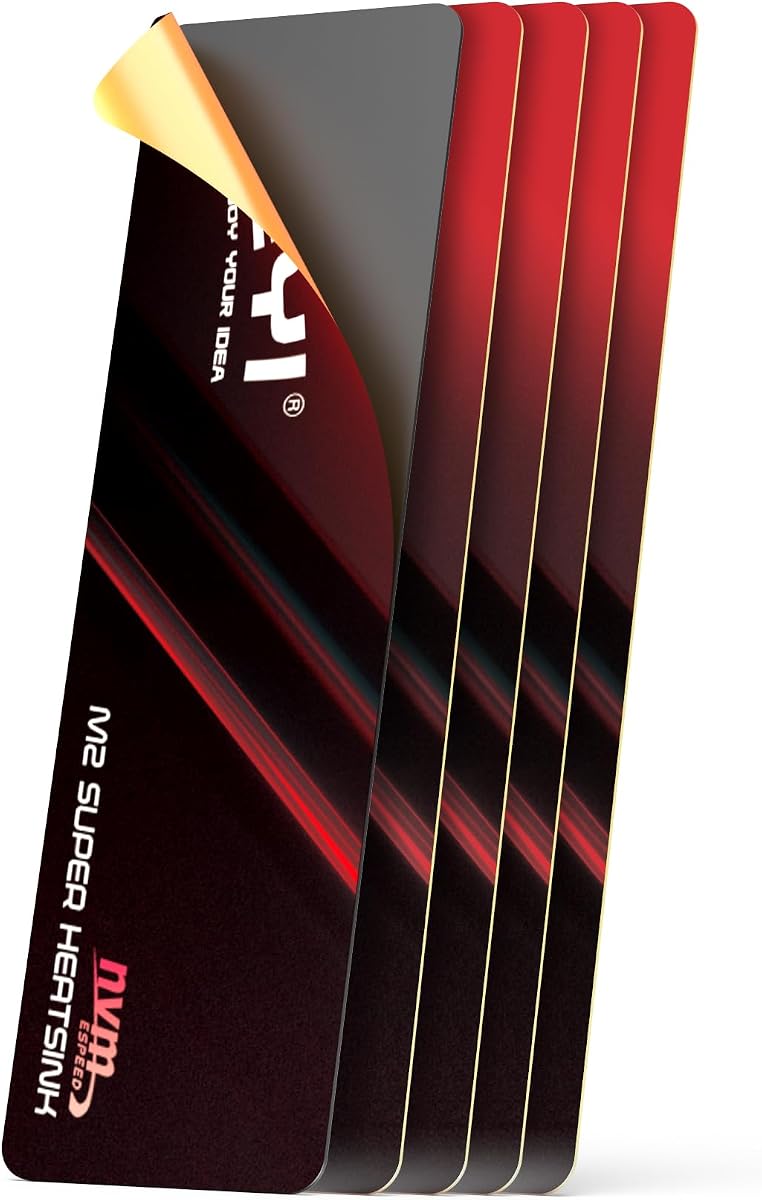
This black aluminum alloy heatsink offers great stability with its double-sided clip design. Rated 4.6 stars, it provides reliable protection against overheating for single-sided 2280 drives.
We may earn a commission when you buy through this link, at no additional cost to you.
The silver plating helps eliminate static electricity which can damage sensitive components. Installation is straightforward thanks to the integrated clips that hold the unit in place.
The weight is higher than film options, making it better for desktop or console use. It may not fit the tightest portable laptop cases due to its profile.
A top pick for PS5 storage expansion, it delivers essential cooling without complexity. Its affordability makes it an accessible upgrade for many users.
The double-sided clip design ensures the heatsink stays firmly in place even during vibration or movement.
Silver plating on the alloy body helps eliminate static electricity, protecting your SSD from potential electrical damage.
We may earn a commission when you buy through this link, at no additional cost to you.
Pure copper construction makes this a solid standard choice for cooling. It holds a 4.5 star rating and reduces temperatures by 5 to 20 degrees effectively.
We may earn a commission when you buy through this link, at no additional cost to you.
The groove design increases surface area for faster heat release. Its slim 1.5mm profile allows it to fit in most notebook and desktop PCs without interference.
Rubber rings are included for mounting, though alignment requires care. The aesthetic is functional but not particularly stylish compared to coated options.
Choose this for straightforward, dependable cooling performance. It is especially suitable for laptop users needing a slim copper solution.
Using 100% copper ensures thermal conductivity is significantly better than aluminum alloys for faster heat dissipation.
The groove design increases the heat dissipation area to help release accumulated heat into the air faster.
We may earn a commission when you buy through this link, at no additional cost to you.
The be quiet! MC1 stands out as an Editor's Choice for its versatile and reliable cooling. With a 4.7 star rating, it is a favorite for ensuring stable drive performance.
We may earn a commission when you buy through this link, at no additional cost to you.
It fits both single and double sided modules, covering almost all modern 2280 SSDs. The dimensions are ideal for PlayStation 5 expansion slots where space is limited.
The price is higher than generic options, but the build quality justifies it. Basic packaging is a minor downside compared to the internal component quality.
Recommended for anyone prioritizing performance and compatibility. It delivers consistent cooling across different drive configurations and consoles.
This cooler is engineered to fit both single and double sided M.2 2280 modules perfectly.
Ideal dimensions make it a perfect match for extending PlayStation 5 storage with necessary cooling power.
We may earn a commission when you buy through this link, at no additional cost to you.
This radiator leverages graphene copper coating for high efficiency cooling. With a 4.7 star rating, it is designed for PS5 laptops and narrow internal spaces.
We may earn a commission when you buy through this link, at no additional cost to you.
The professional air duct design increases contact area for heat exchange. Slanted slots provide an aesthetically pleasing look when installed in a visible drive bay.
At 4mm thick it is slightly bulkier than ultra-slim options. Installation requires care to ensure the thermal pad is applied correctly to avoid damage.
Best for users needing a balance of performance and style. It excels in environments with restricted airflow where advanced materials help.
Professional air duct design increases contact area with air for better heat exchange and faster dissipation.
The slanted slot design adds a stylish touch to your installation display without compromising cooling efficiency.
We may earn a commission when you buy through this link, at no additional cost to you.
At 0.5mm thin this pure copper heatsink is designed for compact laptop chassis. Rated 4.4 stars, it fits PS5 laptops and standard desktops effectively.
We may earn a commission when you buy through this link, at no additional cost to you.
The package includes tools like a screwdriver and spudger for easier installation. A smooth polished surface on the pad prevents short circuits during contact.
The small package may feel minimal, but it contains everything needed for basic mounting. Careful application of adhesive ensures permanent bonding without gaps.
An excellent choice for thin laptops needing maximum cooling efficiency. It prevents misalignment and short circuits while providing reliable heat transfer.
The package includes a screwdriver, triangular plastic spudger and SSD screws for complete installation support.
Chemical polished thermal pads have a smooth surface that prevents short circuits and protects your SSD.
We may earn a commission when you buy through this link, at no additional cost to you.
This heatsink uses cross-cut aluminum fins to dissipate heat efficiently. With a 4.6 star rating it offers a reliable low profile solution for tight internal spaces.
We may earn a commission when you buy through this link, at no additional cost to you.
The 5mm height is low enough for PS5 and adapter slots. It works on motherboards or adapters with easy installation using included silicone rings.
No thermal pads are included which means you may need to supply your own. The fixed dimensions ensure stability but limit some custom fitting options.
Ideal for those preferring a traditional metal fin design. It provides consistent cooling for both PS5 and PC builds.
Cross-cut aluminum alloy fins provide optimal heat dissipation for consistent drive performance under load.
Heat resistant silicone rings are included to secure the heatsink firmly to your storage drive.
We may earn a commission when you buy through this link, at no additional cost to you.
Selecting the right heatsink depends on your device space, drive type, and thermal goals. This guide outlines the key factors to consider before buying.
The thickness of the heatsink determines whether it fits inside your specific chassis. Laptop users should look for models under 2mm while consoles like PS5 can tolerate slightly more.
Always measure your available space to ensure compatibility with the drive bay without interference from other components.
Aluminum is standard and budget friendly but copper offers better thermal conductivity for demanding workloads. Graphene materials provide advanced cooling but often cost more.
Select the material that balances your budget with the intensity of your daily usage scenarios.
Tool-less clips are easiest but may loosen over time compared to screws or adhesives. Check if thermal pads are included as purchasing separately adds to the cost.
Prioritize kits that include all necessary mounting hardware and pads for a hassle free setup experience.
Some drives are single sided while others have components on both sides. Ensure the heatsink matches your specific drive layout to cover all heat sources.
Double sided options offer broader coverage but require more space than single sided alternatives.
Established brands often provide better quality control and customer support. Reviews can reveal long term reliability issues like thermal pad drying out or clamping failure.
Look for vendors with strong feedback scores to ensure you receive a durable and effective product.
While functionality matters most, some users care about the look of internal components. Options with slanted slots or special coatings can enhance visual appeal.
Choose a style that matches your build theme if the drive bay is visible through a side panel.
To install start by powering down your device and disconnecting it from the power source. Locate the M.2 slot and carefully remove the existing drive if replacing it.
Apply the thermal pad to the controller area of your SSD ensuring no air bubbles are trapped. Place the heatsink on top and secure it firmly using the provided clips or screws.
Over time check the mounting stability to ensure the heatsink remains firmly in place. If you notice increased temperatures inspect the thermal pad for drying and replace it if necessary.
Yes the PS5 requires an active cooling solution for compatible M.2 SSDs to prevent thermal throttling. Using a heatsink helps maintain stable performance and protects the drive from overheating.
Measure the internal clearance around the M.2 slot in your laptop. Most low profile options are under 2mm thick but specific models vary so check your device specifications before purchasing.
Copper offers superior thermal conductivity compared to aluminum but it is heavier and often more expensive. Aluminum is sufficient for most general users while copper suits high performance workloads.
Thermal pads often lose their effectiveness after being peeled off. It is generally recommended to use new pads to ensure optimal contact and heat transfer for your new drive.
No all the listed options are passive solutions that rely on heat transfer and natural airflow. They do not require any additional power connections or fans to function correctly.
Most modern NVMe drives support aftermarket cooling solutions provided you do not damage the drive during installation. However always check the manufacturer policy to ensure compliance.
Real world tests often show a reduction of 5 to 20 degrees depending on the material and environment. High performance loads like 4K video editing typically see the largest gains.
Yes many models feature double sided designs that cover both the top and bottom of the drive. These are ideal for drives with controllers on both sides.
We have reviewed ten top options ranging from budget friendly kits to advanced graphene solutions. The be quiet! MC1 and GLOTRENDS 2-Pack stand out for value and reliability.
Prioritize thickness and material based on your specific device requirements. A proper fit ensures effective cooling without compromising your system stability or safety.
Prices and availability change often so please check the current details on the product pages before making your final decision.