
Gigabit Dual NIC with Intel 82576 Chip
4.5Editor score
Intel 82576 controller
Low and bracket included
Wide OS compatibility
This guide compares the top dual RJ45 port network cards for servers and workstations, evaluating performance, compatibility, and reliability for high-speed
Dual RJ45 port network cards provide essential connectivity for modern servers and workstations requiring redundant or high-speed network links. These adapters enable users to upgrade their existing hardware without replacing entire systems, ensuring robust performance and flexibility in data transmission tasks across various environments.
Our selection process involved analyzing technical specifications, user feedback, and manufacturer reliability to identify the most capable options available today. We focused on compatibility with major operating systems, throughput capabilities, and build quality to ensure each recommendation meets professional standards for stability and long-term operation.
Each pick highlights specific strengths such as speed support, OS compatibility, and thermal management to help you find the right fit for your setup. Please note that product availability and pricing may fluctuate over time, so verifying current details before purchase is always advisable for the best value.
4.5Editor score

4.1Editor score

4.6Editor score
The following table provides a side-by-side comparison of all ten selected network cards, highlighting key specifications and features to assist in making an informed decision for your specific networking requirements.


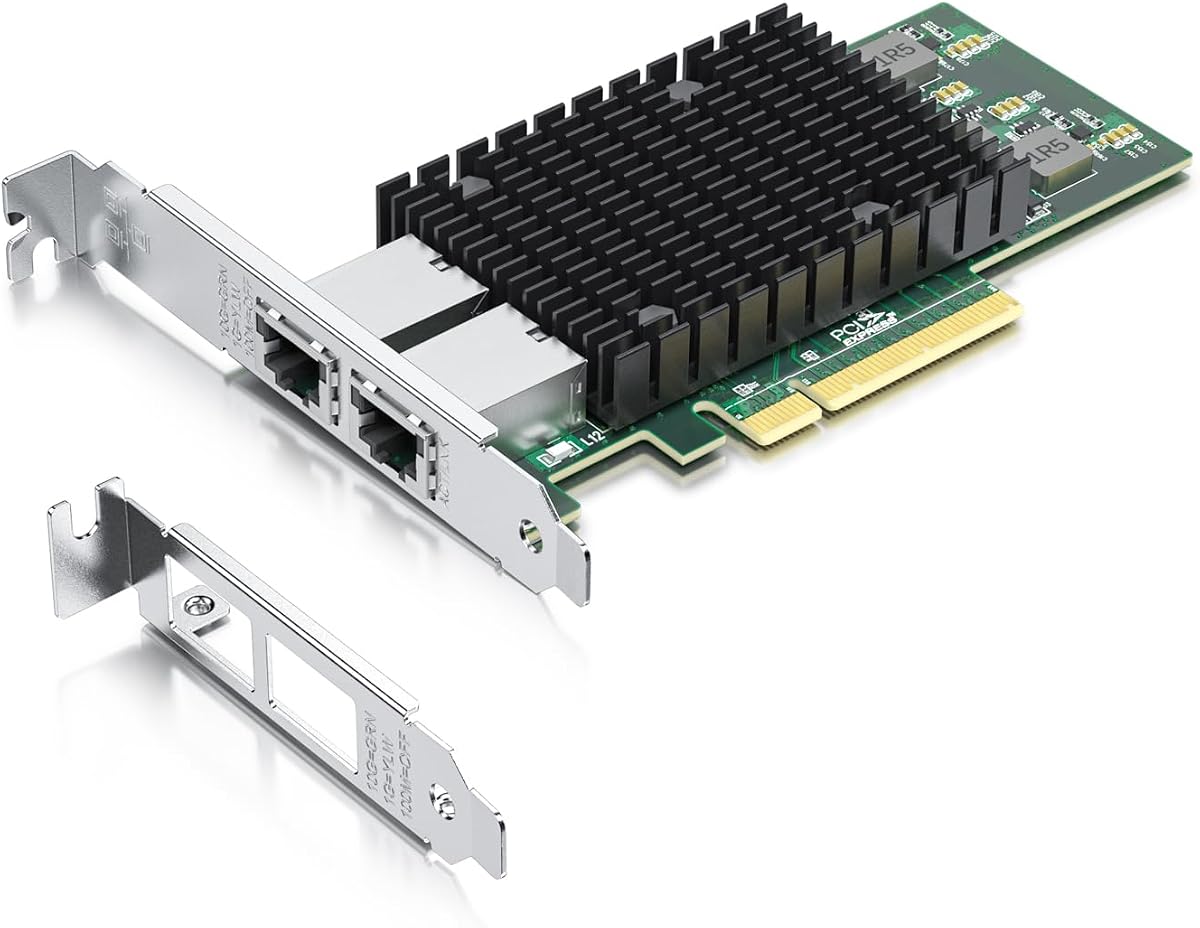

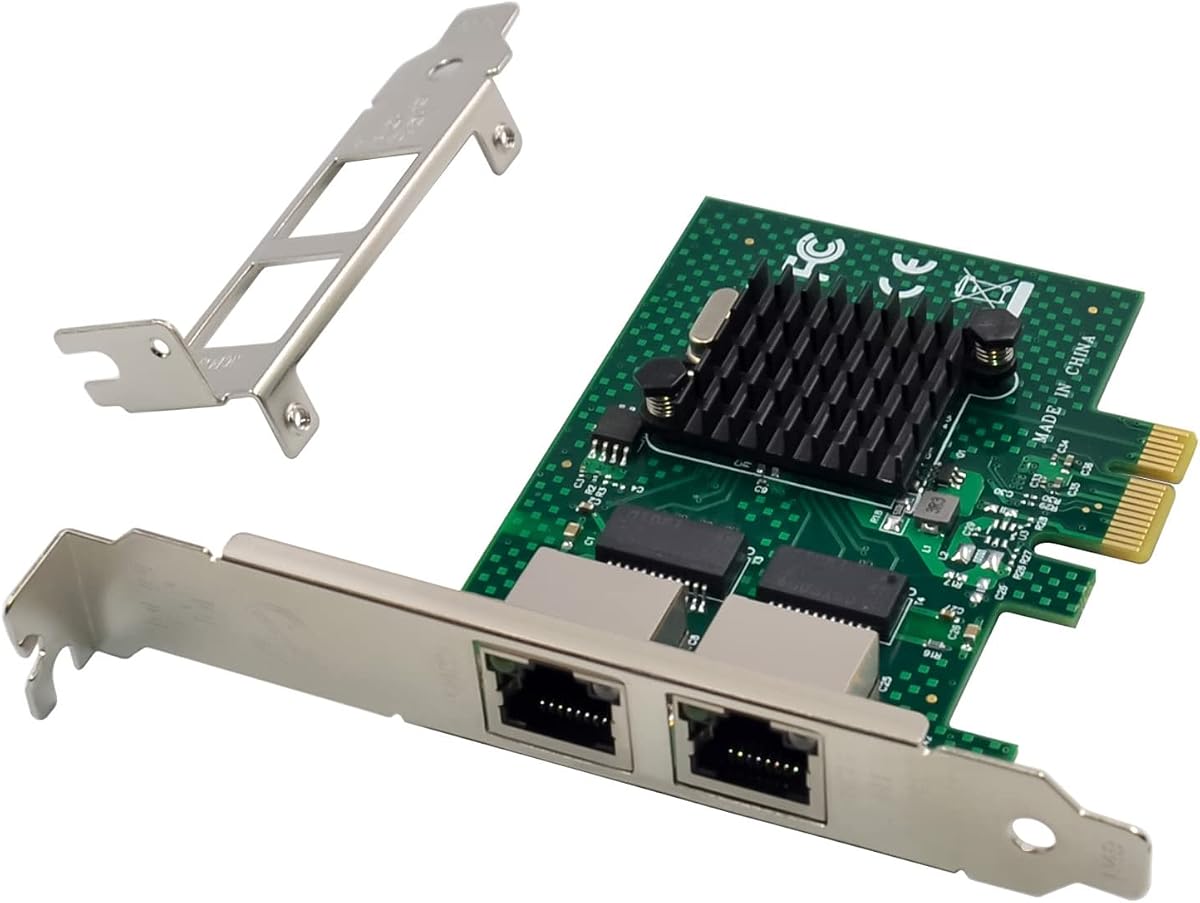
The 10Gtek 10Gb Dual RJ45 Port Network Card stands out as a robust solution for servers requiring high-speed connectivity. With a 4.1-star rating, it offers reliable performance backed by an original Intel X540 controller that ensures intelligent offloads and system stability.
We may earn a commission when you buy through this link, at no additional cost to you.
Its dual copper RJ45 ports support up to 10Gbps speeds over Category-6A cables, making it ideal for data center environments. The card is compatible with various operating systems including Windows Server and Linux, while the included low-profile bracket facilitates installation in compact cases.
However, users should note that Windows 11 requires manual setup, and hot-swapping is not supported. These trade-offs are acceptable given the card's robust build and stable performance under heavy loads.
This card is best suited for server administrators needing reliable 10G connectivity without breaking the budget. Its combination of Intel hardware and comprehensive OS support makes it a top choice for demanding network tasks.
The controller enables intelligent offloads that reduce CPU load and improve server stability during high traffic.
Includes both standard and low-profile brackets for use in standard and small form factor server cases.
We may earn a commission when you buy through this link, at no additional cost to you.
This 2.5GBase-T Dual Port Server Network Card delivers enhanced network speeds for modern desktops and home labs. With a 4.6-star rating, it leverages the Intel I226-V chip for better error rates and stable data transmission over longer cable lengths.
We may earn a commission when you buy through this link, at no additional cost to you.
Its PCIe 3.1 x1 interface supports motherboards with X1/X4/X8/X16 slots, ensuring flexibility. The card includes a low-profile bracket and supports multiple operating systems including Windows 10/11 and Linux kernels from 5.8 onwards.
Users must ensure motherboard BIOS compatibility and enable the NIC interface before use. While not suitable for 10Gb requirements, it offers efficient energy usage and stable connections for most professional needs.
Ideal for users upgrading from Gigabit to 2.5G networks without major infrastructure changes. Its reliable performance and broad OS compatibility make it a practical choice for workstation enhancements.
The chip reduces active power consumption and offers improved accuracy for data transmission over distance.
Compatible with Windows, Linux, FreeBSD, and VMware ESXi versions for diverse deployment scenarios.
We may earn a commission when you buy through this link, at no additional cost to you.
The VIMIN 10G PCI-E Network Card provides reliable high-speed connectivity with its Intel X540-T2 chipset. Rated at 4.5 stars, it delivers up to 10Gbps network connection speed suitable for servers and high-end devices requiring fast data transfer.
We may earn a commission when you buy through this link, at no additional cost to you.
Its flexible PCIe compatibility works with x8 and x16 slots, while the included heat sink maintains optimal temperatures during heavy usage. The well-designed gold finger interface ensures consistent network performance and reduces interruption risks.
Note that 2.5Gbps and 5Gbps speeds are not supported, limiting its use in mixed-speed environments. Despite this, its stable connection and efficient cooling make it a strong contender for dedicated 10G setups.
This card is perfect for enterprises needing consistent high-throughput connections without overspending. Its build quality and thermal management ensure longevity in demanding server applications.
Designed for reliable 10Gbps transmission with reduced risk of network interruptions.
Works with both PCIe x8 and x16 slots to fit various motherboard configurations.
We may earn a commission when you buy through this link, at no additional cost to you.
This Dual-Port PCIe Gigabit Network Card offers cost-effective connectivity for older servers and workstations. With a 4.4-star rating, it supports Intel 82575/82576 chips for stable Gigabit performance and features an imported alloy heat sink for thermal management.
We may earn a commission when you buy through this link, at no additional cost to you.
Its compatibility extends across Windows, Linux, and even DOS, making it versatile for legacy environments. Features like PXE remote boot, VLAN filtering, and SNMP support enhance network management capabilities.
Users must note it does not support VMware ESXi 7.0 or above, which may limit modern virtualization use. However, for basic Gigabit needs, its reliability and heat dissipation are strong points.
Ideal for maintaining existing infrastructure where 10G is unnecessary. Its broad OS support and remote boot features make it a practical choice for older enterprise setups.
PXE remote boot support allows efficient system imaging and maintenance over the network.
Alloy heat sink effectively removes excess heat for stable operation under continuous load.
We may earn a commission when you buy through this link, at no additional cost to you.
The 10Gtek Gigabit Ethernet PCIe RJ45 Network Adapter delivers dependable Gigabit connectivity for various servers. With a 4.4-star rating, it uses an original Intel 82576 controller that supports intelligent offloads for improved stability and performance.
We may earn a commission when you buy through this link, at no additional cost to you.
Dual copper ports allow connections up to 100 meters, suitable for data center needs. The included low-profile bracket simplifies installation in smaller cases, and the driver is available directly from Intel's website for ease of setup.
While it lacks hot-swapping support and is limited to Gigabit speeds, its robust build and warranty coverage add significant value. These limitations are acceptable for users prioritizing reliability over maximum speed.
This adapter is well-suited for businesses needing stable server connections without high-speed requirements. Its Intel-based design and comprehensive support make it a trustworthy addition to any server rack.
The original controller chip ensures stable server performance with intelligent offloads.
Low-profile bracket included for straightforward installation in compact server cases.
We may earn a commission when you buy through this link, at no additional cost to you.
This Gigabit Dual NIC offers a cost-effective way to add dual network ports to servers. With a 4.5-star rating, it features the original Intel 82576 controller with Quality-of-Service (QoS) technology to ensure stable online experiences.
We may earn a commission when you buy through this link, at no additional cost to you.
Dual RJ45 ports support up to 100 meters on Cat5e cables, ideal for most office environments. It includes both low-profile and full-height brackets for flexible installation across various server and desktop cases.
The card does not support Mac OS or bypass mode, which may limit some users. However, its extensive OS compatibility and customer service make it a solid choice for budget-conscious businesses.
Perfect for users seeking reliable Gigabit connectivity without extra costs. The QoS feature and easy setup ensure smooth network operation for daily business tasks.
Quality-of-Service technology streamlines online experience and ensures network stability.
Includes both low-profile and full-height brackets for standard and slim cases.
We may earn a commission when you buy through this link, at no additional cost to you.
The 10G Dual RJ45 Port PCI-E Network Card delivers ultra high-speed connectivity with a 4.6-star rating. Equipped with the X540 controller chip, it provides reliable and stable 10Gbe connections up to 10Gb/s, effectively preventing packet loss.
We may earn a commission when you buy through this link, at no additional cost to you.
Two independent Ethernet ports with PCIe v2.0 x8 compatibility ensure flexibility across various slots. The included QR code simplifies driver installation, and lifetime technical support adds confidence for enterprise deployments.
Note that it only works with PCIe ports, not legacy PCI slots. This limitation is acceptable given its superior performance and robust feature set for modern server environments.
This card is ideal for enterprises requiring top-tier speed and stability. Its comprehensive support and easy installation process make it a premium choice for critical server infrastructure.
X540 controller ensures stable 10Gbps connections to prevent packet loss effectively.
QR code included for quick operating system driver installation without hassle.
We may earn a commission when you buy through this link, at no additional cost to you.
The H!Fiber 10Gb PCI-E Network Card NIC offers robust 10Gbase-T performance for demanding environments. With a 4.5-star rating, it features the original Intel X540-BT2 controller with QoS technology to streamline online experiences and ensure stability.
We may earn a commission when you buy through this link, at no additional cost to you.
Dual RJ45 ports support 10Gbps speeds using Cat6a cables, simplifying network upgrades. It includes both low-profile and full-height brackets for flexible installation across standard and slim computer cases.
Windows 11 requires correct driver setup to work properly, which may take extra effort. Despite this, its broad compatibility with VMware ESXi and Linux makes it a strong option for virtualization.
This adapter is perfect for organizations upgrading to 10G infrastructure. Its performance and support for multiple environments ensure it meets diverse professional network requirements.
Quality-of-Service technology ensures streamlined online experience and network stability.
Includes both low-profile and full-height brackets to fit various server cases.
We may earn a commission when you buy through this link, at no additional cost to you.
The Dual-Port PCIe X4 Gigabit Network Card is designed for advanced virtualization environments. With a 4.5-star rating, it supports SR-IOV and IPMI pass-through for enhanced remote management and virtual machine performance.
We may earn a commission when you buy through this link, at no additional cost to you.
The Intel 82576 chipset delivers stable Gigabit speeds, while the imported alloy heat sink ensures consistent operation under continuous load. Compatibility with Windows, Linux, and FreeBSD makes it versatile for diverse systems.
Users must note it does not support VMware ESXi 7.0 or above, and requires a PCIe x4 slot minimum. Despite this, its specialized features make it invaluable for virtualization tasks.
Ideal for virtualization professionals needing advanced network features. Its SR-IOV and IPMI support ensure efficient management in complex server environments.
SR-IOV support enables efficient virtual machine network performance and isolation.
IPMI pass-through allows seamless remote management directly through the network card.
We may earn a commission when you buy through this link, at no additional cost to you.
This Dual-Port PCIe Gigabit Ethernet Server Adapter is optimized for cloud and data center workloads. With a 4.6-star rating, it features the BCM5720-2P chipset supporting a wide range of applications from Web2.0 to High-Performance Computing clusters.
We may earn a commission when you buy through this link, at no additional cost to you.
Its compatibility extends to VMware ESXi versions 5 through 8, making it highly versatile for virtualized environments. The 180-day worry-free warranty adds peace of mind for enterprise users requiring reliable infrastructure.
The card is limited to PCIe x1 and Gigabit speeds, which may not suit all needs. However, its extensive OS support and application range make it a robust choice for specific cloud tasks.
Perfect for cloud administrators needing broad application support. Its compatibility and warranty ensure it meets the demands of modern virtualized environments effectively.
Designed for cloud and Web2.0 data center servers with broad application range.
Supports VMware ESXi versions 5 through 8 for versatile virtualized deployments.
We may earn a commission when you buy through this link, at no additional cost to you.
Selecting the right dual RJ45 port network card requires evaluating several key factors to ensure compatibility and performance for your specific environment.
The controller chipset determines the card's performance, stability, and feature set. Look for cards with original Intel or NetXtreme chips that offer intelligent offloads and quality-of-service technologies to reduce CPU load and improve overall system efficiency.
Always verify chipset specifications match your performance needs, such as 10Gbps for high-speed servers or Gigabit for standard workstations.
Ensure the card supports your primary operating system including Windows, Linux, VMware, or FreeBSD. Some cards have specific driver requirements or may not support newer OS versions like Windows 11 without manual setup.
Check manufacturer documentation for full OS compatibility lists before purchasing to avoid installation issues.
Network cards require specific PCIe slot types (x1, x4, x8) and versions (1.x, 2.x, 3.x) for proper installation. Ensure your motherboard has available slots that match the card's electrical and physical requirements.
Confirm slot compatibility with your motherboard specifications to prevent hardware conflicts or suboptimal performance.
The card's speed capacity should align with your cabling infrastructure (Cat5e, Cat6, Cat6a). 10Gbps cards typically require Cat6a for 100-meter distances, while Gigabit cards work with Cat5e.
Assess your current cabling to ensure it supports the desired network speed without performance degradation.
Server and desktop cases vary in size, so choose a card with appropriate brackets (standard or low-profile) for your chassis. Some cards include both options for flexible installation.
Verify bracket types match your case requirements to ensure proper physical installation and airflow.
For virtualized environments, look for features like SR-IOV, PXE boot, and IPMI pass-through that enhance VM performance and management capabilities. These features are essential for efficient server virtualization workflows.
Confirm virtualization support matches your specific platform such as VMware ESXi or Hyper-V requirements.
Reliable warranty coverage and technical support are critical for enterprise applications. Check for multi-year warranties and available installation guides to minimize downtime during setup or troubleshooting.
Prioritize brands offering comprehensive support to ensure long-term reliability and problem resolution.
Efficient power consumption and effective heat dissipation prevent overheating during continuous operation. Look for cards with heat sinks or alloy cooling components designed for stable performance under heavy loads.
Assess thermal design to ensure the card operates reliably within your server's cooling environment.
Install the card securely into the compatible PCIe slot on your motherboard and attach the appropriate bracket to your server case. Ensure all screws are tightened properly to maintain good electrical contact and prevent movement during operation.
Install the correct drivers for your operating system from the manufacturer's website or Intel's official download center. Verify in your system settings that both network ports are detected and enabled for optimal network performance.
Regularly inspect the card for dust buildup and clean heat sinks with compressed air to prevent overheating. Monitor network performance logs to detect any stability issues and update firmware as recommended by the manufacturer.
The main difference lies in speed capacity where 10Gbps cards transfer data ten times faster than Gigabit cards. 10Gbps cards typically require Cat6a cabling and PCIe x8 slots, while Gigabit cards work with Cat5e and PCIe x1. Choose based on your data transfer needs and existing infrastructure capabilities.
Some cards require manual driver setup for Windows 11 even if officially supported. Always check the product documentation for specific Windows 11 installation requirements before purchasing to ensure compatibility. Many manufacturers provide updated drivers on their websites for newer OS versions.
Yes, PCIe slots are backward compatible so an x1 card will work in an x8 slot. The card will function at its rated speed though the slot may offer additional unused bandwidth. This provides flexibility when installing smaller cards in larger available slots.
10Gbps connections typically require Cat6a cables to support full 100-meter distances without performance loss. Cat6 cables can support 10Gbps but only up to 55 meters. Verify your existing cabling meets these standards for optimal high-speed performance.
Many server-focused network cards include both standard and low-profile brackets for installation flexibility. Check product specifications to confirm bracket types before purchasing especially if using compact server cases. This ensures proper fit without needing to purchase additional hardware.
Check your server's motherboard documentation for supported PCIe slots and operating system requirements. Contact the network card manufacturer with your server model details to confirm full compatibility before installation. This prevents potential hardware or driver conflicts during setup.
This guide has highlighted ten top dual RJ45 port network cards suited for different needs from budget Gigabit upgrades to high-speed 10G deployments. The 10Gtek and Gigaplus models stand out for speed while the Intel-based Gigabit cards offer reliable value.
Prioritize controller quality and OS compatibility to ensure stable long-term performance in your specific environment. Consider your existing cabling infrastructure and PCIe slot availability before finalizing any purchase decision.
Prices and availability may change so verify current details on manufacturer websites before buying. These cards represent excellent upgrades for server connectivity needs across various professional and home environments.