
Lenovo USB-C Slim Travel Dock
4.4Editor score
Eight port connectivity
Compact lightweight build
4K 60Hz support
Discover the top docking stations for Lenovo Yoga laptops in October 2026. We compare ports, display support, and power delivery to help you choose.
Finding the right docking station for your Lenovo Yoga laptop can transform your productivity. A good dock expands connectivity, supports multiple monitors, and ensures stable power delivery for your device.
We compared ten top-rated models based on port variety, video output capabilities, and build quality. This list covers everything from compact travel hubs to robust workstation docks for every need.
Each pick highlights key features and real-world performance. Prices change frequently, so check current listings before buying. Our goal is to help you find the perfect match for your setup.
4.4Editor score

4.2Editor score
4.6Editor score
This table provides a side-by-side look at every model we reviewed. Compare specs at a glance to find the perfect fit for your Lenovo Yoga laptop needs.




The Lenovo USB-C Dual Display Travel Dock stands out as the top choice for Yoga users needing reliable dual monitor support. It offers a clean design and robust connectivity options right out of the box.
We may earn a commission when you buy through this link, at no additional cost to you.
Its standout feature is the ability to drive two 4K displays simultaneously without stuttering. The integrated cable keeps your desk tidy while the USB-C pass-through ensures your laptop stays charged during long work sessions.
While the price point is higher than generic hubs, the build quality justifies the cost. You get a durable chassis made with recycled materials, which adds value for environmentally conscious professionals.
If you use a Lenovo Yoga frequently for presentations or multitasking, this dock is a solid investment. It balances portability with full desktop functionality effectively.
Connect two external monitors at 4K resolution for expanded workspace. Perfect for designers and analysts needing screen real estate.
The chassis includes 66% post-consumer recycled content. Lenovo leads in eco-friendly docking station production with this model.
We may earn a commission when you buy through this link, at no additional cost to you.
This Thunderbolt 3 dock offers incredible speed for data transfer and video output. It is a classic choice for those who need reliable, high-bandwidth connections for external drives and monitors.
We may earn a commission when you buy through this link, at no additional cost to you.
The inclusion of both HDMI and DisplayPort options gives you flexibility in monitor selection. With two HDMI and two DP ports, you can easily connect multiple displays without adapters.
However, the dock is designed primarily for ThinkPads. While it might work with other laptops, compatibility is best verified before purchasing to avoid issues with specific Yoga models.
For users prioritizing raw speed and port variety over portability, this remains a strong contender. The massive power supply ensures stable performance even under heavy loads.
Thunderbolt 3 supports massive data transfer rates. Ideal for transferring large video files quickly.
The included 135W adapter provides ample power for high-end laptops. No need to worry about charging issues.
We may earn a commission when you buy through this link, at no additional cost to you.
This hub is perfect for travelers who need essential ports without bulk. It fits easily in a laptop sleeve and provides immediate connectivity for various devices.
We may earn a commission when you buy through this link, at no additional cost to you.
The addition of SD and TF card readers is a standout feature for photographers and content creators. You can transfer photos directly without needing separate readers.
Power delivery is limited compared to larger docks, so it works best with lightweight laptops. Ensure your Yoga can charge adequately through this hub during use.
Despite its small size, it offers reliable performance. It is an affordable upgrade that significantly expands your Yoga's connectivity on the go.
Two card reader slots allow quick access to SD and TF cards. Great for photographers editing on the fly.
Its slim build makes it ideal for business trips. Fits easily in a standard laptop bag.
We may earn a commission when you buy through this link, at no additional cost to you.
This slim dock offers a fantastic value for everyday users. It supports 4K displays and provides enough ports for typical office needs without breaking the bank.
We may earn a commission when you buy through this link, at no additional cost to you.
The integrated cable is a convenient feature that reduces the number of loose wires on your desk. The 65W pass-through is sufficient for most Yoga models during normal tasks.
While it may not handle intensive rendering tasks as well as premium options, it is reliable for general productivity. The build quality is consistent with Lenovo's other budget offerings.
If you are looking for an affordable and efficient way to connect peripherals, this is the top budget pick. It delivers solid performance for the price.
Get high-performance features at a budget price. Ideal for students or home office setups.
The cable is permanently attached. This ensures you always have the right connector with you.
We may earn a commission when you buy through this link, at no additional cost to you.
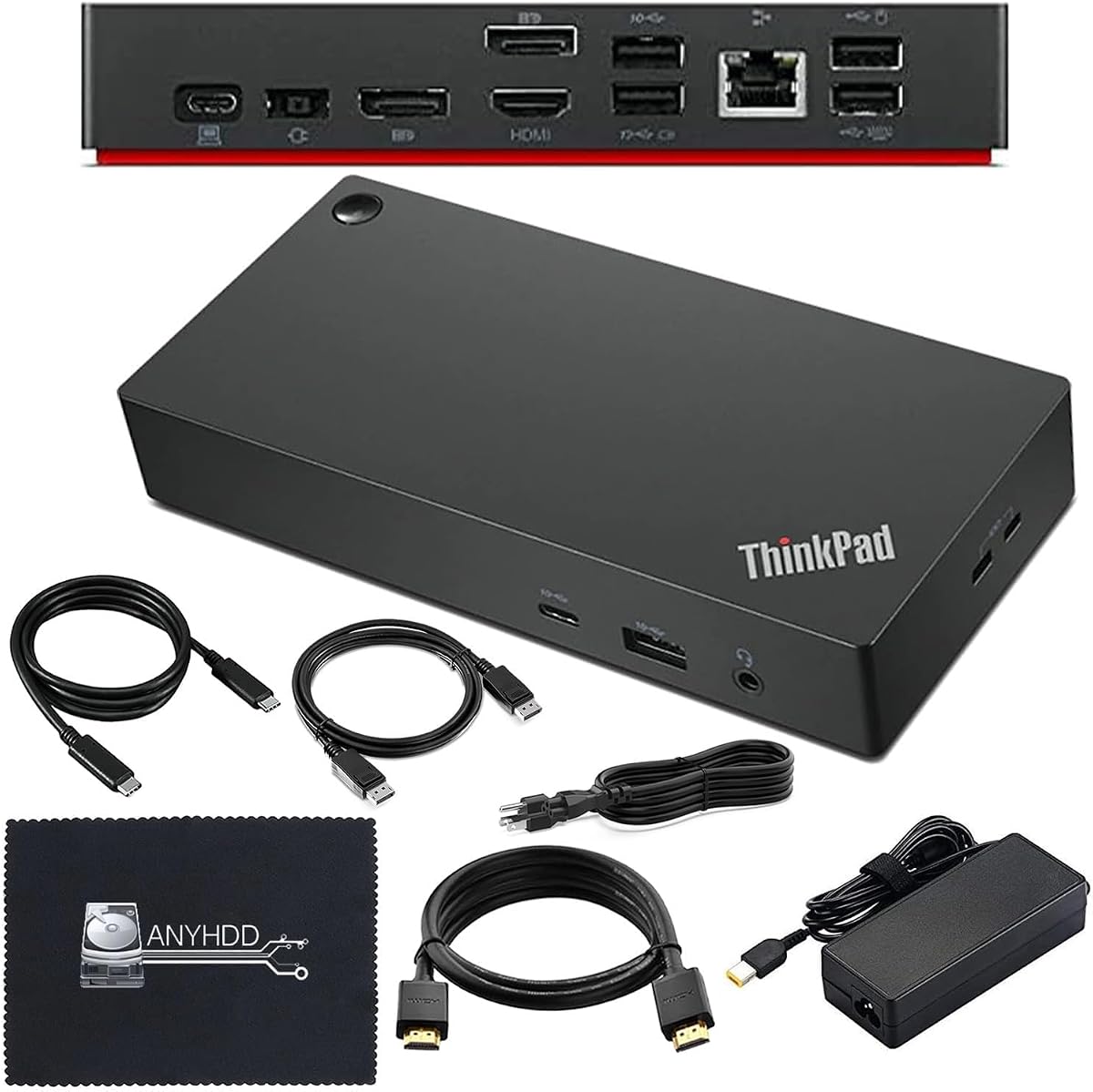
As a premium model, this dock offers exceptional stability and performance. It is designed to handle demanding workloads with a reliable power supply included in the box.
We may earn a commission when you buy through this link, at no additional cost to you.
The inclusion of HDMI and DisplayPort cables adds significant value. You do not need to purchase additional adapters to connect your monitors immediately.
Although it is priced higher than travel docks, the robust construction and Thunderbolt 4 support make it a long-term investment. It suits professionals needing a permanent desktop solution.
For those who value reliability and completeness in their setup, this is the recommended choice. It combines performance with practical convenience effectively.
Includes HDMI, DisplayPort, and USB-C cables. Everything you need is right inside the box.
Supports next-gen data and video speeds. Future-proofs your connection for new devices.
We may earn a commission when you buy through this link, at no additional cost to you.
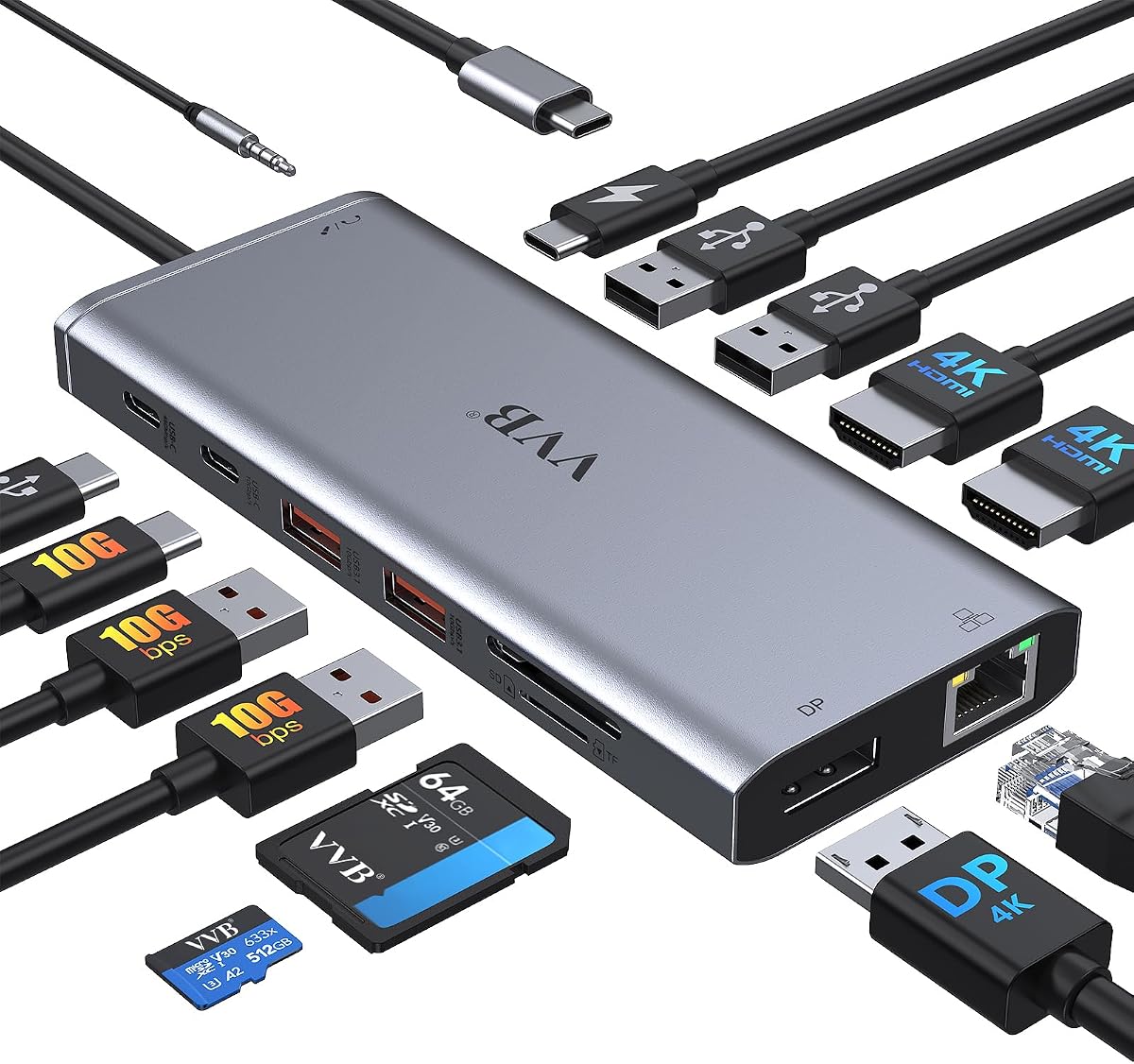
This adapter boasts an impressive fourteen ports in one compact unit. It aims to be the one-stop solution for every possible connection you might need.
We may earn a commission when you buy through this link, at no additional cost to you.
With dual HDMI and Ethernet included, it handles most office and entertainment tasks. The sheer number of options makes it a versatile choice for users with many peripherals.
However, such high port counts can sometimes lead to compatibility issues with specific laptops. It is essential to check reviews for your specific Yoga model before buying.
If you need extensive connectivity and want to minimize dongles, this offers great value. Just ensure your laptop can drive all connected devices simultaneously.
Fourteen ports allow for extensive peripheral connection. Great for users with many legacy devices.
Includes a Gigabit Ethernet port. Provides stable internet connections where Wi-Fi is weak.
We may earn a commission when you buy through this link, at no additional cost to you.
This dock features a unique detachable design that adapts to different environments. It splits into a desktop dock and a portable hub for maximum flexibility.
We may earn a commission when you buy through this link, at no additional cost to you.
The triple display support is ideal for multitasking professionals. Combined with 100W power delivery, it keeps your laptop charged while running heavy workloads.
The modular approach adds complexity but offers significant versatility. You can take just the small hub with you when traveling while using the full dock at home.
For users who frequently switch between desk and travel, this innovative solution is unmatched. It covers all bases with a single purchase.
Detach the small hub for travel. Use the full dock for a complete home office setup.
Delivers up to 100W for charging. Ensures fast charging even with peripherals connected.
We may earn a commission when you buy through this link, at no additional cost to you.
This Gen 2 dock is known for its rock-solid stability. It provides a reliable connection for those who need their setup to work without interruptions.
We may earn a commission when you buy through this link, at no additional cost to you.
Supporting up to three external monitors makes it great for multitasking. The mix of USB and video ports covers most professional needs effectively.
While it may lack the newer Thunderbolt speeds of Gen 3 or 4 models, it offers excellent value for those prioritizing reliability over raw speed.
If you prefer a no-nonsense dock that just works every time, this is a strong choice. It continues to be a favorite for many corporate environments.
Supports up to three external screens. Ideal for financial trading or data analysis workflows.
Many units still in active service. A trusted choice for long-term stability.
We may earn a commission when you buy through this link, at no additional cost to you.
This renewed hybrid dock offers a budget-friendly way to access enterprise-grade features. It includes a high-power adapter and essential cables to get started immediately.
We may earn a commission when you buy through this link, at no additional cost to you.
The hybrid design allows for both legacy USB-A and modern USB-C connections. This makes it useful if you still have older peripherals you need to connect.
Buying renewed means checking warranty terms carefully. However, if the product is tested properly, it can save you money without sacrificing performance.
For those on a tight budget needing robust connectivity, this is worth considering. Just verify the return policy before finalizing your purchase.
Renewed models offer significant savings. Great for offices buying multiple units at once.
Comes with HDMI and DisplayPort cables. Eliminates the need for extra purchases.
We may earn a commission when you buy through this link, at no additional cost to you.
Anker is a trusted name in charging and connectivity accessories. This hub balances size and functionality well for daily use with Yoga laptops.
We may earn a commission when you buy through this link, at no additional cost to you.
The dual HDMI support is excellent for presentations. Combined with SD card slots, it serves media professionals and presenters effectively.
While it does not support Linux systems, it works great on Windows. The 85W pass-through is enough for most standard charging needs.
If you want a reliable brand with consistent quality, this is a great pick. It provides a smooth experience without technical headaches.
SD card slot for quick photo imports. Dual HDMI for professional presentations.
Anker products are known for durability. Backed by strong customer support and warranties.
We may earn a commission when you buy through this link, at no additional cost to you.
Choosing the right dock involves understanding your specific connectivity needs. Consider your laptop model, monitor count, and power requirements.
Ensure the dock matches your Yoga model's port type. Some docks need Thunderbolt 3 or 4, while others work with standard USB-C.
Check your laptop specs to avoid compatibility issues before purchasing.
Determine how many external monitors you need. Some hubs support only one 4K screen, while others drive dual 4K displays easily.
Always verify resolution capabilities like 4K at 60Hz for smooth visuals.
Check the wattage of the pass-through charging. Your dock should supply enough power to run your laptop while charging.
Higher wattage is necessary for powerful Yoga models with dedicated GPUs.
Look for a mix of USB-A and USB-C ports. You may need legacy ports for mice or older peripherals.
Ethernet ports are useful if you prefer wired internet connections.
Travel docks should be durable and compact. Desktop stations can be larger but should still feel sturdy.
Aluminum casings often dissipate heat better than plastic ones.
Integrated cables reduce clutter on your desk. Removable cables offer flexibility if you lose a specific adapter.
Choose based on whether you value tidiness over flexibility.
Prices vary widely from simple hubs to full workstations. Set a realistic budget based on your needs.
Often, a mid-range model offers the best balance of features.
Check the warranty period offered by the manufacturer. Longer warranties provide peace of mind against defects.
Reputable brands usually have better customer service channels.
Always connect the power adapter before plugging in your laptop. This ensures stable voltage delivery and prevents connection drops.
Plug all peripherals into the dock before connecting it to your Yoga. This allows Windows to recognize all devices at once.
Keep the dock in a well-ventilated area. Avoid stacking other devices on top of it to prevent overheating during long use.
Not necessarily. Thunderbolt docks often require Thunderbolt support. Check your Yoga model to see if it has Thunderbolt 3 or 4 ports.
Yes, most docks support Power Delivery. Ensure the dock's wattage meets your laptop's charging requirements for simultaneous use.
Ensure you selected Extend Mode in display settings. Also, update your graphics drivers to support multiple screens correctly.
Some docks include cables, but others require a Thunderbolt or USB-C cable. Check the box contents to be sure before setup.
Most Yoga models support up to two external monitors plus the built-in screen. Verify with your specific model's manual for limits.
Yes, but ensure the battery is not constantly at 100% charge. Some laptops have battery saving modes to prevent wear.
We reviewed ten excellent options ranging from compact hubs to full workstations. The Lenovo USB-C Dual Display Travel Dock stands out for its reliability.
Prioritize power delivery and display support when making your choice. These two factors directly impact your daily productivity and comfort.
Remember to check current prices and availability before buying. Deals change often, so verify that the product still fits your budget.