
Dell SE2426HG
4.7Editor score
240Hz IPS display
0.5ms response time
TÜV eye comfort certified
Finding the right display for competitive shooters like Valorant requires careful attention to refresh rates and response times. A 240Hz monitor can significantly reduce motion blur and input lag, giving you a critical edge in fast-paced duels. Whether you prioritize color accuracy or pure speed, the right screen transforms your gameplay experience.
We evaluated ten leading models based on real-world performance data, panel technology, and competitive features. Our analysis covers IPS and VA panels, adaptive sync compatibility, and ergonomic adjustments essential for long practice sessions. Each pick balances performance with value to suit different budget levels and setup requirements.
Every recommendation includes detailed specifications, verified ratings, and direct links to current listings. Prices fluctuate frequently so always confirm the latest offer before purchasing. Use this guide to identify which monitor aligns with your hardware capabilities and playing style for optimal competitive results.
4.7Editor score
4.5Editor score

4.6Editor score
As an Amazon Associate we earn from qualifying purchases.
The following table provides a side-by-side overview of all ten monitors evaluated in this guide. Compare key specifications like refresh rate, panel type, response time, and connectivity options to find the model that best fits your gaming rig and desk space.


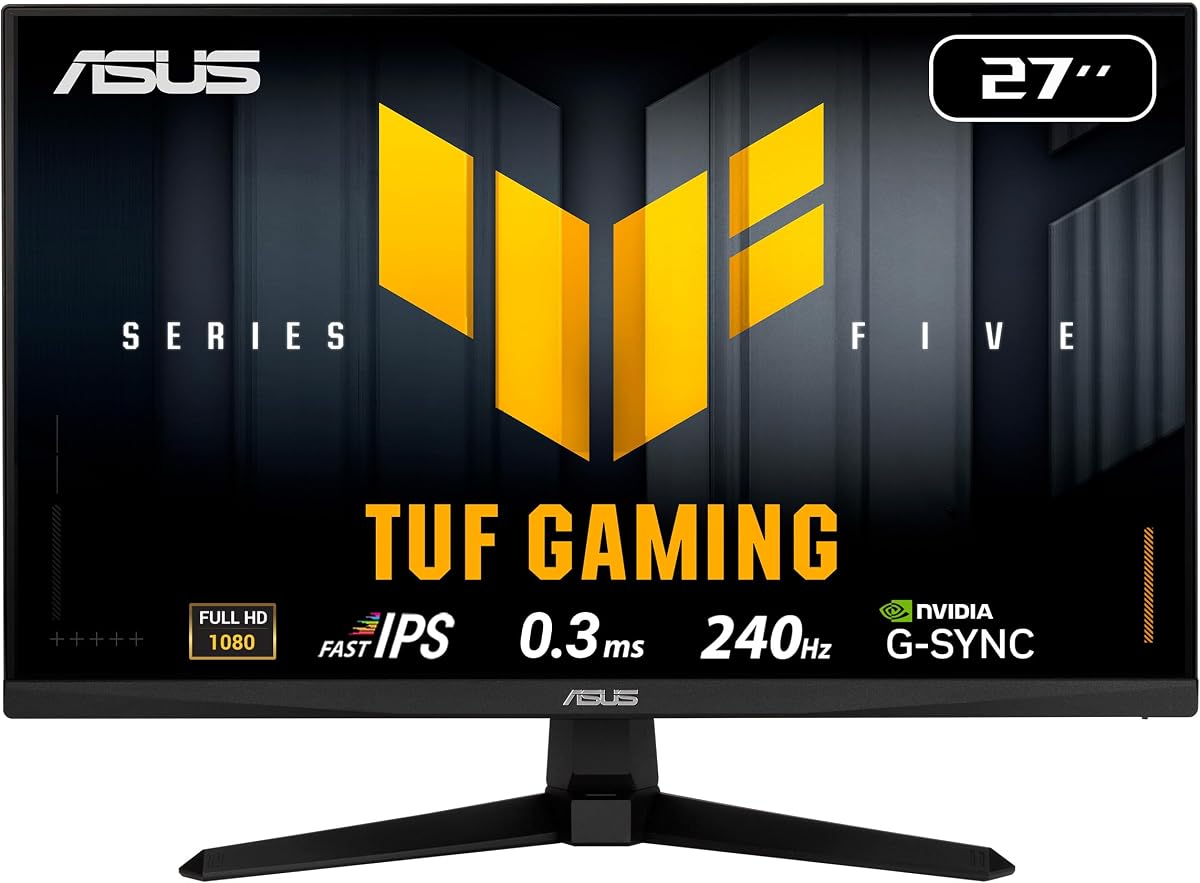
The ASUS TUF VG279QM5A stands out as a top-tier option for competitive shooters with its 240Hz refresh rate and 0.3ms response time. Its Fast IPS panel delivers vibrant colors while maintaining the speed needed for tracking enemies in Valorant. The G-SYNC compatibility ensures smooth gameplay without tearing even when frame rates fluctuate during intense matches.
We may earn a commission when you buy through this link, at no additional cost to you.
ASUS includes ELMB Sync technology which allows you to use motion blur reduction alongside variable refresh rates. This combination sharpens moving objects and helps you land precise shots against fast-moving targets. The DisplayWidget Center software simplifies on-screen menu adjustments so you can tweak settings quickly without using physical buttons.
While the monitor offers excellent performance, the stand only supports tilt adjustments which might require a VESA mount for better ergonomic positioning. The price point is higher than some budget alternatives but the build quality and features justify the investment for serious players seeking reliable tournament-grade performance.
This monitor is ideal for gamers who want a balance between color accuracy and competitive speed. If you prioritize smooth motion and responsive input over premium ergonomic features the VG279QM5A delivers consistent results that enhance your gameplay experience in ranked matches.
ELMB Sync eliminates motion blur while keeping adaptive sync active for tear-free visuals during gameplay.
The Fast IPS panel covers 99 percent sRGB ensuring vibrant and accurate colors for immersive gaming.
We may earn a commission when you buy through this link, at no additional cost to you.
The Dell SE2426HG offers an accessible entry point into high refresh rate gaming with its 240Hz IPS panel at a budget-friendly price. It features a 0.5ms response time that keeps motion clear during fast skirmishes in Valorant. TÜV Rheinland certification ensures reduced blue light emissions which helps protect your eyes during long practice sessions.
We may earn a commission when you buy through this link, at no additional cost to you.
This monitor covers 99 percent of the sRGB color space providing vivid imagery that enhances visibility of enemies in dimly lit corners. AMD FreeSync Premium works seamlessly with compatible GPUs to prevent screen tearing and stuttering. The inclusion of both HDMI and DisplayPort options allows flexible connectivity with various gaming PCs or consoles.
While it lacks height adjustment the tilt-only stand keeps costs low while still offering basic ergonomic tweaks. The thin bezels make it suitable for multi-monitor setups if you expand your desk configuration later. For those seeking reliable performance without breaking the bank this model delivers exceptional value.
Choose this monitor if you need a dependable 240Hz display that balances cost and quality. Its eye comfort features and fast response time make it a strong contender for budget-conscious players who refuse to compromise on competitive performance.
TÜV 3-Star certification lowers blue light while preserving color quality for comfortable extended use.
Features DisplayPort 1.4 and two HDMI ports for versatile connection options with your system.
We may earn a commission when you buy through this link, at no additional cost to you.
The AOC Q27G41ZE distinguishes itself with a QHD resolution and overclocked refresh rate up to 260Hz for sharper visuals. Its 0.3ms MPRT response time minimizes blur and ensures crisp details during high-speed combat. NVIDIA G-SYNC compatibility provides ultra-smooth gameplay free from tearing artifacts even under heavy load.
We may earn a commission when you buy through this link, at no additional cost to you.
With vibrant color reproduction and wide viewing angles the IPS panel delivers a premium visual experience beyond standard FHD monitors. Game Mode presets and Shadow Control allow fine-tuned adjustments for better target acquisition in dark maps. The frameless design complements modern setups and enhances immersion during competitive sessions.
Achieving QHD at 260Hz requires a powerful graphics card which might limit compatibility for some users. The price reflects these premium features but remains competitive against other high-end displays in the market. If your rig can handle the load the image clarity gain is substantial.
This monitor suits players seeking the best possible visual fidelity alongside top-tier refresh rates. It is an excellent choice for those willing to invest in a premium display that offers both competitive edge and stunning aesthetics.
The 2560×1440 resolution delivers stunning detail and vibrant color for precise target recognition.
Graphical OSD menu offers easy access to presets like Shadow Control and Game Mode tuning.
We may earn a commission when you buy through this link, at no additional cost to you.
The SANSUI 24.5 Inch monitor pushes the boundaries with up to 300Hz refresh rate support via DisplayPort. It combines an IPS panel with a 1ms MPRT response time to ensure smooth motion and clear visuals during fast gameplay. High color gamut coverage enhances brightness and vividness for better contrast in shadows.
We may earn a commission when you buy through this link, at no additional cost to you.
Visual optimized technologies like Noise Reduction and Dynamic Luminous Control improve clarity and reduce distractions. CrossHair and game assistants help you aim precisely during critical moments. The package includes a DP cable ensuring you can connect and start gaming immediately without extra costs.
As a newer brand the long-term reliability might be less proven compared to established manufacturers. The stand offers tilt only which may limit ergonomic flexibility for some desk setups. However the performance specs rival more expensive models at a significantly lower price point.
Choose this monitor if you want maximum refresh rate performance without paying a premium. It is ideal for gamers who prioritize raw speed and color quality over brand reputation or advanced stand features.
Supports up to 300Hz via DisplayPort for ultra-smooth motion beyond standard 240Hz limits.
Built-in crosshair overlay and RTS FPS modes assist with aiming and tactical visibility.
We may earn a commission when you buy through this link, at no additional cost to you.
The Amzfast 24 Curved gaming monitor offers a unique curved design that enhances immersion in competitive shooters. With a 240Hz refresh rate and 1ms MPRT response time it delivers fluid motion for tracking enemies effectively. The ultra-slim base allows under-keyboard storage to maximize valuable desk space for peripherals.
We may earn a commission when you buy through this link, at no additional cost to you.
Adaptive Sync support prevents tearing and stuttering across AMD and NVIDIA GPUs for seamless gameplay. The 5-way joystick simplifies OSD navigation so you can adjust settings without removing your hands from the keyboard. Game modes optimize visual clarity and target locking during intense battles.
While the curved panel provides depth the VA panel might show slightly slower response than IPS alternatives. There is limited rating data available from independent sources so verifying performance reviews is recommended before purchasing. However the design features offer excellent practicality for compact gaming setups.
This monitor is perfect for players wanting an immersive curved experience with space-saving design. If you prefer tighter viewing angles and a minimalist desk layout this model delivers solid performance and useful controls.
The ultra-slim 0.12-inch base allows keyboard storage to free up valuable desk space.
Game-ready joystick allows quick access to settings without leaving the action.
We may earn a commission when you buy through this link, at no additional cost to you.
The msi MAG 274CF X24 leverages VA panel technology to deliver deep blacks and high contrast for immersive visuals. It features a 240Hz refresh rate and 0.5ms GtG response time ensuring smooth and clear motion during fast action. AMD FreeSync Premium keeps gameplay fluid without screen tearing artifacts.
We may earn a commission when you buy through this link, at no additional cost to you.
AI Vision technology enhances details in dark areas and boosts overall brightness for better visibility in shadows. This feature helps spot enemies hiding in dark corners which is crucial for tactical games like Valorant. HDR readiness adds more dynamic range to scenes for richer color representation.
VA panels can sometimes exhibit slower response transitions compared to IPS which might cause minor ghosting. However the rated response time is competitive and suitable for most gaming needs. The stand offers tilt only and includes a VGA port for legacy device support.
Choose this monitor if you value high contrast and deep blacks for dark gameplay environments. It is a strong option for those seeking reliable performance with useful AI enhancements at a reasonable price.
The VA panel delivers deep blacks and high contrast for better visibility in dark scenes.
Enhances dark area details and saturates colors for improved enemy visibility.
We may earn a commission when you buy through this link, at no additional cost to you.
The AOC 27G51Z offers an overclocked refresh rate up to 260Hz for ultra-smooth motion in competitive shooters. It uses an IPS panel with 0.5ms MPRT response time to minimize blur and ensure sharp visuals during fast moves. Adaptive-Sync technology prevents screen tearing for fluid gameplay across AMD and NVIDIA systems.
We may earn a commission when you buy through this link, at no additional cost to you.
This model consumes less power with Eco Mode maintaining efficiency without sacrificing performance. The flicker-free technology reduces eye strain during long sessions and supports healthier gaming habits. A user-friendly OSD menu and G-Menu software make setting adjustments quick and intuitive.
Overclocking may introduce instability if not properly configured on your GPU which could impact performance. The eco settings might limit brightness if you prefer higher luminance in bright rooms. However for most users the balance between speed and efficiency is well handled by the monitor.
This is an ideal pick for players seeking extra refresh rate headroom without upgrading hardware. Its energy efficiency and low strain features make it suitable for extended daily use.
Native 240Hz overclocked to 260Hz via HDMI or DisplayPort for smoother frame rates.
Eco Mode maintains low power usage while flicker-free tech reduces eye strain.
We may earn a commission when you buy through this link, at no additional cost to you.
The SANSUI 24 Curved monitor combines a 1500R curved panel with 240Hz refresh for immersive gameplay. Its VA panel provides high contrast and deep blacks enhancing depth perception in 3D environments. A wide color gamut ensures vibrant imagery that helps distinguish enemies clearly from backgrounds.
We may earn a commission when you buy through this link, at no additional cost to you.
Features like shadow booster and game presets assist with visibility and tactical adjustments during matches. The multiple ports and VESA compatibility offer flexible mounting and connection options for any setup. Tilt adjustment allows basic ergonomic positioning though height remains fixed.
While it offers solid performance the limited stand adjustments may require a separate arm for optimal viewing. The 1ms response time is adequate but not as fast as top-tier alternatives. Still the combination of color quality and curve makes it a compelling budget option.
Select this monitor if you want immersive curved visuals with rich color at a low cost. It suits gamers who prioritize visual depth and budget over advanced ergonomic tweaks.
124 percent sRGB coverage ensures vivid colors and accurate image reproduction.
1500R curve matches natural eye focus for reduced strain and better immersion.
We may earn a commission when you buy through this link, at no additional cost to you.
The ASUS TUF VG249QML5A offers a 24-inch form factor ideal for compact desks without sacrificing speed. It features Fast IPS technology with 0.3ms response and 240Hz refresh for precise and fluid visuals. The height adjustable stand allows customized ergonomics reducing neck strain during long matches.
We may earn a commission when you buy through this link, at no additional cost to you.
ELMB Sync technology enables motion blur reduction while keeping variable refresh rate active. This combination ensures sharp moving objects and a smooth experience. DisplayWidget Center simplifies settings access via mouse for quick adjustments without breaking focus.
The smaller screen might reduce immersion for players used to larger displays. While the price is higher than budget options the ergonomic features and Fast IPS quality justify the cost. A 3-year warranty provides long-term peace of mind for daily use.
Choose this monitor if you need a compact yet ergonomic solution with top-tier panel speed. It is perfect for limited desk spaces that still demand competitive performance.
Height adjustable stand allows you to customize viewing position for maximum comfort.
0.3ms response time enables sharp visuals with high frame rates.
We may earn a commission when you buy through this link, at no additional cost to you.
The ASUS TUF VG259QM5A provides a 25-inch screen which balances field of view and desk space effectively. Its Fast IPS panel delivers 0.3ms response time and 240Hz refresh for competitive precision. Wide color gamut coverage ensures accurate and vivid colors for immersive gameplay.
We may earn a commission when you buy through this link, at no additional cost to you.
ELMB Sync eliminates ghosting while maintaining variable refresh rates. DisplayWidget Center simplifies on-screen menu access. The monitor includes a free 3-month Adobe Creative Cloud subscription enhancing value for creators.
The stand lacks height adjustment which may require a VESA mount for full ergonomic flexibility. Despite this limitation the screen size and speed make it a versatile choice. The 3-year warranty ensures long-term reliability for consistent performance.
This model is recommended for players seeking an optimal screen size with fast response. It is a strong choice for those wanting balanced performance and visual quality.
The 25-inch display offers an ideal balance between field of view and desk space.
0.3ms GtG response ensures sharp visuals during high-speed gameplay.
We may earn a commission when you buy through this link, at no additional cost to you.
Choosing the right monitor requires balancing refresh rate response time panel technology and ergonomics. This guide outlines the essential factors to consider when selecting a 240Hz display for competitive Valorant.
Refresh rate determines how many frames the monitor displays per second. A 240Hz rate reduces motion blur and makes fast movement clearer. This is critical in Valorant where tracking enemies quickly is vital.
Ensure your PC can push enough frames to utilize the refresh rate effectively.
Response time measures how quickly pixels change color. Lower response times like 0.3ms or 0.5ms minimize ghosting and blur during rapid turns. This sharpens visuals and helps you identify targets faster.
Look for GtG or MPRT specs and prioritize values below 1ms for competitive play.
IPS panels offer better color accuracy and viewing angles while VA panels provide higher contrast. For Valorant color fidelity helps distinguish enemies from backgrounds but VA black levels may aid dark map visibility.
Choose based on whether you prioritize speed and color or contrast and deep blacks.
Adaptive Sync technology like G-SYNC or FreeSync aligns monitor refresh with GPU output. This eliminates tearing and stuttering caused by frame rate fluctuations. It ensures smoother visuals even during intense combat.
Confirm your GPU supports the specific sync technology for optimal performance.
FHD resolution at 1920×1080 is standard for competitive play due to performance benefits. Higher resolutions like QHD offer sharper details but require stronger hardware. Prioritize refresh rate over resolution for competitive accuracy.
Choose FHD if you need maximum FPS or QHD if you have a powerful GPU.
Adjustable stands for height tilt and swivel help maintain a healthy posture during long sessions. Poor ergonomics can cause strain and reduce focus over time. Consider a VESA mount if the monitor lacks full adjustability.
Look for stands that allow you to position the screen at eye level.
DisplayPort 1.4 usually supports higher refresh rates better than HDMI versions. Ensure the monitor has enough inputs for your setup including potential multi-monitor configurations. Audio jacks and USB hubs add convenience for peripherals.
Verify that cables support the full speed of your refresh rate.
Features like flicker-free and low blue light reduce strain during long gaming sessions. Certifications like TÜV indicate validated eye comfort. This helps maintain performance by preventing fatigue over time.
Prioritize monitors with these features if you game for hours daily.
Always connect via DisplayPort 1.4 to ensure you can use the full 240Hz refresh rate. Adjust Windows settings to confirm the correct refresh rate is enabled in display properties. This ensures the monitor runs at its intended speed.
Use the OSD menu to set game modes like FPS or RTS for optimized visual clarity. Disable HDR if it introduces input lag unless you prefer the higher dynamic range. Customizing these settings helps fine-tune performance.
Clean the screen with a microfiber cloth to avoid scratches. Avoid harsh chemicals that can damage coatings. Ensure proper ventilation to prevent overheating and maintain longevity for consistent performance.
Yes 240Hz reduces motion blur and makes tracking enemies easier. For competitive players the extra smoothness improves reaction time. It provides a clear advantage over standard 60Hz or 144Hz displays.
A mid to high-end GPU like an RTX 3060 or higher is recommended. You need enough power to maintain frame rates near 240 FPS in Valorant. Older cards might not support this rate consistently.
Lower response time minimizes ghosting making moving targets clearer. This helps you aim precisely without confusion from trailing images. It is a key factor for accurate shots in fast-paced duels.
IPS is generally preferred for color accuracy and faster response. VA offers better contrast but may have slower pixel transitions. Most competitive players choose IPS for speed.
Enabling G-SYNC reduces tearing without adding much input lag. For competitive play enabling it ensures smooth visuals. However turning it off may reduce latency if you prioritize pure speed.
Adjust brightness and contrast to see shadows clearly without washing out colors. Use game mode presets provided by the monitor. Calibrate to match your gaming environment for consistency.
This guide highlights ten top monitors that deliver 240Hz refresh rates essential for competitive Valorant. Each model offers unique strengths from budget-friendly options to premium features tailored for peak performance.
Prioritize refresh rate response time and panel technology based on your playing style. Ensure your system can drive the monitor effectively to maximize the benefits of high-speed displays.
Prices and availability change frequently so check current listings before purchasing. With the right choice you can significantly enhance your gameplay experience and competitive edge in every match.