
TCL 55" T7 4K QLED Google TV with 144Hz Gaming (55T7)
4.3Editor score
144Hz refresh rate
QLED color technology
Google TV interface
Dolby Atmos audio
Finding the right display for next-gen consoles requires specific features like high refresh rates and low input lag. This guide explores the best options available to elevate your gaming experience significantly.
We evaluated ten leading models based on panel technology, smart interfaces, and gaming-specific capabilities. Each pick balances performance, value, and visual fidelity to suit different room setups and budgets.
Each section details unique strengths and potential trade-offs for every model listed. Prices and availability change frequently, so verify current listings before purchasing to ensure the best deal.
4.3Editor score
4.4Editor score

4.1Editor score
As an Amazon Associate we earn from qualifying purchases.
This table provides a side-by-side look at key specifications for all ten models. Use these details to quickly compare refresh rates, panel types, and smart system capabilities.




The TCL 55T7 stands out as a top contender for budget-conscious gamers seeking modern features. It offers a 144Hz refresh rate and QLED technology at a price that is accessible to most households. This combination ensures fluid motion and rich colors without breaking the bank.
We may earn a commission when you buy through this link, at no additional cost to you.
Its Quantum Dot technology covers nearly the entire DCI-P3 color space, resulting in vivid images. The processor optimizes contrast and clarity for HDR content, while Dolby Atmos provides immersive sound. Motion Rate 480 with MEMC frame insertion keeps fast action sharp during intense gaming sessions.
The lack of extensive local dimming means blacks may not be as deep as premium models. However, the anti-glare performance is decent for bright rooms. This trade-off is acceptable given the significant cost savings compared to high-end alternatives.
Budget gamers should choose this model for its balance of speed and visual quality. It delivers a reliable 4K experience with necessary high refresh rates for PS5 and Xbox. For those starting a new setup, it offers excellent value.
The native 144Hz panel supports Variable Refresh Rate which reduces screen tearing during competitive play.
Google TV provides access to thousands of apps while Dolby Atmos creates a surround sound experience.
We may earn a commission when you buy through this link, at no additional cost to you.
The iFFALCON 55U85 brings MiniLED technology to the mid-range gaming market. It features a native 144Hz panel that can go up to 240Hz via VRR, making it ideal for high-performance gaming. The display handles bright scenes well with 1000 nits of peak luminance.
We may earn a commission when you buy through this link, at no additional cost to you.
Four HDMI 2.1 ports allow you to connect multiple next-gen consoles and a soundbar simultaneously without compromising refresh rates. Auto Low Latency Mode switches instantly to game mode. The system supports Dolby Vision Gaming for optimized console settings without manual adjustments.
While the MiniLED provides good contrast, some haloing around bright objects may occur in dark scenes. The software interface is solid but relies heavily on Google ecosystem integration. These factors are minor compared to the hardware capabilities offered at this price.
Enthusiasts who need multiple HDMI 2.1 connections will appreciate this unit. It delivers competitive gaming performance with high brightness and fast refresh rates. This TV is a strong option for those wanting premium features at a lower cost point.
Four ports support 4K 144Hz enabling full next-gen console features on every input.
MiniLED zones provide deeper blacks and higher brightness for vivid HDR gaming visuals.
We may earn a commission when you buy through this link, at no additional cost to you.
The Hisense 55U6SF Pro combines Mini-LED backlighting with a native 144Hz refresh rate. This model is designed to deliver crisp fluid motion during high-speed gaming. It features Hi-QLED technology for accurate color reproduction and a built-in subwoofer for immersive audio.
We may earn a commission when you buy through this link, at no additional cost to you.
The anti-reflection coating keeps the view clean in bright rooms which is crucial for daytime gaming. The AI engine adjusts picture settings automatically for different content types. Fire TV offers easy access to apps and Alexa voice control simplifies navigation.
While the motion handling is strong, some extreme fast action may still show slight blur. The local dimming is effective but less granular than top-tier models. These limitations do not outweigh the strong visual and gaming performance for the price.
Casual and competitive gamers will find this unit delivers balanced performance. The combination of high refresh rate and good brightness makes it versatile. It is an excellent choice for those seeking premium tech without a premium price tag.
A built-in subwoofer provides deep bass enhancing explosions and audio immersion in games.
Mini-LED zones and Hi-QLED ensure vibrant colors and high contrast for stunning HDR.
We may earn a commission when you buy through this link, at no additional cost to you.
Samsung's M70H series delivers Mini LED performance in a sleek package. It supports Motion Xcelerator with 120Hz for smooth visuals during sports and games. The Gaming Hub offers a centralized interface for cloud and console games. Color Booster enhances reds and blues for a vivid look.
We may earn a commission when you buy through this link, at no additional cost to you.
The Mini LED dimming provides deep blacks and bright highlights which improves contrast significantly. It handles ambient light well making it suitable for living rooms. The processor sharpens details and optimizes motion without noticeable artifacts during gameplay.
The refresh rate stops at 120Hz which is less than some competitors offering 144Hz. Remote navigation could be more game focused with dedicated shortcuts. Despite this, the image quality remains robust for general entertainment and gaming needs.
Samsung fans and home theater users will appreciate the visual consistency. The Gaming Hub is a bonus for cloud gaming enthusiasts. This TV is reliable for those who prioritize picture processing and smart features over maximum refresh rates.
Access cloud and console games from one menu simplifying setup and navigation for users.
Precise dimming zones create deep blacks and bright highlights for impactful HDR content.
We may earn a commission when you buy through this link, at no additional cost to you.
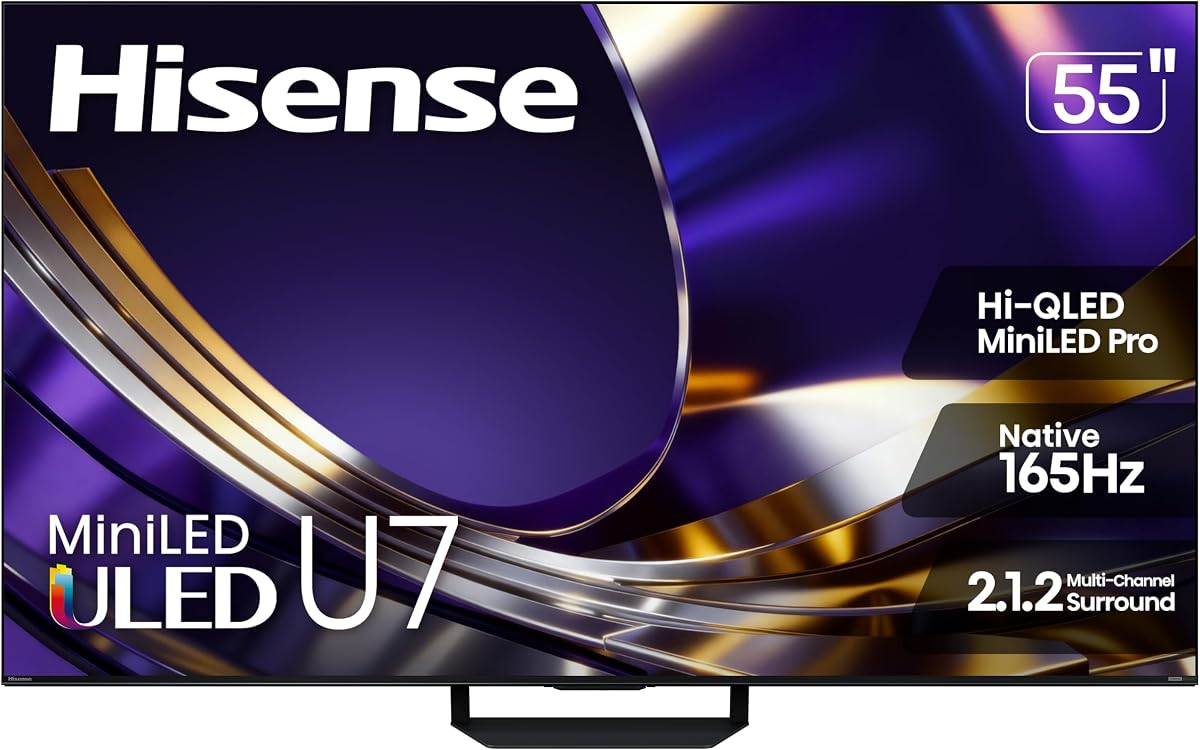
The Hisense 55U7SG represents the pinnacle of affordable premium gaming. It features a native 165Hz refresh rate and up to 3000 nits of brightness. These specs ensure zero blur and vibrant HDR effects. The anti-glare layer handles bright rooms exceptionally well.
We may earn a commission when you buy through this link, at no additional cost to you.
Thousands of MiniLED backlights allow for precise control over lighting zones. This reduces blooming and maintains detail in dark scenes. The AI engine continuously optimizes the picture for accuracy. Dolby Atmos and IMAX Enhanced certification provide immersive audio.
The higher price reflects the advanced panel tech and processing power. It may be overkill for casual users who do not need 165Hz. However, competitive gamers will value the smooth motion and responsiveness provided by the panel.
Serious gamers should choose this model for its technical superiority. It balances high-end specs with smart features well. This unit is best for those demanding the best picture and performance from their TV setup.
Native 165Hz ensures fluid gameplay with no lag even in high speed competitive titles.
3000 nits allow HDR highlights to shine vividly even in daytime environments.
We may earn a commission when you buy through this link, at no additional cost to you.
Sony's BRAVIA 3 II offers exclusive features for PS5 owners including Auto HDR Tone Mapping. The XR Processor uses AI to optimize clarity and color in real time. Motionflow XR ensures smooth blur-free motion during sports and action. It also includes Sony Pictures Core for premium movie access.
We may earn a commission when you buy through this link, at no additional cost to you.
HDMI 2.1 supports 4K at 120 frames per second with Variable Refresh Rate. The Game Menu allows quick access to gaming settings without deep menus. Dolby Vision and Atmos support provide cinematic sound and visuals for streaming titles.
The premium price is due to Sony's processing and brand reputation. Customization options are limited compared to other brands. However, the exclusive PS5 optimization makes it a top choice for console loyalists.
PS5 owners should consider this for seamless integration and optimized picture. The picture quality is exceptional for movies too. It is a great all-rounder for those who prioritize brand trust and console synergy.
The TV automatically adjusts HDR settings for PS5 games without user input.
The XR Processor analyzes content to restore detail and reduce noise naturally.
We may earn a commission when you buy through this link, at no additional cost to you.
Roku's Select Series TV focuses on simplicity and clear streaming. It uses QLED for bright accurate colors and a simple Home Screen. The setup is quick and the remote supports voice search for easy navigation. AirPlay 2 and Bluetooth options add flexibility.
We may earn a commission when you buy through this link, at no additional cost to you.
Smart Picture cleans up signals and optimizes them for viewing. The interface is uncluttered and easy to use for all ages. It supports 4K and HDR10 for decent contrast and vibrant visuals in streaming content.
Gaming features are basic without 120Hz or VRR support. This unit is better for media than high-speed gaming. However, it delivers clear audio and speech for dialogue heavy content.
Casual users who prioritize ease of use will love this TV. It is a great choice for streaming heavy households. While not ideal for hardcore gaming, it performs well for entertainment.
The Home Screen organizes content with personalized picks making finding shows effortless.
Fast Wi-Fi ensures quick app launches and smooth playback for 4K content.
We may earn a commission when you buy through this link, at no additional cost to you.
TCL's 65QM6K offers a massive 65-inch display with MiniLED and QLED benefits. It supports 144Hz for fluid motion in gaming. The Onkyo audio system delivers clear sound with deep bass. Local dimming helps eliminate blooming for better contrast.
We may earn a commission when you buy through this link, at no additional cost to you.
QD-Mini LED combines Quantum Dot color with precise lighting zones. This results in over a billion vibrant colors and bright highlights. The system handles sports and fast action well with minimal blur on the screen.
The larger screen may not fit smaller rooms easily. Setup options are extensive which can be overwhelming for beginners. But the visual impact and color accuracy are impressive for the price.
Those wanting a large immersive screen should consider this model. It balances size and speed well for gaming and movies. It is a strong choice for living rooms needing a bigger picture.
Dolby Onkyo audio provides a cinema-like experience without extra speakers.
QD-Mini LED ensures both deep blacks and intense brightness in HDR scenes.
We may earn a commission when you buy through this link, at no additional cost to you.
Samsung U8000H brings Crystal UHD technology to entry-level gaming. It includes 4K upscaling to improve low-resolution content. Motion Xcelerator adjusts transitions for clearer movement. Color Booster enhances vividness making scenes pop on the screen.
We may earn a commission when you buy through this link, at no additional cost to you.
The processor delivers sharp details and vibrant colors. It supports 4K 60Hz which is standard for casual gaming. The interface offers endless free content and easy navigation for daily use.
Contrast is limited compared to MiniLED models. Motion handling is basic but sufficient for most users. This model is best for budget setups that still want decent visuals.
Budget shoppers looking for a reliable entry option will find value. It is ideal for casual gaming or general watching. It offers solid performance for the price point.
4K upscaling improves non-HD content to look closer to native resolution.
Motion Xcelerator helps keep sports and action clear during transitions.
We may earn a commission when you buy through this link, at no additional cost to you.
Hisense 55E6QF offers Hi-QLED color and a smart AI Light Sensor. It adjusts brightness automatically based on room light. Dolby Vision and Atmos provide immersive visuals and sound. Game Mode Plus optimizes picture settings for better response.
We may earn a commission when you buy through this link, at no additional cost to you.
The 4K upcaler enhances content using machine learning models. It supports HDR10+ adaptive for better contrast in movies. Motion Rate 120 ensures clear action during sports and games without significant blur.
Gaming modes are limited compared to higher-end models. The motion rate stops at 120 Hz which is lower than premium. However, it delivers excellent value for general users and casual players.
Entry-level gamers will appreciate the balanced feature set. It handles bright rooms well and offers good color. This is a solid choice for those needing a versatile TV at a reasonable cost.
The AI Light Sensor adjusts brightness to save energy and match ambient light.
4K upcaler sharpens edges and textures in lower quality streams.
We may earn a commission when you buy through this link, at no additional cost to you.
Selecting the right TV requires understanding several technical factors that directly impact gameplay and visual fidelity.
Refresh rate determines how many frames the TV displays per second. Look for at least 120Hz or 144Hz to ensure smooth motion in fast-paced games. Higher rates reduce motion blur and make gameplay feel more responsive.
Prioritize models with native high refresh rates over interpolated ones to avoid input lag issues.
HDMI 2.1 ports are essential for next-gen consoles. They allow 4K resolution at high refresh rates. Ensure the TV has at least one full bandwidth port for your primary console.
Ideally, look for multiple ports to connect multiple devices without switching cables.
Input lag is the delay between pressing a button and the action appearing on screen. Gaming TVs usually have special modes that reduce this delay significantly to below 20ms.
Check reviews for measured input lag numbers to confirm responsiveness during competitive play.
VRR syncs the display refresh rate with the console frame rate. This eliminates screen tearing and stuttering during gameplay. Most modern consoles support this feature.
Ensure the TV supports both HDMI Forum VRR and FreeSync to match all console standards.
High Dynamic Range (HDR) improves contrast and color. Look for high peak brightness, ideally 600 nits or more, to make HDR effects visible. MiniLED panels often perform best here.
Verify support for Dolby Vision and HDR10+ to match content formats available.
IPS panels offer better viewing angles but lower contrast. VA panels have deeper blacks but narrower angles. Consider your room layout and seating arrangement when choosing.
VA panels are generally preferred for gaming due to higher contrast ratios.
The smart system handles streaming apps and updates. Popular systems like Google TV and Roku offer broad app support and smooth navigation. Ensure the OS is fast and responsive.
Voice control features can simplify searching for content and controlling smart home devices.
Built-in audio often lacks depth, so eARC support allows connecting an external soundbar. This enables lossless audio formats like Dolby TrueHD. Look for decent speakers if not using external ones.
Prioritize TVs with eARC to ensure full audio fidelity from consoles and streaming apps.
Connect your console to an HDMI 2.1 port labeled for high bandwidth to unlock full resolution and refresh rates. Ensure cables are high-speed certified to avoid signal drops during gameplay.
Enable Game Mode immediately upon connecting to reduce input lag and optimize motion settings. This mode typically adjusts motion smoothing and color processing automatically for better responsiveness.
Clean the screen gently with a microfiber cloth to avoid scratches. Avoid harsh chemicals and keep the TV away from direct sunlight to prevent long-term degradation of the panel.
A refresh rate of at least 120Hz is recommended to match the output of next-gen consoles. This ensures smooth motion in supported games and reduces blur. Higher rates like 144Hz offer even smoother visuals for competitive play.
MiniLED TVs offer excellent contrast and brightness compared to standard LED models. They provide better HDR performance and deep blacks. However, they can be more expensive than traditional options.
Input lag matters less for single-player games than competitive ones but still affects responsiveness. High lag can make controls feel sluggish. A good TV reduces this delay significantly for a better experience.
eARC is useful if you connect an external soundbar to your TV. It supports lossless audio formats that enhance immersion. Console audio over HDMI is usually fine without eARC.
Google TV and Roku are popular for their intuitive interfaces and broad app support. Both allow easy switching between console inputs and streaming apps. Choose the one that fits your ecosystem preferences.
Yes, most modern gaming TVs support PC inputs via HDMI. Look for models with adaptive sync support to match graphics card outputs. This setup works well for high-refresh PC gaming.
Choose a TV with anti-reflective coating to minimize glare. Position seating so windows are not directly in front of the screen. Adjust brightness settings to improve visibility during the day.
4K resolution provides sharp images and detail especially on larger screens. However, some games may sacrifice resolution for frame rate. Decide based on your priority between clarity and smoothness.
We reviewed ten models ranging from budget picks to premium options. The Hisense 55U7SG and TCL 55T7 lead in value and performance respectively. Your choice depends on room size and budget constraints.
Prioritize 120Hz refresh rates and HDMI 2.1 connections for next-gen gaming. A good TV enhances visual fidelity and responsiveness significantly. Consider audio capabilities and smart features for overall satisfaction.
Prices and availability change frequently across different retailers. Check current listings to ensure the best deal for your needs. Verify warranty and return policies before making a purchase.