
Polymaker Polydryer
4.4Editor score
Airtight sealed enclosure design
Built-in hygrometer included
Supports multiple filament diameters
Discover the top 3D printer filament dryer box options for 2026. This guide compares features, capacity, and drying performance to help you choose the right
Choosing the right 3D printer filament dryer box is essential for maintaining print quality. Moisture absorption leads to stringing and clogging, so a reliable drying solution keeps your materials ready for use.
We evaluated ten leading models based on heating efficiency, capacity, and ease of use. Each product was analyzed for its ability to protect different filament types from humidity while supporting your printing workflow effectively.
Every pick highlights specific strengths and ideal user scenarios. While we focus on performance and features, remember that prices can fluctuate, so always check current listings before making your final purchase decision today.
4.4Editor score

4.7Editor score

4.6Editor score
This comparison table provides a side-by-side overview of all ten selected dryer boxes. Each entry highlights core specifications to help you quickly identify the model that fits your specific printing needs and workspace.
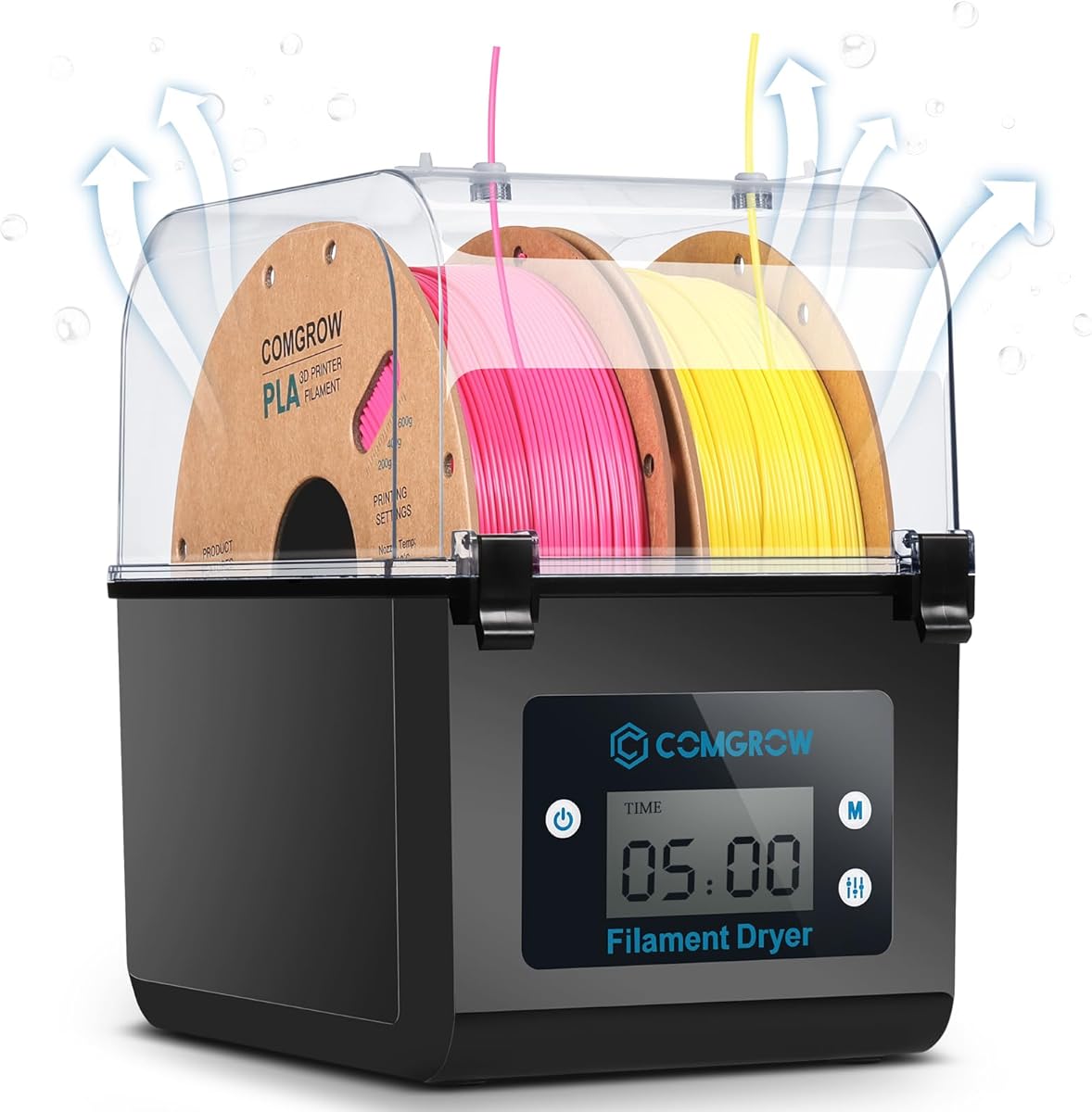


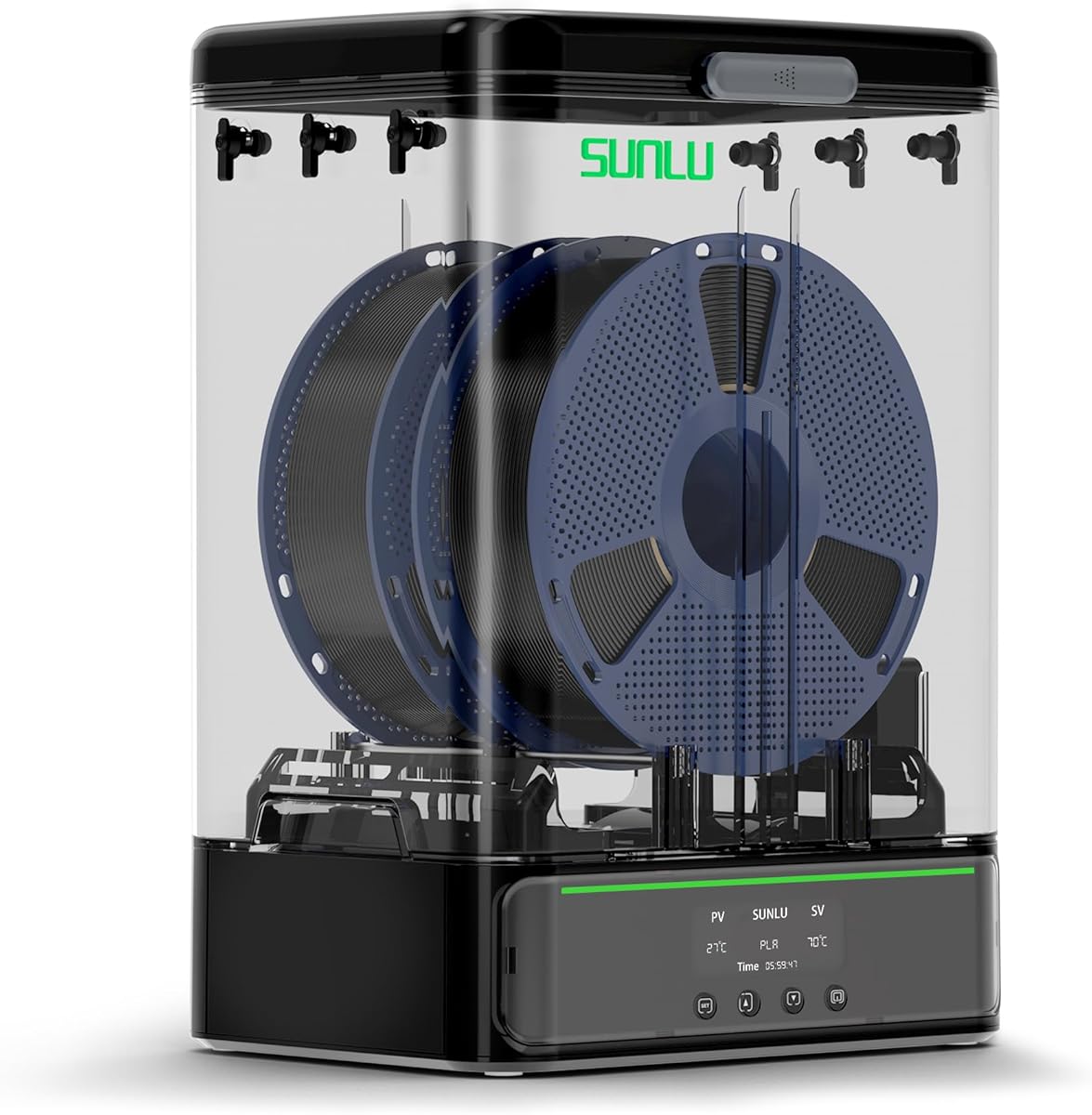


The Comgrow 3D Printer Filament Dryer Box is a practical entry-level solution for keeping your materials dry. With a rating of 4.4, it offers reliable performance for casual users who need basic drying without advanced features.
We may earn a commission when you buy through this link, at no additional cost to you.
Its large storage volume accommodates two rolls of one kilogram spools, making it suitable for mixed material printing. The real-time monitoring of temperature and humidity allows you to track conditions easily via the touch buttons and screen.
However, the maximum temperature is limited to 50 degrees Celsius, which may not be sufficient for high-temperature filaments like ABS or Polycarbonate. The sealing mechanism requires manual attention to ensure it is closed when not in use to maintain dryness.
This dryer box is ideal for beginners or those on a budget who primarily use PLA and PETG. It effectively prevents common moisture-related issues without requiring a significant investment in your printing setup.
The 2-inch LCD screen clearly displays temperature and humidity settings, allowing you to adjust parameters quickly without needing manual guesswork during operation.
With enough space for two standard one kilogram spools, you can dry different colors or materials simultaneously, saving time and keeping your workflow efficient.
We may earn a commission when you buy through this link, at no additional cost to you.
The Creality Space Pi X4 stands out as a premium choice for users needing high capacity and advanced heating. With a rating of 4.6, it combines efficient drying with storage to handle large volumes of filament effectively.
We may earn a commission when you buy through this link, at no additional cost to you.
Its dual independent heating chambers allow for faster moisture removal, reaching temperatures up to 85 degrees Celsius. This capability makes it versatile for various materials, including high-performance filaments like ABS and Polycarbonate that require higher heat.
The illuminated viewing window lets you monitor spools without breaking the humidity seal, ensuring consistent protection. However, this advanced functionality comes with a higher price point and a larger physical size that may require dedicated workspace.
Ideal for power users or multi-printer setups, this dryer box minimizes downtime by drying filament quickly while maintaining readiness. It is a top recommendation for those who prioritize speed and temperature flexibility over compact design.
Two separate 200W heating chambers work together to reduce drying time significantly, ensuring your spools are ready for use faster than single-chamber alternatives.
With a max temperature of 85 degrees Celsius, you can confidently dry a wide range of materials, from delicate PLA to robust engineering plastics like PC.
We may earn a commission when you buy through this link, at no additional cost to you.
The Creality Space Pi SE offers an efficient solution with its upgraded PTC heating technology. Rated at 4.4, it is designed for quick drying and maintains a clean environment for filament storage during printing pauses.
We may earn a commission when you buy through this link, at no additional cost to you.
Its built-in fan circulates hot air 360 degrees inside the chamber, ensuring even heating and rapid moisture removal. The adjustable temperature range from 45 to 65 degrees Celsius suits most common materials like PLA and PETG perfectly.
While it supports only one kilogram spools, the insulation cotton helps maintain warmth and prevents scalding. The simple knob interface makes operation straightforward, though users might prefer more detailed monitoring options for complex materials.
This model is best for hobbyists with standard 3D printers who need reliable drying for single spools. It balances performance with ease of use, making it a solid choice for everyday printing projects.
The integrated fan ensures hot air reaches every part of the spool, eliminating cold spots and ensuring consistent drying throughout the material.
Thermal insulation cotton on the inner walls keeps the heat efficient while protecting users from accidental burns during handling.
We may earn a commission when you buy through this link, at no additional cost to you.
The Creality Space PI 2026 model features a large touch screen and extensive preset options for various filament types. With a 4.4 rating, it focuses on ease of use for managing different materials without manual adjustments.
We may earn a commission when you buy through this link, at no additional cost to you.
One-key temperature settings support up to twelve types of filaments, including high-performance composites like PLA-CF. The power-off memory function ensures your settings are retained even if there is a power outage, saving time on setup.
Although the 48-hour timer offers flexibility for long drying sessions, it is limited to a single spool. The sealed design protects the material effectively but requires monitoring to ensure the seal remains intact during operation.
This dryer box is suitable for users who work with diverse materials and want quick setup. Its intuitive interface reduces complexity, making it a great tool for varied printing tasks.
The 3.7-inch touch screen allows for easy navigation and precise control over temperature and time settings, simplifying the drying process.
The memory function recalls your previous settings after a power outage, ensuring you do not lose critical configuration data during long drying cycles.
We may earn a commission when you buy through this link, at no additional cost to you.
The SUNLU S1 Plus dryer box enhances efficiency with a built-in fan design that speeds up moisture discharge. Rated at 4.3, it provides a reliable way to protect prints from stringing and poor adhesion caused by wet filament.
We may earn a commission when you buy through this link, at no additional cost to you.
Its visual display accurately detects and shows temperature, time, and humidity levels. This transparency allows you to adjust settings precisely for different filament types, ensuring optimal drying conditions for your specific project needs.
While the temperature range is limited to 55 degrees Celsius, this suits common materials like PLA and TPU well. The design supports up to 210 millimeter spools, fitting most standard brands without requiring additional accessories.
Ideal for users who need consistent quality with standard materials, this dryer box offers straightforward control. It is a practical choice for home workshops where reliability and ease of use are prioritized.
The added fan design actively circulates air to remove excess water faster, reducing the total time needed to dry your spools effectively.
The 2-inch LCD screen provides real-time feedback on internal conditions, allowing you to track progress without opening the box.
We may earn a commission when you buy through this link, at no additional cost to you.
The Polymaker Polydryer focuses on sealed storage rather than active heating. With a 4.4 rating, it is a cost-effective choice for keeping filaments dry during breaks and storage using desiccant support.
We may earn a commission when you buy through this link, at no additional cost to you.
Its airtight enclosure combined with a built-in hygrometer allows you to monitor humidity levels without guessing. This helps you maintain optimal conditions between uses, reducing the risk of moisture-related printing issues over time.
While it lacks active heating elements, the strong seal ensures your spool remains dry when not in use. It is ideal for storage rather than active drying during prints, serving well as a protective environment.
This box is perfect for users who already have a drying method and need safe storage. It keeps your filament in better condition between prints without requiring electricity, making it a versatile addition to any setup.
The built-in hygrometer gives clear visibility into humidity levels, letting you know when it is time to replace desiccant packs.
The sealed enclosure prevents humid air from entering, maintaining a stable environment for your sensitive materials without external power.
We may earn a commission when you buy through this link, at no additional cost to you.
The SUNLU SP2 combines drying and storage in a versatile design with a detachable base. Rated at 4.4, it offers fast heating to 70 degrees Celsius, suitable for a range of standard and performance filaments.
We may earn a commission when you buy through this link, at no additional cost to you.
Its 250W PTC heating element ensures steady temperature within 15 minutes, while triple-layer sealing protects the material from moisture. The detachable storage box allows you to feed directly into your printer or store spools securely.
While it holds two kilogram spools, the unit is relatively heavy compared to simpler models. The HD LCD screen provides clear data but might require time to learn for users new to digital interfaces.
This model is great for users needing quick heating and flexible storage. It balances active drying with reliable protection, making it a strong contender for serious hobbyists and small workshops.
The base lifts apart easily, allowing you to use the top as a drying chamber and the bottom as a sealed storage container.
Heating up to 70 degrees Celsius in just 15 minutes ensures your filament is ready for use quickly, minimizing wait times.
We may earn a commission when you buy through this link, at no additional cost to you.
The Sovol SH02 features smart safety protection and a redesigned seal for better moisture resistance. With a 4.3 rating, it offers practical drying for two printers at once, making it space-efficient for multi-machine setups.
We may earn a commission when you buy through this link, at no additional cost to you.
Its 150W PTC heater reaches 70 degrees Celsius within 25 minutes, and includes nine preset temperature settings for common filaments. The thicker sealing materials ensure the spools stay dry even when the unit is not powered on.
While the max temperature is moderate, it covers most standard materials effectively. You may need to add desiccant bags for long-term storage as suggested. The design prioritizes safety and convenience without unnecessary complexity.
Ideal for multi-printer users, this dryer box simplifies management of multiple spools. It is a reliable tool for maintaining print quality across different machines without requiring extra storage space.
Automatic heating cutoff if temperatures exceed 130 degrees Celsius prevents overheating and ensures safe operation for extended periods.
Featuring two filament holes, it allows you to dry spools for two different printers simultaneously, saving time and space.
We may earn a commission when you buy through this link, at no additional cost to you.
The SUNLU S4 offers an exceptional balance of capacity and smart features, earning a 4.7 rating. It supports four one kilogram spools simultaneously, making it ideal for multi-color or multi-machine printing setups.
We may earn a commission when you buy through this link, at no additional cost to you.
With a 350W PTC heater and three built-in fans, it achieves uniform drying within a temperature balance of ±3 degrees Celsius. The smart auto humidity control ensures drying starts only when humidity hits your set range, avoiding excessive drying.
Triple security systems monitor temperature continuously, keeping your filament safe from unexpected changes. While larger and pricier than single-spool models, its efficiency justifies the investment for serious users needing high throughput.
This dryer box is the top choice for those managing large volumes of filament. It ensures consistent quality and reduces manual intervention, making it a standout solution for advanced printing environments.
The system automatically activates drying when humidity rises above your threshold, keeping your spools ready without constant manual checks.
Three fans ensure consistent temperature across the chamber, preventing hot spots and ensuring even drying for all four spools.
We may earn a commission when you buy through this link, at no additional cost to you.
The SUNLU S1 Plus White model is praised for its ultra-quiet operation, keeping noise under 10 decibels. Rated at 4.7, it provides a reliable way to dry filament without disturbing your home or workspace environment.
We may earn a commission when you buy through this link, at no additional cost to you.
With a customizable drying time of up to 99 hours, you have flexibility for different material needs. It supports over 20 filament types and includes rollers inside the box to facilitate smooth feeding while drying.
The simple controls make it easy to set temperature and time, but it lacks advanced automation. Its focus on quietness makes it a preferred choice for home users who need noiseless operation during sleep or office hours.
Ideal for home printers, this dryer ensures moisture removal without adding background noise. It is a practical solution for maintaining quality without disrupting your daily routine.
The fan noise stays below 10 decibels, ensuring your drying process does not disturb your home or office activities.
With a timer range of 1 to 99 hours, you can set extended drying cycles for hygroscopic materials without needing to reset.
We may earn a commission when you buy through this link, at no additional cost to you.
Selecting the right dryer box depends on your material needs and workspace constraints. This guide breaks down key factors to help you evaluate options effectively.
Determine how many spools you need to dry at once. Single-spool boxes are compact and affordable, while multi-spool options allow for batch processing and are essential for multi-color projects.
Always check the internal dimensions to ensure they fit your specific spool width and diameter, especially for 2.85mm or 3.00mm filaments.
Active heating systems are crucial for removing moisture from hygroscopic materials. PTC heaters offer fast heat-up times and efficiency compared to older methods.
Consider the maximum temperature range. Materials like PLA need only 45 to 55 degrees Celsius, while high-performance plastics like ABS or Nylon may require up to 80 degrees Celsius.
Effective sealing is vital to prevent re-absorption of moisture once the box is closed. Look for designs with silicone gaskets or double-seal mechanisms.
A good seal also allows for storage, meaning you can keep spools inside the dryer when not printing without needing to transfer them to another container.
Touch screens and digital displays make it easier to set precise temperatures and times. Some models offer presets for common materials to simplify the workflow.
Ensure the interface is intuitive. You want to adjust settings quickly without navigating complex menus during active printing sessions.
Forced air circulation ensures that heat reaches all parts of the spool evenly. Look for units with multiple fans or 360-degree circulation systems.
Proper airflow prevents cold spots where moisture might remain, leading to inconsistent drying results across the material.
Safety mechanisms like thermal cut-offs protect your filament and workspace from overheating. Units with automatic shutoff or alarms add peace of mind.
Check for child lock or tamper-proof features if the device will be placed in shared spaces like schools or offices.
The outlet port should have a flexible seal that allows the filament to pass through without breaking the internal environment.
Materials like silicone sheaths or Teflon tubes help reduce friction and maintain a tight seal during feeding, preventing air leaks.
Choose brands known for quality and reliability. Established companies often provide better customer support and longer warranties for these electronics.
Reading reviews from verified buyers can give insight into long-term durability and how well the unit handles daily use over time.
Start by placing your filament spool inside the box and threading the end through the designated cable port. Ensure the seal is tight and the door is securely latched before turning on the power.
Set the temperature and time according to your filament type. Allow the unit to complete the cycle before removing the spool to ensure all moisture has been effectively removed.
Keep the interior clean by removing any dust or debris periodically. If using desiccants, check them regularly and replace them if they are saturated with moisture.
While vacuum bags are excellent for long-term storage, a dryer box is necessary if you print frequently. It allows you to dry and store spools in one place, ensuring moisture does not return during usage.
Yes, but ensure the dryer box can reach higher temperatures. ABS and Nylon typically need temperatures above 70 degrees Celsius to dry effectively. Check the unit's max heat before purchase.
Drying times vary by model and material. Generally, 4 to 6 hours is sufficient for PLA and PETG. High-performance materials may need 12 hours or more. Consult your specific unit's manual for recommendations.
Most modern dryers are designed for extended use and have safety features like auto shutoff. However, always verify the manufacturer's guidelines to ensure it is safe for continuous operation.
Yes, most models support both standard diameters. The cable ports usually feature flexible silicone holes that accommodate different thicknesses without needing adapters.
High-end models often have memory functions that resume settings once power is restored. Others may lose settings, so consider checking for power-off memory features if this is a concern.
Yes, most units allow you to print while drying. Simply thread the filament through the outlet port. However, ensure the spool does not spin too fast causing friction during printing.
Look for a stable humidity reading inside the box. Visually, dry filament prints without bubbles or popping sounds. If you notice stringing, try a longer drying cycle or higher temperature.
We have reviewed ten top options ranging from budget-friendly to premium high-capacity models. Each offers unique features like dual heating chambers, auto humidity control, and quiet operation.
Prioritize capacity if you print often and max temperature if you work with engineering materials. Safety and ease of use should also guide your final decision for long-term satisfaction.
Always check current prices and availability before buying as offers change. With the right dryer box, you can eliminate moisture issues and achieve consistently high-quality prints.