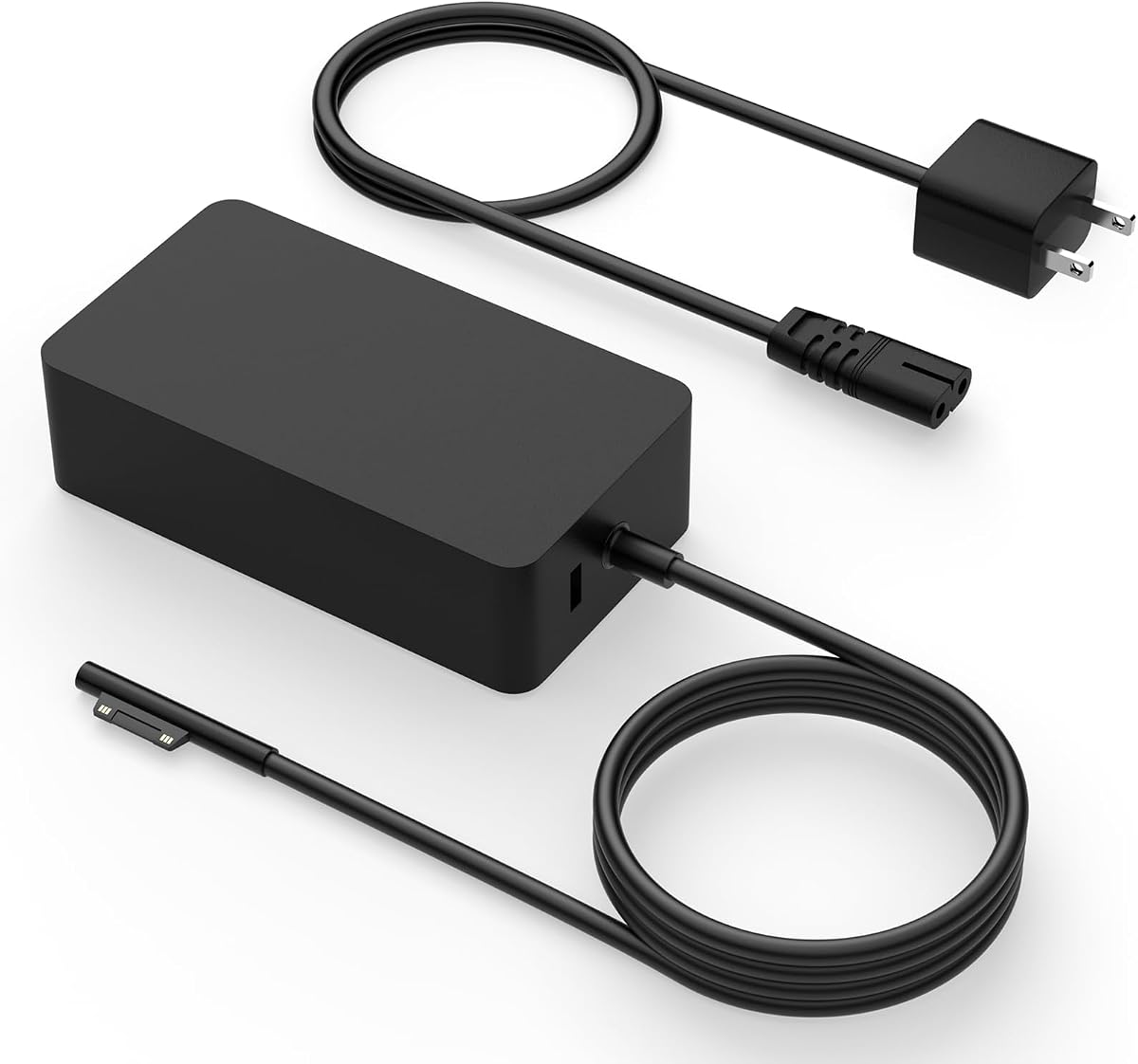
Replacement for Surface Pro Charger 65w
4.6Editor score
Built in USB port
High charging efficiency
Overload protection chip
This guide compares the top 65W Microsoft Surface Pro Charger Replacement options for reliability speed and safety to help you power your device efficiently.
Finding a reliable power source for your Microsoft Surface device is crucial for productivity and daily use. A high quality 65W charger ensures your laptop or tablet charges quickly without compromising battery health or safety standards.
We analyzed ten top rated replacements based on compatibility safety features and user feedback. Each product was evaluated for build quality cable length and charging efficiency to ensure you get the most value for your investment.
Each pick highlights specific strengths like magnetic connectors or extra USB ports. Prices and availability may change so check the latest details before purchasing to ensure you get the best current deal for your needs.
4.6Editor score

4.5Editor score

4.6Editor score
This side by side comparison lists all ten chargers with their key specs to help you choose the right fit for your Surface device needs.


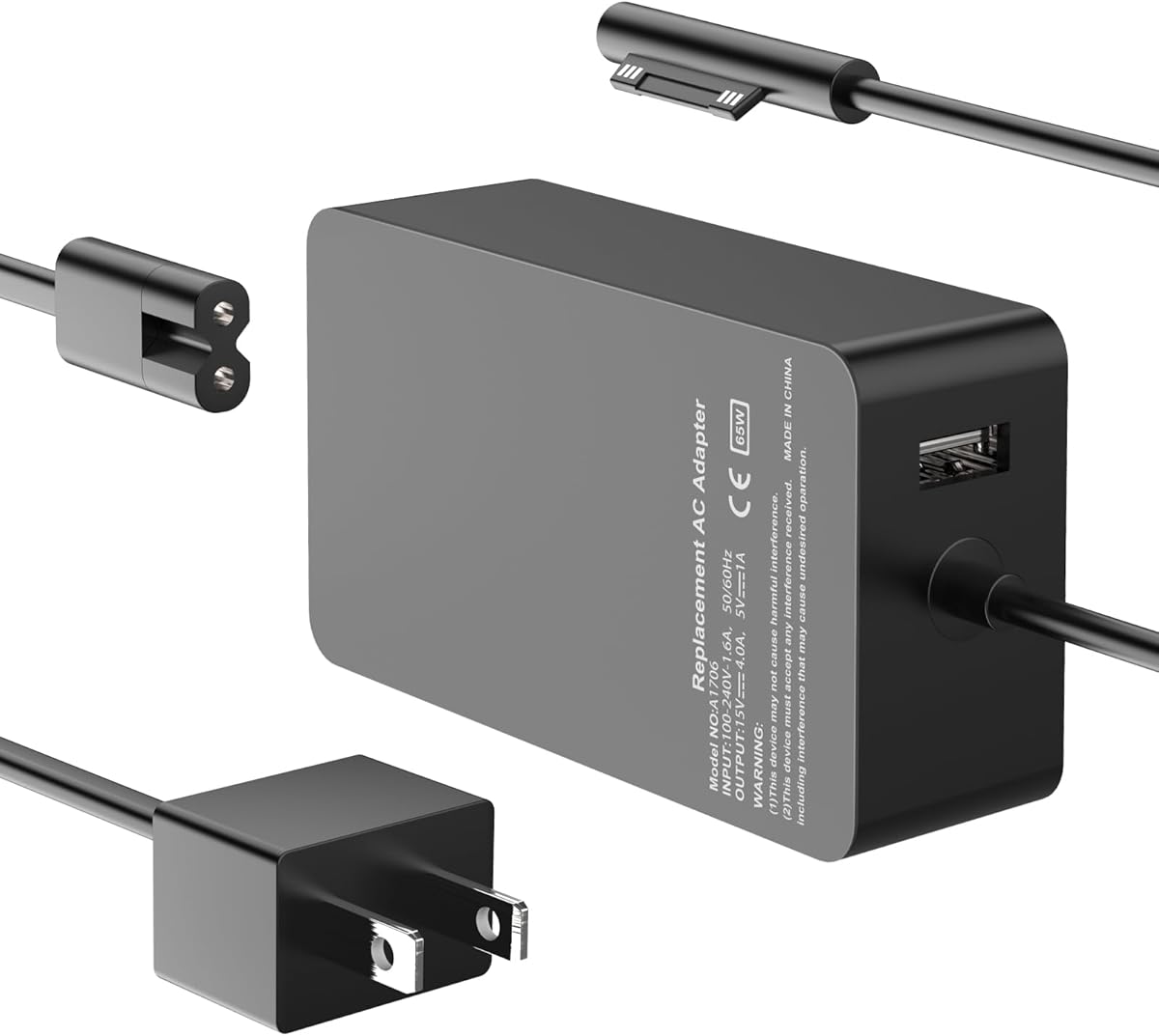


This charger stands out as a top choice for Surface users needing a reliable 65W replacement. With a 4.5 rating it delivers consistent power across many Surface models without error messages.
We may earn a commission when you buy through this link, at no additional cost to you.
The 10FT cable offers great flexibility for home or office setups. Its magnetic plug connects easily and the blue LED light keeps you informed on charging progress.
While it lacks an extra USB port for phones the core charging performance is strong. The built in safety features help protect your battery life over time.
Buy this if you prioritize cable length and simple reliable charging. It is a solid pick for daily use at home or in a travel bag.
The 65W output ensures fast charging even under heavy usage conditions.
A 10FT cord lets you work from the sofa or far from outlets.
We may earn a commission when you buy through this link, at no additional cost to you.
This option wins on value with a high 4.6 rating and an added USB port. It charges your Surface and phone at once making it ideal for commuters.
We may earn a commission when you buy through this link, at no additional cost to you.
The 96 percent efficiency means less wasted energy and faster charging times. Built in IC chips prevent overloads and keep your device safe.
Though the cable is standard length it performs well for daily desk use. The 120 day exchange policy adds peace of mind for buyers.
Choose this if you want versatility at a low cost. It is perfect for users who need to power multiple devices from one adapter.
The USB port lets you charge your phone while the Surface charges.
Efficiency up to 96 percent ensures faster power transfer to your device.
We may earn a commission when you buy through this link, at no additional cost to you.
Priced as a premium pick this charger combines a long cable with USB flexibility. Its 4.6 rating reflects strong user satisfaction with durability and speed.
We may earn a commission when you buy through this link, at no additional cost to you.
Over voltage and current safeguards protect your expensive Surface from power spikes. The 10FT cord is perfect for large desks or bedside use.
The USB port supports your phone so you do not need a second brick. This all in one design simplifies your charging setup at home.
Invest in this if you want top tier features and safety. It is ideal for power users who value performance and convenience over cost.
Built in guards block over current and over voltage issues for device safety.
A 10FT cable provides freedom to work without being near the wall.
We may earn a commission when you buy through this link, at no additional cost to you.
This charger offers broad compatibility across Pro and Laptop lines with a 10FT cable. It earns a 4.4 rating for solid performance at a fair price.
We may earn a commission when you buy through this link, at no additional cost to you.
The USB port adds utility for small devices while your Surface charges. Safety features include over current and heat protection for peace of mind.
Some users report average build feel but charging speed is consistent. The wide model list ensures it fits most Surface users needing a quick swap.
Consider this if you need a versatile charger with long reach. It suits home or office use where cable length and USB options matter.
Supports Surface Pro and Laptop models from 11 to older versions.
The USB port allows charging a phone alongside your laptop.
We may earn a commission when you buy through this link, at no additional cost to you.
Designed for travel this charger features a strong magnetic plug and compact body. It holds a 4.5 rating for ease of use and reliable power delivery.
We may earn a commission when you buy through this link, at no additional cost to you.
The 8.8ft cord is adequate for desks and the thermal protection prevents overheating. Automatic overload cut off ensures safety during extended charging sessions.
While it lacks a USB port the magnetic connector simplifies connection. The 12 month support period adds confidence for buyers planning long term use.
Pick this if you need a compact charger for travel or daily carry. It is great for those who prioritize portability and magnetic ease of use.
The small size makes it easy to store in a laptop bag.
The magnetic plug connects quickly and reduces cable wear.
We may earn a commission when you buy through this link, at no additional cost to you.
This charger delivers stable 65W power with a generous 10FT cable. Its 4.4 rating reflects consistent performance for home and office environments.
We may earn a commission when you buy through this link, at no additional cost to you.
The white LED indicator is a simple but useful feature for status checks. Overcharge and short circuit protections help extend battery lifespan over time.
At a higher price it includes an 18 month warranty for extra assurance. The cable length is ideal for large rooms or setups far from outlets.
Choose this if you value warranty coverage and a long cable. It suits users who want a no hassle power solution for daily use.
An 18 month warranty covers defects and ensures long term peace of mind.
A white LED light shows charging status at a quick glance.
We may earn a commission when you buy through this link, at no additional cost to you.
Focused on Pro models this charger earns a high 4.6 rating for reliability. It works well for Pro 7 to 11 with solid power output.
We may earn a commission when you buy through this link, at no additional cost to you.
The 8.8ft cord reaches desks easily and the efficient design keeps heat low. Compatibility is clearly listed which helps avoid confusion before buying.
It lacks a USB port but the core charging task is done well. Safety features ensure safe charging without error messages or overheating.
Buy this if you own a Pro model and want a tailored fit. It is a reliable choice for users who prioritize simplicity and high ratings.
Designed specifically for Pro models to ensure a perfect connection.
A 4.6 rating shows strong user satisfaction with performance.
We may earn a commission when you buy through this link, at no additional cost to you.
This upgraded version supports older Pro models from 3 to X which is rare. It has a 4.4 rating and includes a USB port for extra utility.
We may earn a commission when you buy through this link, at no additional cost to you.
The 10FT cord and thermal cut off make it a safe and flexible choice. Short circuit protection ensures safe charging even during power surges.
It costs more but fits older devices that new chargers might not. This makes it a niche pick for users keeping legacy hardware alive.
Choose this if you have an older Pro model needing power. It is one of the few options that supports a wide range of vintage devices.
Supports older Surface Pro models from 3 to X for legacy users.
Built in thermal protection shuts off heat to avoid damage.
We may earn a commission when you buy through this link, at no additional cost to you.
This charger offers a fast 1.5 hour full charge for Pro 9 and others. Its 4.6 rating highlights consistent speed and broad model compatibility.
We may earn a commission when you buy through this link, at no additional cost to you.
The USB port and safeguards cover safety and extra charging needs. It supports a wide range including Studio and Go devices for many users.
The cable is standard length but performance is reliable for home use. Users appreciate the quick recharge time when on tight schedules.
Buy this if you need fast charging for newer Surface models. It is a strong pick for those who value speed and wide compatibility.
Full charge in 1.5 hours saves time during busy days.
Supports Pro Laptop Studio and Go models for many setups.
We may earn a commission when you buy through this link, at no additional cost to you.
Durability stands out here with a 20000 bend test for the cable. Its 4.6 rating reflects long term reliability and strong build quality.
We may earn a commission when you buy through this link, at no additional cost to you.
The cooling system and magnetic connector ensure safe and easy charging. The 10FT cable provides good reach for home or office desks.
Though it lacks USB ports the core performance is robust for daily use. Safety features prevent overheating so the charger lasts longer.
Choose this if you want a durable charger for heavy use. It is ideal for users who prioritize build quality and long term reliability.
The cable passed over 20000 bends for long term reliability.
Built in cooling prevents overheating for safer charging.
We may earn a commission when you buy through this link, at no additional cost to you.
Choosing the right charger requires attention to power output safety and compatibility to avoid device damage.
Your Surface device needs at least 65W for optimal charging speed. A lower wattage may charge slower or fail under heavy load.
Look for chargers rated at 65W to match your laptop power needs.
A longer cable gives you flexibility to sit away from outlets. Models offer 8.8ft to 10FT cords for better reach.
Choose a length that fits your workspace setup.
Most Surface devices use magnetic connectors for easy plug and play. Ensure the plug matches your device model.
Verify the connector fits your specific Surface model.
Look for built in safeguards like overheat and short circuit protection. These features help protect your battery health.
Prioritize chargers with multiple safety mechanisms.
Confirm the charger lists your exact model number like Pro 8 or Laptop 7. Mismatched models may cause error messages.
Check model numbers before buying.
A longer warranty indicates trust in product quality. Most options offer 12 to 18 month coverage.
Select a brand with a solid warranty.
Some models include a USB port to charge phones at the same time. This adds value if you need to power multiple devices.
Consider a USB port for added utility.
Choose brands with good reviews and clear product support. This ensures reliable service if issues arise.
Opt for well reviewed brands.
Always plug the charger into a dry and stable power outlet before connecting your device.
Avoid placing the charger on soft surfaces like beds to prevent overheating.
Store the charger coiled loosely when not in use to protect the cable.
Using a lower wattage charger may work but will charge slower. It is best to match the original 65W rating for full speed and battery safety.
Chargers warm up during normal charging. If it gets too hot to touch check ventilation and avoid covering it while in use.
Most magnetic plugs are designed for hundreds of uses. Avoid pulling by the cord to prevent connector wear over time.
Check that the model matches and the plug is clean. If the error continues replace the charger to avoid device issues.
A USB port allows you to charge a phone at the same time. It saves outlets but does not affect your Surface charging speed.
Use a soft dry cloth to wipe the magnetic plug. Do not use liquids that could enter the connector pins.
A longer cable offers more flexibility for where you work. It helps avoid stretching the cord which can damage internal wires.
Yes you can use the laptop while charging. The 65W output provides enough power for both operation and battery recharge.
We reviewed ten top chargers that offer speed safety and compatibility for your Surface device.
Prioritize wattage and cable length to match your workspace and device needs.
Check current prices and model matches before buying to get the best deal today.