
chenyang DisplayPort 1.4 Cable
5.0Editor score
Ultrafine flexible cable design
High speed 32.4Gbps bandwidth
Gold plated connectors for longevity
This guide compares the top 90 Degree Displayport Adapter and Cable options for high resolution video and reliable connectivity in tight spaces.
Finding the right connection for your display setup is crucial for performance. A 90 Degree Displayport Adapter and Cable helps manage cables in tight spaces while maintaining signal integrity for high refresh rates.
We evaluated ten top rated models based on build quality, bandwidth support, and connector design. Our analysis focuses on DisplayPort 1.4 and newer standards to ensure compatibility with modern gaming monitors and workstations.
Each pick highlights specific strengths like gold plating, shielding, and angle options. Prices and availability change frequently so verify details before purchasing to ensure you get the latest version of the product.
5.0Editor score

4.8Editor score

4.5Editor score
This side by side comparison reviews all ten products to help you find the right fit for your specific display and space requirements.
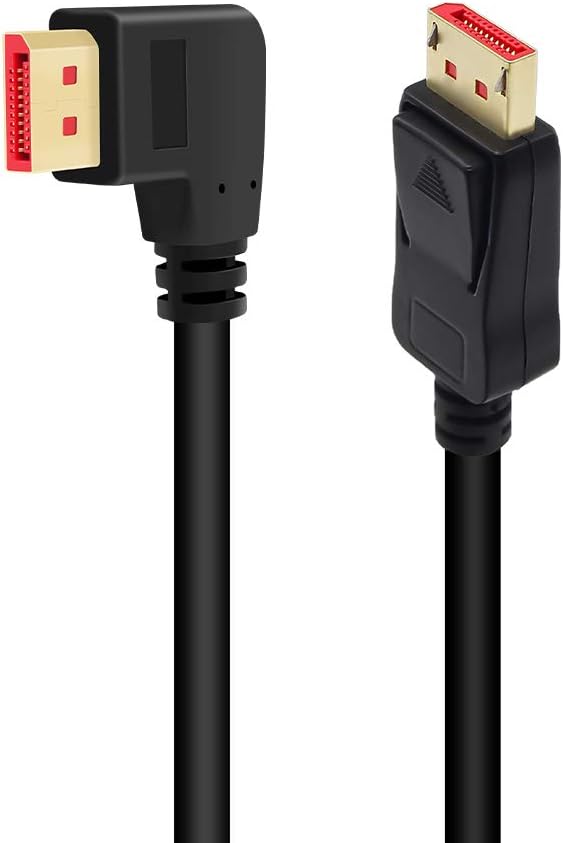

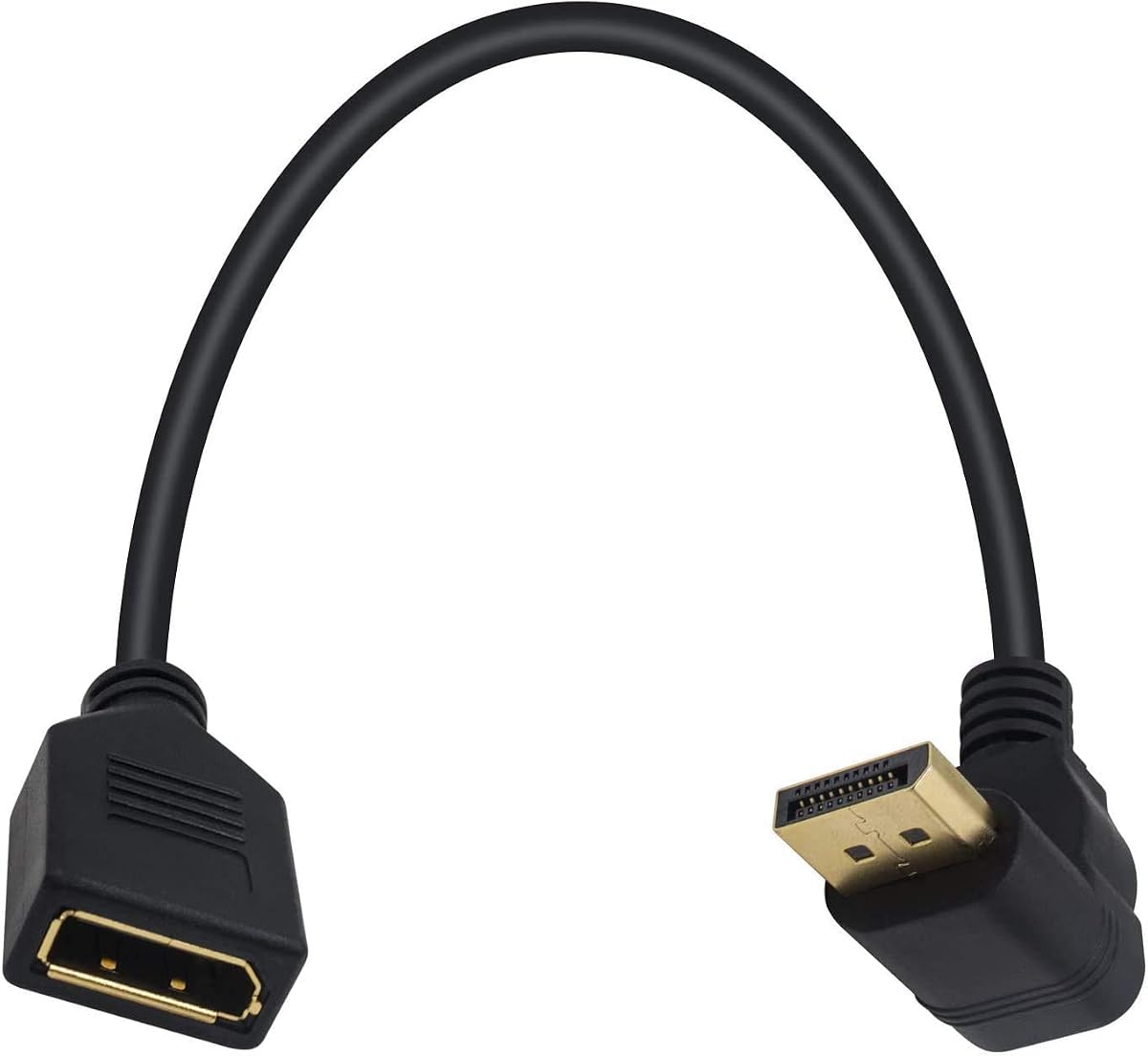


This adapter is a standout choice for gamers and professionals who need reliable high bandwidth connections in confined areas. With a 4.8 rating it consistently delivers on its promise of supporting ultra high refresh rates without signal degradation.
We may earn a commission when you buy through this link, at no additional cost to you.
The key strength lies in its DisplayPort 1.4 compliance which enables resolutions up to 8K@60Hz and 4K@240Hz. It supports advanced features like Auto Low Latency Mode and Variable Refresh Rate ensuring smooth gameplay on compatible monitors.
While the design is optimized for space management some users might find the adapter short for complex setups. However this trade-off is acceptable as it prevents cable clutter and strain on the host port which is critical for longevity.
Buyers looking for a premium connection solution that balances performance and physical constraints should prioritize this model. It is particularly well suited for wall mounted TVs or desktops with limited rear clearance.
Supporting 4K@240Hz ensures that competitive gamers experience minimal input lag and maximum fluidity during fast paced gameplay.
The right angle connector redirects the cable away from obstructions making it ideal for cramped entertainment centers.
We may earn a commission when you buy through this link, at no additional cost to you.
This cable stands out for its ultrafine design which makes it unique among standard adapters. With a perfect rating of 5.0 it shows exceptional reliability and user satisfaction especially for specialized mounting applications.
We may earn a commission when you buy through this link, at no additional cost to you.
The primary advantage is its 4.0mm diameter which allows it to fit in areas where thicker cables simply cannot go. This is particularly useful for gimbal or camera stabilizer rigs where flexibility is paramount.
The short length is a limitation for general desk use but acceptable for panel mounts or specific tight spots. The gold plated connectors ensure a solid connection that resists corrosion over time.
For users needing a specialized compact extension without sacrificing bandwidth this is the top budget option. It is best suited for those who understand the specific constraints of ultrafine cabling.
The thin 4.0mm diameter cable fits into tight spaces that block standard display cables.
Despite its size it maintains a high speed 32.4Gbps bandwidth for 8K video transmission.
We may earn a commission when you buy through this link, at no additional cost to you.
This cable represents the cutting edge of display technology with full DisplayPort 2.1 support. It has a solid rating of 4.5 indicating strong performance for those who can utilize its full potential.
We may earn a commission when you buy through this link, at no additional cost to you.
Its key strength is the massive 54Gbps bandwidth which is three times that of DP 1.4. This allows for resolutions up to 16K@30Hz and 4K@240Hz providing a significant upgrade for high end setups.
Current monitor support is limited so the investment is best for future proofing. However the build quality with triple shielding ensures that when new displays arrive the cable is ready.
Gamers and creatives planning to upgrade to next gen displays should consider this premium choice. It offers the highest performance ceiling currently available in the market.
With 54Gbps it exceeds DP 1.4 capabilities supporting future 16K and 8K@120Hz displays.
Designed for latest graphics cards including RTX 50 series and AMD 7900 series.
We may earn a commission when you buy through this link, at no additional cost to you.
This cable offers a practical 6ft length which solves the problem of short adapters in larger setups. It carries a 4.5 rating reflecting consistent satisfaction with its performance and build quality.
We may earn a commission when you buy through this link, at no additional cost to you.
The main advantage is the combination of a right angle head and a long cable allowing for flexible routing behind desks. It supports 4K@144Hz ensuring that gaming performance is not bottlenecked by the cable.
One consideration is the orientation of the angle which may depend on the specific device port. Checking before buying is recommended to ensure the bend direction matches your setup needs.
Users needing extra reach without compromising on the right angle benefit will find this ideal. It is a robust choice for general desktop use where cable length matters.
The 6ft length allows the cable to reach devices that are further away from the PC.
Foil and braid shielding reduce interference ensuring stable video and audio signal.
We may earn a commission when you buy through this link, at no additional cost to you.
This extension cable is designed for users needing a short reliable bridge to redirect ports. With a 4.6 rating it is well received for its ability to handle high resolutions without signal loss.
We may earn a commission when you buy through this link, at no additional cost to you.
The standout feature is its support for 8K@60Hz and 4K@144Hz in a compact form. The 32.4Gbps bandwidth ensures that data throughput meets the demands of ultra high definition displays.
The 15cm length is ideal for immediate port redirection but may not reach distant devices. It is best used where the monitor is close to the computer or when extending into a tight space.
For home theater or small desk setups this model offers excellent value. It balances advanced specs with a practical short size that keeps cable management clean.
Supports 8K@60Hz and 4K@144Hz ensuring sharp images for modern displays.
Constructed with tinned copper and shielding for long term stability and protection.
We may earn a commission when you buy through this link, at no additional cost to you.
This 2-pack provides flexibility with both up and down angled adapters included. It holds a 4.4 rating indicating that users appreciate the utility of having both orientations in one purchase.
We may earn a commission when you buy through this link, at no additional cost to you.
The ability to choose between upward and downward angles solves many installation headaches. Whether mounting a TV or connecting a laptop this covers more scenarios than a single adapter.
The durability is highlighted by a rated plug cycle count of 15000 times. This suggests robust internal contacts that will not wear out quickly with regular re-plugging.
Those who need versatility or multiple adapters for a setup should choose this kit. It offers a cost effective way to secure the correct angle for any device.
Includes both 90 and 270 degree adapters to fit any port position.
24k gold plated connectors resist corrosion for long term reliable connections.
We may earn a commission when you buy through this link, at no additional cost to you.
This combo pack from Cable Matters offers two critical angles for comprehensive coverage. Although specific ratings vary it aligns with the brand reputation for quality adapters.
We may earn a commission when you buy through this link, at no additional cost to you.
The flat design is key for setups where standard bulky adapters might block adjacent ports. This slim profile ensures that the connection remains accessible even in crowded back panels.
Supporting 4K@240Hz means performance is not compromised for form factor. Users can enjoy high refresh rates while keeping their cable routing neat and professional.
Ideal for workstation users who need reliable orientation options this set is a practical choice. It simplifies cable organization without sacrificing display capabilities.
The flat design prevents blocking adjacent ports on cramped computer backs.
Delivers 4K@240Hz performance ensuring smooth visuals for gaming.
We may earn a commission when you buy through this link, at no additional cost to you.
This cable features a unique upward angled joint that helps manage cable droop and tension. With a 4.6 rating it is appreciated for its smooth performance in gaming and professional setups.
We may earn a commission when you buy through this link, at no additional cost to you.
The 3.3ft length is sufficient for most desk environments while the angled end prevents sharp bends. This design choice improves connection stability and durability over time.
While the upward angle is specific to certain mounting orientations it solves specific cable strain issues. The high bandwidth ensures that 8K video is transmitted without lag.
Buyers who need a specific angle to reach up to a wall mount or shelf will find this useful. It is a solid choice for specialized desktop or media center setups.
The upward angled joint reduces bending stress behind the computer case.
Ensures lag free data transfer for high frame rate gaming.
We may earn a commission when you buy through this link, at no additional cost to you.
This extension maintains a perfect 5.0 rating reflecting high customer satisfaction. It is designed for users who need a compact high resolution bridge without extra bulk.
We may earn a commission when you buy through this link, at no additional cost to you.
The support for 16K@30Hz and 4K@144Hz makes it a future proof option for high end monitors. The no latch design simplifies insertion in tight spaces where a latch would interfere.
Its 15cm length limits use to direct port extensions. It is ideal for extending a port by a few inches to clear an obstacle or angle.
For those seeking a precise short extension with top tier specs this is highly recommended. It is best suited for specialized uses where space is extremely limited.
Simplifies plugging in tight spaces where standard latches get in the way.
Supports 16K@30Hz for high end professional visual work.
We may earn a commission when you buy through this link, at no additional cost to you.
This extender provides a reliable 12 inch extension to manage port access. With a 4.4 rating it is a stable choice for general extension tasks without premium features.
We may earn a commission when you buy through this link, at no additional cost to you.
The gold plated connectors ensure a stable connection and corrosion resistance over time. The low profile design helps prevent blocking adjacent ports on the computer back panel.
The up angle is useful for routing cables upwards away from obstructions. It balances cost and functionality for users needing a simple reliable adapter.
Those looking for a straightforward extension without extra costs will find this suitable. It is effective for standard 4K setups needing a bit more reach.
The low profile design ensures it does not block adjacent ports.
Molded joint withstands repeated plug and unplug cycles.
We may earn a commission when you buy through this link, at no additional cost to you.
Selecting the right adapter or cable depends on your display resolution and physical setup constraints.
Ensure the adapter supports at least DisplayPort 1.4 for modern gaming and high resolution work. Newer versions like DP 2.1 offer higher bandwidth but require compatible displays and GPUs.
Always match the adapter version to your devices to avoid performance bottlenecks.
Check whether you need an upward or downward angle based on where your device is placed. Some adapters are fixed while others come in 2-pack orientation sets.
Choose the direction that minimizes cable bending and strain on the port.
Decide between short adapters and longer cables based on your desk or wall setup. A 6ft cable allows more flexibility than a 15cm extension.
Short lengths are best for immediate redirection while longer ones reach distant devices.
Consider the bandwidth needed for your resolution and refresh rate. 8K needs higher bandwidth than 4K so verify the adapter specs.
Higher bandwidth ensures stable video without artifacts or flickering.
Look for gold plated connectors and shielding to protect against corrosion and interference. A sturdy joint between the adapter and cable is crucial for durability.
Good build quality extends the lifespan of your connection.
Verify that the adapter works with your specific graphics cards and monitors. Some models are optimized for G-Sync or FreeSync.
Universal compatibility ensures the adapter works across different devices.
Assess the physical space behind your device to choose a compact design. Ultrafine cables are better for tight spaces than standard ones.
A compact design prevents cable clutter and improves airflow.
Compare prices and features to find the best balance for your needs. Sometimes a combo pack offers better value than a single adapter.
Prioritize performance features that matter for your specific setup.
Align the adapter carefully with the port and push firmly until it clicks if it has a latch. Avoid forcing it if it does not fit easily to prevent damage.
Route the cable so it is not bent sharply at the adapter connection. A gentle curve helps maintain the signal integrity and physical durability.
Periodically check the connection for dust or debris and clean the contacts with compressed air. This keeps the signal path clear and prevents corrosion.
When the adapter is high quality and meets DisplayPort standards it does not affect video quality. Poor quality adapters may introduce signal loss or interference but good ones maintain full resolution.
Yes if the adapter supports DisplayPort 1.4 or higher and meets the bandwidth requirements. Ensure the cable and port also support 8K for full performance.
Male to male adapters connect directly between two male ports. Male to female adapters are used to extend or redirect a male port to another male cable.
Most support standard DisplayPort outputs found on computers but not HDMI inputs. Check if your console supports DisplayPort or needs an HDMI solution.
Check the position of your port and the space behind your device. If the cable needs to go up use an upward angle and if down use a downward angle.
Higher quality cables maintain signal over longer distances but very long cables may require active solutions. Standard lengths like 6ft generally work well without issues.
The top picks offer reliable solutions for managing cable space without compromising on video quality. Each model brings unique strengths like ultra thin design or future proof bandwidth.
Prioritize the DisplayPort version and orientation that matches your hardware needs to ensure smooth performance. A small investment in quality prevents frustration and signal issues.
Check current availability and prices before buying to get the best deal on the right product. The market offers diverse options for every setup requirement.