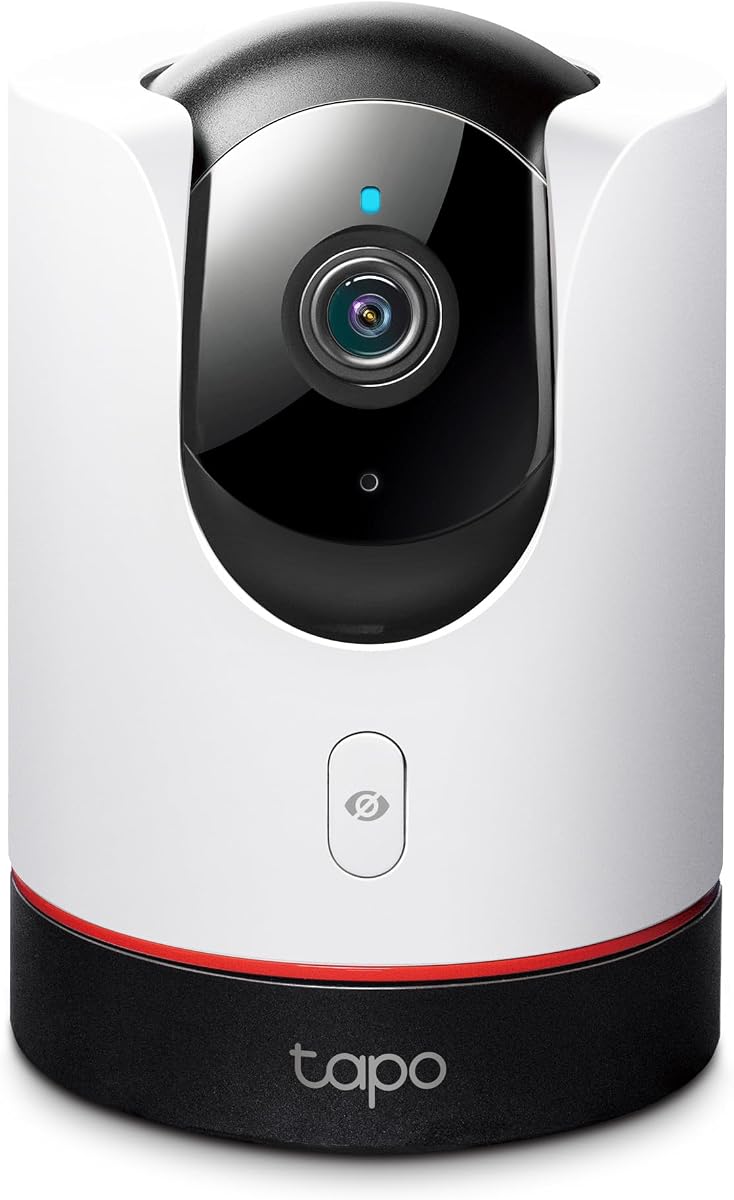
TP-Link Tapo 2K+ Pan/Tilt Security Camera Apple HomeKit, C225
4.5Editor score
360 Degree Horizontal Field of View
2K QHD Live Video Quality
Innovative Physical Privacy Mode
This guide compares the top Apple Homekit Security Cameras available in October 2026 to help you find the best model for your smart home needs.
Secure your home with reliable video surveillance that integrates seamlessly with your existing devices. The best Apple Homekit Security Cameras offer end-to-end encryption and private local processing to keep your data safe from unauthorized access.
We evaluated ten leading models based on video quality, smart detection capabilities, and ecosystem compatibility. Each product was analyzed for its ability to work with HomeKit Secure Video and its overall value for modern homeowners seeking peace of mind.
Every pick below highlights unique strengths like pan-tilt features or dual-lens systems. Please note that prices and availability can change frequently, so verify current details before making your final purchase decision.
4.5Editor score
4.3Editor score

4.5Editor score
The following table provides a side-by-side comparison of the top ten HomeKit compatible security cameras available today. We have extracted key specifications from each manufacturer to help you compare features at a glance.



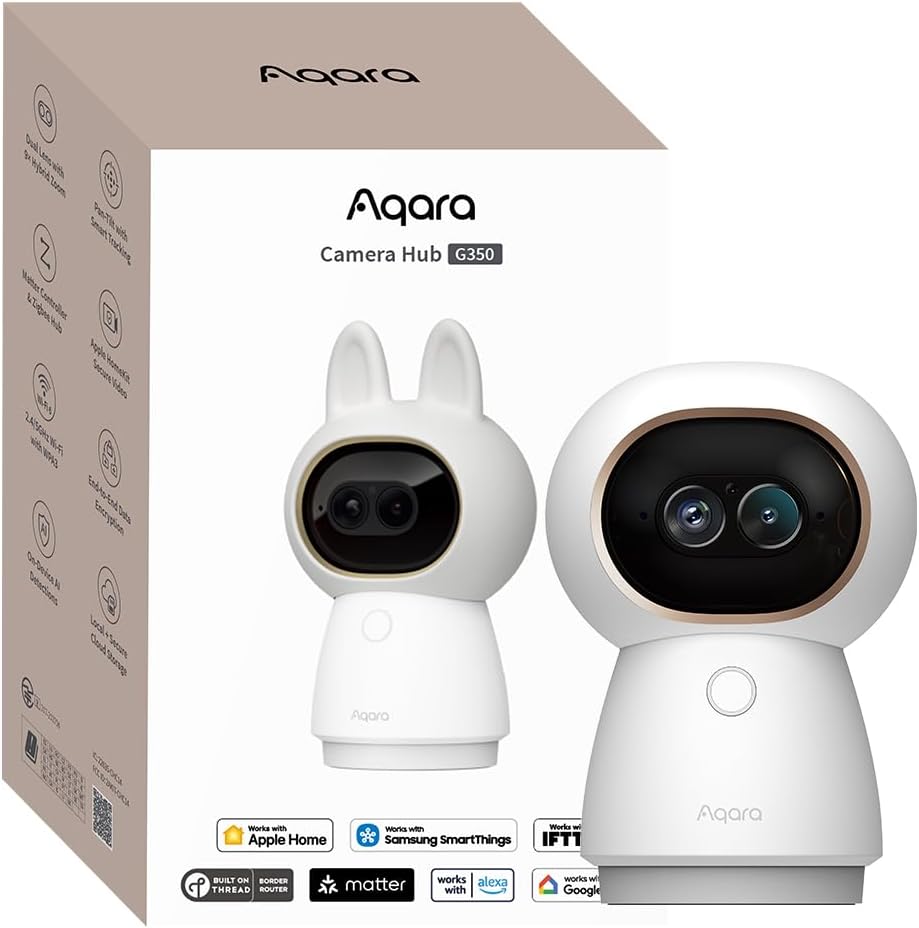
The Aqara Indoor Security Camera G350 stands out as the top choice for homeowners seeking high-resolution surveillance within the Apple HomeKit ecosystem. With a rating of 4.3 stars, this camera delivers outstanding visual performance through its dual-lens system that captures both wide-angle and telephoto views simultaneously.
We may earn a commission when you buy through this link, at no additional cost to you.
Its primary strength lies in the 4K Ultra HD wide-angle lens combined with a 2.5K telephoto lens, allowing you to monitor your entire room while zooming in on specific details without losing clarity. The device processes all AI tasks locally, meaning face recognition and sound detection happen right on the hardware without uploading sensitive data to the cloud.
While the camera offers extensive functionality, accessing advanced features like close-up tracking requires using the Aqara Home app rather than just the standard Apple Home app. Additionally, the physical design is quite compact which is great for indoor placement but might feel smaller than you expect compared to larger outdoor models.
This model is ideal for users who want the highest quality video feed for nurseries or living rooms while maintaining strict privacy standards. If you value 4K clarity and the ability to act as a hub for other smart devices, the G350 is the clear recommendation for your setup.
The combination of a 133-degree wide-angle lens and a telephoto lens ensures you never miss a moment whether you need a broad overview or a detailed look at a specific spot.
Beyond just capturing video, this device acts as a hub for Zigbee and Thread devices, making it a central point for your smart home automation needs.
We may earn a commission when you buy through this link, at no additional cost to you.
The TP-Link Tapo C225 offers an incredible balance of performance and affordability for those looking to secure their home without breaking the bank. Its impressive 4.5-star rating reflects the high quality of its 2K QHD video which provides clear visuals even in low-light conditions thanks to its large aperture.
We may earn a commission when you buy through this link, at no additional cost to you.
This camera covers nearly every inch of a room with its 360-degree horizontal field of view, ensuring that blind spots are eliminated effectively. A standout feature is the innovative physical privacy mode that mechanically blocks the lens when you want to ensure no one is watching, adding a layer of trust for your private spaces.
The main limitation is its reliance on the 2.4GHz Wi-Fi band which can sometimes be more congested than the 5GHz band in dense apartment buildings. However, the included Starlight Sensor significantly boosts performance in dark environments making it a solid choice for night monitoring without needing extra lights.
If you need a reliable indoor camera that integrates well with HomeKit and offers flexible viewing angles, this model is your best bet. It is particularly suitable for monitoring pets or checking in on family members at a price that is hard to beat in the current market.
Recognized with the prestigious Red Dot Design Award in 2022, this camera proves that practical security gear can also be aesthetically pleasing and professionally designed.
The advanced AI technology accurately identifies people pets and vehicles while also recognizing abnormal sounds like a baby crying to send you timely notifications.
We may earn a commission when you buy through this link, at no additional cost to you.
For users seeking the most robust and professional-grade solution for their outdoor security needs, the Aqara 4MP Camera Hub G5 Pro PoE is the top contender. With a 4.5-star rating it delivers 4MP resolution video and True Color Night Vision that brings vivid detail to dark environments without the graininess typical of infrared cameras.
We may earn a commission when you buy through this link, at no additional cost to you.
The integration of Power over Ethernet allows for a stable and reliable connection that is less prone to interference than standard Wi-Fi setups. This makes it ideal for locations where wireless signals might be weak or inconsistent. Additionally the built-in spotlight serves as an effective deterrent while improving visibility during nighttime recording.
Installation requires a separate PoE switch which adds to the overall setup cost and complexity compared to plug-and-play battery models. Furthermore while it supports both 2.4GHz and 5GHz Wi-Fi the primary benefit remains the wired Ethernet connection for consistent high-bandwidth video transmission.
This camera is perfect for tech-savvy homeowners who want a permanent reliable surveillance point and already have network infrastructure in place. If you value image quality and system stability over easy wireless installation this model provides the premium performance you are looking for.
The True Color Night Vision technology combined with a large aperture sensor ensures that you can identify intruders clearly even when there is very little ambient light around.
Beyond capturing video this device acts as a central hub for Zigbee and Thread devices allowing you to control other smart accessories directly from the camera's interface.
We may earn a commission when you buy through this link, at no additional cost to you.
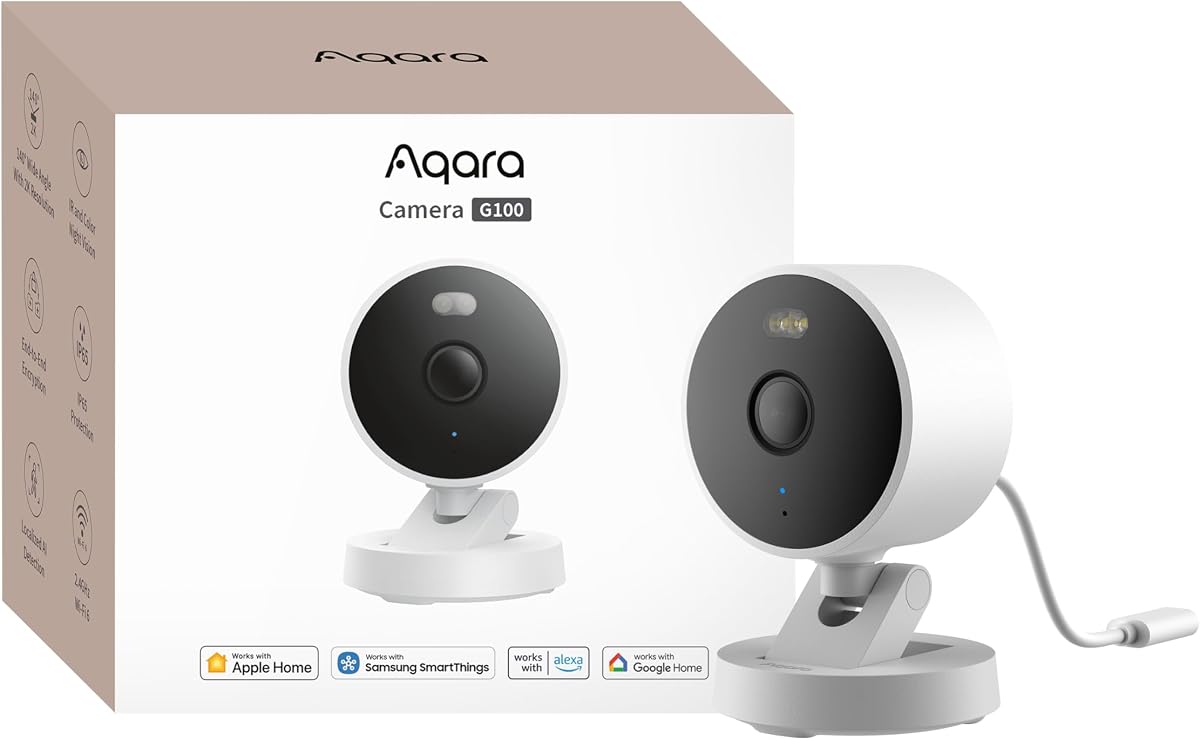
The Aqara G100 is a flexible solution designed to handle both indoor and outdoor environments with equal ease. Its 2K resolution and wide-angle lens capture detailed footage while the IP65 rating ensures it can withstand rain and dust without degradation over time.
We may earn a commission when you buy through this link, at no additional cost to you.
One of its key advantages is the support for both local and cloud AI detection. You can choose to store footage on a microSD card for continuous recording or opt for cloud storage with a subscription to unlock advanced features like vehicle and package recognition.
However users should note that the night vision modes do not activate automatically and must be manually enabled in the app. This means you need to plan your settings carefully if you rely heavily on automatic recording when it gets dark outside.
This camera is a great option for those who want a single device to cover multiple areas of their property without needing different models for inside and outside. If you prefer local storage and want a durable unit that integrates well with HomeKit it is a solid choice.
Built with durable weather-resistant IP65-rated housing this camera is ready to be mounted in rugged environments or exposed to the elements without worry.
Supporting the latest Wi-Fi security standard WPA3 this camera ensures that your data transmission is protected against potential vulnerabilities in your home network.
We may earn a commission when you buy through this link, at no additional cost to you.
The Eve Cam is designed exclusively for the Apple ecosystem focusing heavily on privacy and security for users who are deeply invested in HomeKit. It supports HomeKit Secure Video exclusively ensuring that all video analysis happens locally on your device rather than in a manufacturer cloud.
We may earn a commission when you buy through this link, at no additional cost to you.
This approach guarantees that only you can view live and recorded video through end-to-end encryption. It is an excellent choice for those who prioritize data sovereignty above all else and want a camera that is fully optimized for iPhone and iPad interfaces.
Despite these strong privacy features the camera has a lower user rating compared to competitors which may indicate issues with connectivity or feature richness. Additionally it requires an active iCloud subscription and a Home hub to function fully which adds to the ongoing cost of ownership.
If you value absolute privacy and want a device that fits perfectly into your existing Apple infrastructure this camera is worth considering. It is best suited for quiet home monitoring where security of data is more important than advanced third-party integrations.
Video analysis is performed securely in your home not in the cloud ensuring your personal data remains private and under your control at all times.
Built from the ground up for Apple HomeKit Secure Video this camera maintains the highest privacy standards while offering seamless integration with your devices.
We may earn a commission when you buy through this link, at no additional cost to you.
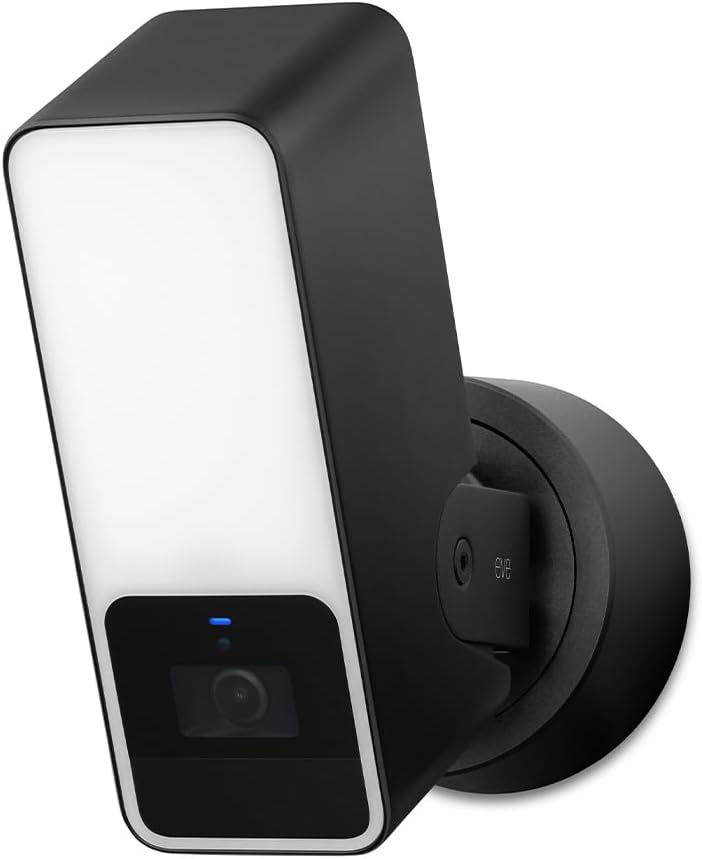
The Eve Outdoor Cam combines a security camera with a dimmable floodlight to provide both surveillance and illumination for your exterior spaces. It supports HomeKit Secure Video which means your data is kept private and locally processed whenever possible to meet high security standards.
We may earn a commission when you buy through this link, at no additional cost to you.
Installation requires both a neutral wire and a ground wire which makes it more complex to set up than battery-powered alternatives. You must have an existing hardwired setup available to support this camera properly without additional electrical work.
While the floodlight feature is useful for deterring intruders the video resolution is limited to 1080p which may be less sharp than newer 2K or 4K models on the market. Additionally the reliance on the 2.4GHz Wi-Fi band can sometimes lead to connectivity issues in areas with strong interference.
This model is a good fit if you need a floodlight camera that integrates directly with HomeKit without requiring a separate bridge. It is best for users who have the necessary wiring in place and value Apple's privacy architecture for their outdoor security.
The powerful dimmable floodlight with light boost works in tandem with the infrared motion sensor to ensure you see and illuminate everything happening outside.
No Eve cloud no registration and no tracking means your data won't get exposed while local intelligence ensures direct communication between accessories and your hub.
We may earn a commission when you buy through this link, at no additional cost to you.
Logitech Circle View brings TrueView technology to your home offering a wide 180-degree field of view that captures more of your surroundings than standard cameras. The high-quality sensor with wide dynamic range helps you see detail in both bright sunlight and deep shadows effectively.
We may earn a commission when you buy through this link, at no additional cost to you.
Designed for HomeKit Secure Video it offers privacy features such as a tilt-down privacy mode that you can activate manually for instant visual assurance. The durable IP64-rated body ensures it can handle various weather conditions while looking sleek on your porch or entryway.
However the camera relies on a USB power supply which may limit your placement options compared to models with standard AC adapters or battery packs. Additionally the user rating suggests there may be some limitations in connectivity or software performance that could impact satisfaction.
If you need a wide-angle view to monitor driveways or patios and prioritize brand reputation this camera is a viable option. It works best in locations where USB power can be easily managed and you want a broad view of the area.
Featuring best-in-class Logitech TrueView video with 180 degree field-of-view optics everything is captured in razor-sharp detail to ensure no corner is missed.
Tilt camera down or press the rear on/off button for instant privacy as the innovative design makes it our most secure camera ever for peace of mind.
We may earn a commission when you buy through this link, at no additional cost to you.
The Aqara E1 is a versatile indoor camera that combines high-resolution video with smart features in a compact package. Its 2K resolution and 360-degree viewing angle allow you to track movement across the entire room while maintaining clear image quality throughout the day and night.
We may earn a commission when you buy through this link, at no additional cost to you.
Privacy is a key focus with automated features that can pivot the lens or disable the microphone to protect your space when you are home. The built-in NPU supports local detection of motion and specific sounds ensuring faster response times without relying on the cloud.
The camera requires a standard USB power supply which is not included in the box so you need to ensure you have a compatible adapter available. Additionally while local detection is free advanced cloud-based recognition for pets and vehicles requires a subscription plan.
This camera is ideal for families who want to keep an eye on kids or pets without spending a fortune. With its strong HomeKit integration and local processing capabilities it offers a secure and high-quality monitoring solution for everyday indoor needs.
The Pan Tilt motor allows for a full 360 degree viewing angle which enhances the person tracking feature and lets you see every corner of the room.
Advanced features include filtering motion events and recording video or triggering automation in case of person detection directly on the device.
We may earn a commission when you buy through this link, at no additional cost to you.
The eufy Security E30 stands out for its ability to record in true 4K resolution locally without any monthly fees. This makes it a highly cost-effective option for users who want high-definition video storage and reliable performance for family or pet monitoring.
We may earn a commission when you buy through this link, at no additional cost to you.
It features advanced on-device AI that distinguishes between humans pets and audio cues allowing it to track movement automatically. The integrated spotlight provides seamless switching between color and infrared night vision for clear footage even in dark conditions.
While the camera supports HomeKit it is important to note that HomeKit Secure Video limits the resolution to 1080p even though the device captures 4K. If you rely heavily on the Apple Home app you may not see the full resolution benefit unless viewing through the native eufy app.
This camera is best for those who prioritize local storage and high resolution over cloud storage convenience. If you are comfortable using a microSD card and want detailed video without recurring costs it is an excellent choice for your home.
Capture every detail day or night with crystal-clear 4K recording that ensures you can identify faces and objects with extreme precision.
Works effortlessly with HomeKit Alexa and Google Assistant for enhanced home automation providing seamless control across multiple platforms.
We may earn a commission when you buy through this link, at no additional cost to you.
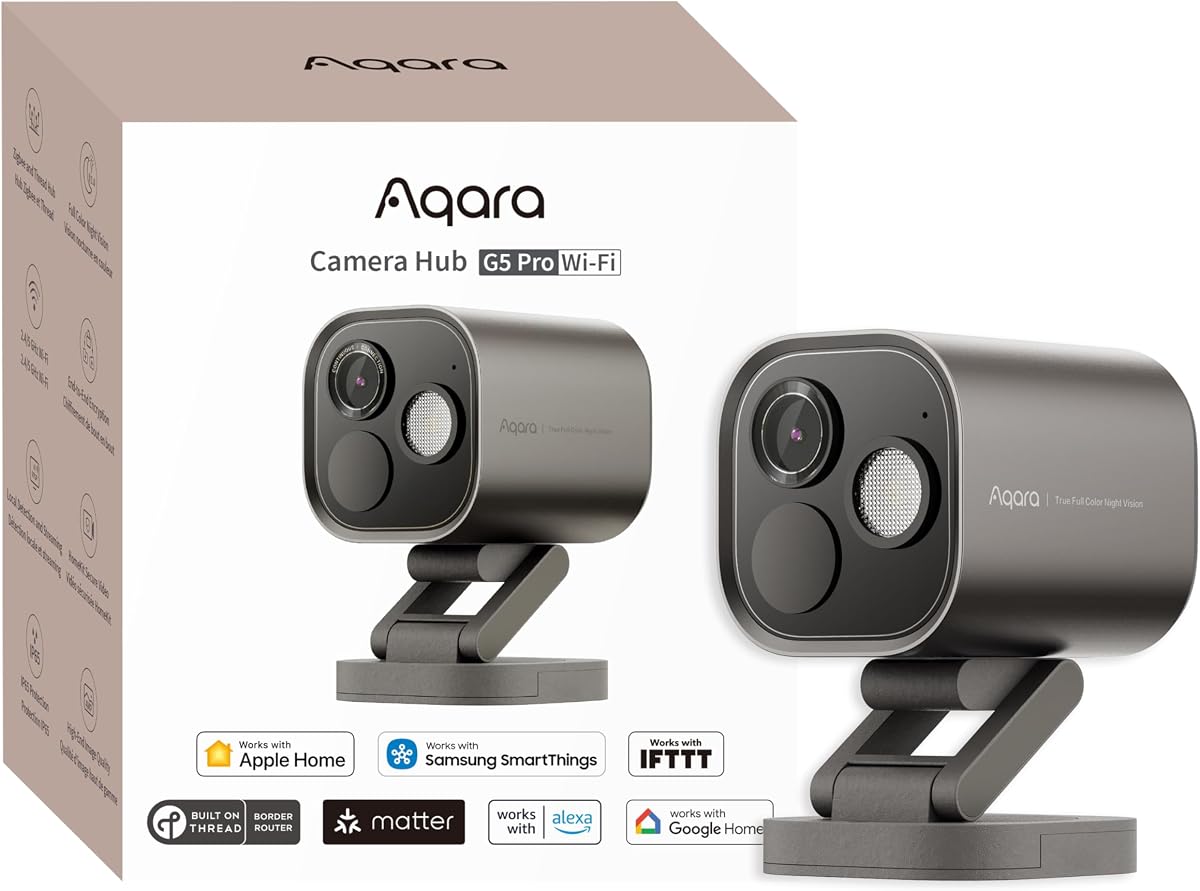
The Aqara G5 Pro WiFi is a robust outdoor option that offers 4MP resolution and True Color Night Vision to deliver vivid video quality in low-light conditions. Its dual-band Wi-Fi module gives you the flexibility to choose between 2.4GHz for coverage or 5GHz for faster transfer speeds.
We may earn a commission when you buy through this link, at no additional cost to you.
Local AI detection allows the camera to recognize faces vehicles and packages without needing cloud processing which enhances privacy and speed. The built-in spotlight acts as a deterrent and improves visibility at night providing clear identification of people or animals.
While it supports HomeKit Secure Video the camera requires an active iCloud subscription and a home hub to store clips properly. Additionally power is delivered via a USB-C port which means you need to ensure your power adapter is compatible and accessible near the mounting location.
This model is a strong contender for those who want the benefits of a hub and high-resolution video in a wireless setup. If you need reliable dual-band connectivity and clear night vision for your backyard or driveway this camera is a solid choice.
Incorporates a dual-band 2.4/5GHz Wi-Fi module which provides the flexibility to choose 2.4GHz for extended coverage or 5GHz for faster data transfer.
Thanks to the powerful built-in Neural Processing Unit the camera supports 7 types of visual detection and 4 types of abnormal sound detection locally.
We may earn a commission when you buy through this link, at no additional cost to you.
Selecting the right HomeKit security camera involves balancing video quality connectivity options and privacy features to match your specific home environment.
Higher resolution such as 2K or 4K provides sharper images that allow you to identify faces and license plates more easily. Look for cameras with large apertures to ensure the camera performs well in low-light conditions.
Prioritize models with at least 2K resolution for clear indoor and outdoor monitoring that captures fine details effectively.
Ensure the camera supports HomeKit Secure Video to enable end-to-end encryption and local video analysis within your Apple ecosystem. This feature keeps your footage private and integrates directly with the Home app on your devices.
Verify that the camera works with HomeKit Secure Video to maintain privacy and seamless Apple integration.
Consider whether you prefer local storage via microSD cards or cloud storage with a subscription. Local storage avoids monthly fees and ensures you own your footage while cloud storage offers easier access from anywhere.
Choose a camera that supports both options so you can select the method that fits your budget and privacy preferences.
If placing the camera outside ensure it has a weather-resistant rating like IP65 or higher to withstand rain and dust. Indoor cameras should have physical privacy modes to block the lens when you want total privacy at home.
Check the weatherproof rating for outdoor use and look for privacy shutters for indoor models to protect your space.
Most cameras rely on Wi-Fi so check if it supports dual-band connectivity to reduce interference. Some models also offer Power over Ethernet for a stable wired connection that prevents video dropouts.
Look for dual-band Wi-Fi or PoE support to ensure your video stream remains stable during critical moments.
Advanced AI can distinguish between people pets and vehicles to reduce false alerts. Some cameras also offer sound detection for events like baby crying or alarms which adds an extra layer of security.
Select a camera with local AI detection to reduce false alerts and get notified only when it matters.
Some cameras act as hubs for other smart devices like Zigbee or Thread sensors allowing you to control lights and locks from the camera. This centralizes your smart home management and simplifies your automation setup.
Consider models that double as hubs to control other devices and reduce the need for separate controllers.
Cameras may require wired power via USB or AC adapters or run on batteries. Wired models provide continuous recording while battery models offer flexibility but need regular recharging.
Choose a power source that aligns with your wiring access and desired recording frequency.
To get started connect your camera to your home Wi-Fi network and add it to the Apple Home app using the HomeKit setup code. Make sure your Home Hub is active to enable remote access and Secure Video storage.
For outdoor cameras clean the lens periodically with a soft cloth to prevent dirt or rain from obscuring the view. Adjust the angle regularly to ensure you have the best coverage of entry points and key areas.
Regularly update your camera firmware through the companion app to ensure you have the latest security patches and features. Check your storage settings to confirm that recordings are saving properly and clear old footage as needed.
Most HomeKit Secure Video cameras work with an iCloud+ subscription to store clips. Some models offer free local storage via microSD cards so you can record continuously without any monthly fees.
Yes many cameras support viewing on Android or Windows via their native apps. However full HomeKit Secure Video integration is exclusive to Apple devices like iPhone and iPad.
HomeKit Secure Video is a privacy-focused feature that encrypts your video clips locally on your device. It stores clips in iCloud without exposing them to Apple or third parties ensuring your data remains private.
Yes many HomeKit cameras support third-party ecosystems like Alexa or Google Home. You can stream video to smart displays or use voice commands to view your feeds on other devices.
You can use microSD cards for local storage or iCloud+ for cloud storage. Some cameras also support Network Attached Storage or RTSP for continuous recording without monthly fees.
Enable AI detection features that distinguish between people and pets. Adjust the activity zones to focus on specific areas and exclude high-traffic public spaces to minimize unnecessary notifications.
Yes many cameras work with hubs like HomePod or Apple TV to enable automations and secure storage. Some models also act as hubs themselves for Zigbee or Thread devices.
Many models have IP65 or IP67 ratings to withstand rain and dust. Check the specific product details to ensure it is designed for outdoor installation in your climate.
We have reviewed ten top Apple Homekit Security Cameras ranging from budget-friendly indoor models to premium outdoor hubs with PoE connectivity. Each option offers distinct advantages whether you prioritize 4K resolution local AI detection or privacy-first design.
When choosing prioritize video clarity and storage options that match your needs. Ensure the camera supports HomeKit Secure Video for seamless integration with your Apple devices and consider local storage to avoid monthly fees.
Prices and availability are subject to change so check current listings before purchasing. Verify the latest firmware support and subscription requirements to ensure you get the most out of your chosen security model.