
Dexpt 65W Laptop Charger
4.5Editor score
Multiple connector tips included
Affordable price point
FCC and CE certified
This guide compares the top ASUS Vivobook and Zenbook power cord options for reliability compatibility and safety to help you choose the right charger for your
Finding a reliable power cord for your ASUS Vivobook or Zenbook is essential for maintaining productivity and device health. A compatible charger ensures stable power delivery without risking damage to your laptop's battery or internal components.
We have evaluated ten top-rated replacement chargers based on compatibility, build quality, safety certifications, and customer feedback. Each product offers unique features such as multiple connector tips, varying wattage outputs, and extended warranties to suit different needs.
Every pick includes detailed specifications and real-world performance insights to help you make an informed decision. Please note that availability and pricing may change over time, so verify current details before purchasing your replacement power adapter.
4.5Editor score

4.4Editor score
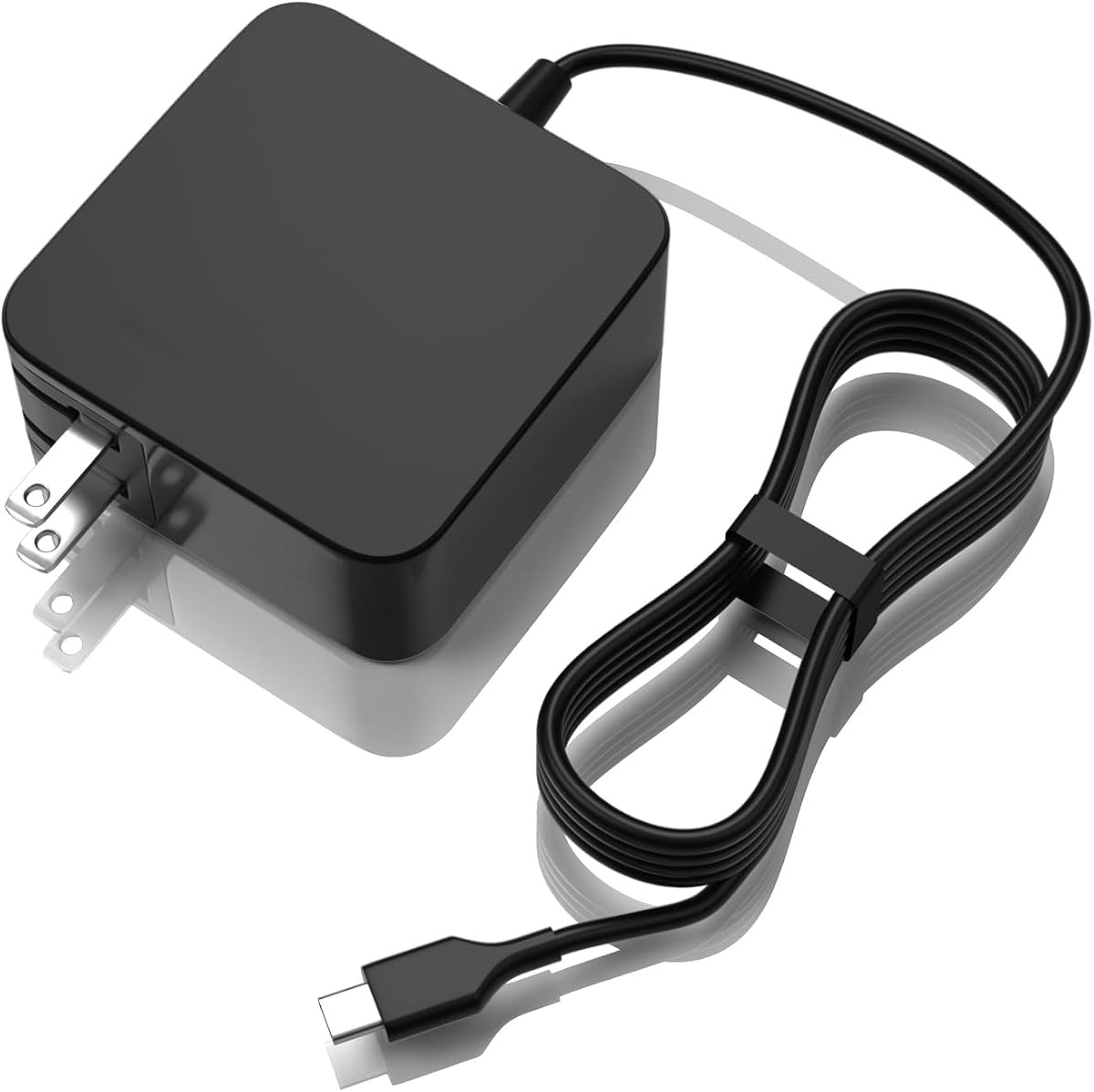
4.8Editor score
The following table provides a side-by-side comparison of all ten selected power cords. It highlights key specifications like wattage, connector types, and warranty terms to help you quickly identify the best fit for your specific ASUS laptop model.


The Powseed Laptop Charger stands out as a top contender for ASUS VivoBook and ZenBook owners seeking a reliable power solution. With a solid 4.4 rating from verified buyers, this charger delivers consistent performance across various laptop models.
We may earn a commission when you buy through this link, at no additional cost to you.
Its standout feature is the inclusion of four interchangeable DC barrel tips, ensuring compatibility with a wide range of ASUS devices including VivoBook, ZenBook, and ExpertBook series. The charger provides a stable 65W output at 19V, which is sufficient for most standard configurations while also supporting lower wattage needs.
While the power cord measures 1.8 meters, some users might prefer a longer reach for flexible workspace setups. Additionally, the interchangeable tips may require careful selection to ensure a snug fit, as occasional looseness has been noted in user feedback.
This charger is ideal for users who need a versatile replacement that covers multiple ASUS laptop generations without breaking the bank. The two-year warranty offers peace of mind, making it a strong choice for both home and office use.
Built-in short circuit protection ensures your device remains safe from power surges or electrical faults during charging.
Designed to work with numerous ASUS series including VivoBook 15, ZenBook 14, and ExpertBook models with round ports.
We may earn a commission when you buy through this link, at no additional cost to you.
The Dexpt 65W Laptop Charger offers an exceptional value for those seeking a budget-friendly replacement without compromising essential functionality. Its high customer rating reflects satisfaction with its performance and compatibility across various ASUS devices.
We may earn a commission when you buy through this link, at no additional cost to you.
This charger supports 65W, 45W, and 33W outputs, making it versatile for different laptop requirements. It comes with three connector sizes to cover most standard ASUS round ports, though users should verify the tip size carefully before purchase.
While the build quality is functional, the plastic casing may feel less premium compared to more expensive options. Additionally, the connector fit can vary slightly between tips, so testing all included options is recommended for the best results.
Ideal for students or home users on a tight budget, this charger provides reliable power delivery for everyday tasks. The one-year warranty adds a layer of security, ensuring that any potential issues are addressed promptly.
Compatible with ASUS VivoBook, ZenBook, and Chromebook models requiring 65W or lower power with round connectors.
Provides a reliable charging solution at a fraction of the cost of original manufacturer replacements.
We may earn a commission when you buy through this link, at no additional cost to you.
For users with newer ASUS laptops featuring USB-C ports, this 90W Fast Charger delivers premium performance and rapid charging speeds. Its impressive 4.8 rating highlights its effectiveness and reliability among tech-savvy users.
We may earn a commission when you buy through this link, at no additional cost to you.
The charger supports up to 90W output, ensuring even high-performance models like the ZenBook 14X OLED receive adequate power. Advanced safety mechanisms protect against short circuits and overheating, making it a safe choice for sensitive electronics.
The main drawback is the higher price compared to standard chargers, which may not be necessary for older devices. Additionally, it requires a USB-C charging port, limiting compatibility with older models that use traditional barrel connectors.
This charger is perfect for professionals and power users who need quick charging and reliable performance for modern ASUS laptops. Its durability and safety features justify the investment for those who prioritize device health and speed.
Delivers up to 90W through USB-C for fast charging compatible with high-performance ASUS VivoBook and ZenBook models.
Features built-in safety mechanisms against overvoltage and short circuits to protect your laptop's battery and internals.
We may earn a commission when you buy through this link, at no additional cost to you.
The Superer 65W Laptop Charger offers a versatile solution with four switchable round connectors designed to fit a wide range of ASUS devices. Its balanced feature set and reliable performance have earned it a consistent 4.4 rating.
We may earn a commission when you buy through this link, at no additional cost to you.
This charger is designed for devices requiring up to 65W, making it suitable for many VivoBook and ZenBook models. The inclusion of four different connector tips ensures that you can find the right fit without needing to buy additional accessories.
It is important to note that this charger is not compatible with high-performance gaming laptops or models exceeding 65W power requirements. The power cord could be slightly longer for some users, though the compact adapter design helps with portability.
Ideal for users with multiple ASUS devices or those who travel frequently, this charger provides reliable power with an extended 24-month warranty. The universal voltage input makes it perfect for international travel as well.
Comes with a robust 24-month manufacturer warranty providing extra security compared to standard one-year offers.
Includes four interchangeable round connectors to maximize compatibility across various ASUS and non-ASUS laptops.
We may earn a commission when you buy through this link, at no additional cost to you.
The Dexpt Charger with a 7.5 ft power cord offers superior reach, making it ideal for users who need flexibility in their workspace setup. Its strong customer feedback highlights consistent performance and ease of use across various ASUS models.
We may earn a commission when you buy through this link, at no additional cost to you.
Featuring a bright LED indicator, users can easily see when the charger is active and delivering power. It supports 65W, 45W, and 33W outputs, providing versatility for different ASUS VivoBook and ZenBook configurations with round ports.
While the long cord is a significant advantage, it can be slightly bulky to pack for travel compared to shorter alternatives. Users must carefully check connector tips to ensure a perfect fit, as the tips are detachable and interchangeable.
This charger is an excellent choice for home office environments or classrooms where outlets are not always near the desk. The included variety of connectors ensures broad compatibility, reducing the need for multiple chargers.
The 7.5 ft power cord allows you to charge from a greater distance without needing extra extension cables.
Built-in LED indicator light provides immediate visual confirmation that power is flowing to your device.
We may earn a commission when you buy through this link, at no additional cost to you.
Designed for modern laptops requiring higher power, this 90W USB-C charger is specifically compatible with ASUS Vivobook and Zenbook OLED models. Its 4.6 rating reflects strong performance and reliability for users with newer devices.
We may earn a commission when you buy through this link, at no additional cost to you.
The charger features comprehensive safety certifications and multiple protections such as overvoltage and short circuit prevention. It supports a range of high-performance ASUS models including the VivoBook S 16X and ZenBook 14X OLED, ensuring adequate power delivery.
Users with older models that do not have USB-C ports will find this charger incompatible. Additionally, the cost is higher than standard 65W chargers, which may not be justified for less demanding laptops without OLED displays.
This charger is recommended for professionals and creators using high-performance ASUS laptops that demand more power. The dedicated customer service support ensures that any issues encountered during use are resolved efficiently.
FCC, CE, and RoHS certifications ensure the charger meets international safety and environmental standards.
Delivers 90W to support power-hungry OLED screens and high-performance processors in modern ASUS laptops.
We may earn a commission when you buy through this link, at no additional cost to you.
This USB-C adapter is designed with travelers in mind, featuring a foldable plug and compact design that saves space in bags. It holds a 4.4 rating for its reliability and ease of use across various ASUS laptops and Chromebooks.
We may earn a commission when you buy through this link, at no additional cost to you.
With a 5.9 ft cord and USB-C connectivity, it supports devices needing up to 65W. The foldable plug prevents scratches in bags, making it a convenient option for commuters and students who carry their laptops daily.
While the USB-C port is standard for modern devices, it will not work with older models requiring barrel connectors. The price point is slightly higher than basic adapters, reflecting the travel-friendly features and safety certifications.
This charger is ideal for users who frequently travel and need a compact, durable charging solution. Its wide compatibility and refund policy provide confidence that it will meet your power needs wherever you go.
Foldable plug design prevents scratches in bags and keeps the charger compact for easy transport.
Works with various ASUS ZenBook and Chromebook models requiring USB-C input up to 65W.
We may earn a commission when you buy through this link, at no additional cost to you.
Nicpower's 65W charger is specifically noted for its compatibility with ASUS VivoBook Flip models and standard round port devices. It maintains a steady 4.4 rating based on consistent performance and user satisfaction.
We may earn a commission when you buy through this link, at no additional cost to you.
This charger supports 65W and 45W outputs, fitting many VivoBook and ZenBook series including Flip versions. The clear compatibility list helps users avoid purchasing the wrong connector type, which is a common concern with third-party chargers.
It is not compatible with USB-C or gaming models, so verification before purchase is crucial. While the connector size is standard for many devices, users should double-check their laptop's port measurements to ensure a proper fit.
For owners of Flip models or standard VivoBook laptops, this charger provides a reliable and cost-effective solution. Its straightforward design and warranty make it a solid choice for daily charging needs.
Specifically designed to support ASUS VivoBook Flip models that often require specific power configurations.
Provides detailed compatibility lists to help buyers avoid incorrect purchases and ensure proper fit.
We may earn a commission when you buy through this link, at no additional cost to you.
The 45W Laptop Charger is tailored for ASUS VivoBook and ZenBook models with lower power requirements. Its high rating reflects its effectiveness and affordability for those needing a simple replacement solution.
We may earn a commission when you buy through this link, at no additional cost to you.
Featuring a standard 4.0mm tip and 6ft cord, it fits many older or entry-level models such as specific E, L, X, and F series laptops. The foldable plug adds convenience for travel or tight spaces where outlets are limited.
Users with high-performance models requiring 65W or more should avoid this charger as it may not provide sufficient power. Its compatibility is limited to specific series, so checking your model number is essential before buying.
This charger is perfect for students or home users with older or lighter laptops who need a reliable backup power source. Its low price and functional design make it an excellent value proposition.
Designed for lower power laptops that require 45W or less for optimal charging without overloading the battery.
Foldable plug design reduces bulk and prevents damage to bags or other items during transport.
We may earn a commission when you buy through this link, at no additional cost to you.
EERSY offers an impressive 65W charger with support for five different plug socket types, ensuring compatibility with a vast array of ASUS laptops. Its 4.8 rating indicates high customer satisfaction with its versatility and performance.
We may earn a commission when you buy through this link, at no additional cost to you.
The charger includes a generous 8.8ft cord, offering exceptional reach for users who need flexibility in their setup. It works with many VivoBook and ZenBook models as well as specific Chromebook configurations requiring standard round connectors.
While the variety of plugs is beneficial, it can be confusing for users unsure which tip to use. Additionally, this charger does not support USB-C ports, so it is best suited for traditional round connector laptops.
Ideal for households with multiple older ASUS laptops or users who value flexibility, this charger provides comprehensive coverage at a budget-friendly price. The long cord ensures you can charge from virtually any location in a room.
The 8.8ft power cord offers superior length compared to most standard adapters for greater workspace flexibility.
Supports five different plug socket types to ensure you find the right fit for your specific laptop model.
We may earn a commission when you buy through this link, at no additional cost to you.
Selecting the right power cord for your ASUS laptop involves more than just matching the connector. Consider output wattage, compatibility, safety features, and build quality to ensure your device receives stable and safe charging.
Your laptop requires a specific wattage for optimal charging. Using a charger with lower wattage may result in slow charging or battery drain during use, while a higher wattage charger with the same voltage is generally safe as the laptop draws only what it needs.
Check your device's original charger or power port for voltage and amperage requirements to ensure the replacement meets the minimum specifications.
ASUS laptops use various connector types including round barrel plugs and USB-C. Older models typically use round connectors with specific diameters such as 4.0mm or 5.5mm, while newer devices have shifted to USB-C for universal compatibility.
Measure your existing plug tip carefully and verify your laptop model's charging port type before purchasing to avoid compatibility issues.
Look for chargers that are FCC, CE, or RoHS certified to ensure they meet safety and environmental standards. Certified products include built-in protection against overvoltage, short circuits, and overheating which safeguards your laptop's internal components.
Avoid unbranded or uncertified chargers as they may pose risks of damage to your device or safety hazards.
A longer power cord provides greater flexibility for charging in different areas, but ensure the cable and adapter are made from durable materials to prevent wear and tear. Foldable plugs are a bonus for travel and storage convenience.
Consider your typical usage environment and choose a cord length that suits your desk setup without being overly bulky or prone to tangling.
A good warranty indicates the manufacturer's confidence in the product quality. Look for options with at least one year of coverage to protect against defects and ensure easy returns or replacements if issues arise.
Prioritize brands that offer responsive customer service to resolve any questions or problems quickly after purchase.
Some chargers are designed for specific ASUS series like VivoBook Pro or ZenBook Pro which may have different power needs. Check the product description for a list of compatible models to ensure it supports your exact laptop generation.
If your laptop is part of a high-performance series like ROG or TUF, ensure the charger meets the higher power requirements which standard 65W units may not satisfy.
Chargers are available across various price points. While budget options can be reliable, they may lack premium build materials or extended warranties. Balance cost with quality to avoid frequent replacements.
Investing in a well-reviewed charger with safety features is often more cost-effective in the long run than purchasing a cheaper alternative that may fail sooner.
Some chargers feature LED indicators that light up when power is being delivered. This small feature helps confirm that the charger is functioning correctly and the laptop is charging.
While not essential, this can be helpful if you frequently plug and unplug your charger or want visual confirmation of power status.
When plugging in your charger, ensure the connector is fully seated in the laptop's port to maintain a stable connection. A loose plug can cause intermittent charging and may damage the port over time.
Unplug the charger from the wall outlet when not in use to save energy and reduce the risk of electrical surges affecting the adapter. This habit also extends the lifespan of the charger's internal components.
Avoid exposing the power cord to extreme heat or moisture as this can degrade the insulation and lead to safety hazards. Store the cable loosely coiled instead of tightly wrapped to prevent internal wire damage and prolong usability.
Yes, as long as the voltage matches your laptop's requirements. A higher wattage charger will simply supply more power than the laptop draws which is generally safe and may allow faster charging if supported.
Check your laptop's manual or measure the inner and outer diameter of your current connector tip. Most ASUS laptops use either 4.0mm or 5.5mm barrel connectors but newer models may use USB-C.
Chargers naturally produce some heat during operation but if it becomes too hot to touch, unplug it immediately. Ensure the vents are not blocked and the adapter is used in a well-ventilated area to avoid overheating.
Third-party chargers with proper safety certifications are generally safe. Ensure the voltage and connector match your device requirements and choose reputable brands that adhere to industry safety standards.
No only laptops with USB-C charging ports can use a USB-C charger. Older models require traditional barrel connectors so verify your laptop model's specifications before attempting to use a different port type.
This may be due to a mismatch in wattage or connector size. Ensure the charger matches your laptop's voltage and amperage needs and that the connector fits securely without wobbling.
Choosing the right power cord for your ASUS laptop depends on matching the correct wattage and connector type to your specific model. Our top picks offer a range of options from budget-friendly solutions to premium fast-charging chargers.
Prioritize chargers with safety certifications and warranties to protect your device from potential electrical issues. Whether you need versatility for multiple devices or a long cord for your desk, there is an option that fits your needs.
Remember to verify compatibility and check current prices before purchasing since availability may vary. With the right charger, you can ensure your ASUS VivoBook or ZenBook remains powered and ready for any task.