
Blackmagic Design Teranex Mini Audio to SDI 12G
3.8Editor score
12G SDI input output support
4K 2K HD SD auto switch
AES EBU and optical inputs
This guide compares the top ten audio to sdi embedder units for professionals seeking reliable signal conversion and high fidelity audio video synchronization.
Selecting the right audio to sdi embedder is crucial for broadcast and live production workflows where seamless signal integration is non negotiable for quality.
We evaluated ten top rated models based on conversion fidelity format support and reliability to help you find the perfect match for your specific setup needs.
Each pick highlights key strengths and trade offs so you can decide quickly while noting that retail pricing may fluctuate based on demand and availability.
3.8Editor score

4.9Editor score

The following table provides a side by side overview of all ten units highlighting their core specifications and unique capabilities to aid your selection process.





The Blackmagic Design Mini Converter Audio to SDI 2 earns our top spot for its exceptional reliability and seamless audio embedding capabilities in professional environments.
We may earn a commission when you buy through this link, at no additional cost to you.
It features redundant SDI inputs that automatically switch if the main signal fails, ensuring uninterrupted broadcasts during critical live events or remote productions.
While it lacks direct manual controls on the device itself, the ability to update firmware via USB keeps it compatible with evolving video standards over time.
This unit is ideal for engineers and broadcast technicians who prioritize signal integrity and need a compact solution for embedding audio into SDI streams.
The redundant input design protects against cable failures by instantly switching to the backup signal without interrupting the output feed.
It automatically detects and switches between SD HD and HD formats making it versatile for mixed signal environments without manual intervention.
We may earn a commission when you buy through this link, at no additional cost to you.
The Blackmagic Design Mini Converter Audio to SDI CONVMCAUDS offers a budget friendly entry point into professional SDI workflows without sacrificing core functionality or build quality.
We may earn a commission when you buy through this link, at no additional cost to you.
Its support for 3 Gb/s SDI ensures it handles high definition video streams smoothly while embedding audio seamlessly into the transport stream for monitoring.
The included international power adapters make it a great choice for traveling crews who need reliable equipment that plugs into outlets anywhere around the world.
Broadcast assistants and small production houses will appreciate the balance of performance and price that this model brings to their existing signal chain.
USB connectivity allows you to load future video format upgrades ensuring the device remains relevant as production standards evolve.
Automatic switching between standards like NTSC and PAL means you spend less time configuring and more time focusing on the content.
We may earn a commission when you buy through this link, at no additional cost to you.
The Blackmagic Design Teranex Mini Audio to SDI 12G delivers premium performance for high end studios requiring 4K and 2K signal handling with advanced audio options.
We may earn a commission when you buy through this link, at no additional cost to you.
It features 12G SDI input and output capabilities ensuring it can handle the fastest video data rates available in modern cinema and broadcast production workflows today.
With four channels of professional AES/EBU input and an optical option this unit provides significant flexibility for integrating diverse audio sources into the video stream.
Studio engineers and post production specialists will find the timecode configuration and multi rate support essential for synchronizing complex assets during editing and mastering.
The XLR connectors for AES/EBU provide balanced digital audio input ensuring pristine sound quality for high fidelity production requirements.
Automatic switching between SD HD 2K and 4K allows seamless workflow transitions without interrupting signal flow during multi format projects.
We may earn a commission when you buy through this link, at no additional cost to you.
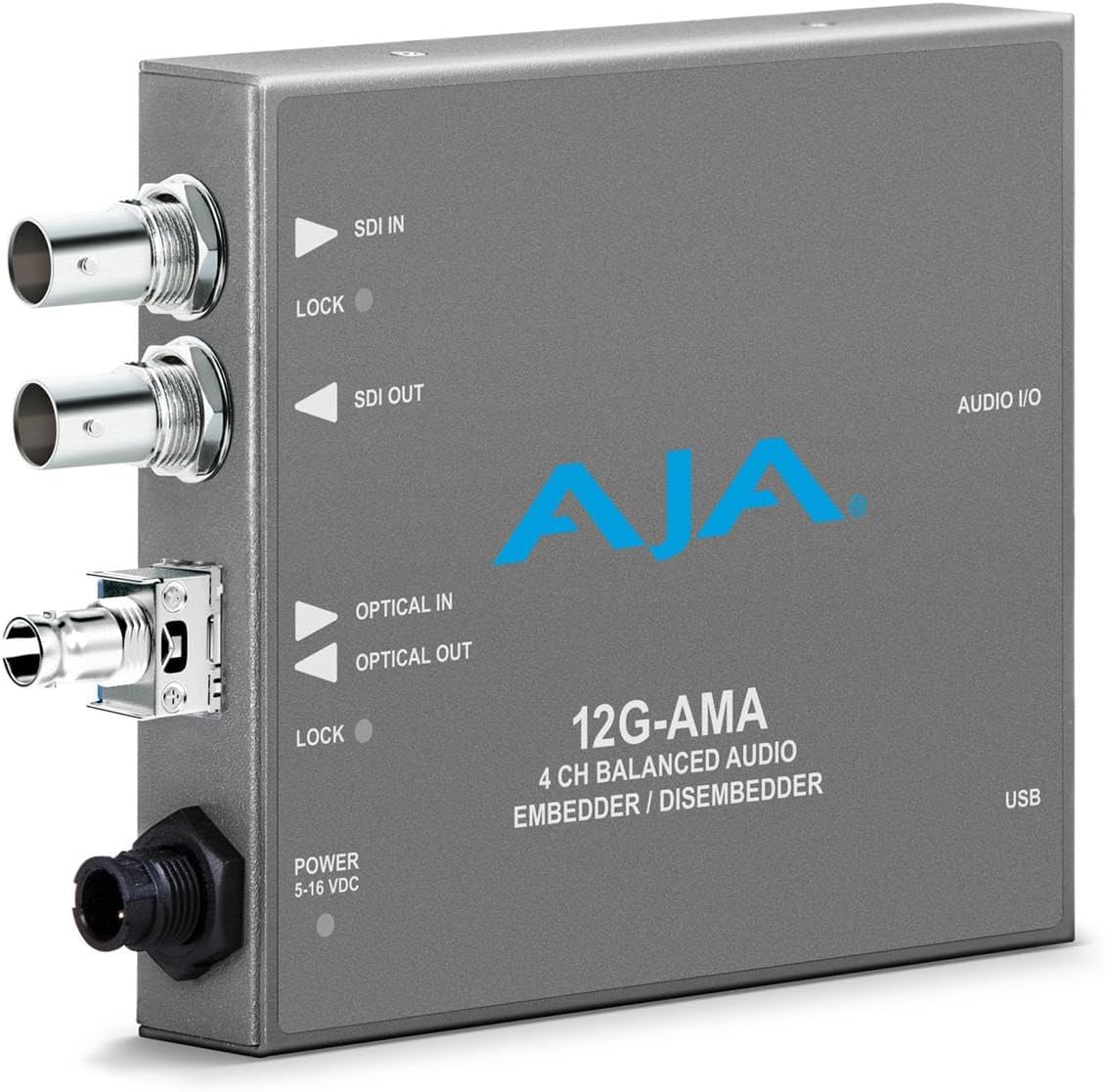
The Aja 12G-AMA offers robust bidirectional functionality designed for large scale facilities that require long distance transmission via fiber optic cabling standards.
We may earn a commission when you buy through this link, at no additional cost to you.
It supports balanced audio embedding and disembedding which provides flexibility for routing audio in complex production environments like stadiums or large convention centers.
While the specific details are sparse on this listing the brand reputation suggests high reliability for critical infrastructure and broadcast transmission signal chains.
Network architects and facility managers will find this unit suitable when standard copper SDI links are insufficient due to distance or interference in remote areas.
The inclusion of fiber options ensures signals can travel long distances without degradation maintaining signal integrity across large facilities.
Built for mission critical broadcast environments this device meets the rigorous demands of continuous operation in high traffic professional networks.
We may earn a commission when you buy through this link, at no additional cost to you.
While primarily marketed for extraction this unit offers compact performance for extracting audio from SDI streams ensuring flexibility for monitoring or remote audio routing.
We may earn a commission when you buy through this link, at no additional cost to you.
It comes with a power supply and multin at adapters which makes it an excellent choice for field crews working in international regions with varying voltage standards.
The form factor is incredibly small allowing it to fit easily into tight rack spaces or on camera mounting solutions where space is at a premium.
Field technicians and camera operators will appreciate the simplicity and reliability of this converter when quick audio monitoring is required on set or.
Included adapters ensure you can plug into any local outlet instantly eliminating the need to search for converters while on location shoots.
The direct conversion path minimizes latency ensuring audio monitoring remains perfectly synchronized with video feeds during live recording.
We may earn a commission when you buy through this link, at no additional cost to you.
The Blackmagic Design Mini Converter SDI To Analog provides a dual function solution that de embeds audio to analog or AES/EBU while converting video to analog monitors.
We may earn a commission when you buy through this link, at no additional cost to you.
It allows for balanced analog audio extraction which is vital for connecting legacy analog audio equipment that still forms part of a hybrid production infrastructure.
This versatility ensures that older monitoring setups remain viable without requiring a full infrastructure upgrade to digital SDI monitoring systems immediately.
Video engineers and system integrators will find it useful for bridging the gap between modern SDI cameras and legacy analog displays in hybrid broadcast environments.
By converting SDI to analog outputs this device extends the life of existing monitoring gear in facilities transitioning gradually to digital workflows.
Support for both balanced analog and AES EBU gives flexibility in routing audio depending on the available input on downstream equipment.
We may earn a commission when you buy through this link, at no additional cost to you.
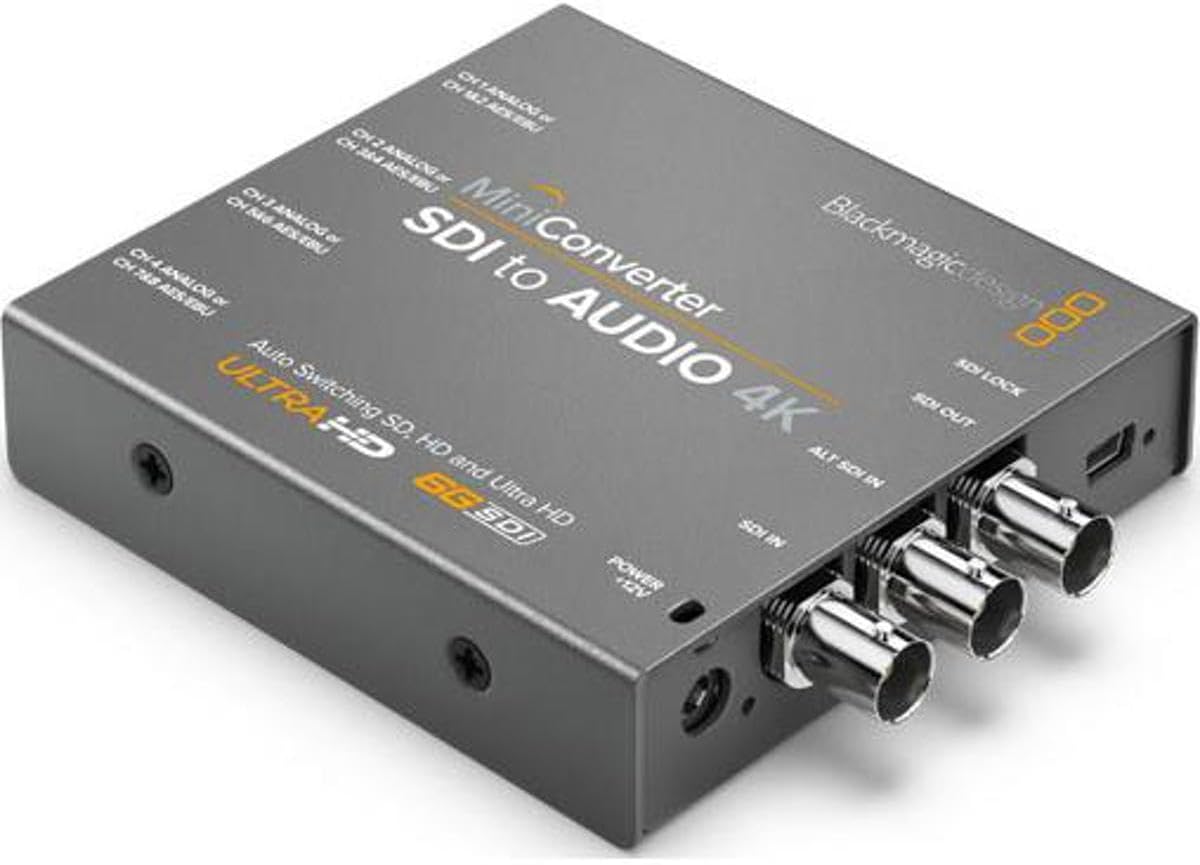
The Blackmagic Design Mini Converter SDI to Audio 4K delivers robust extraction capabilities supporting up to 4K video formats with high channel audio routing options.
We may earn a commission when you buy through this link, at no additional cost to you.
It features 4 channel balanced analog audio and 8 channel AES/EBU digital audio which provides ample connectivity for complex mixing desks and audio processors.
Reclocking support ensures signal stability even when the input clock drifts making it reliable for environments where multiple video sources must be synchronized together.
Production coordinators and audio engineers will appreciate the redundant input feature which safeguards against signal loss during critical live streams or remote broadcasts.
Support for 8 channel AES/EBU allows multiple audio feeds to be extracted simultaneously for complex multi track recording or monitoring.
Built in reclocking stabilizes the video and audio streams ensuring jitter free playback even when upstream equipment clocking is unstable.
We may earn a commission when you buy through this link, at no additional cost to you.
The Blackmagic Design Mini Converter – Analog to SDI is designed for the reverse task embedding audio into SDI while converting analog video signals to digital SDI output.
We may earn a commission when you buy through this link, at no additional cost to you.
It accepts HD SD component NTSC PAL and S video signals ensuring compatibility with legacy cameras or tapes that need to be digitized for modern workflows.
This capability is essential for archives or events where older sources must be integrated into a purely digital signal chain without losing audio or video sync.
Broadcast engineers and archive specialists will find this unit crucial for maintaining the usability of older analog formats in a digital first broadcasting ecosystem.
Converting analog sources to digital SDI allows older camera feeds to be routed through modern switchers and monitors seamlessly.
Balanced AES/EBU or analog audio inputs ensure sound is embedded into the video stream making a unified signal for transport.
We may earn a commission when you buy through this link, at no additional cost to you.
The AJA 3G-SDI Mini Converter offers ultra low latency processing which is critical for live productions where even slight audio video drift can cause issues.
We may earn a commission when you buy through this link, at no additional cost to you.
It features 4 channel balanced analog audio I/O via XLR breakout allowing seamless integration of high quality audio with your SDI video signals for pristine sound.
Customizing audio levels via MiniConfig software on PC or Mac gives precise control over the embedding process ensuring optimal performance for various inputs.
Live sound engineers and broadcast directors will prioritize this unit for real time synchronization that maintains alignment between sound and video during live events.
Ultra low latency of 3.2 microseconds ensures audio stays perfectly in sync with video for live sports and news broadcasts.
Software control allows detailed tuning of audio levels and settings making it adaptable for different room acoustics and production needs.
We may earn a commission when you buy through this link, at no additional cost to you.
The Blackmagic Design Audio to SDI 4K Mini Converter ensures pristine sound quality in video productions by converting balanced analog or AES/EBU digital audio to SDI.
We may earn a commission when you buy through this link, at no additional cost to you.
It supports 4096x2160p30 format and automatically detects 4K UHD 2K HD or SD inputs making it highly versatile for mixed resolution video production workflows.
The redundant input automatically switches over if the main SDI input is lost guaranteeing uninterrupted video and audio feeds which is vital for live events.
Production managers and technical directors will value the advanced signal processing that offers 4:4:4 video sampling for high color precision in broadcast environments.
4:4:4 video sampling ensures high color precision while 48kHz audio sampling maintains high fidelity for professional broadcast standards.
Automatic switching to redundant input prevents signal loss ensuring uninterrupted feeds for critical broadcast and live event productions.
We may earn a commission when you buy through this link, at no additional cost to you.
Choosing the right embedder requires evaluating several technical and practical factors to ensure compatibility with your existing video workflow.
The embedder must support the video resolutions you use such as HD or Ultra HD and handle the SDI speed required for your system.
Look for models that explicitly state 3G or 12G capability if you plan to work with high resolution content or multiple camera feeds.
Check if the unit accepts the audio formats you use like balanced analog or AES/EBU digital to ensure it integrates with your existing sound system.
Professional setups often require XLR inputs for balanced audio to minimize noise and maintain signal integrity during long cable runs.
For live events and critical broadcasts redundant SDI inputs allow the device to switch automatically if a cable fails preventing a total loss of signal.
This feature is essential for environments where a black screen or silence is not an option and reliability is the top priority for success.
Many embedders are designed as mini converters that fit into small spaces so check if they have VESA mounts for rack mounting or direct cable mounting.
A compact form factor is beneficial when working with limited space on camera rigs or in tight broadcast trucks where every inch of storage counts.
Ensure the unit supports universal voltage if you plan to travel or work internationally and check if it comes with the necessary power adapters included.
Some models also allow firmware updates via USB which is important for keeping the device compatible with new video standards released by manufacturers.
In live productions low latency is critical to keep audio and video synchronized so look for models that specify minimal processing delay in their specs.
Reclocking features can help stabilize signals when mixing equipment from different manufacturers which reduces jitter and keeps audio video perfectly aligned.
Some units require external software to set audio levels and video formats while others use physical switches so consider how often you need to change settings.
Software configurability offers more precision but physical switches are faster for quick adjustments during fast paced live event productions or setups.
Connect your audio source to the input XLR or terminal and plug your video source into the SDI input ensuring cables are secure and undamaged before powering on.
Use the provided software or physical switches to configure the video format and audio level so the device outputs the correct signal for your downstream monitors or switchers.
Regularly inspect connectors for dust and ensure ventilation holes are clear to prevent overheating during long continuous operation periods in production environments.
An audio to SDI embedder takes separate audio signals and combines them with video into a single SDI cable. This simplifies cabling and reduces clutter on set or in the control room for production workflows.
HDMI carries audio but is limited to short distances. Embedding audio into SDI allows you to run signals over long professional grade cables without signal loss or requiring special HDMI extenders.
Yes many modern models support 3G or 12G SDI which carries 4K video. Check the specs carefully to ensure it handles the resolution you need for your project production requirements.
Redundant input means the device accepts two video signals. If the main cable fails it automatically switches to the second one preventing video loss during critical live broadcasts or events.
Most professional converters require external power. Look for models that include a universal power supply so you can use them anywhere without hunting for compatible voltage adapters or chargers.
Some models use physical switches while others need software. If software is required download it from the manufacturer. Check compatibility before buying if you prefer hardware controls.
SDI carries video and audio. AES/EBU carries digital audio. Embedding converts AES/EBU audio into the SDI stream so both travel together on one cable to the destination device.
It depends on the model. Professional gear often supports hot swapping but always check the manual. Some units may need a reboot or config change to register new signals properly.
We found that the Blackmagic Design Mini Converter Audio to SDI 2 remains the top choice for most users due to its balance of redundancy and ease of use.
For those needing ultra high resolution support the Teranex Mini Audio to SDI 12G offers premium features that justify the higher investment for professional cinema workflows.
Always verify your specific resolution and audio interface needs before purchasing and check current stock levels since availability can shift quickly in this market sector.