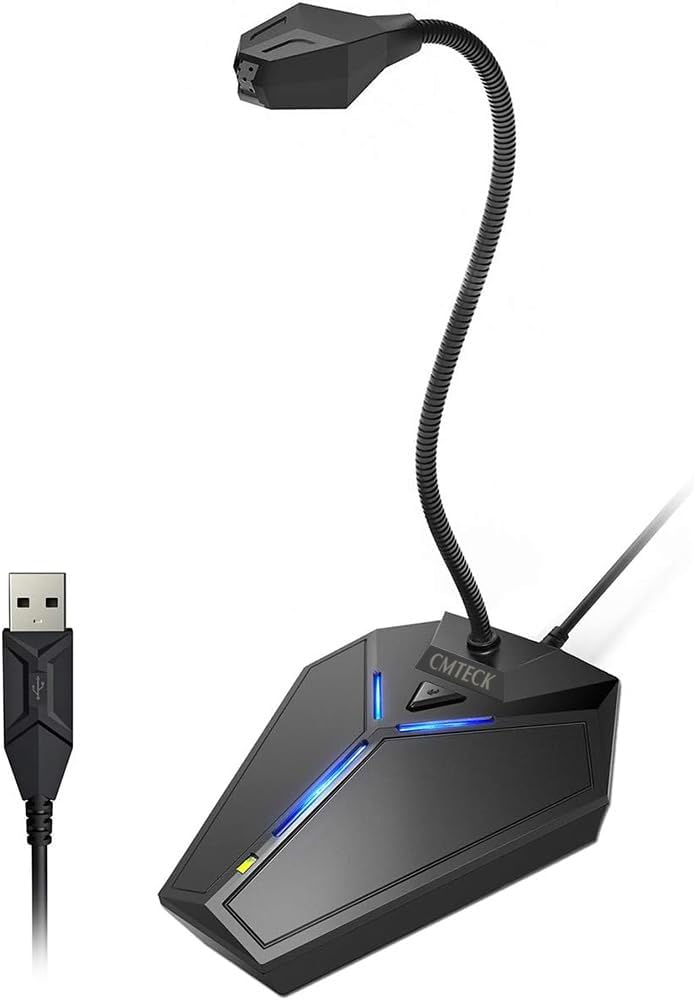
CMTECK USB Computer Microphone
4.4Editor score
Crystal-clear audio quality
Flexible gooseneck design
True USB plug and play
This guide compares the top ten dictation microphones for computer use, evaluating sound quality, noise cancellation, and compatibility for accurate speech
Finding the right dictation microphone for computer use is essential for professionals who rely on speech recognition software. A high-quality microphone ensures clear audio input, which translates to more accurate transcription and improved productivity throughout your daily workflow tasks.
We evaluated ten top-rated models based on sound clarity, noise cancellation capabilities, ease of setup, and compatibility with major operating systems. Our analysis includes detailed reviews of budget-friendly options alongside premium devices designed for specialized medical or legal documentation environments.
Each pick highlights unique strengths such as ergonomic design, push-button controls, or omnidirectional pickup patterns. Keep in mind that prices fluctuate frequently, so verify current listings before making a final purchase decision for your specific workstation requirements.
4.4Editor score

4.6Editor score

4.2Editor score
Below you will find a side-by-side comparison of all ten products reviewed in this guide. Each entry lists key specifications to help you quickly identify which model best fits your specific dictation and recording requirements.
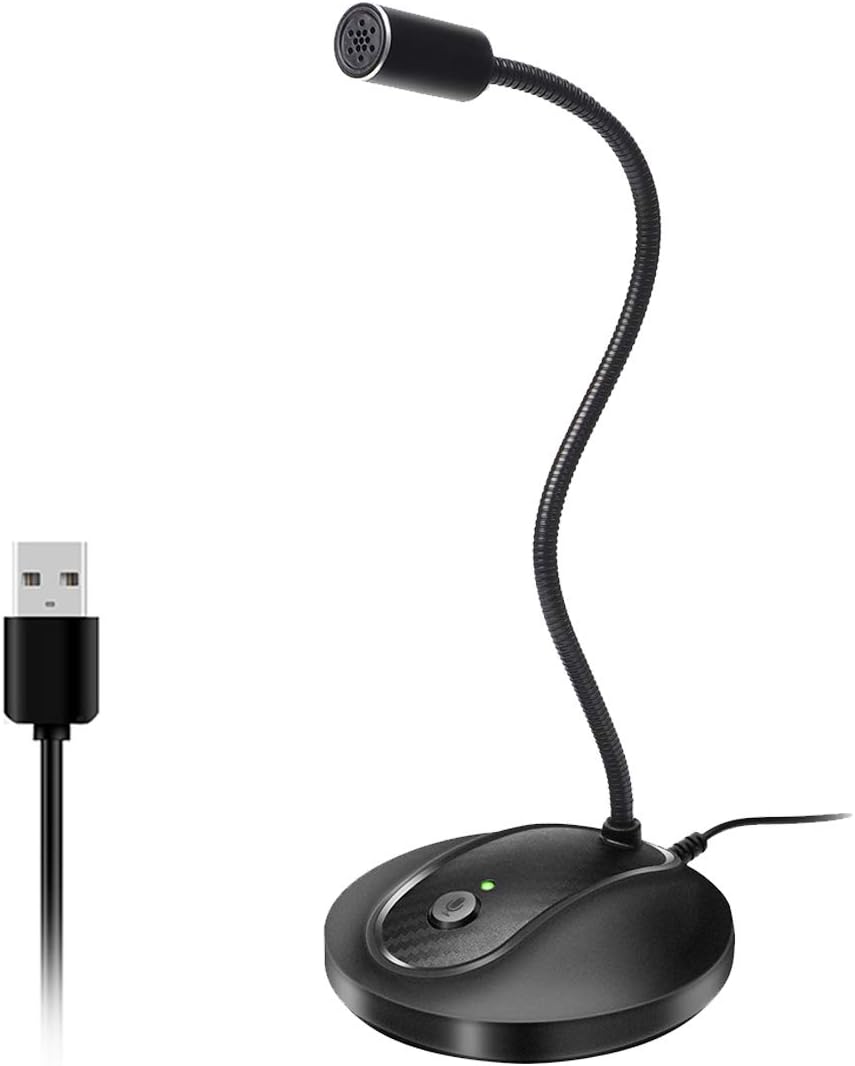


The Logitech Blue Yeti stands out as a top choice for dictation tasks due to its professional-grade sound reproduction. With a custom three-capsule array, it captures clear audio that speech recognition software can process with high accuracy. Its versatility shines through four distinct pickup patterns that allow precise control over sound capture.
We may earn a commission when you buy through this link, at no additional cost to you.
Key strengths include the onboard audio controls that let you adjust gain and pattern selection without diving into system settings. The Blue VO!CE software enhances vocal quality further, making it ideal for users who need crystal-clear dictation or recording. The sturdy build ensures durability even in busy office environments.
However, its physical size requires significant desk space, which may be a constraint for compact workstations. Additionally, the premium price tag reflects its high-end features but might not suit budget-conscious buyers looking for basic dictation capabilities only.
For professionals who demand top-tier audio fidelity and flexibility, the Blue Yeti is an excellent investment. Its ability to adapt to various acoustic environments makes it a reliable partner for extensive document creation and voice command tasks.
The three-capsule technology ensures every syllable is captured distinctly, reducing errors in speech-to-text conversion significantly.
Switch between cardioid, omni, bidirectional, and stereo modes to optimize recording based on your room setup and noise levels.
We may earn a commission when you buy through this link, at no additional cost to you.
The Nuance PowerMic III is a specialized tool crafted specifically for Dragon speech recognition users who need maximum efficiency. Its unique integration of mouse control with microphone functions eliminates the need to constantly switch between keyboard, mouse, and voice input. This design streamlines document creation workflows significantly.
We may earn a commission when you buy through this link, at no additional cost to you.
Key strengths lie in its ergonomic thumb controls that allow quick dictation commands without interrupting speech. The unidirectional microphone with advanced noise cancellation ensures high accuracy even in noisy environments. The nine-foot cable provides ample reach across large desks or workstations.
However, the price is considerably higher than standard options, reflecting its niche professional utility. Additionally, compatibility is limited primarily to Dragon-related software, which may not suit users relying on generic voice recognition platforms.
If you heavily depend on Dragon software for daily tasks, this microphone offers unparalleled productivity benefits. Its specialized features justify the cost for professionals like attorneys or doctors who dictate extensively throughout their workday.
Combine dictation and cursor control in one hand, reducing physical strain and speeding up document assembly.
Tailored specifically for Dragon, ensuring optimal performance and command recognition within the software ecosystem.
We may earn a commission when you buy through this link, at no additional cost to you.
The CMTECK USB Microphone delivers reliable performance at an incredibly affordable price, making it accessible for everyday users. Equipped with a high-performance SMART CHIP, it effectively suppresses background noise to ensure clear voice capture for dictation software. The flexible gooseneck allows you to position the mic exactly where needed.
We may earn a commission when you buy through this link, at no additional cost to you.
Key strengths include its true plug-and-play functionality requiring no driver installations or complex configurations. The durable ABS shockproof base ensures stability during use, while the blue LED light adds a visual indicator for connection status. It is fully compatible with Windows and macOS systems.
While it lacks advanced features like pattern switching or app integration, it performs admirably for basic dictation needs. The simple design means fewer points of failure, though those seeking premium build quality might find it less refined than costlier alternatives.
For students or professionals on a tight budget who need effective speech input, this model is an ideal starting point. Its balance of cost and functionality makes it a top recommendation for entry-level dictation setups.
Achieve clear audio input without breaking the bank, perfect for occasional or light dictation use.
The adjustable neck lets you align the microphone perfectly for consistent voice pickup regardless of seating posture.
We may earn a commission when you buy through this link, at no additional cost to you.
The Philips LFH3500 SpeechMike Premium is a sophisticated device designed for professionals who prioritize precision in every recording. Its free-floating, decoupled microphone minimizes handling noise, ensuring that only your voice is captured clearly. Built-in motion sensors add a layer of interactive control that reduces hand movement.
We may earn a commission when you buy through this link, at no additional cost to you.
Key strengths include freely configurable function keys that let you tailor the device to your specific workflow needs. The optimized microphone grille structure enhances sound clarity, while the ergonomic design reduces fatigue during extended use. It is ideal for high-volume transcription work in corporate environments.
However, the complexity of configuring function keys may be overwhelming for casual users. Additionally, the price reflects its professional nature, making it less suitable for general home office use where simpler tools suffice.
If you require a dedicated dictation device with advanced control features, this model offers exceptional performance. Its build quality and specialized functions justify the investment for serious transcriptionists and legal professionals.
Gesture-based inputs allow hands-free control of playback or recording, enhancing efficiency during long sessions.
Comfortable grip and weight distribution reduce strain during prolonged dictation tasks throughout the workday.
We may earn a commission when you buy through this link, at no additional cost to you.
The FIFINE Mini Gooseneck USB Microphone is designed for users seeking a compact solution that does not compromise on audio quality. Its tiny footprint makes it perfect for shared desks or smaller workspaces where space is at a premium. The flexible gooseneck ensures you can angle the mic for optimal voice capture.
We may earn a commission when you buy through this link, at no additional cost to you.
Key strengths include the included six-point-five-foot USB cable that provides ample range for positioning without cluttering the desk. The sturdy metal base and tubing ensure the device stays in place during use, offering reliability for daily recording tasks. Compatibility spans Windows and macOS effortlessly.
It lacks specific features like a mute button, which might require software adjustments for privacy during calls. While it performs well for dictation, it does not offer advanced noise cancellation found in higher-end models.
For those needing a discreet, reliable microphone for basic dictation or communication, this model fits the bill. Its balance of portability and performance makes it a strong candidate for mobile professionals.
Minimalistic build keeps your workspace clean while still delivering professional-level audio performance for dictation tasks.
A long USB cable allows you to position the mic exactly where you need without restricting movement.
We may earn a commission when you buy through this link, at no additional cost to you.
The TONOR Conference Microphone features an omnidirectional pickup pattern ideal for capturing audio from multiple directions. With a pickup distance of eleven-and-a-half feet, it works well for small team meetings or collaborative dictation sessions. The design focuses on capturing clear sound without requiring everyone to speak loudly.
We may earn a commission when you buy through this link, at no additional cost to you.
Key strengths include the convenient mute button with a visible blue indicator light to confirm status at a glance. The sturdy metal construction ensures longevity, while the anti-slip mat keeps the base stable on any desk surface. It requires no drivers, making setup incredibly simple for Windows and Mac users.
However, its omnidirectional nature might pick up too much background noise if used by a single person in a noisy environment. It is better suited for group scenarios than focused individual dictation tasks where isolation is preferred.
For shared office spaces or team documentation, this microphone offers a practical and cost-effective solution. Its ease of use ensures smooth integration into existing workflows without technical hurdles.
Capture voices from all angles, making it perfect for group transcription or collaborative meeting notes.
The blue light confirms active status instantly, preventing accidental transmission during sensitive discussions.
We may earn a commission when you buy through this link, at no additional cost to you.
The ZealSound K66 Podcast Microphone delivers studio-quality audio that translates exceptionally well to dictation needs. Its intelligent noise reduction mode helps filter out background chatter and keyboard clicks during recording sessions. With real-time zero-latency monitoring, you can hear exactly what is being recorded without delay.
We may earn a commission when you buy through this link, at no additional cost to you.
Key strengths include dedicated knobs for microphone volume, monitoring volume, and echo adjustment that give hands-on control without software. The cardioid pickup pattern focuses on your voice, improving accuracy in speech recognition. It supports a wide range of devices from PCs to tablets.
The array of knobs may complicate simple use cases where automatic settings would suffice. Additionally, the echo control feature is more relevant for creative work than pure dictation, adding unnecessary complexity for some users.
For users who want detailed control over their audio environment while maintaining high-quality input, this microphone is a great choice. Its versatility bridges the gap between professional streaming and practical office dictation.
Adjust settings instantly with physical knobs, saving time compared to digging through system preferences.
Smart filtering ensures clean voice capture even in imperfect acoustic environments like busy offices.
We may earn a commission when you buy through this link, at no additional cost to you.
This USB Microphone with a 360-degree adjustable gooseneck offers impressive flexibility for positioning. Its high sensitivity captures sound from any angle, ensuring you never have to twist awkwardly to speak directly into it. Noise-canceling technology helps reduce echo and background noise for clearer input.
We may earn a commission when you buy through this link, at no additional cost to you.
Key strengths include the one-click mute button with an LED indicator that makes managing privacy straightforward. The plug-and-play design means no drivers are needed, allowing immediate use on Windows or macOS systems. It is well-suited for general computer use and light dictation tasks.
Over time, the metal gooseneck may loosen if handled roughly, affecting precise positioning. While it handles basic needs well, it does not offer the advanced features found in premium professional-grade devices.
For users needing a adaptable and straightforward solution for computer audio, this model is a solid contender. Its ease of use and clear indicators make it a reliable choice for daily office tasks.
Rotate and bend the gooseneck freely to fit any desk arrangement or user height preference.
The LED indicator provides instant confirmation of mute status, reducing errors during critical meetings.
We may earn a commission when you buy through this link, at no additional cost to you.
The Philips LFH3200 SpeechMike III Pro is designed to deliver accurate speech recognition results through advanced noise-canceling technology. Its push-button operation allows for hands-free control of playback and recording functions. The device is specifically optimized for Dragon Naturally Speaking, making it a favorite among legal and medical professionals.
We may earn a commission when you buy through this link, at no additional cost to you.
Key strengths include the advanced speaker design that provides crystal-clear playback, essential for reviewing dictated content quickly. The ergonomic build reduces hand fatigue during extended sessions. It integrates smoothly with professional workflows without requiring complex configuration.
The price point places it in a higher category compared to general-purpose microphones. Additionally, its specialization for Dragon means users relying on other software may find it less versatile.
If you work in an environment where Dragon software is standard, this microphone offers seamless integration and reliable performance. Its build quality and specialized controls justify the investment for heavy daily users.
Tailored for Dragon, ensuring maximum accuracy and command recognition within the software's ecosystem.
Push buttons are positioned for quick access without interrupting the flow of dictation.
We may earn a commission when you buy through this link, at no additional cost to you.
The OLYMPUS RecMic II RM-4010P is a specialized tool featuring a push-button microphone with an improved trackball for navigation. It includes dual microphone systems that excel in recording in noisy environments. Silent keys minimize contact noise, ensuring clean audio capture even during active typing.
We may earn a commission when you buy through this link, at no additional cost to you.
Key strengths include the smooth UV coating and silent keys that reduce distracting sounds during use. The trackball functionality offers precise control without needing a mouse, streamlining navigation during dictation. It supports Dragon preset button assignments for efficient workflow integration.
The price is significantly higher than standard options, reflecting its professional-grade hardware. Furthermore, the unique interface may require some time to master for new users accustomed to traditional mice.
For users who need a highly specialized device for intensive documentation work, this microphone offers superior reliability. Its focus on noise reduction and control precision makes it a strong option for professionals in demanding fields.
Dual microphone systems ensure accurate recording even in challenging acoustic environments.
Integrated trackball allows cursor control without removing hands from the dictation position.
We may earn a commission when you buy through this link, at no additional cost to you.
Selecting the right dictation microphone involves weighing several technical factors against your specific workflow needs. Below are key considerations to help you make an informed decision.
High sound quality is critical for speech recognition software to transcribe text accurately. Look for microphones with high sensitivity and clear frequency response. A crisp signal minimizes errors during long dictation sessions.
Prioritize devices with high-quality condenser capsules for the best results in transcription work.
Background noise can interfere with dictation accuracy. Microphones with active noise-canceling or shielding features help isolate your voice. This is especially important in open offices or noisy homes.
Always choose a mic with effective noise reduction to ensure clean recordings.
Ensure the microphone works seamlessly with your preferred speech recognition software. Some models are optimized for Dragon, while others are general-purpose. Compatibility ensures all buttons and features function correctly.
Verify software support before purchasing to avoid setup headaches.
Dictation often involves long periods of use. An ergonomic design with comfortable grip and durable construction reduces fatigue. Look for stable bases or flexible necks for better positioning.
Choose a device that fits comfortably in your hand for prolonged tasks.
Plug-and-play USB connectivity is essential for quick setup without installing drivers. Avoid microphones that require complex software setups unless specific features are needed. Ensure the cable length suits your desk layout.
Opt for simple USB connections to save time during installation.
Mute buttons and recording switches provide convenience during use. Some models include trackballs or specialized function keys. These tools enhance workflow efficiency by reducing reliance on keyboard shortcuts.
Look for physical controls that match your daily tasks for faster operation.
Pickup patterns affect how sound is captured. Cardioid patterns focus on your voice, while omnidirectional capture ambient noise. For solo dictation, directional mics often yield better accuracy.
Select a pattern that isolates your voice from surrounding distractions.
Budget dictates available features. Premium models offer specialized functions, while budget ones cover basics. Consider how often you use the device to justify the investment.
Balance your needs with the budget to find the best value.
Connect the microphone to an available USB port on your computer. Select it as the default input device in your operating system sound settings to ensure it functions properly for recording.
Position the microphone consistently at a fixed distance, such as six inches from your mouth, to maintain steady audio levels. Adjust your voice volume slightly to avoid distortion on high notes.
Regularly clean the microphone grille with a soft cloth to remove dust and prevent noise. Store it in a cool, dry place when not in use to maintain electronic integrity over time.
The Philips LFH3200 SpeechMike III Pro and Nuance PowerMic III are specifically optimized for Dragon NaturallySpeaking. These models include preset buttons and noise cancellation tuned to the software's requirements for maximum accuracy during dictation.
Yes, many standard USB microphones work well for general dictation tasks. However, dedicated speech recognition microphones often provide better noise isolation and specialized controls that improve accuracy compared to generic options.
Use a microphone with built-in noise cancellation and position it away from noisy sources like fans. Additionally, choose a directional pickup pattern to focus on your voice and minimize ambient sounds.
Wired microphones are generally preferred for stability and consistent audio quality. Wireless models may introduce latency or connection issues that disrupt the smooth flow required for efficient dictation software.
A cable length between five to ten feet is usually sufficient for most desk setups. This allows flexible positioning without cluttering the workspace or stretching the cord too thin.
Most modern USB microphones are plug-and-play and do not require extra drivers. Specialized features may need specific software, but basic recording functions work immediately with system settings.
With proper care, a high-quality professional microphone can last for several years of daily use. Protecting the device from dust and physical damage helps extend its operational lifespan significantly.
Yes, all models reviewed in this guide support macOS as well as Windows. They connect via USB and are recognized automatically by the operating system without additional configuration.
We have reviewed ten distinct options ranging from budget-friendly devices to premium professional tools. Each choice offers unique features tailored to different needs, ensuring you find the right fit for your specific workflow.
Prioritize clarity, compatibility, and ergonomics when making your final decision. A microphone that aligns with your software and offers comfort will save time and increase productivity over the long term.
Prices and availability change frequently, so check current listings before purchasing. Keeping an eye on deals can help you secure the best value for the technology you need.