
DARKROCK 3-Pack 120mm Black
4.6Editor score
Three fan value pack
Silicone vibration cushions
Simple three pin interface
Discover the top exhaust fan for PC options compared by experts to help you choose the right cooling solution for your computer case or server setup.
Keeping your computer system cool is essential for performance and longevity. An exhaust fan for PC helps remove hot air from your case, ensuring components stay within safe operating temperatures during intense tasks or daily use.
We evaluated ten top-rated models based on airflow, noise levels, bearing type, and build quality. Our team analyzed real-world data to find fans that balance cooling power with quiet operation across different budgets and use cases.
Each pick includes detailed specs and pros and cons to help you decide. Note that availability and pricing may vary over time, so check current listings before purchasing to ensure you get the best deal available today.
4.6Editor score

4.8Editor score
4.6Editor score
The following table compares key specifications across all ten models to help you quickly identify the right fit for your specific cooling needs and case size constraints.


The Noctua NF-P12 redux-1700 PWM stands out as a top choice for those seeking balanced performance. With a 4.8 rating, it delivers reliable airflow while maintaining exceptionally low noise levels suitable for quiet setups.
We may earn a commission when you buy through this link, at no additional cost to you.
Its pressure-optimized blade design ensures strong airflow even when mounted on radiators or air coolers. The 1700 RPM speed provides ample cooling power while the 4-pin PWM interface allows automatic speed control based on system temperature.
While it lacks RGB lighting, the focus on acoustic comfort and build quality is clear. The 150000 hour MTTF rating confirms long-term reliability. Users appreciate the included accessories like anti-vibration mounts and extension cables.
This fan is ideal for builders prioritizing silence and reliability over flashy aesthetics. If you want a set-and-forget cooling solution that performs well across use cases, this Noctua model is a solid investment.
The redux edition maintains Noctua's legendary sound profile with noise levels as low as 25.1 dB(A), making it nearly inaudible in typical room environments.
With a 150000 hour mean time to failure rating, this fan is engineered to outlast many system upgrades, ensuring consistent performance for years.
We may earn a commission when you buy through this link, at no additional cost to you.
The DARKROCK 3-pack offers exceptional value for users needing multiple fans at a low cost. With a 4.6 rating, these fans deliver solid cooling performance while keeping noise minimal thanks to hydraulic bearings.
We may earn a commission when you buy through this link, at no additional cost to you.
Each fan runs at up to 1200 RPM and includes soft silicone cushions to absorb vibrations. The 3-pin interface connects easily to motherboards, though PWM control is limited compared to 4-pin models.
Installation is straightforward for any case size. The PBT material housing ensures durability and heat resistance. While lacking flashy features, these fans fulfill basic cooling needs effectively.
This bundle is perfect for budget builders or those upgrading old systems. You get three reliable fans without breaking the bank. If your main goal is airflow over aesthetics, this pick delivers well.
Four soft silicone cushions per fan reduce vibrations effectively, helping maintain the low 32.1 dBA noise level even at higher speeds.
Constructed from PBT environmental protection material, these fans offer excellent insulation and heat resistance for consistent operation under load.
We may earn a commission when you buy through this link, at no additional cost to you.
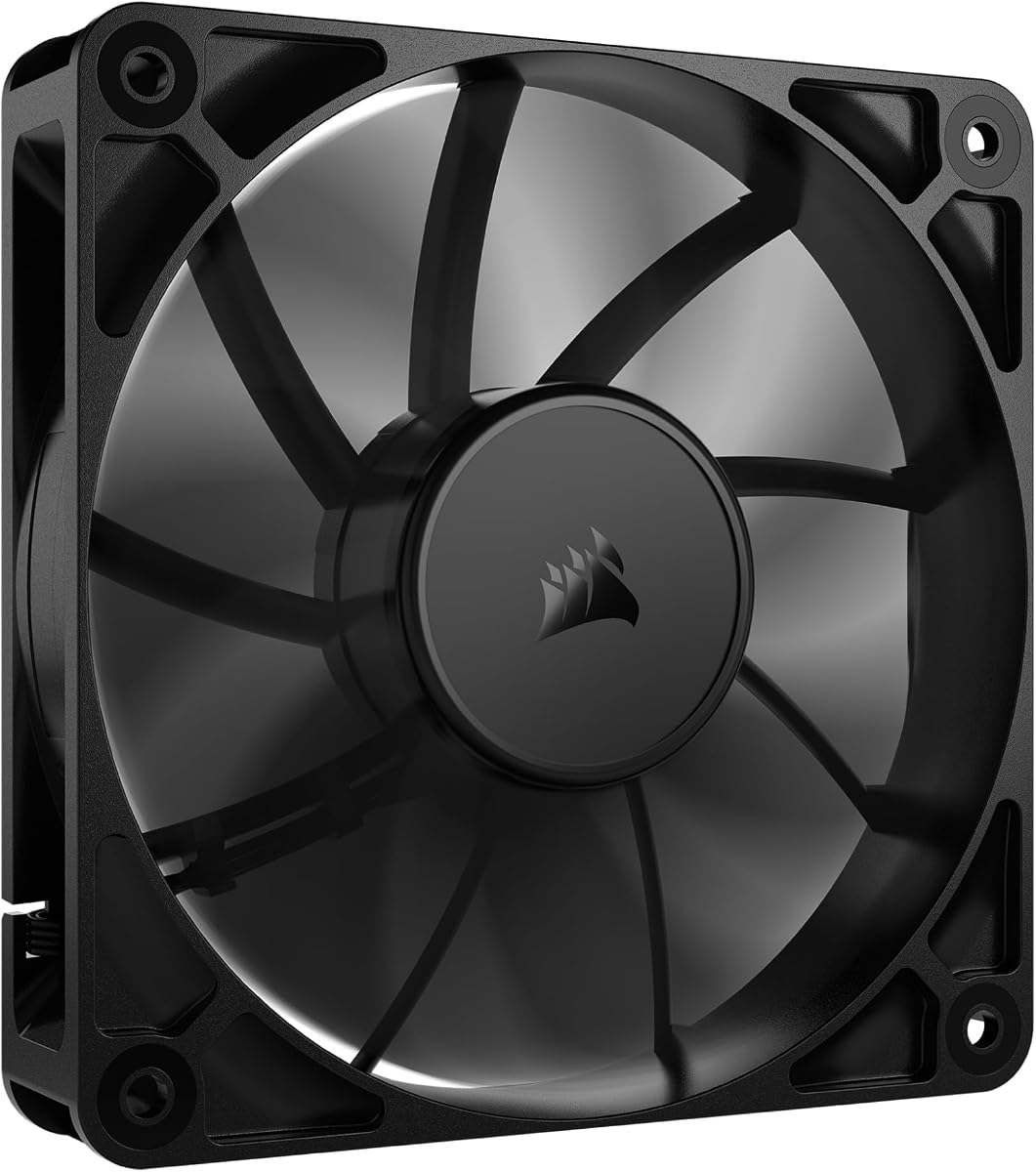
The CORSAIR RS120 120mm PWM Fan brings premium features like daisy-chain connectivity and AirGuide technology. With a 4.6 rating, it delivers high static pressure suitable for radiators and demanding cases.
We may earn a commission when you buy through this link, at no additional cost to you.
Daisy-chain connections let you control multiple fans through one 4-pin connector, reducing cable clutter. The magnetic dome bearing minimizes friction and noise while extending the fan's lifespan significantly.
Anti-vortex vanes direct airflow to hot components effectively. While it lacks RGB, the focus remains on performance. The 2100 RPM speed provides ample airflow when cooling demands increase.
This fan suits users wanting modern connectivity and performance. It simplifies builds with daisy-chaining and offers reliable cooling. If you value clean setups and high-pressure airflow, the RS120 is worth considering.
Daisy-chain connections allow multiple fans to be controlled via a single 4-pin PWM connector, reducing cable clutter and simplifying routing inside your case.
AirGuide technology uses anti-vortex vanes to direct airflow toward hot components, ensuring efficient cooling even in obstructed or tightly packed spaces.
We may earn a commission when you buy through this link, at no additional cost to you.
The be quiet! Pure Wings 3 120mm emphasizes silence and reliability. With a 4.7 rating, it uses seven optimized blades and a rifle bearing to deliver low noise without sacrificing airflow.
We may earn a commission when you buy through this link, at no additional cost to you.
Its frame is optimized for radiator performance, while low minimum RPM allows for nearly silent operation when cooling needs are minimal. German engineering ensures consistent build quality over time.
This fan works well in both standard cases and custom loops. The 80000 hour bearing life gives confidence in longevity. While it lacks flashy elements, it excels at core cooling tasks.
Ideal for quiet builds and office PCs, this fan balances noise and performance effectively. If you prioritize acoustic comfort and trustworthy operation, the Pure Wings 3 is a dependable choice.
The fan frame is designed specifically for peak performance on radiators, ensuring efficient heat dissipation even under demanding thermal loads.
Capable of operating at very low minimum RPM, this fan delivers whisper-quiet performance when your system is idle or under light workload.
We may earn a commission when you buy through this link, at no additional cost to you.
This unique AC plug fan does not need motherboard power. With a 4.4 rating, it features a variable speed controller and delivers 95.8 CFM airflow ideal for cabinets or non-standard setups.
We may earn a commission when you buy through this link, at no additional cost to you.
It connects directly to wall outlets via its AC plug, simplifying installation for external devices like servers or routers. The dual ball bearings ensure durability while the controller allows speed customization.
While loud at full speed, it's adjustable for quieter needs. The 2800 RPM max provides strong cooling when needed. This flexibility makes it versatile beyond typical PC cases.
Best for external cooling or cases without fan headers, this option removes motherboard dependency. If you need standalone ventilation for a PC case or similar equipment, this AC fan offers practical utility.
Powered directly via an AC plug and controller, this fan requires no motherboard connection, making it ideal for external enclosures or systems lacking internal power headers.
The included controller lets you adjust speed between 700 and 2800 RPM, balancing cooling power with noise levels based on your specific environment.
We may earn a commission when you buy through this link, at no additional cost to you.
The Thermalright 5 Pack TL-C12C-S delivers five fans with ARGB lighting. With a 4.7 rating, these fans feature S-FDB bearings and 66.17 CFM airflow for effective cooling across multiple slots.
We may earn a commission when you buy through this link, at no additional cost to you.
The ARGB lights reflect softly through blades for a pleasing look. PWM control allows automatic speed adjustment based on temperature. The 55cm cables help manage connections in larger cases.
While not premium-grade, the value and lighting are strong. Bearings solve blade shake issues and reduce noise. This pack works well for full case coverage with visual flair.
Perfect for builders wanting RGB without high costs, this bundle provides reliable cooling. If you need multiple fans for case and CPU cooling, the 5 Pack TL-C12C-S offers great flexibility.
High-brightness LED atomizing fan blades reflect light softly, creating a pleasing ARGB effect that matches your system's cooling components.
S-FDB bearings prevent blade shaking in lift mode, ensuring stable operation while reducing noise and extending the fan's overall lifespan.
We may earn a commission when you buy through this link, at no additional cost to you.
The Kingwin 80mm Silent Fan fits smaller cases needing compact cooling. With a 4.5 rating, it uses optimized blades and long life bearings for reliable airflow in tight spaces.
We may earn a commission when you buy through this link, at no additional cost to you.
Its silent operation makes it ideal for office PCs or home servers. The 80mm design works with standard mounts and coolers. It handles high-performance environments like mining rigs well.
While smaller fans move less air than 120mm models, this one maximizes what it can. The rugged black frame ensures lasting use. It's a practical replacement for worn fans.
Best for 80mm mounts and small cases, this fan balances size and silence. If you need a reliable compact cooling solution without noise, the Kingwin 80mm is a solid fit.
Designed with standard 80mm mounts, this fan fits cases and CPU coolers requiring smaller fans where larger models won't physically install.
Built to handle high-performance environments such as crypto mining rigs, it maintains airflow and minimizes overheating risks under continuous load.
We may earn a commission when you buy through this link, at no additional cost to you.
The Wathai 12038 is built for extreme cooling with 230 CFM airflow. With a 4.5 rating, its 5300 RPM speed provides massive air movement for mining rigs or industrial uses.
We may earn a commission when you buy through this link, at no additional cost to you.
It uses dual ball bearings rated for 67000 hours. PWM speed regulation allows smarter control via BIOS. The 38mm thickness may require compatible cases or radiators.
While loud at full speed, it delivers unmatched airflow. Intelligent speed triggers ramp up fans when needed. This fan targets users prioritizing raw cooling power over silence.
Best for miners needing strong ventilation, this fan excels at removing heat fast. If your setup demands maximum CFM and you can tolerate noise, the Wathai 12038 is a powerful choice.
Delivering 230 CFM airflow, this fan outperforms standard models for applications needing maximum ventilation like mining rigs or server chassis.
Supports intelligent speed regulation via 4-pin PWM, allowing you to set trigger temperatures in BIOS for automatic fan speed adjustments.
We may earn a commission when you buy through this link, at no additional cost to you.
The Thermalright TL-C12C-S X3 offers three fans with ARGB lighting. With a 4.7 rating, these fans combine S-FDB bearings with PWM control for reliable cooling and visual flair.
We may earn a commission when you buy through this link, at no additional cost to you.
The ARGB blades reflect light softly, supported by 17 lighting modes. Each fan runs at up to 1550 RPM with noise kept below 25.6 dBA. The design suits CPU coolers and cases.
Packs like this allow full case coverage at low cost. S-FDB bearings solve blade shake issues. While lacking extra controllers, it offers good performance out of the box.
Perfect for mid-range builds wanting RGB, this pack covers multiple slots. If you need three matching fans for cooling and styling, the TL-C12C-S X3 is a great value option.
High-brightness LED atomizing blades reflect light softly, ensuring the ARGB effect looks pleasing without overpowering your system's visuals.
S-FDB bearings prevent blade shaking and reduce noise, ensuring smooth operation even at higher speeds for consistent cooling performance.
We may earn a commission when you buy through this link, at no additional cost to you.
The X1 USB Cooling Fan is ultra quiet with 18dB noise. With a 4.4 rating, it offers portable cooling for routers, consoles, and external PC cabinets via USB power.
We may earn a commission when you buy through this link, at no additional cost to you.
Its 55.8 CFM airflow drops temperatures by 20 percent quickly. The built-in 530mm cable connects to chargers or laptops. Shock-absorbing pads prevent surface scratches.
It fits narrow spaces and works upright or flat. While not for internal PC use, it protects digital ecosystem devices from overheating. The ABS build supports heavy-duty use.
Best for console or router cooling, this fan simplifies portable setups. If you need silent cooling for gaming accessories without AC, the X1 USB fan is a practical solution.
Operating at just 18dB, this fan is quieter than library silence, ensuring cooling without noise interference during gaming or media use.
Works with routers, game consoles, mini PCs, and streaming devices via USB, providing versatile cooling for your entire digital ecosystem.
We may earn a commission when you buy through this link, at no additional cost to you.
Choosing the right exhaust fan involves understanding airflow, noise, size, and connection types to match your specific build requirements.
Airflow measured in CFM indicates how much air the fan moves. Static pressure determines how well it pushes air through obstructions like radiators. High CFM suits open cases while high pressure helps with dense filters.
Look for fans with balanced CFM and pressure ratings. If your case has restricted vents, prioritize static pressure. For open cases, focus on CFM for maximum air exchange.
Noise is measured in dB(A) and affects your workspace comfort. Quieter fans use better bearings and blade designs. Lower RPM typically reduces noise but also reduces airflow.
If you want a quiet PC, target fans under 25 dB(A) at idle. Many fans allow PWM control to keep them silent when full speed is not needed.
Bearing type impacts lifespan and noise. Sleeve bearings are cheap but wear faster. Ball bearings last longer and handle heat better. Fluid dynamic bearings offer low noise and longevity.
For long-term reliability, choose dual ball or fluid dynamic bearings. They reduce noise and maintain performance over years of use.
Common sizes are 80mm, 120mm, and 140mm. Measure your case mounts before buying. Thicker fans like 38mm models may not fit standard 25mm cases.
Ensure the fan dimensions match your case slots. 120mm is standard for most builds. If using radiators, check radiator thickness before choosing fan size.
3-pin and 4-pin PWM connectors are common. 3-pin allows voltage control while 4-pin PWM offers precise speed control. Some fans use AC or USB for external setups.
For motherboard control, use 4-pin PWM. For external cooling or cases without headers, AC or USB powered fans provide more flexibility.
RGB lighting adds visual appeal but requires headers and cables. Non-RGB fans are simpler and often quieter. ARGB fans allow color control via software.
If you value looks, choose RGB fans. For silent and simple builds, stick to non-RGB options to reduce cable clutter.
Packs with multiple fans offer better value. Single premium fans cost more but may include better features. Compare price per fan when choosing bundles.
Consider bundles if you need multiple fans for intake and exhaust. Single fans are better for spot cooling or specific cases.
Mining rigs need high CFM. Home servers need low noise. Gaming PCs need balanced performance. External devices need USB or AC power.
Match the fan to your primary use. Prioritize airflow for heat-heavy setups and noise for quiet environments.
Install the fan so it blows air out of the case. Use screws to secure it firmly. Ensure no cables block the blades. Connect to the motherboard or power source as needed.
Clean dust from the blades and frame every few months. Use compressed air to remove debris. Avoid spinning blades too fast during cleaning. Check bearings for noise or wobble.
Update your BIOS to set fan curves. Use PWM to adjust speed based on temperature. Monitor fan health in system software. Replace fans showing bearing noise or reduced speed.
Measure your case mounting points first. Most cases use 120mm fans while smaller ones use 80mm. Check thickness since standard fans are 25mm thick but some are 38mm.
Exhaust fans remove hot air so components stay cool. Lower temperatures prevent throttling during gaming or heavy work. They extend hardware lifespan by reducing heat stress.
PWM fans use 4-pin connectors for speed control by the motherboard. Non-PWM fans use 3-pin connectors with voltage control. PWM offers better silent operation and responsiveness.
USB fans are not recommended for internal PC cooling. They lack motherboard control and use external power. Use internal 12V fans for stable cooling inside the case.
Target fans below 25 dB(A) for quiet builds. Higher RPM fans may reach 35 dB(A) or more. Many fans stay silent at idle when using PWM curves to keep them at low speed.
One exhaust fan is often enough for small cases. Large cases benefit from multiple exhaust fans to remove heat quickly. Balance intake and exhaust for positive pressure.
Quality fans last years if maintained. Replace if you hear loud bearing noise or see speed drops. Regular dusting helps extend fan lifespan.
CFM stands for cubic feet per minute and measures airflow. Higher CFM means more air moves per second. For open cases, high CFM improves heat removal.
We compared ten top exhaust fan for PC options covering quiet models like Noctua, value packs from Thermalright and DARKROCK, and specialized fans like X1 and Wathai.
Prioritize airflow and noise based on your case and usage. Choose PWM for control, proper size for fit, and bearing type for longevity.
Prices and availability change often. Always check current listings before buying to ensure you get the right fan at the best deal.