
Time Clock for Small Business, Employee Hours Calculation H4
4.8Editor score
Standalone operation without WiFi
3-in-1 verification method
Power failure data protection
Compare the top 10 fingerprint time clocks for employees in October 2026. This guide reviews biometric features, cloud access, and pricing for small businesses.
Accurate attendance tracking is essential for modern businesses. Fingerprint time clocks eliminate buddy punching and simplify payroll. This guide reviews the best devices for small businesses.
We compared ten real products based on reliability, features, and user ratings. Each option offers unique benefits for different workplace needs. Find the right system for your team here.
Every pick shows key specs, pros, cons, and detailed reviews. Prices change often, so check current listings before buying. Our goal is to help you choose confidently.
4.8Editor score

4.6Editor score

4.4Editor score
This side-by-side comparison highlights the core specs of all ten time clocks. Use it to quickly match device features with your specific business requirements and budget constraints.



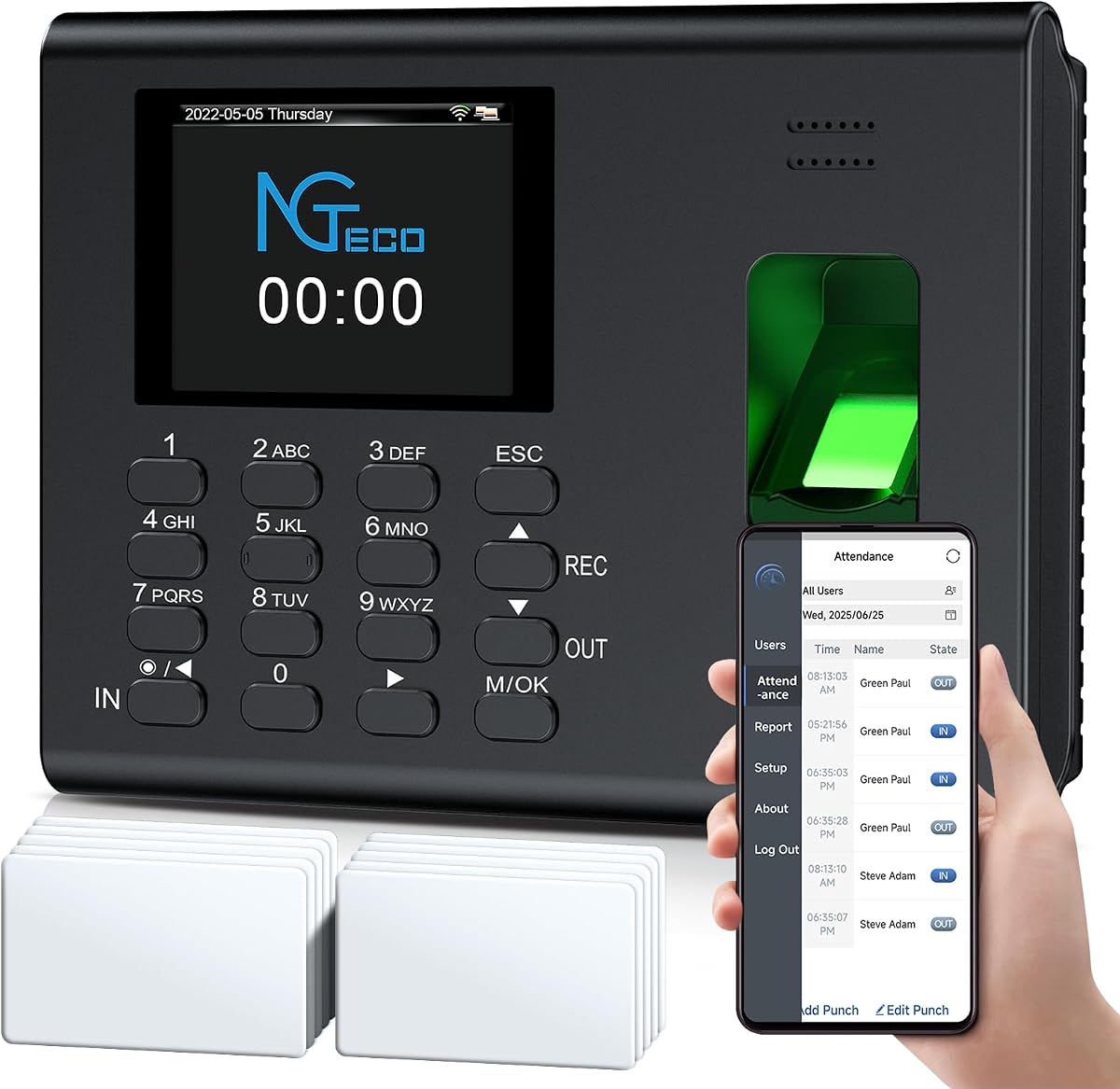
This NGTeco clock earns our Editor's Choice for balancing speed, accuracy, and ease of use. It holds a 4.6 rating from real buyers and streamlines attendance with fingerprint or PIN entry.
We may earn a commission when you buy through this link, at no additional cost to you.
Its standout strength is the 0.5-second fingerprint sensor that works on wet or dry fingers. The mobile app syncs punches instantly and lets managers edit records without complex steps.
While it lacks cloud backup, local data protection during power outages ensures you won't lose records. The backup is solid for teams needing immediate payroll export without subscription costs.
Ideal for small businesses needing a reliable, app-connected device that simplifies scheduling. It's a top pick for accuracy and simplicity in daily workforce management.
The 0.5-second recognition ensures lines form even during shift changes, reducing downtime at the entrance.
Export timesheets via USB or email to match any cycle, from weekly to monthly pay periods seamlessly.
We may earn a commission when you buy through this link, at no additional cost to you.
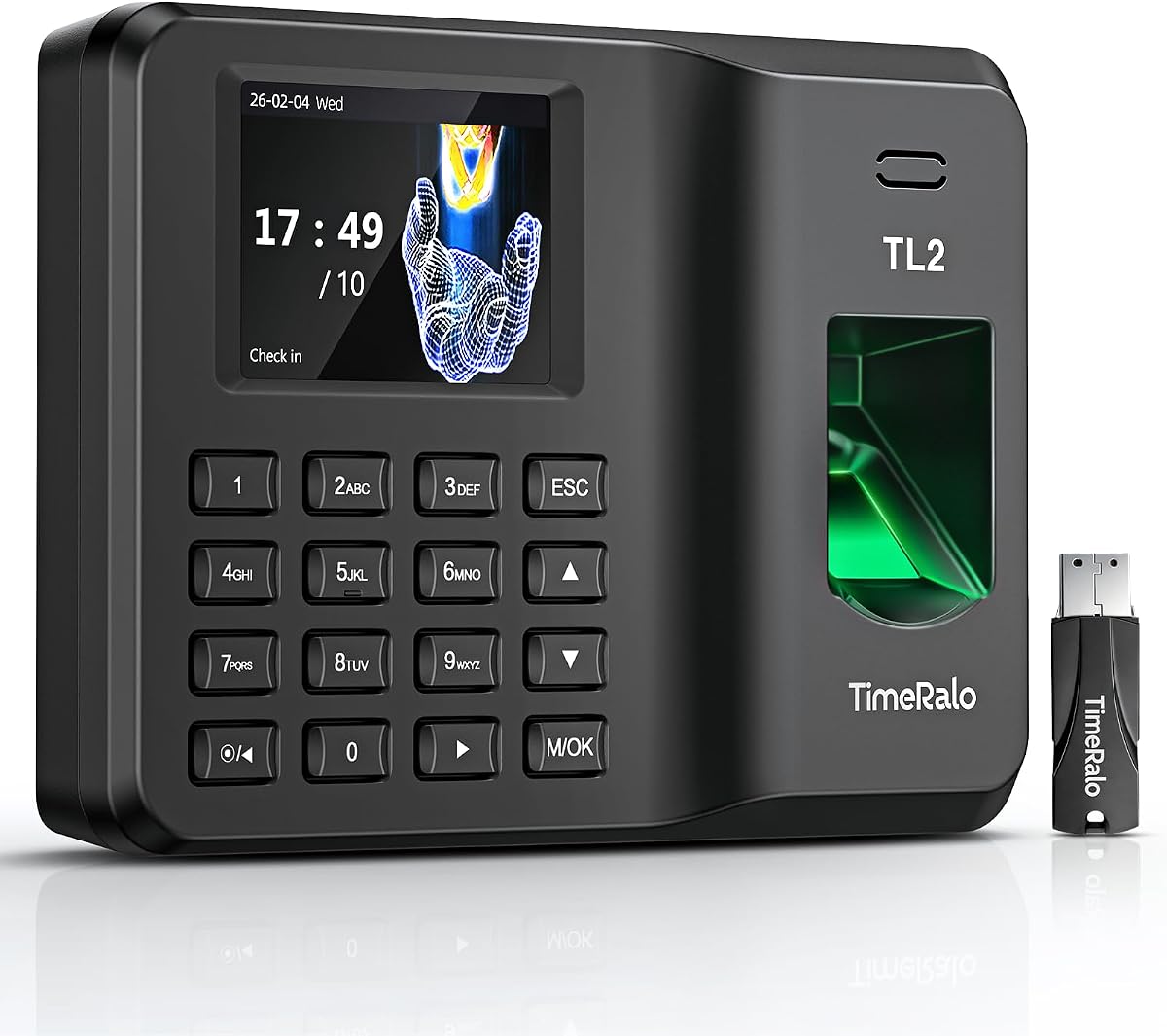
The HapAttend H4 stands out as a top budget choice with a 4.8 rating. It runs fully offline, making it perfect for remote or low-connectivity workplaces needing secure tracking.
We may earn a commission when you buy through this link, at no additional cost to you.
Its automatic hour calculation and night shift support prevent manual errors. The 3-in-1 verification adds flexibility without monthly costs. You pay once and get full access.
Without cloud features, real-time remote management isn't possible. But for small teams focused on cost savings and privacy, this trade-off is minimal and acceptable.
Buy this if you need a simple, plug-and-play device without hidden fees. It is the best budget-friendly option for straightforward attendance needs.
One-time purchase avoids recurring costs while delivering precise tracking and automatic hour calculation for payroll.
Keep attendance records private with local storage and USB export, avoiding third-party cloud storage risks.
We may earn a commission when you buy through this link, at no additional cost to you.
This device offers premium features like facial recognition and a touchscreen interface. It holds a 4.4 rating and is built for businesses needing advanced access and detailed rule customization.
We may earn a commission when you buy through this link, at no additional cost to you.
Its 4-in-1 methods reduce bottlenecks during busy shifts. AWS cloud storage with encryption keeps records safe. Dual-band WiFi ensures stable connections for real-time updates.
The higher cost may stretch tight budgets. However, for larger teams needing robust compliance features and cloud-based management, the investment pays off in accuracy.
Choose this if you need top-tier security and ease of access. It is the best premium solution for businesses wanting scalable, future-proof attendance tools.
AWS servers with end-to-end encryption ensure compliance and privacy for sensitive workforce attendance data.
The 4.3-inch touchscreen simplifies navigation and punch selection, reducing confusion for all staff levels.
We may earn a commission when you buy through this link, at no additional cost to you.
This standalone model earns a 4.2 rating for reliability and simplicity. It works without any internet, making it ideal for sites with poor network coverage or high privacy needs.
We may earn a commission when you buy through this link, at no additional cost to you.
Its 50,000 punch record capacity supports teams of up to 500. The USB export allows instant integration into spreadsheets. Setup takes minutes with no technical skills needed.
Lacking an app, remote management is not possible. But the device's durability and data backup make it a solid choice for factories or warehouses needing physical security.
It is perfect for businesses needing offline tracking with zero subscription costs. This unit offers practical performance for rugged environments.
No WiFi dependency ensures uptime even during network failures, with local storage keeping all punch data safe.
Supports up to 500 profiles so growing teams can onboard staff quickly without hardware upgrades or fees.
We may earn a commission when you buy through this link, at no additional cost to you.
This model is a solid mid-range option with a 4.4 rating. It balances affordability with essential biometric tracking and flexible installation for various office or industrial setups.
We may earn a commission when you buy through this link, at no additional cost to you.
The fingerprint and PIN combo prevents buddy punching effectively. USB data transfer simplifies payroll. Its power failure backup ensures no data loss during unexpected outages.
While it lacks advanced cloud features, it covers most daily needs. For smaller shops wanting a no-nonsense device, this clock delivers value without complexity.
Buy it if you need a straightforward, paperless solution. It's great for teams prioritizing cost savings and basic reliability.
Mount on a wall or place on a desktop to fit any workspace layout without special tools or wiring.
Built-in backup preserves all records during power loss so payroll data remains intact and retrievable.
We may earn a commission when you buy through this link, at no additional cost to you.
The NGTeco Cloud Time Clock offers remote control via web and mobile app. With a 4.1 rating, it suits managers who need to adjust attendance rules from anywhere.
We may earn a commission when you buy through this link, at no additional cost to you.
Dual-band WiFi ensures fast syncing. Overtime automation simplifies payroll. Its 2000mAh backup keeps it running during power outages so no data is lost.
The subscription for GPS features may deter budget users. However, for flexible teams needing modern oversight and secure cloud data, this is a strong contender.
Select this if you need remote access and detailed scheduling. It's best for businesses embracing digital HR management.
Access real-time clock-ins via web portal from any device, allowing instant schedule adjustments on the go.
A 2000mAh battery keeps the clock active during outages ensuring zero data loss during unexpected power issues.
We may earn a commission when you buy through this link, at no additional cost to you.
uAttend's JR2000 earns a 3.7 rating for its cloud-integrated approach. It automates payroll tasks and provides real-time tracking for HR managers seeking comprehensive attendance oversight.
We may earn a commission when you buy through this link, at no additional cost to you.
Data security and automatic backups keep info safe. The interface is user-friendly for all staff. Payroll and tax filing support reduces manual workload significantly.
Lower ratings suggest some users find the subscription model or support lacking. But for businesses wanting an all-in-one system with HR tools, it delivers value.
Choose it if you want to streamline payroll directly. It's suitable for companies prioritizing integrated management systems.
Automate tax filings and payroll tasks using attendance data to reduce manual effort and increase HR efficiency.
Automatic cloud backups preserve employee data so information stays secure and available when needed.
We may earn a commission when you buy through this link, at no additional cost to you.
This TC1 model offers strong security with AWS servers and a 3.7 rating. It allows offline punch capture that syncs when the network restores ensuring consistent tracking.
We may earn a commission when you buy through this link, at no additional cost to you.
It supports multiple languages for international teams. Overtime and shift rules are customizable. Free core features keep costs low without sacrificing essential tools.
The 200-user limit may restrict large businesses. However, for companies needing compliance-focused tools at low cost, this clock provides robust performance.
Pick it for secure, global-ready attendance management. It's ideal for businesses needing compliance and international support.
AWS servers with end-to-end encryption ensure your attendance data complies with global data protection standards.
Capture punches offline and sync automatically once the network restores ensuring zero interruptions during downtime.
We may earn a commission when you buy through this link, at no additional cost to you.
This model earns a 4.2 rating for modern self-service features. Employees view timesheets via QR codes on phones reducing admin time and boosting transparency.
We may earn a commission when you buy through this link, at no additional cost to you.
Smart scheduling handles complex shifts. Visual reports auto-send via email. Its offline mode ensures work continues even if the network fails temporarily.
Syncing relies on network stability which may cause delays. But for teams valuing employee autonomy and digital records, this clock is a smart pick.
Use it to empower staff and reduce paperwork. It's a solid choice for businesses focusing on digital engagement.
Employees check timesheets via QR codes cutting delays and improving transparency without requiring admin approval.
Auto-generated visual reports for pay periods help simplify reviews and reduce manual payroll errors effectively.
We may earn a commission when you buy through this link, at no additional cost to you.
This APP Time Clock holds a 4.0 rating and focuses on local network automation. Real-time alerts help managers catch issues early without manual checks.
We may earn a commission when you buy through this link, at no additional cost to you.
The app exports reports automatically saving time. Its 2000mAh backup handles outages. The durable design fits high-frequency use environments like retail or warehouses.
Local network limits mean no remote access. But for teams needing secure local control and cost efficiency, it delivers reliable performance.
Select it for secure, app-driven control. It's best for businesses prioritizing local network data management.
Get instant alerts when employees clock in or out enabling faster corrections and better shift management.
Data sync via local network ensures privacy and reduces external risks for sensitive workforce records.
We may earn a commission when you buy through this link, at no additional cost to you.
Choosing the right clock depends on your needs and budget. These factors help you compare features and find a system that works for your team.
Decide if you need a standalone device or one with cloud access. Standalone clocks store data locally and export via USB. Cloud devices let you manage shifts remotely.
Choose standalone for offline needs. Choose cloud for remote oversight and real-time access.
Fingerprint recognition is fast and prevents buddy punching. Some units add PIN, RFID, or face scan. More methods mean better security and user flexibility.
Pick fingerprint or multi-method options to reduce disputes and improve accuracy.
Check how many fingerprints and records the device stores. Most hold 500 users and 50,000 punch logs. Larger teams need scalable storage to avoid data loss.
Match capacity to your current and projected employee count for long-term use.
Look for export options like Excel or email. Some devices integrate with payroll software. This reduces manual entry and saves time during pay periods.
Select devices that export compatible files to match your existing payroll cycle.
A built-in battery protects punch records during outages. Without it, data loss could cause payroll errors. Always check for backup specs before buying.
Prioritize models with backup batteries to keep attendance data intact.
U.S.-based customer support helps when issues arise. Look for at least a one-year warranty. Free lifetime support adds value for small businesses.
Choose brands with reliable service to ensure quick troubleshooting and peace of mind.
Consider if there are subscription fees for cloud or advanced features. One-time purchase devices save money. Some require monthly plans for remote access.
Calculate total costs including any hidden fees to fit your budget.
Look for wall-mount or desktop flexibility. The device should fit your entrance layout. Compact designs work well in retail or office spaces.
Ensure the unit fits your physical space for easy employee access.
Start by registering all employee fingerprints in the setup menu. This ensures fast recognition at clock-in and prevents errors during shifts.
Keep the sensor clean with a soft cloth. Dust or moisture can slow recognition. Clean weekly to maintain accurate and quick punch times.
Regularly export data to your computer or payroll system. This prevents memory overflow and keeps your records safe even if the device resets.
Most modern devices recognize wet or dry fingerprints in under one second. This speed ensures employees can clock in quickly without long lines during busy shifts.
Not all units need internet. Standalone models work offline and export via USB. Cloud devices require network access for remote management but save data locally as well.
Yes. Most systems let you edit punches via an app or device menu. Ensure the device supports editing to fix errors before exporting payroll data.
Models with backup batteries continue recording punches during outages. This ensures your attendance data remains secure and recoverable after power is restored.
Most support up to 500 users and 50,000 records. For larger teams, check if the model offers scalable storage or cloud options for unlimited data.
Yes. Many devices allow you to set night shift rules. This ensures attendance is recorded correctly even if shifts span across midnight.
Our top picks include the NGTeco Time Clock for its app control, the HapAttend H4 for budget value, and the NGTeco Cloud 4-in-1 for premium features.
Prioritize devices with reliable recognition and data protection. Consider your team size and payroll needs to select the best fit.
Always check current pricing and reviews before purchasing. These models offer strong performance for businesses seeking secure attendance management.