
msi GT 1030 4GD4 LP OC
4.5Editor score
4GB DDR4 memory
Low profile design
DirectX 12 support
This guide compares the top 10 GPU for Optiplex systems to help you upgrade performance for gaming and work in small form factor desktops.
Choosing the right GPU for Optiplex systems requires careful attention to size, power, and performance needs. Small form factor cases limit card dimensions and wattage, making standard gaming GPUs incompatible with many Dell desktops.
We evaluated ten compatible graphics cards based on architecture, memory, port selection, and physical profile. Each option was verified for low-profile or slim designs that fit Optiplex chassis without needing external power connectors.
Each pick below highlights key strengths and ideal use cases for business or gaming. Prices fluctuate frequently, so always confirm current availability and compatibility with your specific Optiplex model before purchasing.
4.5Editor score

4.3Editor score

4.7Editor score
The following table provides a side-by-side comparison of all ten graphics cards tested for Optiplex compatibility. Use this quick reference to identify memory sizes, profile types, and key architectural features.
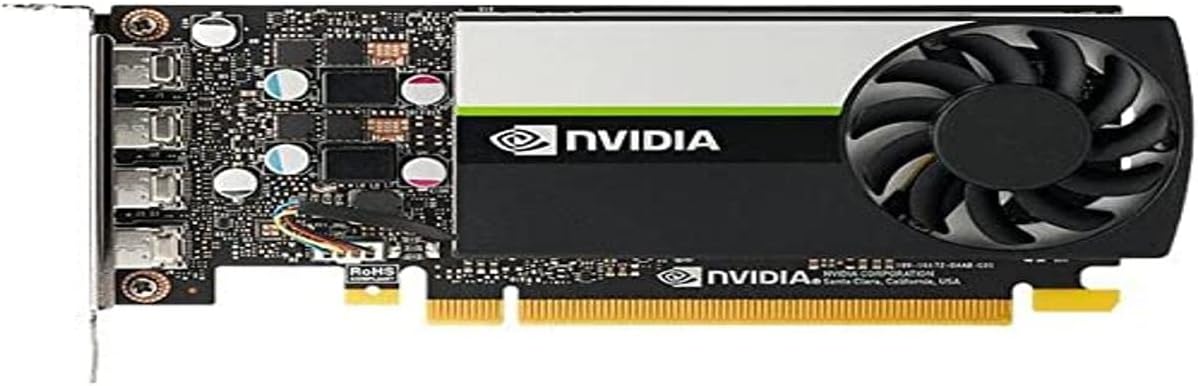


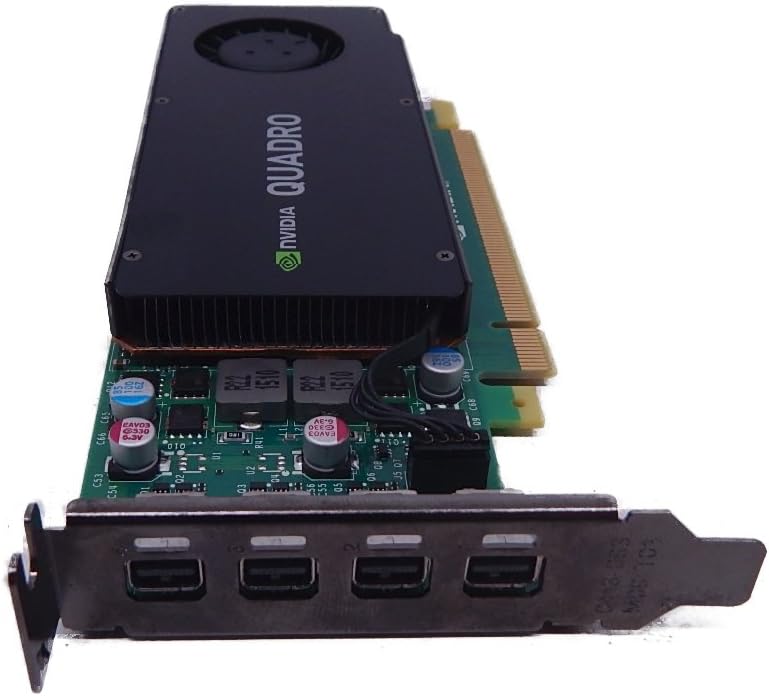
The maxsun GeForce RTX 3050 6GB stands out as the top choice for upgrading Optiplex systems. With a 4.3 rating, it offers a balanced mix of gaming capability and compact physical dimensions that fit Dell's small form factor chassis.
We may earn a commission when you buy through this link, at no additional cost to you.
Built on the NV Ampere architecture, this GPU delivers significant performance improvements through DLSS and Tensor Cores. Its 6GB GDDR6 memory ensures smooth handling of modern titles and multitasking workloads within the constraints of a slim design.
While the 6GB VRAM limit might restrict ultra-high resolution gaming, it is more than sufficient for 1080p and 1440p displays. The lack of a dedicated power connector on some versions simplifies installation in legacy Optiplex models.
Anyone looking to transform a business Optiplex into a capable gaming or creative workstation should consider this card. It provides the best overall blend of size, power, and modern features for the Optiplex ecosystem.
This card packs Ampere technology into a slim profile, enabling high frame rates in small desktops without requiring major case modifications.
With HDMI 2.1 and DisplayPort 1.4a, you can connect to 8K displays or multiple 4K monitors for expanded productivity.
We may earn a commission when you buy through this link, at no additional cost to you.
The PNY NVIDIA T600 is engineered specifically for professional workflows. Its 4.6 rating reflects strong reliability in environments where stability is paramount, such as CAD design and 3D modeling.
We may earn a commission when you buy through this link, at no additional cost to you.
Powered by the NVIDIA Turing architecture, this card delivers double the performance of previous generations for certain workloads. It ensures hardware compatibility through strict ISV certification, meaning it works flawlessly with professional software applications.
Its ability to drive up to four 5K displays makes it ideal for multi-monitor setups in trading or editing stations. While powerful, it does not focus on gaming features like ray tracing, prioritizing compute stability instead.
Professionals who need a reliable GPU for their Optiplex workstation should choose this model. It offers the stability and display flexibility required for serious business applications.
Support for four 5K or two 8K displays allows for extensive workspace arrangements without needing multiple cards.
ISV engagement ensures smooth performance in applications like AutoCAD and SolidWorks without unexpected crashes.
We may earn a commission when you buy through this link, at no additional cost to you.
The PNY RTX A400 4GB is designed for compact business systems where space is at a premium. With a high 4.7 rating, it delivers exceptional compute power while maintaining a tiny physical footprint.
We may earn a commission when you buy through this link, at no additional cost to you.
Powered by the Ampere architecture, it handles AI, ray-tracing, and modeling tasks efficiently. Its single-slot, low-profile design fits almost any Optiplex case, making it one of the most versatile professional cards available.
The card uses Mini DisplayPort outputs, which means you may need adapters for standard HDMI or DisplayPort monitors. However, the four ports allow for extensive multi-monitor setups right out of the box.
For office environments needing professional graphics capabilities without high power demands, this card is ideal. It balances performance and energy efficiency perfectly for business use.
With only 50W power consumption, this card places minimal strain on Optiplex power supplies.
Ampere architecture supports modern visualization techniques like real-time ray tracing for 3D design.
We may earn a commission when you buy through this link, at no additional cost to you.
The ASUS Dual GeForce RTX 3050 6GB focuses on thermal management for sustained performance. Its 4.7 rating reflects the high quality of its cooling solution, which keeps temperatures low even during demanding gaming sessions.
We may earn a commission when you buy through this link, at no additional cost to you.
Axial-tech fans and a barrier ring increase downward air pressure, improving heat dissipation within compact cases. The IP5X dust resistance adds longevity by preventing particles from clogging the internal components over time.
While it is slightly larger than single-slot options, it still fits many small form factor chassis that accept two-slot cards. The stainless steel bracket ensures durability and adds structural rigidity.
Users prioritizing thermal stability and long-term reliability should choose this option. It is an excellent choice for Optiplex systems that will be used for extended periods without interruption.
The unique fan design directs air efficiently through the heatsink to prevent thermal throttling.
Dust resistance and metal bracing ensure the card survives tough environments without degradation.
We may earn a commission when you buy through this link, at no additional cost to you.
The msi GT 1030 4GD4 LP OC is the most affordable way to add GPU acceleration to an Optiplex. With a solid 4.5 rating, it provides essential graphics performance for media consumption and basic tasks.
We may earn a commission when you buy through this link, at no additional cost to you.
Its single-slot low profile design ensures it fits into almost any Optiplex chassis. The card draws power directly from the PCIe slot, making it ideal for systems with very weak power supplies.
While the 4GB DDR4 memory is slower than GDDR6 alternatives, it handles older titles and video playback with ease. It is not designed for modern AAA gaming but serves well for office upgrades.
For budget-conscious users who need reliable media playback or light computing, this card is the clear winner. It offers the best value for money in the Optiplex upgrade market.
This card provides just enough power to offload video decoding from the CPU for smooth playback.
The compact form factor allows it to fit in cases where other GPUs simply cannot physically install.
We may earn a commission when you buy through this link, at no additional cost to you.
The GIGABYTE RTX 3050 WINDFORCE OC V2 6G features a robust cooling system with dual fans. Its 4.6 rating highlights its ability to maintain stable performance under load in confined spaces.
We may earn a commission when you buy through this link, at no additional cost to you.
Powered by the RTX 3050 core, it offers ample VRAM for modern gaming and multitasking. The WINDFORCE fans are engineered to direct airflow precisely over the cooling fins to maximize efficiency.
While it is a standard two-slot card, it fits many Optiplex cases that have standard expansion slots. The pre-out-of-the-box OC profile delivers extra performance without needing manual tweaking.
Gamers looking for reliable thermal performance in an Optiplex should consider this model. It offers a great balance of cooling, memory, and performance for small form factor gaming.
Two fans working together ensure heat is expelled quickly, maintaining boost clocks during long sessions.
The OC edition ships with factory overclocked settings for immediate performance improvements.
We may earn a commission when you buy through this link, at no additional cost to you.
The msi RTX 3050 LP 6G combines gaming performance with a true low profile design. Its 4.5 rating indicates strong satisfaction from users who needed a powerful yet compact solution for their Optiplex.
We may earn a commission when you buy through this link, at no additional cost to you.
Equipped with 6GB GDDR6 memory, this card handles modern titles better than many budget options. The boost clock of 1492 MHz ensures responsive gameplay even in less powerful chassis.
As a low profile card, it is perfect for Optiplex systems where space is extremely limited. It draws power solely from the PCIe slot, simplifying the installation process for most users.
Anyone needing gaming capability in a tiny Optiplex case will find this card highly effective. It delivers serious performance without demanding extra power connections or large internal space.
Despite its size, the low profile design does not compromise on memory or core performance for gaming.
Multiple HDMI and DisplayPort options allow flexible setup configurations for home or office.
We may earn a commission when you buy through this link, at no additional cost to you.
The PNY Quadro K1200 is a reliable choice for older Optiplex models requiring certified professional drivers. Its 4.4 rating reflects solid performance in legacy work environments where stability matters most.
We may earn a commission when you buy through this link, at no additional cost to you.
Featuring four Mini DisplayPort connectors, it supports extensive multi-monitor setups typical in trading or design offices. The low profile design ensures compatibility with most standard Optiplex chassis.
While its architecture is older, it remains fully supported for specific professional applications. It does not offer the gaming features of newer cards but excels at specialized 3D tasks.
Organizations maintaining older workstations can rely on this card for consistent performance. It provides the necessary professional certification and physical compatibility for long-term use.
Drivers are tested and approved for critical business software, reducing the risk of system downtime.
Compatible with older PCIe 2.0 slots, this card ensures functionality in vintage Optiplex desktops.
We may earn a commission when you buy through this link, at no additional cost to you.
The NVIDIA Quadro P1000 is designed for professionals needing high-resolution visual capabilities. With a 4.5 rating, it offers a strong combination of performance and reliability for creative work.
We may earn a commission when you buy through this link, at no additional cost to you.
Powered by Pascal architecture, it supports up to four 4K displays simultaneously. This makes it ideal for designers and architects who need large visual workspaces within compact Optiplex cases.
Its energy-efficient design ensures smooth operation without excessive heat generation. While it lacks the ray tracing capabilities of RTX cards, it remains highly capable for traditional 3D rendering.
Professionals prioritizing display fidelity and certified driver support should choose this model. It delivers professional-grade visual power in a compact low profile package.
Support for four 4K displays allows for detailed project monitoring and comparison across multiple screens.
ISV certification ensures that the card runs industry-standard software without unexpected errors.
We may earn a commission when you buy through this link, at no additional cost to you.
The NVIDIA VCQK1200DVI serves specific legacy needs where DVI outputs are essential. Its 4.2 rating reflects satisfaction among users who require compatibility with older display technologies.
We may earn a commission when you buy through this link, at no additional cost to you.
Using the Quadro K1200 engine, this card delivers reliable 3D performance in a compact form. The DVI connectivity ensures it can drive older monitors without requiring expensive adapters.
With 4GB GDDR5 memory, it provides adequate buffer for basic professional tasks. It fits standard low profile slots, making it easy to install in most Optiplex models.
For users with older hardware and DVI monitors, this card offers a seamless upgrade path. It maintains compatibility where modern cards might fail.
The included DVI port connects directly to older displays without additional dongles or adapters.
Its low profile bracket ensures it fits easily into small Optiplex cases.
We may earn a commission when you buy through this link, at no additional cost to you.
Selecting the right GPU for an Optiplex requires balancing physical size, power requirements, and performance needs. This guide explains the critical factors to consider.
Optiplex systems often use Small Form Factor (SFF) cases that limit the width and length of internal components. Look for cards labeled as Low Profile or Slim to ensure they fit vertically within the chassis.
A standard full-height card may not fit in an SFF case. Always verify the card height in millimeters against your specific model's expansion slot clearance.
Many Optiplex systems come with low-wattage power supplies that cannot support high-end gaming GPUs. Check the card's total system power requirement to avoid overloading the internal supply.
Cards that do not require external 6-pin or 8-pin power connectors are safer for stock Optiplex systems. These draw power directly from the PCIe slot.
Video RAM (VRAM) determines how well a GPU can handle high-resolution textures and large scenes. For modern gaming or creative work, aim for at least 4GB to 6GB of VRAM.
Insufficient VRAM can lead to stuttering and performance drops. Match the memory size to your display resolution and the applications you run regularly.
Check if your card supports your monitor's connection type. HDMI and DisplayPort are standard for most modern monitors, while DVI is still found on older displays.
Multiple outputs allow for multi-monitor setups which are common in business environments. Ensure the card has enough ports for your specific workflow.
Modern architectures like Ampere and Turing offer better efficiency and features like ray tracing and DLSS. Older architectures might be cheaper but lack these enhancements.
Consider what you need: gaming requires newer architectures for performance, while basic office work may not justify the cost of cutting-edge features.
Professional cards like Quadro or RTX A-series offer certified drivers for stability in business applications. Gaming cards offer more frequent updates for new games.
If you use specialized software for design or engineering, check that the card is ISV certified to ensure it works correctly.
Small cases restrict airflow, so efficient cooling is critical to prevent thermal throttling. Look for cards with dedicated fans or robust heatsink designs.
Passive cooling cards are rare and often require case fans to move air effectively. Active cooling is usually safer for SFF enclosures.
Higher prices do not always mean better fit for your specific Optiplex. Determine your exact needs before paying for excess performance that the chassis cannot utilize.
Budget options often provide the best value for non-gaming tasks. Focus on compatibility and essential features rather than raw power alone.
Before installing your new GPU, shut down your Optiplex and unplug all cables to ensure safety. Open the case carefully and remove any existing expansion cards to make room for the new component.
Insert the graphics card firmly into the PCI Express slot until it clicks into place. Secure the bracket to the case using the provided screws to prevent movement during operation.
After connecting power if required and closing the case, install the latest drivers from NVIDIA's website. Regular driver updates ensure optimal performance and security for your system.
No, not all graphics cards fit in an Optiplex. You need a card that is low profile or slim to fit the narrow case. Standard tall cards will not close the panel properly.
Most Optiplex compatible GPUs do not need external power cables. They draw sufficient power from the motherboard's PCIe slot. Check your power supply wattage to be sure.
RTX 3050 low profile cards are the best for gaming in an Optiplex. They offer strong 1080p performance in a slim design. Avoid heavy cards that block airflow.
Adding a GPU may void your warranty depending on Dell's policy for your specific region. Check your terms before modifying internal components. Official upgrades might be required for full coverage.
Yes, you should install the latest drivers for the new GPU. Windows might install basic drivers automatically, but official NVIDIA drivers provide better performance. Updating ensures full compatibility.
Yes, most Optiplex compatible GPUs support multiple monitors. Professional cards like the T600 can support up to four displays. Ensure your card has the right ports for your screens.
4GB VRAM is enough for office work and older games. Modern AAA titles might struggle with only 4GB if high textures are needed. Aim for 6GB if your budget allows for future proofing.
Choosing the right GPU for Optiplex systems enhances performance while maintaining a compact footprint. The maxsun RTX 3050 leads overall, but budget options like the GT 1030 are solid for basic needs.
Prioritize physical size and power requirements over raw power. A card that does not fit or overloads the power supply is useless. Ensure compatibility with your specific model before buying.
Always verify current pricing and stock before making a final decision. The market changes quickly, and features like compatibility can vary by region and model year.