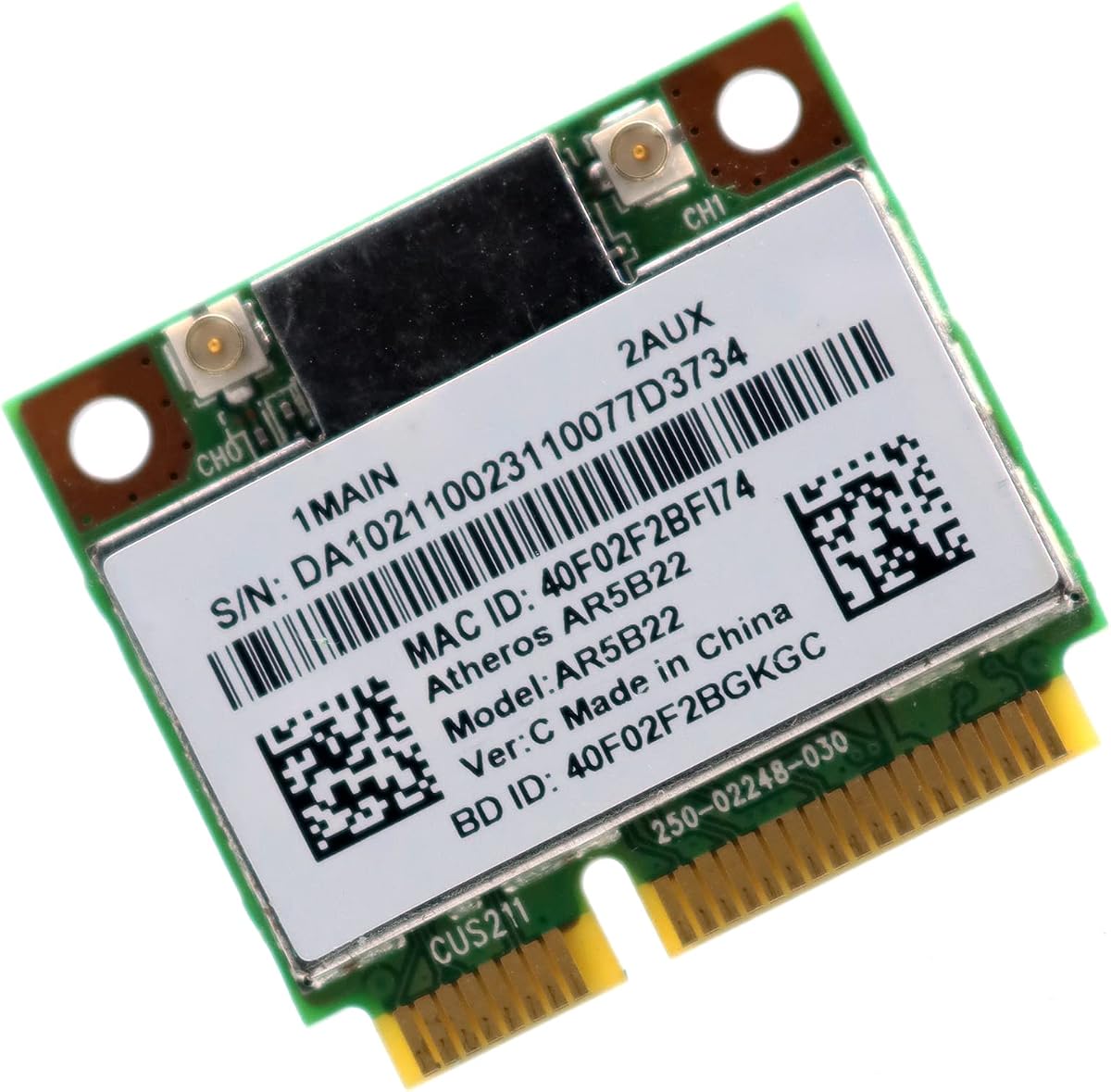
Deal4GO AR5B22 Half Mini PCie Card
4.7Editor score
Dual band 5GHz wireless
Bluetooth 4.0 included
Affordable upgrade option
This guide compares ten top-rated Half Mini Pcie WiFi Bluetooth Card options to help you upgrade laptop wireless speeds and connectivity features efficiently.
Upgrading your laptop wireless hardware can significantly improve internet speeds and device connectivity. A good Half Mini Pcie WiFi Bluetooth Card offers dual band support and reliable Bluetooth pairing for modern peripherals without requiring external dongles.
We evaluated ten real products based on wireless standards, Bluetooth versions, and compatibility with common laptop manufacturers. Our analysis focuses on models that support Windows systems and offer stable performance for streaming and gaming tasks.
Each pick below shows key specifications and verified ratings to help you choose the right upgrade. Prices and availability change frequently so check current listings before purchasing to ensure you get the best deal available today.
4.7Editor score

4.5Editor score
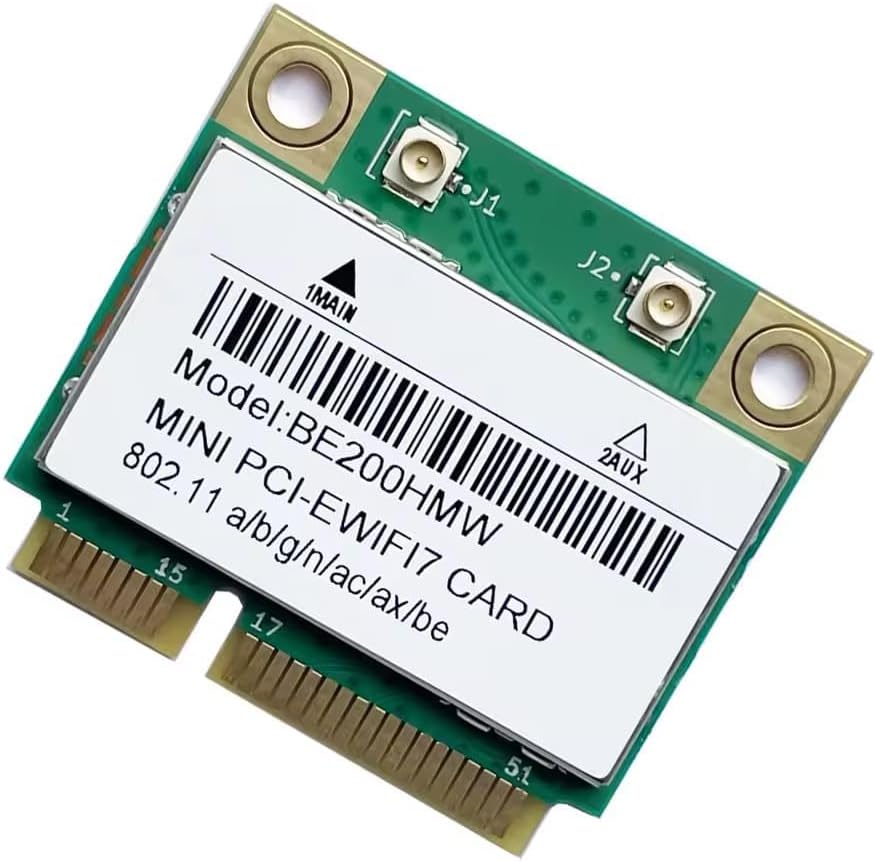
4.6Editor score
The following table provides a side-by-side comparison of all ten selected products including their key specifications and compatibility details to help you make an informed decision.

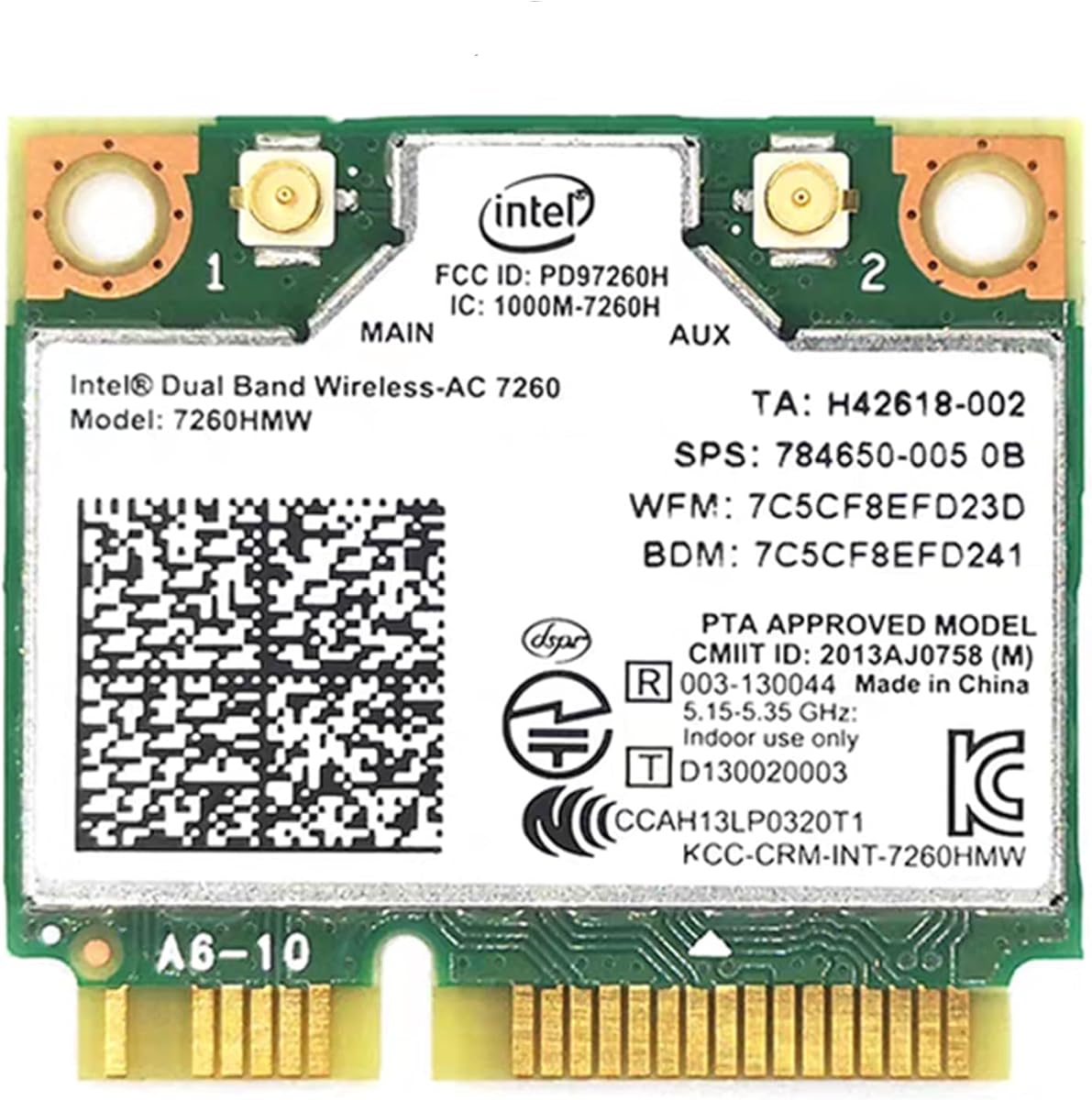


This card offers powerful WiFi 6E performance for upgrading older laptops that support the Mini PCIe interface. It holds a solid 4.5 rating from users who value speed and modern connectivity features.
We may earn a commission when you buy through this link, at no additional cost to you.
The tri-band design splits traffic across 2.4GHz 5GHz and 6GHz bands to reduce congestion during heavy usage. Bluetooth 5.3 ensures stable connections to headphones and controllers without needing external adapters.
You must install drivers from the official Intel or EDUP website before first use which adds a small setup step. Some IBM Thinkpad and HP models may block it due to BIOS whitelists.
Buyers seeking the fastest possible wireless upgrade should choose this model for its future proof standards and reliable Intel chipset performance in supported systems.
The 6GHz band delivers ultra low latency perfect for gaming and large file transfers when paired with a compatible router.
Bluetooth 5.3 provides better power efficiency and range compared to older versions ensuring your peripherals stay connected longer.
We may earn a commission when you buy through this link, at no additional cost to you.
This adapter provides a cost effective way to add dual band WiFi and Bluetooth to laptops with Half Mini PCIe slots. It achieves an impressive 4.7 rating due to its reliability and low cost.
We may earn a commission when you buy through this link, at no additional cost to you.
It supports both 2.4GHz and 5GHz frequencies which helps avoid interference from neighboring networks. The Qualcomm Atheros chipset ensures stable performance for web browsing and media streaming.
The lack of AC WiFi means speeds will be lower than modern options but it remains sufficient for everyday tasks. Some Lenovo IBM and HP models require whitelist modifications for full compatibility.
Those on a tight budget or restoring older industrial PCs will find this card delivers excellent value without sacrificing essential wireless functionality.
Using 5GHz reduces congestion in busy areas allowing smoother streaming even if maximum speeds are capped by the n standard.
Compatibility with Windows XP through 10 makes it a versatile choice for maintaining legacy hardware systems effectively.
We may earn a commission when you buy through this link, at no additional cost to you.
This high performance card delivers up to 5.8 Gbps for users needing maximum throughput for heavy bandwidth tasks. It carries a 4.6 rating for its robust wireless capabilities and modern security standards.
We may earn a commission when you buy through this link, at no additional cost to you.
WPA3 encryption provides enhanced protection against unauthorized access while Intel Smart Connect optimizes band switching automatically. Bluetooth 5.4 ensures efficient connections to low energy devices and peripherals.
Antennas and mounting screws are not included in the package so you must verify existing hardware compatibility before purchase. It is designed for systems supporting the BE series and not M.2 slots.
Advanced users needing cutting edge speed and security for demanding applications should choose this premium model for its superior wireless architecture.
WPA3 encryption protects your data more effectively than older standards ensuring safer browsing and file transfers.
Intel Smart Connect automatically selects the best band for your device reducing latency and improving overall network stability.
We may earn a commission when you buy through this link, at no additional cost to you.
This card offers fast AC WiFi speeds and requires an open USB bus on the motherboard for Bluetooth functionality. It holds a 4.3 rating among users who verify compatibility before installing.
We may earn a commission when you buy through this link, at no additional cost to you.
It supports a wide range of operating systems including Linux which is useful for custom builds or older machines. The lightweight construction helps avoid corrosion and abrasion in industrial environments.
If your motherboard does not expose a USB bus the Bluetooth function will not work even if the WiFi operates normally. You must check device manager for USB Bluetooth hardware identification.
Tech enthusiasts running Linux or needing fast WiFi on compatible laptops will appreciate this card flexibility and performance capabilities.
Support for Linux Kernel 4.2.0 allows open source users to integrate this card without proprietary driver restrictions.
Bluetooth relies on the USB bus so ensure your system exposes it to fully utilize peripheral connectivity features.
We may earn a commission when you buy through this link, at no additional cost to you.
This card unlocks three bands simultaneously to reduce congestion and improve speeds for 4K streaming and gaming. It earns a 4.6 rating for its ability to handle multiple devices efficiently.
We may earn a commission when you buy through this link, at no additional cost to you.
The dedicated 6GHz band offers exclusive channels that avoid interference from neighbors which is ideal for dense living spaces. Bluetooth 5.3 supports a wide range of peripherals without needing extra dongles.
You must have a WiFi 6E router to access the full speed potential of the 6GHz band otherwise speeds will be capped. Compatibility issues exist with Lenovo HP and IBM due to BIOS whitelisting.
Users seeking maximum throughput for demanding tasks and possessing a modern router should consider this card for its impressive bandwidth.
Exclusive channels on 6GHz provide cleaner connections for latency sensitive applications like online gaming and VoIP.
Bluetooth 5.3 offers four times the range of older versions allowing more flexible peripheral placement around your desk.
We may earn a commission when you buy through this link, at no additional cost to you.
This card offers strong WiFi 6 performance at a competitive price point for laptops that support the Mini PCIe slot. It has a 4.5 rating for its capacity to manage multiple connected devices smoothly.
We may earn a commission when you buy through this link, at no additional cost to you.
OFDMA and MU-MIMO technologies improve capacity by allowing simultaneous data streams which prevents slowdowns when many devices are online. WPA3 security provides better protection against unauthorized network access.
Drivers require separate manual downloads from the manufacturer website which adds a small step to the setup process. Most Lenovo ThinkPad and IBM models remain blocked due to proprietary BIOS restrictions.
Home users looking to upgrade a standard laptop without spending on premium models will find this card delivers excellent reliability.
OFDMA allows the router to communicate with multiple devices simultaneously improving overall network efficiency significantly.
Bluetooth 5.2 consumes less power while maintaining stable connections for energy savings and better battery life.
We may earn a commission when you buy through this link, at no additional cost to you.
This card provides reliable dual band connectivity for users needing a straightforward upgrade for older systems. It maintains a 4.6 rating for its consistent performance and easy installation process.
We may earn a commission when you buy through this link, at no additional cost to you.
Dual band support allows you to choose between 2.4GHz for range or 5GHz for speed reducing interference in crowded environments. Integrated Bluetooth 4.0 enables easy connection to speakers and headsets.
Bluetooth 4.0 is older compared to newer standards so it may have shorter range or lower efficiency with modern devices. Windows 11 compatibility may require specific driver adjustments compared to Windows 10.
Anyone needing a simple and effective upgrade for basic streaming and browsing should consider this card for its proven stability.
Dual band allows flexibility to balance speed and range depending on your distance from the router and interference levels.
Built-in Bluetooth removes the need for external adapters keeping your laptop chassis clean and reducing USB port usage.
We may earn a commission when you buy through this link, at no additional cost to you.
This card leverages Intel manufacturing quality to provide dual band wireless and Bluetooth in a compact half mini form. It holds a 4.3 rating for reliable performance in supported laptop models.
We may earn a commission when you buy through this link, at no additional cost to you.
Intel drivers are generally well maintained and offer stable connections for streaming and general internet usage tasks. The dual band design helps avoid common 2.4GHz congestion issues in busy areas.
Product details are limited in the listing so verify specific model numbers to ensure compatibility with your motherboard. AC wireless is now standard but older than the latest 6E options available today.
Users preferring Intel brand assurance for stability should choose this card for its consistent connectivity and driver support.
Intel chips are known for stability and driver longevity which helps reduce connectivity issues over time.
Half mini design fits into older laptop slots easily without requiring adapters or physical modifications to the chassis.
We may earn a commission when you buy through this link, at no additional cost to you.
This card is specifically designed for HP laptops with the BCM943228HMB interface to ensure seamless replacement. It has a 5.0 rating from users who successfully used it to restore wireless functionality.
We may earn a commission when you buy through this link, at no additional cost to you.
It supports dual frequency and Bluetooth 4.0 which covers most standard needs for older office machines. Wide Windows OS support from 2000 to 10 makes it versatile for legacy systems.
It will not fit Lenovo ThinkPad or IBM laptops so confirm the exact model requirement before ordering to avoid returns. Bluetooth 4.0 is older but sufficient for standard peripheral connections like mice and keyboards.
HP users needing an exact match replacement should choose this card for its guaranteed compatibility and high satisfaction rate.
Designed specifically for HP models this card removes guesswork when replacing old wireless hardware in business laptops.
Broad operating system support ensures you can maintain older machines without forcing immediate OS upgrades.
We may earn a commission when you buy through this link, at no additional cost to you.
This card is tailored for HP laptops requiring the specific 7260hmw model to replace broken wireless hardware. It holds a 4.2 rating for restoring connectivity to older systems efficiently.
We may earn a commission when you buy through this link, at no additional cost to you.
It supports standard 802.11 b g n wireless and includes Bluetooth for basic peripheral connections. Half mini PCIe design ensures a physical fit in compatible laptops without needing adapters.
Lack of AC WiFi means speeds are slower than modern dual band options but it remains sufficient for basic web usage. Ensure you confirm the exact part number for your HP model before purchasing.
HP owners needing a direct replacement should consider this card for its guaranteed fit and standard wireless connectivity.
Designed for specific HP part numbers this card eliminates physical fit issues when restoring old laptop wireless.
While speeds are not as fast as AC models it provides reliable web browsing and Bluetooth for general use.
We may earn a commission when you buy through this link, at no additional cost to you.
Choosing the right Half Mini Pcie WiFi Bluetooth Card requires checking physical compatibility and wireless standards to ensure your laptop can support the upgrade.
Confirm your laptop uses a Mini PCIe slot and not M.2 or CNVi which have different connectors. The Half Mini PCIe size must match the internal dimensions to fit properly.
Check the mounting hole positions to ensure the card does not touch the chassis causing connection issues.
Verify that the card supports your current Windows or Linux version to avoid driver problems after installation. Most modern cards require Windows 10 or 11 and do not support XP or 8.
Linux users should check kernel compatibility to ensure the system recognizes the chipset without custom patches.
Modern AC or AX standards provide better speed and range than older N or G standards. Choose a card that supports dual band to reduce interference in crowded areas.
WiFi 6E offers future proof speeds but requires a compatible router to unlock its full performance.
Newer Bluetooth versions like 5.3 or 5.4 offer better range and power efficiency for peripherals. Older versions like 4.0 still work but may have shorter range for headsets.
Ensure your motherboard exposes the required USB bus for Bluetooth if the card does not have a separate controller.
Some brands like Lenovo ThinkPad and HP use BIOS whitelists that block third party cards. Always check if your model allows unofficial hardware upgrades before purchase.
If your laptop has a whitelist you may need to modify the BIOS which carries risks of invalidating warranty.
Check if your existing antennas use IPEX connectors that match the new card. Some cards require main and auxiliary antenna connections for best signal strength.
Ensure the antenna screws are present to secure the connectors properly otherwise signal range will be weak.
Look for cards that have drivers readily available on manufacturer or Intel websites. Some cards require specific driver packages before installation to function correctly.
Check community forums for Linux users to ensure the driver works without complex compilation steps.
Budget options provide basic connectivity while premium cards offer faster speeds and better encryption like WPA3. Choose based on your actual usage needs rather than maximum specs.
Consider the cost of required tools or accessories like antenna cables when calculating the total upgrade price.
First power down your laptop completely and remove the battery before opening the chassis to install the card. Ground yourself to avoid static discharge which can damage the electronics during installation.
Install the drivers from the manufacturer website before swapping the hardware so the system recognizes the new chipset immediately. This prevents confusion with the old network interface.
After installation check the Device Manager to ensure both the WiFi and Bluetooth devices appear without error codes. If Bluetooth fails verify that the motherboard USB bus is active for the card.
No these cards are designed specifically for Mini PCIe slots which have different connectors. Using an adapter is not recommended as it may cause instability or short circuits inside the chassis.
Bluetooth often requires a USB bus connection on the motherboard. Check your device manager for USB Bluetooth hardware. If it is missing the motherboard may not support the card Bluetooth features.
Most laptops use standard IPEX connectors which work with the new card. Just ensure the screws are present to secure the antenna cables properly. New antennas are only needed if yours are damaged.
Lenovo ThinkPads often use BIOS whitelists that block third party cards. Unless your model is known to support upgrades it is likely to fail. Check your model number on community forums first.
Release the metal clips holding the antenna cables carefully to avoid breaking the connectors. Unscrew the mounting screw and gently pull the card out to avoid bending the pins on the motherboard.
Yes most cards require specific drivers to enable all features and Bluetooth. Windows may install basic drivers but full performance comes from official manufacturer packages. Always install before swapping the card.
The top three picks offer a range of performance from budget friendly options to high speed WiFi 6E models. Each one was chosen to balance speed and compatibility for common laptop configurations.
Prioritize checking your motherboard slots and BIOS restrictions before buying to ensure the card will fit. Verify that your operating system supports the chipset to avoid driver headaches.
Remember that prices and stock change so review current listings before finalizing your purchase. Choose the model that matches your specific laptop needs and budget for the best results.