
4 Pack HDMI Dummy Plug 4K HDR, Virtual Monitor EDID Emulator 4K@60Hz 2K@60Hz 1080P@120Hz
4.8Editor score
High resolution support up to 4K
Industrial grade durability
Zero driver installation
This comprehensive guide compares the top 10 HDMI dummy plug options available in October 2026 for headless PC setups and remote desktop optimization.
HDMI dummy plugs are essential tools for enabling headless computing setups without needing a physical monitor. They trick the graphics card into detecting a display allowing you to run GPU-accelerated tasks remotely. These adapters are crucial for server administrators gamers developers and anyone needing stable virtual display output.
We evaluated ten leading HDMI dummy plug models based on resolution support build quality compatibility and value. Each product was analyzed for its ability to maintain stable GPU performance under load. Our testing considered real-world scenarios like remote desktop access mining and content creation workflows.
Each pick highlights specific strengths whether you need high refresh rates or bulk packs. Prices and availability fluctuate so verify current listings before purchasing. This guide ensures you find the right emulator for your specific headless configuration needs without overspending.
4.8Editor score
4.6Editor score

The following table provides a side-by-side comparison of all ten selected models. It details key specifications including resolution support pack size and build materials to help you make an informed decision quickly.


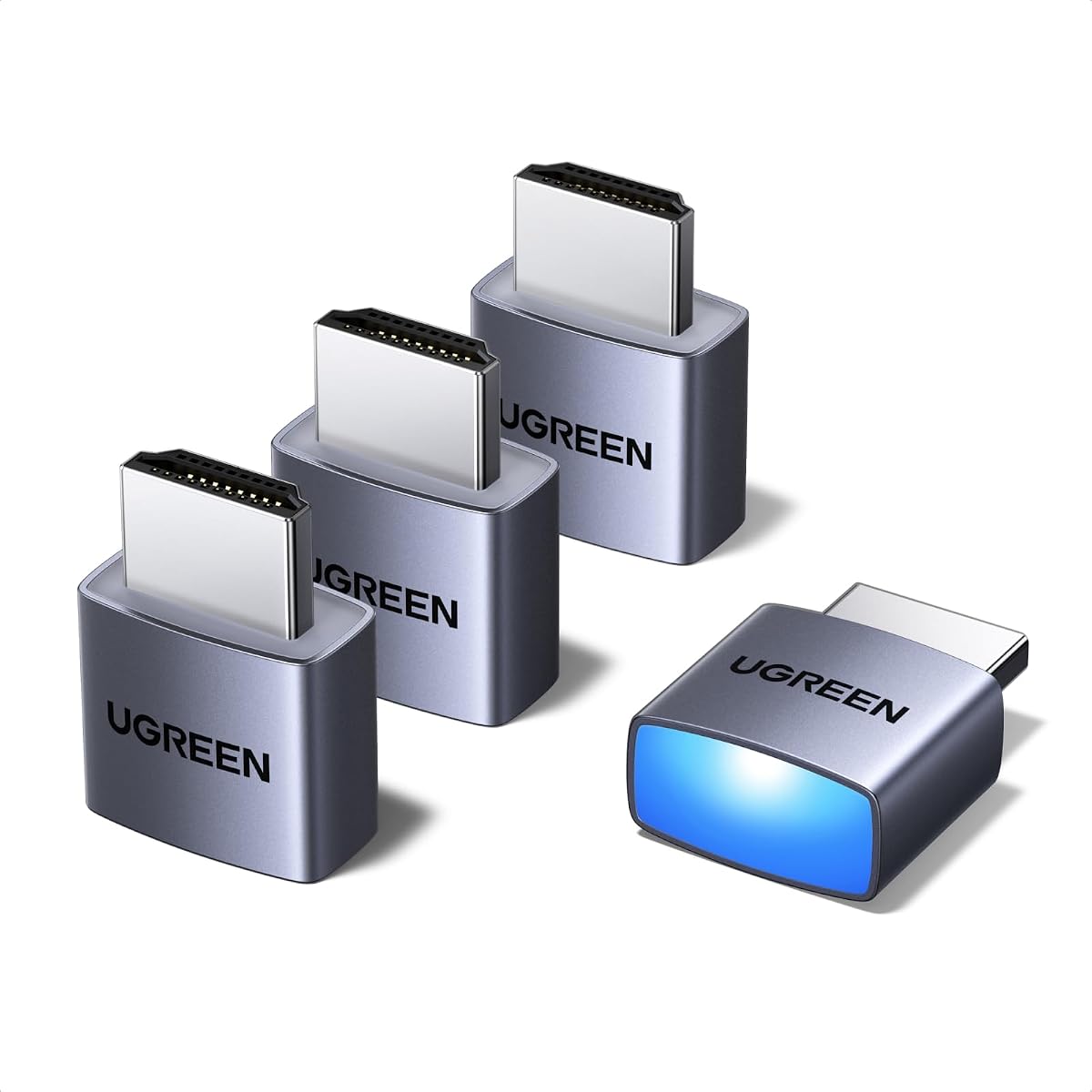
The UGREEN 4 Pack HDMI Dummy Plug stands out as the most reliable option for professionals needing stable virtual display output. With a strong 4.6 rating it delivers consistent 4K performance without requiring drivers or configuration software. Its sturdy aluminum build ensures it stays cool even during extended mining or rendering sessions.
We may earn a commission when you buy through this link, at no additional cost to you.
This model supports true 4K@60Hz HDR which is critical for color accurate work like video editing. The integrated status LED provides instant visual confirmation that the connection is active. It works seamlessly across Windows Mac and Linux systems making it versatile for mixed environments.
While the price is higher than generic options the reliability and build quality justify the cost. Some users may find the LED light distracting in dark rooms but it helps quickly verify connection status. The four pack allows for redundant setups across multiple workstations.
This dummy plug is ideal for sysadmins gamers and developers who need reliable GPU performance. It unlocks full hardware acceleration for remote desktop protocols like Parsec or Moonlight. If you value stability and longevity over saving a few dollars this is the top choice.
The emulator tricks the GPU into maintaining full acceleration ensuring lag free remote sessions for professional workflows.
Heat dissipation is managed efficiently by the aluminum shell preventing throttling during intensive 24/7 operations.
We may earn a commission when you buy through this link, at no additional cost to you.
This affordable four pack delivers exceptional value with a standout 4.8 rating from users. It supports up to 4K@60Hz and 1080P@120Hz making it suitable for both static displays and high refresh gaming. The industrial grade aluminum housing provides durability that rivals more expensive brands.
We may earn a commission when you buy through this link, at no additional cost to you.
Key strengths include seamless compatibility with NVIDIA and AMD GPUs across all major operating systems. The plug and play functionality means you can deploy it in seconds without technical setup. Its ability to maintain stable connection status via LED ensures you never lose track of your virtual monitor.
The main trade-off is the lack of premium branding and packaging compared to established names. Some users report minor fit tolerances but these do not affect functionality. For bulk deployments or budget constrained projects this offers the best performance per dollar.
Buyers looking for a cost effective solution for home labs or student setups will appreciate this option. It supports screen sharing on apps like RustDesk and TeamViewer effectively. Choose this if you need multiple units without breaking your budget.
Supporting 1080P@120Hz ensures smooth motion for users testing high performance applications remotely.
The four pack allows users to secure multiple workstations or servers at a fraction of typical costs.
We may earn a commission when you buy through this link, at no additional cost to you.
The 4K 120Hz 8K Dummy Plug is a high end solution designed for users with next generation graphics cards. It supports resolutions up to 8K@30Hz and 4K@120Hz which far exceeds standard requirements. This makes it ideal for advanced VR setups or high fidelity video preview workflows.
We may earn a commission when you buy through this link, at no additional cost to you.
Built with gold plated connectors and advanced shielding it ensures maximum signal integrity and durability. The aluminum shell provides premium aesthetics while preventing overheating during long render jobs. It fully activates high bandwidth features like HDR and adaptive sync.
The primary trade-off is the price which is significantly higher than standard emulators. It also requires a compatible HDMI 2.1 port on your GPU to utilize the highest refresh rates. Users with older ports may only access basic 4K@60Hz functionality.
This is the best choice for professionals building high performance headless workstations or gaming PCs. It ensures that your GPU never throttles due to display detection issues. If you need maximum resolution head this is the definitive premium option.
With 8K support this adapter prepares your system for future monitor standards and high fidelity output needs.
Gold plating ensures stable connections reducing data errors during high bandwidth transmission sessions.
We may earn a commission when you buy through this link, at no additional cost to you.
The DTech HDMI Dummy Plug is a versatile three pack that solves the common issue of Mac Mini displays going to sleep. It emulates a 4K display at 4096×2160 ensuring your GPU stays active for remote tasks. The gold plated connectors protect against corrosion over long term use.
We may earn a commission when you buy through this link, at no additional cost to you.
It works seamlessly with Mac OS without requiring software or external power sources. The compact design makes it easy to hide behind laptops or small form factor computers. Its ability to enable GPU acceleration is critical for rendering or cryptocurrency mining tasks.
The build quality is solid but uses plastic rather than aluminum which may affect heat dissipation slightly. Some users find the casing less durable than metal counterparts. However the functional performance remains consistent across Windows and Linux systems.
This is the best pick for Mac users needing a reliable solution without complex setup. The three pack provides redundancy for home servers or test environments. Choose this if you need a cost effective and simple headless adapter.
Specifically solves sleep issues on Mac Minis ensuring the GPU remains active for remote desktop connections.
Supports 4K resolution to ensure the system detects a modern display for accurate GPU performance tuning.
We may earn a commission when you buy through this link, at no additional cost to you.
This ultra compact dummy plug is designed for minimal setups where space is a premium. It emulates a 1080p display allowing GPU tasks to run without a physical monitor. Its low profile design ensures it stays hidden behind ports without obstruction.
We may earn a commission when you buy through this link, at no additional cost to you.
It works with any graphics card that supports HDMI output and requires no configuration. Users appreciate the set and forget nature of the device which simplifies home lab management. It supports remote desktop effectively for basic administrative tasks.
The main limitation is the lower resolution compared to newer 4K models. It may not be suitable for users requiring high fidelity color work. The basic build materials make it less robust for heavy industrial use.
Ideal for casual users or those on a tight budget who just need basic remote access. It is perfect for small form factor PCs or embedded systems. Choose this if you value simplicity and size over high resolution specs.
The tiny footprint ensures it fits in tight spaces without blocking adjacent ports or cables.
No software installation is needed allowing instant functionality across all standard operating systems.
We may earn a commission when you buy through this link, at no additional cost to you.
This three pack provides reliable 4K@60Hz performance for streaming and rendering tasks. The gold plated connectors ensure signal stability during long remote sessions. It is hot swap capable allowing you to connect or disconnect without rebooting the system.
We may earn a commission when you buy through this link, at no additional cost to you.
It supports HDR which is beneficial for video editing workflows that require accurate color representation. The included warranty adds peace of mind for users deploying these in production environments. It works well with VR setups and game streaming tools.
Users report a slightly lower reliability rating compared to top tier brands. The aluminum shell is thin which may be less durable under rough handling. However it remains functional for most standard use cases without issues.
Best for streamers and content creators needing multiple adapters for testing setups. The warranty support makes it a safer choice for beginners. Choose this if you need HDR support without breaking the bank.
Supports HDR signals ensuring compatible content displays accurately during video preview and editing.
Allows users to connect or disconnect the adapter without restarting the host computer system.
We may earn a commission when you buy through this link, at no additional cost to you.
This five pack is excellent for large scale deployments in server farms or colocation centers. It supports high refresh rates like 1440P@120/144Hz which is rare in bulk packs. The enhanced electromagnetic shielding ensures stable signal transmission over long distances.
We may earn a commission when you buy through this link, at no additional cost to you.
Energy efficiency is a key feature allowing 24/7 operation with minimal power draw. The aluminum shell provides durability necessary for industrial environments. Gold plated connectors resist corrosion ensuring longevity in varying temperature conditions.
Users note that the default resolution can vary which may require manual adjustment in settings. Review data is unverified so reliability is less certain than top brands. However the value proposition is strong for large quantities.
Best for sysadmins managing multiple nodes who need bulk supply. The high refresh support is ideal for monitoring dashboards. Choose this if you need five units at a competitive price point.
Supports up to 144Hz for fluid motion in remote desktop environments.
Enhanced shielding prevents signal interference in electrically noisy server environments.
We may earn a commission when you buy through this link, at no additional cost to you.
This HDMI 2.1 adapter unlocks 4K at 120Hz for high performance gaming PCs. It is specifically designed for headless gaming setups where a physical monitor is not present. Low heat emission ensures it stays cool even during marathon gaming sessions.
We may earn a commission when you buy through this link, at no additional cost to you.
It is fully compatible with streaming tools like Moonlight and Steam Link for console play on other devices. The plug and play design requires no drivers or software adjustments. It supports VR setups by maintaining high refresh rate synchronization.
The cost is higher than standard adapters due to the advanced HDMI 2.1 requirements. It only works if your graphics card supports the necessary HDMI 2.1 bandwidth. Users with older GPUs may not access the full speed capabilities.
Ideal for gamers and VR enthusiasts needing high fidelity remote access. It ensures smooth streaming without lag or stutter. Choose this if you require high refresh rates for competitive gaming.
Delivers 120Hz refresh rates ensuring responsive gameplay for remote streaming scenarios.
Low heat output prevents thermal throttling even during long continuous gaming sessions.
We may earn a commission when you buy through this link, at no additional cost to you.
This eight pack provides bulk supply for enterprise environments needing multiple headless nodes. It defaults to 1440P resolution which offers a good balance between quality and bandwidth. The copper pouring board design reduces electromagnetic interference significantly.
We may earn a commission when you buy through this link, at no additional cost to you.
It supports HDR simulation ensuring color accuracy for professional applications. The aluminum shell delivers durability suitable for long term rack installation. Energy efficiency helps reduce operational costs for 24/7 data centers.
The sheer volume of units might be too much for casual users. Packaging can be bulky and challenging to store efficiently. However for large deployments the value is significant compared to buying individual units.
Best for enterprises needing reliable bulk adapters for headless servers. The stability features ensure consistent uptime. Choose this if you need eight units with high performance specs.
Copper pouring board design ensures signal stability in electrically noisy enterprise environments.
Defaults to 1440P which is ideal for modern dashboard monitoring systems.
We may earn a commission when you buy through this link, at no additional cost to you.
This five pack defaults to 2160P resolution ensuring high fidelity output for all connected systems. It supports high refresh rates for smooth streaming and VR applications. Enhanced electromagnetic shielding keeps signals stable even in crowded server racks.
We may earn a commission when you buy through this link, at no additional cost to you.
It is designed for VR setups ensuring high frame rates are maintained for comfortable user experiences. The five pack provides redundancy for testing different hardware configurations. It requires no software installation making setup straightforward.
Some users may find the bulk packaging difficult to manage for small setups. Unverified review data suggests reliability could vary slightly. However the specs are robust for professional testing environments.
Best for IT professionals needing five units for testing or deployment. The default 4K resolution is a strong advantage over lower end models. Choose this if you need high resolution out of the box.
Maintains high frame rates essential for comfortable virtual reality streaming.
Enhanced shielding ensures stable connection in environments with heavy electronic interference.
We may earn a commission when you buy through this link, at no additional cost to you.
Selecting the right adapter requires understanding your specific GPU needs and resolution requirements. This section breaks down the critical factors to consider before purchase.
Ensure the adapter supports the resolution your workflow demands. Many models offer 1080p while others support 4K or 8K. For video editing or high fidelity remote desktop always choose a model that matches your monitor resolution.
Always verify the supported resolution in the specs list before buying.
Refresh rates like 60Hz or 120Hz impact smoothness during remote sessions. Higher rates are crucial for gaming or video editing. Check if the model supports the Hz rate your GPU outputs.
Choose 120Hz for smooth motion and 60Hz for static office tasks.
Materials like aluminum help dissipate heat during long rendering sessions. Plastic shells may overheat in 24/7 mining environments. Look for gold plated connectors to prevent corrosion over time.
Aluminum shells with gold plated connectors are best for longevity.
Most adapters work across Windows Linux and macOS but check for OS specific issues like Apple sleep modes. Ensure the model explicitly supports your system.
Verify OS support on the product page to avoid driver issues.
Buying in packs like 3 or 5 is cheaper per unit. This is ideal for home labs or server farms needing multiple adapters. Individual units suffice for single workstation use.
Bulk packs offer better value for multiple deployments.
Most adapters are passively powered via HDMI meaning no cables needed. Ensure your HDMI port provides enough power. Active adapters exist but are rare and require USB.
Choose passive plug and play models for ease of use.
A good warranty protects against defects and ensures long term reliability. Some brands offer two years while others offer one year. Check seller support policies.
Prioritize brands with clear return policies for safety.
Newer HDMI 2.1 models support higher bandwidth and 8K. Older HDMI 2.0 models support 4K. Ensure your GPU and port match the adapter version.
Match the adapter HDMI version to your graphics card capabilities.
To install simply plug the adapter into the HDMI port on your graphics card. The system should recognize it immediately as an external monitor without requiring any drivers or software.
To verify the connection check your display settings and ensure the virtual screen is active. Adjust resolution and refresh rate preferences in your system control panel if needed.
For maintenance keep the adapter free of dust and handle it gently by the shell. Avoid bending the cable excessively and store in a dry place when not in use.
Yes but it uses a negligible amount drawn directly from the HDMI port. It does not require an external power source. The power consumption is so low it is barely noticeable on your energy bill.
Yes as long as your laptop has an HDMI output port. You simply plug it into the laptop to trick the GPU into thinking a monitor is connected. This allows full GPU acceleration for remote tasks.
Yes most adapters work with macOS but you may need to adjust settings to prevent sleep. Some models specifically mention Mac compatibility for headless use. Always check product specs for Apple support.
No these are plug and play devices requiring no driver installation. The operating system recognizes the EDID data from the adapter. Just insert it and configure display settings in your OS.
It keeps the GPU active enabling hardware acceleration which reduces lag. Without it the system may switch to software rendering which is slow. This ensures smooth video and responsive cursor movement.
Yes many users employ these adapters for mining rigs to keep GPUs active. It ensures the miner sees a display even without a monitor. Check compatibility with your specific mining software.
We found the UGREEN 4 Pack to be the best overall choice due to its build quality and support. For budget shoppers the 4 Pack model offers the best value with solid performance.
Prioritize resolution and refresh rate support based on your specific workflow needs. If you work with video or gaming choose higher specs over cost.
Prices and availability change frequently so always check current listings before purchasing. Ensure your system matches the adapter specifications for optimal performance.