
Sceptre 24-inch Prime Monitor
4.6Editor score
99% sRGB color gamut
Up to 100Hz refresh rate
Built-in speakers included
Finding the right HDMI LED monitor is essential for productivity and entertainment in today's digital landscape. A quality display ensures crisp visuals, smooth motion, and comfortable viewing for long hours of work or play.
We have evaluated ten leading models based on refresh rates, panel technology, connectivity options, and eye-care features. Each selection balances performance and value to meet diverse needs from office tasks to gaming.
Every pick includes detailed specifications, pros, cons, and practical advice to help you choose confidently. Please note that availability and pricing can change frequently, so verify current details before purchasing.
4.6Editor score

4.7Editor score

4.6Editor score
As an Amazon Associate we earn from qualifying purchases.
The following table provides a side-by-side comparison of all ten selected HDMI LED monitors. Review each model's key specifications to identify the best fit for your specific workflow and display requirements.





The Sceptre 24-inch Prime Monitor is a strong contender for those seeking reliable performance without breaking the bank. With a high rating from users, it delivers consistent visuals and solid connectivity options for everyday tasks and casual gaming.
We may earn a commission when you buy through this link, at no additional cost to you.
Its 99% sRGB color gamut ensures that images appear vibrant and true to life, which is rare at this price point. The inclusion of two HDMI ports allows easy switching between a laptop and a desktop, while the built-in speakers save desk space.
While it lacks premium features like height adjustment or ultra-high brightness, the trade-off is acceptable for budget-conscious buyers. The Blue Light Shift feature helps reduce eye strain during long sessions, making it suitable for office work.
This monitor is ideal for students, home office workers, or anyone needing a secondary display. It balances cost and functionality effectively, offering a practical solution for basic computing needs without sacrificing essential features.
Two HDMI ports and one VGA port provide flexible connection options for older and newer devices.
Blue Light Shift technology minimizes harmful emissions to protect your eyes during extended use.
We may earn a commission when you buy through this link, at no additional cost to you.
The Sceptre E275W offers a larger 27-inch display for users who need more workspace without upgrading to expensive panels. It maintains a high user rating and includes essential features like built-in speakers and adaptive sync for smoother motion.
We may earn a commission when you buy through this link, at no additional cost to you.
Its up to 100Hz refresh rate reduces screen tearing, making it a good choice for casual gaming and video playback. The 99% sRGB coverage ensures accurate colors, which is beneficial for creative tasks like photo editing or graphic design.
While the stand only tilts and lacks height adjustment, the VESA mount compatibility allows for easy installation on ergonomic arms. This flexibility makes it adaptable to various desk setups and personal preferences.
Consider this model if you prioritize screen real estate over premium build quality. It serves well as a primary monitor for media consumption or a secondary screen for multitasking in home offices.
The 27-inch frame provides ample space for multitasking and immersive media viewing experiences.
Adaptive Sync support helps prevent tearing during gaming sessions for a smoother visual experience.
We may earn a commission when you buy through this link, at no additional cost to you.
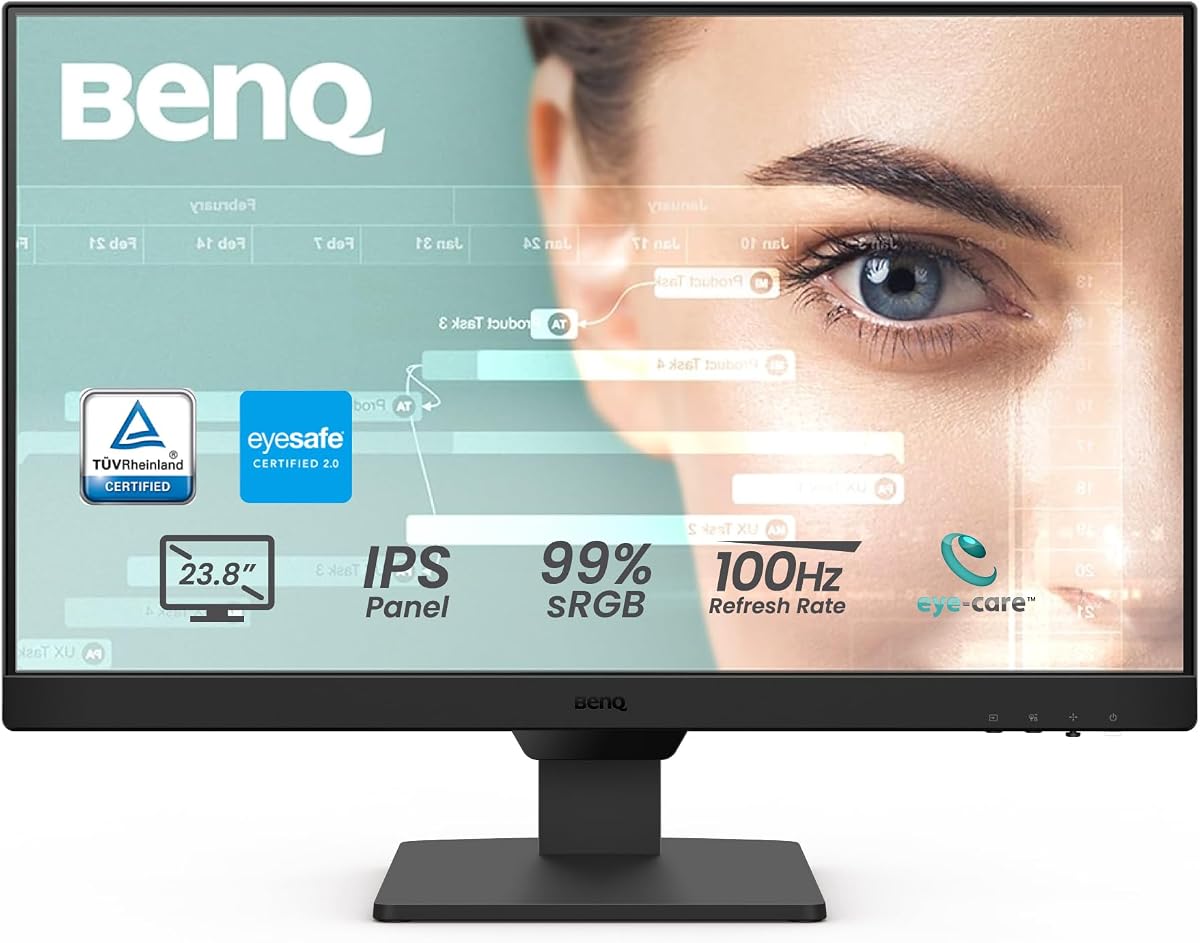
The BenQ GW2490 stands out for its commitment to eye health and color accuracy. With an IPS panel, it offers wide viewing angles and consistent colors, making it ideal for work environments where precision matters.
We may earn a commission when you buy through this link, at no additional cost to you.
BenQ's Low Blue Light Plus technology filters harmful blue-violet radiation without compromising color quality. This feature, combined with adaptive brightness, ensures comfort during long workdays, reducing fatigue and strain on your eyes.
Although it lacks robust speakers and extensive stand adjustments, the thin bezel design creates a modern look suitable for multi-monitor setups. The inclusion of DisplayPort and HDMI provides versatile connectivity for different devices.
This monitor is best suited for professionals who spend hours in front of a screen. It balances visual performance with eye protection, making it a thoughtful choice for writers, developers, and designers.
IPS technology ensures accurate colors and wide viewing angles for collaborative work.
Adaptive brightness adjusts to ambient light to optimize comfort and reduce eye strain.
We may earn a commission when you buy through this link, at no additional cost to you.
The Dell 24 Monitor SE2426H is our top pick for its exceptional balance of speed and quality. It earns a high rating for its 144Hz refresh rate and IPS technology, which deliver smooth motion and accurate colors for both work and gaming.
We may earn a commission when you buy through this link, at no additional cost to you.
Its 1ms MPRT response time minimizes motion blur, ensuring that fast-paced content remains sharp and clear. This performance is complemented by AMD FreeSync, which synchronizes refresh rates to eliminate tearing during demanding tasks.
While it lacks height adjustment, the ultra-thin bezels maximize screen space and create a sleek aesthetic. The TÜV Rheinland 3-star certification ensures that eye comfort is prioritized without sacrificing visual fidelity or color accuracy.
This monitor is perfect for users who want a high-performance display for gaming or video editing. It offers professional-grade features at an accessible price, making it a standout choice in the current market.
144Hz refresh rate and AMD FreeSync provide fluid visuals for gaming and motion.
IPS technology ensures vibrant colors and sharp details across wide viewing angles.
We may earn a commission when you buy through this link, at no additional cost to you.
The Philips 241V8LB utilizes a VA panel to deliver deeper blacks and richer contrast, making it ideal for media consumption. Its sleek design and high user rating reflect its appeal for those prioritizing visuals and ergonomics.
We may earn a commission when you buy through this link, at no additional cost to you.
The virtually bezel-free design on three sides creates an immersive experience and allows for seamless multi-monitor setups. This aesthetic choice enhances productivity by maximizing usable screen real estate without distracting borders.
Flicker-free technology ensures that the screen does not cause additional eye strain during long sessions. While it lacks extensive ports, the available connections are sufficient for most standard setups involving PCs or laptops.
This model is recommended for users who watch movies or work with dark-themed applications. The high contrast and clean design make it a practical choice for home entertainment or focused work environments.
VA panel technology provides brighter whites and deeper blacks for more vivid images.
Three-sided bezel-free design expands visual space and supports multi-monitor arrangements.
We may earn a commission when you buy through this link, at no additional cost to you.
The Dell P2425H is built for professionals who demand reliability and flexibility. Its robust build and high user rating indicate consistent performance in demanding office environments where uptime is critical.
We may earn a commission when you buy through this link, at no additional cost to you.
Unlike many budget models, it offers height, tilt, swivel, and pivot adjustments. This full ergonomic support helps maintain proper posture and reduces physical strain during long workdays.
The contrast ratio and connectivity options support a wide range of devices, from laptops to desktop workstations. It is designed to integrate seamlessly into existing office setups without requiring additional accessories or mounts.
Choose this monitor if you need a durable display that grows with your workflow. Its adjustability and professional-grade construction make it an investment worth considering for daily use.
Full height, tilt, swivel, and pivot adjustments support healthy posture.
Professional-grade construction ensures consistent performance in daily office tasks.
We may earn a commission when you buy through this link, at no additional cost to you.
The BenQ BL2490 is noted for its anti-glare finish, which minimizes reflections in brightly lit rooms. With a perfect user rating, it delivers consistent visuals and reliable performance for everyday computing tasks.
We may earn a commission when you buy through this link, at no additional cost to you.
Its 100Hz refresh rate ensures smoother motion compared to standard 60Hz screens, benefiting scrolling and video playback. The availability of both HDMI and DisplayPort allows for flexible connectivity options across different devices.
While brightness is moderate, the anti-glare coating helps maintain image clarity even with overhead lighting. This feature is particularly useful for environments where reducing glare is more important than peak brightness.
This monitor is suitable for users working in open offices or spaces with natural light. Its practical design and strong performance make it a dependable option for general productivity and media viewing.
Anti-glare coating reduces distracting reflections from ambient light sources.
100Hz refresh rate provides smoother motion for scrolling and media playback.
We may earn a commission when you buy through this link, at no additional cost to you.
The LG 24U411A-B brings HDR10 support to a standard Full HD monitor, enhancing color and contrast for compatible content. Its high user rating reflects its appeal for media enthusiasts who want better visual fidelity.
We may earn a commission when you buy through this link, at no additional cost to you.
With a 120Hz refresh rate and IPS panel, it offers smooth motion and vibrant colors suitable for gaming and creative work. The borderless design creates a modern look that blends well with contemporary desk setups.
Reader mode helps adjust screen warmth for comfortable reading of text, while flicker-safe technology reduces eye fatigue. These features make it a thoughtful choice for users who prioritize comfort alongside performance.
This model is ideal for content consumers and casual gamers. Its blend of HDR support and smooth refresh rates provides a noticeable upgrade over standard displays without requiring a premium investment.
HDR10 support expands color range and contrast for richer media playback.
Reader mode and flicker-safe technology minimize strain during long reading sessions.
We may earn a commission when you buy through this link, at no additional cost to you.
The Acer KB220Q is designed for small spaces while delivering impressive performance. Its high user rating confirms that it meets expectations for clarity and speed in daily tasks and gaming.
We may earn a commission when you buy through this link, at no additional cost to you.
The ZeroFrame design maximizes screen space within a small footprint, making it perfect for tight desks. Adaptive-Sync support ensures that content remains tear-free, even during rapid motion or action sequences.
Despite its size, it offers a 100Hz refresh rate, which is rare for monitors in this category. This feature provides a noticeable smoothness advantage over standard 60Hz displays for both work and play.
This monitor is a great choice for secondary screens or compact workstations. It proves that performance can be maintained even in smaller form factors, offering versatility without compromise.
ZeroFrame design allows for more screen space in a smaller physical footprint.
Adaptive-Sync and 100Hz refresh rate prevent tearing during fast content.
We may earn a commission when you buy through this link, at no additional cost to you.
The Dell 24 Plus Monitor stands out for its comprehensive feature set that rivals higher-priced displays. With a high user rating, it combines premium ergonomics, fast refresh rates, and integrated audio for a complete experience.
We may earn a commission when you buy through this link, at no additional cost to you.
Its full height, tilt, pivot, and swivel adjustments ensure optimal viewing angles for any task. This level of customization supports better ergonomics and reduces physical strain during long working hours.
The integrated dual 3W speakers provide decent audio without needing external hardware. Combined with a 144Hz refresh rate and AMD FreeSync, it delivers smooth visuals and sound in a single package.
This model is best for users who want an all-in-one solution for office and media tasks. Its premium build quality and thoughtful features justify the investment for those valuing comfort and performance.
Integrated speakers and full adjustability reduce clutter and enhance comfort.
Height tilt pivot and swivel options support healthier viewing angles.
We may earn a commission when you buy through this link, at no additional cost to you.
Selecting the right HDMI LED monitor requires understanding key features that impact performance and comfort. This guide outlines the most important factors to consider.
Refresh rate determines how many frames per second the screen displays. Higher rates like 120Hz or 144Hz offer smoother motion and reduced motion blur.
Look for 100Hz or higher if you plan to game or watch fast-paced content regularly.
IPS panels provide better color accuracy and viewing angles, making them suitable for creative work. VA panels offer deeper contrast for media consumption.
Choose IPS for color-critical tasks and VA for better contrast and movie watching.
Full HD (1920×1080) is standard and balances performance with affordability. Higher resolutions offer more detail but require more powerful graphics cards.
Stick with Full HD for 24-inch displays to ensure clear text and visuals.
Ensure the monitor has enough HDMI ports to connect your devices. DisplayPort is also useful for higher refresh rates or connecting to PCs.
Prioritize models with multiple HDMI and DisplayPort inputs for future flexibility.
A stand that offers height, tilt, and pivot adjustments helps maintain good posture. Without these, you may strain your neck during long sessions.
Look for height adjustability and VESA mount support for better setup control.
Features like low blue light and flicker-free technology reduce eye strain. They are essential for users who work long hours in front of the screen.
Prioritize monitors with eye-care certifications if you have sensitive eyes.
Built-in speakers add convenience by removing the need for external audio devices. While they may lack power, they are sufficient for basic use.
Check for speaker wattage if you rely on them for calls or media.
Established brands often offer better support and warranty terms. They tend to have more consistent quality control and user satisfaction rates.
Consider the manufacturer's reputation and warranty length when comparing options.
Always connect the monitor to a stable power source and ensure proper ventilation to avoid overheating. Place it at arm's length with the top of the screen at eye level.
Clean the screen using a soft microfiber cloth and avoid harsh chemicals. Regularly check HDMI cables for damage to maintain a stable connection.
Adjust brightness and color settings to match your lighting conditions. Use dark modes or reader modes during night work to reduce eye strain.
HDMI is more common for connecting TVs and consoles, while DisplayPort supports higher refresh rates. Many monitors include both ports for maximum device compatibility.
Yes, many modern HDMI LED monitors support high refresh rates and adaptive sync. These features are crucial for smooth and tear-free gaming experiences.
Use low blue light modes and ensure proper lighting in your room. Adjust brightness to match your environment and take regular breaks using the 20-20-20 rule.
Refresh rate refers to how many times per second the screen updates. Higher rates like 144Hz make motion appear smoother and reduce blur during fast action.
They are convenient for basic audio needs but may lack power. For better sound quality, external speakers or headphones are often recommended.
Use a dry microfiber cloth to gently wipe the screen. Avoid sprays directly on the monitor and never use abrasive materials that could scratch the surface.
We have reviewed ten exceptional HDMI LED monitors that cover a range of needs from budget to premium. Each offers unique strengths in performance, design, and ergonomics.
Prioritize features like refresh rate and panel type based on your primary use case. Whether you work or game, the right monitor can significantly enhance your daily experience.
Remember to check current availability and verify specifications before buying. Prices and stock may change, so always confirm details directly from the retailer.