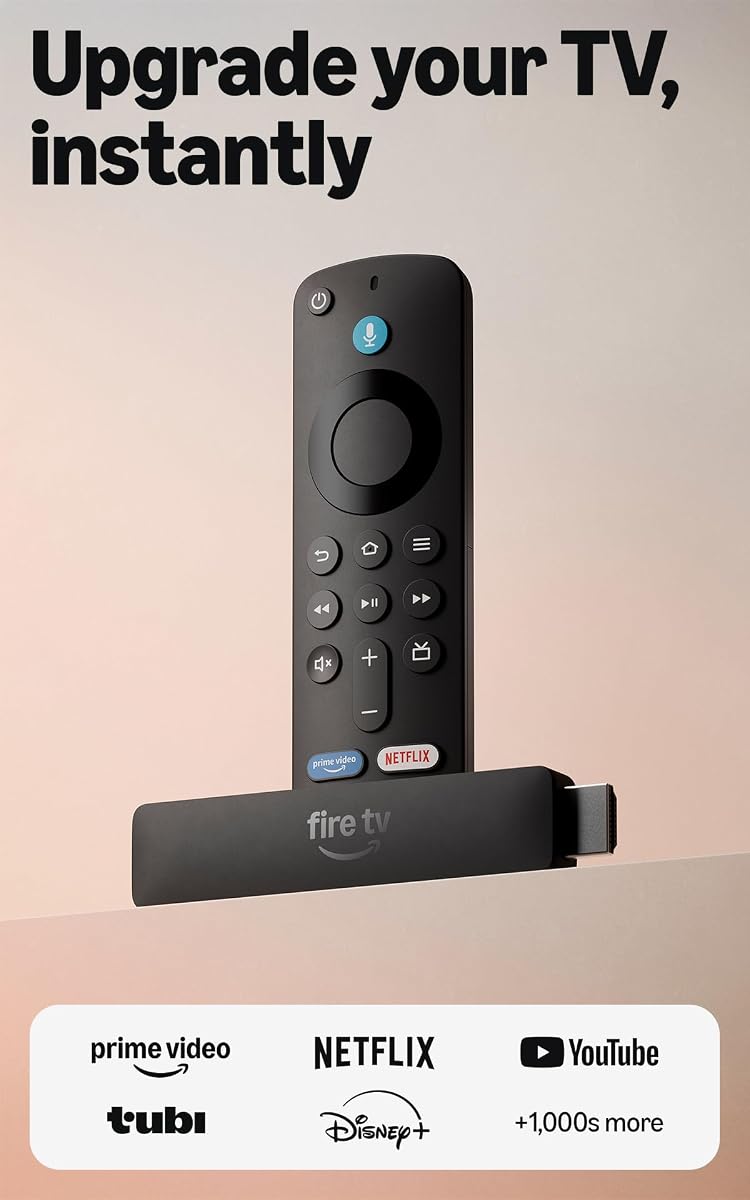
Amazon Fire TV Stick HD
4.1Editor score
Direct Power via USB-C
Alexa Voice Remote included
Wi-Fi 6 support
This guide compares the top HDMI streaming devices for 2026, evaluating performance, features, and value to help you choose the perfect player for your home
Streaming has become the primary way we consume entertainment, and an HDMI streaming device is the key to unlocking your smart TV’s potential. These compact players connect to your TV’s HDMI port and transform it into a powerful media hub capable of running apps, playing high-resolution video, and offering voice control features.
We evaluated ten leading HDMI streaming devices based on video quality, interface responsiveness, app availability, and overall value. Our analysis considers factors like 4K HDR support, Wi-Fi performance, remote features, and ecosystem integration to ensure you find a device that matches your specific viewing habits and budget constraints.
Each pick in this list showcases a different strength, from budget-friendly sticks to premium players with advanced audio and video capabilities. Please note that prices and availability change frequently, so we recommend checking current listings before making a final decision to ensure you get the best deal available today.
4.1Editor score

4.4Editor score

4.6Editor score
The following table provides a side-by-side comparison of all ten HDMI streaming devices evaluated in this guide, highlighting key specifications and standout features for quick reference.


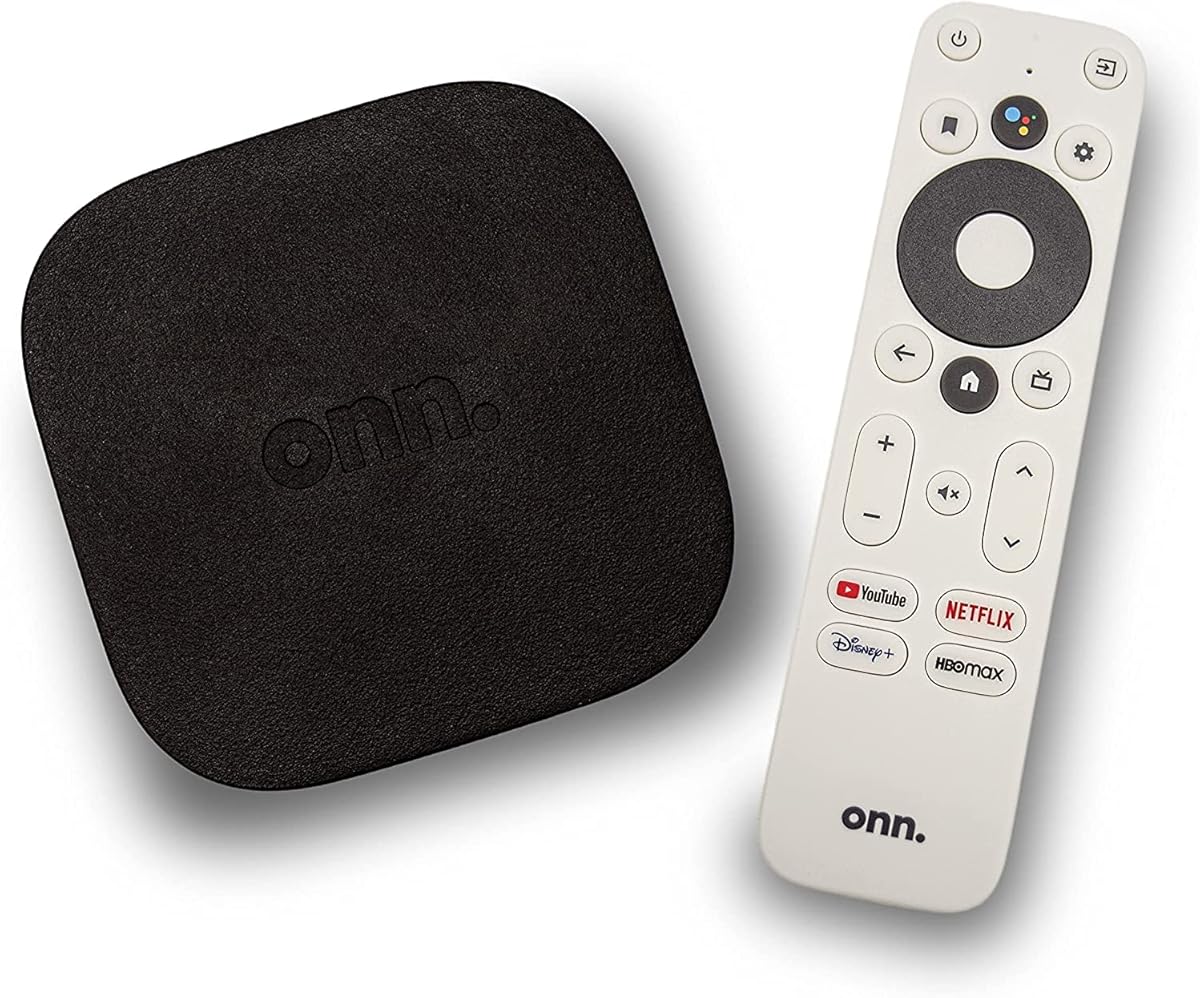

The Roku Ultra stands out as the most capable streaming player on this list, delivering unmatched speed and premium features. With a 30% performance boost over other models, it ensures seamless navigation and instant app launches for any user.
We may earn a commission when you buy through this link, at no additional cost to you.
Its support for immersive Dolby Atmos audio and 4K HDR10+ picture quality makes it ideal for home theater setups. The rechargeable Voice Remote Pro adds convenience with backlit buttons and a lost remote finder feature.
While it comes at a higher price than budget sticks, the Ethernet port and superior build quality justify the cost for serious streamers. You get a reliable device that handles everything from live TV to cloud gaming smoothly.
Anyone seeking the best possible streaming experience with robust features should choose the Roku Ultra. It balances power, connectivity, and usability in a way few other devices manage to achieve effectively.
The 30% speed increase ensures apps launch instantly and navigation feels fluid without any lag or stuttering during use.
Dolby Atmos and HDR10+ support provide theater-grade sound and vibrant visuals that make movies look and sound their best.
We may earn a commission when you buy through this link, at no additional cost to you.
This device offers an affordable entry point into smart TV streaming without sacrificing core functionality or ease of use. It brings crisp Full HD video and modern Wi-Fi 6 support to any compatible television with an HDMI port.
We may earn a commission when you buy through this link, at no additional cost to you.
The Direct Power feature eliminates the need for a wall adapter, simplifying setup by powering the stick directly from the TV. Alexa integration allows for natural voice commands to find content across various apps quickly.
While it lacks 4K resolution, it remains a strong choice for standard definition TVs or budget-conscious users who prioritize value over ultra-high definition. The streamlined design keeps clutter away from other HDMI ports on your display.
Perfect for secondary rooms or first-time smart TV owners, this stick delivers reliable performance at an unbeatable price point. It proves you do not need to spend a lot to enjoy modern streaming capabilities today.
The Direct Power feature uses a USB-C cable to draw energy from the TV, removing the need for an extra wall outlet.
Press the Alexa button on the remote to search for shows, control smart home devices, or check the weather effortlessly.
We may earn a commission when you buy through this link, at no additional cost to you.
The Fire TV Stick 4K Max represents the pinnacle of stick-based streaming with cutting-edge Wi-Fi 6E and doubled storage for apps. It delivers 4K Ultra HD visuals with Dolby Vision and immersive Dolby Atmos audio for a cinematic home experience.
We may earn a commission when you buy through this link, at no additional cost to you.
The new modern design features dedicated buttons for live TV and a lightning-fast processor that ensures fluid navigation. With Wi-Fi 6E, it handles crowded networks smoothly, reducing buffering even when many devices are connected to your router.
While more expensive than standard sticks, the added storage and advanced wireless capabilities provide future-proofing that justifies the investment. The Ambient Experience feature turns your screen into digital art when the device is idle.
Ideal for tech enthusiasts who demand the latest standards and robust performance, this stick bridges the gap between portability and premium features. It is a top choice for maximizing your 4K TV’s potential without a large box player.
Wi-Fi 6E opens up new 6GHz bands for less congestion, ensuring smoother 4K streaming even in busy household networks.
With 16GB of storage, you can download more apps and games without constantly managing space or deleting content.
We may earn a commission when you buy through this link, at no additional cost to you.
The Roku Ultra LT delivers a premium streaming experience with sharp 4K HDR picture quality and a reliable dual-band Wi-Fi connection. It features a lightning-fast interface that makes app launches and navigation feel seamless and intuitive for everyone.
We may earn a commission when you buy through this link, at no additional cost to you.
Built with a strong steady connection in mind, this device performs well even in rooms farther from the router. The included Voice Remote provides essential voice control capabilities without needing to purchase extra accessories separately.
While it lacks the rechargeable remote found on the flagship Ultra, it remains a powerful option at a more accessible price. The 2GB memory ensures smooth multitasking between channels and apps during extended viewing sessions comfortably.
Choose this model if you want high-end video quality and performance without paying for features you may not use. It is an excellent middle ground between budget sticks and top-tier premium players for most households.
The 4K HDR and Dolby Vision support bring rich details and vibrant colors that enhance movies and TV shows significantly.
Dual-Band Wi-Fi ensures a steady signal that reduces buffering and interruptions during streaming sessions.
We may earn a commission when you buy through this link, at no additional cost to you.
This updated stick elevates entertainment with improved 4K streaming performance tailored for modern high-resolution televisions. It supports Wi-Fi 6 for smooth playback even when other devices share your home network bandwidth heavily.
We may earn a commission when you buy through this link, at no additional cost to you.
One of its standout features is cloud gaming capability, allowing you to play titles like Call of Duty without a console. Alexa+ provides personalized recommendations and smarter search across apps to help you find content faster effortlessly.
While cloud gaming requires separate subscriptions, it adds significant versatility to the device for casual gamers. The modern design and voice remote make it easy to manage smart home devices alongside your entertainment setup.
Great for users who want future-ready connectivity and flexible gaming options without extra hardware. It balances performance and convenience well for anyone looking to upgrade their TV’s capabilities.
The 4K streaming engine is optimized for better performance and reduced latency on high-resolution displays.
Stream games via Xbox Game Pass or Luna, turning your TV into a gaming console with a controller.
We may earn a commission when you buy through this link, at no additional cost to you.
Get brilliant 4K Ultra HD streaming with High Dynamic Range 10+ support for enhanced clarity and detail. The latest Fire TV experience offers a modern design that helps you navigate content categories and find your favorites quickly.
We may earn a commission when you buy through this link, at no additional cost to you.
Alexa+ allows you to talk naturally to find what to watch across apps, and manage your smart home with ease. It provides instant access to hundreds of thousands of movies and episodes with a streamlined interface.
Setup is as simple as plugging it in and connecting to Wi-Fi for immediate streaming enjoyment. While it focuses on essential features, it delivers reliable performance for everyday viewing without unnecessary complexity.
An ideal choice for upgrading an older TV to 4K on a tight budget. It brings modern smart TV capabilities to your living room without requiring a large investment or technical knowledge.
Enjoy HDR10+ supported video that delivers brighter highlights and deeper shadows for a more lifelike picture.
The streamlined interface lets you jump straight to content categories without scrolling through menus endlessly.
We may earn a commission when you buy through this link, at no additional cost to you.
With Android TV, this device grants access to the best content and infinite applications via the Google Play Store. It supports 4K Ultra HD resolution for stunning detail and clarity that exceeds Full HD capabilities significantly.
We may earn a commission when you buy through this link, at no additional cost to you.
Chromecast Built-in lets you easily cast shows and photos from your phone to the TV. The voice remote lets you press the Google Assistant button to find and control content naturally without typing.
It is compatible with many major TV brands and includes a high-speed HDMI cable for easy connection. The setup process involves accessing your Google account to configure the device and Wi-Fi network quickly.
Perfect for users deeply invested in Google services who want flexible app choices. It provides a smart hub for your entertainment with powerful casting and voice control features.
Download thousands of apps from the Google Play Store to customize your entertainment experience exactly as you like.
Cast videos directly from your phone to the TV for a seamless streaming experience without extra hardware.
We may earn a commission when you buy through this link, at no additional cost to you.
Enjoy fast smooth streaming in any room with the best Wi-Fi performance available on this device. It supports HD and 4K UHD resolutions with HDR and Dolby Vision for exceptional picture quality.
We may earn a commission when you buy through this link, at no additional cost to you.
The remote includes a headphone jack for private listening so you can enjoy shows without waking others. Power up your TV and adjust volume directly from the remote to avoid juggling multiple devices.
An Ethernet port provides a wired connection option for stability in areas with weak Wi-Fi signals. It is a robust player designed to keep you connected and entertained with premium video features.
Choose this for reliable wired options and private listening features that standard sticks lack. It is a solid choice for late-night viewing and consistent performance across all apps.
Plug wired headphones into the remote for private sound without disturbing others in the room.
Connect directly via Ethernet for stable internet access and reduced buffering during long streaming sessions.
We may earn a commission when you buy through this link, at no additional cost to you.
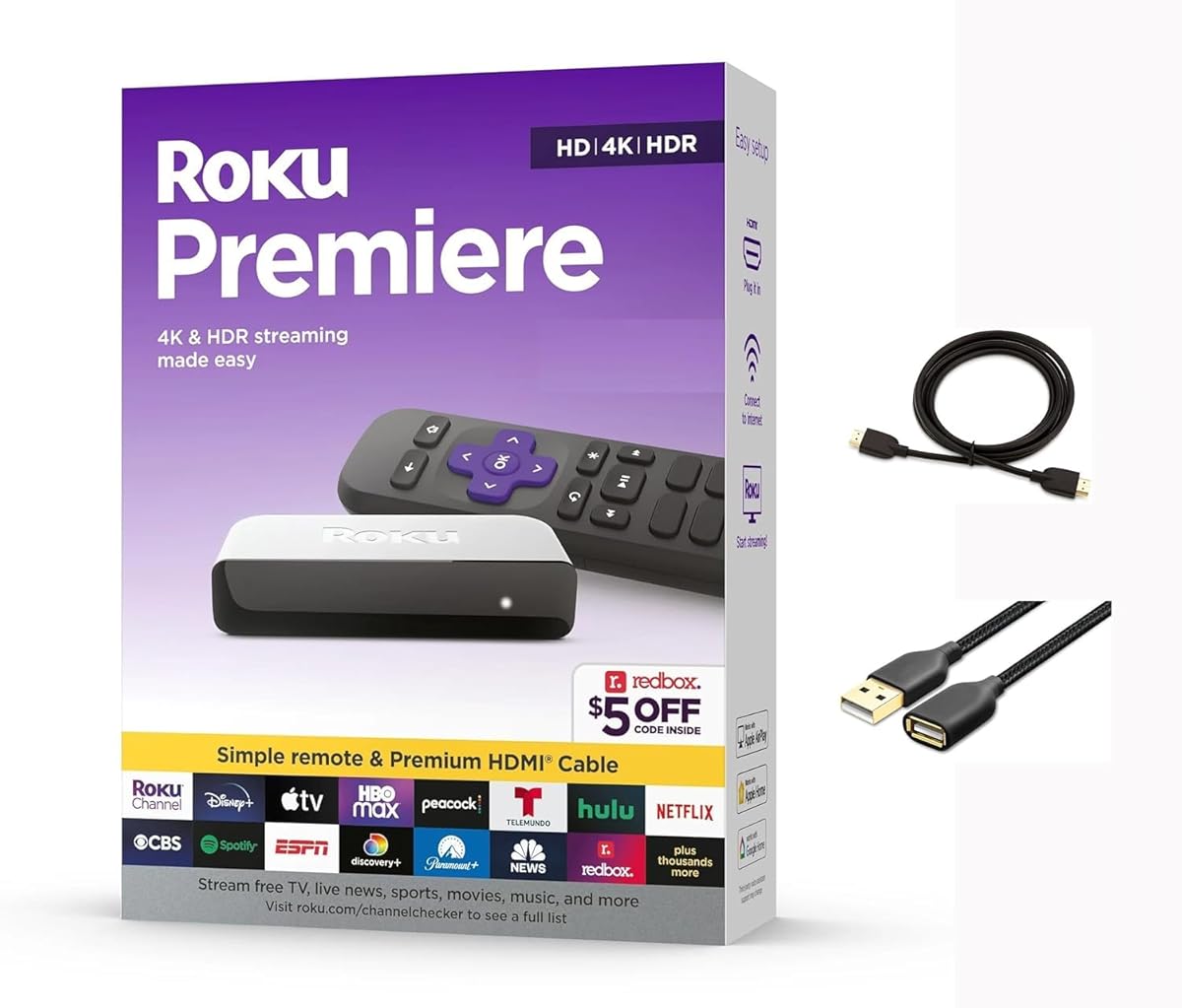
Upgrade your streaming with massive selection of free and premium TV including 400+ live channels. You get incredible picture quality optimized for your TV with sharp resolution and vivid colors for all content types.
We may earn a commission when you buy through this link, at no additional cost to you.
Includes a Premium High Speed HDMI Cable and USB Extension Cord for easy installation. The Simple Remote provides all essential controls with shortcut buttons to popular streaming channels.
Apple AirPlay support lets you share photos and videos from your iPhone directly to the TV. It works with Siri, Alexa, or Google Assistant for easy voice control if you have compatible smart home devices.
Best for Apple users who want straightforward streaming with high picture quality. It balances simplicity and performance for a hassle-free viewing experience in any room.
Share videos and photos from your iPhone to the TV effortlessly using built-in AirPlay compatibility.
Plug in the included cable connect to the internet and start streaming quickly without complicated instructions.
We may earn a commission when you buy through this link, at no additional cost to you.
Experience stunning 4K and Dolby Vision streaming made simple with the number one TV streaming platform. It brings out rich detail with four times the resolution of HD and lifelike clarity thanks to HDR10+.
We may earn a commission when you buy through this link, at no additional cost to you.
The long-range Wi-Fi receiver ensures seamless streaming even in rooms farther from your router. Its compact design won’t block neighboring HDMI ports and is designed to stay hidden behind your TV.
You can take your TV to-go when traveling without needing to log into someone else’s device. This offers freedom and portability that larger box players cannot match effectively for travelers.
Ideal for travelers or anyone wanting a high-quality stick that disappears behind the TV. It delivers excellent picture quality in a tiny form factor that fits anywhere.
Take your streaming profile with you anywhere by connecting to any TV in a hotel room.
Receive a strong signal even in distant rooms ensuring buffer-free streaming throughout your home.
We may earn a commission when you buy through this link, at no additional cost to you.
Selecting the right HDMI streaming device requires understanding your specific needs regarding video quality, connectivity, and smart features.
Ensure the device supports at least 4K Ultra HD and HDR10+ or Dolby Vision if your TV has these capabilities. This ensures you get the sharpest picture possible without compatibility issues when watching modern content.
Look for 4K and HDR support to maximize your display's quality and future-proof your entertainment setup for upcoming releases.
Evaluate whether the device offers Wi-Fi 6 or 6E for better performance in crowded networks. Ethernet ports on box players provide more stable connections for large households or gaming.
Prioritize Wi-Fi 6 or Ethernet for stable streaming that avoids buffering even when multiple devices share your home internet.
Choose between Roku, Fire TV, or Android TV based on your preferred app ecosystem and voice assistant. Each OS has unique strengths regarding app availability and interface customization options.
Select the operating system that aligns best with your existing smart home devices and favorite streaming applications.
Check if the remote includes dedicated voice buttons and supports assistants like Alexa, Google Assistant, or Siri. Voice search can significantly speed up finding content across different apps.
Voice control features allow for faster content discovery and hands-free management of your TV and smart home.
Sticks are ideal for travel and minimal setups, while box players offer more power and ports. Consider if you want the device to hide behind the TV or sit visibly on your media console.
Stick form factors save space and support travel, while boxes offer more connectivity and performance for permanent setups.
Budget sticks offer essential features while premium players add gaming and high-end audio support. Determine which features are necessary for your daily use to avoid overspending on capabilities you won't use.
Balance your budget with the features you actually need to get the best value without unnecessary expense.
Verify that all your favorite streaming services are available on the platform. Some platforms exclude certain apps which could limit your entertainment options significantly over time.
Confirm that your preferred streaming apps are supported before purchasing to ensure access to your favorite content.
Premium remotes may offer backlighting, headphone jacks, or rechargeable batteries. These features enhance usability in dark rooms and reduce the hassle of changing batteries.
Consider remotes with extra features like backlights or headphone jacks for convenience during late-night viewing sessions.
Start by plugging the device into an available HDMI port on your television and connecting the power cable. If your TV supports Direct Power, you may be able to draw energy directly from the HDMI port to simplify your setup.
Follow the on-screen setup wizard to connect to your Wi-Fi network and sign in to your accounts. Take your time to install all the apps you need before starting to watch content to avoid interruptions.
Keep the device cool and dust-free by ensuring it has proper ventilation. Clean ports gently with compressed air if needed and avoid exposing the device to moisture or extreme temperatures.
No, the device itself does not require a subscription to function. However, access to specific content services like Netflix or Disney+ typically requires a paid subscription, though many platforms offer free ad-supported content.
Yes, if your older TV has an HDMI port. If it lacks HDMI, you may need an HDMI to AV converter, but smart features will still work as long as the connection is stable.
The Amazon Fire TV Stick 4K Max or Roku Ultra are best for casual cloud gaming. For heavy console gaming, a dedicated console is still required as these devices mainly support cloud-based streaming games.
Most devices update automatically when connected to the internet. You can also manually check for updates in the device settings menu to ensure you have the latest features and security patches.
Yes, you can switch between multiple devices using your TV's input menu. Just ensure your TV has enough HDMI ports or use an HDMI switch to connect all your streaming devices.
Buffering often occurs due to slow internet or network congestion. Try switching to a wired connection if available, or close other apps on your network to free up bandwidth for streaming.
The Roku Ultra stands out as the best overall choice for users seeking speed and premium audio features. For budget-conscious buyers, the Amazon Fire TV Stick HD provides excellent value without compromising essential streaming capabilities.
Prioritize 4K resolution and Wi-Fi 6 support if you want to future-proof your entertainment setup. These features ensure your device stays relevant as content quality and network standards continue to improve over time.
Always verify current pricing and availability since deals change frequently on online marketplaces. This guide serves as a strong starting point to help you find the perfect device for your specific needs.