
MOSDART 16GB USB C & USB A 2.0 Swivel Dual Flash Drive,Black
4.5Editor score
Dual USB and Type C ports
Swivel protective design
Compact keychain attachment
This guide compares the top ten keychain USB flash drives for durability, speed, and capacity to help you choose the best portable storage option for your
Keychain USB flash drives offer a convenient way to carry essential files wherever you go. These compact devices combine reliable storage with a secure attachment point, ensuring you never lose your data again.
We evaluated ten top-rated models based on build quality, transfer speeds, and compatibility. Our analysis focuses on real-world performance and user feedback to highlight the most dependable options available today.
Each selection below includes detailed specs and pros to help you decide. Remember that availability and pricing can shift quickly, so verify current details before making your final purchase decision.
4.5Editor score

4.7Editor score

4.4Editor score
The following table provides a side-by-side view of all ten models. We highlight key specifications to help you quickly identify the right fit for your daily storage tasks.



This drive offers an impressive 230GB of storage in a waterproof metal shell. It is designed for users needing significant space for media and documents while maintaining portability.
We may earn a commission when you buy through this link, at no additional cost to you.
The high-speed data transfer capabilities allow for efficient file movement between devices. Its robust construction protects against water, shock, and dust, ensuring data safety.
While the capacity is generous, the physical size may be slightly larger than compact options. Users should ensure their devices can handle the USB connection properly.
It is ideal for professionals carrying large video files or extensive backups. The keychain design prevents loss, making it a practical choice for daily use.
Store all your favorite media and important documents without worrying about space limitations.
Waterproof and shockproof features safeguard your data against environmental hazards and accidental drops.
We may earn a commission when you buy through this link, at no additional cost to you.
This model balances size and functionality with a compact metal build. It is waterproof and includes a built-in ring for easy attachment to keys or bags.
We may earn a commission when you buy through this link, at no additional cost to you.
The 64GB capacity provides ample room for photos, videos, and work files. Compatibility spans Windows, Mac, and Linux systems for wide usability.
Transfer speeds are standard for USB 2.0, which might slow large file moves. The default exFAT format is convenient but may require reformatting for specific use.
It suits students and office workers needing reliable backup storage. The durable design ensures it withstands daily carry without damage.
High-quality metal casing protects against dust, water, and shock for long-term reliability.
Supports nearly all operating systems and devices with a standard USB port.
We may earn a commission when you buy through this link, at no additional cost to you.
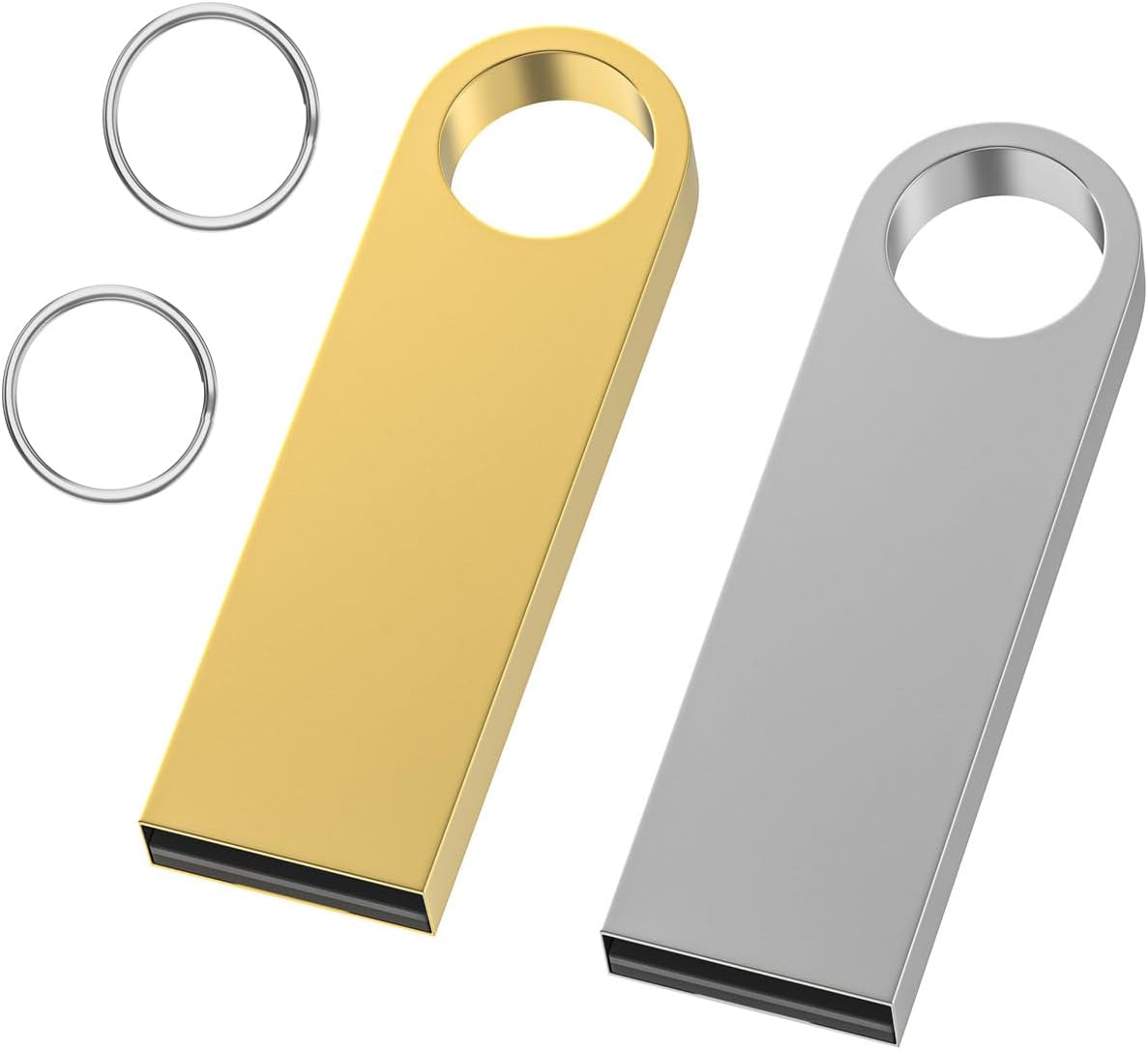
This two-pack offers a cost-effective solution for sharing or backup needs. The metal casing is vacuum-sealed for waterproof protection and durability.
We may earn a commission when you buy through this link, at no additional cost to you.
Each drive supports customization with logos or patterns for professional branding. The capless design eliminates the risk of losing protective covers.
Users may find USB 2.0 speeds slower for massive data transfers. Customization might require extra steps or specific services to finalize the design.
It is perfect for businesses needing branded gifts or personal backups. The included keychains ensure you can carry them securely wherever you go.
Personalize your drive with logos for a unique and professional appearance.
Vacuum-sealed metal construction keeps water and dust out effectively.
We may earn a commission when you buy through this link, at no additional cost to you.
This dual-drive connects to both modern USB C devices and standard laptops easily. Its rotating metal shell protects the ports while allowing quick access.
We may earn a commission when you buy through this link, at no additional cost to you.
Transfer speeds reach up to 150MB/s which is impressive for this form factor. The keychain ensures you never misplace the drive when moving between devices.
The rotating parts could wear over time with heavy use. Some users might find the dual connector adds bulk compared to single port drives.
It is ideal for those using both Android phones and Windows computers. The convenience of one drive for two platforms is a significant advantage.
Effortlessly transfer files between smartphones, tablets, and computers without adapters.
Lightning-fast data speeds reduce wait times for large file transfers.
We may earn a commission when you buy through this link, at no additional cost to you.
A straightforward option for basic storage needs with a metal build. It includes a keychain connection for secure attachment to bags or keys.
We may earn a commission when you buy through this link, at no additional cost to you.
The compact design makes it easy to carry in pockets daily. It supports major systems like Windows and Linux for broad compatibility.
Speeds may be slower compared to newer USB 3 models. The basic appearance might not appeal to those seeking premium aesthetics.
It works well for casual users needing simple file sharing. The stable transmission ensures files remain intact during transfers.
Compact and sturdy design fits easily into your daily carry items.
Compatible with desktops, laptops, and TVs with USB ports.
We may earn a commission when you buy through this link, at no additional cost to you.
This Samsung drive delivers exceptional speed with a robust metal body. It is rated for extreme conditions including water, shock, and temperature changes.
We may earn a commission when you buy through this link, at no additional cost to you.
The 300MB/s read speed makes it one of the fastest options available. A secure metal key ring prevents loss while keeping it accessible.
Users pay more for this premium build quality and performance. The size is standard but the design feels more substantial than plastic drives.
It is a top pick for professionals handling large data regularly. The reliability ensures your critical files are always safe from damage.
Protect your data with proof against water, shock, magnets, and temperature.
Redefine everyday file transfers with speeds up to 300MB/s.
We may earn a commission when you buy through this link, at no additional cost to you.
A compact solution for phones and tablets with a swivel mechanism. It connects via USB C directly without needing a separate adapter.
We may earn a commission when you buy through this link, at no additional cost to you.
Ideal for creators needing quick transfers without Wi-Fi or apps. The longer USB C port allows use even when phone cases are on.
Storage is limited to 16GB which suits small documents or photos. The protective cap for USB C adds security but requires handling care.
It is perfect for students or travelers with mobile devices. The keyring hole ensures it stays attached to your luggage or keys.
Works with iPhone, Android phones, and Macs without extra cables.
No need to remove phone cases to connect the drive.
We may earn a commission when you buy through this link, at no additional cost to you.
This set provides two drives for sharing or backup purposes. The sleek aluminum body looks premium and resists wear and tear.
We may earn a commission when you buy through this link, at no additional cost to you.
Each drive includes a dedicated hole for a matching keychain to prevent loss. It works across Windows, Mac, and Linux systems effortlessly.
16GB is quite limited for modern large media files. Speeds are functional for text and small images but not for video editing.
Great for basic file transport or emergency data storage needs. The included keychains add practical value to the low price.
Premium aluminum construction offers better protection than plastic options.
Hanging on keychains reduces risk of misplacing the drive.
We may earn a commission when you buy through this link, at no additional cost to you.
This Lexar model balances style with solid performance for daily tasks. Its data protection features offer peace of mind for sensitive files.
We may earn a commission when you buy through this link, at no additional cost to you.
Read speeds of 150MB/s provide quick access to stored content. The USB 3.2 Gen 1 interface ensures broad compatibility with modern ports.
The software tools may feel redundant for some casual users. The design is sleek but may not be as rugged as fully sealed metal options.
It suits users needing a reliable drive for work documents. The mix of speed and storage makes it a strong contender.
Lexar DataShield helps protect your files from unauthorized access.
USB 3.2 Gen 1 enables fast file transfers across devices.
We may earn a commission when you buy through this link, at no additional cost to you.
This drive features a slide-out connector that eliminates cap loss risks. It provides 128GB of space in a lightweight and compact form factor.
We may earn a commission when you buy through this link, at no additional cost to you.
The integrated lanyard loop ensures it stays securely attached to your items. Included software helps manage data more efficiently on compatible systems.
The slide mechanism may require occasional cleaning to function smoothly. The software tools might not appeal to users preferring simple drag-and-drop use.
It is an excellent choice for business users needing reliability. The design simplifies connection tasks and keeps your desk organized.
Slide-out connector ensures you never lose a protective cap again.
Included Elite software helps organize and back up files easily.
We may earn a commission when you buy through this link, at no additional cost to you.
Selecting the right drive depends on your storage needs and usage environment. This section outlines the most important factors to consider.
Capacity determines how many files you can carry at once. For basic documents, 16GB to 64GB is often sufficient. For videos or large software, look for 128GB or higher.
Choose a capacity that matches your typical file sizes to avoid running out of space.
USB 3.0 and 3.1 drives offer faster read and write speeds than USB 2.0 models. This reduces the time spent waiting for large files to transfer.
Prioritize USB 3.0 or higher if you move large data frequently.
A rugged metal shell protects against drops, dust, and spills. Waterproof ratings are crucial if you work in outdoor environments.
Look for models rated for water, shock, and dust protection.
The physical design affects how easily you can carry the drive. Capless designs prevent lost covers while others use retractable connectors.
Pick a form that minimizes the risk of losing parts.
Ensure the drive works with your devices operating system. Some drives require formatting changes for Linux or older Windows systems.
Verify that the drive supports your specific device ports.
Dual port drives support both USB A and USB C for wider use. This eliminates the need for extra adapters when moving between phone and laptop.
Choose dual port models for maximum flexibility across devices.
Insert the drive into an available USB port on your device. Wait for the operating system to recognize it before accessing files.
Always use the 'Safely Remove Hardware' option before unplugging to prevent data corruption or loss.
Keep the drive away from extreme temperatures and moisture to extend its lifespan and performance.
Many models feature waterproof designs with sealed metal bodies. Always check the specific product details to confirm water resistance ratings.
USB 3.0 provides faster data transfer speeds compared to 2.0. Both types are generally compatible with most standard ports.
Drives with USB C ports work directly with modern Android devices and iPhones. You may need an adapter for standard USB A drives.
You can reformat using your computer disk management tools. Common formats include exFAT for cross-platform use.
Drives can carry malware if used on infected systems. Always scan files before opening them on your main machine.
A quality drive can last several years with proper care. Physical damage to the connector or cap usually limits lifespan.
We have reviewed ten distinct models ranging from budget to premium options. Each brings unique strengths in speed, durability, or capacity.
Prioritize your specific storage needs and device compatibility when making a choice. A drive that fits your workflow is more valuable than raw specs.
Prices and availability change frequently so verify current details before buying. Use the links above to access the latest product information.